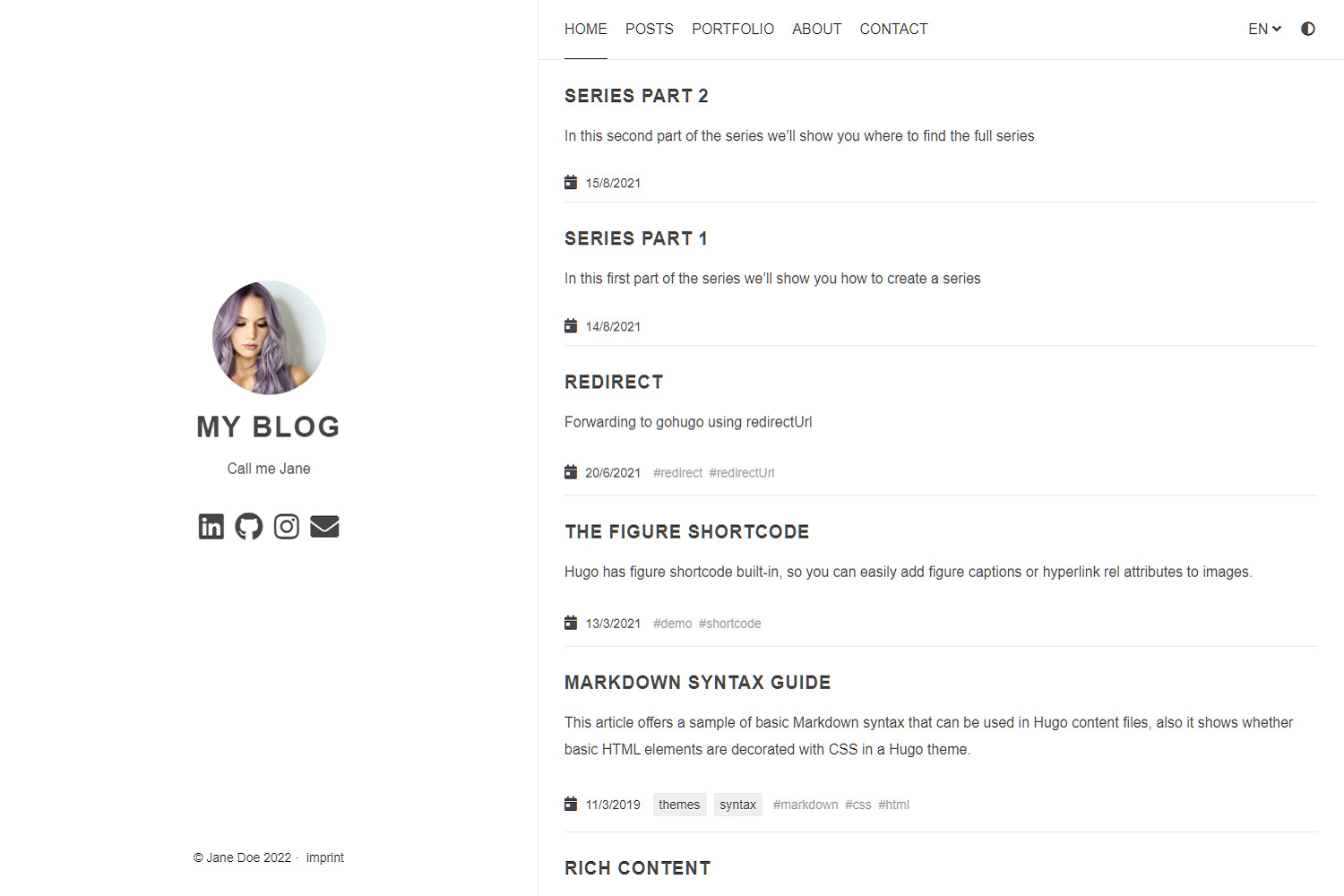
派生自 Anatole 的 Hugo 双栏极简博客主题,用于 instantiator.dev
Hugo博客
blog-theme-anatole-instantiator — Hugo 博客模板
作者 instantiator
基于 Anatole 的 Hugo 博客主题,用于生成 instantiator.dev,采用 MIT 许可,支持深色模式、多语言与多种可选评论、统计服务。
看看你的网站会是什么样
浏览真实页面截图,比较内容排版与手机效果。点击下方缩略图切换,放大查看整页细节。
目前有 1 张原始预览,可打开完整图片查看设计细节。
截图用于了解视觉与布局,交互效果请以实际项目为准。
采集于 2026-10-11查看来源
值得关注的模板亮点
从已有项目资料中,快速了解它的特点。
通过 config.toml 配置头像、标语、导航菜单、日期格式与文章区段名称
支持深色模式与主题切换开关,可关闭动画
支持多语言与 RTL 语言方向
可选接入 Disqus、Commento、Utteranc.es 评论及 Google Analytics、Simple Analytics
支持 KaTeX/MathJax 数学公式、Formspree 联系表单、Twitter Cards 与 Open Graph
模板详细介绍
这是 instantiator 为 instantiator.dev 使用的 Hugo 博客主题,派生自 lxndrblz 的 Anatole 主题。仓库本身以 MIT 许可发布,README 说明其定位是极简的双栏博客主题,并列出可配置的功能项。
主题通过 config.toml 进行配置,可设置头像与标语、导航菜单、favicon、版权年份、日期格式、每页摘要与「阅读更多」链接、首页是否显示全文、文章区段名称(如 post 或 blog)等。显示层面支持深色模式与主题切换开关,可关闭动画。
内容与集成方面,主题支持多语言与 RTL 语言方向,可选接入 Disqus、Commento、Utteranc.es 评论,Google Analytics(含 GA4 的 gtagId)、Simple Analytics、Google 站点验证、KaTeX/MathJax 数学公式、Formspree 联系表单、Twitter Cards 与 Open Graph、文章缩略图与图片缩放、语法高亮,并允许添加自定义 CSS 与 JavaScript。
使用限制:README 中提到的 Formspree、Disqus、Commento、Utteranc.es、Google Analytics、Simple Analytics 等均为外部服务,需要自行配置端点或账号,其额度与费用需单独核对;Utteranc.es 脚本没有内置完整性校验,使用严格 CSP 时需把相关域名加入白名单;演示图片、字体与图标等第三方素材的许可需单独确认。
Hugo博客
适合你的项目吗?
适用场景
- 搭建以文章列表为主的个人技术博客
- 需要多语言或 RTL 语言支持的博客站点
- 希望按需接入评论、统计或数学公式渲染的 Hugo 站点
适合人群
- 使用 Hugo 并希望通过 config.toml 完成大部分配置的博客作者
- 需要深色模式、多语言和可选评论系统的个人站点
- 接受自行配置第三方服务(评论、统计、表单)的开发者
上手与定制指南
结合仓库当前版本的说明,按下面的资料检查内容、配置与运行要求。
- 1
将主题作为 submodule 加入 Hugo 项目:git submodule add <repo> themes/anatole,并配置 config.toml
- 2
可参考 exampleSite 的 config.toml 与内容,用 hugo server 在本地预览
- 3
Formspree、Disqus、Commento、Utteranc.es、Google Analytics、Simple Analytics 等外部服务需自行配置端点或账号
- 4
使用严格 CSP 时需为 Utteranc.es 等外部脚本添加域名白名单
- 5
演示图片、字体与图标等第三方素材的许可需单独核对
授权与来源资料
使用条件与限制
免费使用 · 保留许可声明本次收录的是公开仓库中采用 MIT 许可的免费版本;免费范围为该版本代码,不代表外部服务或第三方素材免费。
使用时需要遵守
- 允许免费使用、修改、商用和分发该版本代码。
- 分发代码副本或实质性部分时,保留原作者版权声明和完整 MIT 许可声明。
- 代码按现状提供;担保与责任限制以原许可证及适用法律为准。
额外费用与待核对事项
- README 提及 Formspree 表单服务;真实提交需配置服务端点,其使用额度与费用需单独核对。
- 演示图片、字体、图标及其他第三方素材需按各自许可核对,不能仅凭代码的 MIT 许可判断。
- 域名、托管、数据库、支付或 AI 等外部服务可能另外收费。
- Disqus 评论为可选功能,需在 config.toml 中配置 Disqus shortname 才会显示评论;未配置则不显示评论。
- Utteranc.es 评论为可选功能,需在 config.toml 中指定 GitHub 仓库(repo)后才会显示评论。
- Utteranc.es 脚本没有内置完整性校验,使用严格 CSP 时需自行将相关域名加入白名单。
- Google Analytics 为可选功能,需自行提供有效的跟踪代码(如 UA 或 GA4 的 gtagId)才能启用。
- Simple Analytics 为可选功能,需在 config.toml 中将 enable 设为 true 才能启用。
- Formspree 联系表单为可选功能,需在 config.toml 中配置 contactFormAction 端点后才能使用。
- 引入远程 JavaScript 时不会应用完整性校验与压缩,需自行调整 CSP 设置。
- exampleSite 中的头像图片由第三方(Unsplash 用户)提供,其素材许可需单独确认。
- exampleSite 文章中的缩略图由第三方(Unsplash 用户)提供,其素材许可需单独确认。
查看原文依据
Permission is hereby granted, free of charge
许可证原文
No comment section is shown on the `single.html`, unless a Disqus code is specified in the `config.toml` file.
README 原文
No comment section is shown on the `single.html` unless a `repo` is specified in the `config.toml` file.
README 原文
The script currently has no built-in integrity check, due to limitations of [Utterances](https://github.com/utterance/utterances/issues/40).
README 原文
To use Google Analytics, a valid tracking code has to be added.
README 原文
To use Simple Analytics, it has to be enabled by setting the parameter to true.
README 原文
Step 1: Configure the `contactFormAction` in the `config.toml`
README 原文
You can also include links to remote javascript files (hosted on CDNs for example). But be aware, that integrity settings and minification won't be applied. Further make sure to adjust your CSP.
README 原文
Go to [Kareya Saleh](https://unsplash.com/photos/tLKOj6cNwe0) for providing the profile picture in the exampleSite.
README 原文
https://github.com/instantiator/blog-theme-anatole-instantiator/blob/main/LICENSEhttps://github.com/instantiator/blog-theme-anatole-instantiator/blob/main/README.mdGo to [Ales Krivec](https://unsplash.com/photos/4miBe6zg5r0) for providing the thumbnail picture in the exampleSite post.
README 原文
DeepSeek 根据仓库许可证和 README 整理 ·2026-10-11。结果仅覆盖已读取资料,依赖、图片、字体及后续条款变更以各自原文为准。
项目核对记录与介绍依据
模板资料
- 来源平台
- GitHub
- 资料与维护参考分
- 资料较少 · 53 / 100
- 技术栈
- Hugo
- 网站类型
- 博客
这个分数如何计算
本站按许可资料(最高30分)、演示链接(12分)、预览图(10分)、Star数(15分)、记录的维护时间(15分)、描述完整度(8分)、功能记录(5分)和分类资料(5分)计算。它不是代码、安全或性能测试,也不是 Google 评分;有链接不代表已实测可用。
这个项目需要核对什么
- 记录的仓库更新时间
- 2023-07-02
- 截图检查日期
- 2026-10-11
目前没有记录演示链接。请依据仓库说明在本地评估;仅凭截图无法确认交互行为。
目录记录的主要技术栈是 Hugo。请通过依赖清单和锁文件核对实际版本与托管要求。这些说明基于收录资料,不代表代码审计或部署实测。
查看具体选型方法 →介绍的制作与核对状态
介绍由 AI 辅助整理目录与仓库资料。仓库作者不等于这篇介绍的审核者。
审核声明: [email protected] · 2026-10-13
查看当时使用的来源资料
SHA-256: ff2864e0033c0385cc8c3d998216c1f544b69d70609ee9412805bcd1f592f692
2026-10-11T19:21:57.634Z
来源文件 / 仓库# blog-theme
The theme for [instantiator.dev](https://instantiator.dev) is derived from the [Anatole](https://github.com/lxndrblz/anatole) blog theme.
## Anatole  [](https://alexbilz.com/)
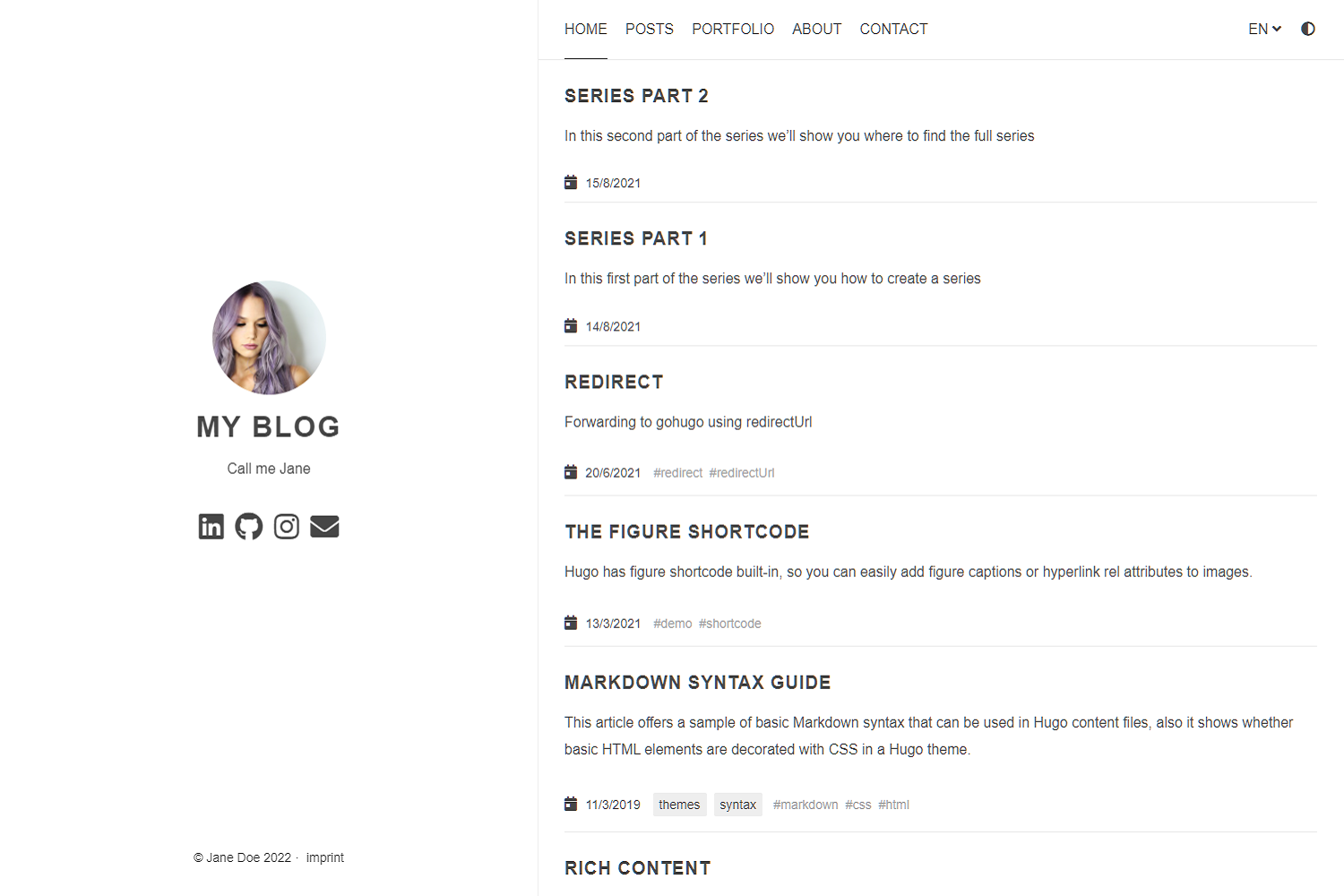
Anatole is a beautiful minimalist two-column [hugo](https://gohugo.io/) theme based on farbox-theme-Anatole.
## Features
Anatole's aims to be minimalistic and sleek, but still brings some great functionality.
### Features include
- Profile picture and slogan
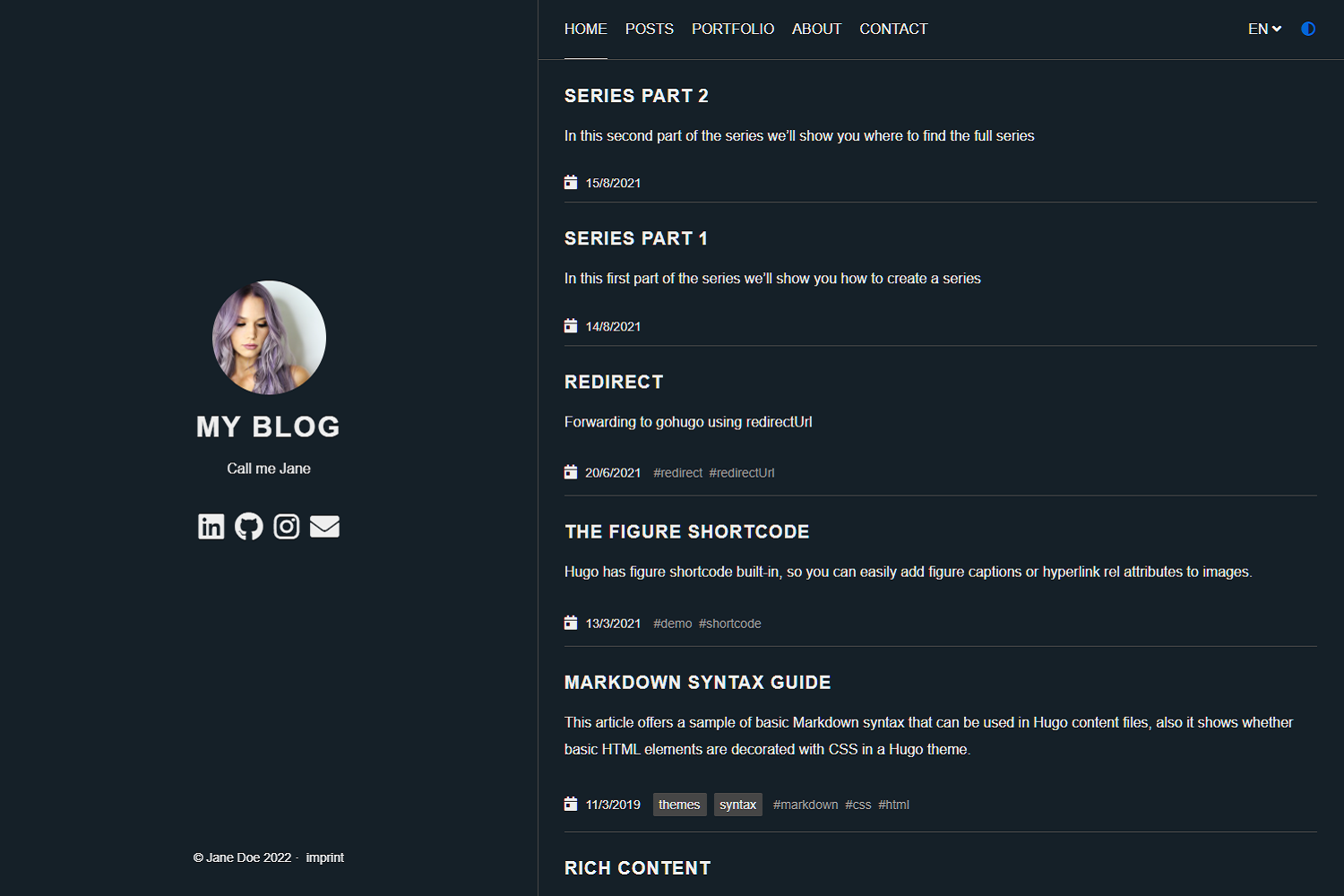
- Dark mode
- Navigation items
- Pagination
- Multilingual
- RTL support
- Post Thumbnails (optional)
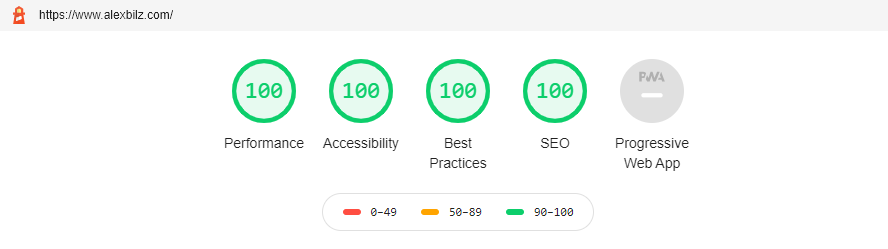
- 100⁄100 Google Lighthouse score
- Google Analytics (optional)
- Comments powered by Disqus, Commento or Utteranc.es (optional)
- SimpleAnalytics (optional)
- Katex support (optional)
- Formspree Contact Form (optional)
- Twitter Cards support
- Open Graph support
- MIT License
- Fontawesome 5.15.1 icons
- Custom CSS (optional)
- Custom JavaScript (optional)
- Medium like zoom for images
- Compliant to strict CSP
- Syntax highlighting
- Uses Hugo pipes to process assets
## Preview the exampleSite
```shell
git clone https://github.com/lxndrblz/anatole.git anatole
cd anatole/exampleSite
hugo server --themesDir ../..
```
## Quick Start
1. Add the repository into your Hugo Project repository as a submodule: `git submodule add https://github.com/lxndrblz/anatole.git themes/anatole`.
2. Configure your `config.toml`. Feel free to copy the demo `config.toml` and some content from the exampleSite.
3. Build your site with `hugo serve` and admire the result at `http://localhost:1313/`.
## Update your installation
If you want to get the latest update of the `Anatole` theme please execute this command:
```shell
git submodule update --remote --merge
```
## Modifying the config.toml
Ìn this section I'll discuss the custom parameters available within the `config.toml`. The complete [sample](https://github.com/lxndrblz/anatole/blob/master/exampleSite/config.toml) can be found in the exampleSite folder.
### Profile picture and slogan
```toml
[params]
title = "I'm Jane Doe"
author = "Jane Doe"
description = "Call me Jane"
profilePicture = "images/profile.jpg"
```
Please note that the slogan can be multi-lined (note the three quotes at the beginning and end):
```toml
[params]
description = """
Call me Jane
Blogging from Texas
"""
```
### Favicon
Add your own favicon in `static/favicons/favicon.ico`.
### Copyright
By default, the copyright will show the current year, but you can change this by configuring the `copyright` parameter.
```toml
copyright = "2020-2021"
```
### Navigation items
Non-content entries can be added right from the `config.toml` file.
```toml
[menu]
[[menu.main]]
name = "Home"
identifier = "home"
weight = 100
url = "/"
[[menu.main]]
name = "Posts"
weight = 200
identifier = "posts"
url = "/post/"
[[menu.main]]
name = "About"
weight = 300
identifier = "about"
url = "/about/"
```
### Prefer dark theme
You can easily enable the dark mode from the `config.toml` all you have to do is to set the parameter `displayMode` to `dark`. If you don't specify any displayMode, then the light version will be loaded.
Please also note that returning visitors will see the theme that was last displayed to them on your site. If your user has his system configured to dark mode, then this will also take precedence over the `displayMode` set in the `config.toml`.
```toml
[params]
displayMode = "dark"
```
### Disable Theme Switcher
You can easily disable the theme switcher from the `config.toml`. All you have to do is to set the parameter `disableThemeSwitcher` to `true`.
```toml
[params]
disableThemeSwitcher = true # Theme switcher is enabled by default
```
### Disable Animations
You can easily disable the animations from the `config.toml`. All you have to do is to set the parameter `doNotLoadAnimations` to `true`.
```toml
[params]
doNotLoadAnimations = true # Animations are loaded by default
```
### Control the date Format
You can change the default date formating for the `list.html`, the `single.html` and the `index.html`. Simply configure the matching parameters.
```toml
[params]
singleDateFormat = "Mon, Jan 2, 2006"
indexDateFormat = "Mon, Jan 2, 2006"
listDateFormat = "Jan 2"
```
### Read-more Links
You can enable read-more links for truncated posts by setting the `readMore = true`. The length of the preview is controlled by Hugo's `summarylength`. Read-more links are disabled by default.
```toml
[params]
readMore = true
```
### Have a static page as a home page
If you prefer having a static page as your home page rather than a listing of the latest posts, then make sure you leave the `mainSections` parameter blank:
```toml
[params]
mainSections = []
```
Put any content into the `_index.md` file located in the content directory. If you want, you can also have some static text and the posts below. In such case, simply keep the `mainSections = ["post"]` and put any static content in the `_index.md`.
### Rename post section
If you want to have a different post section identifier, such as `/blog`, you can specify the section name using `postSectionName`:
```toml
[params]
postSectionName = "blog"
```
If the parameter is not set, it will default to `post`. Be sure to check the name of the folder containing your post files and change it accordingly in order for links to reflect the new post section name.
### Show full post content on the home page
If you prefer the full content of your posts to appear on the home page rather than a summary of each post, then set the parameter `fullPostContent` to `true`.
```toml
[params]
fullPostContent = true
```
### Multilingual support
Anatole supports multilingual page setups. All you need to do is to add the languages to your 'config.toml'. For each language you can set the custom options like title or description. It's important to include a `LanguageName`, as it will be displayed in the main menu.
```toml
[Languages]
[Languages.en]
title = "My blog"
weight = 1
LanguageName = "EN"
[Languages.de]
title = "Mein blog"
description = "Ich bin Jane"
weight = 2
LanguageName = "DE"
```
There are two ways of translating your content either by adding a suffix in the filename eg. `mypost.de.md` or by setting a contentDir (a certain directory) for each language. [Link to the Hugo documentation](https://gohugo.io/content-management/multilingual/). If you want to use the option with the `contentDir`, you will have to add the `contentDir` parameter for each language:
```toml
[languages]
[languages.en]
contentDir = "content/english"
languageName = "EN"
weight = 1
```
To make sure your menu is linking to the correct localized content, make sure that you customize the menu items to include the language prefix. Your menu might look like the following:
```toml
[[Languages.de.menu.main]]
url = "/de/"
identifier = "home"
name = "Startseite"
weight = 100
[[Languages.de.menu.main]]
name = "Beiträge"
weight = 200
identifier = "posts"
url = "/de/post/"
[[Languages.de.menu.main]]
name = "Über"
weight = 300
identifier = "about"
url = "/de/about/"
```
Anatole currently ships with support for some basic languages. Contributions for other language translations are welcome.
### RTL suppourt
Anatole support RTL langauges and flip the whole theme for that. To enable the RTL mode for specific langauge it's enough to write the following code in the language params.
```toml
LanguageDirection = "rtl"
```
### :100: Google Lighthouse score
The theme is optimized to adhere to the requirements checked for in the Lighthouse Audit. On my [personal site](https://www.alexbilz.com) I was able to reach a perfect 100⁄100 score.
### Comments powered by Disqus
No comment section is shown on the `single.html`, unless a Disqus code is specified in the `config.toml` file.
```toml
disqusShortname = "XXX"
```
### Comments powered by Utteranc.es
No comment section is shown on the `single.html` unless a `repo` is specified in the `config.toml` file. If uncertain how parameter to configure, check out the official [documentation}(https://utteranc.es/).
```toml
[params.utterances]
repo = "githubuser/reponame"
issueTerm = "pathname"
theme= "preferred-color-scheme"
# label =
```
Two notes on the security of Utteranc.es
- If you are using a strict CSP, you'll have to add the domain to it.
- The script currently has no built-in integrity check, due to limitations of [Utterances](https://github.com/utterance/utterances/issues/40).
### Comments powered by Commento
You can use [Commento](https://commento.io/) as an alternative to Disqus. All you need to do is to configure a `CommentoURL`:
```toml
[params]
CommentoURL = "https://commento.example.com/js/commento.js"
```
### Disabling Comments Per Page
Comments can be disabled per page by setting `disableComments: true` on the pages [Front Matter](https://gohugo.io/content-management/front-matter/)
### Google Analytics
To use Google Analytics, a valid tracking code has to be added. If you don't want to load the code, then commend out the parameter.
```toml
googleAnalytics = "UA-123-45"
```
To use the modern Google Analytics 4, include the following under `[params]` replacing the id with your own.
```toml
[params]
gtagId = "G-XXXXXXXXXX"
```
### Simple Analytics
To use Simple Analytics, it has to be enabled by setting the parameter to true. If you are using a custom subdomain to evade Adblockers, then specify the URL without a trailing slash.
```toml
[params.simpleAnalytics]
enable = true
# customurl = "https://analytics.example.com"
```
### Google Site Verification
To use Google Site Verification, add the following line to the `[params]`:
```toml
[params]
googleSiteVerify = "ABCDEFGHIJKLMNOPQRSTUVWXYZ0123456789"
```
Replace the hash with the one Google provided you.
### Beautiful math functions
```toml
## Math settings
[params.math]
enable = false # options: true, false. Enable math support globally, default: false. You can always enable math on per page.
use = "katex" # options: "katex", "mathjax". default is "katex".
```
### Formspree Contact Form on the Contact page
Step 1: Configure the `contactFormAction` in the `config.toml`
```toml
[params]
#contactFormAction = "https://formspree.io/f/your-form-hash-here"
```
Step 2: Activate the `contact: true` or `contact=true` in the frontmatter of a page. See `exampleSite/content/contact.html` as an example.
### Twitter Cards support
In order to use the full functionality of Twitter cards, you will have to define a couple of settings in the `config.toml` and the frontmatter of a page.
In the `config.toml` you can configure a site feature image. This image will be displayed, if no image is defined in the frontmatter of a page.
```toml
[params]
images = ["images/site-feature-image.png"]
```
To define a custom image of a page, you might want to add the following to the frontmatter of a post.
```toml
images = ["post-cover.png"]
```
### Open Graph Support
The [internal template for Open Graph protocol](https://gohugo.io/templates/internal/#open-graph) uses a mix of configuration variables; settings in `config.toml` and frontmatter of the page. In a nutshell, you will have to configure a taxonomies series.
### Post Thumbnails
Thumbnails can be enabled easily by setting the `thumbnail` parameter in the frontmatter of a post to an image such as `"images/landscape.jpg"`.
```md
+++
...
tags = [
"thumbnail",
]
thumbnail= "images/landscape.jpg"
+++
```
Make sure to put the image in the `static/images/` directory.
### Custom CSS
You can add your custom CSS files with the `customCss` parameter of the configuration file. Put your files into the `assets/css` directory.
```toml
customCss = ["css/custom.css", "css/styles.css"]
```
On the user-side it will look like this:
```text
.
└── assets
└── css
├── custom.css
└── styles.css
```
### Custom JavaScript
You can add your custom JS files with the `customJs` parameter of the configuration file. Put your files into the `assets/js` directory.
```toml
[params]
customJs = ["js/hello.js", "js/world.js"]
```
On the user-side it will look like this:
```text
.
└── assets
└── js
├── hello.js
└── world.js
```
`hello.js` and `world.js` will be bundled into a `custom.min.js`.
You can also include links to remote javascript files (hosted on CDNs for example). But be aware, that integrity settings and minification won't be applied. Further make sure to adjust your CSP. You can load a remote script like this:
```toml
[params]
customJs = ["http://cdn.exmple.org/fancyscript.js"]
```
Both approaches can even be mixed:
```toml
[params]
customJs = ["https://cdn.exmple.org/fancyscript.js", "js/world.js"]
```
### Medium Like Zoom
Enabled by default, the medium like zoom for images can be disabled by adding the following config under `[params]`.
```toml
[params]
enableMediumZoom = false
```
### Content Security Policy
The theme is compliant with most strict CSP policies out of the box. A sample CSP for an Anatole-based site would look something like this:
```text
Content-Security-Policy "
base-uri 'self';
connect-src 'self';
default-src 'self';
frame-ancestors 'none';
font-src 'self' cdnjs.cloudflare.com;
img-src 'self';
object-src 'none';
script-src 'self';
style-src 'self' cdnjs.cloudflare.com;
"
```
If you want to configure the security headers for a site running on Netlify, you want to make sure you create a special `_headers` file in your sites static folder. The content might look like the following:
```text
/*
X-Frame-Options: DENY
X-Clacks-Overhead: "GNU Terry Pratchett"
X-XSS-Protection: 1; mode=block
X-Content-Type-Options: nosniff
Referrer-Policy: same-origin
Content-Security-Policy: base-uri 'self'; connect-src 'self'; default-src 'self'; frame-ancestors 'none'; font-src 'self' cdnjs.cloudflare.com; img-src 'self'; object-src 'none'; script-src 'self'; style-src 'self' cdnjs.cloudflare.com;
Strict-Transport-Security: max-age=63072000; includeSubDomains; preload
```
### Configurable pagination section
You can configure the pages shown on the front page by altering the `mainSections` parameter:
```toml
[params]
mainSections = ["post", "docs"]
```
### Robots.txt
If you want Hugo to generate a robots.txt, you will have to set the `enableRobotsTXT` in the `config.toml` to `true`. By default a robots.txt, which allows search engine crawlers to access to any page, will be generated. It will look like this:
```text
User-agent: *
```
If certain sites should be excluded from being accessed, you might want to setup a custom robots.txt file within your `static` folder of your site.
### Syntax highlighting
This theme has support for either Hugo's lightning-fast Chroma code highlighting. See the [Hugo docs](https://gohugo.io/content-management/syntax-highlighting/) for more information.
To enable Chroma, add the following to your site parameters:
```toml
pygmentsCodeFences = true
pygmentsUseClasses = true
```
Then, you can generate a different style by running:
```shell
hugo gen chromastyles --style=monokailight > assets/css/syntax.css
```
If you get any errors, make sure the `assets/css/` directory exists within your sites root folder.
Include the newly generated `syntax.css` like a standard custom CSS script:
```toml
[params]
customCss = ["css/syntax.css"]
```
## License
Anatole is licensed under the [MIT license](https://github.com/lxndrblz/anatole/blob/master/LICENSE).
## Maintenance
This theme is maintained by its author [Alexander Bilz](https://github.com/lxndrblz) and with the help from these awesome [contributors](https://github.com/lxndrblz/anatole/graphs/contributors). Please open an issue/pull request if you want to contribute to making this theme better and more feature-complete. For PRs please make sure that they align with theme's goals: minimalism, speed and elegance.
## Sponsoring
If you like this theme, give it a star on GitHub, and consider supporting its development:
[](https://ko-fi.com/lxndrblz/)
## Special Thanks 🎁
- Go to [Cai Cai](https://github.com/hi-caicai), for the great Anatole Farbox theme that formed the foundation for this theme.
- Go to [Kareya Saleh](https://unsplash.com/photos/tLKOj6cNwe0) for providing the profile picture in the exampleSite.
- Go to [Ales Krivec](https://unsplash.com/photos/4miBe6zg5r0) for providing the thumbnail picture in the exampleSite post.
看看同类模板
对比同技术栈与用途的模板,找到更适合的视觉与内容结构。

hugo-PaperMod
PaperMod 是 Hugo 生态里知名度较高的主题之一,定位很明确:给博客和轻量作品集站点提供一套干净、响应式的阅读界面。
Hugo · 作品集

LoveIt
❤️A clean, elegant but advanced blog theme for Hugo 一个简洁、优雅且高效的 Hugo 主题
Hugo · 博客

hugo-coder
A minimalist blog theme for hugo.
Hugo · 博客

blowfish
Personal Website & Blog Theme for Hugo
Hugo · 博客

hugo-paper
🪺 A simple, clean, customizable Hugo theme
Hugo · 博客

hextra
Hextra 是一个 Hugo 主题,定位在文档站与博客之间:既提供侧边栏导航、目录、面包屑、分页这类文档站结构,也能承载博客内容。
Hugo · 文档