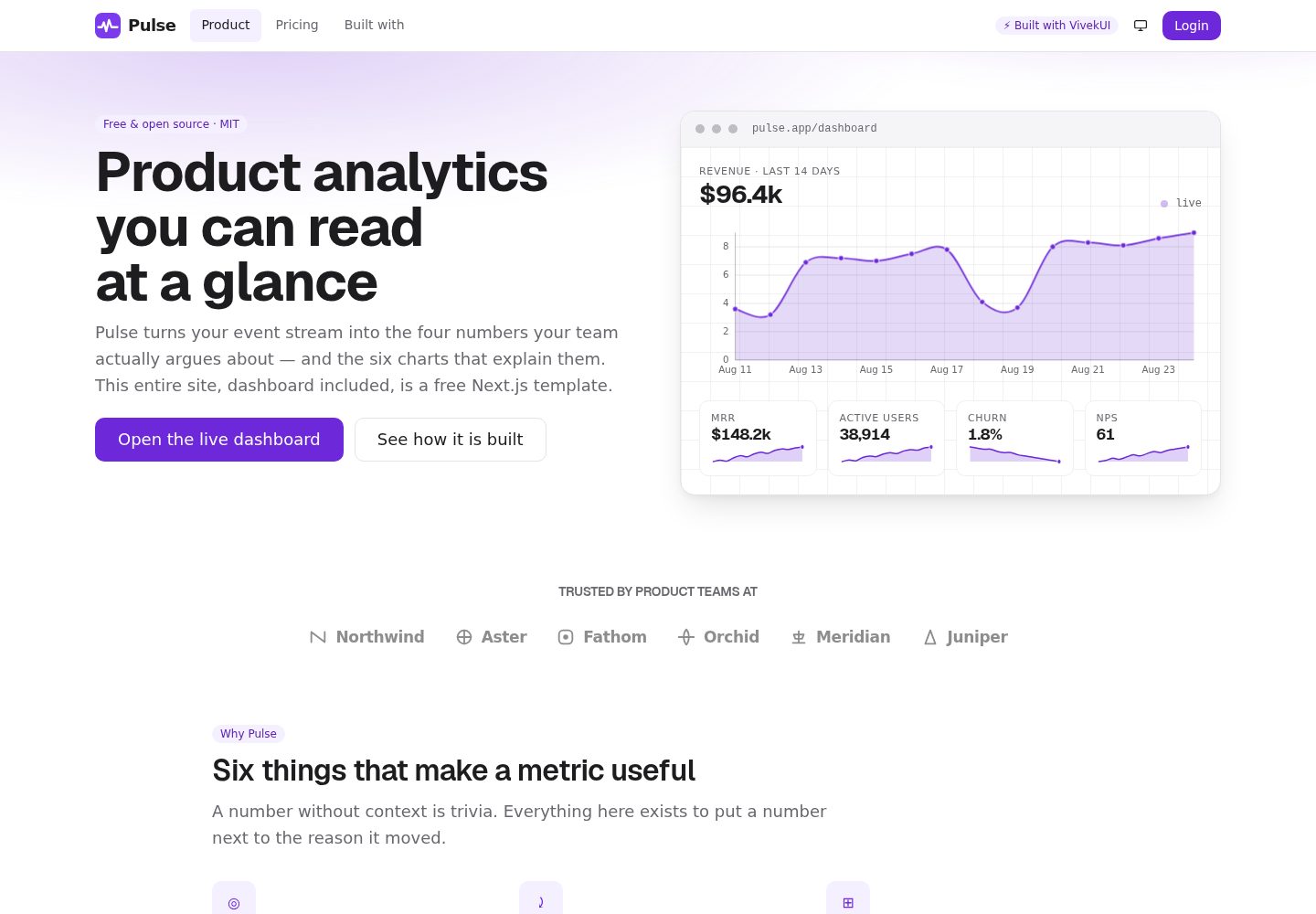
营销站点与模拟登录仪表盘合一的 Next.js SaaS 模板,所有数据来自 data/ 下的类型化 mock 模块
Next.jsReact后台SaaS企业官网
Pulse-Analytics — Next.js 后台模板
作者 intellectwithvivek
Pulse Analytics 是一个基于 Next.js 与 VivekUI 的开源 SaaS 模板,包含营销站点和模拟登录后的仪表盘,所有数据来自 data/ 目录下的类型化 mock 模块。
看看你的网站会是什么样
浏览真实页面截图,比较内容排版与手机效果。点击下方缩略图切换,放大查看整页细节。
全部页面与视图 2
截图用于了解视觉与布局,交互效果请以实际项目为准。
采集于 2026-10-15查看来源
值得关注的模板亮点
从已有项目资料中,快速了解它的特点。
仪表盘包含六种图表:AreaChart、BarChart、LineChart、PieChart、ProgressRing 和 Sparkline,均为纯 SVG
图表可在 React Server Component 中渲染,并附带视觉隐藏的数据表格,系列区分不依赖颜色
除 VivekUI 外没有其他 UI 运行时依赖,未使用 Tailwind、shadcn、MUI、Recharts、Chart.js 或 D3
包含 SEO 与 AEO 配置:按路由 Metadata、canonical、sitemap、robots、生成的 OG 卡片、manifest、多种 JSON-LD 和 llms.txt
提供 DataTable、KanbanBoard、日期范围报告与导出等仪表盘页面示例
模板详细介绍
Pulse Analytics 是一个开源的 Next.js SaaS 模板,面向产品分析类产品,同时提供营销站点和模拟登录后的仪表盘两部分。营销站点包含 hero、logo 云、功能、数据、客户评价、定价、FAQ、CTA、newsletter 和页脚;仪表盘包含 KPI 卡片、六种图表、数据表格、Kanban 看板和带日期范围与导出的报告视图。README 说明项目使用 VivekUI 组件库,未安装其他 UI 依赖,也没有 Tailwind、PostCSS 插件、shadcn、MUI、Recharts、Chart.js 或 D3。六种图表为纯 SVG,可在 React Server Component 中渲染,并附带视觉隐藏的数据表格。项目还包含按路由的 Metadata API、canonical、sitemap、robots、生成的 OG 卡片、web app manifest、多种 JSON-LD 以及 public/llms.txt。README 明确说明没有需要填写的 .env,也没有需要启动的数据库,所有数字都在 data/ 下的类型化模块中。README 未提供关于真实后端、认证或生产部署之外的说明;连接真实后端需要自行替换 data/ 中的导出,并可按说明为 DataTable 设置 manual 模式。
Next.js后台SaaS企业官网
适合你的项目吗?
适用场景
- 作为产品分析类 SaaS 的营销站点起点,替换文案与品牌资源后使用
- 作为带图表、表格和看板的仪表盘界面参考或原型
- 用于查看 VivekUI 组件在营销页和仪表盘中的组合方式
- 作为 Next.js 项目中 SEO、JSON-LD 和 llms.txt 配置的参考实现
适合人群
- 需要 Next.js SaaS 模板并希望同时获得营销页和仪表盘界面的开发者
- 希望使用 VivekUI 且不想引入其他 UI 或图表库的项目
- 需要参考纯 SVG 图表在服务端组件中渲染方式的开发者
- 需要示例数据表格、Kanban 看板和报告视图的项目
上手与定制指南
结合仓库当前版本的说明,按下面的资料检查内容、配置与运行要求。
- 1
需要 Node.js 20.9+,推荐 22 LTS;执行 git clone、npm install、npm run dev 后访问 http://localhost:3000
- 2
没有 .env 需要填写,也没有数据库需要启动;所有数字位于 data/ 下的类型化模块中
- 3
部署前需在 lib/site.ts 中设置自己的域名,SITE.url 是 metadataBase、canonical、sitemap 和 JSON-LD 的构建基础
- 4
品牌替换涉及 lib/site.ts、data/、lib/content.ts、app/globals.css、components/site/logo.tsx、app/icon.svg 和 app/opengraph-image.tsx 等文件
- 5
连接真实后端时替换 data/ 中的导出;服务端驱动的表格可设置 DataTable 的 manual 并使用 onSortChange、onSearchChange、onPageChange 和 totalRows
授权与来源资料
使用条件与限制
免费使用 · 保留许可声明本次收录的是公开仓库中采用 MIT 许可的免费版本;免费范围为该版本代码,不代表外部服务或第三方素材免费。
使用时需要遵守
- 允许免费使用、修改、商用和分发该版本代码。
- 分发代码副本或实质性部分时,保留原作者版权声明和完整 MIT 许可声明。
- 代码按现状提供;担保与责任限制以原许可证及适用法律为准。
额外费用与待核对事项
- 演示图片、字体、图标及其他第三方素材需按各自许可核对,不能仅凭代码的 MIT 许可判断。
- 域名、托管、数据库、支付或 AI 等外部服务可能另外收费。
- 项目依赖 @the_viveksingh/vivek-ui 组件库(^0.5.0),使用模板需一并安装该外部 npm 包。
- 部署前必须自行在 lib/site.ts 中设置自己的域名,SITE.url 是 metadataBase、canonical、sitemap 与 JSON-LD 的构建基础。
- 运行环境要求 Node.js 20.9+,推荐使用 22 LTS。
- 模板不含真实认证逻辑,"Login" 只是指向 /dashboard 的链接,接入真实登录需自行实现。
- 接入真实后端需自行替换 data/ 目录中的导出,模板仅提供类型化 mock 数据。
查看原文依据
Permission is hereby granted, free of charge
许可证原文
"@the_viveksingh/vivek-ui": "^0.5.0",
README 原文
Before deploying, set your own domain in [`lib/site.ts`](lib/site.ts) — `SITE.url` is what
README 原文
Requires **Node.js 20.9+** (22 LTS recommended).
README 原文
3. There is no auth to unpick — "Login" is a `<Link href="/dashboard">`.
README 原文
https://github.com/intellectwithvivek/Pulse-Analytics/blob/main/LICENSEhttps://github.com/intellectwithvivek/Pulse-Analytics/blob/main/README.md1. Replace the exports in [`data/`](data/) with your own fetches. The chart shapes are
README 原文
DeepSeek 根据仓库许可证和 README 整理 ·2026-10-15。结果仅覆盖已读取资料,依赖、图片、字体及后续条款变更以各自原文为准。
项目核对记录与介绍依据
模板资料
- 来源平台
- GitHub
- 资料与维护参考分
- 资料较完整 · 88 / 100
- 技术栈
- Next.js · React
- 网站类型
- 后台 · SaaS · 企业官网
这个分数如何计算
本站按许可资料(最高30分)、演示链接(12分)、预览图(10分)、Star数(15分)、记录的维护时间(15分)、描述完整度(8分)、功能记录(5分)和分类资料(5分)计算。它不是代码、安全或性能测试,也不是 Google 评分;有链接不代表已实测可用。
这个项目需要核对什么
- 记录的仓库更新时间
- 2026-08-29
- 截图检查日期
- 2026-10-15
已收录演示链接。请用你的内容与屏幕尺寸检查;有演示不代表表单、认证或支付已经可用。
目录记录的主要技术栈是 Next.js。请通过依赖清单和锁文件核对实际版本与托管要求。这些说明基于收录资料,不代表代码审计或部署实测。
查看具体选型方法 →介绍的制作与核对状态
介绍由 AI 辅助整理目录与仓库资料。仓库作者不等于这篇介绍的审核者。
审核声明: codex-user-requested-batch-review-20261017 · 2026-10-16
查看当时使用的来源资料
SHA-256: 1539007254aa90520febb6a8a20ee1d563a3895a216b97253b896b9438579737
2026-10-15T12:02:53.641Z
来源文件 / 仓库<div align="center">
# Pulse Analytics
**A free, open-source Next.js 16 SaaS template — marketing site *and* a working dashboard.**
All six charts included. No chart library installed.
[](https://nextjs.org)
[](https://react.dev)
[](https://www.typescriptlang.org)
[](https://www.npmjs.com/package/@the_viveksingh/vivek-ui)
[](#zero-runtime-ui-dependencies)
[](LICENSE)
### [**Live demo →**](https://pulseanalytics.vivekkumarsingh.in)
[](https://vercel.com/new/clone?repository-url=https%3A%2F%2Fgithub.com%2Fintellectwithvivek%2FPulse-Analytics)
</div>
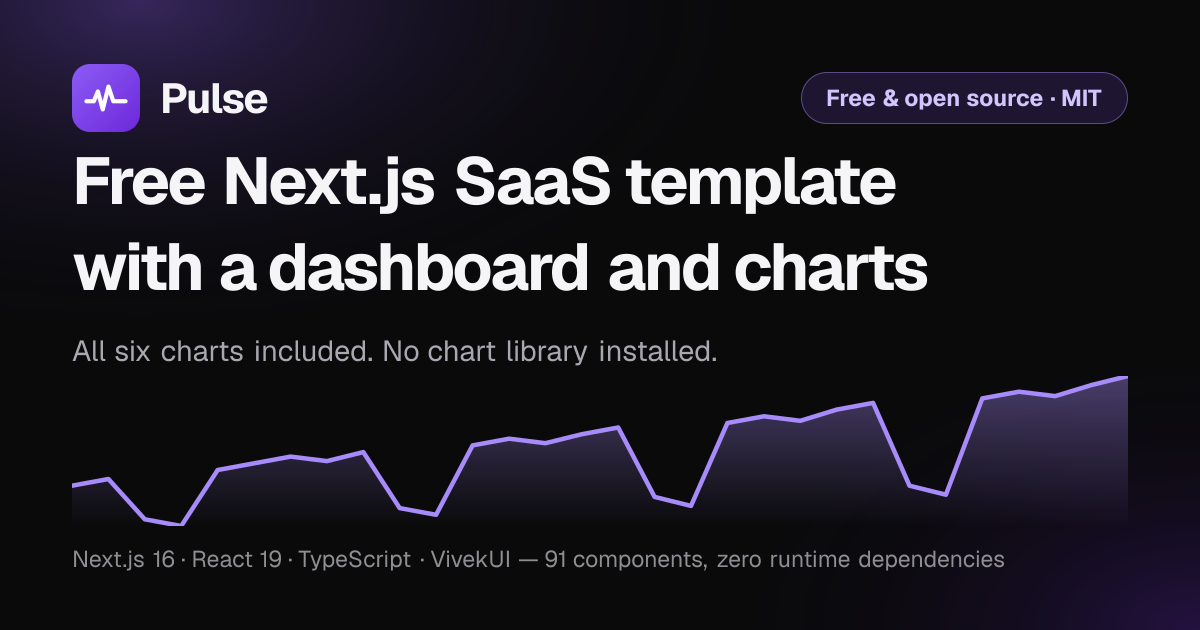
> The card above is generated by [`app/opengraph-image.tsx`](app/opengraph-image.tsx) at
> build time from the same revenue series the dashboard plots — not a stock image. For a
> real screenshot of `/dashboard`, drop one at `public/screenshot.png` and reference it
> here.
---
## What this is
A complete, production-shaped template for a product-analytics SaaS, built to show what
[VivekUI](https://ui.vivekkumarsingh.in/docs?utm_source=vivekui-template&utm_campaign=saas&utm_medium=readme)
can do without any other UI dependency:
- A **marketing site** — hero, logo cloud, features, stats, testimonials, pricing, FAQ,
CTA, newsletter, footer.
- A **mock logged-in dashboard** — KPI cards, six chart types, a data table, a Kanban
board, and a reports view with a date range and an export.
- **SEO and AEO wiring** — per-route Metadata API with canonicals, `sitemap.ts`,
`robots.ts` (AI crawlers named and allowed), a generated OG card, a web app manifest,
and `WebSite` + `SoftwareApplication` + `SoftwareSourceCode` + `Offer` + `FAQPage` +
`BreadcrumbList` + `Person` JSON-LD, plus `public/llms.txt`.
The hero "screenshot" is the detail worth clicking through for: it is **not an image**. It
is a live `AreaChart` and four live `Sparkline`s inside a framed panel, server-rendered
from the same mock data the dashboard uses. The product demo *is* the hero.
## Quick start
Requires **Node.js 20.9+** (22 LTS recommended).
```bash
git clone https://github.com/intellectwithvivek/Pulse-Analytics.git
cd Pulse-Analytics
npm install
npm run dev
```
Open <http://localhost:3000>. There is no `.env` to fill in and no database to start —
every number lives in typed modules under [`data/`](data/).
Before deploying, set your own domain in [`lib/site.ts`](lib/site.ts) — `SITE.url` is what
`metadataBase`, the canonical URLs, the sitemap and every JSON-LD node are built from.
## Make it yours
Five files cover almost everything. In the order you will want them:
| # | File | What to change |
| --- | --- | --- |
| 1 | [`lib/site.ts`](lib/site.ts) | Domain, repo URL, product name. **Change `SITE.url` first** — `metadataBase`, every canonical tag, the sitemap, the manifest and all JSON-LD derive from it. |
| 2 | [`data/`](data/) | `analytics.ts`, `customers.ts`, `roadmap.ts` — every number on the site, as typed modules. |
| 3 | [`lib/content.ts`](lib/content.ts) | Pricing plans, the comparison matrix, and the FAQ (which also feeds the `FAQPage` schema, so the two cannot disagree). |
| 4 | [`app/globals.css`](app/globals.css) | The accent, in about eight custom properties at the top of the file. |
| 5 | [`components/site/logo.tsx`](components/site/logo.tsx) + [`app/icon.svg`](app/icon.svg) + [`app/opengraph-image.tsx`](app/opengraph-image.tsx) | The brand: navbar mark, favicon, social card. |
### Rebranding checklist
- [ ] `SITE.url` and `SITE.repo` in `lib/site.ts`
- [ ] Swap the mark in `components/site/logo.tsx`, `app/icon.svg`, `public/logo.svg` and `public/logo-mark.svg`
(all three share one path — `M4 18h4.5l2.5-6 3 11 3.5-14 3 9H28`)
- [ ] Accent tokens in `app/globals.css` (`--vk-color-primary`, `--vk-chart-1`)
- [ ] `theme_color` in [`app/manifest.ts`](app/manifest.ts) and `themeColor` in `app/layout.tsx`
- [ ] Copy in `app/page.tsx`, `lib/content.ts` and `public/llms.txt`
- [ ] Point the footer credit wherever you like, or remove it — MIT, no attribution required
### Brand assets
| Asset | Source | Served at |
| --- | --- | --- |
| Favicon | [`app/icon.svg`](app/icon.svg) | `/icon.svg` |
| iOS home screen | [`app/apple-icon.tsx`](app/apple-icon.tsx) (generated PNG) | `/apple-icon` |
| Social card | [`app/opengraph-image.tsx`](app/opengraph-image.tsx) (generated PNG) | `/opengraph-image` |
| Full logo | [`public/logo.svg`](public/logo.svg) | `/logo.svg` |
| Mark only | [`public/logo-mark.svg`](public/logo-mark.svg) | `/logo-mark.svg` |
| Manifest | [`app/manifest.ts`](app/manifest.ts) | `/manifest.webmanifest` |
The two generated images use the Geist faces committed under `assets/`. `next/og` bundles
only Geist *Regular*, so without a real 700 face every bold weight silently renders as
regular — which is why the files are in the repo rather than fetched at build time.
## Routes
| Route | What it demonstrates |
| --- | --- |
| `/` | Hero with a live chart panel, logo cloud, features, stats, testimonials, pricing preview, FAQ, CTA, newsletter |
| `/pricing` | Three tiers, a monthly/yearly `Switch`, a feature comparison `Table`, an FAQ |
| `/dashboard` | **All six charts** — four KPI cards with sparklines, area, bar, line, pie, progress rings, activity timeline |
| `/dashboard/customers` | `DataTable` — sortable, searchable, paginated, selectable, with row actions and an empty state |
| `/dashboard/roadmap` | `KanbanBoard` with drag-and-drop, WIP limits, and a full keyboard move path |
| `/dashboard/reports` | Date range, four-chart grid, export → `Toast` |
| `/built-with` | Every component mapped to the section it draws, deep-linked to its docs |
## The six charts
| Chart | Where |
| --- | --- |
| [`AreaChart`](https://ui.vivekkumarsingh.in/docs/charts/area-chart) | Hero panel · dashboard revenue · reports |
| [`BarChart`](https://ui.vivekkumarsingh.in/docs/charts/bar-chart) | Signups by channel · feature adoption (horizontal) |
| [`LineChart`](https://ui.vivekkumarsingh.in/docs/charts/line-chart) | Retention across three cohorts |
| [`PieChart`](https://ui.vivekkumarsingh.in/docs/charts/pie-chart) | Plan mix, as a donut |
| [`ProgressRing`](https://ui.vivekkumarsingh.in/docs/charts/progress-ring) | Three quarterly goals |
| [`Sparkline`](https://ui.vivekkumarsingh.in/docs/charts/sparkline) | The trend inside each KPI card |
They are pure SVG with no measurement step, so **every one renders in a React Server
Component** — view source on `/dashboard` and the paths are already in the HTML. Each also
emits a visually hidden data table, and tells series apart by dash pattern and marker
shape as well as colour, so they stay readable in greyscale and with any form of colour
blindness.
### Zero runtime UI dependencies
```jsonc
// package.json — dependencies, in full
{
"@the_viveksingh/vivek-ui": "^0.5.0",
"next": "16.3.2",
"react": "19.2.8",
"react-dom": "19.2.8"
}
```
No Tailwind, no PostCSS plugin, no shadcn, no MUI. No Recharts, no Chart.js, no D3. Setup
is one install and two CSS imports in [`app/layout.tsx`](app/layout.tsx):
```tsx
import '@the_viveksingh/vivek-ui/styles.css'
import '@the_viveksingh/vivek-ui/charts.css' // charts ship as a separate entry point
```
## Project layout
```
app/
layout.tsx root layout — fonts, theme, viewport, WebSite + SourceCode JSON-LD
page.tsx marketing homepage
globals.css the Violet accent, and this site's own CSS
icon.svg favicon
apple-icon.tsx generated 180x180 iOS icon
opengraph-image.tsx generated 1200x630 social card
manifest.ts sitemap.ts robots.ts
pricing/ plans, comparison table, FAQ
built-with/ the component map
dashboard/
layout.tsx wraps every dashboard page in the shell
page.tsx all six charts
loading.tsx Skeleton state matched to the real layout
customers/ roadmap/ reports/
components/
site/ logo, navbar, footer, install snippet, JSON-LD helpers
marketing/ hero panel, pricing tiers, logos, newsletter
dashboard/ shell, KPI card, tables, board, reports, icons
data/ typed mock series — swap these for your API
lib/ site config, UTM helpers, copy, component inventory
assets/ Geist 400/700 TTF, for the generated images only
public/
llms.txt attribution and structure, for answer engines
logo.svg icon.svg brand assets at stable paths
```
## Theming
Every value is a CSS custom property, so the whole library re-skins from one block —
see the top of [`app/globals.css`](app/globals.css):
```css
:root {
--vk-color-primary: #6d28d9; /* Violet, 7:1 against white */
--vk-chart-1: #6d28d9; /* what Sparkline and ProgressRing default to */
}
```
Marketing pages are light-first and the dashboard is dark-first. There is one
`ThemeProvider` for the site, so the dashboard takes the global theme unless the visitor
has expressed no preference at all (`'system'`), in which case it goes dark. An explicit
choice from the toggle always wins — see the note in
[`components/dashboard/dash-shell.tsx`](components/dashboard/dash-shell.tsx) for why the
override is applied in two places.
## Connecting a real backend
1. Replace the exports in [`data/`](data/) with your own fetches. The chart shapes are
the library's own types (`ChartDatum[]`, `PieDatum[]`, `number[]`), so nothing needs a
transform layer.
2. For server-driven tables, set `manual` on the `DataTable` and use `onSortChange`,
`onSearchChange` and `onPageChange` with `totalRows`.
3. There is no auth to unpick — "Login" is a `<Link href="/dashboard">`.
## Accessibility
The quality bar this was built to, and what the library gives you for free:
- One `<h1>` per page, and heading level kept separate from visual size.
- Charts carry `title`/`description` plus a hidden data table; series never rely on
colour alone.
- The Kanban board has a complete keyboard path — the HTML5 drag API has none — announced
through a live region.
- Every icon-only control has a real accessible name (`IconButton` requires it at the
type level).
- Visible focus rings, `prefers-reduced-motion` respected, and a skip link on every
marketing page.
## Scripts
```bash
npm run dev # Turbopack dev server
npm run build # production build — should finish with zero errors
npm run start # serve the production build
npm run lint # eslint
```
## Powered by VivekUI
Built with ❤️ using [VivekUI](https://ui.vivekkumarsingh.in/docs?utm_source=vivekui-template&utm_campaign=saas&utm_medium=readme)
— 91 React components · 6 SVG charts · zero runtime dependencies. One install, one CSS
import, no config.
```bash
npm i @the_viveksingh/vivek-ui
```
[Docs](https://ui.vivekkumarsingh.in/docs?utm_source=vivekui-template&utm_campaign=saas&utm_medium=readme)
· [npm](https://www.npmjs.com/package/@the_viveksingh/vivek-ui)
· [GitHub](https://github.com/intellectwithvivek/vivek_UI)
· [Vivek Kumar Singh](https://vivekkumarsingh.in/?utm_source=vivekui-template&utm_campaign=saas&utm_medium=readme)
## Licence
MIT — free for commercial use. **The credit in the footer is removable**; a star on the
repository is appreciated instead.
看看同类模板
对比同技术栈与用途的模板,找到更适合的视觉与内容结构。

Next.js SaaS Starter
Next.js SaaS Starter 是 Next.js 官方维护的 SaaS 起点模板,定位介于学习资源和可直接部署的脚手架之间。
Next.js · SaaS

SaaS-Boilerplate
🚀🎉📚 SaaS Boilerplate built with Next.js + Tailwind CSS + Shadcn UI + TypeScript. ⚡️ Full-stack React applic…
Next.js · SaaS

next-shadcn-dashboard-starter
Free, open source, AI-friendly admin dashboard template built with Next.js 16, shadcn/ui, Tailwind CSS, and Ty…
Next.js · 后台

create-t3-turbo
create-t3-turbo 是一个面向全栈 TypeScript 的 monorepo 起点,由 T3 OSS 维护,在 Vercel 模板目录中收录。
Next.js · 启动器

saas-starter-kit
🔥 Enterprise SaaS Starter Kit - Kickstart your enterprise app development with the Next.js SaaS boilerplate �…
Next.js · SaaS

Studio Admin · Radix UI
Modern Admin Dashboard Template built with Shadcn UI and Next.js 16
Next.js · 后台