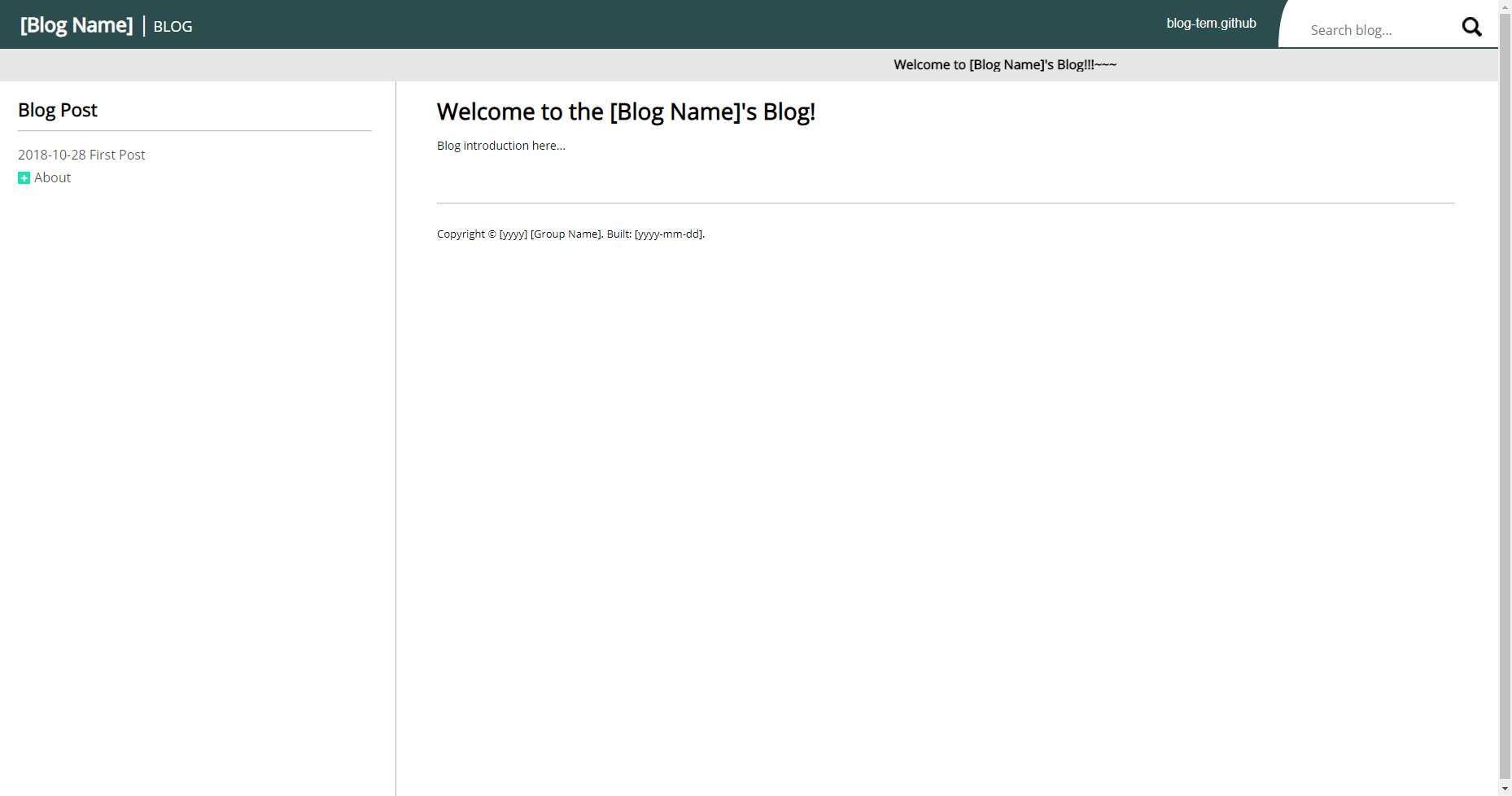
每篇博客是一个独立 .html 文件,写完直接链接到首页
HTML博客
Blog_Template (jcs-legacy) — HTML 博客模板
作者 jcs-legacy
基于基础 HTML/CSS 与 jQuery 的博客模板,用独立 .html 文件写文章,通过 Node.js/Express 后端按分类组织并链接到首页。
看看你的网站会是什么样
浏览真实页面截图,比较内容排版与手机效果。点击下方缩略图切换,放大查看整页细节。
目前有 1 张原始预览,可打开完整图片查看设计细节。
截图用于了解视觉与布局,交互效果请以实际项目为准。
采集于 2026-10-13查看来源
值得关注的模板亮点
从已有项目资料中,快速了解它的特点。
后端使用 Node.js 与 express.js,前端只用 HTML、CSS 和 jQuery
文章默认存放在 ./website/Blog/doc 目录,按分类而非时间组织
页面跳转用 _sl_ 和 _sp_ 关键字转换斜杠与空格
搜索通过文件名与关键词不区分大小写比较实现
路径、站点名称、版本号、版权文字和 CSS 均可通过配置文件与样式文件调整
模板详细介绍
这个项目面向希望用基础 HTML/CSS 写博客的人:每篇文章是一个独立的 .html 文件,写完后按约定链接到首页即可,不需要复杂的前端框架。后端使用 Node.js 与 express.js,前端只用到 HTML、CSS 和 jQuery,因此扩展或修改时需要具备这几项工具的基础知识。
博客内容默认放在 ./website/Blog/doc 目录下,系统按分类而不是按时间组织文章;如果坚持按时间组织,需要自己用时间给文件或目录命名。文章之间通过查询参数跳转,路径中的斜杠和空格用 _sl_ 与 _sp_ 两个关键字转换,例如 ?page=About_sl_More_sl_2018-10-30_sp_Third_sp_Post 会指向 ./doc/About/More/2018-10-30 Third Post.md。
搜索功能通过将文件名与关键词做不区分大小写的比较来实现。路径、站点名称、版本号、版权文字等可在 ./config.js 与 ./website/js/config.js 中调整;样式可替换 ./website/css-lib.html 中加载的 CSS,或直接修改 ./website/css/style.css,正文样式在 ./website/css/content.css。
作者明确说明这是一个博客模板,外观设计并不好看,但已实现一个纯博客所需的大部分基础功能。
HTML博客
适合你的项目吗?
适用场景
- 用基础 HTML/CSS 写个人博客文章并手动链接到首页
- 按分类目录组织文章,而不是按发布时间排序
- 在本地通过 Node.js 启动服务并在 localhost:4000 预览博客
- 通过修改 config.js 和 CSS 文件调整站点名称、路径与外观
适合人群
- 熟悉或愿意了解基础 HTML、CSS 与 jQuery 的写作者
- 需要按分类而非时间组织内容的博客
- 能接受朴素外观、只要求纯博客基础功能的用户
- 具备 Node.js 与 express.js 基础知识、可能自行扩展后端的人
上手与定制指南
结合仓库当前版本的说明,按下面的资料检查内容、配置与运行要求。
- 1
先在操作系统中安装 Node.js
- 2
运行 ./scripts/setup.bat(Linux/bash 下用 .sh)安装依赖
- 3
运行 ./scripts/run.bat(或 .sh)启动服务器,再在浏览器打开 localhost:4000
- 4
部署到服务器可运行 ./scripts/start_forever.bat,停止用 ./scripts/stop_forever.bat
- 5
博客文章默认放在 ./website/Blog/doc 目录下
授权与来源资料
使用条件与限制
免费使用 · 保留许可声明本次收录的是公开仓库中采用 MIT 许可的免费版本;免费范围为该版本代码,不代表外部服务或第三方素材免费。
使用时需要遵守
- 允许免费使用、修改、商用和分发该版本代码。
- 分发代码副本或实质性部分时,保留原作者版权声明和完整 MIT 许可声明。
- 代码按现状提供;担保与责任限制以原许可证及适用法律为准。
额外费用与待核对事项
- 演示图片、字体、图标及其他第三方素材需按各自许可核对,不能仅凭代码的 MIT 许可判断。
- 域名、托管、数据库、支付或 AI 等外部服务可能另外收费。
- 使用或扩展该模板需要 Node.js 后端环境,并需具备 express.js 基础知识,否则无法扩展应用。
- 运行前必须在操作系统中安装 Node.js,否则无法启动该博客模板。
- 博客系统按分类而非时间组织文章;若想按时间组织,必须自行用时间命名文件或目录。
- 作者明确说明该模板外观设计不佳,仅实现纯博客所需的基础功能,不适合追求精美设计的场景。
查看原文依据
Permission is hereby granted, free of charge
许可证原文
This application is using NodeJS for the backend. You might need some knowledge of `express.js` in order to expand the application if you need to.
README 原文
Before you run the application, make sure you install node.js to your OS environment.
README 原文
The blog system is design for organizing by category instead oranizing by time. If you are planning on using this project and organize by time then you will have to manually name the file/directory by time.
README 原文
https://github.com/jcs-legacy/Blog_Template/blob/master/LICENSE.txthttps://github.com/jcs-legacy/Blog_Template/blob/master/README.mdCaution, this is a blog template and does not have a good looking design but this project have most of the stuffs and features implemented to be just a plain blog.
README 原文
DeepSeek 根据仓库许可证和 README 整理 ·2026-10-13。结果仅覆盖已读取资料,依赖、图片、字体及后续条款变更以各自原文为准。
项目核对记录与介绍依据
模板资料
- 来源平台
- GitHub
- 资料与维护参考分
- 资料较少 · 53 / 100
- 技术栈
- HTML
- 网站类型
- 博客
这个分数如何计算
本站按许可资料(最高30分)、演示链接(12分)、预览图(10分)、Star数(15分)、记录的维护时间(15分)、描述完整度(8分)、功能记录(5分)和分类资料(5分)计算。它不是代码、安全或性能测试,也不是 Google 评分;有链接不代表已实测可用。
这个项目需要核对什么
- 记录的仓库更新时间
- 2023-10-20
- 截图检查日期
- 2026-10-13
目前没有记录演示链接。请依据仓库说明在本地评估;仅凭截图无法确认交互行为。
目录记录的主要技术栈是 HTML。请通过依赖清单和锁文件核对实际版本与托管要求。这些说明基于收录资料,不代表代码审计或部署实测。
查看具体选型方法 →介绍的制作与核对状态
介绍由 AI 辅助整理目录与仓库资料。仓库作者不等于这篇介绍的审核者。
审核声明: [email protected] · 2026-10-13
查看当时使用的来源资料
SHA-256: 0f8b3824cd96dce88c91fa0be1a3851d213c0fe6cc377083c4ee1b6eaf2f2712
2026-10-13T06:11:43.272Z
来源文件 / 仓库[](https://opensource.org/licenses/MIT) [](https://github.com/jcs090218/Blog_Template/releases/latest) # Blog Template [](https://travis-ci.com/jcs090218/Blog_Template) * Demo: [Blog_Template](http://www.jcs-profile.com:4000) The goal of this project is easy to implement blog post in basic HTML/CSS. User can create individual `.html` file and start wrting the blog without hassle linking the page to the home website. Caution, this is a blog template and does not have a good looking design but this project have most of the stuffs and features implemented to be just a plain blog. ## Acknowledge This application is using NodeJS for the backend. You might need some knowledge of `express.js` in order to expand the application if you need to. The frontend are only using the basic `HTML`, `CSS`, and `jQuery`. You will also need the minimal knowledge of these tools. ## How to use? All the blog post file are search default under `./website/Blog/doc` directory. The blog system is design for organizing by category instead oranizing by time. If you are planning on using this project and organize by time then you will have to manually name the file/directory by time. ## Run the application Before you run the application, make sure you install node.js to your OS environment. Step one, run `./scripts/setup.bat`, this file will install all the dependencies you need for this project. Step two, run `./scripts/run.bat` in order to start the server. If you are running of Linux environment with bash installed, just execute the same scripts but with `.sh` extension behind. Step three, run you favorite web browser with `localhost:4000` and the following screens should appear infront of you. ### Introduction Screen <img src="./screenshot/intro_demo.png" width="930" height="490"/> ## Deploy on to server If you are ready to deploy your scripting manual application, run `./scripts/start_forever.bat` and the server will run even you terminated the console. If you want to stop the server, run `./scripts/stop_forever.bat` to terminate the previous started server. If you are on linux distro with bash installed, run the same script but with `.sh` extension behind. ## Directing to other page ### Path Keyword Conversion List | Key | Entity | |------|--------| | _sl_ | / | | _sp_ | | If you wish to direct to other page, see the code below for example. This line of code will direct user to `./doc/About/More/2018-10-30 Third Post.md` page. ``` <!-- Here _sl_ will convert to slash. And _sp_ will convert to space. --> <a href="?page=About_sl_More_sl_2018-10-30_sp_Third_sp_Post">Third Post</a> ``` ## Search Engine Search engine is implemented by simply comparing the file name with keyword case insensitively. <img src="./screenshot/search_demo.png" width="930" height="490"/> ## Configuration If you do not like any of these settings, checkout `./config.js` and `./website/js/config.js`. You can change the path, manual name, version number, copyright text, etc. Basically anything you need to make a API reference document website. If you do not like style you can load you own CSS file at `./website/css-lib.html`. Or change the CSS property in `./website/css/style.css`. For the content's style can be found in `./website/css/content.css`. ## Example * [Jen-Chieh's Blog](http://www.jcs-profile.com:4001)
看看同类模板
对比同技术栈与用途的模板,找到更适合的视觉与内容结构。

Casper
Casper 是 Ghost 官方出品的经典主题,曾长期作为默认主题,现在仍持续维护。 它的定位很纯粹:一套结构清晰、注释详尽的博客主题,适合直接使用,也适合作为学习 Ghost 主题开发的入门范本。
HTML · 杂志资讯
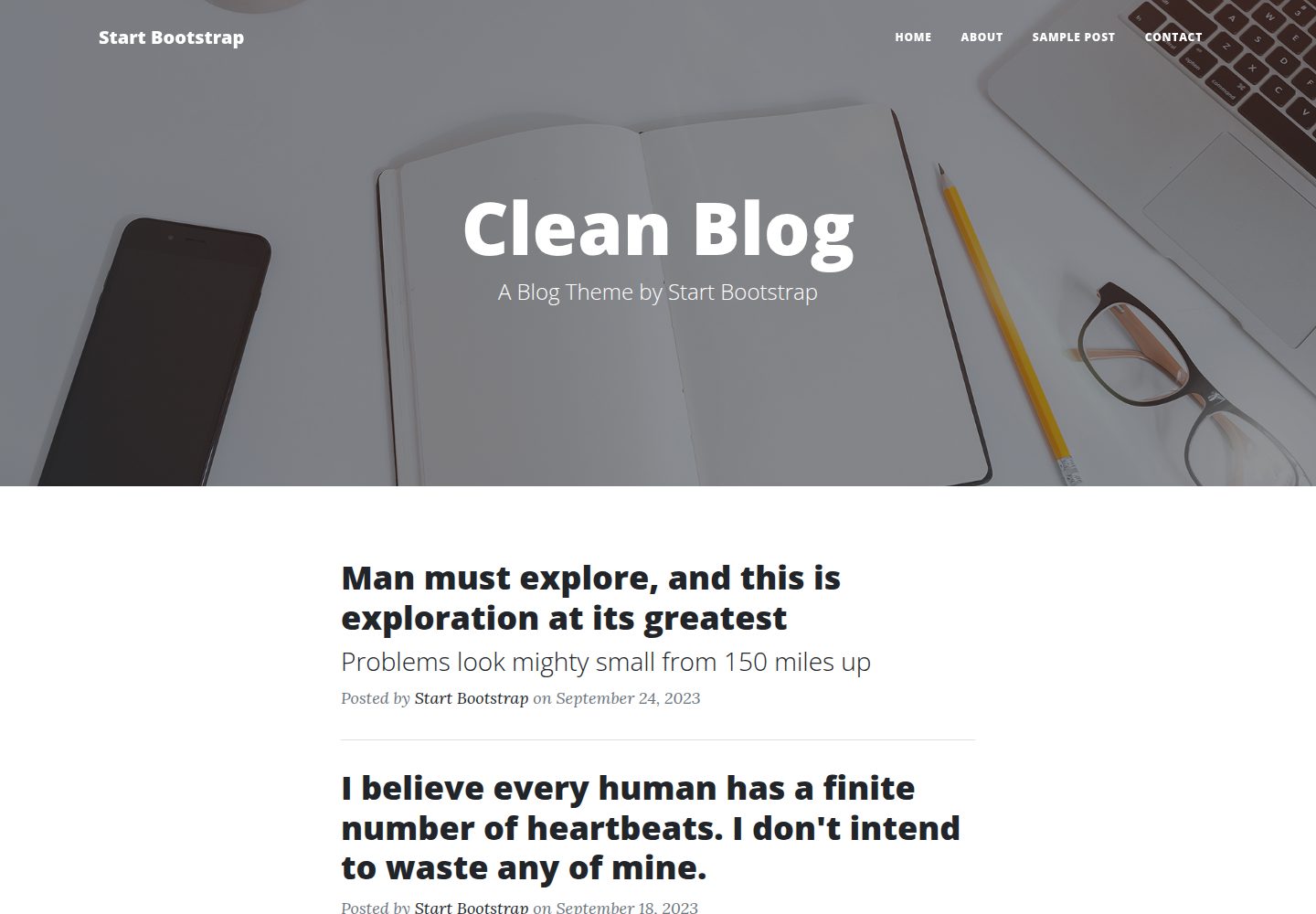
startbootstrap-clean-blog
A clean Bootstrap blog theme created by Start Bootstrap
HTML · 博客
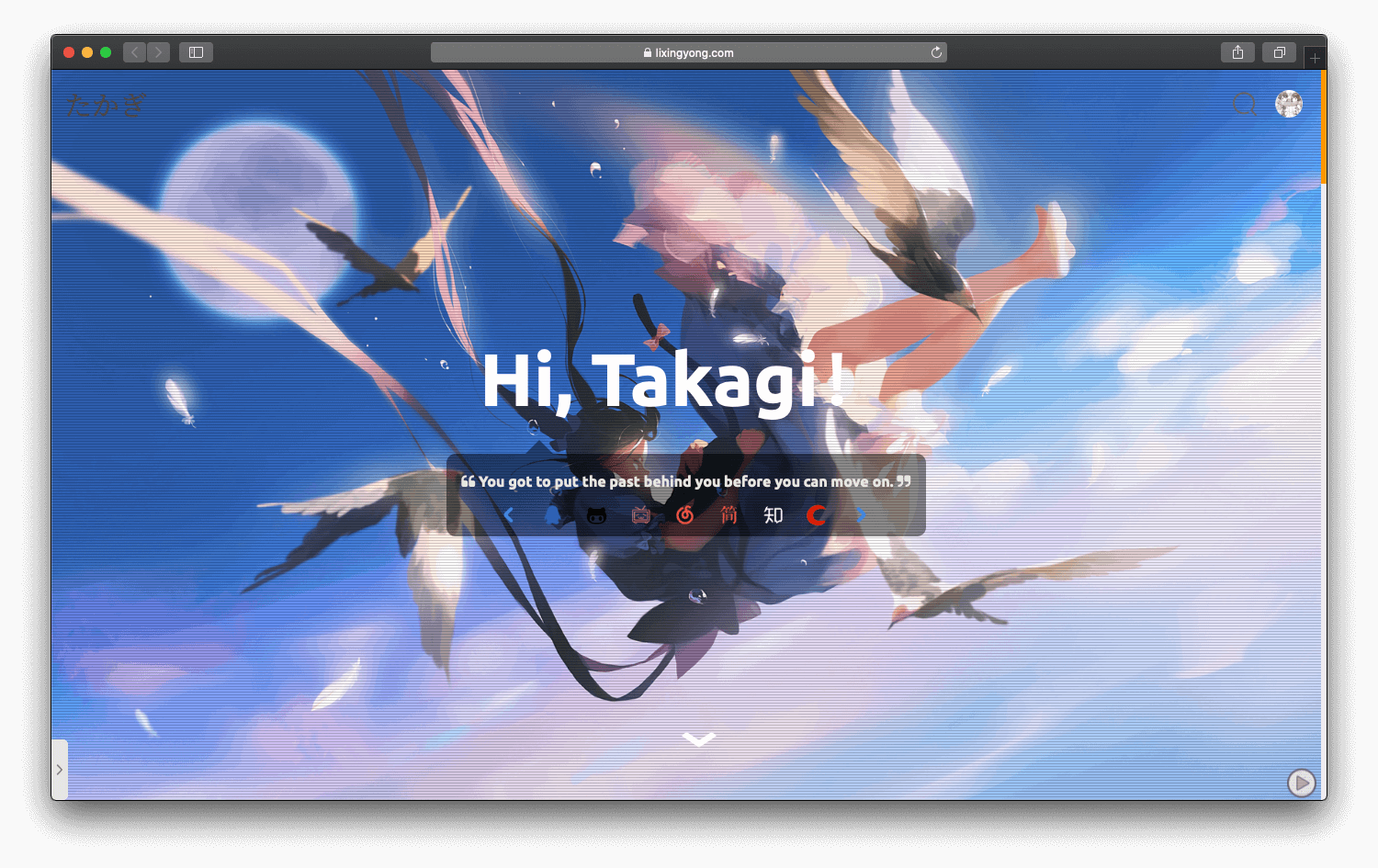
halo-theme-sakura
halo-theme-sakura 是 Halo 2.x 的一款博客主题,参照 WordPress 的 Sakura 主题制作,并在原有 Siren 主题基础上整合了 Sakura 的内容。
HTML · 博客
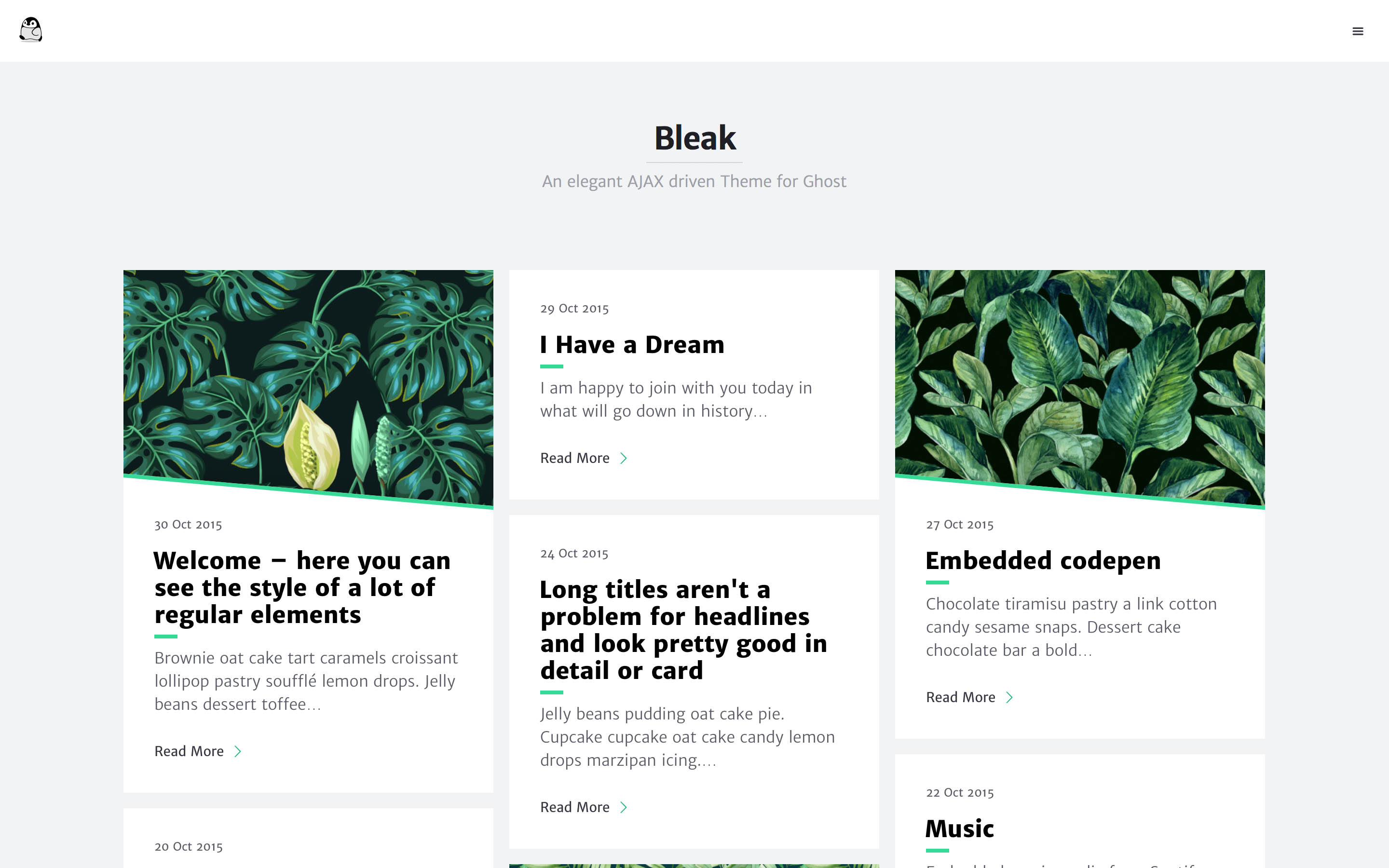
bleak
Bleak 是一款为 Ghost 博客平台设计的主题,核心卖点是 AJAX 驱动的页面加载方式,让浏览体验更接近原生应用。 整体布局简洁,强调内容阅读,适合个人博客或技术写作。
HTML · 博客
serene
Serene 是一款为静态站点生成器 Zola 设计的极简博客主题,其核心定位是“精心打磨”的阅读体验。
HTML · 博客
startbootstrap-blog-home
A Bootstrap HTML template for blog homepages - created by Start Bootstrap
HTML · 博客