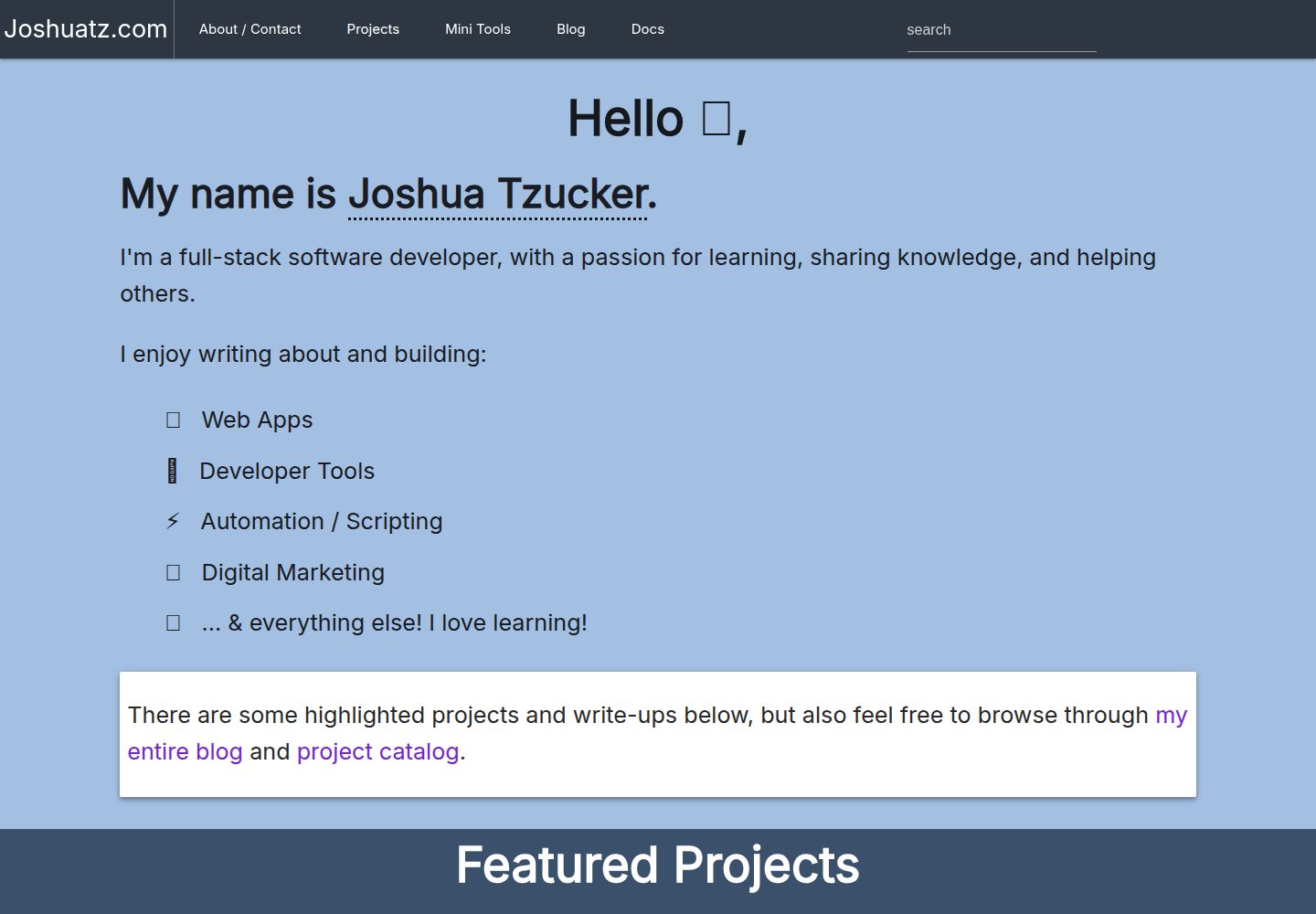
为 joshuatz.com 定制的 WordPress 作品集主题,仓库以 MIT 许可开源
WordPress作品集
joshuatz-wp-theme — WordPress 作品集模板
作者 joshuatz
joshuatz.com 使用的自定义 WordPress 作品集主题,仓库以 MIT 许可开源,包含首页与项目页模板、构建脚本和若干可选设置。
看看你的网站会是什么样
浏览真实页面截图,比较内容排版与手机效果。点击下方缩略图切换,放大查看整页细节。
全部页面与视图 3
截图用于了解视觉与布局,交互效果请以实际项目为准。
采集于 2026-10-01查看来源
值得关注的模板亮点
从已有项目资料中,快速了解它的特点。
提供多个首页模板,并包含展示项目列表的内页模板
通过 gulp 或 npm run build 打包静态资源,产物已纳入版本管理
后台设置页可配置 Google Analytics ID 与 Disqus 子域名
支持用 JSON 文件配置基于模式的自定义重定向,无需额外插件
提供部署钩子与 UNDER_CONSTRUCTION 模式等可选功能
模板详细介绍
这是 joshuatz 为个人站点 joshuatz.com 开发的自定义 WordPress 主题,仓库名 joshuatz-wp-theme,定位为作品集站点主题。主题提供多个首页模板,以及用于展示项目列表的内页模板;首页与博客页需要先在 WordPress 中创建空白页面,再通过“设置 → 阅读”指定为静态首页和文章页。主题附带 gulp 构建流程,用于打包被纳入版本管理的静态资源;README 提到构建目前依赖 jPrismToolbar 子模块,首次克隆后需初始化并更新子模块。
主题在后台提供 joshuatz-wp 设置页,可填写 Google Analytics ID 与 Disqus 子域名;支持通过 JSON 文件配置基于模式的自定义重定向,文件可放在主题目录或 WordPress 根目录;提供部署钩子 URL,用于写入部署时间戳以刷新静态资源缓存;还可用 UNDER_CONSTRUCTION 常量开启“建设中”模式,将所有非管理员访问重定向到 /under-construction/。README 建议配合 Custom Post Type Permalinks、Yoast SEO 和 Advanced Custom Fields 等插件使用,并列出了若干待办事项,例如脚本/样式加载映射、导航动态化、灯箱画廊与 CSS 动画等,说明部分功能尚未完成。
WordPress作品集
适合你的项目吗?
适用场景
- 搭建个人作品集网站,展示项目与文章
- 在 WordPress 中自定义首页模板与内容来源
- 用 JSON 配置替代插件实现批量重定向
- 在站点上线前开启“建设中”模式,仅允许管理员访问
适合人群
- 熟悉 WordPress 主题结构与模板层级的开发者
- 需要以作品集形式展示项目并附带博客的个人站点
- 愿意自行处理 gulp 构建与子模块初始化的使用者
上手与定制指南
结合仓库当前版本的说明,按下面的资料检查内容、配置与运行要求。
- 1
激活主题本身无需额外设置;使用 jPrismToolbar 需先执行 git submodule init && git submodule update
- 2
构建静态资源需运行 gulp 或 npm run build,产物已提交到仓库
- 3
首页与文章页需先创建空白页面,再在“设置 → 阅读”中指定为静态页面
- 4
自定义重定向需复制 jtzwp-custom-redirects.example.json 并命名为 jtzwp-custom-redirects.json,放在主题目录或 WordPress 根目录
- 5
开启调试日志需在主题目录创建 config/log.txt,该文件已被 gitignore
授权与来源资料
使用条件与限制
免费使用 · 保留许可声明本次收录的是公开仓库中采用 MIT 许可的免费版本;免费范围为该版本代码,不代表外部服务或第三方素材免费。
使用时需要遵守
- 允许免费使用、修改、商用和分发该版本代码。
- 分发代码副本或实质性部分时,保留原作者版权声明和完整 MIT 许可声明。
- 代码按现状提供;担保与责任限制以原许可证及适用法律为准。
额外费用与待核对事项
- 使用 jPrismToolbar 功能需通过 git 子模块方式获取,首次克隆后须执行 git submodule init && git submodule update 初始化并更新子模块,否则该功能不可用。
- 启用 Google Analytics 统计需自行提供 Google Analytics 账号的 GA ID(格式如 UA-12345678-01),属于外部服务,需自行注册并承担相应服务条款与费用。
- 启用 Disqus 评论嵌入需自行拥有 Disqus 账号并配置自定义子域名,属于第三方外部服务,需遵守其条款并可能产生费用。
- 使用部署钩子需访问带 secretKey 的特定 URL,该密钥在主题安装时自动生成,也可在 WordPress 设置中手动查看或修改,属于需自行管理的访问凭据。
- 开启“建设中”模式需在 wp-config.php 中定义 UNDER_CONSTRUCTION 常量为 true,届时所有非管理员访问都会被重定向到 /under-construction/,README 提示长期开启可能对 SEO 和用户体验产生负面影响。
- 演示图片、字体、图标及其他第三方素材需按各自许可核对,不能仅凭代码的 MIT 许可判断。
- 域名、托管、数据库、支付或 AI 等外部服务可能另外收费。
查看原文依据
Permission is hereby granted, free of charge
许可证原文
To use jPrismToolbar, currently you need to use the submodule
README 原文
Google Analytics GA ID - this should be the analytics ID provided by Google Analytics
README 原文
Disqus Custom Subdomain - For if you have Disqus setup and want to enable their comment embed system
README 原文
A special URL is available: `{website}/deployment-hook/?deploymentkey={secretKey}`
README 原文
https://github.com/joshuatz/joshuatz-wp-theme/blob/main/LICENSEhttps://github.com/joshuatz/joshuatz-wp-theme/blob/main/README.mddefine('UNDER_CONSTRUCTION',true);
README 原文
DeepSeek 根据仓库许可证和 README 整理 ·2026-10-01。结果仅覆盖已读取资料,依赖、图片、字体及后续条款变更以各自原文为准。
项目核对记录与介绍依据
模板资料
- 来源平台
- GitHub
- 资料与维护参考分
- 资料一般 · 68 / 100
- 技术栈
- WordPress
- 网站类型
- 作品集
这个分数如何计算
本站按许可资料(最高30分)、演示链接(12分)、预览图(10分)、Star数(15分)、记录的维护时间(15分)、描述完整度(8分)、功能记录(5分)和分类资料(5分)计算。它不是代码、安全或性能测试,也不是 Google 评分;有链接不代表已实测可用。
这个项目需要核对什么
- 记录的仓库更新时间
- 2023-08-22
- 截图检查日期
- 2026-10-01
已收录演示链接。请用你的内容与屏幕尺寸检查;有演示不代表表单、认证或支付已经可用。
目录记录的主要技术栈是 WordPress。请通过依赖清单和锁文件核对实际版本与托管要求。这些说明基于收录资料,不代表代码审计或部署实测。
查看具体选型方法 →介绍的制作与核对状态
介绍由 AI 辅助整理目录与仓库资料。仓库作者不等于这篇介绍的审核者。
已完成服务器许可规则与 AI 来源核对;未经过人工编辑审核。
查看当时使用的来源资料
SHA-256: fded33921770846446ffb395a9447137aa62c762614edc8ee6325aff10e61619
2026-10-01T03:02:12.483Z
来源文件 / 仓库# joshuatzwp / joshuatz-wp
Custom WordPress theme for joshuatz.com
---
## Instructions
### Building
- Vendored assets are bundled using gulp. `gulp` or `npm run build` should produce the files, which are checked into git, so they can be pre-built for WP.
- Currently, this is also dependent on the jPrismToolbar submodule already being installed (see below)
### Install
- There is currently no real setup required other than activating the theme
- To use jPrismToolbar, currently you need to use the submodule
- On initial cloning of the whole repo, you after need to run (once):
- `git submodule init && git submodule update`
### Page Setup
If you want a homepage, and blog page (e.g. `Posts Page`), you can set those up by creating blank pages under `Pages`, and then heading to `Settings -> Reading`, and setting the pages you created as the static pages to display.
> This is also where you can control some related settings, like how many posts show up, per page, on the blog archive / `Posts Page`
The theme has templates to handle both those pages.
You can read detailed instructions on how to do that [here](https://www.wpbeginner.com/wp-tutorials/how-to-create-a-separate-page-for-blog-posts-in-wordpress/).
#### Homepage Template
There are multiple homepage templates available. The best way to use one is to manually create a homepage page in Wordpress, assign the template you want, and then under `Reading Settings`, set the homepage to the static page you created.
This allows you to customize both:
- The template that is used
- Some of the content pulled into the template
#### Adding a New Page Template
> 📘 [Docs](https://developer.wordpress.org/themes/template-files-section/page-template-files/)
- Create page under `/page-templates`
- Do **not** prefix with `page-`, unless you are trying to match to specific slug
- Use multi-line comment to specify:
- `Template Name` and (optionally) `Template Post Type`
- Good practice: `@file` to explain in detail
- You can assign the template when editing pages (and posts)
> ⚠ Be very aware of the [WP Template Hierarchy](https://developer.wordpress.org/themes/basics/template-hierarchy/) and how it can override settings based on filenames
### Optional Settings
- Optional settings:
- Theme debug logging
- Logging will only occur if the log file exists. In theme folder, `touch config/log.txt`. Is gitignored.
- Theme Settings Page (Dashboard -> Settings -> joshuatz-wp):
- Google Analytics GA ID - this should be the analytics ID provided by Google Analytics. Should follow format of UA-12345678-01
- Disqus Custom Subdomain - For if you have Disqus setup and want to enable their comment embed system
- Custom redirect system
- You can configure a bunch of pattern based custom redirects with a simple JSON file, rather than having to install a special plugin. Clone jtzwp-custom-redirects.example.json and name as jtzwp-custom-redirects.json and place either in theme directory OR root of WP install - theme will check for both, and take root as preference.
- Automated post-deployment actions
- A special URL is available: `{website}/deployment-hook/?deploymentkey={secretKey}`
- The `secretKey` is autogenerated on theme install, but you can manually change/see it in your WP settings
- Right now, all this does is sets a deployment timestamp used for "cachebusting" static assets
- "Under Construction" mode
- You can easily set the site into under-construction mode, which will redirect all non-wp-admins to /under-construction/ for every single page. You don't have to set up the /under-construction/ page to use this feature. To enable, simply define the UNDER_CONSTRUCTION constant to be true (easiest spot is in your wp-config.php file) like so:
````
define('UNDER_CONSTRUCTION',true);
````
- This should be used with extreme caution, as leaving the site in this mode for an extended length of time can have a negative effect on SEO (not to mention a bad user experience).
### Recommended plugins and tweaks
- Recommended Plugins
- Custom Post Type Permalinks - Highly Recommended for my custom post types - [WP Plugin Page](https://wordpress.org/plugins/custom-post-type-permalinks/)
- Yoast SEO - [WP Plugin Page](https://wordpress.org/plugins/wordpress-seo/)
- Advanced Custom Fields - [WP Plugin Page](https://wordpress.org/plugins/advanced-custom-fields/)
- Recommended core tweaks
- Dynamically define WP_SITEURL and WP_HOME in wp-config.php - see [this](https://forum.laragon.org/topic/167/tutorial-how-to-force-wordpress-to-use-relative-urls-ngrok)
- Reduce the number of revisions that wordpress keeps (default is infinity!)
````
define( 'WP_POST_REVISIONS', 3);
````
- Make sure that you put this above
````
require_once(ABSPATH . 'wp-settings.php');
````
- I recommend just putting at top of file
- Here is a pretty good list of optimizations to make from the default config - [link](https://www.labnol.org/internet/wordpress-optimization-guide/3931/)
---
### ToDo
- Create mapping system for loading scripts / styles
- Add SRI attribute support to script queue
- Redo nav and change from hardcoded to more dynamic based on native WP menu
- Optionally, integrate Materialize walker version
- make `/blog` a true theme page, rather than have to manually create it
- Add back some sort of lightbox gallery viewer?
- Add back some form of CSS animations (removed wow.js)
---
## Dev JS Helpers
Toggle prism toolbars:
```js
function toggle() {
let _this = this;
window.showingToolbar = typeof window.showingToolbar === 'undefined' ? true : window.showingToolbar;
window.showingToolbar = !window.showingToolbar;
document.querySelectorAll('.jToolbarWrapper').forEach(e => {
e.style.display = showingToolbar ? 'block' : 'none';
});
document.querySelectorAll('pre[class*="language"]').forEach(e => {
const fn = showingToolbar ? e.classList.remove.bind(e.classList) : e.classList.add.bind(e.classList);
fn('noToolbar');
});
}
document.body.insertAdjacentHTML('beforeend',
`
<style>
pre.noToolbar {
margin-top: 68px;
}
</style>
`
)
```看看同类模板
对比同技术栈与用途的模板,找到更适合的视觉与内容结构。
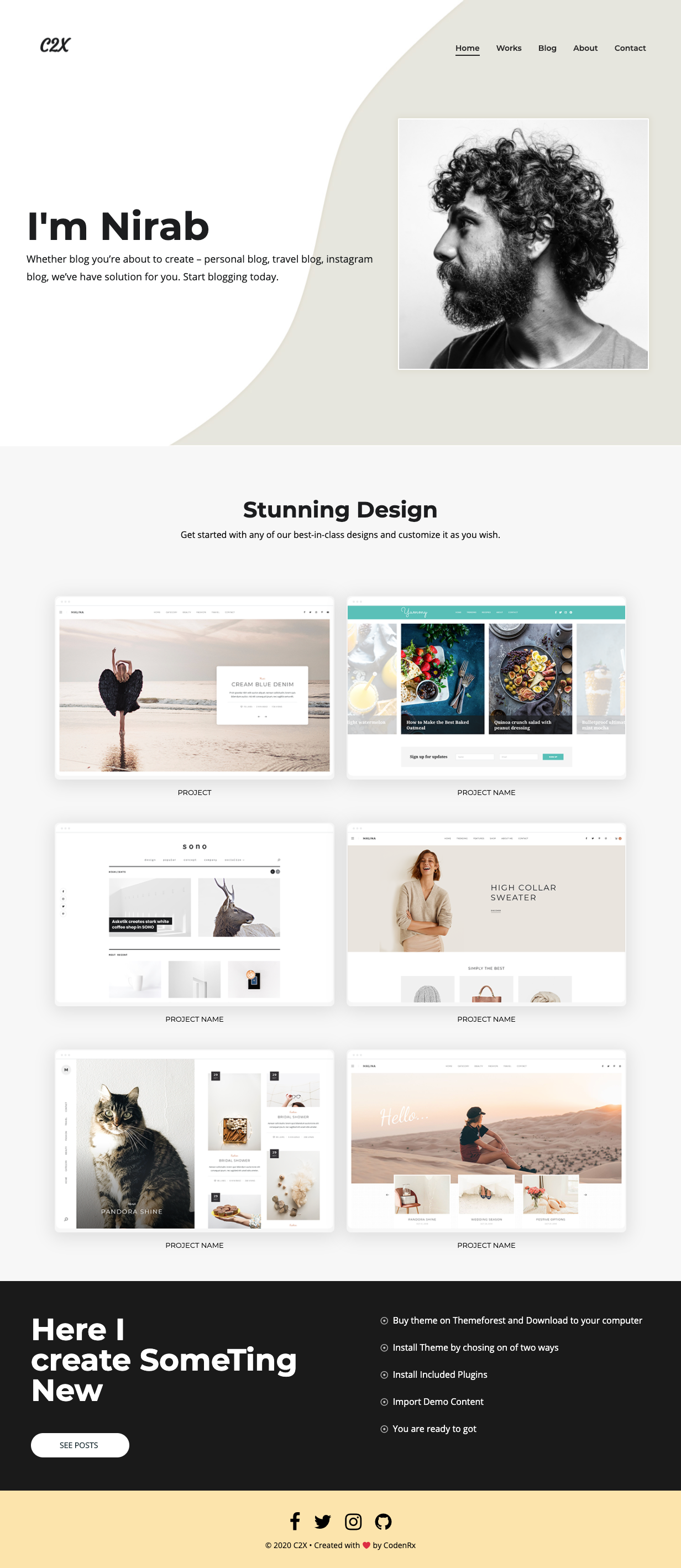
c2x
c2x is a simple WordPress PortFolio theme
WordPress · 作品集
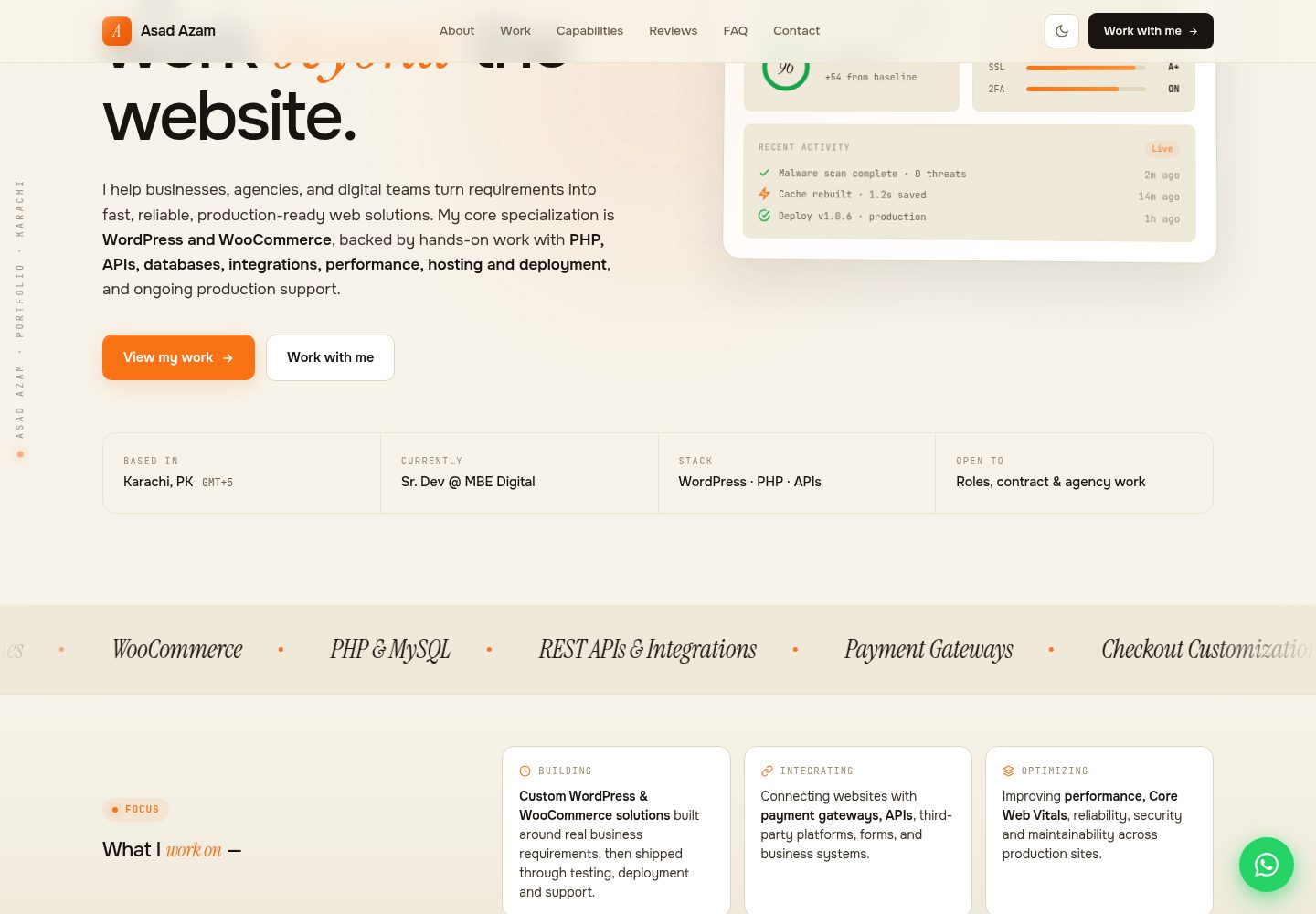
asadazam-portfolio-theme
Custom WordPress theme with CPTs, ACF in PHP, async-loaded fonts, and a performance-first architecture. Powers…
WordPress · 作品集

Stratify-WP-Theme
Versatile agency and portfolio theme built for creative professionals and digital brands.
WordPress · 作品集
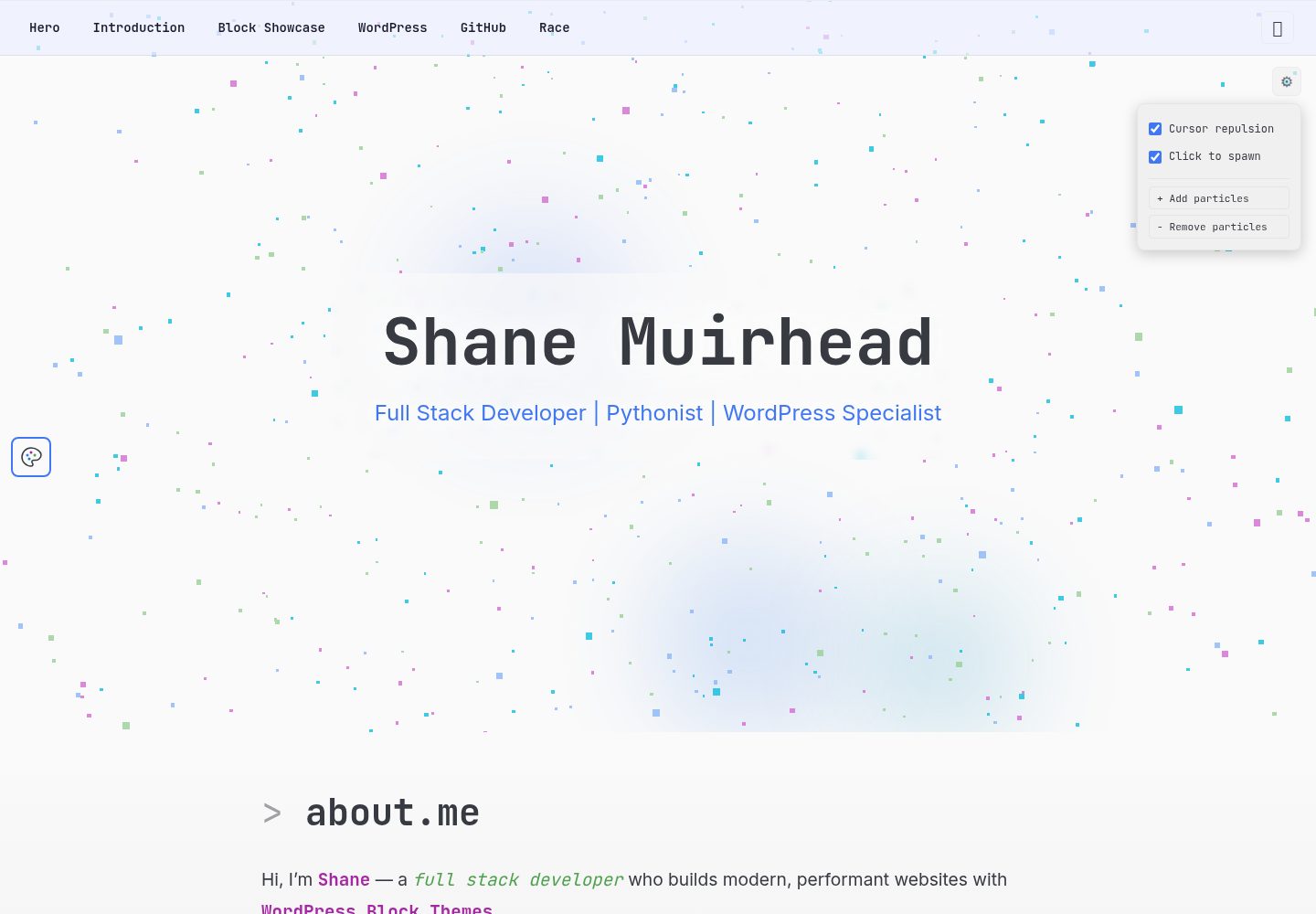
Block-Theme-Portfolio
Wordpress Block Themed Portfolio
WordPress · 作品集
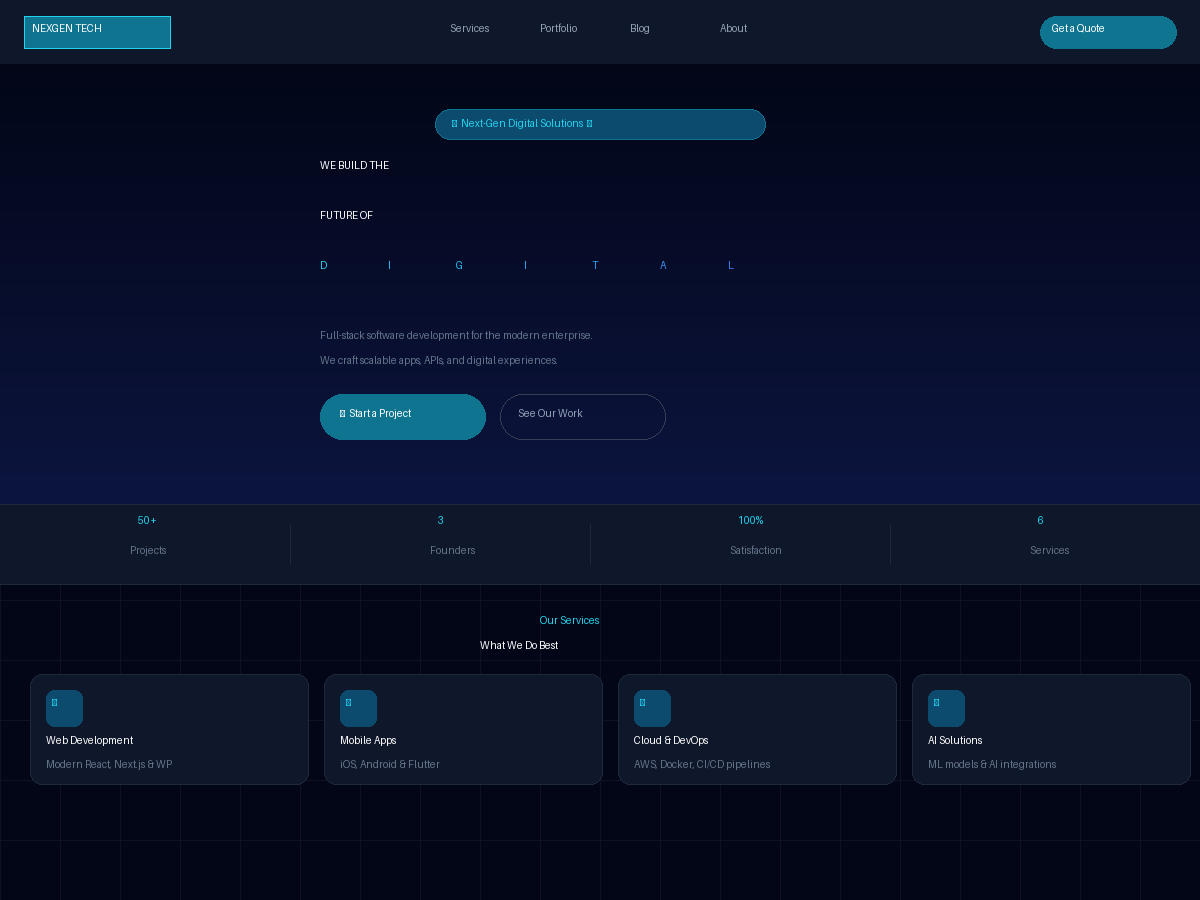
nexgen-tech-wp-theme
A dark tech agency WordPress theme built with Tailwind CSS+GSAP animations
WordPress · 作品集

al-folio
al-folio 是一个面向学者与研究人员的 Jekyll 作品集主题,设计简洁、响应式,适合搭建个人学术主页。
Jekyll · 作品集