使用 React 与 TypeScript 编写
Next.jsReact启动器
nextjs-template — Next.js 启动器模板
作者 jsulpis
基于 Next.js 的 JAMstack 网站启动模板,集成 TypeScript、ESLint、Prettier、Jest、React Testing Library 与 TailwindCSS,并附带 GitHub Actions CI 和 Vercel 部署配置。
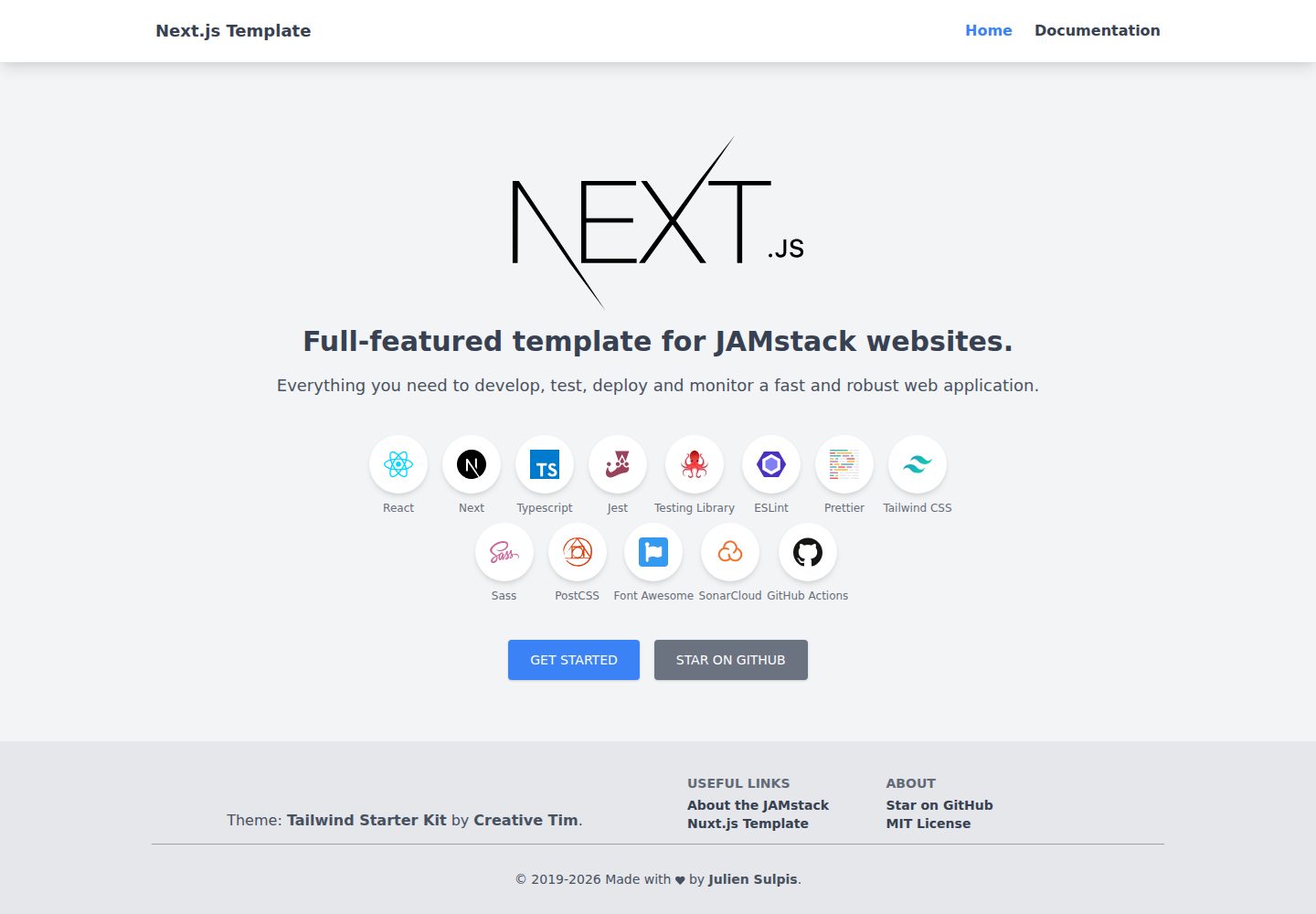
看看你的网站会是什么样
浏览真实页面截图,比较内容排版与手机效果。点击下方缩略图切换,放大查看整页细节。
全部页面与视图 2
截图用于了解视觉与布局,交互效果请以实际项目为准。
采集于 2026-10-02查看来源
值得关注的模板亮点
从已有项目资料中,快速了解它的特点。
集成 ESLint、Prettier 及提交前 lint 暂存文件的 pre-commit 钩子
使用 Jest 与 React Testing Library 搭建测试环境
默认使用 TailwindCSS,同时支持 Next.js 原生的 CSS modules
可为每个页面填充名称、描述、图片等 SEO 头部元数据
提供 GitHub Actions CI,并支持通过 Vercel 部署
模板详细介绍
这是一个面向 JAMstack 网站的 Next.js 启动模板,作者将自己开发个人项目时常用的工具组合在一起,因此带有一定个人偏好。仓库采用 MIT 许可,可免费使用、修改、商用和分发,但演示图片、字体、图标等第三方素材需单独核对许可。
模板使用 React 与 TypeScript 编写,配置了 ESLint、Prettier 以及提交前对暂存文件执行 lint 的 pre-commit 钩子;测试方面集成 Jest 与 React Testing Library,用于编写模拟真实用户交互的测试。样式默认使用 TailwindCSS,同时 Next.js 原生支持 CSS modules。
模板包含 SEO 相关配置,可为每个页面填充名称、描述、图片等头部元数据。README 提到 Next.js 允许在同一仓库的独立目录中编写 API,但演示项目本身未使用该能力。部署方面提供 GitHub Actions CI,并可直接通过 Vercel 的 Git 集成或命令行部署。
使用方式为克隆仓库并安装依赖后运行 yarn dev 在 localhost:3000 启动带热重载的开发服务;yarn build 构建生产版本,Next.js 会尽可能自动渲染静态 HTML 页面;yarn start 在构建后启动服务端渲染服务器;yarn export 生成完全静态、预渲染的项目,但会失去服务端渲染能力,在 Vercel 上通常不需要执行该命令。更多配置说明见项目文档页面。
Next.js启动器
适合你的项目吗?
适用场景
- 搭建以静态生成或服务端渲染为主的 JAMstack 网站
- 需要 TypeScript、代码检查与测试配置开箱可用的 Next.js 项目
- 希望用 GitHub Actions 做持续集成并部署到 Vercel 的项目
- 需要为页面配置 SEO 元数据的站点
适合人群
- 熟悉 React 与 TypeScript 的开发者
- 偏好 TailwindCSS 作为样式方案的团队
- 计划使用 Vercel 托管并借助 Git 集成部署的项目
- 希望参考一套包含 lint、测试与 CI 配置的 Next.js 项目结构的人
上手与定制指南
结合仓库当前版本的说明,按下面的资料检查内容、配置与运行要求。
- 1
克隆仓库后执行 yarn install 安装依赖
- 2
运行 yarn dev 在 localhost:3000 启动带热重载的开发服务
- 3
yarn build 构建生产版本,yarn start 启动服务端渲染服务器
- 4
yarn export 生成完全静态的预渲染项目,但会失去服务端渲染能力,在 Vercel 上通常无需执行
- 5
配置细节参见项目文档页面,演示图片等第三方素材需自行核对许可
授权与来源资料
使用条件与限制
免费使用 · 保留许可声明本次收录的是公开仓库中采用 MIT 许可的免费版本;免费范围为该版本代码,不代表外部服务或第三方素材免费。
使用时需要遵守
- 允许免费使用、修改、商用和分发该版本代码。
- 分发代码副本或实质性部分时,保留原作者版权声明和完整 MIT 许可声明。
- 代码按现状提供;担保与责任限制以原许可证及适用法律为准。
额外费用与待核对事项
- 部署流程面向 Vercel 平台,使用其 Git 集成或命令行;若改用其他托管方式需自行调整部署配置。
- 演示项目本身未包含 API 实现,API 能力需开发者自行按 Next.js 方式添加。
- 执行 yarn export 生成纯静态站点后将失去服务端渲染能力,需在静态导出与服务端渲染之间取舍。
- 演示图片、字体、图标及其他第三方素材需按各自许可核对,不能仅凭代码的 MIT 许可判断。
- 域名、托管、数据库、支付或 AI 等外部服务可能另外收费。
查看原文依据
Permission is hereby granted, free of charge
许可证原文
Ready to deploy on Vercel using git integration or the command line
README 原文
The demo project does not use it, but with next.js you can have your APIs in a dedicated folder
README 原文
https://github.com/jsulpis/nextjs-template/blob/main/LICENSEhttps://github.com/jsulpis/nextjs-template/blob/main/README.mdNote that you lose the possibility to have server-side rendered pages.
README 原文
DeepSeek 根据仓库许可证和 README 整理 ·2026-10-03。结果仅覆盖已读取资料,依赖、图片、字体及后续条款变更以各自原文为准。
项目核对记录与介绍依据
模板资料
- 来源平台
- GitHub
- 资料与维护参考分
- 资料一般 · 72 / 100
- 技术栈
- Next.js · React
- 网站类型
- 启动器
这个分数如何计算
本站按许可资料(最高30分)、演示链接(12分)、预览图(10分)、Star数(15分)、记录的维护时间(15分)、描述完整度(8分)、功能记录(5分)和分类资料(5分)计算。它不是代码、安全或性能测试,也不是 Google 评分;有链接不代表已实测可用。
这个项目需要核对什么
- 记录的仓库更新时间
- 2021-12-21
- 截图检查日期
- 2026-10-03
已收录演示链接。请用你的内容与屏幕尺寸检查;有演示不代表表单、认证或支付已经可用。
目录记录的主要技术栈是 Next.js。请通过依赖清单和锁文件核对实际版本与托管要求。这些说明基于收录资料,不代表代码审计或部署实测。
查看具体选型方法 →介绍的制作与核对状态
介绍由 AI 辅助整理目录与仓库资料。仓库作者不等于这篇介绍的审核者。
审核声明: [email protected] · 2026-10-04
查看当时使用的来源资料
SHA-256: 369a092bf4f8431dd36bbb886e3c1ebbecb0c45599d160e2f225b2793025845c
2026-10-03T16:18:10.198Z
来源文件 / 仓库<h1 align="center">Next.js Template</h1>
<h3 align="center">Full-featured template for JAMstack websites using next.js</h3>
<div align="center">
<a href="https://github.com/jsulpis/nextjs-template/actions/workflows/build.yml">
<img alt="Build Status" src="https://github.com/jsulpis/nextjs-template/actions/workflows/build.yml/badge.svg" />
</a>
<a href="https://sonarcloud.io/dashboard?id=nextjs-template">
<img alt="Quality Gate Status" src="https://sonarcloud.io/api/project_badges/measure?project=nextjs-template&metric=alert_status" />
</a>
<a href="https://sonarcloud.io/dashboard?id=nextjs-template">
<img alt="Coverage" src="https://sonarcloud.io/api/project_badges/measure?project=nextjs-template&metric=coverage" />
</a>
<a href="http://makeapullrequest.com">
<img alt="PRs Welcome" src="https://img.shields.io/badge/PRs-welcome-brightgreen.svg" />
</a>
<a href="https://nextjs-template.juliensulpis.vercel.app">
<img class="repo-preview" src="https://raw.githubusercontent.com/jsulpis/nextjs-template/main/preview.png" alt="Screenshot image"/>
</a>
<p>Picture generated with my <a href="https://website-screenshot.vercel.app/">Website Screenshot</a> app.</p>
</div>
**Deploy your own copy of this project in just a few clicks on Vercel:**
[](https://vercel.com/new/project?template=https://github.com/jsulpis/nextjs-template)
## About
I built this template with all the tools I found useful to develop my own personal projects, so it can be a bit biased. If you find something that you think is not relevant or could be improved, please open an issue or a pull request to fix it.
## Features
**React.js with TypeScript**
- Because I love strongly typed languages
**Lint & format**
- ESLint
- Prettier
- Pre-commit hook included to lint your staged files.
**Testing Setup**
- Jest
- React Testing Library to make tests that mimic real user interactions
**UI**
- TailwindCSS 2
- CSS modules are also supported by default by next.js
**APIs**
- The demo project does not use it, but with next.js you can have your APIs in a dedicated folder in the same repo and deploy them in no time with Vercel.
**SEO**
- Populate each page header metadata with name, description, image, etc.
**Deployment**
- CI with GitHub Actions
- Ready to deploy on Vercel using git integration or the command line (see 'deployment' section below)
## Installation
Clone the repository and install the dependencies:
```shell
git clone https://github.com/jsulpis/nextjs-template.git && cd nextjs-template && yarn install
```
## Usage
### Development
Serve with hot reload at localhost:3000.
```
yarn dev
```
### Build
Build for production: next.js automatically renders static HTML pages when possible. Then if you deploy on Vercel you can have both statically rendered pages and server-side rendered pages (as lambdas functions).
```
yarn build
```
Launch a server for server-side rendering (after building the application):
```
yarn start
```
Generate a fully static project with pre-rendered pages to put directly on a server or any static website hosting platform. Note that you lose the possibility to have server-side rendered pages. With Vercel you should not have to run this command.
```
yarn export
```
## Deployment
This template is ready to be deployed on Vercel:
[](https://vercel.com/new/project?template=https://github.com/jsulpis/nextjs-template)
You can integrate Vercel with your GitHub account, which allows it to deploy each branch and pull request to their own environment, and the main branch in production.
## Configuration
See the [documentation page](https://nextjs-template.juliensulpis.vercel.app/docs)
## What next ?
If you don't find what you are looking for in this template, there is a good chance that one of the [many examples](https://github.com/vercel/next.js/tree/canary/examples) provided by Vercel will make you happy !
## License
Released under the [MIT](https://github.com/jsulpis/nextjs-template/blob/main/LICENSE) license.
看看同类模板
对比同技术栈与用途的模板,找到更适合的视觉与内容结构。

ai-website-cloner-template
Clone any website with one command using AI coding agents
Next.js · 启动器

Next.js SaaS Starter
Next.js SaaS Starter 是 Next.js 官方维护的 SaaS 起点模板,定位介于学习资源和可直接部署的脚手架之间。
Next.js · SaaS

Next.js Commerce
Next.js Commerce 是 Vercel 团队维护的电商启动模板,基于 Next.js App Router 构建,采用服务端渲染、React Server Components、Server Actions …
Next.js · 电商

Next-js-Boilerplate
Next-js-Boilerplate 是一个面向 Next.js 16、Tailwind CSS 4 和 TypeScript 的启动器,核心定位是开发者体验优先。
Next.js · 启动器

tailwind-nextjs-starter-blog
tailwind-nextjs-starter-blog 是一个面向个人技术博客的 Next.js 与 Tailwind CSS 启动模板,其 v2 版本基于 App Router 与 React Server Comp…
Next.js · 博客

next-forge
Production-grade Turborepo template for Next.js apps.
Next.js · 启动器