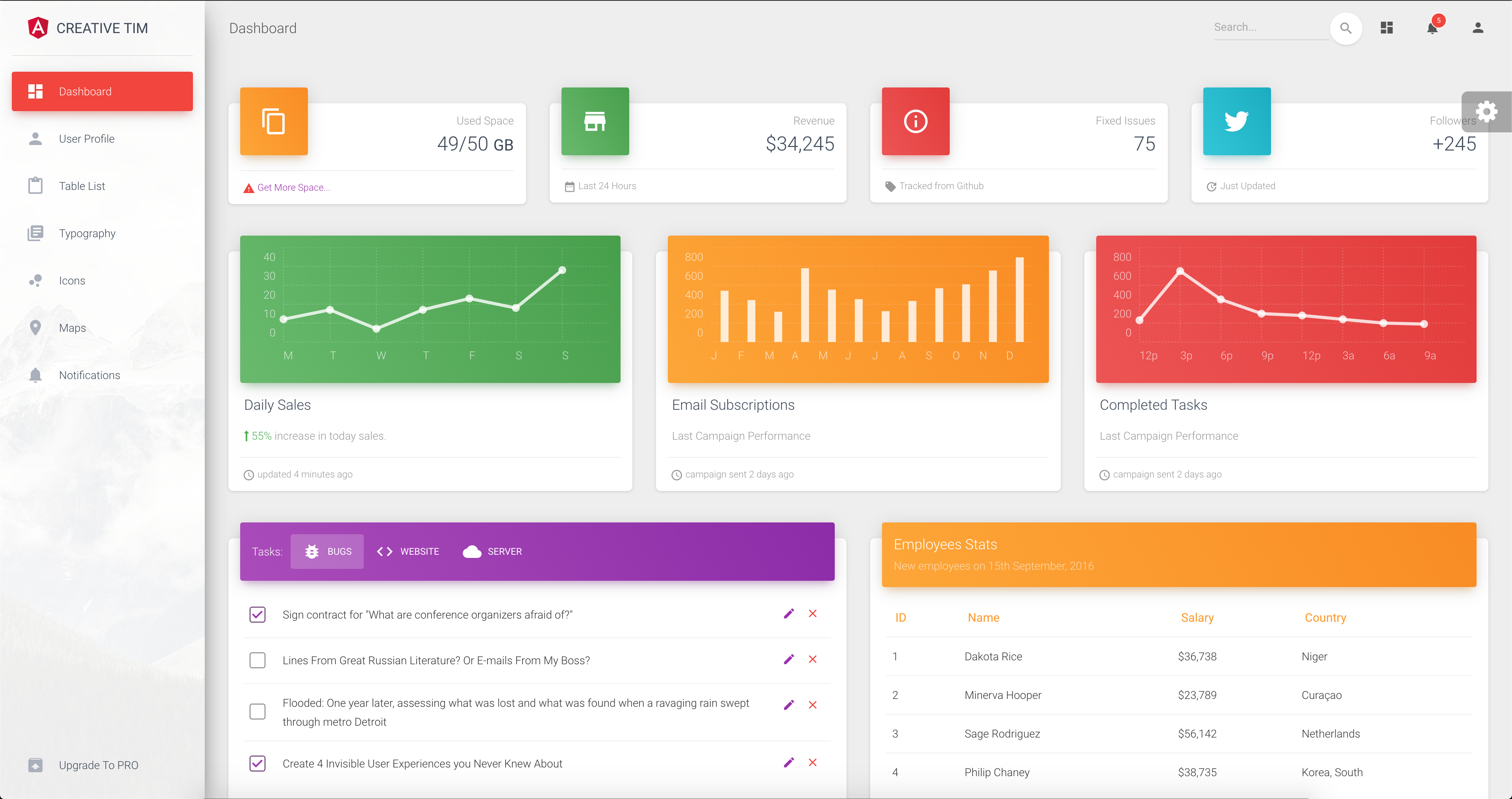
基于 Angular 与 Bootstrap 的 Material Design 后台模板
AngularHTML后台
template-material-dashboard-angular — Angular 后台模板
作者 jtejadavilca
基于 Angular 与 Bootstrap 的 Material Design 后台管理模板,源自 Creative Tim 的 Material Dashboard Angular,提供仪表盘、表格、图标、地图、通知和用户资料等页面。
看看你的网站会是什么样
浏览真实页面截图,比较内容排版与手机效果。点击下方缩略图切换,放大查看整页细节。
目前有 1 张原始预览,可打开完整图片查看设计细节。
截图用于了解视觉与布局,交互效果请以实际项目为准。
采集于 2026-10-12查看来源
值得关注的模板亮点
从已有项目资料中,快速了解它的特点。
包含仪表盘、用户资料、表格、图标、地图、通知、排版等页面
提供侧边栏、导航栏、页脚等布局组件
侧边栏与卡片头部支持蓝、绿、橙、红、紫五种颜色及侧边栏背景图
采用 MIT 许可,可免费使用、修改、商用和分发该版本代码
模板详细介绍
这是一个 Angular 后台管理模板,采用 Bootstrap 与 Material Design 风格,代码来自 Creative Tim 的 Material Dashboard Angular 免费版本。仓库由 jtejadavilca 托管,采用 MIT 许可。
模板提供仪表盘、用户资料、表格列表、图标、地图、通知、排版和升级等页面组件,并包含侧边栏、导航栏和页脚等布局组件。侧边栏与卡片头部提供蓝、绿、橙、红、紫五种颜色选择,侧边栏还支持背景图。项目使用 Angular CLI 生成,README 中给出的命令为 npm install 安装依赖、ng serve 启动开发服务器。
需要注意的是,仓库描述中提到的 Angular 8 与 README 中“Angular CLI 1.0.0 和 angular 4.x”的说明不一致,实际版本应以依赖清单为准。演示图片、字体、图标等第三方素材需按各自许可单独核对,MIT 许可仅覆盖该版本代码。
AngularHTML后台
适合你的项目吗?
适用场景
- 搭建后台管理面板的界面原型
- 作为内容管理系统或 CRM 的前端起点
- 学习 Angular 组件化布局与 Material Design 样式组织方式
适合人群
- 需要 Angular 后台界面起点的开发者
- 希望参考 Material Design 后台布局的前端人员
- 评估免费后台模板的团队
上手与定制指南
结合仓库当前版本的说明,按下面的资料检查内容、配置与运行要求。
- 1
README 给出的流程为:安装 Node.js 与 Angular CLI,进入项目目录后运行 npm install,再运行 ng serve 启动开发服务器,默认地址为 http://localhost:4200/
- 2
仓库描述与 README 对 Angular 版本的说明不一致,实际版本请以依赖清单为准
- 3
演示图片、字体、图标等第三方素材需按各自许可核对,MIT 许可不覆盖这些素材
授权与来源资料
使用条件与限制
免费使用 · 保留许可声明本次收录的是公开仓库中采用 MIT 许可的免费版本;免费范围为该版本代码,不代表外部服务或第三方素材免费。
使用时需要遵守
- 允许免费使用、修改、商用和分发该版本代码。
- 分发代码副本或实质性部分时,保留原作者版权声明和完整 MIT 许可声明。
- 代码按现状提供;担保与责任限制以原许可证及适用法律为准。
额外费用与待核对事项
- 演示图片、字体、图标及其他第三方素材需按各自许可核对,不能仅凭代码的 MIT 许可判断。
- 域名、托管、数据库、支付或 AI 等外部服务可能另外收费。
查看原文依据
DeepSeek 根据仓库许可证和 README 整理 ·2026-10-12。结果仅覆盖已读取资料,依赖、图片、字体及后续条款变更以各自原文为准。
项目核对记录与介绍依据
模板资料
- 来源平台
- GitHub
- 资料与维护参考分
- 资料一般 · 58 / 100
- 技术栈
- Angular · HTML
- 网站类型
- 后台
这个分数如何计算
本站按许可资料(最高30分)、演示链接(12分)、预览图(10分)、Star数(15分)、记录的维护时间(15分)、描述完整度(8分)、功能记录(5分)和分类资料(5分)计算。它不是代码、安全或性能测试,也不是 Google 评分;有链接不代表已实测可用。
这个项目需要核对什么
- 记录的仓库更新时间
- 2023-01-07
- 截图检查日期
- 2026-10-12
目前没有记录演示链接。请依据仓库说明在本地评估;仅凭截图无法确认交互行为。
目录记录的主要技术栈是 Angular。请通过依赖清单和锁文件核对实际版本与托管要求。这些说明基于收录资料,不代表代码审计或部署实测。
查看具体选型方法 →介绍的制作与核对状态
介绍由 AI 辅助整理目录与仓库资料。仓库作者不等于这篇介绍的审核者。
审核声明: [email protected] · 2026-10-13
查看当时使用的来源资料
SHA-256: 92ba4b3bc194a451391fb068472e29476d5c567ceb046443b53b041fe0622075
2026-10-12T17:02:21.039Z
来源文件 / 仓库# [Material Dashboard Angular - Free Bootstrap Material Design Admin](https://www.creative-tim.com/product/material-dashboard-angular2)[![version][version-badge]][CHANGELOG] 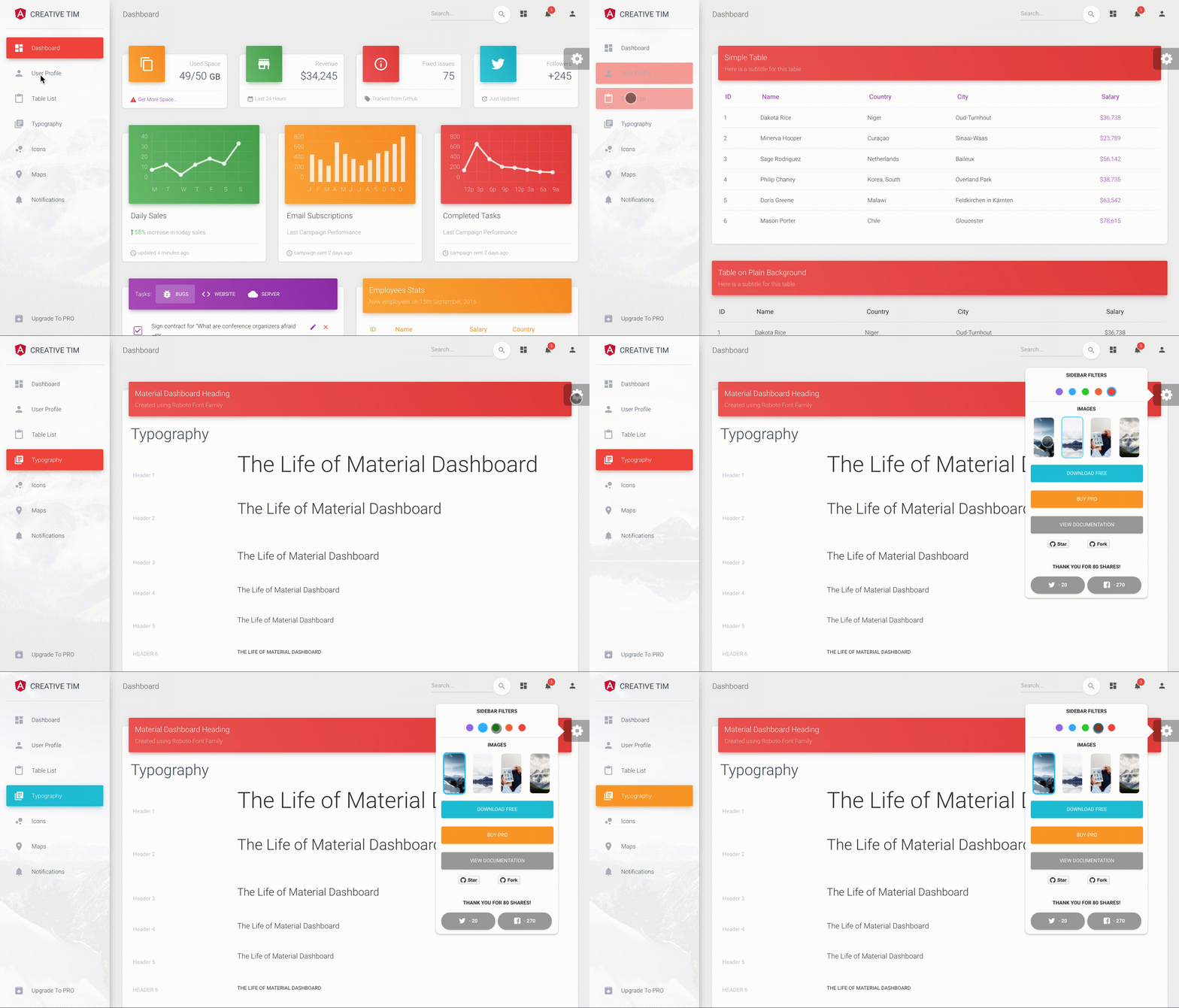 **[Material Dashboard Angular](https://www.creative-tim.com/product/material-dashboard-angular2/)** is a free Material Bootstrap Admin with a fresh, new design inspired by Google's Material Design. We are very excited to introduce our take on the material concepts through an easy to use and beautiful set of components. Material Dashboard was built over the popular Bootstrap framework and it comes with a couple of third-party plugins redesigned to fit in with the rest of the elements. Material Dashboard makes use of light, surface and movement. The general layout resembles sheets of paper following multiple different layers, so that the depth and order is obvious. The navigation stays mainly on the left sidebar and the content is on the right inside the main panel. This product came as a result of users asking for a material dashboard after we released our successful [Material Kit](http://www.creative-tim.com/product/material-kit). We developed it based on your feedback and it is a powerful bootstrap admin dashboard, which allows you to build products like admin panels, content managements systems and CRMs. Material Dashboard comes with 5 color filter choices for both the sidebar and the card headers (blue, green, orange, red and purple) and an option to have a background image on the sidebar. Material Dashboard uses a framework built by our friend [Federico - Bootstrap Material Design](http://fezvrasta.github.io/bootstrap-material-design/), who did an amazing job creating the backbone for the material effects, animations, ripples and transitions. Big thanks to his team for the effort and forward thinking they put into it. Special thanks go to: [Robert McIntosh](https://github.com/mouse0270/bootstrap-notify) for the notification system. [Chartist](https://gionkunz.github.io/chartist-js/) for the wonderful charts. We are very excited to share this dashboard with you and we look forward to hearing your feedback! You can find the Github Repo here. ## Table of Contents * [Versions](#versions) * [Demo](#demo) * [Quick Start](#quick-start) * [Documentation](#documentation) * [File Structure](#file-structure) * [Browser Support](#browser-support) * [Resources](#resources) * [Reporting Issues](#reporting-issues) * [Technical Support or Questions](#technical-support-or-questions) * [Licensing](#licensing) * [Useful Links](#useful-links) ## Versions [<img src="https://github.com/creativetimofficial/public-assets/blob/master/logos/html-logo.jpg?raw=true" width="60" height="60" />](https://www.creative-tim.com/product/material-dashboard) [<img src="https://github.com/creativetimofficial/public-assets/blob/master/logos/angular-logo.jpg?raw=true" width="60" height="60" />](https://www.creative-tim.com/product/material-dashboard-angular2) [<img src="https://github.com/creativetimofficial/public-assets/blob/master/logos/vue-logo.jpg?raw=true" width="60" height="60" />](https://www.creative-tim.com/product/vue-material-dashboard) [<img src="https://github.com/creativetimofficial/public-assets/blob/master/logos/react-logo.jpg?raw=true" width="60" height="60" />](https://www.creative-tim.com/product/material-dashboard-react) | HTML | Angular | Vue | React | | --- | --- | --- | --- | | [](https://www.creative-tim.com/product/material-dashboard) | [](https://www.creative-tim.com/product/material-dashboard-angular2) | [](https://www.creative-tim.com/product/vue-material-dashboard) | [](https://www.creative-tim.com/product/material-dashboard-react) ## Demo | Dashboard | User Profile | Tables | Icons | Notifications | | --- | --- | --- | --- | --- | | [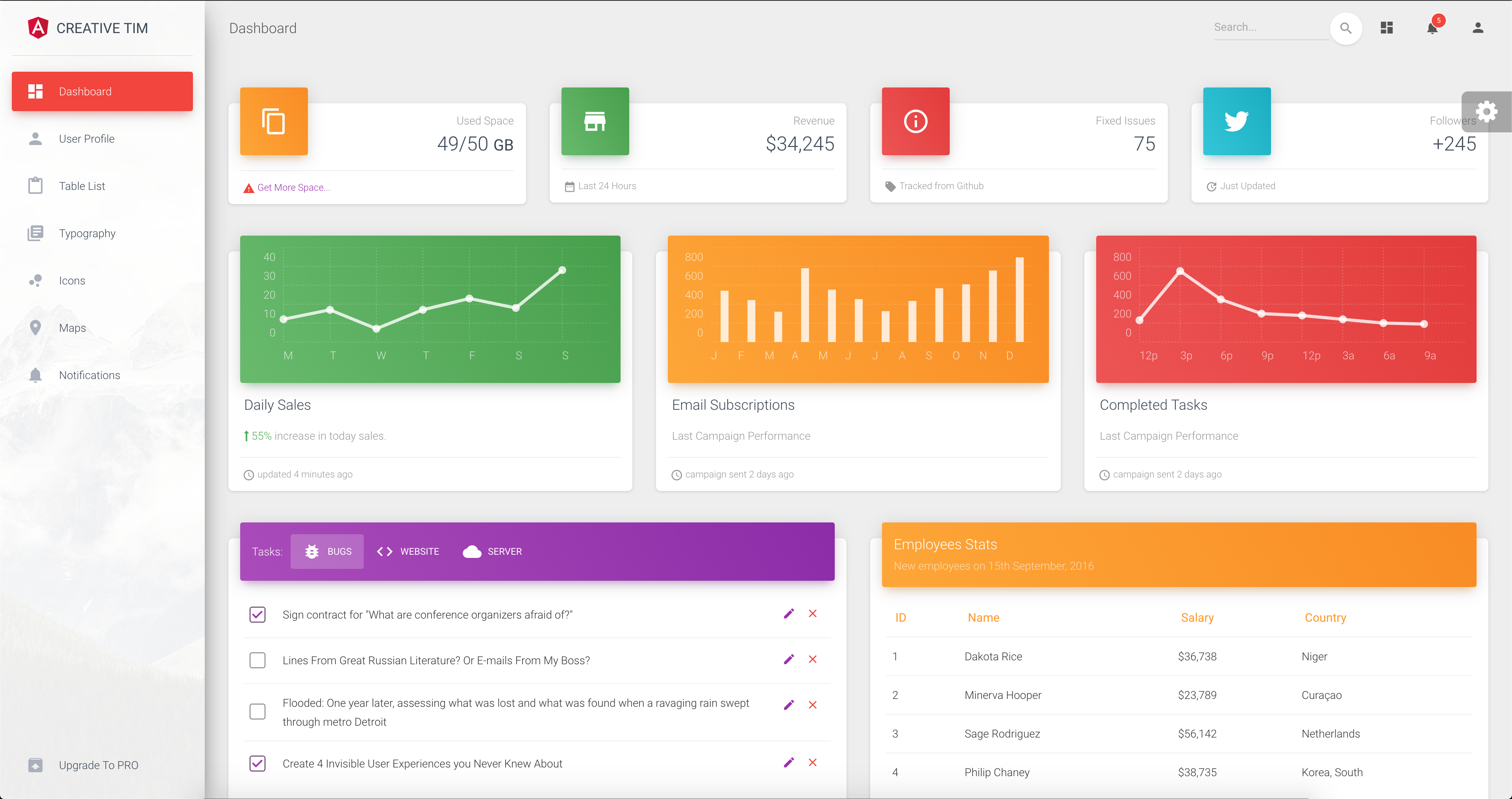](https://demos.creative-tim.com/material-dashboard-angular2/#/dashboard) | [](https://demos.creative-tim.com/material-dashboard-angular2/#/user-profile) | [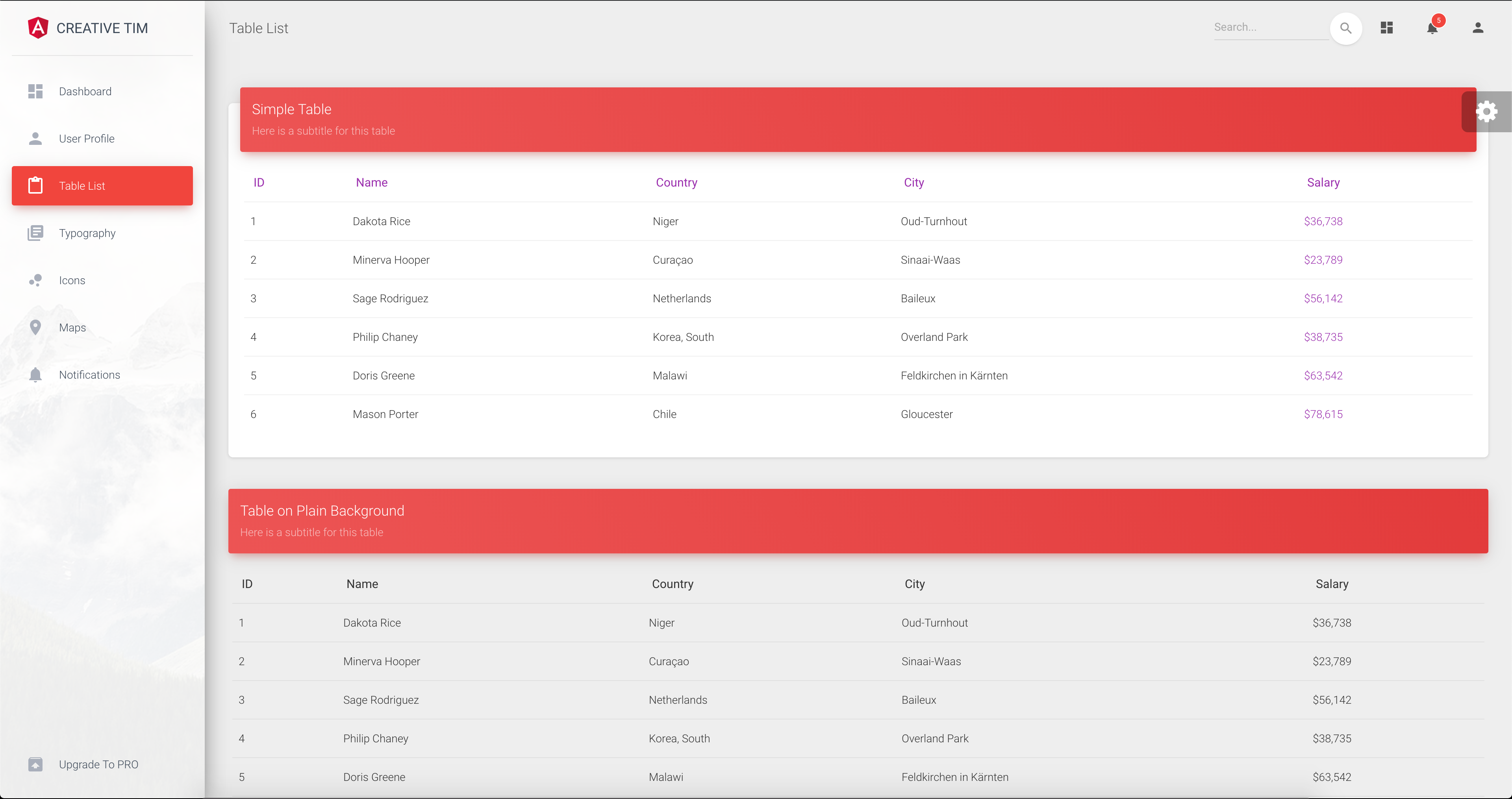](https://demos.creative-tim.com/material-dashboard-angular2/#/table-list) | [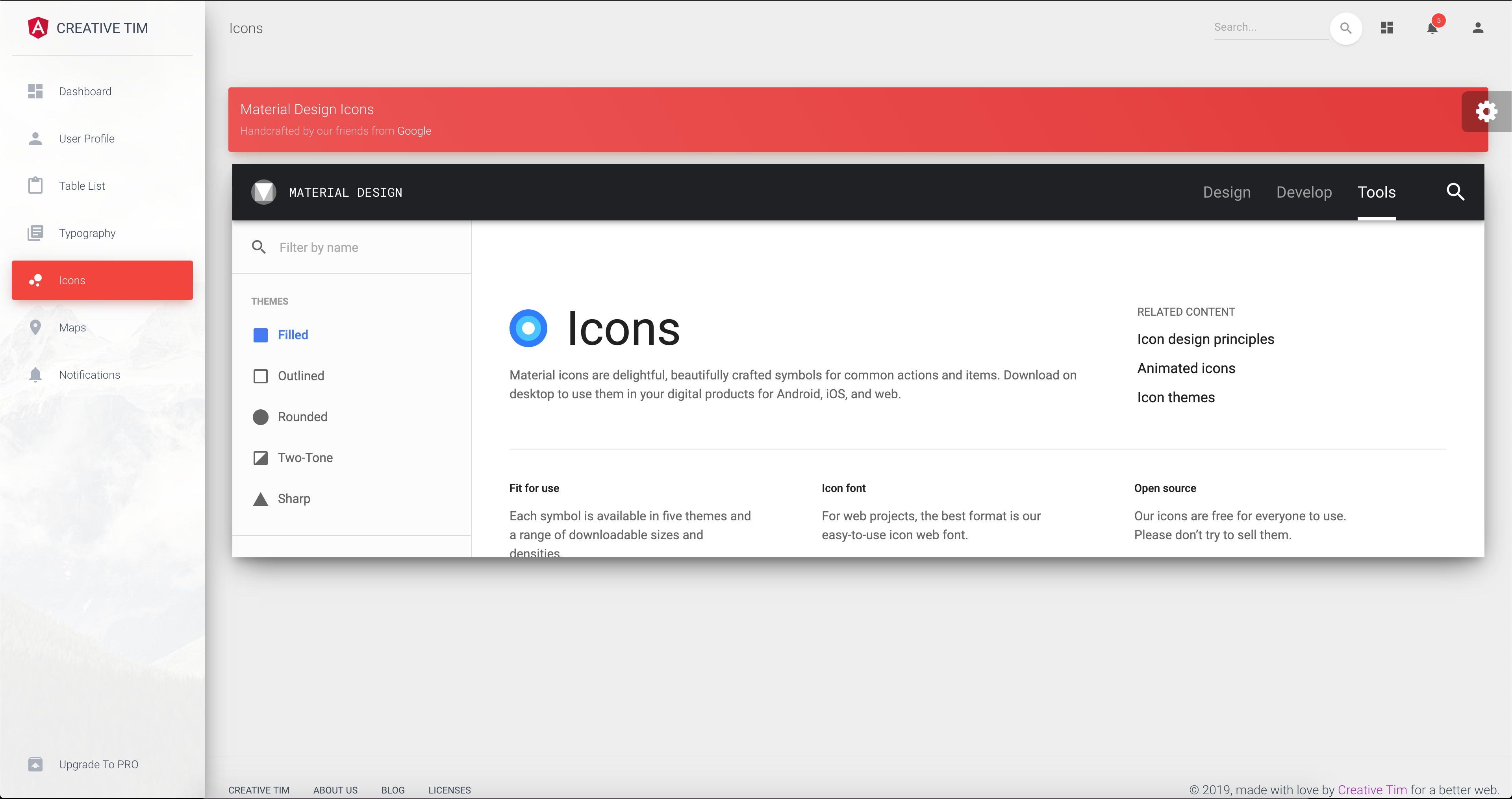](https://demos.creative-tim.com/material-dashboard-angular2/#/maps) | [](https://demos.creative-tim.com/material-dashboard-angular2/#/notifications) [View More](https://demos.creative-tim.com/material-dashboard-angular2/#/dashboard). ## Quick start Quick start options: - [Download from Github](https://github.com/tiniestory/material-dashboard-angular2/archive/master.zip). - [Download from Creative Tim](http://www.creative-tim.com/product/material-dashboard-angular2). ## Terminal Commands This project was generated with [Angular CLI](https://github.com/angular/angular-cli) version 1.0.0 and angular 4.x. 1. Install NodeJs from [NodeJs Official Page](https://nodejs.org/en). 2. Open Terminal 3. Go to your file project 4. Make sure you have installed [Angular CLI](https://github.com/angular/angular-cli) already. If not, please install. 5. Run in terminal: ```npm install``` 6. Run `ng serve` for a dev server. Navigate to `http://localhost:4200/`. The app will automatically reload if you change any of the source files. To get more help on the Angular CLI use `ng help` or go check out the [Angular CLI README](https://github.com/angular/angular-cli/blob/master/README.md). ### What's included Within the download you'll find the following directories and files: ``` material-dashboard-angular ├── CHANGELOG.md ├── LICENSE.md ├── README.md ├── angular-cli.json ├── documentation ├── e2e ├── karma.conf.js ├── package-lock.json ├── package.json ├── protractor.conf.js ├── src │ ├── app │ │ ├── app.component.css │ │ ├── app.component.html │ │ ├── app.component.spec.ts │ │ ├── app.component.ts │ │ ├── app.module.ts │ │ ├── app.routing.ts │ │ ├── components │ │ │ ├── components.module.ts │ │ │ ├── footer │ │ │ │ ├── footer.component.css │ │ │ │ ├── footer.component.html │ │ │ │ ├── footer.component.spec.ts │ │ │ │ └── footer.component.ts │ │ │ ├── navbar │ │ │ │ ├── navbar.component.css │ │ │ │ ├── navbar.component.html │ │ │ │ ├── navbar.component.spec.ts │ │ │ │ └── navbar.component.ts │ │ │ └── sidebar │ │ │ ├── sidebar.component.css │ │ │ ├── sidebar.component.html │ │ │ ├── sidebar.component.spec.ts │ │ │ └── sidebar.component.ts │ │ ├── dashboard │ │ │ ├── dashboard.component.css │ │ │ ├── dashboard.component.html │ │ │ ├── dashboard.component.spec.ts │ │ │ └── dashboard.component.ts │ │ ├── icons │ │ │ ├── icons.component.css │ │ │ ├── icons.component.html │ │ │ ├── icons.component.spec.ts │ │ │ └── icons.component.ts │ │ ├── layouts │ │ │ └── admin-layout │ │ │ ├── admin-layout.component.html │ │ │ ├── admin-layout.component.scss │ │ │ ├── admin-layout.component.spec.ts │ │ │ ├── admin-layout.component.ts │ │ │ ├── admin-layout.module.ts │ │ │ └── admin-layout.routing.ts │ │ ├── maps │ │ │ ├── maps.component.css │ │ │ ├── maps.component.html │ │ │ ├── maps.component.spec.ts │ │ │ └── maps.component.ts │ │ ├── notifications │ │ │ ├── notifications.component.css │ │ │ ├── notifications.component.html │ │ │ ├── notifications.component.spec.ts │ │ │ └── notifications.component.ts │ │ ├── table-list │ │ │ ├── table-list.component.css │ │ │ ├── table-list.component.html │ │ │ ├── table-list.component.spec.ts │ │ │ └── table-list.component.ts │ │ ├── typography │ │ │ ├── typography.component.css │ │ │ ├── typography.component.html │ │ │ ├── typography.component.spec.ts │ │ │ └── typography.component.ts │ │ ├── upgrade │ │ │ ├── upgrade.component.css │ │ │ ├── upgrade.component.html │ │ │ ├── upgrade.component.spec.ts │ │ │ └── upgrade.component.ts │ │ └── user-profile │ │ ├── user-profile.component.css │ │ ├── user-profile.component.html │ │ ├── user-profile.component.spec.ts │ │ └── user-profile.component.ts │ ├── assets │ │ ├── css │ │ │ └── demo.css │ │ ├── img │ │ └── scss │ │ ├── core │ │ └── material-dashboard.scss │ ├── environments │ ├── favicon.ico │ ├── index.html │ ├── main.ts │ ├── polyfills.ts │ ├── styles.css │ ├── test.ts │ ├── tsconfig.app.json │ ├── tsconfig.spec.json │ └── typings.d.ts ├── tsconfig.json ├── tslint.json └── typings ``` ## Browser Support At present, we officially aim to support the last two versions of the following browsers: <img src="https://s3.amazonaws.com/creativetim_bucket/github/browser/chrome.png" width="64" height="64"> <img src="https://s3.amazonaws.com/creativetim_bucket/github/browser/firefox.png" width="64" height="64"> <img src="https://s3.amazonaws.com/creativetim_bucket/github/browser/edge.png" width="64" height="64"> <img src="https://s3.amazonaws.com/creativetim_bucket/github/browser/safari.png" width="64" height="64"> <img src="https://s3.amazonaws.com/creativetim_bucket/github/browser/opera.png" width="64" height="64"> ## Resources - Demo: <https://demos.creative-tim.com/material-dashboard-angular2/#/dashboard> - Download Page: <https://www.creative-tim.com/product/material-dashboard-angular2> - Documentation: <https://demos.creative-tim.com/material-dashboard-angular2/#/documentation/tutorial> - License Agreement: <https://www.creative-tim.com/license> - Support: <https://www.creative-tim.com/contact-us> - Issues: [Github Issues Page](https://github.com/creativetimofficial/material-dashboard-angular2/issues) - [Material Kit](https://www.creative-tim.com/product/material-kit?ref=github-mda-free) - For Front End Development ## Reporting Issues We use GitHub Issues as the official bug tracker for the Material Dashboard. Here are some advices for our users that want to report an issue: 1. Make sure that you are using the latest version of the Material Dashboard. Check the CHANGELOG from your dashboard on our [website](https://www.creative-tim.com/). 2. Providing us reproducible steps for the issue will shorten the time it takes for it to be fixed. 3. Some issues may be browser specific, so specifying in what browser you encountered the issue might help. ## Technical Support or Questions If you have questions or need help integrating the product please [contact us](https://www.creative-tim.com/contact-us) instead of opening an issue. ## Licensing - Copyright 2018 Creative Tim (https://www.creative-tim.com/) - Licensed under MIT (https://github.com/creativetimofficial/material-dashboard-angular2/blob/master/LICENSE.md) ## Useful Links - [More products](https://www.creative-tim.com/bootstrap-themes) from Creative Tim - [Tutorials](https://www.youtube.com/channel/UCVyTG4sCw-rOvB9oHkzZD1w) - [Freebies](https://www.creative-tim.com/bootstrap-themes/free) from Creative Tim - [Affiliate Program](https://www.creative-tim.com/affiliates/new) (earn money) ##### Social Media Twitter: <https://twitter.com/CreativeTim> Facebook: <https://www.facebook.com/CreativeTim> Dribbble: <https://dribbble.com/creativetim> Google+: <https://plus.google.com/+CreativetimPage> Instagram: <https://www.instagram.com/CreativeTimOfficial> [CHANGELOG]: ./CHANGELOG.md [version-badge]: https://img.shields.io/badge/version-2.3.0-blue.svg
看看同类模板
对比同技术栈与用途的模板,找到更适合的视觉与内容结构。
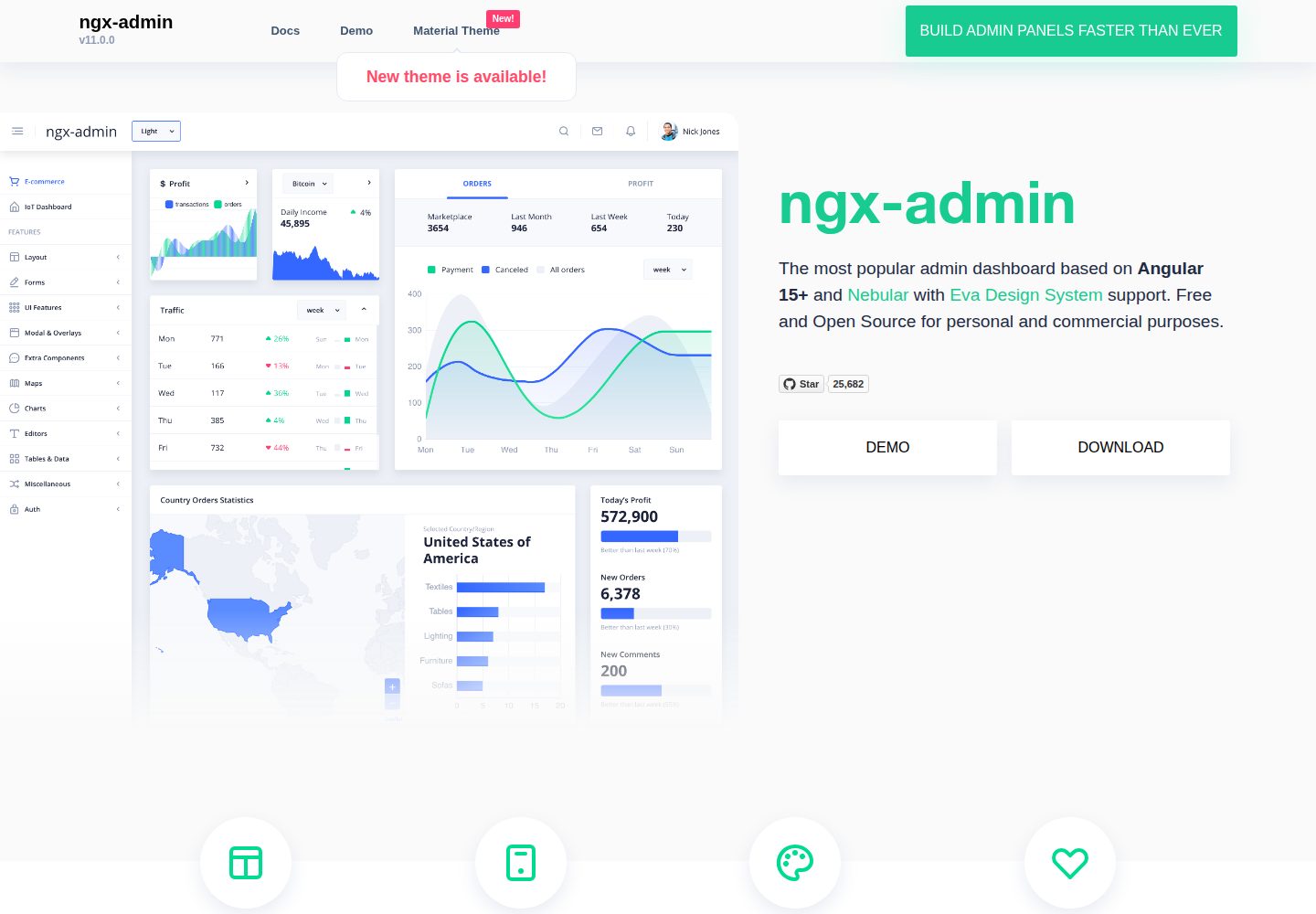
ngx-admin
Customizable admin dashboard template based on Angular 10+
Angular · 后台
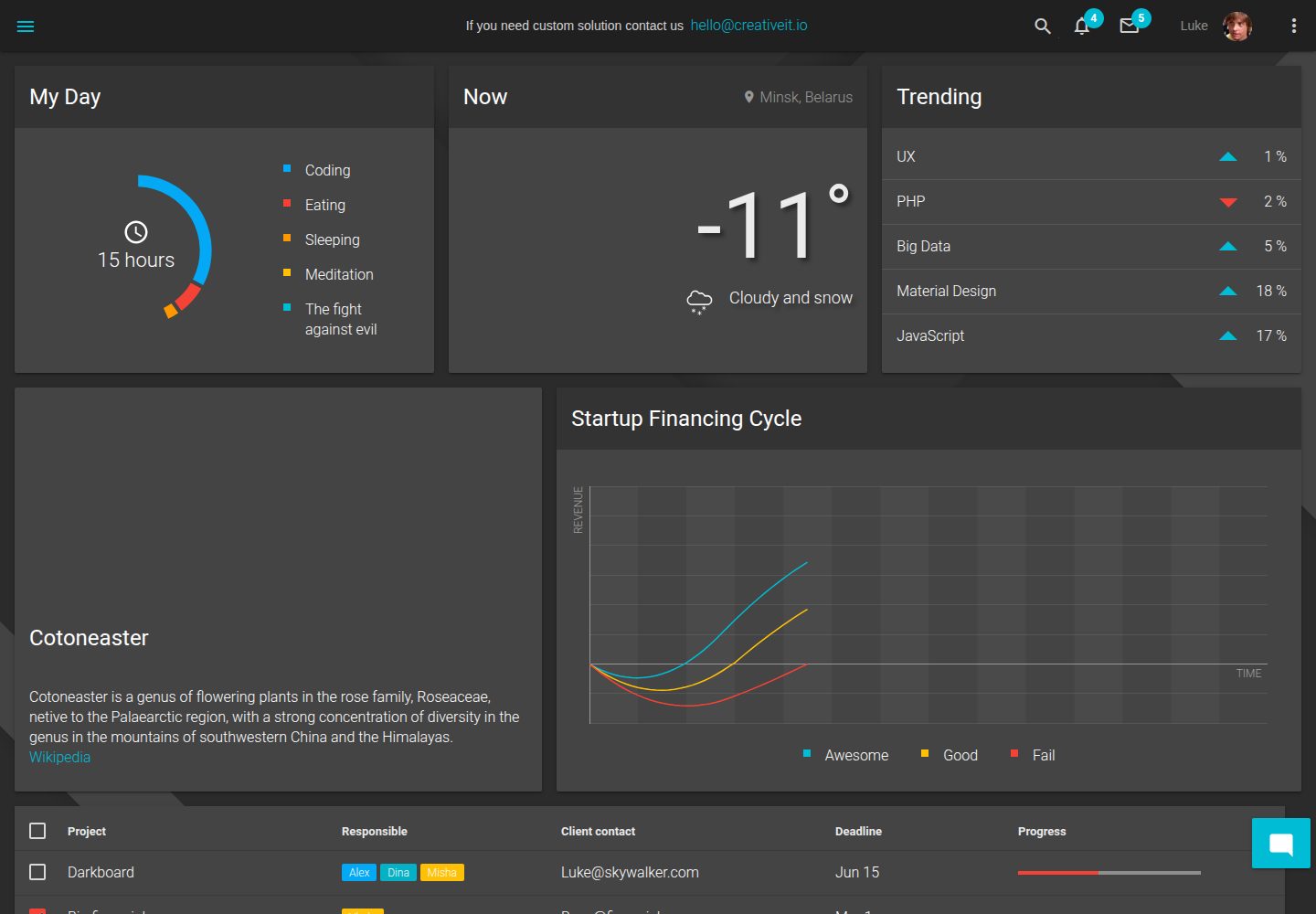
material-angular-dashboard
Material Angular Admin Template
Angular · 后台
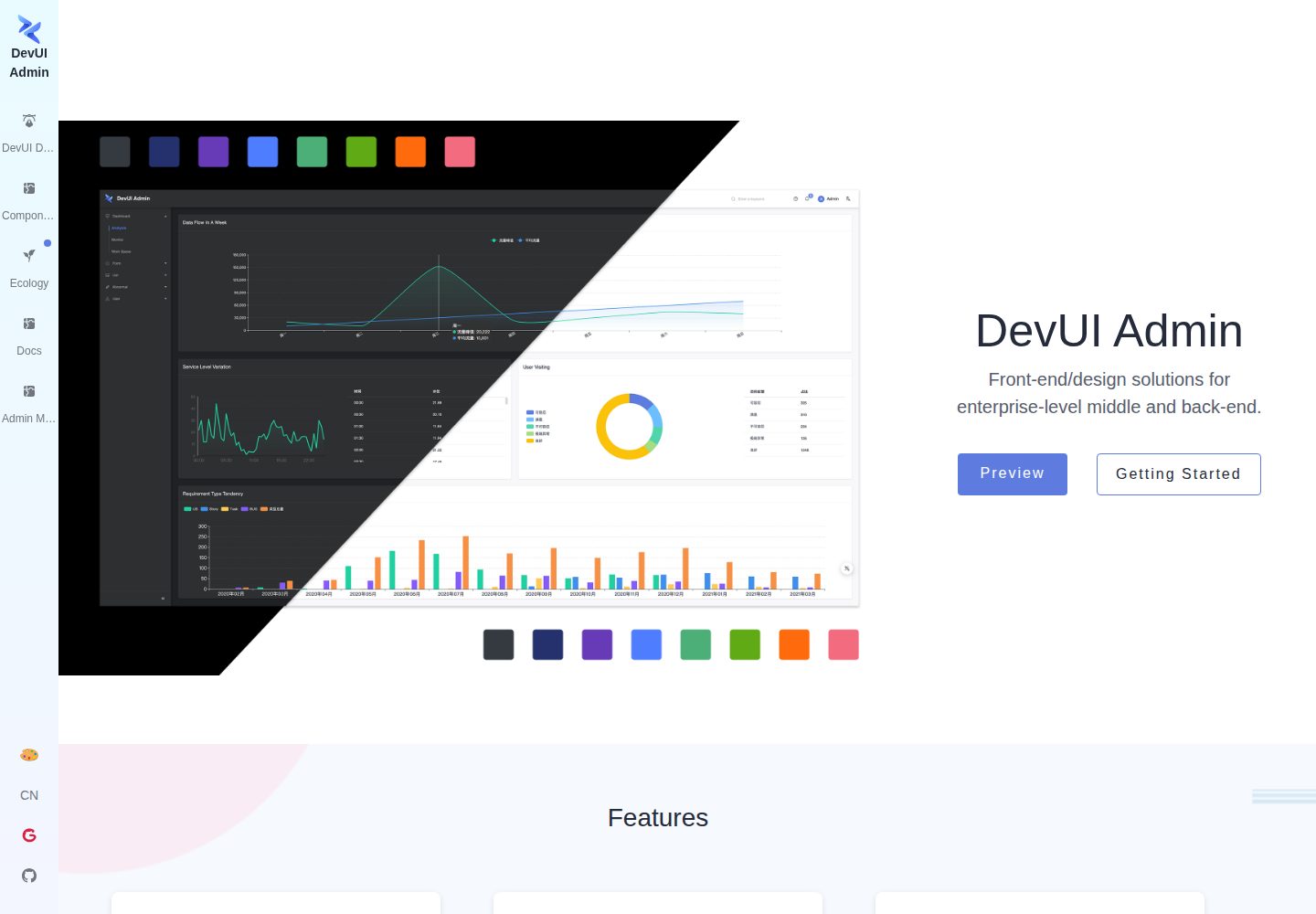
ng-devui-admin
Customizable admin dashboard template based on Angular and DevUI
Angular · 后台
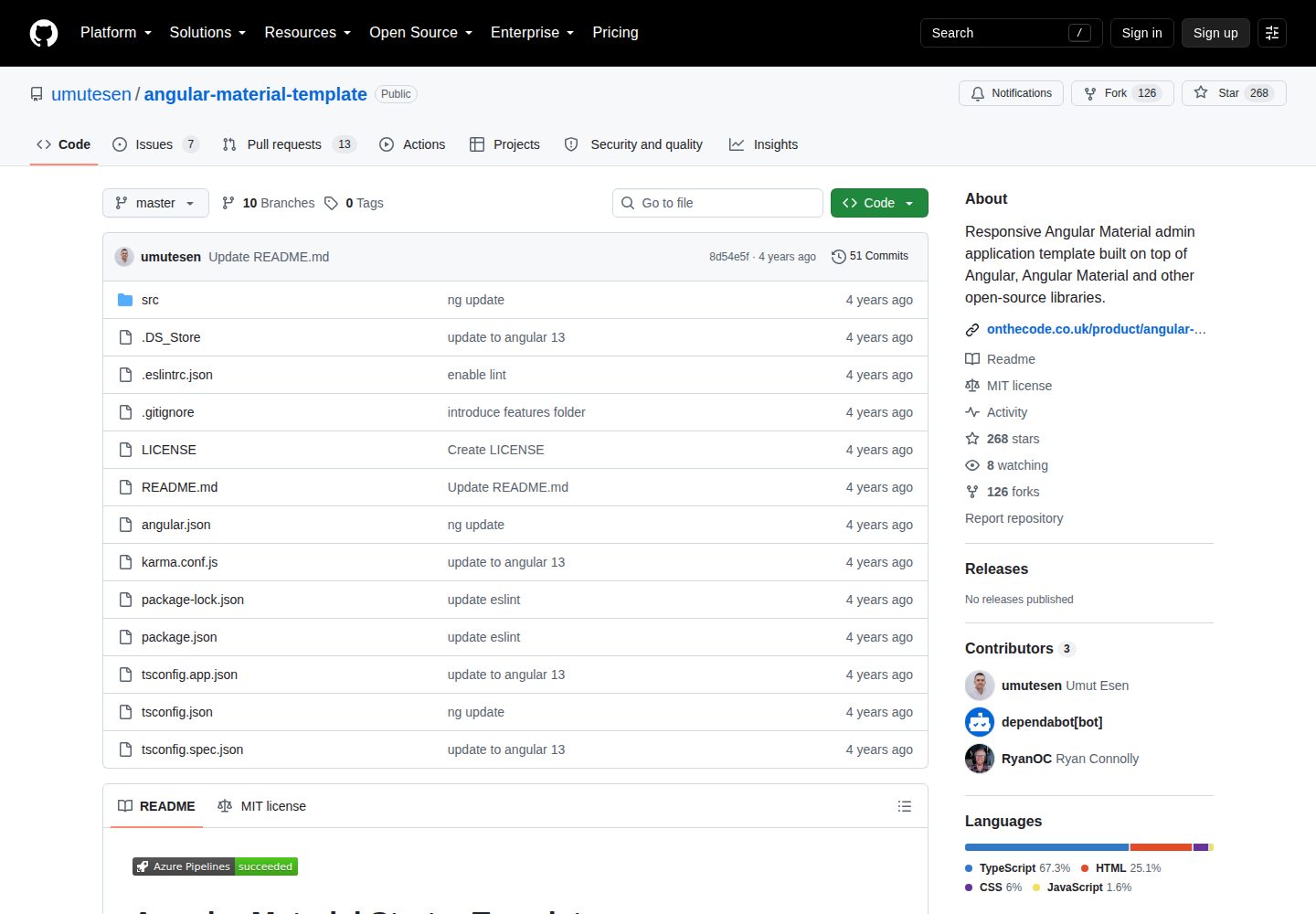
angular-material-template
Responsive Angular Material admin application template built on top of Angular, Angular Material and other ope…
Angular · 后台
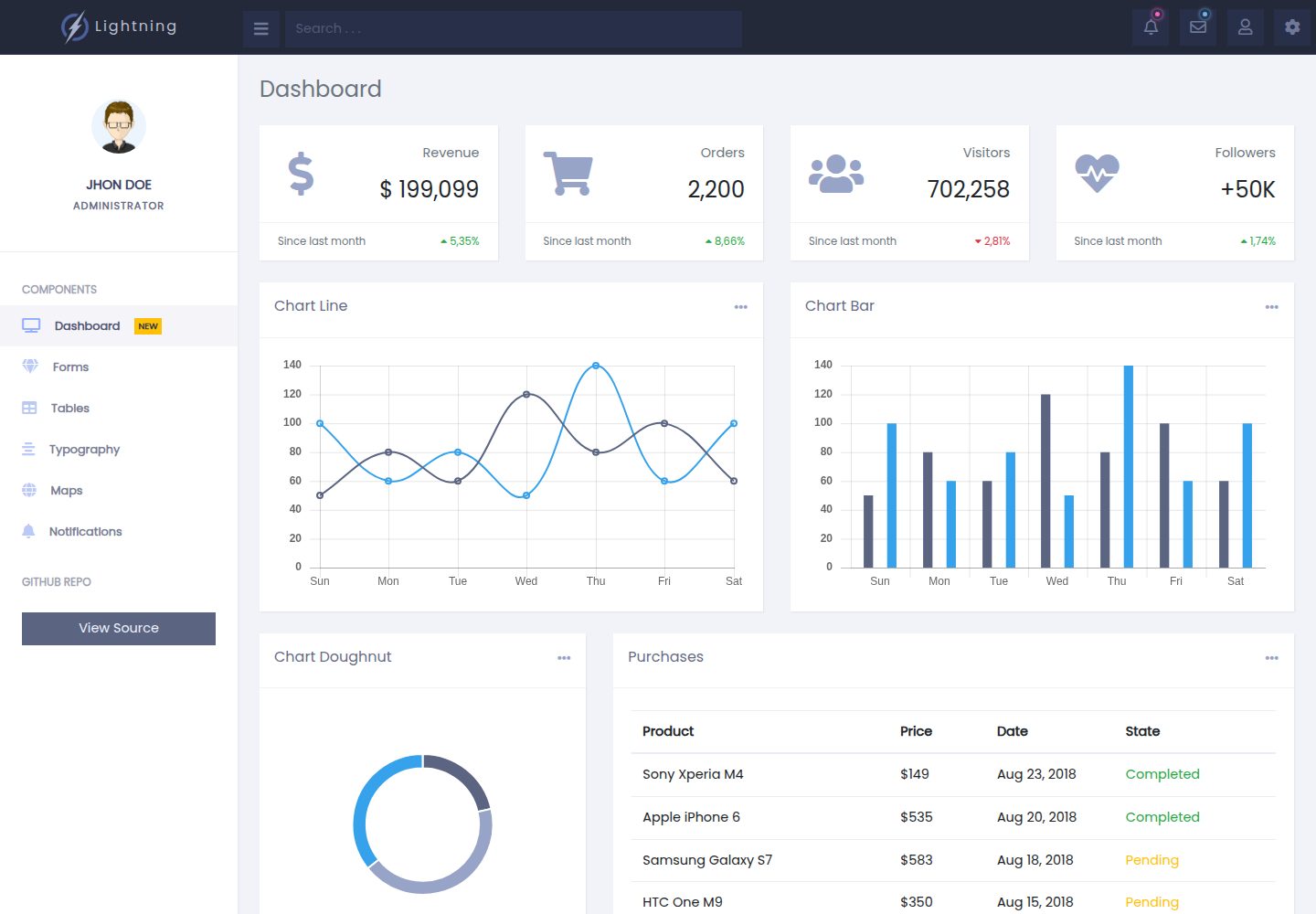
lightning-admin-angular
A mobile first design of a responsive admin template built with angular and bootstrap
Angular · 后台
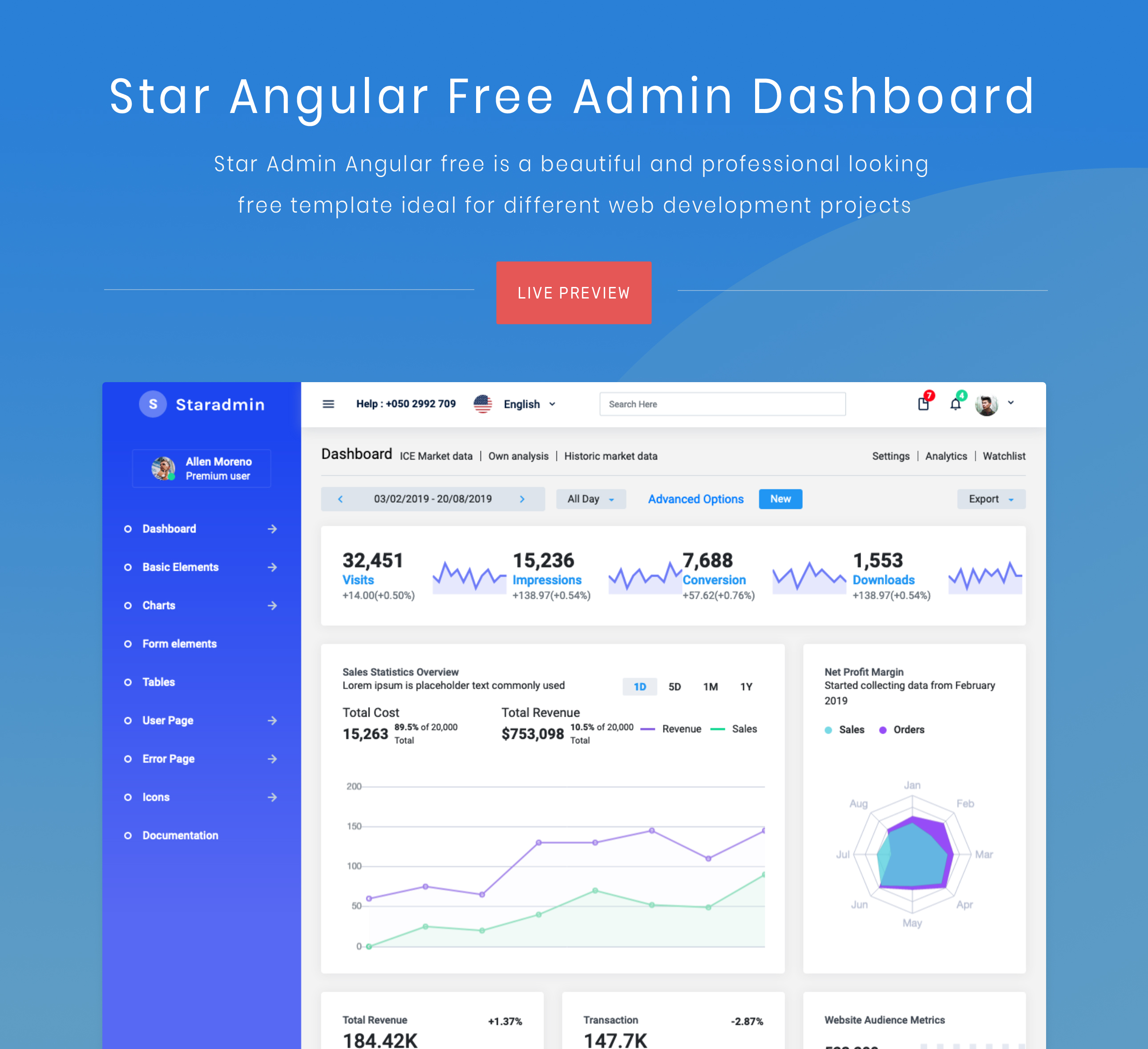
StarAdmin-Free-Angular-Admin-Template
StarAdmin Free Angular Admin Template 是一个基于 Angular 7 和 Bootstrap 4 的免费后台管理模板,由 BootstrapDash 团队维护。
Angular · 后台