Better Auth 提供邮箱密码与 Google OAuth 登录
Next.jsReactSaaS启动器
ai-saas-starter-kit — Next.js SaaS模板
作者 karthiknitt
基于 Next.js 的 AI SaaS 启动器,集成 Better Auth 认证、Drizzle ORM 数据库、Razorpay 订阅支付与 OpenAI 流式聊天,并内置工作区、RBAC、用量配额与审计日志。
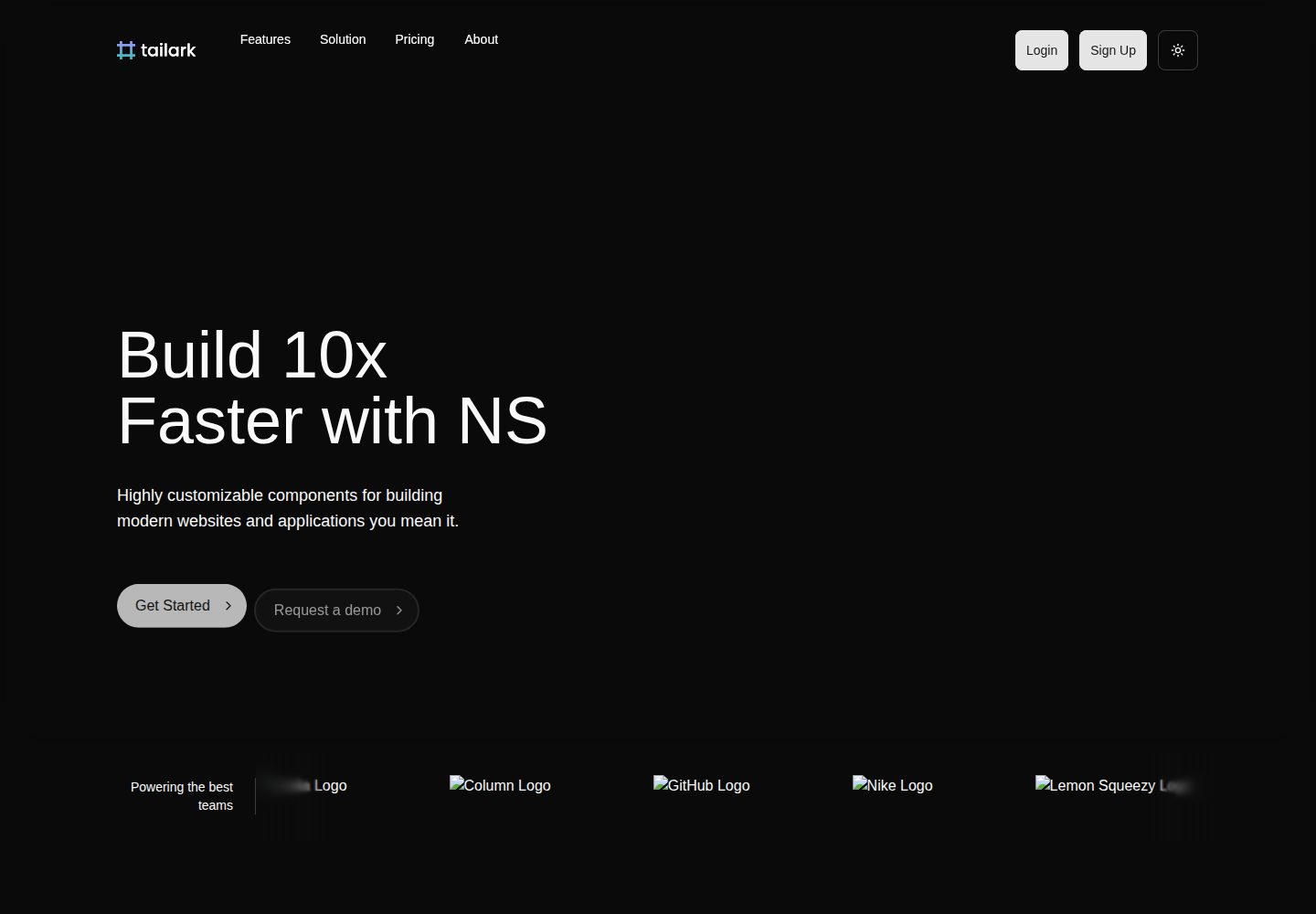
看看你的网站会是什么样
浏览真实页面截图,比较内容排版与手机效果。点击下方缩略图切换,放大查看整页细节。
全部页面与视图 2
截图用于了解视觉与布局,交互效果请以实际项目为准。
采集于 2026-10-01查看来源
值得关注的模板亮点
从已有项目资料中,快速了解它的特点。
Razorpay 订阅支付,内置 Free、Pro、Startup 三档方案
OpenAI 流式 AI 聊天,用户 API Key 加密存储
多租户工作区与 Owner/Admin/Member/Viewer 角色权限
按订阅等级限制用量的配额与功能门控
Vitest 单元测试与 Playwright E2E 测试及 GitHub Actions CI
模板详细介绍
这是一个面向 AI SaaS 产品的全栈启动器,使用 Next.js App Router 与 TypeScript 构建,前端组件基于 shadcn/ui,数据库采用 PostgreSQL 配合 Drizzle ORM。认证部分由 Better Auth 提供邮箱密码与 Google OAuth 两种方式,支付使用 Razorpay 管理 Free、Pro、Startup 三档订阅。
功能层面包含流式 AI 聊天(对接 OpenAI,用户可自带 API Key 并加密存储)、多租户工作区与成员角色管理、基于订阅等级的用量配额与功能门控、审计日志、Arcjet 限流、Resend 事务邮件、PostHog 产品分析、Sentry 错误监控以及 Swagger UI 接口文档。管理员可通过 /admin 进行用户与订阅管理。
开发侧提供 Vitest 单元测试与 Playwright E2E 测试、Biome 代码检查与格式化、Lefthook Git 钩子、GitHub Actions CI,以及开发模式下可用的 MCP 调试端点。项目以 MIT 许可发布,但演示图片、字体、图标等第三方素材需单独核对许可,数据库、支付、AI 等外部服务可能产生费用。
Next.jsSaaS启动器
适合你的项目吗?
适用场景
- 需要快速搭建带订阅付费的 AI 聊天类 SaaS 产品原型
- 需要多租户工作区与细粒度角色权限的后台系统
- 需要按订阅等级限制 AI 调用量的用量计费场景
- 需要审计日志与管理员后台的合规型应用
适合人群
- 熟悉 Next.js 与 TypeScript、希望跳过基础架构搭建的开发者
- 需要认证、支付、AI 聊天与工作区等常见 SaaS 模块的团队
- 以 Razorpay 作为支付渠道、面向印度等市场的产品
- 希望以 MIT 许可自由修改和商用该代码库的开发者
上手与定制指南
结合仓库当前版本的说明,按下面的资料检查内容、配置与运行要求。
- 1
需安装 Node.js 18+ 与 Bun,并准备 PostgreSQL 数据库(可用 Neon 或本地 Docker)
- 2
复制 .env.example 为 .env,配置 Better Auth、数据库、Razorpay、Resend、OpenAI、Arcjet 等密钥
- 3
执行 bun db:push 推送数据库结构,可选 bun db:seed 填充示例数据
- 4
运行 bun dev 启动开发服务器,注册后执行 bun make-admin 将账号设为管理员
- 5
Razorpay 需创建各档订阅计划并配置指向 /api/webhooks/razorpay 的 Webhook
授权与来源资料
使用条件与限制
免费使用 · 保留许可声明本次收录的是公开仓库中采用 MIT 许可的免费版本;免费范围为该版本代码,不代表外部服务或第三方素材免费。
使用时需要遵守
- 允许免费使用、修改、商用和分发该版本代码。
- 分发代码副本或实质性部分时,保留原作者版权声明和完整 MIT 许可声明。
- 代码按现状提供;担保与责任限制以原许可证及适用法律为准。
额外费用与待核对事项
- 需自备 PostgreSQL 数据库,可使用 Neon 免费实例或自建;数据库服务可能产生费用。
- 支付功能依赖 Razorpay 账号,需注册并创建各档订阅计划,交易会产生手续费。
- AI 聊天依赖 OpenAI API Key,调用按用量计费。
- 事务邮件依赖 Resend 账号与 API Key,超出免费额度需付费。
- 限流功能依赖 Arcjet 服务,需注册获取密钥,可能产生费用。
- 产品分析依赖 PostHog,需注册获取密钥,云端方案可能收费。
- 错误监控依赖 Sentry,需注册配置,超出免费额度需付费。
- Google OAuth 登录为可选功能,需在 Google Cloud Console 创建凭据。
- MCP 调试端点仅在开发模式可用,生产构建自动禁用。
- 演示图片、字体、图标及其他第三方素材需按各自许可核对,不能仅凭代码的 MIT 许可判断。
- 域名、托管、数据库、支付或 AI 等外部服务可能另外收费。
查看原文依据
Permission is hereby granted, free of charge
许可证原文
Get a free PostgreSQL database from [Neon](https://neon.tech) or use your own.
README 原文
Sign up at [Razorpay](https://razorpay.com), create subscription
README 原文
Get your API key from [OpenAI](https://platform.openai.com/api-keys)
README 原文
Get an API key from [Resend](https://resend.com)
README 原文
Get Arcjet key from [Arcjet](https://arcjet.com)
README 原文
Get your PostHog API key from [PostHog](https://posthog.com). PostHog provides:
README 原文
Get your Sentry configuration from [Sentry](https://sentry.io). Sentry provides:
README 原文
Create credentials at [Google Cloud Console](https://console.cloud.google.com/apis/credentials)
README 原文
https://github.com/karthiknitt/ai-saas-starter-kit/blob/main/LICENSEhttps://github.com/karthiknitt/ai-saas-starter-kit/blob/main/README.mdMCP endpoint is only available during development (`pnpm dev`)
README 原文
DeepSeek 根据仓库许可证和 README 整理 ·2026-10-01。结果仅覆盖已读取资料,依赖、图片、字体及后续条款变更以各自原文为准。
项目核对记录与介绍依据
模板资料
- 来源平台
- GitHub
- 资料与维护参考分
- 资料较完整 · 88 / 100
- 技术栈
- Next.js · React
- 网站类型
- SaaS · 启动器
这个分数如何计算
本站按许可资料(最高30分)、演示链接(12分)、预览图(10分)、Star数(15分)、记录的维护时间(15分)、描述完整度(8分)、功能记录(5分)和分类资料(5分)计算。它不是代码、安全或性能测试,也不是 Google 评分;有链接不代表已实测可用。
这个项目需要核对什么
- 记录的仓库更新时间
- 2026-08-31
- 截图检查日期
- 2026-10-01
已收录演示链接。请用你的内容与屏幕尺寸检查;有演示不代表表单、认证或支付已经可用。
目录记录的主要技术栈是 Next.js。请通过依赖清单和锁文件核对实际版本与托管要求。这些说明基于收录资料,不代表代码审计或部署实测。
查看具体选型方法 →介绍的制作与核对状态
介绍由 AI 辅助整理目录与仓库资料。仓库作者不等于这篇介绍的审核者。
已完成服务器许可规则与 AI 来源核对;未经过人工编辑审核。
查看当时使用的来源资料
SHA-256: e6d8a22e5855a90f86aab910798e3b6f1862294132cfb17e62bd3d4f19a63e40
2026-10-01T01:05:07.354Z
来源文件 / 仓库# AI SaaS Starter Kit [](LICENSE) [](https://github.com/karthiknitt/ai-saas-starter-kit/actions) [](https://www.typescriptlang.org/) [](https://nextjs.org/) A production-ready, full-stack AI SaaS application starter kit built with Next.js 16, React 19, and TypeScript. Ship your AI-powered SaaS product faster with authentication, payments, AI chat, role-based access control, and comprehensive security built-in. ⭐ **If you find this project helpful, please give it a star!** ⭐ ## Features ### Core Features - **Modern Tech Stack**: Next.js 16.1 with App Router, React 19.2, TypeScript 5.9, Tailwind CSS 4.1 - **AI Chat Interface**: Streaming AI responses with OpenAI integration and custom API key management - **Authentication**: Email/password + Google OAuth via Better Auth - **Payment Integration**: Subscription management with Razorpay (Free, Pro, Startup plans) - **Database**: PostgreSQL with Drizzle ORM - **UI Components**: 50+ customizable shadcn/ui components - **Error Monitoring**: Sentry integration for production error tracking ### Advanced Features - **Multi-Tenancy/Workspaces**: Complete team workspace management with UI and member controls - **Role-Based Access Control (RBAC)**: Granular permission system with admin dashboard - **Usage Tracking**: Quota enforcement and feature gating by subscription tier - **Audit Logging**: Comprehensive activity tracking for compliance and workspace actions - **Encrypted API Key Management**: Secure storage for user API keys - **Rate Limiting**: Protection against abuse with Arcjet - **Security Headers**: Helmet integration for enhanced security - **Email Integration**: Resend for transactional emails - **Product Analytics**: PostHog integration for event tracking and user behavior analysis - **API Documentation**: Interactive Swagger UI documentation for all endpoints - **Advanced Analytics**: Usage insights dashboard with charts and metrics ### Developer Experience - **Type Safety**: Strict TypeScript configuration - **Testing**: 40+ unit tests with Vitest + 5 E2E tests with Playwright - **Code Quality**: Biome for linting and formatting - **Git Hooks**: Lefthook for pre-commit checks and conventional commits - **Hot Reload**: Turbopack for blazing-fast development - **React Compiler**: Automatic memoization for optimized performance - **MCP Integration**: Built-in Model Context Protocol for AI-assisted debugging (dev-only) - **Continuous Integration**: GitHub Actions CI/CD pipeline ## Prerequisites Before you begin, ensure you have the following installed: - **Node.js** 18.x or higher - **Bun** 1.x or higher (recommended package manager, linter, formatter, and test runner) - **PostgreSQL** database (we recommend [Neon](https://neon.tech) or use Docker for local development) - **Git** - **Docker** (optional, for local PostgreSQL database) ## Getting Started ### 1. Clone the Repository ```bash git clone https://github.com/karthiknitt/ai-saas-starter-kit.git cd ai-saas-starter-kit ``` ### 2. Install Dependencies ```bash bun install ``` ### 3. Environment Configuration Copy the example environment file and configure your variables: ```bash cp .env.example .env ``` Edit `.env` and configure the following required variables: #### Authentication ```env BETTER_AUTH_SECRET=your-random-secret-key-here BETTER_AUTH_URL=http://localhost:3000 ``` Generate a secure secret: ```bash openssl rand -base64 32 ``` #### Database ```env DATABASE_URL='postgresql://user:password@host:port/database' ``` Get a free PostgreSQL database from [Neon](https://neon.tech) or use your own. #### Google OAuth (Optional) ```env GOOGLE_CLIENT_ID=your-google-client-id GOOGLE_CLIENT_SECRET=your-google-client-secret ``` Create credentials at [Google Cloud Console](https://console.cloud.google.com/apis/credentials) #### Razorpay Payment Integration ```env RAZORPAY_KEY_ID=rzp_test_xxx RAZORPAY_KEY_SECRET=your-razorpay-key-secret RAZORPAY_WEBHOOK_SECRET=your-razorpay-webhook-secret RAZORPAY_PLAN_FREE=plan_xxx RAZORPAY_PLAN_PRO=plan_xxx RAZORPAY_PLAN_STARTUP=plan_xxx ``` Sign up at [Razorpay](https://razorpay.com), create subscription [Plans](https://dashboard.razorpay.com/app/subscriptions) for each tier, and configure a webhook pointing to `https://your-domain.com/api/webhooks/razorpay` (subscription events) with the same secret as `RAZORPAY_WEBHOOK_SECRET`. #### Email Service ```env RESEND_API_KEY=re_xxx [email protected] ``` Get an API key from [Resend](https://resend.com) #### AI Integration ```env OPENAI_API_KEY=sk-xxx ``` Get your API key from [OpenAI](https://platform.openai.com/api-keys) #### Security ```env ENCRYPTION_KEY=your-32-byte-encryption-key ARCJET_KEY=ajkey_xxx ``` Generate encryption key: ```bash openssl rand -hex 32 ``` Get Arcjet key from [Arcjet](https://arcjet.com) #### Analytics (Optional but Recommended) ```env NEXT_PUBLIC_POSTHOG_KEY=phc_xxx NEXT_PUBLIC_POSTHOG_HOST=https://us.i.posthog.com ``` Get your PostHog API key from [PostHog](https://posthog.com). PostHog provides: - Product analytics and user tracking - Session replay for debugging - Feature flags for gradual rollouts - A/B testing capabilities - Funnel analysis and retention metrics **Why PostHog?** - Self-hosted or cloud options - Privacy-friendly with GDPR compliance - Comprehensive analytics without vendor lock-in - Perfect for understanding workspace usage patterns - Automatic page view tracking - Client and server-side event tracking #### Error Monitoring (Optional but Recommended) ```env SENTRY_ORG=your-sentry-organization-slug SENTRY_PROJECT=your-sentry-project-slug SENTRY_AUTH_TOKEN=sntrys_auth-token-goes-here SENTRY_DSN=https://your-sentry-dsn NEXT_PUBLIC_SENTRY_DSN=https://your-sentry-dsn-public ``` Get your Sentry configuration from [Sentry](https://sentry.io). Sentry provides: - Real-time error tracking and alerting - Performance monitoring and profiling - Session replay for debugging - Release tracking and deployment monitoring - Source map support for production debugging ### 4. Database Setup Run database migrations: ```bash bun db:push ``` (Optional) Seed the database with sample data: ```bash bun db:seed ``` ### 5. Start Development Server ```bash bun dev ``` Open [http://localhost:3000](http://localhost:3000) in your browser to see your application. ### 6. Create an Admin User After signing up, make your account an admin: ```bash bun make-admin ``` Follow the prompts to enter your email address. ## Available Scripts ### Development - `bun dev` - Start development server with Turbopack - `bun build` - Build for production - `bun start` - Start production server - `bun lint` - Lint and fix code with Biome - `bun format` - Format code with Biome - `bun type-check` - Run TypeScript type checking ### Testing - `bun test` - Run unit tests in watch mode - `bun test:run` - Run unit tests once - `bun test:coverage` - Generate test coverage report - `bun test:e2e` - Run E2E tests with Playwright - `bun test:e2e:ui` - Run E2E tests with Playwright UI - `bun test:e2e:headed` - Run E2E tests in headed mode - `bun test:e2e:debug` - Debug E2E tests with Playwright - `bun test:e2e:setup` - Set up E2E test environment ### Database - `bun db:studio` - Open Drizzle Studio (database GUI) - `bun db:push` - Push schema changes to database - `bun db:migrate` - Run migrations - `bun db:seed` - Seed database with sample data ### Utilities - `bun make-admin` - Make a user an admin - `bun analyze` - Analyze bundle size - `bun test:email` - Test email configuration ### Docker (Optional for Local Development) - `bun docker:up` - Start PostgreSQL in Docker - `bun docker:down` - Stop PostgreSQL container - `bun docker:logs` - View PostgreSQL logs - `bun docker:reset` - Reset PostgreSQL database ## Advanced Development Features ### React Compiler This project uses the React Compiler for automatic memoization and performance optimization. The compiler is enabled in `next.config.ts`: ```typescript reactCompiler: true ``` **Benefits:** - Automatic memoization of components - Reduced unnecessary re-renders - Zero manual optimization code required - Built-in optimization without `useMemo` or `useCallback` **Note:** Build times may be slightly higher with the React Compiler enabled, but runtime performance is significantly improved. ### Model Context Protocol (MCP) Next.js 16 includes built-in MCP support for AI-assisted debugging. The MCP server is **automatically enabled in development mode only** at: ``` http://localhost:3000/_next/mcp ``` **Security:** - MCP endpoint is only available during development (`pnpm dev`) - Automatically disabled in production builds - No authentication required for local development - Never exposed in production without explicit configuration **Using MCP with AI Assistants:** To connect AI coding assistants to your Next.js dev server: 1. Install the MCP client: `npx -y next-devtools-mcp@latest` 2. Configure your AI assistant's MCP settings to point to the dev server 3. Access real-time error detection, build status, and runtime diagnostics **Available Capabilities:** - Real-time error detection and diagnostics - Build error monitoring - Runtime error tracking - Type error analysis - Live application state queries ## Project Structure ``` ├── src/ │ ├── app/ # Next.js app router pages │ │ ├── (auth)/ # Authentication pages (login, signup) │ │ ├── admin/ # Admin dashboard │ │ ├── aichat/ # AI chat interface │ │ ├── api/ # API routes │ │ ├── api-docs/ # Swagger API documentation │ │ ├── billing/ # Payment and subscription pages │ │ ├── dashboard/ # User dashboard and analytics │ │ ├── sentry-example-page/ # Sentry error monitoring demo │ │ └── workspace/ # Workspace management │ ├── components/ # React components │ │ ├── ui/ # shadcn/ui components │ │ ├── forms/ # Form components │ │ ├── emails/ # Email templates │ │ └── ai-elements/ # AI-specific UI components │ ├── db/ # Database schema and utilities │ ├── hooks/ # Custom React hooks │ ├── lib/ # Utilities and configurations │ └── providers/ # React context providers ├── scripts/ # Utility scripts ├── public/ # Static assets ├── migrations/ # Database migrations ├── unit-tests/ # Unit tests (40+ tests) ├── e2e/ # End-to-end tests (5 tests) └── docs/ # Documentation ``` ## Key Features Guide ### AI Chat - Navigate to the chat interface after logging in - Configure your OpenAI API key in settings (encrypted storage) - Start chatting with AI with streaming responses - Usage tracked and limited by subscription tier ### Workspace Management - Create and manage team workspaces at `/dashboard/workspaces` - Invite team members with role-based access (Owner, Admin, Member, Viewer) - Switch between workspaces using the sidebar switcher - Each workspace has its own members, settings, and plan - Workspace-level role management and permissions ### Subscription Plans - **Free**: 10 messages/month, basic features - **Pro**: 1000 messages/month, advanced features - **Startup**: Unlimited messages, all features ### Admin Dashboard - Access at `/admin` (admin role required) - User management with role assignment - View audit logs and system activity - Monitor usage and subscriptions ### Analytics & Insights - View usage analytics at `/dashboard/analytics` - Track AI model usage breakdown - Monitor response times and error rates - Export usage reports - PostHog integration for product analytics ### API Documentation - Interactive API documentation at `/api-docs` - Comprehensive endpoint reference - Request/response examples - Code snippets for integration ### API Key Management - Users can add their own OpenAI API keys - Keys are encrypted at rest using AES-256-GCM - Automatic key rotation support ## Deployment ### Continuous Integration This project includes a GitHub Actions CI pipeline that: - Runs on every push and pull request - Executes linting with Biome - Runs type checking with TypeScript - Executes unit tests with Vitest - Ensures code quality before merging ### Vercel (Recommended) 1. Push your code to GitHub 2. Import your repository in [Vercel](https://vercel.com) 3. Configure environment variables (copy from `.env.example`) 4. Deploy **Important:** Ensure you set all required environment variables in Vercel: - Database connection (`DATABASE_URL`) - Authentication secrets (`BETTER_AUTH_SECRET`, `BETTER_AUTH_URL`) - API keys (OpenAI, Resend, Arcjet, etc.) - Optional: Sentry DSN for error monitoring ### Other Platforms This is a standard Next.js application and can be deployed to: - **Vercel** - Recommended for Next.js apps - **Netlify** - Supports Next.js with Edge Functions - **AWS** - Amplify, ECS, EC2, or Lambda - **Google Cloud Platform** - Cloud Run or App Engine - **Azure** - App Service or Container Instances - **Railway** - Easy deployment with database - **Render** - Simple deployment platform - **DigitalOcean** - App Platform or Droplets - **Fly.io** - Edge deployment - Any Node.js hosting platform supporting: - Node.js 18+ - PostgreSQL database connection - Environment variables - WebSocket connections (for real-time features) ## Testing ### Unit Tests This project includes 40+ unit tests covering: - Component rendering and interactions - API route handlers - Database operations - Authentication flows - Utility functions and helpers Run unit tests: ```bash bun test # Watch mode bun test:run # Single run bun test:coverage # With coverage report ``` ### End-to-End Tests 5 E2E tests using Playwright cover critical user flows: - User authentication (login/signup) - AI chat interface - Workspace management - Subscription flows - Admin dashboard Run E2E tests: ```bash bun test:e2e:setup # First-time setup bun test:e2e # Run tests bun test:e2e:ui # Run with UI bun test:e2e:debug # Debug mode ``` For detailed E2E testing documentation, see the [E2E Testing Guide](docs/testing/E2E_QUICKSTART.md). ## Documentation For comprehensive documentation, see the [docs](docs/) directory: - **[Contributing Guide](CONTRIBUTING.md)** - How to contribute to this project - **[Code of Conduct](CODE_OF_CONDUCT.md)** - Community guidelines - **[Security Policy](SECURITY.md)** - Responsible disclosure guidelines - **[Changelog](CHANGELOG.md)** - Project history and version changes ## Workspace Features ### Team Workspaces Create and manage team workspaces with member collaboration: - **Create Workspaces**: Organize teams with unique workspace names - **Invite Members**: Send email invitations to team members - **Role Management**: Assign roles (owner, admin, member, viewer) - **Workspace Billing**: Unified subscriptions for entire teams ### Email Invitations Professional invitation system with secure token-based authentication: - **Send Invitations**: Invite users by email to join workspaces - **Email Templates**: Branded invitation emails with role descriptions - **Accept/Decline**: Recipients can accept or decline invitations - **Expiration**: Invitations automatically expire after 7 days ### Workspace Billing Flexible billing model supporting both individual and team subscriptions: - **User-Level Plans**: Individual subscriptions for personal use - **Workspace Plans**: Team subscriptions shared across all members - **Usage Aggregation**: Track combined usage across workspace members - **Effective Plans**: Automatic selection of highest available plan - **Quota Management**: Enforce limits at both user and workspace levels ## Tech Stack - **Framework**: [Next.js 16.1](https://nextjs.org) (Canary) - **UI Library**: [React 19.2](https://react.dev) - **Language**: [TypeScript 5.9](https://www.typescriptlang.org) - **Styling**: [Tailwind CSS 4.1](https://tailwindcss.com) - **UI Components**: [shadcn/ui](https://ui.shadcn.com) - **Database**: [PostgreSQL](https://www.postgresql.org) with [Neon](https://neon.tech) - **ORM**: [Drizzle ORM 0.45](https://orm.drizzle.team) - **Authentication**: [Better Auth 1.4](https://www.better-auth.com) - **Payments**: [Razorpay](https://razorpay.com) - **AI SDK**: [Vercel AI SDK 5.0](https://sdk.vercel.ai) - **Email**: [Resend](https://resend.com) - **Security**: [Arcjet](https://arcjet.com) + [Helmet](https://helmetjs.github.io/) - **Analytics**: [PostHog](https://posthog.com) - **Error Tracking**: [Sentry](https://sentry.io) - **Testing**: [Vitest 4.0](https://vitest.dev) + [Playwright 1.57](https://playwright.dev) - **Code Quality**: [Biome 2.3](https://biomejs.dev) - **Git Hooks**: [Lefthook 2.0](https://github.com/evilmartians/lefthook) ## Contributing We welcome contributions! Please see our [Contributing Guide](CONTRIBUTING.md) for details. This project uses [Conventional Commits](https://www.conventionalcommits.org/): - `feat:` - New features - `fix:` - Bug fixes - `docs:` - Documentation changes - `refactor:` - Code refactoring - `test:` - Test additions or changes - `chore:` - Maintenance tasks ## Troubleshooting ### Database Connection Issues - Verify your `DATABASE_URL` is correct - Ensure your database is accessible from your network - Check if your database provider's firewall allows connections ### Build Errors - Clear Next.js cache: `rm -rf .next` - Delete node_modules and reinstall: `rm -rf node_modules bun.lockb && bun install` - Ensure you're using Node.js 18+ and Bun 1.x+ ### Authentication Issues - Verify `BETTER_AUTH_SECRET` is set - Check `BETTER_AUTH_URL` matches your app URL - For OAuth, verify redirect URLs in Google Console ## Support - **Issues**: [GitHub Issues](https://github.com/karthiknitt/ai-saas-starter-kit/issues) - **Discussions**: [GitHub Discussions](https://github.com/karthiknitt/ai-saas-starter-kit/discussions) - **Documentation**: Check the [docs](docs/) directory in this repository ## License This project is licensed under the MIT License - see the [LICENSE](LICENSE) file for details. ## Acknowledgments Built with amazing open-source technologies and inspired by the developer community. Special thanks to: - [Vercel](https://vercel.com) for Next.js and AI SDK - [shadcn/ui](https://ui.shadcn.com) for beautiful UI components - [Better Auth](https://www.better-auth.com) for authentication - [Razorpay](https://razorpay.com) for payment infrastructure - [Neon](https://neon.tech) for serverless PostgreSQL - All open-source contributors ## Star History If you find this project useful, please consider giving it a star ⭐ --- **Ready to build your AI SaaS?** Follow the setup instructions above and start shipping! 🚀 Made with ❤️ for the developer community
看看同类模板
对比同技术栈与用途的模板,找到更适合的视觉与内容结构。

ai-website-cloner-template
Clone any website with one command using AI coding agents
Next.js · 启动器

Next.js SaaS Starter
Next.js SaaS Starter 是 Next.js 官方维护的 SaaS 起点模板,定位介于学习资源和可直接部署的脚手架之间。
Next.js · SaaS

Next.js Commerce
Next.js Commerce 是 Vercel 团队维护的电商启动模板,基于 Next.js App Router 构建,采用服务端渲染、React Server Components、Server Actions …
Next.js · 电商

Next-js-Boilerplate
Next-js-Boilerplate 是一个面向 Next.js 16、Tailwind CSS 4 和 TypeScript 的启动器,核心定位是开发者体验优先。
Next.js · 启动器

tailwind-nextjs-starter-blog
tailwind-nextjs-starter-blog 是一个面向个人技术博客的 Next.js 与 Tailwind CSS 启动模板,其 v2 版本基于 App Router 与 React Server Comp…
Next.js · 博客

next-forge
Production-grade Turborepo template for Next.js apps.
Next.js · 启动器