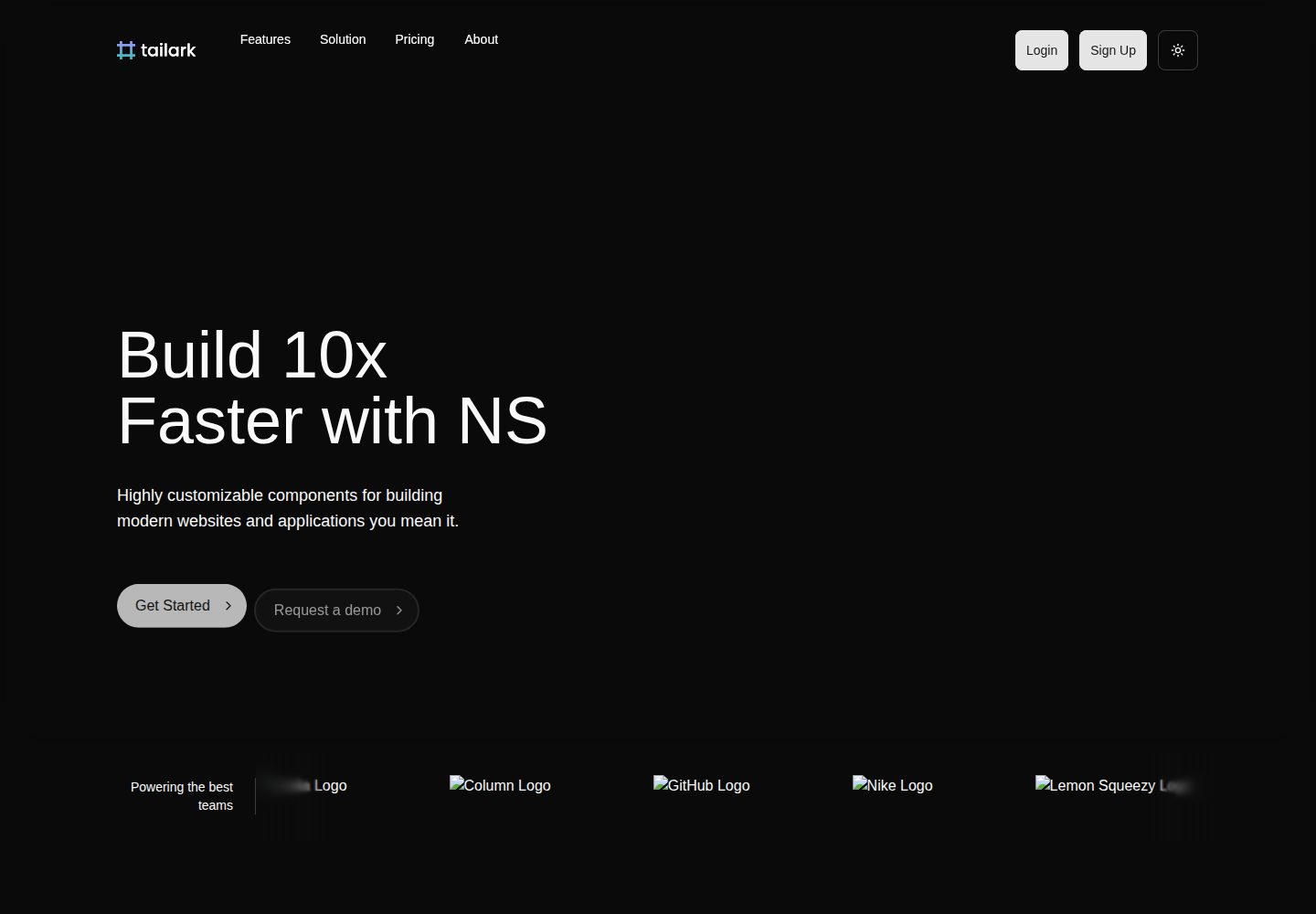
Better Auth provides email/password and Google OAuth login
Next.jsReactSaaSStarter
ai-saas-starter-kit — Next.js SaaS Template
By karthiknitt
A Next.js-based AI SaaS starter that integrates Better Auth authentication, Drizzle ORM database, Razorpay subscription payments, and OpenAI streaming chat, with built-in workspaces, RBAC, usage quotas, and audit logs.
Explore the design
Compare the page layouts and mobile experience. Open any screenshot for a closer look.
Desktop homepage1 / 2
Desktop captureTop of page
Actual screenshot captured by the server browser.
All pages & views 2
Screenshots show visual appearance; interactive behavior may differ.
Recorded 2026-10-01View source
What stands out
A quick read of the recorded project description.
Razorpay subscription payments with built-in Free, Pro, and Startup tiers
OpenAI streaming AI chat with encrypted storage of user API keys
Multi-tenant workspaces with Owner/Admin/Member/Viewer role permissions
Usage quotas and feature gating based on subscription tier
Vitest unit tests and Playwright E2E tests with GitHub Actions CI
Template Details
This is a full-stack starter for AI SaaS products, built with Next.js App Router and TypeScript, with frontend components based on shadcn/ui and a PostgreSQL database using Drizzle ORM. Authentication is provided by Better Auth with email/password and Google OAuth, and payments use Razorpay to manage three subscription tiers: Free, Pro, and Startup.
On the feature side, it includes streaming AI chat (integrated with OpenAI, where users can bring their own API key stored encrypted), multi-tenant workspaces and member role management, usage quotas and feature gating based on subscription tier, audit logs, Arcjet rate limiting, Resend transactional email, PostHog product analytics, Sentry error monitoring, and Swagger UI API documentation. Administrators can manage users and subscriptions via /admin.
On the development side, it provides Vitest unit tests and Playwright E2E tests, Biome linting and formatting, Lefthook Git hooks, GitHub Actions CI, and an MCP debugging endpoint available in development mode. The project is released under the MIT license, but third-party assets such as demo images, fonts, and icons require separate license verification, and external services such as database, payment, and AI may incur costs.
Next.jsSaaSStarter
Is it right for your project?
Use Cases
- Rapidly prototyping an AI chat SaaS product with subscription payments
- Backend systems requiring multi-tenant workspaces and fine-grained role permissions
- Usage-based billing scenarios that limit AI call volume by subscription tier
- Compliance-oriented applications requiring audit logs and an admin backend
Suitable For
- Developers familiar with Next.js and TypeScript who want to skip building foundational infrastructure
- Teams needing common SaaS modules such as authentication, payments, AI chat, and workspaces
- Products using Razorpay as the payment channel and targeting markets such as India
- Developers who want to freely modify and commercially use the codebase under the MIT license
Getting started & customization
Use these recorded setup notes alongside the repository instructions for your chosen version.
- 1
Install Node.js 18+ and Bun, and prepare a PostgreSQL database (Neon or local Docker works)
- 2
Copy .env.example to .env and configure keys for Better Auth, database, Razorpay, Resend, OpenAI, Arcjet, and others
- 3
Run bun db:push to push the database schema; optionally run bun db:seed to populate sample data
- 4
Run bun dev to start the development server; after registering, run bun make-admin to set the account as administrator
- 5
For Razorpay, create subscription plans for each tier and configure a webhook pointing to /api/webhooks/razorpay
License & source material
Usage conditions & limitations
Free to use · keep license noticeThis listing covers the free version in the public repository under the MIT license; the free scope is the code of this version and does not mean external services or third-party assets are free.
Must comply with when using
- You may freely use, modify, commercially use, and distribute the code of this version.
- When distributing copies or substantial portions of the code, retain the original author's copyright notice and the full MIT license notice.
- The code is provided as-is; warranties and limitations of liability are governed by the original license and applicable law.
Additional costs & items to verify
- You must provide your own PostgreSQL database; you can use a free Neon instance or self-host, and database services may incur costs.
- Payment functionality depends on a Razorpay account; you need to register and create subscription plans for each tier, and transactions incur fees.
- AI chat depends on an OpenAI API key, and calls are billed by usage.
- Transactional email depends on a Resend account and API key; usage beyond the free quota requires payment.
- Rate limiting depends on the Arcjet service; you need to register for a key, which may incur costs.
- Product analytics depends on PostHog; you need to register for a key, and cloud plans may charge.
- Error monitoring depends on Sentry; you need to register and configure it, and usage beyond the free quota requires payment.
- Google OAuth login is optional and requires creating credentials in Google Cloud Console.
- The MCP debugging endpoint is available only in development mode and is automatically disabled in production builds.
- Demo images, fonts, icons, and other third-party assets must be checked against their respective licenses and cannot be judged solely by the code's MIT license.
- External services such as domain, hosting, database, payment, or AI may charge separately.
View Original Text Basis
Permission is hereby granted, free of charge
Original License Text
Get a free PostgreSQL database from [Neon](https://neon.tech) or use your own.
Original README
Sign up at [Razorpay](https://razorpay.com), create subscription
Original README
Get your API key from [OpenAI](https://platform.openai.com/api-keys)
Original README
Get an API key from [Resend](https://resend.com)
Original README
Get Arcjet key from [Arcjet](https://arcjet.com)
Original README
Get your PostHog API key from [PostHog](https://posthog.com). PostHog provides:
Original README
Get your Sentry configuration from [Sentry](https://sentry.io). Sentry provides:
Original README
Create credentials at [Google Cloud Console](https://console.cloud.google.com/apis/credentials)
Original README
https://github.com/karthiknitt/ai-saas-starter-kit/blob/main/LICENSEhttps://github.com/karthiknitt/ai-saas-starter-kit/blob/main/README.mdMCP endpoint is only available during development (`pnpm dev`)
Original README
Compiled by DeepSeek based on repository license and README ·2026-10-01. Results only cover the materials read; dependencies, images, fonts, and subsequent term changes are subject to their respective original texts.
Project checks & description sources
Template Information
- Source platforms
- GitHub
- Documentation and maintenance reference score
- More documented · 88 / 100
- Technologies
- Next.js · React
- Website type
- SaaS · Starter
How this score is calculated
Our heuristic uses license records (up to 30), a demo link (12), a preview (10), stars (15), recorded maintenance (15), description completeness (8), feature records (5) and classification data (5). It is not a code, security or performance test, or a Google score. A link does not establish tested functionality.
What to verify for this project
- Repository update recorded
- 2026-08-31
- Screenshot last checked
- 2026-10-01
A demo link is listed. Check it with your own content and viewport sizes; its presence does not confirm that forms, authentication or payments work.
The catalog identifies Next.js as the primary stack. Check the actual dependency manifest and lockfile for versions and hosting requirements. These notes use recorded metadata, not a code audit or a deployment test.
Use a selection guide →How this description was prepared
AI-assisted description based on catalog records and repository material. Repository authors are not automatically the reviewers of this description.
Automatically checked against source and license rules; no manual editorial review.
Inspect the recorded source material
SHA-256: e6d8a22e5855a90f86aab910798e3b6f1862294132cfb17e62bd3d4f19a63e40
2026-10-01T01:05:07.354Z
Source file / repository# AI SaaS Starter Kit [](LICENSE) [](https://github.com/karthiknitt/ai-saas-starter-kit/actions) [](https://www.typescriptlang.org/) [](https://nextjs.org/) A production-ready, full-stack AI SaaS application starter kit built with Next.js 16, React 19, and TypeScript. Ship your AI-powered SaaS product faster with authentication, payments, AI chat, role-based access control, and comprehensive security built-in. ⭐ **If you find this project helpful, please give it a star!** ⭐ ## Features ### Core Features - **Modern Tech Stack**: Next.js 16.1 with App Router, React 19.2, TypeScript 5.9, Tailwind CSS 4.1 - **AI Chat Interface**: Streaming AI responses with OpenAI integration and custom API key management - **Authentication**: Email/password + Google OAuth via Better Auth - **Payment Integration**: Subscription management with Razorpay (Free, Pro, Startup plans) - **Database**: PostgreSQL with Drizzle ORM - **UI Components**: 50+ customizable shadcn/ui components - **Error Monitoring**: Sentry integration for production error tracking ### Advanced Features - **Multi-Tenancy/Workspaces**: Complete team workspace management with UI and member controls - **Role-Based Access Control (RBAC)**: Granular permission system with admin dashboard - **Usage Tracking**: Quota enforcement and feature gating by subscription tier - **Audit Logging**: Comprehensive activity tracking for compliance and workspace actions - **Encrypted API Key Management**: Secure storage for user API keys - **Rate Limiting**: Protection against abuse with Arcjet - **Security Headers**: Helmet integration for enhanced security - **Email Integration**: Resend for transactional emails - **Product Analytics**: PostHog integration for event tracking and user behavior analysis - **API Documentation**: Interactive Swagger UI documentation for all endpoints - **Advanced Analytics**: Usage insights dashboard with charts and metrics ### Developer Experience - **Type Safety**: Strict TypeScript configuration - **Testing**: 40+ unit tests with Vitest + 5 E2E tests with Playwright - **Code Quality**: Biome for linting and formatting - **Git Hooks**: Lefthook for pre-commit checks and conventional commits - **Hot Reload**: Turbopack for blazing-fast development - **React Compiler**: Automatic memoization for optimized performance - **MCP Integration**: Built-in Model Context Protocol for AI-assisted debugging (dev-only) - **Continuous Integration**: GitHub Actions CI/CD pipeline ## Prerequisites Before you begin, ensure you have the following installed: - **Node.js** 18.x or higher - **Bun** 1.x or higher (recommended package manager, linter, formatter, and test runner) - **PostgreSQL** database (we recommend [Neon](https://neon.tech) or use Docker for local development) - **Git** - **Docker** (optional, for local PostgreSQL database) ## Getting Started ### 1. Clone the Repository ```bash git clone https://github.com/karthiknitt/ai-saas-starter-kit.git cd ai-saas-starter-kit ``` ### 2. Install Dependencies ```bash bun install ``` ### 3. Environment Configuration Copy the example environment file and configure your variables: ```bash cp .env.example .env ``` Edit `.env` and configure the following required variables: #### Authentication ```env BETTER_AUTH_SECRET=your-random-secret-key-here BETTER_AUTH_URL=http://localhost:3000 ``` Generate a secure secret: ```bash openssl rand -base64 32 ``` #### Database ```env DATABASE_URL='postgresql://user:password@host:port/database' ``` Get a free PostgreSQL database from [Neon](https://neon.tech) or use your own. #### Google OAuth (Optional) ```env GOOGLE_CLIENT_ID=your-google-client-id GOOGLE_CLIENT_SECRET=your-google-client-secret ``` Create credentials at [Google Cloud Console](https://console.cloud.google.com/apis/credentials) #### Razorpay Payment Integration ```env RAZORPAY_KEY_ID=rzp_test_xxx RAZORPAY_KEY_SECRET=your-razorpay-key-secret RAZORPAY_WEBHOOK_SECRET=your-razorpay-webhook-secret RAZORPAY_PLAN_FREE=plan_xxx RAZORPAY_PLAN_PRO=plan_xxx RAZORPAY_PLAN_STARTUP=plan_xxx ``` Sign up at [Razorpay](https://razorpay.com), create subscription [Plans](https://dashboard.razorpay.com/app/subscriptions) for each tier, and configure a webhook pointing to `https://your-domain.com/api/webhooks/razorpay` (subscription events) with the same secret as `RAZORPAY_WEBHOOK_SECRET`. #### Email Service ```env RESEND_API_KEY=re_xxx [email protected] ``` Get an API key from [Resend](https://resend.com) #### AI Integration ```env OPENAI_API_KEY=sk-xxx ``` Get your API key from [OpenAI](https://platform.openai.com/api-keys) #### Security ```env ENCRYPTION_KEY=your-32-byte-encryption-key ARCJET_KEY=ajkey_xxx ``` Generate encryption key: ```bash openssl rand -hex 32 ``` Get Arcjet key from [Arcjet](https://arcjet.com) #### Analytics (Optional but Recommended) ```env NEXT_PUBLIC_POSTHOG_KEY=phc_xxx NEXT_PUBLIC_POSTHOG_HOST=https://us.i.posthog.com ``` Get your PostHog API key from [PostHog](https://posthog.com). PostHog provides: - Product analytics and user tracking - Session replay for debugging - Feature flags for gradual rollouts - A/B testing capabilities - Funnel analysis and retention metrics **Why PostHog?** - Self-hosted or cloud options - Privacy-friendly with GDPR compliance - Comprehensive analytics without vendor lock-in - Perfect for understanding workspace usage patterns - Automatic page view tracking - Client and server-side event tracking #### Error Monitoring (Optional but Recommended) ```env SENTRY_ORG=your-sentry-organization-slug SENTRY_PROJECT=your-sentry-project-slug SENTRY_AUTH_TOKEN=sntrys_auth-token-goes-here SENTRY_DSN=https://your-sentry-dsn NEXT_PUBLIC_SENTRY_DSN=https://your-sentry-dsn-public ``` Get your Sentry configuration from [Sentry](https://sentry.io). Sentry provides: - Real-time error tracking and alerting - Performance monitoring and profiling - Session replay for debugging - Release tracking and deployment monitoring - Source map support for production debugging ### 4. Database Setup Run database migrations: ```bash bun db:push ``` (Optional) Seed the database with sample data: ```bash bun db:seed ``` ### 5. Start Development Server ```bash bun dev ``` Open [http://localhost:3000](http://localhost:3000) in your browser to see your application. ### 6. Create an Admin User After signing up, make your account an admin: ```bash bun make-admin ``` Follow the prompts to enter your email address. ## Available Scripts ### Development - `bun dev` - Start development server with Turbopack - `bun build` - Build for production - `bun start` - Start production server - `bun lint` - Lint and fix code with Biome - `bun format` - Format code with Biome - `bun type-check` - Run TypeScript type checking ### Testing - `bun test` - Run unit tests in watch mode - `bun test:run` - Run unit tests once - `bun test:coverage` - Generate test coverage report - `bun test:e2e` - Run E2E tests with Playwright - `bun test:e2e:ui` - Run E2E tests with Playwright UI - `bun test:e2e:headed` - Run E2E tests in headed mode - `bun test:e2e:debug` - Debug E2E tests with Playwright - `bun test:e2e:setup` - Set up E2E test environment ### Database - `bun db:studio` - Open Drizzle Studio (database GUI) - `bun db:push` - Push schema changes to database - `bun db:migrate` - Run migrations - `bun db:seed` - Seed database with sample data ### Utilities - `bun make-admin` - Make a user an admin - `bun analyze` - Analyze bundle size - `bun test:email` - Test email configuration ### Docker (Optional for Local Development) - `bun docker:up` - Start PostgreSQL in Docker - `bun docker:down` - Stop PostgreSQL container - `bun docker:logs` - View PostgreSQL logs - `bun docker:reset` - Reset PostgreSQL database ## Advanced Development Features ### React Compiler This project uses the React Compiler for automatic memoization and performance optimization. The compiler is enabled in `next.config.ts`: ```typescript reactCompiler: true ``` **Benefits:** - Automatic memoization of components - Reduced unnecessary re-renders - Zero manual optimization code required - Built-in optimization without `useMemo` or `useCallback` **Note:** Build times may be slightly higher with the React Compiler enabled, but runtime performance is significantly improved. ### Model Context Protocol (MCP) Next.js 16 includes built-in MCP support for AI-assisted debugging. The MCP server is **automatically enabled in development mode only** at: ``` http://localhost:3000/_next/mcp ``` **Security:** - MCP endpoint is only available during development (`pnpm dev`) - Automatically disabled in production builds - No authentication required for local development - Never exposed in production without explicit configuration **Using MCP with AI Assistants:** To connect AI coding assistants to your Next.js dev server: 1. Install the MCP client: `npx -y next-devtools-mcp@latest` 2. Configure your AI assistant's MCP settings to point to the dev server 3. Access real-time error detection, build status, and runtime diagnostics **Available Capabilities:** - Real-time error detection and diagnostics - Build error monitoring - Runtime error tracking - Type error analysis - Live application state queries ## Project Structure ``` ├── src/ │ ├── app/ # Next.js app router pages │ │ ├── (auth)/ # Authentication pages (login, signup) │ │ ├── admin/ # Admin dashboard │ │ ├── aichat/ # AI chat interface │ │ ├── api/ # API routes │ │ ├── api-docs/ # Swagger API documentation │ │ ├── billing/ # Payment and subscription pages │ │ ├── dashboard/ # User dashboard and analytics │ │ ├── sentry-example-page/ # Sentry error monitoring demo │ │ └── workspace/ # Workspace management │ ├── components/ # React components │ │ ├── ui/ # shadcn/ui components │ │ ├── forms/ # Form components │ │ ├── emails/ # Email templates │ │ └── ai-elements/ # AI-specific UI components │ ├── db/ # Database schema and utilities │ ├── hooks/ # Custom React hooks │ ├── lib/ # Utilities and configurations │ └── providers/ # React context providers ├── scripts/ # Utility scripts ├── public/ # Static assets ├── migrations/ # Database migrations ├── unit-tests/ # Unit tests (40+ tests) ├── e2e/ # End-to-end tests (5 tests) └── docs/ # Documentation ``` ## Key Features Guide ### AI Chat - Navigate to the chat interface after logging in - Configure your OpenAI API key in settings (encrypted storage) - Start chatting with AI with streaming responses - Usage tracked and limited by subscription tier ### Workspace Management - Create and manage team workspaces at `/dashboard/workspaces` - Invite team members with role-based access (Owner, Admin, Member, Viewer) - Switch between workspaces using the sidebar switcher - Each workspace has its own members, settings, and plan - Workspace-level role management and permissions ### Subscription Plans - **Free**: 10 messages/month, basic features - **Pro**: 1000 messages/month, advanced features - **Startup**: Unlimited messages, all features ### Admin Dashboard - Access at `/admin` (admin role required) - User management with role assignment - View audit logs and system activity - Monitor usage and subscriptions ### Analytics & Insights - View usage analytics at `/dashboard/analytics` - Track AI model usage breakdown - Monitor response times and error rates - Export usage reports - PostHog integration for product analytics ### API Documentation - Interactive API documentation at `/api-docs` - Comprehensive endpoint reference - Request/response examples - Code snippets for integration ### API Key Management - Users can add their own OpenAI API keys - Keys are encrypted at rest using AES-256-GCM - Automatic key rotation support ## Deployment ### Continuous Integration This project includes a GitHub Actions CI pipeline that: - Runs on every push and pull request - Executes linting with Biome - Runs type checking with TypeScript - Executes unit tests with Vitest - Ensures code quality before merging ### Vercel (Recommended) 1. Push your code to GitHub 2. Import your repository in [Vercel](https://vercel.com) 3. Configure environment variables (copy from `.env.example`) 4. Deploy **Important:** Ensure you set all required environment variables in Vercel: - Database connection (`DATABASE_URL`) - Authentication secrets (`BETTER_AUTH_SECRET`, `BETTER_AUTH_URL`) - API keys (OpenAI, Resend, Arcjet, etc.) - Optional: Sentry DSN for error monitoring ### Other Platforms This is a standard Next.js application and can be deployed to: - **Vercel** - Recommended for Next.js apps - **Netlify** - Supports Next.js with Edge Functions - **AWS** - Amplify, ECS, EC2, or Lambda - **Google Cloud Platform** - Cloud Run or App Engine - **Azure** - App Service or Container Instances - **Railway** - Easy deployment with database - **Render** - Simple deployment platform - **DigitalOcean** - App Platform or Droplets - **Fly.io** - Edge deployment - Any Node.js hosting platform supporting: - Node.js 18+ - PostgreSQL database connection - Environment variables - WebSocket connections (for real-time features) ## Testing ### Unit Tests This project includes 40+ unit tests covering: - Component rendering and interactions - API route handlers - Database operations - Authentication flows - Utility functions and helpers Run unit tests: ```bash bun test # Watch mode bun test:run # Single run bun test:coverage # With coverage report ``` ### End-to-End Tests 5 E2E tests using Playwright cover critical user flows: - User authentication (login/signup) - AI chat interface - Workspace management - Subscription flows - Admin dashboard Run E2E tests: ```bash bun test:e2e:setup # First-time setup bun test:e2e # Run tests bun test:e2e:ui # Run with UI bun test:e2e:debug # Debug mode ``` For detailed E2E testing documentation, see the [E2E Testing Guide](docs/testing/E2E_QUICKSTART.md). ## Documentation For comprehensive documentation, see the [docs](docs/) directory: - **[Contributing Guide](CONTRIBUTING.md)** - How to contribute to this project - **[Code of Conduct](CODE_OF_CONDUCT.md)** - Community guidelines - **[Security Policy](SECURITY.md)** - Responsible disclosure guidelines - **[Changelog](CHANGELOG.md)** - Project history and version changes ## Workspace Features ### Team Workspaces Create and manage team workspaces with member collaboration: - **Create Workspaces**: Organize teams with unique workspace names - **Invite Members**: Send email invitations to team members - **Role Management**: Assign roles (owner, admin, member, viewer) - **Workspace Billing**: Unified subscriptions for entire teams ### Email Invitations Professional invitation system with secure token-based authentication: - **Send Invitations**: Invite users by email to join workspaces - **Email Templates**: Branded invitation emails with role descriptions - **Accept/Decline**: Recipients can accept or decline invitations - **Expiration**: Invitations automatically expire after 7 days ### Workspace Billing Flexible billing model supporting both individual and team subscriptions: - **User-Level Plans**: Individual subscriptions for personal use - **Workspace Plans**: Team subscriptions shared across all members - **Usage Aggregation**: Track combined usage across workspace members - **Effective Plans**: Automatic selection of highest available plan - **Quota Management**: Enforce limits at both user and workspace levels ## Tech Stack - **Framework**: [Next.js 16.1](https://nextjs.org) (Canary) - **UI Library**: [React 19.2](https://react.dev) - **Language**: [TypeScript 5.9](https://www.typescriptlang.org) - **Styling**: [Tailwind CSS 4.1](https://tailwindcss.com) - **UI Components**: [shadcn/ui](https://ui.shadcn.com) - **Database**: [PostgreSQL](https://www.postgresql.org) with [Neon](https://neon.tech) - **ORM**: [Drizzle ORM 0.45](https://orm.drizzle.team) - **Authentication**: [Better Auth 1.4](https://www.better-auth.com) - **Payments**: [Razorpay](https://razorpay.com) - **AI SDK**: [Vercel AI SDK 5.0](https://sdk.vercel.ai) - **Email**: [Resend](https://resend.com) - **Security**: [Arcjet](https://arcjet.com) + [Helmet](https://helmetjs.github.io/) - **Analytics**: [PostHog](https://posthog.com) - **Error Tracking**: [Sentry](https://sentry.io) - **Testing**: [Vitest 4.0](https://vitest.dev) + [Playwright 1.57](https://playwright.dev) - **Code Quality**: [Biome 2.3](https://biomejs.dev) - **Git Hooks**: [Lefthook 2.0](https://github.com/evilmartians/lefthook) ## Contributing We welcome contributions! Please see our [Contributing Guide](CONTRIBUTING.md) for details. This project uses [Conventional Commits](https://www.conventionalcommits.org/): - `feat:` - New features - `fix:` - Bug fixes - `docs:` - Documentation changes - `refactor:` - Code refactoring - `test:` - Test additions or changes - `chore:` - Maintenance tasks ## Troubleshooting ### Database Connection Issues - Verify your `DATABASE_URL` is correct - Ensure your database is accessible from your network - Check if your database provider's firewall allows connections ### Build Errors - Clear Next.js cache: `rm -rf .next` - Delete node_modules and reinstall: `rm -rf node_modules bun.lockb && bun install` - Ensure you're using Node.js 18+ and Bun 1.x+ ### Authentication Issues - Verify `BETTER_AUTH_SECRET` is set - Check `BETTER_AUTH_URL` matches your app URL - For OAuth, verify redirect URLs in Google Console ## Support - **Issues**: [GitHub Issues](https://github.com/karthiknitt/ai-saas-starter-kit/issues) - **Discussions**: [GitHub Discussions](https://github.com/karthiknitt/ai-saas-starter-kit/discussions) - **Documentation**: Check the [docs](docs/) directory in this repository ## License This project is licensed under the MIT License - see the [LICENSE](LICENSE) file for details. ## Acknowledgments Built with amazing open-source technologies and inspired by the developer community. Special thanks to: - [Vercel](https://vercel.com) for Next.js and AI SDK - [shadcn/ui](https://ui.shadcn.com) for beautiful UI components - [Better Auth](https://www.better-auth.com) for authentication - [Razorpay](https://razorpay.com) for payment infrastructure - [Neon](https://neon.tech) for serverless PostgreSQL - All open-source contributors ## Star History If you find this project useful, please consider giving it a star ⭐ --- **Ready to build your AI SaaS?** Follow the setup instructions above and start shipping! 🚀 Made with ❤️ for the developer community
Explore similar templates
Compare previews and descriptions within the same stack and category.

Next.js SaaS Starter
The official Next.js SaaS starter template, integrating email/password authentication, Stripe Checkout subscriptions, a dashboard with user/team CRUD, basic Owner/Member RBAC, and activity logging.
Next.js · SaaS

Next.js Commerce
Vercel's officially maintained Next.js App Router ecommerce starter with deep Shopify integration, offering a complete product catalog, cart, and checkout flow. Core logic is modular for swapping backends, and community provider versions exist for BigCommerce, Medusa, and Saleor.
Next.js · E-commerce

Next-js-Boilerplate
A developer-first Next.js 16 starter with Tailwind CSS 4 and TypeScript, supporting both App Router and Page Router.
Next.js · Starter

tailwind-nextjs-starter-blog
A Next.js and Tailwind CSS blog starter template using Contentlayer for Markdown/MDX, with built-in SEO, code highlighting, and tags. It targets personal technical blogs and migration from Jekyll/Hugo to React, and supports one-click Vercel deployment.
Next.js · Blog

next-forge
next-forge is a Turborepo-based Next.js template maintained by Vercel, positioned as a starting point for SaaS products.
Next.js · Starter

SaaS-Boilerplate
SaaS-Boilerplate is an open-source SaaS starter template built with Next.js App Router, React 19, TypeScript, Tailwind CSS, and Shadcn UI.
Next.js · SaaS