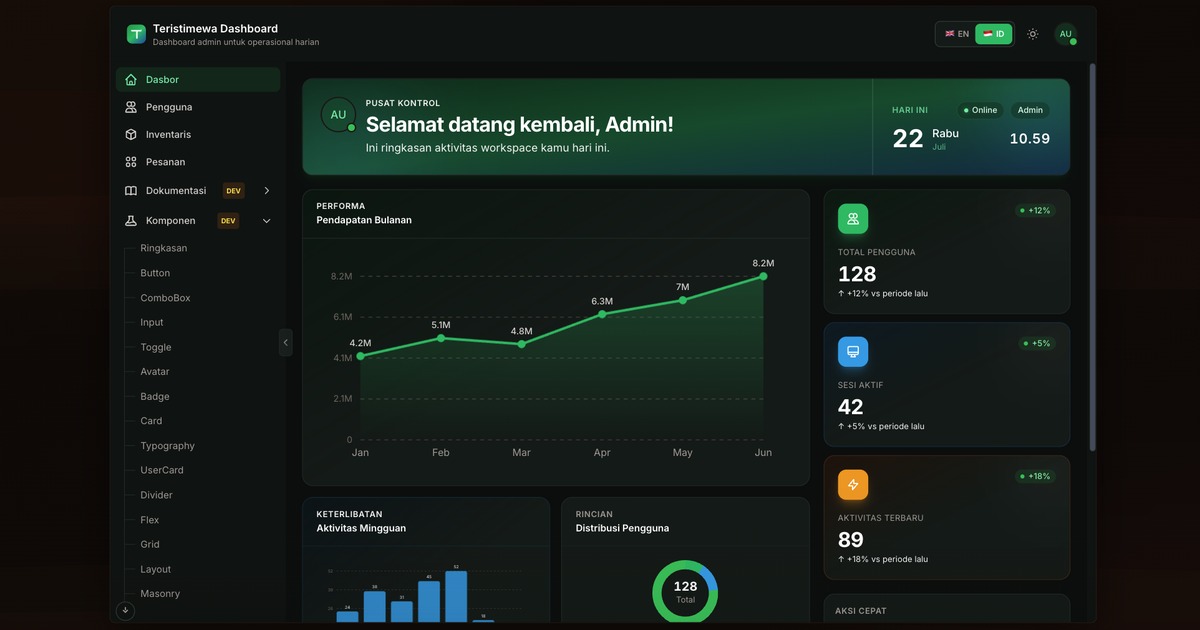
内置登录/注册与路由守卫
NuxtVue后台
nuxt-dashboard-template-01 — Nuxt 后台模板
作者 KutuGondrong
基于 Nuxt 的后台仪表盘模板,内置登录注册、用户/订单/库存等页面,使用 TypeScript、Tailwind CSS、Pinia 与 @nuxtjs/i18n,并支持通过命令生成新应用或功能模块。
看看你的网站会是什么样
浏览真实页面截图,比较内容排版与手机效果。点击下方缩略图切换,放大查看整页细节。
目前有 1 张原始预览,可打开完整图片查看设计细节。
截图用于了解视觉与布局,交互效果请以实际项目为准。
采集于 2026-10-13查看来源
值得关注的模板亮点
从已有项目资料中,快速了解它的特点。
包含 Dashboard、Users(完整 CRUD)、Orders、Inventory、Settings 页面
通过 locales/ 与 useLocale() 支持英语和印尼语
提供 make generate 生成新应用、make feature 生成菜单与页面
开发模式下提供应用内文档、教程与组件目录
nuxt.config.ts 中 ssr: false,生产输出为 .output/public/ 静态 SPA
模板详细介绍
该模板是一个 Nuxt 后台仪表盘起始项目,采用 TypeScript、Tailwind CSS、Pinia 和 @nuxtjs/i18n,并按 Clean Layered Architecture 组织代码。内置登录与注册页面,配合路由守卫控制访问;功能页面包括 Dashboard、Users(完整 CRUD)、Orders、Inventory(教程示例)和 Settings。国际化支持英语与印尼语,文案放在 locales/ 目录,通过 useLocale() 使用。
模板提供脚手架命令:make generate 可基于当前模板生成一个新应用,make feature 可生成菜单与页面,支持 full、store、page 三种范围,分别生成页面、表格、Pinia store 和 usecase 等不同组合。开发模式下侧边栏会显示 Documentation 与 Components 入口,并提供分步的 Overview 与 Tutorial 页面;组件目录以 Storybook 风格展示 UI 组件。
部署方面,nuxt.config.ts 中设置 ssr: false,生产输出为 .output/public/,属于静态 SPA 部署方式。运行需要 Node.js 22.x 与 pnpm 11.x,可选使用 make 和 rsync;Windows 原生环境可运行日常开发,但 make generate 需要 WSL 或直接使用 node scripts/generate-app.mjs。演示登录账号为 [email protected] / password123。
Nuxt后台
适合你的项目吗?
适用场景
- 快速搭建带登录与多语言的后台管理界面
- 以模板为基础生成新的 Nuxt 仪表盘项目
- 通过 make feature 添加新的菜单页面与数据表格
- 在开发模式下查看组件目录与分步教程
- 部署为静态 SPA 到静态托管服务
适合人群
- 需要 Nuxt 后台仪表盘起始代码的开发者
- 希望使用 TypeScript、Tailwind CSS 与 Pinia 的团队
- 需要英语与印尼语双语界面的项目
- 偏好通过命令行脚手架生成页面与模块的工作流
上手与定制指南
结合仓库当前版本的说明,按下面的资料检查内容、配置与运行要求。
- 1
需要 Node.js 22.x 与 pnpm 11.x,可选安装 make 和 rsync
- 2
克隆后执行 pnpm install,再用 make dev 或 pnpm dev 启动
- 3
演示登录:[email protected] / password123
- 4
Windows 原生环境可运行 pnpm dev,但 make generate 需要 WSL 或直接运行 node scripts/generate-app.mjs
- 5
生产构建输出为 .output/public/,对应 ssr: false 的静态 SPA 部署
授权与来源资料
使用条件与限制
免费使用 · 保留许可声明本次收录的是公开仓库中采用 MIT 许可的免费版本;免费范围为该版本代码,不代表外部服务或第三方素材免费。
使用时需要遵守
- 允许免费使用、修改、商用和分发该版本代码。
- 分发代码副本或实质性部分时,保留原作者版权声明和完整 MIT 许可声明。
- 代码按现状提供;担保与责任限制以原许可证及适用法律为准。
额外费用与待核对事项
- 演示图片、字体、图标及其他第三方素材需按各自许可核对,不能仅凭代码的 MIT 许可判断。
- 域名、托管、数据库、支付或 AI 等外部服务可能另外收费。
- 模板内置的演示登录账号为 [email protected] / password123,仅用于本地演示,正式使用前应替换为真实认证。
- 需要配置后端 API 基础地址(NUXT_PUBLIC_API_BASE_URL)才能对接真实数据接口。
- 默认以静态 SPA 方式发布(ssr: false),生产输出为 .output/public/;如需 SSR 或 Node 服务端渲染,需自行修改 nuxt.config.ts 并调整托管环境。
- Windows 原生环境无法直接使用 make generate,需要 WSL 并安装 rsync,或改用 node scripts/generate-app.mjs。
- 需自行在 config/external-links.json 或 .env.production 中设置 previewUrl / NUXT_PUBLIC_OG_SITE_URL 为实际部署地址,链接预览才会使用 public/og-image.jpg。
查看原文依据
Permission is hereby granted, free of charge
许可证原文
Demo login: `[email protected]` / `password123`
README 原文
`NUXT_PUBLIC_API_BASE_URL` | Backend base URL
README 原文
This template ships as a **static SPA** (`ssr: false`). To run with SSR / a Node server instead, change that flag in `nuxt.config.ts` and adjust your host accordingly
README 原文
For `make generate`, use [WSL](#windows-wsl-recommended) (needs `rsync`).
README 原文
https://github.com/KutuGondrong/nuxt-dashboard-template-01/blob/main/LICENSEhttps://github.com/KutuGondrong/nuxt-dashboard-template-01/blob/main/README.mdSet `previewUrl` in `config/external-links.json` (or `NUXT_PUBLIC_OG_SITE_URL` in `.env.production`) to your deployed app URL so link previews use `public/og-image.jpg`.
README 原文
DeepSeek 根据仓库许可证和 README 整理 ·2026-10-13。结果仅覆盖已读取资料,依赖、图片、字体及后续条款变更以各自原文为准。
项目核对记录与介绍依据
模板资料
- 来源平台
- GitHub
- 资料与维护参考分
- 资料一般 · 60 / 100
- 技术栈
- Nuxt · Vue
- 网站类型
- 后台
这个分数如何计算
本站按许可资料(最高30分)、演示链接(12分)、预览图(10分)、Star数(15分)、记录的维护时间(15分)、描述完整度(8分)、功能记录(5分)和分类资料(5分)计算。它不是代码、安全或性能测试,也不是 Google 评分;有链接不代表已实测可用。
这个项目需要核对什么
- 记录的仓库更新时间
- 2026-08-04
- 截图检查日期
- 2026-10-13
目前没有记录演示链接。请依据仓库说明在本地评估;仅凭截图无法确认交互行为。
目录记录的主要技术栈是 Nuxt。请通过依赖清单和锁文件核对实际版本与托管要求。这些说明基于收录资料,不代表代码审计或部署实测。
查看具体选型方法 →介绍的制作与核对状态
介绍由 AI 辅助整理目录与仓库资料。仓库作者不等于这篇介绍的审核者。
审核声明: [email protected] · 2026-10-13
查看当时使用的来源资料
SHA-256: 3de4cd2e05176545a8169ce12ae2c5c62f80caf8a073c97cd7041794b5eae805
2026-10-13T08:56:54.123Z
来源文件 / 仓库# Nuxt Dashboard Template Production-ready **Nuxt 4** dashboard starter with TypeScript, Tailwind CSS, Pinia, `@nuxtjs/i18n`, and Clean Layered Architecture. **Live template preview:** [https://template.teristimewa.com/nuxt-dashboard-template-01](https://template.teristimewa.com/nuxt-dashboard-template-01) . <a href="https://template.teristimewa.com/nuxt-dashboard-template-01"> <img src="./public/og-image.jpg" alt="Teristimewa Dashboard" width="240" /> </a> Choose Language / Pilih Bahasa: - English (this document) - [Bahasa Indonesia](./README.id.md) > **Need more detail?** Architecture, Pinia patterns, API wiring, manual page creation, and full code walkthroughs → [DOCUMENTATION.md](./DOCUMENTATION.md) · [DOCUMENTATION.id.md](./DOCUMENTATION.id.md) ## What you get - **Auth** — login/register with route guards - **Features** — Dashboard, Users (full CRUD), Orders, Inventory (tutorial example), Settings - **i18n** — English & Indonesian via `locales/` and `useLocale()` - **Scaffolding** — `make generate` for a new app, `make feature` for menu + page - **In-app docs** — step-by-step Overview and Tutorial (development mode only) - **Component catalog** — Storybook-style UI gallery at `/components` (development mode only) - **Static SPA deploy** — `ssr: false` in `nuxt.config.ts`; production output is `.output/public/` (see [Deployment](./DOCUMENTATION.md#18-deployment)) --- ## Prerequisites Install these **before** cloning or running the app. Versions match [package.json](./package.json) (Volta-pinned). **Node + pnpm toolchain:** full setup for macOS / Linux / Windows (with or without Volta) → [VOLTA.md](./VOLTA.md) · [VOLTA.id.md](./VOLTA.id.md). Same pinned versions either way: Node **22.23.1**, pnpm **11.17.0**. > **Already have everything?** If `node`, `pnpm`, and `git` work in your terminal, skip to [Quick Start](#quick-start). You only need `make` (optional shortcuts) and `rsync` (only for `make generate`). | Tool | Version | Required | Used for | | ----------- | -------------------------- | ----------- | ------------------------------------------------------ | | **Node.js** | 22.x (22.23.1 recommended) | Yes | Runtime & build | | **pnpm** | 11.x (11.17.0 recommended) | Yes* | Install dependencies & run scripts | | **Git** | any recent | Recommended | Clone repo, `make generate` init | | **make** | any (GNU Make) | Optional | Makefile shortcuts (`make dev`, etc.) | | **rsync** | any | Optional | `make generate` only (Mac/Linux usually pre-installed) | \* npm works as a fallback (`npm install`, `npm run dev`) but this project is tested with **pnpm**. pnpm 11 uses `pnpm-workspace.yaml` for install policy (`allowBuilds` for native deps such as `esbuild`). Keep `packageManager` / Volta / `.nvmrc` aligned when changing versions. ### Verify installation ```bash node --version # expect v22.x (e.g. v22.23.1) pnpm --version # expect 11.x (e.g. 11.17.0) git --version # any recent version make --version # optional — skip if you use pnpm scripts directly rsync --version # optional — only needed for make generate ``` --- ### Install from scratch Pick your operating system. Follow the steps **in order** if nothing is installed yet. | OS | Section | | ----------- | ------------------------------------------------------------------------------------------------------------- | | **macOS** | [macOS](#macos) | | **Linux** | [Linux (Debian / Ubuntu)](#linux-debian--ubuntu) · [Fedora / RHEL](#linux-fedora--rhel) · [Arch](#linux-arch) | | **Windows** | [WSL (recommended)](#windows-wsl-recommended) · [Native PowerShell](#windows-native-powershell) | #### macOS ```bash # 1. Git + make (Xcode Command Line Tools — includes both) xcode-select --install # 2. Homebrew (skip if already installed) /bin/bash -c "$(curl -fsSL https://raw.githubusercontent.com/Homebrew/install/HEAD/install.sh)" # 3. Node.js 22 + pnpm (pick one method) # Option A — Homebrew (simple) brew install node pnpm # Option B - Volta (exact pinned versions, recommended) # Full per-shell steps: VOLTA.md curl https://get.volta.sh | bash # Restart terminal, enable VOLTA_FEATURE_PNPM (see VOLTA.md), then: volta install [email protected] [email protected] # 4. rsync — included with macOS (no install needed) # 5. make — included with Xcode CLT above # Verify node --version && pnpm --version && git --version && make --version && rsync --version ``` #### Linux (Debian / Ubuntu) ```bash sudo apt update sudo apt install -y git curl -fsSL https://deb.nodesource.com/setup_22.x | sudo -E bash - sudo apt install -y nodejs npm install -g [email protected] sudo apt install -y build-essential rsync # Optional: Volta for exact versions (see VOLTA.md) curl https://get.volta.sh | bash volta install [email protected] [email protected] node --version && pnpm --version && git --version && make --version && rsync --version ``` #### Linux (Fedora / RHEL) ```bash sudo dnf install -y git make rsync curl -fsSL https://rpm.nodesource.com/setup_22.x | sudo bash - sudo dnf install -y nodejs npm install -g [email protected] node --version && pnpm --version && git --version && make --version && rsync --version ``` #### Linux (Arch) ```bash sudo pacman -S --needed git make rsync nodejs npm npm install -g [email protected] node --version && pnpm --version && git --version && make --version && rsync --version ``` #### Windows (WSL — recommended) Full support for `make`, `rsync`, and `make generate`. Install WSL, then use the Linux steps inside Ubuntu. ```powershell wsl --install # Restart PC if prompted, then open "Ubuntu" from Start menu ``` Inside the **Ubuntu** terminal, follow [Linux (Debian / Ubuntu)](#linux-debian--ubuntu) above. ```bash git clone https://github.com/KutuGondrong/nuxt-dashboard-template-01.git cd nuxt-dashboard-template-01 pnpm install make dev ``` #### Windows (native — PowerShell) Works for daily dev (`pnpm dev`). For `make generate`, use [WSL](#windows-wsl-recommended) (needs `rsync`). ```powershell winget install Git.Git winget install OpenJS.NodeJS.LTS npm install -g [email protected] winget install GnuWin32.Make # optional — or use pnpm scripts node --version pnpm --version git --version make --version ``` | Windows setup | make | rsync | make generate | | ---------------------- | ---- | ----- | ------------------------------------------------- | | **WSL + Ubuntu** | yes | yes | yes | | **Native + pnpm only** | no | no | use WSL or `node scripts/generate-app.mjs` in WSL | | **Native + make** | yes | no | use WSL for rsync | --- ## Quick Start ### 1. Clone the template ```bash git clone https://github.com/KutuGondrong/nuxt-dashboard-template-01.git cd nuxt-dashboard-template-01 ``` ### 2. Install & run ```bash pnpm install make dev ``` Open **http://localhost:3000**. Demo login: `[email protected]` / `password123` ### 3. Scaffold your own app (optional) From inside the cloned template: ```bash make generate name=my-new-app cd ../my-new-app rm -rf ../nuxt-dashboard-template-01 pnpm install make dev ``` Default output is `../my-new-app` (sibling folder, outside the template). Custom path: `make generate name=my-app out=~/projects/my-app`. --- ## Documentation & Components (development mode) When you run `make dev`, the sidebar shows **Documentation** and **Components** with a DEV badge (`NUXT_PUBLIC_SHOW_DEV_FEATURES=false` to hide). Those pages are landings that open the published Documentation and Components sites in a new tab. Interactive step-by-step UI (Overview + Tutorial tabs) is documented in [DOCUMENTATION.md § In-app Documentation](./DOCUMENTATION.md#14-in-app-documentation-overview--tutorial). --- ## Scaffolding ### `make generate` — new app from template ```bash make generate name=my-new-app make generate name=my-app out=~/projects/my-app ``` Creates a copy outside this repo, updates `package.json` name, and runs `git init` in the output folder. ### `make feature` — menu + page ```bash make feature name=inventory label="Inventory" label-id="Inventaris" make feature name=reports scope=store label="Reports" label-id="Laporan" make feature name=alerts scope=page label="Alerts" label-id="Peringatan" ``` | Parameter | Required | Description | | ---------- | ----------- | ---------------------------------------------------------------------------------------------------- | | `name` | Yes | Feature key: `features/<name>/`, route `/<name>`, locale key `nav.<name>`. Use lowercase kebab-case. | | `label` | Recommended | English sidebar label → `locales/en.json` (`nav.*`) | | `label-id` | Recommended | Indonesian sidebar label → `locales/id.json` (`nav.*`). Falls back to `label` if omitted. | | `scope` | No | `full` (default), `store`, or `page` (alias: `empty`) | | Scope | Generated | | ------- | ----------------------------------------------------------- | | `full` | page + table + Pinia store + usecase (mock data in usecase) | | `store` | page + table + Pinia store (mock inline, no usecase file) | | `page` | empty page + menu/route/locale wiring only | Always updated: `pages/<name>/index.vue` (via generate), `layouts/sidebar/featureMenuItemsGenerate.ts` / `featureMenuItems.ts`, `locales/en.json` + `id.json`, and `config/generatedPages.ts`. For manual wiring, mock vs real API, and full code samples, see [DOCUMENTATION.md](./DOCUMENTATION.md#16-create-a-new-page--manual-walkthrough) and the **Tutorial** tab in the app. --- ## Without Make If you **don't have `make`**, use **pnpm scripts** directly: | Instead of | Run | | ---------------------------------- | --------------------------- | | `make dev` | `pnpm dev` | | `make build` | `pnpm format && pnpm build` | | `make lint` | `pnpm lint` | | `make format` | `pnpm format` | | `make preview` | `pnpm preview` | | `make feature name=X label="Name"` | see below | | `make generate name=X` | see below | **Minimal run (no make at all):** ```bash pnpm install pnpm dev ``` ### Scaffolding without Make ```bash # label = English sidebar text (en.json) # label-id = Indonesian sidebar text (id.json) node scripts/generate-feature.mjs --name=orders --label="Orders" --label-id="Pesanan" node scripts/generate-feature.mjs --name=reports --scope=store --label="Reports" --label-id="Laporan" node scripts/generate-feature.mjs --name=inventory --scope=page --label="Inventory" --label-id="Inventaris" # Clone this template outside the current folder (needs rsync; use WSL on Windows) node scripts/generate-app.mjs --name=my-app node scripts/generate-app.mjs --name=my-app --out=~/projects/my-app ``` The in-app Tutorial header toggle switches between `make` and `node & pnpm` command modes. --- ## Commands (Makefile) | Command | Description | | -------------------------------------------------------------------------------------- | ------------------------------------------------------------------------- | | `make dev` | Start Nuxt dev server (Documentation & Components visible with DEV badge) | | `make build` | Format, type-check, and production build (dev routes stripped) | | `make lint` | ESLint + TypeScript check (no file writes) | | `make format` | Prettier + ESLint auto-fix | | `make preview` | Serve production build locally (next free port if busy) | | `make clean` | Remove `.output`, `.nuxt`, `.turbo` | | `make generate name=my-app [out=PATH]` | Scaffold micro-app outside this template (default: `../my-app`) | | `make feature name=X [scope=full\|store\|page] label="English" [label-id="Indonesia"]` | Scaffold menu + page (bilingual sidebar labels) | | `make test-feature` | Run generate-feature script tests | --- ## Project structure Layered layout under the project root (`pages/`, `layouts/`, `features/<name>/`, plus `config`, `locales`, `models`, `datasource`, `components`). Full tree and layer rules → [DOCUMENTATION.md § Project Structure](./DOCUMENTATION.md#8-project-structure). --- ## Environment | Variable | Purpose | | ---------------------------------- | -------------------------------------------- | | `NUXT_PUBLIC_API_BASE_URL` | Backend base URL | | `NUXT_PUBLIC_SHOW_DEV_FEATURES` | Show or hide Documentation & Components menu | | `NUXT_PUBLIC_ENABLE_SCROLL_TO_TOP` | Scroll-to-top button (default: true) | Set `previewUrl` in `config/external-links.json` (or `NUXT_PUBLIC_OG_SITE_URL` in `.env.production`) to your deployed app URL so link previews use `public/og-image.jpg`. See `.env` for defaults. Dev vs production overrides and deployment → [DOCUMENTATION.md § Deployment](./DOCUMENTATION.md#18-deployment). This template ships as a **static SPA** (`ssr: false`). To run with SSR / a Node server instead, change that flag in `nuxt.config.ts` and adjust your host accordingly (details in the Deployment section). --- ## Further reading | Doc | Content | | -------------------------------------------- | ----------------------------------------------------------------------------------------------------------- | | [DOCUMENTATION.md](./DOCUMENTATION.md) | **Deep developer guide** (English): bootstrap, Pinia, routing, data layer, manual page creation, API wiring | | [DOCUMENTATION.id.md](./DOCUMENTATION.id.md) | Panduan developer mendalam (Bahasa Indonesia) | | [VOLTA.md](./VOLTA.md) | Node + pnpm toolchain setup (Volta, per OS/shell) | | [VOLTA.id.md](./VOLTA.id.md) | Setup toolchain Node + pnpm (Volta, per OS/shell) | | [README.id.md](./README.id.md) | This overview in Bahasa Indonesia | In-app **Documentation** (DEV badge) during `make dev` links to the published interactive guide. --- ## Stack - Vue 3 + TypeScript - Nuxt 4 - Tailwind CSS 3 - Pinia - Axios with interceptors - Volta-pinned Node 22.23.1 / pnpm 11.17.0
看看同类模板
对比同技术栈与用途的模板,找到更适合的视觉与内容结构。
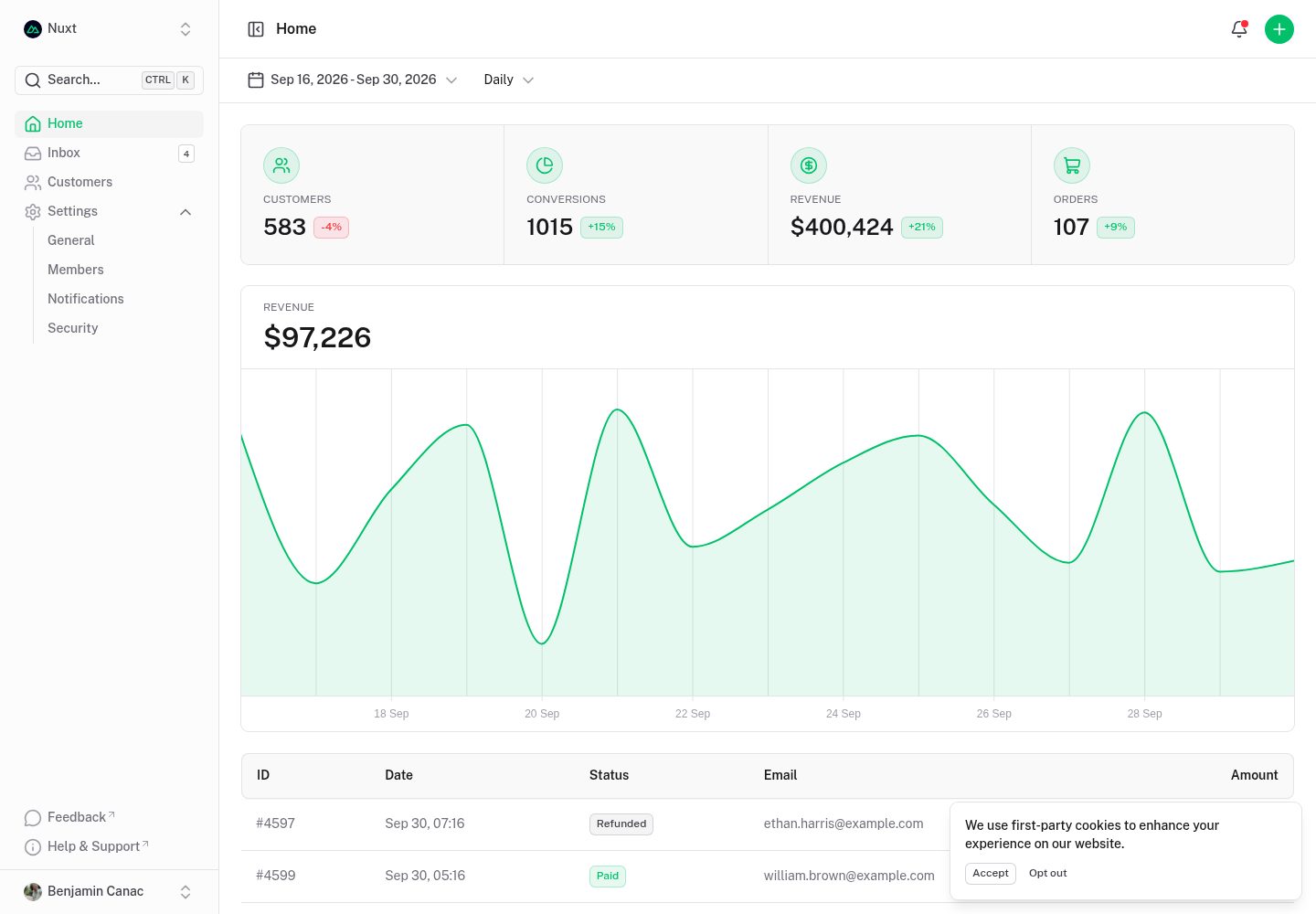
dashboard
Nuxt Dashboard Template made with Nuxt UI.
Nuxt · 后台
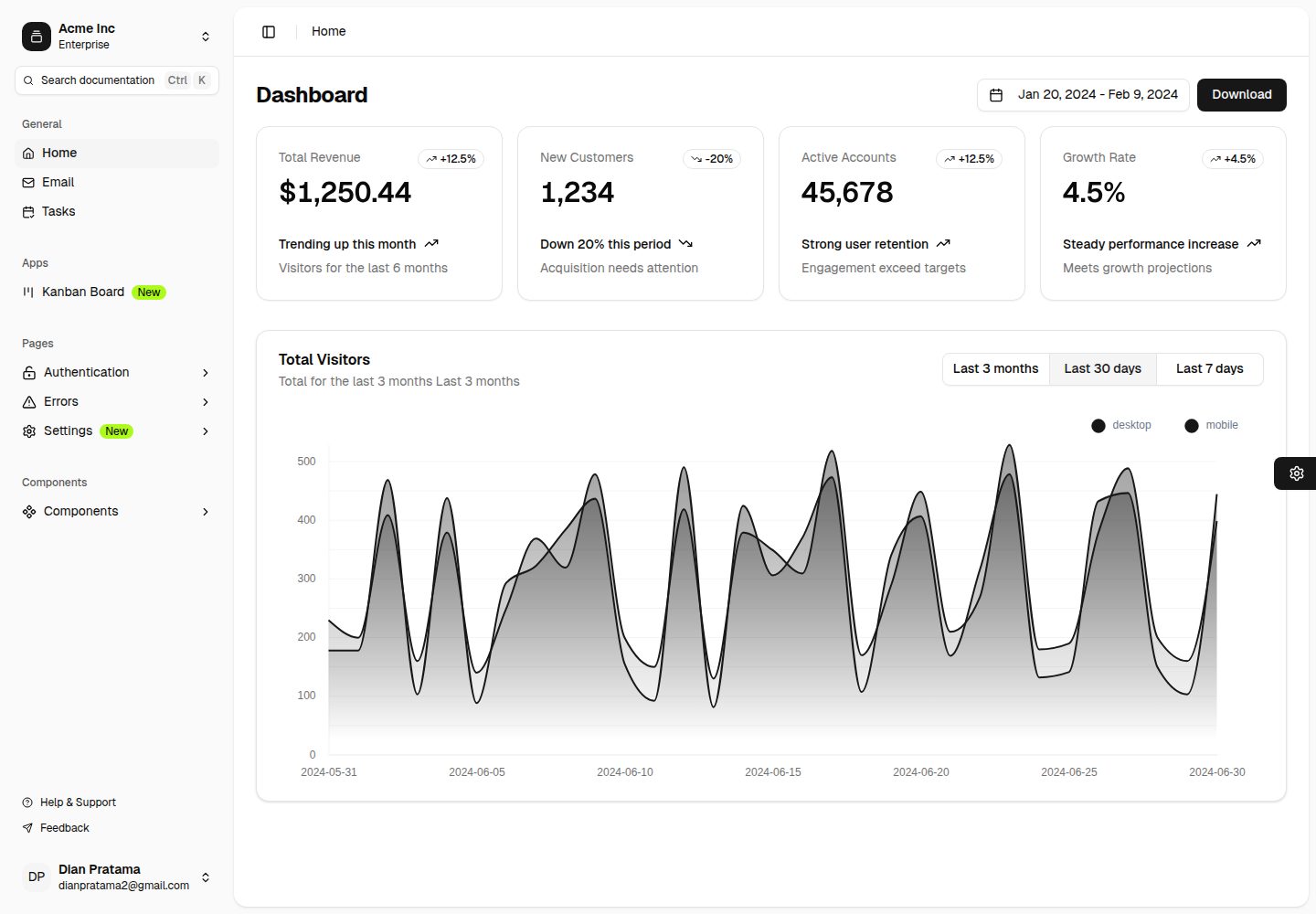
nuxt-shadcn-dashboard
Template Dashboard with Nuxt 4 + Shadcn + TailwindCSS 4
Nuxt · 后台
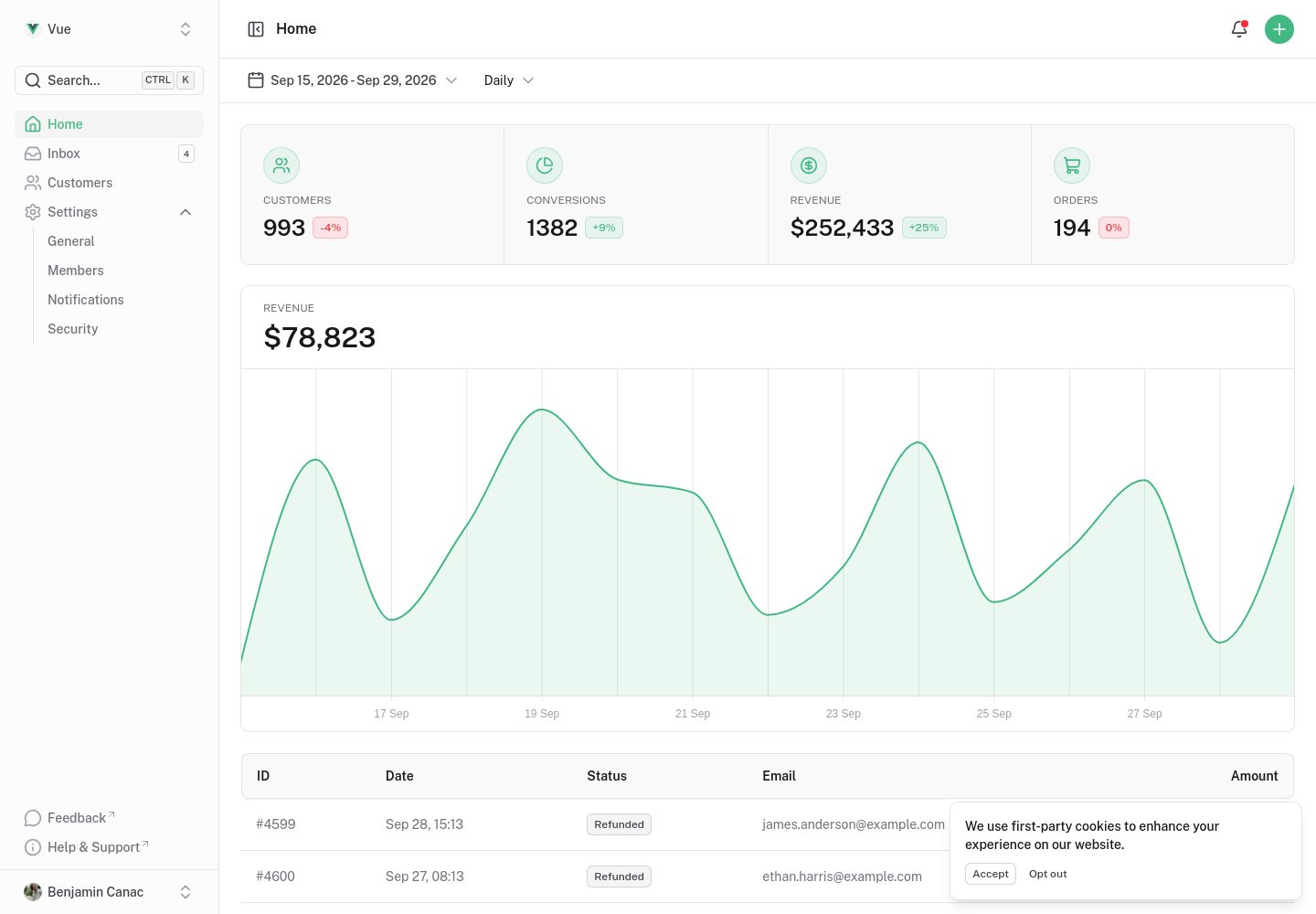
dashboard-vue
Vue Dashboard Template made with Nuxt UI.
Nuxt · 后台
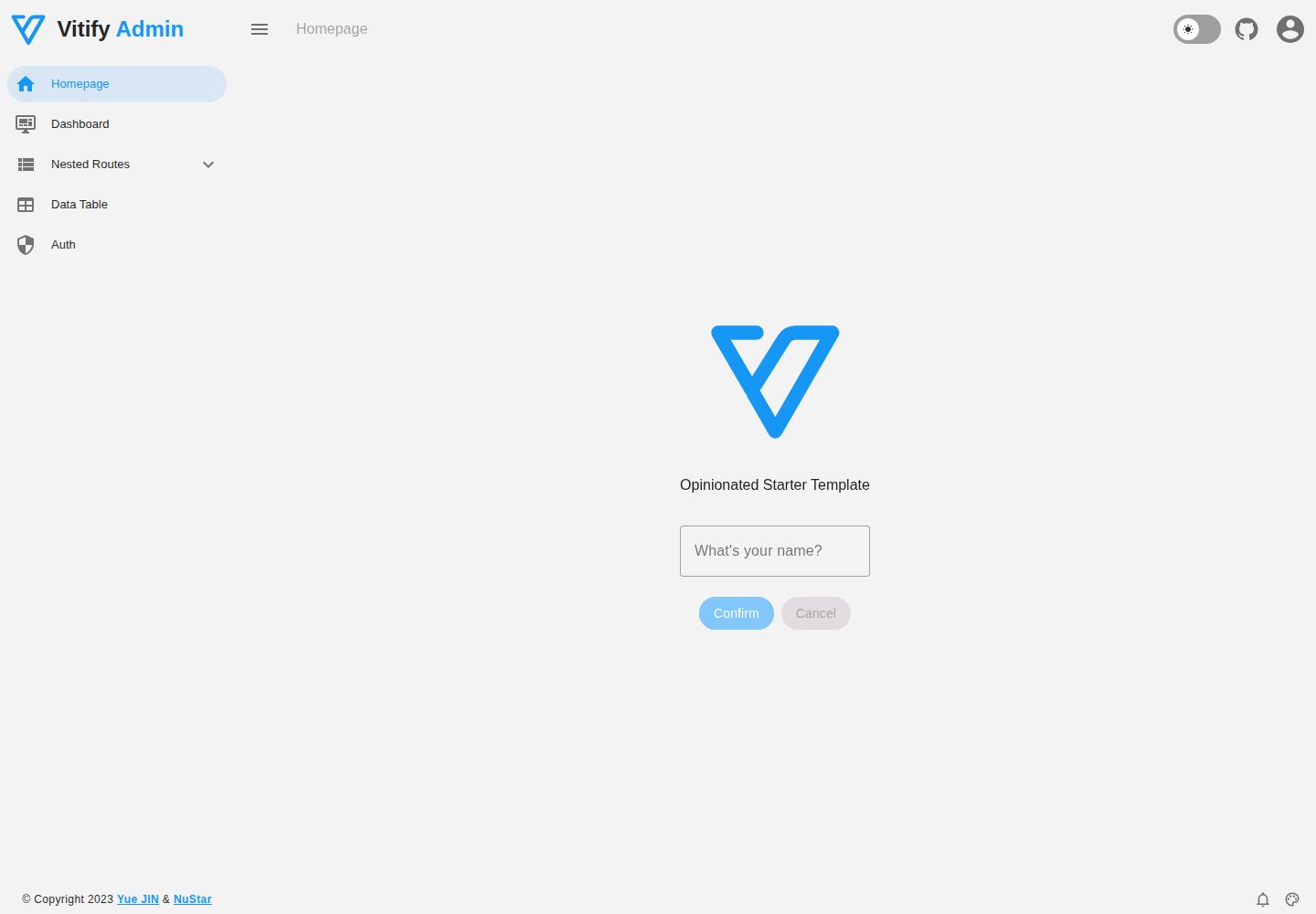
vitify-nuxt
🔽🏔 Vuetify + Nuxt Starter Template
Nuxt · 后台
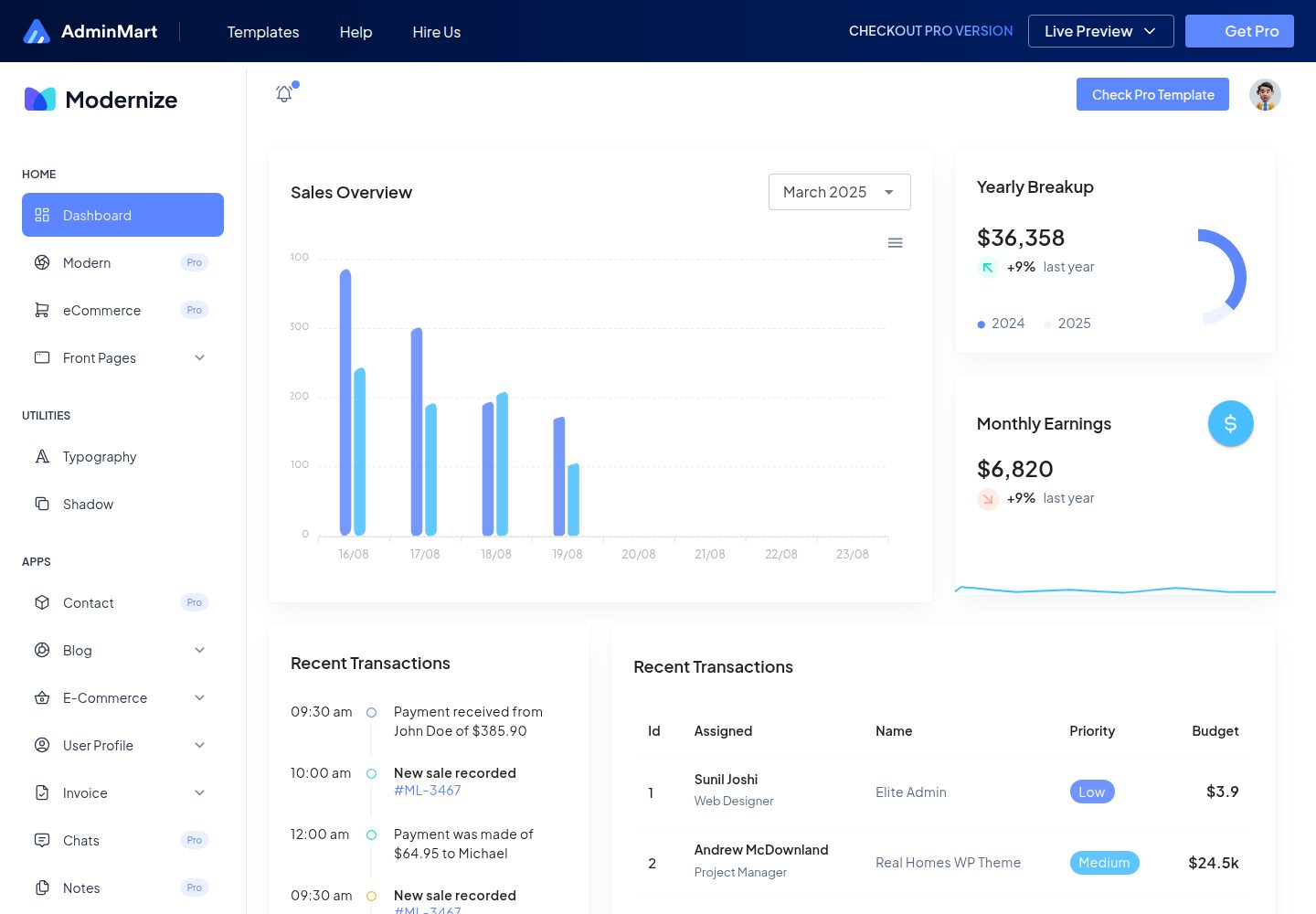
Modernize-nuxtjs-free
Modernize NuxtJS Free is a developer-ready, responsive admin dashboard template built with NuxtJS, VueJS & Typ…
Nuxt · 后台
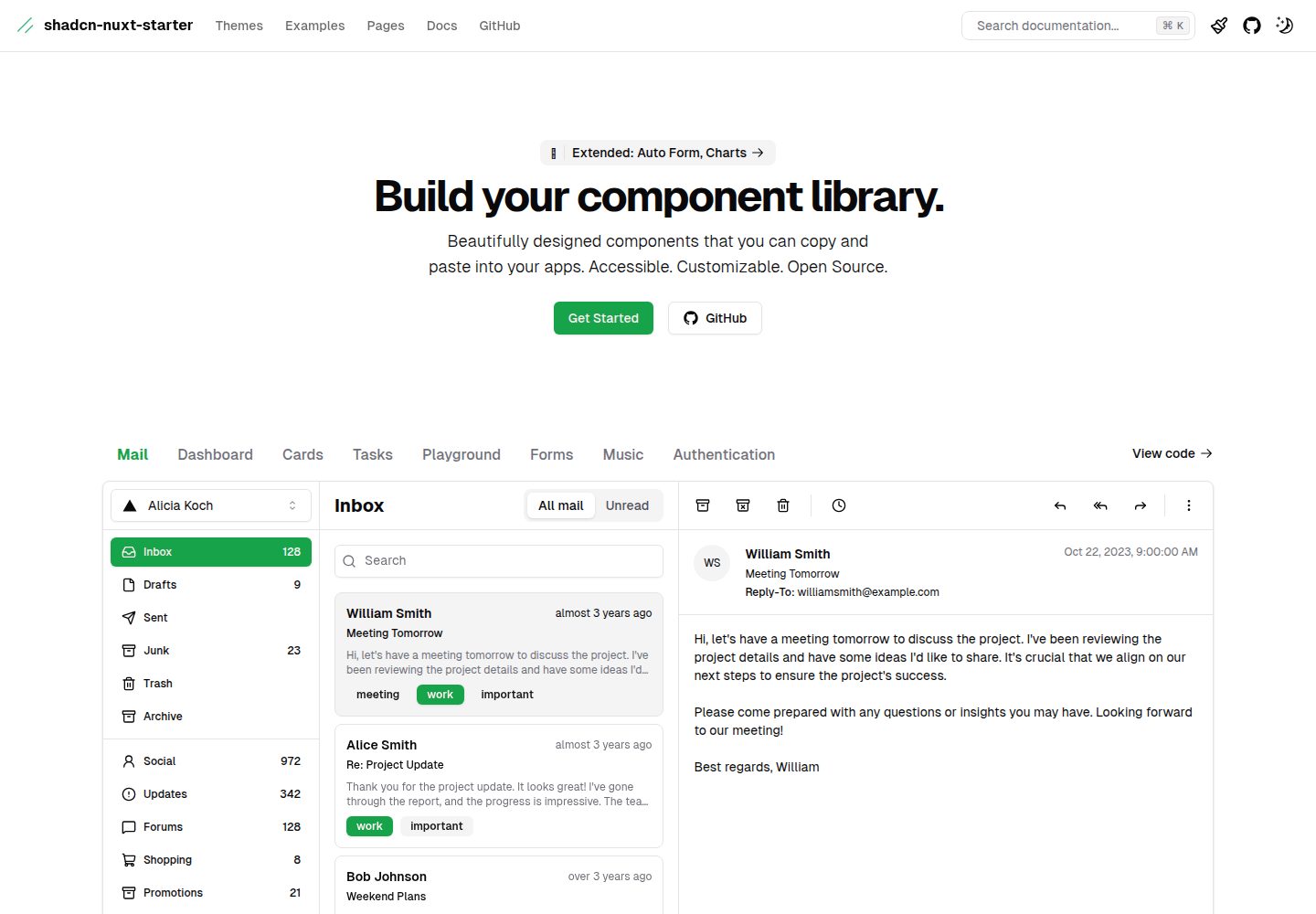
shadcn-nuxt-starter
⚡️ Starter built with Nuxt 3 + Shadcn-ui + UnoCSS + TypeScript.
Nuxt · 后台