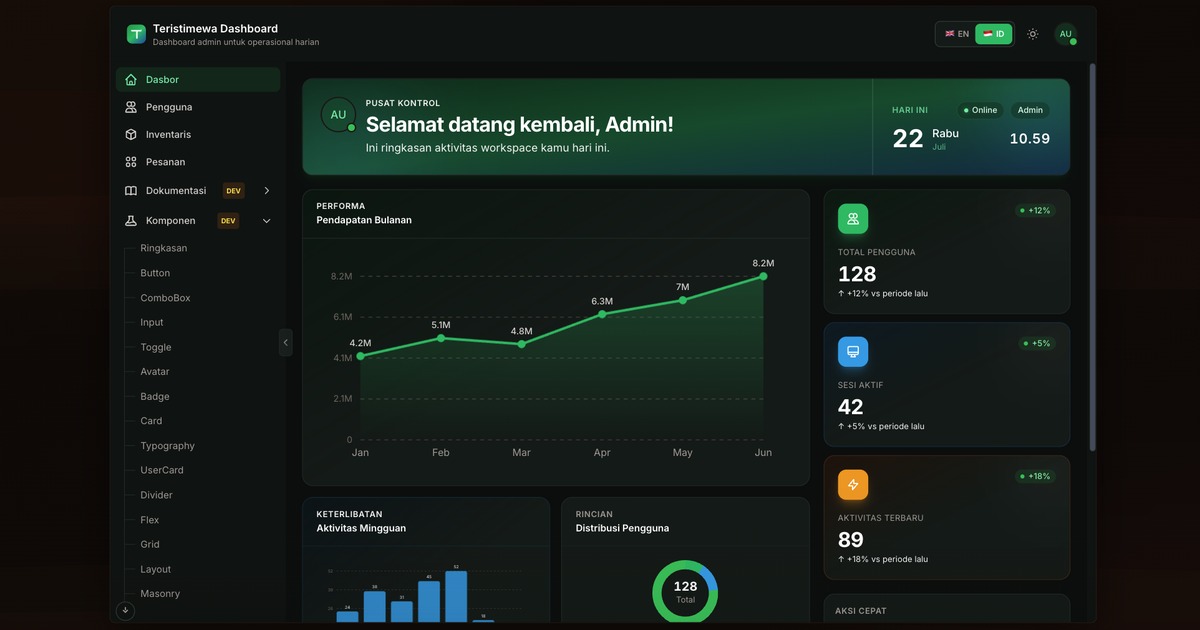
Built-in login/registration and route guards
NuxtVueAdmin dashboard
nuxt-dashboard-template-01 — Nuxt Admin dashboard Template
By KutuGondrong
A Nuxt-based admin dashboard template with built-in login and registration, pages for users, orders, and inventory, using TypeScript, Tailwind CSS, Pinia, and @nuxtjs/i18n, and supporting command-based generation of new apps or feature modules.
Explore the design
Compare the page layouts and mobile experience. Open any screenshot for a closer look.
Author preview
Author-provided preview
Preview provided in the project README.
One original preview is available. Open the full image to inspect the design.
Screenshots show visual appearance; interactive behavior may differ.
Recorded 2026-10-13View source
What stands out
A quick read of the recorded project description.
Includes Dashboard, Users (full CRUD), Orders, Inventory, and Settings pages
Supports English and Indonesian through locales/ and useLocale()
Provides make generate to create a new app and make feature to generate menus and pages
Provides in-app documentation, tutorials, and a component directory in development mode
ssr: false in nuxt.config.ts, with production output as a static SPA in .output/public/
Template Details
This template is a Nuxt admin dashboard starter project that uses TypeScript, Tailwind CSS, Pinia, and @nuxtjs/i18n, and organizes code according to Clean Layered Architecture. It includes built-in login and registration pages, with route guards controlling access; feature pages include Dashboard, Users (full CRUD), Orders, Inventory (tutorial example), and Settings. Internationalization supports English and Indonesian, with copy placed in the locales/ directory and used through useLocale().
The template provides scaffolding commands: make generate can generate a new app based on the current template, and make feature can generate menus and pages, supporting three scopes: full, store, and page, generating different combinations of pages, tables, Pinia stores, and usecases. In development mode, the sidebar shows Documentation and Components entries and provides step-by-step Overview and Tutorial pages; the component directory displays UI components in a Storybook style.
For deployment, ssr: false is set in nuxt.config.ts, and the production output is .output/public/, which is a static SPA deployment approach. Running it requires Node.js 22.x and pnpm 11.x, with optional use of make and rsync; a native Windows environment can run daily development, but make generate requires WSL or directly using node scripts/generate-app.mjs. The demo login account is [email protected] / password123.
NuxtAdmin dashboard
Is it right for your project?
Use Cases
- Quickly building an admin interface with login and multilingual support
- Generating a new Nuxt dashboard project based on the template
- Adding new menu pages and data tables through make feature
- Viewing the component directory and step-by-step tutorials in development mode
- Deploying as a static SPA to static hosting services
Suitable For
- Developers who need Nuxt admin dashboard starter code
- Teams that want to use TypeScript, Tailwind CSS, and Pinia
- Projects that need an English and Indonesian bilingual interface
- Workflows that prefer generating pages and modules through command-line scaffolding
Getting started & customization
Use these recorded setup notes alongside the repository instructions for your chosen version.
- 1
Requires Node.js 22.x and pnpm 11.x, with optional installation of make and rsync
- 2
After cloning, run pnpm install, then start with make dev or pnpm dev
- 3
Demo login: [email protected] / password123
- 4
A native Windows environment can run pnpm dev, but make generate requires WSL or directly running node scripts/generate-app.mjs
- 5
The production build output is .output/public/, corresponding to static SPA deployment with ssr: false
License & source material
Usage conditions & limitations
Free to use · keep license noticeThis entry covers the free version in a public repository under the MIT license; the free scope is the code of that version and does not mean that external services or third-party assets are free.
Must comply with when using
- The code of this version may be used, modified, used commercially, and distributed for free.
- When distributing copies or substantial portions of the code, retain the original author's copyright notice and the full MIT license notice.
- The code is provided as is; warranties and limitations of liability are governed by the original license and applicable law.
Additional costs & items to verify
- Demo images, fonts, icons, and other third-party assets must be checked against their respective licenses and cannot be judged solely by the code's MIT license.
- External services such as domains, hosting, databases, payments, or AI may incur separate charges.
- The template's built-in demo login account is [email protected] / password123, intended only for local demonstration, and should be replaced with real authentication before formal use.
- The backend API base URL (NUXT_PUBLIC_API_BASE_URL) must be configured to connect to real data interfaces.
- By default it is published as a static SPA (ssr: false), with production output in .output/public/; if SSR or Node server-side rendering is needed, nuxt.config.ts must be modified and the hosting environment adjusted.
- A native Windows environment cannot directly use make generate; it requires WSL with rsync installed, or use node scripts/generate-app.mjs instead.
- You must set previewUrl / NUXT_PUBLIC_OG_SITE_URL to the actual deployment address in config/external-links.json or .env.production for link previews to use public/og-image.jpg.
View Original Text Basis
Permission is hereby granted, free of charge
Original License Text
Demo login: `[email protected]` / `password123`
Original README
`NUXT_PUBLIC_API_BASE_URL` | Backend base URL
Original README
This template ships as a **static SPA** (`ssr: false`). To run with SSR / a Node server instead, change that flag in `nuxt.config.ts` and adjust your host accordingly
Original README
For `make generate`, use [WSL](#windows-wsl-recommended) (needs `rsync`).
Original README
https://github.com/KutuGondrong/nuxt-dashboard-template-01/blob/main/LICENSEhttps://github.com/KutuGondrong/nuxt-dashboard-template-01/blob/main/README.mdSet `previewUrl` in `config/external-links.json` (or `NUXT_PUBLIC_OG_SITE_URL` in `.env.production`) to your deployed app URL so link previews use `public/og-image.jpg`.
Original README
Compiled by DeepSeek based on repository license and README ·2026-10-13. Results only cover the materials read; dependencies, images, fonts, and subsequent term changes are subject to their respective original texts.
Project checks & description sources
Template Information
- Source platforms
- GitHub
- Documentation and maintenance reference score
- Partly documented · 60 / 100
- Technologies
- Nuxt · Vue
- Website type
- Admin dashboard
How this score is calculated
Our heuristic uses license records (up to 30), a demo link (12), a preview (10), stars (15), recorded maintenance (15), description completeness (8), feature records (5) and classification data (5). It is not a code, security or performance test, or a Google score. A link does not establish tested functionality.
What to verify for this project
- Repository update recorded
- 2026-08-04
- Screenshot last checked
- 2026-10-13
No demo link is recorded. Use the repository instructions to evaluate the project locally; the screenshot alone cannot establish interactive behavior.
The catalog identifies Nuxt as the primary stack. Check the actual dependency manifest and lockfile for versions and hosting requirements. These notes use recorded metadata, not a code audit or a deployment test.
Use a selection guide →How this description was prepared
AI-assisted description based on catalog records and repository material. Repository authors are not automatically the reviewers of this description.
Review declaration: [email protected] · 2026-10-13
Inspect the recorded source material
SHA-256: 3de4cd2e05176545a8169ce12ae2c5c62f80caf8a073c97cd7041794b5eae805
2026-10-13T08:56:54.123Z
Source file / repository# Nuxt Dashboard Template Production-ready **Nuxt 4** dashboard starter with TypeScript, Tailwind CSS, Pinia, `@nuxtjs/i18n`, and Clean Layered Architecture. **Live template preview:** [https://template.teristimewa.com/nuxt-dashboard-template-01](https://template.teristimewa.com/nuxt-dashboard-template-01) . <a href="https://template.teristimewa.com/nuxt-dashboard-template-01"> <img src="./public/og-image.jpg" alt="Teristimewa Dashboard" width="240" /> </a> Choose Language / Pilih Bahasa: - English (this document) - [Bahasa Indonesia](./README.id.md) > **Need more detail?** Architecture, Pinia patterns, API wiring, manual page creation, and full code walkthroughs → [DOCUMENTATION.md](./DOCUMENTATION.md) · [DOCUMENTATION.id.md](./DOCUMENTATION.id.md) ## What you get - **Auth** — login/register with route guards - **Features** — Dashboard, Users (full CRUD), Orders, Inventory (tutorial example), Settings - **i18n** — English & Indonesian via `locales/` and `useLocale()` - **Scaffolding** — `make generate` for a new app, `make feature` for menu + page - **In-app docs** — step-by-step Overview and Tutorial (development mode only) - **Component catalog** — Storybook-style UI gallery at `/components` (development mode only) - **Static SPA deploy** — `ssr: false` in `nuxt.config.ts`; production output is `.output/public/` (see [Deployment](./DOCUMENTATION.md#18-deployment)) --- ## Prerequisites Install these **before** cloning or running the app. Versions match [package.json](./package.json) (Volta-pinned). **Node + pnpm toolchain:** full setup for macOS / Linux / Windows (with or without Volta) → [VOLTA.md](./VOLTA.md) · [VOLTA.id.md](./VOLTA.id.md). Same pinned versions either way: Node **22.23.1**, pnpm **11.17.0**. > **Already have everything?** If `node`, `pnpm`, and `git` work in your terminal, skip to [Quick Start](#quick-start). You only need `make` (optional shortcuts) and `rsync` (only for `make generate`). | Tool | Version | Required | Used for | | ----------- | -------------------------- | ----------- | ------------------------------------------------------ | | **Node.js** | 22.x (22.23.1 recommended) | Yes | Runtime & build | | **pnpm** | 11.x (11.17.0 recommended) | Yes* | Install dependencies & run scripts | | **Git** | any recent | Recommended | Clone repo, `make generate` init | | **make** | any (GNU Make) | Optional | Makefile shortcuts (`make dev`, etc.) | | **rsync** | any | Optional | `make generate` only (Mac/Linux usually pre-installed) | \* npm works as a fallback (`npm install`, `npm run dev`) but this project is tested with **pnpm**. pnpm 11 uses `pnpm-workspace.yaml` for install policy (`allowBuilds` for native deps such as `esbuild`). Keep `packageManager` / Volta / `.nvmrc` aligned when changing versions. ### Verify installation ```bash node --version # expect v22.x (e.g. v22.23.1) pnpm --version # expect 11.x (e.g. 11.17.0) git --version # any recent version make --version # optional — skip if you use pnpm scripts directly rsync --version # optional — only needed for make generate ``` --- ### Install from scratch Pick your operating system. Follow the steps **in order** if nothing is installed yet. | OS | Section | | ----------- | ------------------------------------------------------------------------------------------------------------- | | **macOS** | [macOS](#macos) | | **Linux** | [Linux (Debian / Ubuntu)](#linux-debian--ubuntu) · [Fedora / RHEL](#linux-fedora--rhel) · [Arch](#linux-arch) | | **Windows** | [WSL (recommended)](#windows-wsl-recommended) · [Native PowerShell](#windows-native-powershell) | #### macOS ```bash # 1. Git + make (Xcode Command Line Tools — includes both) xcode-select --install # 2. Homebrew (skip if already installed) /bin/bash -c "$(curl -fsSL https://raw.githubusercontent.com/Homebrew/install/HEAD/install.sh)" # 3. Node.js 22 + pnpm (pick one method) # Option A — Homebrew (simple) brew install node pnpm # Option B - Volta (exact pinned versions, recommended) # Full per-shell steps: VOLTA.md curl https://get.volta.sh | bash # Restart terminal, enable VOLTA_FEATURE_PNPM (see VOLTA.md), then: volta install [email protected] [email protected] # 4. rsync — included with macOS (no install needed) # 5. make — included with Xcode CLT above # Verify node --version && pnpm --version && git --version && make --version && rsync --version ``` #### Linux (Debian / Ubuntu) ```bash sudo apt update sudo apt install -y git curl -fsSL https://deb.nodesource.com/setup_22.x | sudo -E bash - sudo apt install -y nodejs npm install -g [email protected] sudo apt install -y build-essential rsync # Optional: Volta for exact versions (see VOLTA.md) curl https://get.volta.sh | bash volta install [email protected] [email protected] node --version && pnpm --version && git --version && make --version && rsync --version ``` #### Linux (Fedora / RHEL) ```bash sudo dnf install -y git make rsync curl -fsSL https://rpm.nodesource.com/setup_22.x | sudo bash - sudo dnf install -y nodejs npm install -g [email protected] node --version && pnpm --version && git --version && make --version && rsync --version ``` #### Linux (Arch) ```bash sudo pacman -S --needed git make rsync nodejs npm npm install -g [email protected] node --version && pnpm --version && git --version && make --version && rsync --version ``` #### Windows (WSL — recommended) Full support for `make`, `rsync`, and `make generate`. Install WSL, then use the Linux steps inside Ubuntu. ```powershell wsl --install # Restart PC if prompted, then open "Ubuntu" from Start menu ``` Inside the **Ubuntu** terminal, follow [Linux (Debian / Ubuntu)](#linux-debian--ubuntu) above. ```bash git clone https://github.com/KutuGondrong/nuxt-dashboard-template-01.git cd nuxt-dashboard-template-01 pnpm install make dev ``` #### Windows (native — PowerShell) Works for daily dev (`pnpm dev`). For `make generate`, use [WSL](#windows-wsl-recommended) (needs `rsync`). ```powershell winget install Git.Git winget install OpenJS.NodeJS.LTS npm install -g [email protected] winget install GnuWin32.Make # optional — or use pnpm scripts node --version pnpm --version git --version make --version ``` | Windows setup | make | rsync | make generate | | ---------------------- | ---- | ----- | ------------------------------------------------- | | **WSL + Ubuntu** | yes | yes | yes | | **Native + pnpm only** | no | no | use WSL or `node scripts/generate-app.mjs` in WSL | | **Native + make** | yes | no | use WSL for rsync | --- ## Quick Start ### 1. Clone the template ```bash git clone https://github.com/KutuGondrong/nuxt-dashboard-template-01.git cd nuxt-dashboard-template-01 ``` ### 2. Install & run ```bash pnpm install make dev ``` Open **http://localhost:3000**. Demo login: `[email protected]` / `password123` ### 3. Scaffold your own app (optional) From inside the cloned template: ```bash make generate name=my-new-app cd ../my-new-app rm -rf ../nuxt-dashboard-template-01 pnpm install make dev ``` Default output is `../my-new-app` (sibling folder, outside the template). Custom path: `make generate name=my-app out=~/projects/my-app`. --- ## Documentation & Components (development mode) When you run `make dev`, the sidebar shows **Documentation** and **Components** with a DEV badge (`NUXT_PUBLIC_SHOW_DEV_FEATURES=false` to hide). Those pages are landings that open the published Documentation and Components sites in a new tab. Interactive step-by-step UI (Overview + Tutorial tabs) is documented in [DOCUMENTATION.md § In-app Documentation](./DOCUMENTATION.md#14-in-app-documentation-overview--tutorial). --- ## Scaffolding ### `make generate` — new app from template ```bash make generate name=my-new-app make generate name=my-app out=~/projects/my-app ``` Creates a copy outside this repo, updates `package.json` name, and runs `git init` in the output folder. ### `make feature` — menu + page ```bash make feature name=inventory label="Inventory" label-id="Inventaris" make feature name=reports scope=store label="Reports" label-id="Laporan" make feature name=alerts scope=page label="Alerts" label-id="Peringatan" ``` | Parameter | Required | Description | | ---------- | ----------- | ---------------------------------------------------------------------------------------------------- | | `name` | Yes | Feature key: `features/<name>/`, route `/<name>`, locale key `nav.<name>`. Use lowercase kebab-case. | | `label` | Recommended | English sidebar label → `locales/en.json` (`nav.*`) | | `label-id` | Recommended | Indonesian sidebar label → `locales/id.json` (`nav.*`). Falls back to `label` if omitted. | | `scope` | No | `full` (default), `store`, or `page` (alias: `empty`) | | Scope | Generated | | ------- | ----------------------------------------------------------- | | `full` | page + table + Pinia store + usecase (mock data in usecase) | | `store` | page + table + Pinia store (mock inline, no usecase file) | | `page` | empty page + menu/route/locale wiring only | Always updated: `pages/<name>/index.vue` (via generate), `layouts/sidebar/featureMenuItemsGenerate.ts` / `featureMenuItems.ts`, `locales/en.json` + `id.json`, and `config/generatedPages.ts`. For manual wiring, mock vs real API, and full code samples, see [DOCUMENTATION.md](./DOCUMENTATION.md#16-create-a-new-page--manual-walkthrough) and the **Tutorial** tab in the app. --- ## Without Make If you **don't have `make`**, use **pnpm scripts** directly: | Instead of | Run | | ---------------------------------- | --------------------------- | | `make dev` | `pnpm dev` | | `make build` | `pnpm format && pnpm build` | | `make lint` | `pnpm lint` | | `make format` | `pnpm format` | | `make preview` | `pnpm preview` | | `make feature name=X label="Name"` | see below | | `make generate name=X` | see below | **Minimal run (no make at all):** ```bash pnpm install pnpm dev ``` ### Scaffolding without Make ```bash # label = English sidebar text (en.json) # label-id = Indonesian sidebar text (id.json) node scripts/generate-feature.mjs --name=orders --label="Orders" --label-id="Pesanan" node scripts/generate-feature.mjs --name=reports --scope=store --label="Reports" --label-id="Laporan" node scripts/generate-feature.mjs --name=inventory --scope=page --label="Inventory" --label-id="Inventaris" # Clone this template outside the current folder (needs rsync; use WSL on Windows) node scripts/generate-app.mjs --name=my-app node scripts/generate-app.mjs --name=my-app --out=~/projects/my-app ``` The in-app Tutorial header toggle switches between `make` and `node & pnpm` command modes. --- ## Commands (Makefile) | Command | Description | | -------------------------------------------------------------------------------------- | ------------------------------------------------------------------------- | | `make dev` | Start Nuxt dev server (Documentation & Components visible with DEV badge) | | `make build` | Format, type-check, and production build (dev routes stripped) | | `make lint` | ESLint + TypeScript check (no file writes) | | `make format` | Prettier + ESLint auto-fix | | `make preview` | Serve production build locally (next free port if busy) | | `make clean` | Remove `.output`, `.nuxt`, `.turbo` | | `make generate name=my-app [out=PATH]` | Scaffold micro-app outside this template (default: `../my-app`) | | `make feature name=X [scope=full\|store\|page] label="English" [label-id="Indonesia"]` | Scaffold menu + page (bilingual sidebar labels) | | `make test-feature` | Run generate-feature script tests | --- ## Project structure Layered layout under the project root (`pages/`, `layouts/`, `features/<name>/`, plus `config`, `locales`, `models`, `datasource`, `components`). Full tree and layer rules → [DOCUMENTATION.md § Project Structure](./DOCUMENTATION.md#8-project-structure). --- ## Environment | Variable | Purpose | | ---------------------------------- | -------------------------------------------- | | `NUXT_PUBLIC_API_BASE_URL` | Backend base URL | | `NUXT_PUBLIC_SHOW_DEV_FEATURES` | Show or hide Documentation & Components menu | | `NUXT_PUBLIC_ENABLE_SCROLL_TO_TOP` | Scroll-to-top button (default: true) | Set `previewUrl` in `config/external-links.json` (or `NUXT_PUBLIC_OG_SITE_URL` in `.env.production`) to your deployed app URL so link previews use `public/og-image.jpg`. See `.env` for defaults. Dev vs production overrides and deployment → [DOCUMENTATION.md § Deployment](./DOCUMENTATION.md#18-deployment). This template ships as a **static SPA** (`ssr: false`). To run with SSR / a Node server instead, change that flag in `nuxt.config.ts` and adjust your host accordingly (details in the Deployment section). --- ## Further reading | Doc | Content | | -------------------------------------------- | ----------------------------------------------------------------------------------------------------------- | | [DOCUMENTATION.md](./DOCUMENTATION.md) | **Deep developer guide** (English): bootstrap, Pinia, routing, data layer, manual page creation, API wiring | | [DOCUMENTATION.id.md](./DOCUMENTATION.id.md) | Panduan developer mendalam (Bahasa Indonesia) | | [VOLTA.md](./VOLTA.md) | Node + pnpm toolchain setup (Volta, per OS/shell) | | [VOLTA.id.md](./VOLTA.id.md) | Setup toolchain Node + pnpm (Volta, per OS/shell) | | [README.id.md](./README.id.md) | This overview in Bahasa Indonesia | In-app **Documentation** (DEV badge) during `make dev` links to the published interactive guide. --- ## Stack - Vue 3 + TypeScript - Nuxt 4 - Tailwind CSS 3 - Pinia - Axios with interceptors - Volta-pinned Node 22.23.1 / pnpm 11.17.0
Explore similar templates
Compare previews and descriptions within the same stack and category.
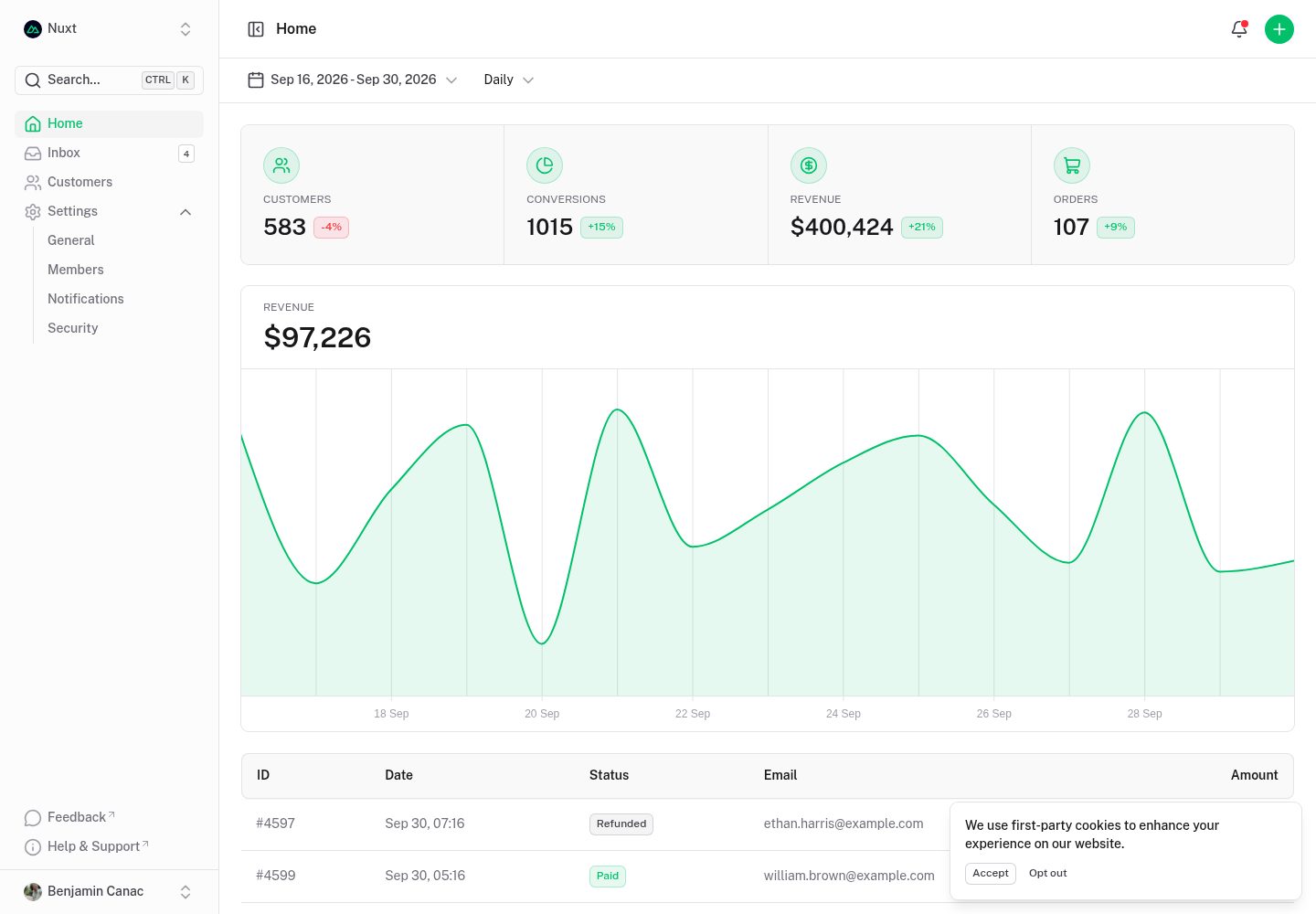
dashboard
A dashboard template built on Nuxt and Nuxt UI, offering multiple pages, a collapsible sidebar, keyboard shortcuts, light and dark modes, and a command palette.
Nuxt · Admin dashboard
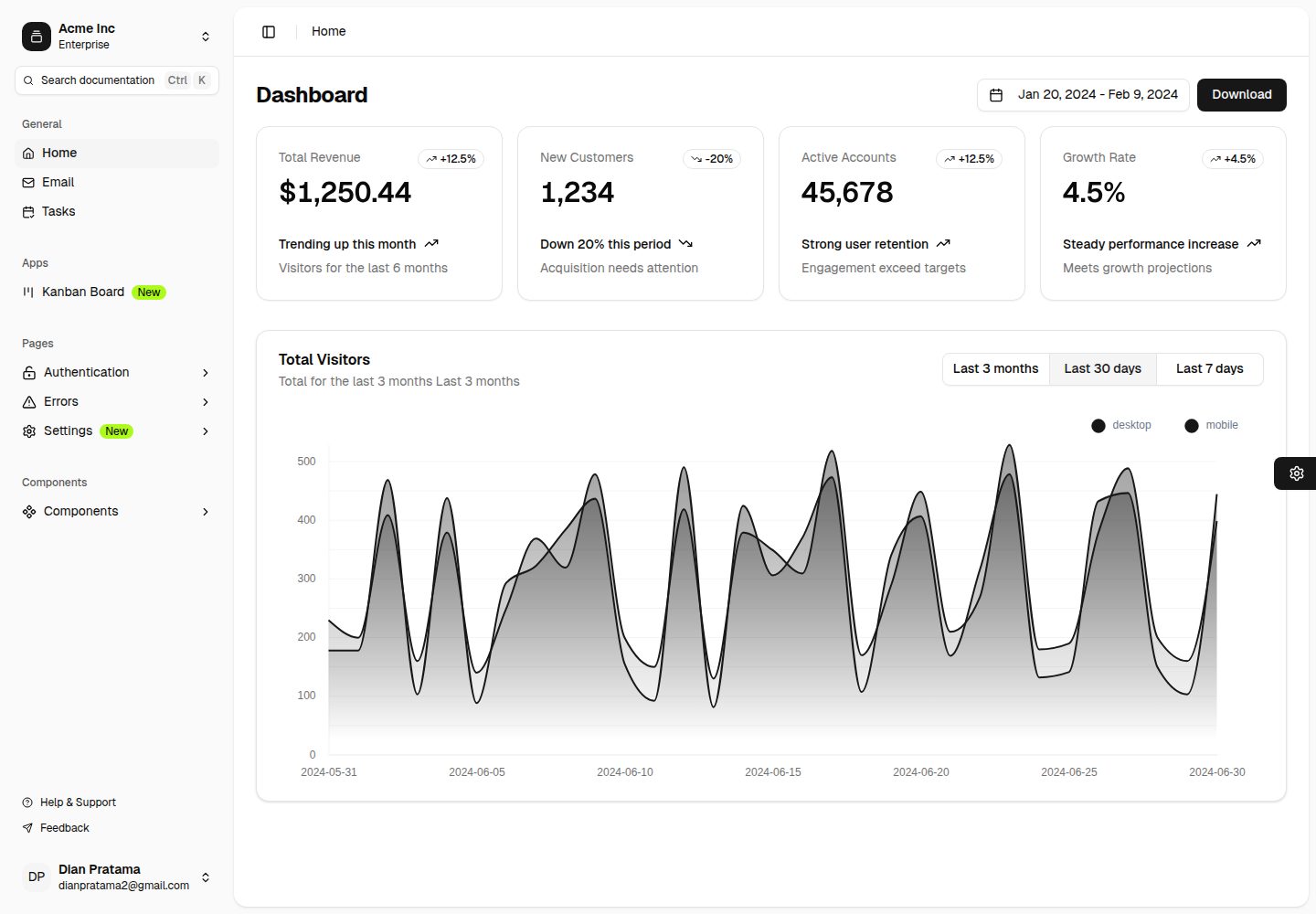
nuxt-shadcn-dashboard
A backend dashboard template built with Nuxt, Shadcn Vue, and TailwindCSS. It offers configurable sidebar collapse modes (offcanvas, icon, none), positions, and styles (sidebar, floating, inset), along with nine theme colors and three theme types.
Nuxt · Admin dashboard
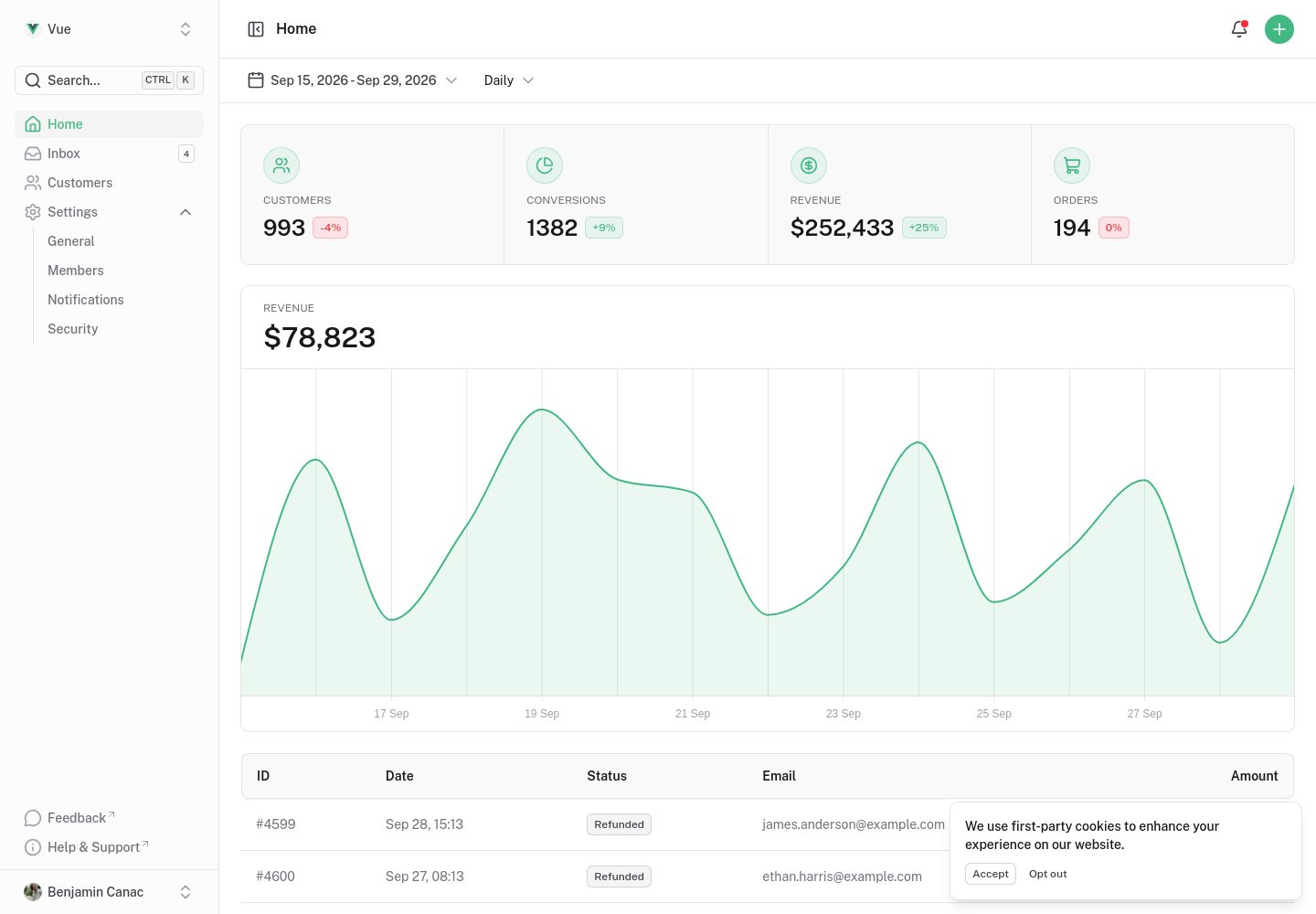
dashboard-vue
A Vue admin dashboard template built with Nuxt UI, offering multiple pages, a collapsible sidebar, keyboard shortcuts, light and dark modes, and a command palette. Suitable for admin backends, data dashboards, or as a reference for learning Nuxt UI layouts.
Nuxt · Admin dashboard
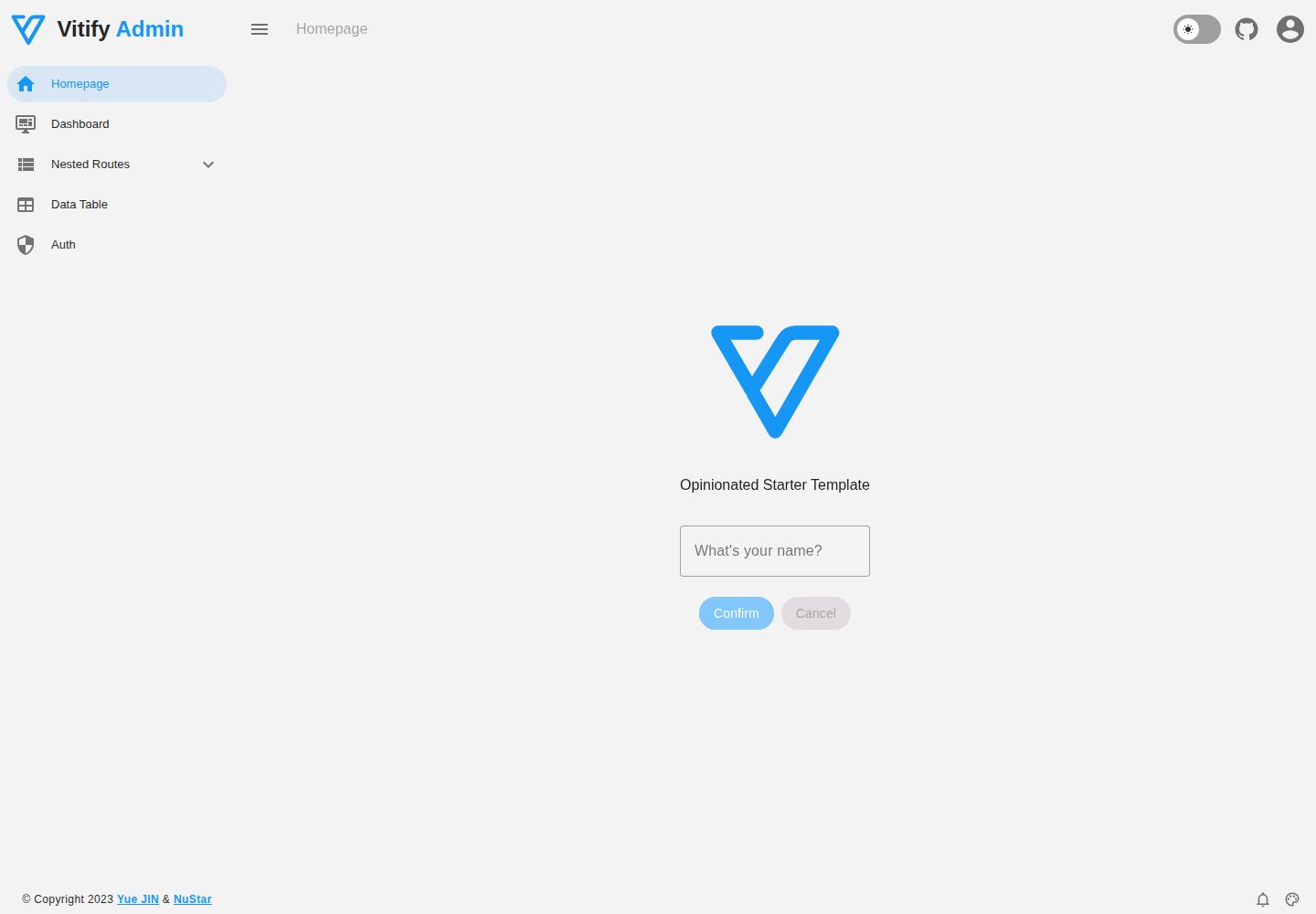
vitify-nuxt
Vitify Nuxt is an admin dashboard starter template built on Nuxt and Vuetify, featuring a drawer layout, automatic navigation and breadcrumbs, notification state, ECharts charts, theming and dark mode, and authentication via nuxt-auth-utils.
Nuxt · Admin dashboard
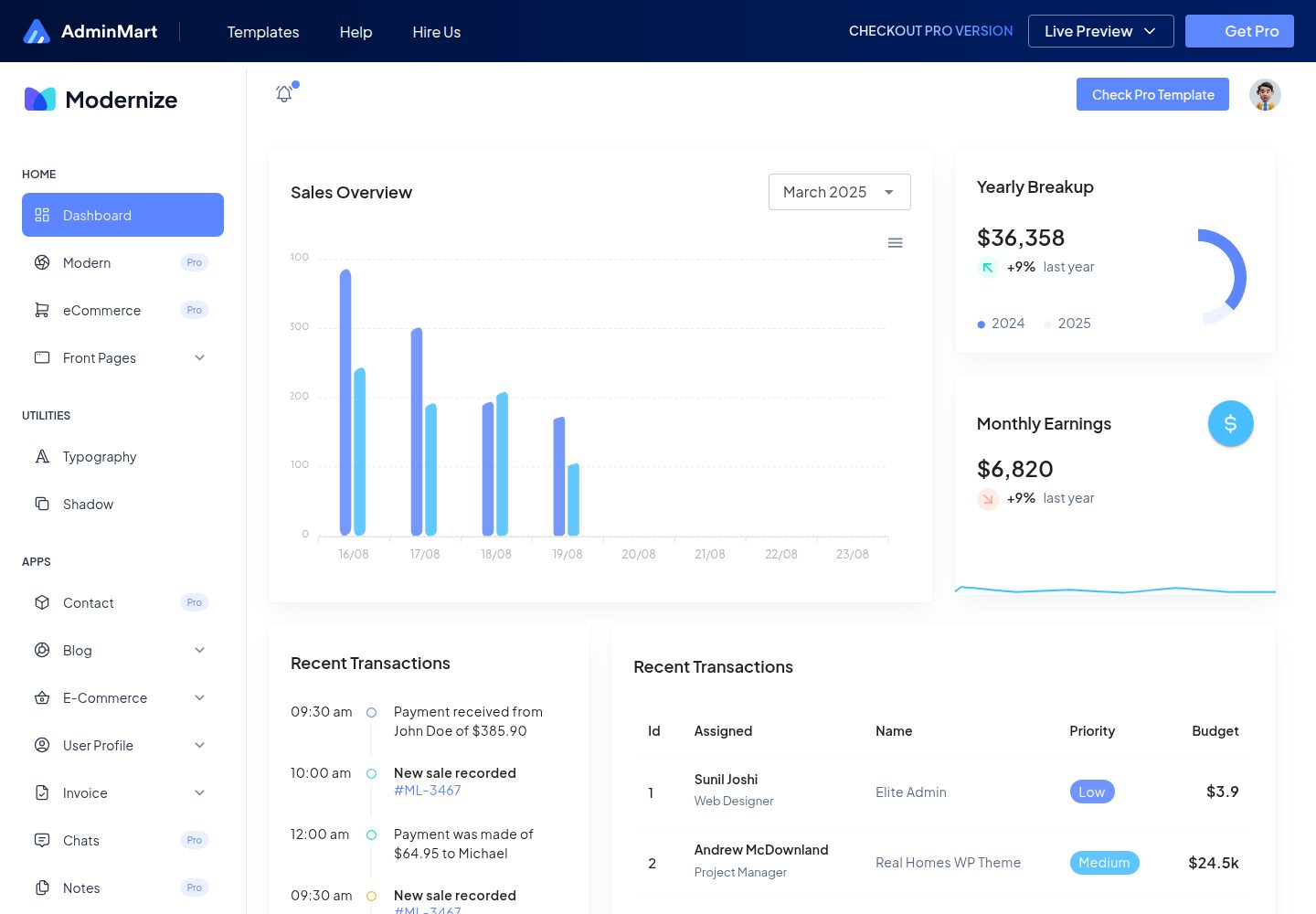
Modernize-nuxtjs-free
Modernize NuxtJS Free is a free, developer-oriented admin dashboard template from AdminMart, built with Nuxt, Vuetify, and TypeScript. It offers a responsive layout, basic pages and components, and Chart.js charts, making it suitable for admin panels, SaaS dashboard prototypes, and internal tools.
Nuxt · Admin dashboard
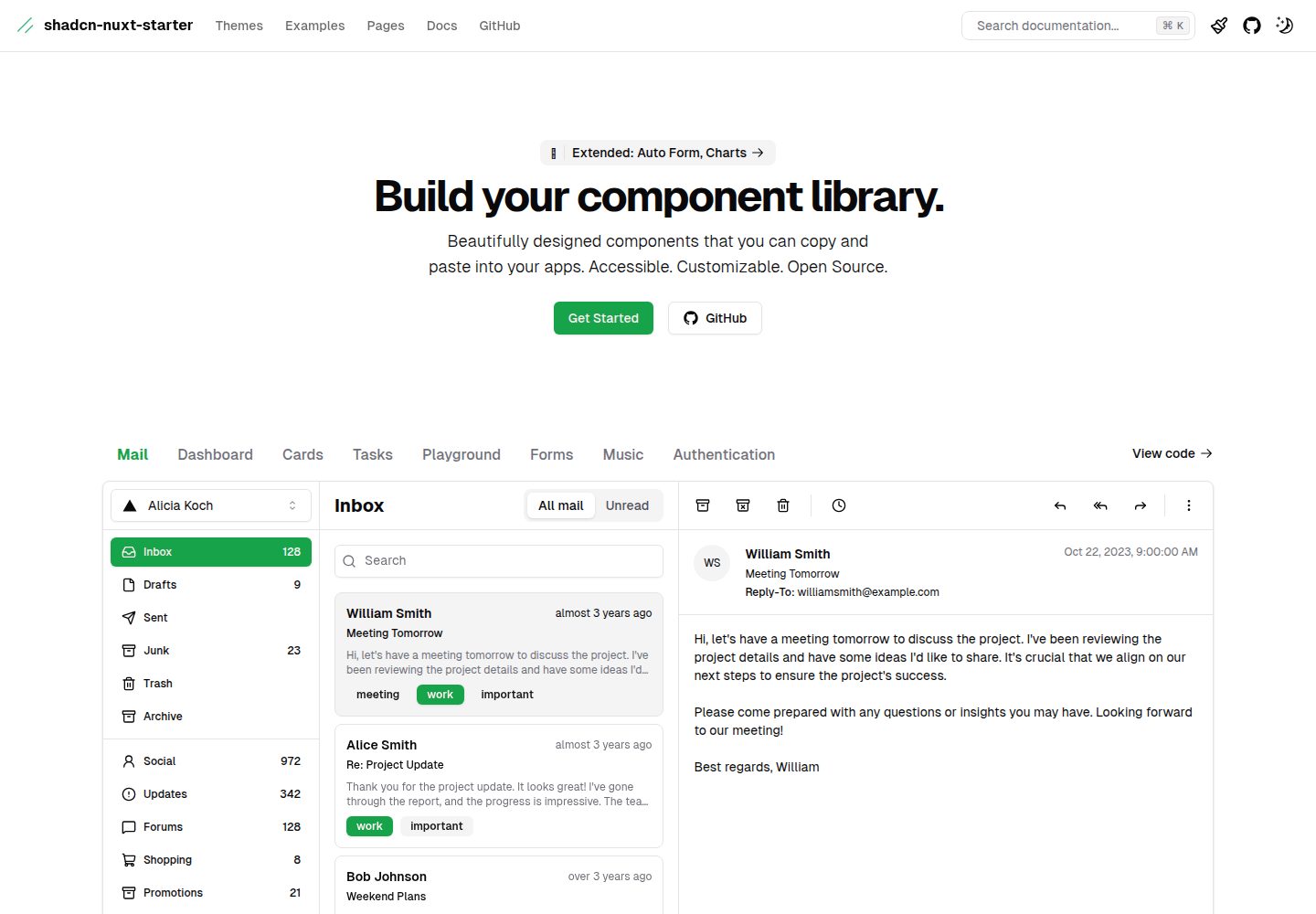
shadcn-nuxt-starter
A Nuxt 3 starter template using Shadcn-vue, UnoCSS, and TypeScript, with Vite as the build tool. It supports three rendering modes from one codebase: SSR for SaaS, SSG for documentation, and CSR for admin dashboards.
Nuxt · Admin dashboard