使用 TypeScript 严格模式,组件、钩子与工具按模块组织,测试文件与源码同目录
ViteReact启动器
react-starter — Vite 启动器模板
作者 leanstacks
基于 React 与 Vite 的前端启动模板,使用 JSON Placeholder 模拟 REST API,包含身份验证、表单、表格、图表、国际化与 AWS CDK 部署配置。
看看你的网站会是什么样
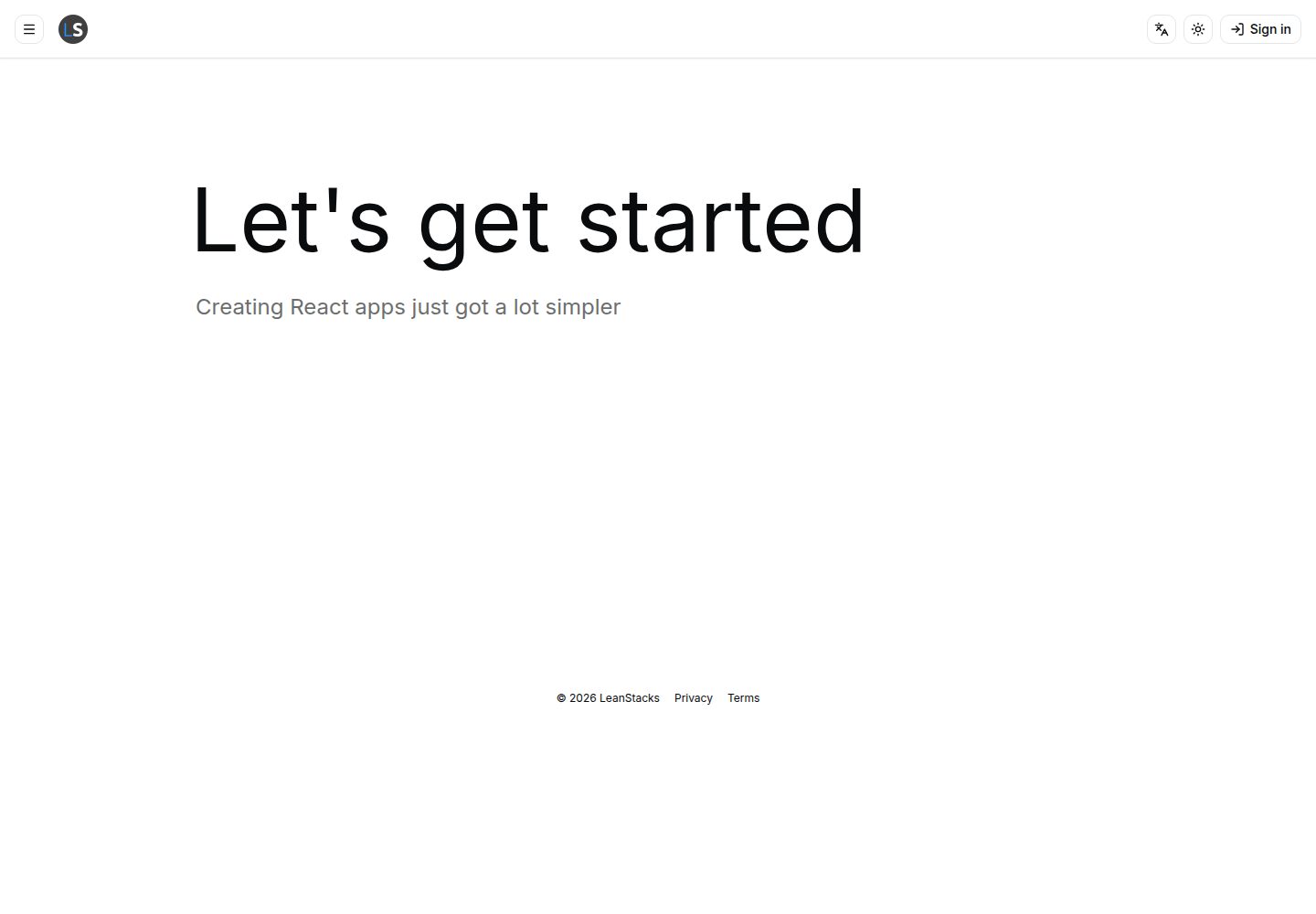
浏览真实页面截图,比较内容排版与手机效果。点击下方缩略图切换,放大查看整页细节。
全部页面与视图 3
截图用于了解视觉与布局,交互效果请以实际项目为准。
采集于 2026-10-15查看来源
值得关注的模板亮点
从已有项目资料中,快速了解它的特点。
集成 shadcn/ui 与 Tailwind CSS,提供 Header、Layout、Dialog、Dropdown、Tabs、Card 等通用组件
使用 React Hook Form 与 Zod 进行表单管理与校验,支持错误显示和表单状态持久化
通过 Axios 和 TanStack Query 处理数据获取、缓存、乐观更新与请求去重
包含 TanStack Table 表格、Recharts 图表、React Spring 动画和 React i18next 国际化
使用 AWS CDK 定义 CloudFront 与 S3 基础设施,并通过 GitHub Actions 执行 CI 与代码质量检查
模板详细介绍
React Starter 是一个以 React 为核心的前端启动模板,采用 Vite 构建,使用 TypeScript 严格模式。项目通过 JSON Placeholder 提供的模拟 REST 端点进行 API 集成,由于该 API 无状态,模板在变更成功后更新 TanStack Query 缓存来模拟有状态后端。登录时使用 JSON Placeholder 中任意用户的 Username,密码可任意填写。模板包含身份验证、设置、通知等全局状态管理,以及表单验证、表格、图表、国际化、主题切换等界面功能。项目以 npm workspaces 组织为 TypeScript monorepo,包含 packages/web 前端应用,并使用 AWS CDK 定义 CloudFront 与 S3 等基础设施,提供 dev/qa/prd 环境配置。README 未提供具体的安装、运行或部署命令,也未说明后端服务的实现细节。
ViteReact启动器
适合你的项目吗?
适用场景
- 需要快速启动一个包含身份验证、数据表格、图表和国际化能力的前端项目
- 希望使用模拟 REST API 进行前端开发,而不依赖真实后端服务
- 计划将前端应用部署到 AWS CloudFront 与 S3,并使用 CDK 管理基础设施
- 需要在项目中引入 AI 辅助编码规范,使用 GitHub Copilot 与 AGENTS.md 文件
适合人群
- 熟悉 React、TypeScript 和 Vite 的前端开发者
- 需要参考模块化组件架构与测试实践的团队
- 希望以 monorepo 方式组织前端与基础设施代码的项目
上手与定制指南
结合仓库当前版本的说明,按下面的资料检查内容、配置与运行要求。
- 1
README 未提供具体的安装、启动或构建命令,需参考 docs/OVERVIEW.md 与 docs/README.md
- 2
API 集成使用 JSON Placeholder 模拟端点,数据变更不会持久化,模板通过更新 TanStack Query 缓存模拟状态
- 3
登录时使用 JSON Placeholder 中任意用户的 Username,密码可任意填写,例如用户名 Kamren 或 Samantha
- 4
项目使用 npm workspaces 组织为 TypeScript monorepo,包含 packages/web 前端应用
- 5
AWS CDK 用于定义 CloudFront 与 S3 等基础设施,支持 dev/qa/prd 环境配置
授权与来源资料
使用条件与限制
免费使用 · 保留许可声明本次收录的是公开仓库中采用 MIT 许可的免费版本;免费范围为该版本代码,不代表外部服务或第三方素材免费。
使用时需要遵守
- 允许免费使用、修改、商用和分发该版本代码。
- 分发代码副本或实质性部分时,保留原作者版权声明和完整 MIT 许可声明。
- 代码按现状提供;担保与责任限制以原许可证及适用法律为准。
额外费用与待核对事项
- 演示图片、字体、图标及其他第三方素材需按各自许可核对,不能仅凭代码的 MIT 许可判断。
- 域名、托管、数据库、支付或 AI 等外部服务可能另外收费。
- API 集成依赖 JSON Placeholder 提供的模拟 REST 端点,而非真实后端服务。
- JSON Placeholder API 无状态,创建、更新、删除操作不会真正持久化,模板仅通过更新 TanStack Query 缓存模拟有状态后端。
- 登录需使用 JSON Placeholder 中任意用户的 Username,密码可任意填写,例如用户名 Kamren 或 Samantha。
- 基础设施使用 AWS CDK 配置,部署到 AWS 云资源可能产生相应费用。
- 排版使用 Google Fonts,可能依赖外部字体服务。
查看原文依据
Permission is hereby granted, free of charge
许可证原文
This project's API integration uses the simulated REST endpoints made available by [JSON Placeholder](https://jsonplaceholder.typicode.com/).
README 原文
There are some limitations to the JSON Placeholder APIs. The primary limitation is that the API is stateless. You may create (`post`), update (`put`), and delete items within the JSON Placeholder collections; however, the collections are not actually mutated and persisted by JSON Placeholder. Within the starter kit, we update the TanStack Query caches upon successful mutation to simulate a stateful back end.
README 原文
When using the application, you may sign in with any of the JSON Placeholder [Users](https://jsonplaceholder.typicode.com/users). Simply enter the _Username_ value from any user in the API and use any value for the _Password_. For example, try username `Kamren` or `Samantha` and password `abc123`.
README 原文
- **AWS CDK** infrastructure-as-code framework for provisioning and managing cloud resources
README 原文
https://github.com/leanstacks/react-starter/blob/main/LICENSEhttps://github.com/leanstacks/react-starter/blob/main/README.md- Google Fonts - typography
README 原文
DeepSeek 根据仓库许可证和 README 整理 ·2026-10-15。结果仅覆盖已读取资料,依赖、图片、字体及后续条款变更以各自原文为准。
项目核对记录与介绍依据
模板资料
- 来源平台
- GitHub
- 资料与维护参考分
- 资料较完整 · 85 / 100
- 技术栈
- Vite · React
- 网站类型
- 启动器
这个分数如何计算
本站按许可资料(最高30分)、演示链接(12分)、预览图(10分)、Star数(15分)、记录的维护时间(15分)、描述完整度(8分)、功能记录(5分)和分类资料(5分)计算。它不是代码、安全或性能测试,也不是 Google 评分;有链接不代表已实测可用。
这个项目需要核对什么
- 记录的仓库更新时间
- 2026-09-28
- 截图检查日期
- 2026-10-15
已收录演示链接。请用你的内容与屏幕尺寸检查;有演示不代表表单、认证或支付已经可用。
目录记录的主要技术栈是 Vite。请通过依赖清单和锁文件核对实际版本与托管要求。这些说明基于收录资料,不代表代码审计或部署实测。
查看具体选型方法 →介绍的制作与核对状态
介绍由 AI 辅助整理目录与仓库资料。仓库作者不等于这篇介绍的审核者。
审核声明: codex-user-requested-batch-review-20261017 · 2026-10-16
查看当时使用的来源资料
SHA-256: f2c9417ffaff54aeafc088b1bb071f5a18d837adc6e49f372c7722dc51d0a95f
2026-10-15T14:02:02.847Z
来源文件 / 仓库# React Starter A serverless, progressive, responsive starter user interface (UI) with React at the core of the technology stack. [](https://github.com/leanstacks/react-starter/actions/workflows/ci.yml) [](https://github.com/leanstacks/react-starter/actions/workflows/code-quality.yml) ## License This project is licensed under the MIT License - see [LICENSE](./LICENSE) file for details. ## Learn About This Project **New to this project?** Start with the [Project Overview](docs/OVERVIEW.md) — a comprehensive guide to the architecture, features, technology stack, and how to get started developing. ## Documentation For detailed guides and reference materials, see the [Project Documentation](docs/README.md). ## Helpful Hints ### Viewing the Starter Kit If you do not wish to check out the repository and run the starter kit locally, you may view the latest release of the React Starter Kit at [https://react-starter.leanstacks.net/][app]. Please see the _Authentication_ section below for instructions to sign in. > **NOTE:** This app does not collect any data and does not use cookies. ### Data This project's API integration uses the simulated REST endpoints made available by [JSON Placeholder](https://jsonplaceholder.typicode.com/). There are some limitations to the JSON Placeholder APIs. The primary limitation is that the API is stateless. You may create (`post`), update (`put`), and delete items within the JSON Placeholder collections; however, the collections are not actually mutated and persisted by JSON Placeholder. Within the starter kit, we update the TanStack Query caches upon successful mutation to simulate a stateful back end. ### Authentication When using the application, you may sign in with any of the JSON Placeholder [Users](https://jsonplaceholder.typicode.com/users). Simply enter the _Username_ value from any user in the API and use any value for the _Password_. For example, try username `Kamren` or `Samantha` and password `abc123`. ## Features ### Core Architecture - **Type-safe development** with TypeScript strict mode enabled across the entire codebase - **Modular component architecture** with separation of concerns: common shared components, hooks, utilities, and page-specific components with co-located tests - **React Router DOM** for declarative, nested routing with lazy-loaded code splitting and `Suspense` boundary integration - **Context API + custom hooks** for global state management (authentication, settings, notifications, API configuration) - **Efficient re-renders** with React hooks best practices, memoization where appropriate, and optimized context selectors ### Component Library & Common Components - **shadcn/ui** base component library with full customization via Tailwind CSS variants and CVA (Class Variance Authority) - **Pre-built common components** including Header, Layout, Dialog, Dropdown, Menu, Accordion, Tabs, Card, Badge, and more - **Icon system** with Font Awesome and Lucide icons for consistent iconography across the application - **Accessible, semantic HTML** components following WAI-ARIA guidelines for inclusive user experiences - **Composition-based component patterns** encouraging reusability and maintainability over implementation inheritance ### Form Management & Validation - **React Hook Form** for performant, flexible form handling with minimal re-renders - **Zod schema validation** providing compile-time type safety and runtime validation - **Custom field components** integrating with shadcn/ui for consistent styled form inputs - **Error handling and display** with user-friendly validation messages and field-level feedback - **Form state persistence** via browser storage utilities for seamless user experience ### API Integration & State Management - **Axios HTTP client** with centralized configuration, request/response interceptors, and error handling - **TanStack Query (React Query)** for declarative data fetching, caching, synchronization, and background updates - **Custom API hooks** (e.g., `useGetCurrentUser`, `useGetSettings`) encapsulating common API operations - **Optimistic updates** with automatic cache invalidation and rollback on errors - **Request deduplication** preventing duplicate API calls for the same resource - **Error boundaries and fallback UI** for graceful error handling throughout the application ### Styling & Theme Management - **Tailwind CSS** utility-first CSS framework for rapid UI development and consistent design system - **CSS custom properties** for dynamic theming, supporting light/dark mode and custom color schemes - **CVA (Class Variance Authority)** for managing component styles and variants in a type-safe manner - **Responsive design utilities** ensuring mobile-first, adaptive layouts across all screen sizes - **React Spring** animations library for smooth, physics-based transitions and interactive elements ### Internationalization (i18n) - **React i18next** framework for multi-language support with lazy-loaded language files - **Dynamic language switching** without page reload - **Translation management** with namespace support for organized locale files ### Advanced UI Features - **TanStack Table** for powerful, headless table/datagrid components with sorting, filtering, and pagination - **Recharts** composable charting library for data visualization and analytics - **Modal dialogs and dropdowns** with context-aware positioning and keyboard navigation - **Toast notifications system** for non-intrusive user feedback (success, error, warning, info states) - **Loading and skeleton UI** with `Suspense` boundaries for streaming updates and better perceived performance ### Configuration Management - **Environment-based configuration** using `.env` files with `VITE_` prefixed variables for frontend access - **Type-safe config initialization** with Zod schema validation at application startup - **Runtime configuration switching** without redeployment (e.g., API endpoints, feature flags) - **Development vs. production config separation** with sensible defaults and override capabilities ### Code Quality & Testing - **Vitest** as the core unit testing framework with V8 code coverage support - **React Testing Library** for user-centric component testing (prefer testing behaviors over implementation) - **Mock Service Worker (MSW)** for seamless API mocking in tests - **Co-located test files** (`.test.ts`, `.test.tsx`) adjacent to source for easy maintenance and discovery - **80% minimum code coverage** requirement ensuring testability and reliability - **Test utilities and helpers** (`test-utils.tsx`) for consistent test setup and common operations - **ESLint** static analysis with TypeScript-aware rules for code consistency - **Prettier** automatic code formatting ensuring uniform style across contributions ### DevOps & Infrastructure - **AWS CDK** infrastructure-as-code framework for provisioning and managing cloud resources - **CloudFront distribution** for global CDN delivery with S3 bucket integration - **Automated deployments** via AWS CDK with separate environment configurations (dev/qa/prd) - **Environment-based tagging** of AWS resources for cost allocation and governance - **GitHub Actions CI/CD** workflows for continuous integration, code quality checks, and automated deployments ### Documentation & Developer Experience - **Inline code comments** explaining complex logic and architectural decisions - **Project documentation** guides covering configuration, infrastructure, shadcn/ui setup, and more - **Type definitions** and JSDoc comments for better IDE intellisense and developer handoff - **Consistent file organization** following established patterns enabling developers to navigate and extend the codebase confidently ### AI-Assisted Coding - **Agentic coding instructions** are built in with the GitHub Copilot instructions file pointing to the industry standard `AGENTS.md` file housing all agentic coding instructions - **Project-specific coding standards** documented for AI assistants including TypeScript conventions, React patterns, and testing practices - **Architecture and file organization** guidance enabling AI agents to generate consistent, maintainable code - **Tool restrictions and best practices** defined for AI-assisted code generation, refactoring, and documentation - **Seamless AI integration** with VS Code for leveraging GitHub Copilot and other AI agents within your development workflow ## Technology Stack This project was bootstrapped with the [Vite](https://vitejs.dev/) React TypeScript template. The application production technology stack includes: - React - core web user interface library - React Router Dom - declarative component routing - shadcn/ui - common component library - TanStack Query - asynchronous state management, caching, and data fetching - Axios - http client - React Hook Form - form management, validation, error handling, custom fields, etc. - TailwindCSS - utility first CSS framework - React Spring - animations - Font Awesome + Lucide - iconography - Google Fonts - typography - React i18next - internationalization - Zod - schema based validation - Lodash - utility functions - date-fns - date and time utility functions - TanStack Table - advanced tables and datagrids - Recharts - composable charting library for React The application development technology stack includes: - Vite - front end build tooling - Vitest - core unit test framework - React Testing Library - user-centric UI component testing - Mock Service Worker - API mocking - TypeScript - the TypeScript language The infrastructure technology stack includes: - AWS CDK - framework for provisioning AWS cloud infrastructure - Zod - schema based validation ### Repository This repository uses [trunk-based development](https://www.atlassian.com/continuous-delivery/continuous-integration/trunk-based-development). The latest code is located on the `main` branch. The `main` branch is always ready for deployment. Features are developed on branches named `feature/NNNNN-feature-name` or `NNNNN-feature-name` which are created from the `main` branch. The feature name used in the branch contains an issue identifier or a short name, e.g. `feature/123-do-something` or `123-do-something`. Releases are created on branches named `release/MM.mm.pp` which are created from the `main` branch. The release name follows the [semantic versioning](https://semver.org/) specification. Hotfixes are created on branches named `release/MM.mm.pp` which are created from the appropriate `release/MM.mm.pp` branch. A pull request must be opened requesting merge from any branch back to `main`. GitHub actions perform continuous integration, CI, checks against the PR source branch. At least one code review approval is required to complete the pull request. See also: [Feature flags](https://www.atlassian.com/continuous-delivery/principles/feature-flags) ### Issue Management This project uses [GitHub Issues](https://github.com/leanstacks/react-starter/issues). ### Code Formatting The project includes configuration files for the [Prettier](https://prettier.io/docs/en/configuration.html) and [EditorConfig](https://editorconfig.org/) code formatters. This allows all project contributors to share the same code formatting rules. Adjust the configuration as desired. ## Monorepo Structure This project is organized as a **TypeScript monorepo** using npm workspaces, enabling modular development, shared type definitions, and coordinated deployments across frontend, backend, and infrastructure concerns. ### Packages The monorepo consists of three primary packages: #### **`packages/web`** — React Frontend Application The client-side application built with React 19, TypeScript, and Vite. This package contains all UI components, pages, routing, state management, and API integration logic. It leverages the `shared` package for common types, schemas, and components. - **Technology:** React, Vite, React Router DOM, TanStack Query, Axios, React Hook Form, Tailwind CSS, shadcn/ui - **Structure:** Organized by feature domains with co-located tests (`*.test.tsx`), hooks, and utilities - **Key Responsibilities:** UI rendering, form handling, API client interactions, client-side routing, theme management #### **`packages/shared`** — Common Types, Schemas & Components A library package providing the single source of truth for data models, validation schemas, and reusable UI components. Both the frontend (`web`) and infrastructure (`infra`) packages depend on `shared` to ensure consistent type definitions across the application. - **Technology:** TypeScript, Zod, shadcn/ui - **Structure:** Organized by concern: models (interfaces/types), schemas (Zod validators), components (UI library), utilities (pure functions) - **Key Responsibilities:** Type definitions, schema validation, shared component library, utility functions #### **`packages/infra`** — AWS CDK Infrastructure as Code Infrastructure provisioning and deployment automation using AWS CDK. This package defines all cloud resources (CloudFront, S3, Route53, etc.) and handles environment-specific configurations. It does not execute application logic but references compiled frontend artifacts and shared configuration schemas. - **Technology:** AWS CDK, TypeScript, Zod - **Structure:** Organized by AWS resource type with stacks and validation utilities - **Key Responsibilities:** Infrastructure stack definitions, deployment automation, resource tagging, environment configuration ### Workspace Dependencies ```mermaid --- title: Package Dependencies --- flowchart TD web --- shared infra --- shared ``` The `web` and `infra` packages both depend on `shared` for common types and schemas, but maintain independence from each other. This architecture enables parallel development, independent testing, and clear separation of concerns across frontend and infrastructure concerns. See [AGENTS.md](./AGENTS.md) for comprehensive architectural guidelines, coding standards, and operational workflows across all packages. ## Installation For detailed instructions to install and run this project on your local machine, see the [Local Setup Guide](./docs/LOCAL_SETUP.md). ## Configuration See the [Configuration Guide](./docs/CONFIGURATION_GUIDE.md) in the [project docs](./docs/README.md) for detailed information about application and infrastructure configuration. ## Available Scripts Many of the scripts leverage the [Vite CLI](https://vitejs.dev/guide/cli.html) or the [Vitest CLI](https://vitest.dev/guide/cli.html). Read more about them in their respective official guides. In the project base directory, the following commands are available to run. ### `npm run build` Builds the app for production to the `dist` folder. It correctly bundles React in production mode and optimizes the build for the best performance. See the official guide for more information about [building for production](https://vitejs.dev/guide/build.html) and [deploying a static site](https://vitejs.dev/guide/static-deploy.html). ### `npm run format` Runs the Prettier static code analysis and fixes problems identified to comply with Prettier formatting rules. See `.prettierrc` and `.prettierignore`. ### `npm run format:check` Runs the Prettier static code analysis and prints the results to the console. ### `npm run lint` Runs the eslint static code analysis and prints the results to the console. ### `npm run lint:fix` Runs the eslint static code analysis and updates source code to fix problems. ### `npm test` Executes the unit tests once. See the Vitest documentation about [running tests](https://vitest.dev/guide/cli.html) for more information. ### `npm run test:coverage` Executes the unit tests once, producing a code coverage report. ### `npm run dev -w packages/web` Runs the app in the development mode. Open [http://localhost:5173](http://localhost:5173) to view it in the browser. The page will reload when source files are saved. ## Further Reading - [Project Documentation](./docs/README.md) - [Vite][vite] - [React][react] - [React Router][reactrouter] - [shadcn/ui][shadcn] - [TanStack][tanstack] - [Axios][axios] - [React Hook Form][reacthookform] - [Zod][zod] - [Tailwind CSS][tailwind] - [Class Variance Authority][cva] - [Font Awesome][fontawesome] - [Lucide][lucide] - [React Spring][reactspring] - [React i18next][reacti18next] - [Recharts][recharts] - [React Testing Library][testing-library] - [GitHub Actions][ghactions] [app]: https://react-starter.leanstacks.net/ 'React Starter Kit | LeanStacks' [repo]: https://github.com/leanstacks/react-starter 'GitHub Repository' [nvm]: https://github.com/nvm-sh/nvm 'Node Version Manager' [react]: https://react.dev 'React' [reactrouter]: https://reactrouter.com/ 'React Router' [vite]: https://vitejs.dev/ 'Vite' [shadcn]: https://ui.shadcn.com/ 'shadcn/ui' [axios]: https://axios-http.com/ 'Axios' [reacthookform]: https://www.react-hook-form.com/ 'React Hook Form' [tailwind]: https://tailwindcss.com/ 'Tailwind CSS' [cva]: https://cva.style/ 'Class Variance Authority' [fontawesome]: https://fontawesome.com/ 'Font Awesome' [lucide]: https://lucide.dev/icons/ 'Lucide' [tanstack]: https://tanstack.com/ 'TanStack' [testing-library]: https://testing-library.com/ 'Testing Library' [ghactions]: https://docs.github.com/en/actions 'GitHub Actions' [reacti18next]: https://react.i18next.com/ 'React i18next' [reactspring]: https://www.react-spring.dev/ 'React Spring' [recharts]: https://recharts.org/ 'Recharts' [zod]: https://zod.dev/ 'Zod'
看看同类模板
对比同技术栈与用途的模板,找到更适合的视觉与内容结构。

cove
The Cove Stack: 🏝️ minimal TanStack Start template with Vite+, Better Auth, Drizzle ORM, shadcn/ui
Vite · SaaS

vite-react-boilerplate
A production ready, scalable starter template for Vite + React
Vite · 启动器

vital
Starter template for Vite with React (TypeScript). Supports Tailwind. Vitest and @react/testing-library config…
Vite · 启动器

react-vite-admin
This Starter utilizes React, Recoil, React Query, React Hooks, Typescript, Axios And Vite. 全新技术栈的后台管理系统
Vite · 后台

typescript-react_best_practices-vite_template
<⚡⚛️> Start your React project with Vite following code best practices (TypeScript, Linting, testing, CI/CD…)
Vite · 启动器

cloudflare-starter-kit
Template (boilerplate) repository for scaffolding Cloudflare Workers projects
Vite · 启动器