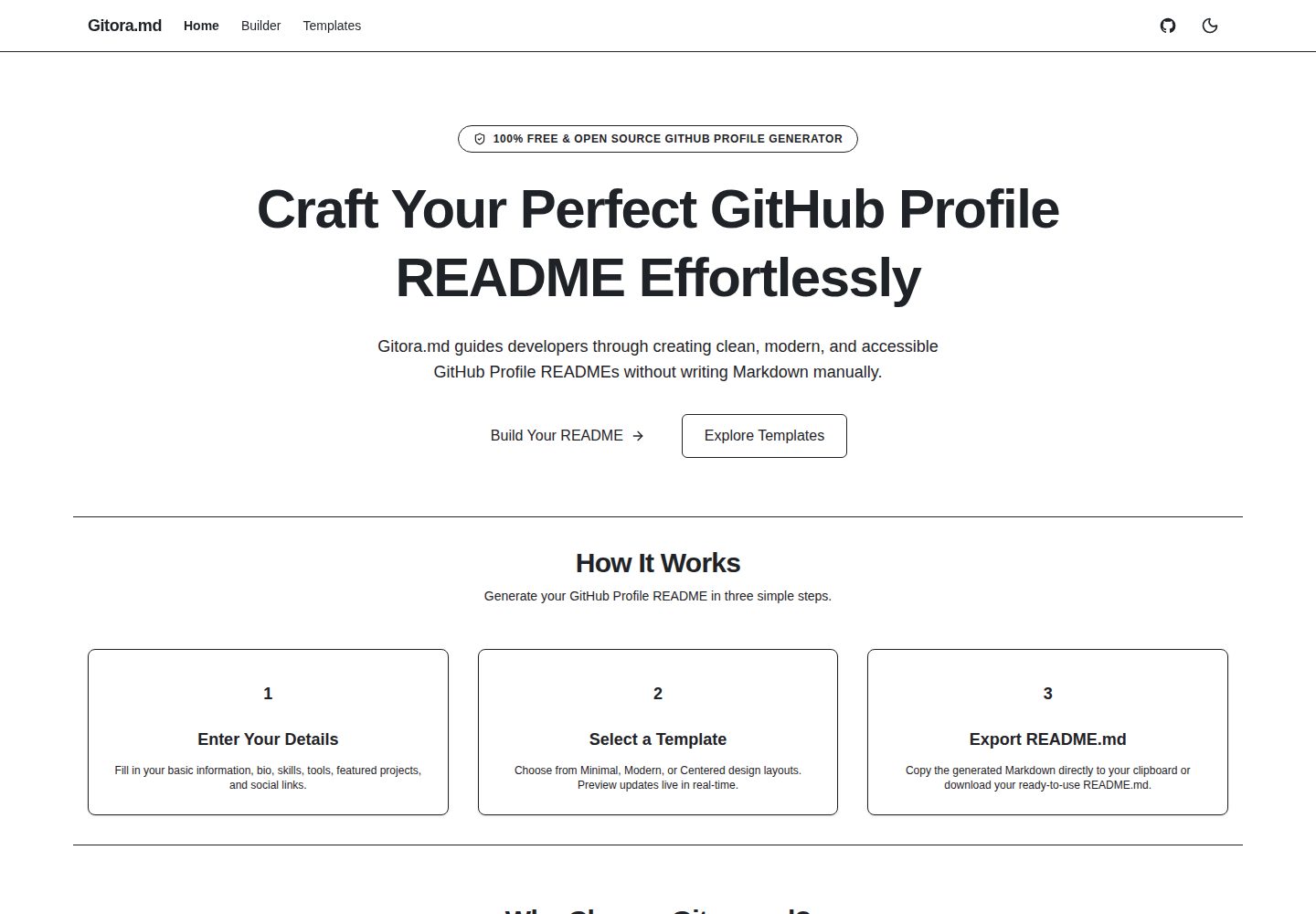
7 步引导式构建流程:Template、Profile、Tech Stack、Projects、Social、Layout、Preview & Export
Next.jsReact工具站
gitora-md — Next.js 工具站模板
作者 manujayagunathilaka
Gitora.md 是一个本地优先的可视化 GitHub Profile README 构建器,通过 7 步引导流程、10 个模板和实时 GitHub 风格预览生成 Markdown。
看看你的网站会是什么样
浏览真实页面截图,比较内容排版与手机效果。点击下方缩略图切换,放大查看整页细节。
全部页面与视图 2
截图用于了解视觉与布局,交互效果请以实际项目为准。
采集于 2026-10-14查看来源
值得关注的模板亮点
从已有项目资料中,快速了解它的特点。
10 个 GitHub 兼容模板,分为 Minimal、Professional、Portfolio、Community 四类
5 种技术展示模式:text、code-pills、gitora-icons、skill-icons、shields
34 项技术目录,支持 exact、prefix、alias、substring 五级排序搜索与分类过滤
本地优先:表单数据仅存 localStorage,默认 code-pills 模式零网络请求
导出支持复制到剪贴板或下载 UTF-8 README.md,草稿自动保存并支持版本迁移
模板详细介绍
Gitora.md 是一个用于构建 GitHub Profile README 的可视化工具,定位为本地优先(local-first)。README 说明它面向软件工程师、开源维护者、教育者和学生,通过引导式流程生成干净、可访问且兼容 GitHub 的 Profile README。
构建流程为 7 个步骤:Template → Profile → Tech Stack → Projects → Social → Layout → Preview & Export。内置 10 个模板,分为 Minimal、Professional、Portfolio、Community 四类,每个模板支持不同的技术展示模式组合。技术图标系统提供 5 种展示模式(text、code-pills、gitora-icons、skill-icons、shields),并配有 34 项技术的选择目录,支持 5 级排序搜索(exact → prefix → alias → substring)和分类过滤。
预览使用 react-markdown、remark-gfm、rehype-raw、rehype-sanitize 渲染经过净化的 Markdown。布局部分提供键盘可操作的区块显示开关和 Move Up / Move Down 排序控件,并带 aria-live 屏幕阅读器提示。导出支持复制 Markdown 到剪贴板或下载 UTF-8 的 README.md 文件。草稿通过防抖的 localStorage 自动保存,包含 v1 → v2 版本迁移、损坏草稿恢复和重置确认弹窗。
隐私方面,README 说明 Profile 表单数据仅存储在浏览器 localStorage,不会传输到 Gitora.md 服务器或外部数据库;默认展示模式 code-pills 不产生网络请求。若选择 gitora-icons、skill-icons 或 shields,浏览器会从 gitora-md.vercel.app、skillicons.dev、img.shields.io 获取公开图标资源,界面会提示外部资源加载及预估请求数,并可一键回退到 code-pills。
技术栈方面,README 列出 Next.js(App Router)、TypeScript(严格模式)、Tailwind CSS v4 与 Radix UI、React Hook Form 与 Zod、react-markdown/remark-gfm/rehype-raw/rehype-sanitize/github-markdown-css,测试使用 Vitest、React Testing Library 和 Playwright E2E,包管理器为 pnpm。本地运行要求 Node.js 24(以 .nvmrc 为准)和 [email protected](以 packageManager 为准)。README 未提供关于部署流程、性能指标或生产就绪程度的说明。
Next.js工具站
适合你的项目吗?
适用场景
- 为 GitHub 个人主页生成 Profile README 并导出 Markdown 文件
- 在多个模板间比较不同布局后选择合适的一种进行定制
- 按分类筛选并搜索技术图标,切换不同的图标展示模式
- 通过键盘操作调整 README 区块顺序与显示状态
- 在本地浏览器中保存草稿并随时继续编辑
适合人群
- 需要维护 GitHub Profile README 的软件工程师
- 开源项目维护者与贡献者
- 教育者与学生
- 希望以可视化方式生成 Markdown 的用户
上手与定制指南
结合仓库当前版本的说明,按下面的资料检查内容、配置与运行要求。
- 1
需要 Node.js 24,版本以仓库 .nvmrc 为准
- 2
需要 [email protected],版本以 package.json 的 packageManager 为准
- 3
依次执行 git clone、pnpm install、cp .env.example .env.local、pnpm dev,然后访问 http://localhost:3000
- 4
可选环境变量:APP_URL、NEXT_PUBLIC_GITORA_ASSET_BASE_URL、NEXT_PUBLIC_ENABLE_GITORA_ICONS
- 5
质量检查命令:pnpm lint && pnpm typecheck && pnpm test && pnpm build && pnpm test:e2e
授权与来源资料
使用条件与限制
免费使用 · 保留许可声明本次收录的是公开仓库中采用 MIT 许可的免费版本;免费范围为该版本代码,不代表外部服务或第三方素材免费。
使用时需要遵守
- 允许免费使用、修改、商用和分发该版本代码。
- 分发代码副本或实质性部分时,保留原作者版权声明和完整 MIT 许可声明。
- 代码按现状提供;担保与责任限制以原许可证及适用法律为准。
额外费用与待核对事项
- 演示图片、字体、图标及其他第三方素材需按各自许可核对,不能仅凭代码的 MIT 许可判断。
- 域名、托管、数据库、支付或 AI 等外部服务可能另外收费。
- 选择 gitora-icons、skill-icons 或 shields 展示模式时,浏览器会从 gitora-md.vercel.app、skillicons.dev、img.shields.io 等第三方主机加载公开图标资源;默认 code-pills 模式不产生网络请求。
- Gitora 托管矢量图标由 NEXT_PUBLIC_ENABLE_GITORA_ICONS 功能开关控制,默认值为 false,需显式启用。
- 使用 Gitora 图标需配置 NEXT_PUBLIC_GITORA_ASSET_BASE_URL 指向托管 /assets/icons/v1/ SVGs 的 HTTPS 源。
- APP_URL 为可选服务端变量,默认值为 https://gitora-md.vercel.app。
- 本地运行需使用 .nvmrc 声明的 Node.js 24。
- 本地运行需使用 package.json 中 packageManager 声明的 [email protected]。
查看原文依据
Permission is hereby granted, free of charge
许可证原文
- **Optional Third-Party Asset Loading**: If you select optional image providers (`gitora-icons`, `skill-icons`, `shields`), your browser fetches public icon assets from allowlisted HTTPS hosts (`gitora-md.vercel.app`, `skillicons.dev`, `img.shields.io`). Profile data is never sent in those requests.
README 原文
| `NEXT_PUBLIC_ENABLE_GITORA_ICONS` | Optional | Public | Feature flag enabling Gitora-hosted vector icons (Defaults to `false`). |
README 原文
| `NEXT_PUBLIC_GITORA_ASSET_BASE_URL` | Optional | Public | HTTPS origin hosting `/assets/icons/v1/` SVGs. |
README 原文
| `APP_URL` | Optional | Server-Only | Application base origin (Defaults to `https://gitora-md.vercel.app`). |
README 原文
- **Node.js**: use the exact version declared in `.nvmrc` (Node.js `24`)
README 原文
https://github.com/manujayagunathilaka/gitora-md/blob/main/LICENSEhttps://github.com/manujayagunathilaka/gitora-md/blob/main/README.md- **pnpm**: use the exact version declared by `packageManager` in `package.json` (`[email protected]`)
README 原文
DeepSeek 根据仓库许可证和 README 整理 ·2026-10-14。结果仅覆盖已读取资料,依赖、图片、字体及后续条款变更以各自原文为准。
项目核对记录与介绍依据
模板资料
- 来源平台
- GitHub
- 资料与维护参考分
- 资料较完整 · 83 / 100
- 技术栈
- Next.js · React
- 网站类型
- 工具站
这个分数如何计算
本站按许可资料(最高30分)、演示链接(12分)、预览图(10分)、Star数(15分)、记录的维护时间(15分)、描述完整度(8分)、功能记录(5分)和分类资料(5分)计算。它不是代码、安全或性能测试,也不是 Google 评分;有链接不代表已实测可用。
这个项目需要核对什么
- 记录的仓库更新时间
- 2026-09-18
- 截图检查日期
- 2026-10-14
已收录演示链接。请用你的内容与屏幕尺寸检查;有演示不代表表单、认证或支付已经可用。
目录记录的主要技术栈是 Next.js。请通过依赖清单和锁文件核对实际版本与托管要求。这些说明基于收录资料,不代表代码审计或部署实测。
查看具体选型方法 →介绍的制作与核对状态
介绍由 AI 辅助整理目录与仓库资料。仓库作者不等于这篇介绍的审核者。
审核声明: codex-user-requested-batch-review-20261017 · 2026-10-16
查看当时使用的来源资料
SHA-256: 309115235d78aba65115f7bc82f1fddcb3f7c142efd073fd2a9855cfb3f7996b
2026-10-14T21:02:24.151Z
来源文件 / 仓库# Gitora.md **A visual, local-first GitHub Profile README builder.** [Live Demo](https://gitora-md.vercel.app) · [Browse Templates](https://gitora-md.vercel.app/templates) · [Open Builder](https://gitora-md.vercel.app/builder) · [Contributing](CONTRIBUTING.md) · [Report Bug](https://github.com/manujayagunathilaka/gitora-md/issues) · [Request Feature](https://github.com/manujayagunathilaka/gitora-md/issues) Gitora.md allows software engineers, open-source maintainers, educators, and students to build clean, accessible, and GitHub-compatible Profile READMEs with curated templates, technology icons, layout reordering controls, and live GitHub-style preview. [](https://github.com/manujayagunathilaka/gitora-md/actions/workflows/ci.yml) [](LICENSE) [](CHANGELOG.md) [](https://nextjs.org/) [](https://www.typescriptlang.org/) [](https://pnpm.io/) [](#privacy-and-local-first-behavior) --- ## Product Preview  *Gitora.md 7-step builder pipeline with live GitHub-style Markdown preview.* <details> <summary><strong>View Additional Interface Screenshots</strong></summary> ### Landing Page & Gallery  ### README Templates Gallery  ### GitHub-Style Preview Step  ### Mobile Responsive Interface  </details> --- ## Key Features - **7-Step Guided Builder**: Progressive, structured pipeline (`Template` → `Profile` → `Tech Stack` → `Projects` → `Social` → `Layout` → `Preview & Export`). - **10 Curated README Templates**: Distinct, GitHub-compatible layouts categorized into `Minimal`, `Professional`, `Portfolio`, and `Community`. - **Multi-Provider Technology Icon System**: 5 presentation modes (`text`, `code-pills`, `gitora-icons`, `skill-icons`, `shields`) with URL-length chunking, theme toggles, and zero-network default fallback. - **Technology Selector**: Curated catalog of 34 technologies with 5-tier ranked search (`exact` → `prefix` → `alias` → `substring`), category filtering, and provider presentation controls. - **GitHub-Style Live Preview**: Sanitized Markdown rendering engine powered by `react-markdown`, `remark-gfm`, `rehype-raw`, and `rehype-sanitize`. - **Accessible Layout Customization**: Keyboard-operable section visibility toggles and `Move Up` / `Move Down` reordering controls with `aria-live` screen-reader announcements. - **One-Click Export**: Copy generated Markdown directly to your clipboard or download as a UTF-8 `README.md` file. - **Local Draft Persistence**: Debounced `localStorage` auto-saving, versioned migration (v1 → v2), corrupted-draft recovery, and confirmation reset modal. - **External Asset Disclosure**: Transparent notifications when remote image providers (Gitora SVGs, Skill Icons, Shields.io) are enabled, including estimated request counts and 1-click fallback to code-pills. --- ## Template Inventory Gitora.md includes ten distinct, GitHub-compatible README templates: | Template ID | Name | Category | Primary Audience & Layout Highlights | Supported Presentations | |---|---|---|---|---| | `minimal` | Minimal | **Minimal** | Text-focused, clean headings, simple bullet points, no emojis. | `text`, `code-pills` | | `compact` | Compact | **Minimal** | Ultra-concise single-screen profile layout. | `text`, `code-pills` | | `modern` | Modern | **Minimal** | Blockquote headline, tech pills, and structured project cards. | `text`, `code-pills`, `shields` | | `professional` | Professional | **Professional** | Recruiter-friendly formal tone with categorized tech stack. | `text`, `code-pills`, `shields` | | `technical` | Technical | **Professional** | Terminal prompt hero, categorized tech stack, systems architecture. | `text`, `code-pills`, `gitora-icons`, `skill-icons`, `shields` | | `centered` | Centered | **Portfolio** | Centered hero header with balanced visual layout. | `text`, `code-pills`, `gitora-icons`, `skill-icons`, `shields` | | `portfolio` | Portfolio | **Portfolio** | Showcase-first layout highlighting top projects & demo links. | `text`, `code-pills`, `gitora-icons`, `skill-icons` | | `creative` | Creative | **Portfolio** | Expressive layout for frontend engineers and UI coders. | `text`, `code-pills`, `gitora-icons`, `skill-icons`, `shields` | | `open-source` | Open Source | **Community** | Repository-first hierarchy for maintainers & contributors. | `text`, `code-pills`, `shields` | | `community` | Community | **Community** | Developer advocates, educators, and community mentors. | `text`, `code-pills`, `skill-icons`, `shields` | --- ## Technology Presentation Modes 1. **Text (`text`)**: Pure Markdown text lists with zero remote images or badges. 2. **Code Pills (`code-pills`)**: Network-free Markdown inline code blocks (`\`React\``). 3. **Gitora Icons (`gitora-icons`)**: Clean vector SVGs hosted on Gitora CDN (`public/assets/icons/v1/`). 4. **Skill Icons (`skill-icons`)**: Consolidated tech stack grids powered by `skillicons.dev`. 5. **Shields Badges (`shields`)**: Flat badges powered by `img.shields.io`. --- ## Privacy and Local-First Behavior - **Browser Storage Only**: Profile form inputs are stored locally in your browser's `localStorage`. - **Zero Profile Tracking**: Profile form data is never transmitted to Gitora.md servers or external databases. - **Network-Free Default**: The default presentation mode (`"code-pills"`) makes 0 network requests. - **Optional Third-Party Asset Loading**: If you select optional image providers (`gitora-icons`, `skill-icons`, `shields`), your browser fetches public icon assets from allowlisted HTTPS hosts (`gitora-md.vercel.app`, `skillicons.dev`, `img.shields.io`). Profile data is never sent in those requests. --- ## Tech Stack - **Framework**: Next.js 16 (App Router) - **Language**: TypeScript (Strict Mode) - **Styling**: Tailwind CSS v4 & Radix UI primitives - **Form & Validation**: React Hook Form & Zod - **Markdown & Sanitization**: `react-markdown`, `remark-gfm`, `rehype-raw`, `rehype-sanitize`, `github-markdown-css` - **Testing**: Vitest, React Testing Library, Playwright E2E - **Package Manager**: `pnpm` --- ## Getting Started ### Prerequisites - **Node.js**: use the exact version declared in `.nvmrc` (Node.js `24`) - **pnpm**: use the exact version declared by `packageManager` in `package.json` (`[email protected]`) ### Local Setup ```bash # 1. Clone the repository git clone https://github.com/manujayagunathilaka/gitora-md.git cd gitora-md # 2. Install dependencies pnpm install # 3. Copy environment configuration template cp .env.example .env.local # 4. Start development server pnpm dev ``` Open [http://localhost:3000](http://localhost:3000) in your browser. --- ## Environment Variables Documented in `.env.example`: | Variable Name | Required | Scope | Purpose & Default | |---|---|---|---| | `APP_URL` | Optional | Server-Only | Application base origin (Defaults to `https://gitora-md.vercel.app`). | | `NEXT_PUBLIC_GITORA_ASSET_BASE_URL` | Optional | Public | HTTPS origin hosting `/assets/icons/v1/` SVGs. | | `NEXT_PUBLIC_ENABLE_GITORA_ICONS` | Optional | Public | Feature flag enabling Gitora-hosted vector icons (Defaults to `false`). | --- ## Available Scripts ```bash pnpm dev # Start development server pnpm build # Build Next.js production bundle (SSG prerendering) pnpm start # Start local production server pnpm lint # Run ESLint check pnpm typecheck # Run TypeScript strict typecheck pnpm test # Run Vitest unit & component tests pnpm test:e2e # Run Playwright end-to-end tests ``` --- ## Automated Verification & Quality Gates The repository uses automated linting, strict typechecking, unit and component tests, production builds, and Playwright end-to-end verification: ```bash pnpm lint && pnpm typecheck && pnpm test && pnpm build && pnpm test:e2e ``` --- ## Contributing We welcome open-source contributions! Please read [CONTRIBUTING.md](CONTRIBUTING.md) and [CODE_OF_CONDUCT.md](CODE_OF_CONDUCT.md) before submitting pull requests. --- ## Security Policy Security vulnerabilities should be reported privately to: **[email protected]** See [SECURITY.md](SECURITY.md) for details. --- ## License This project is licensed under the [MIT License](LICENSE). See [THIRD_PARTY_NOTICES.md](THIRD_PARTY_NOTICES.md) for open-source asset disclosures and trademark acknowledgments.
看看同类模板
对比同技术栈与用途的模板,找到更适合的视觉与内容结构。
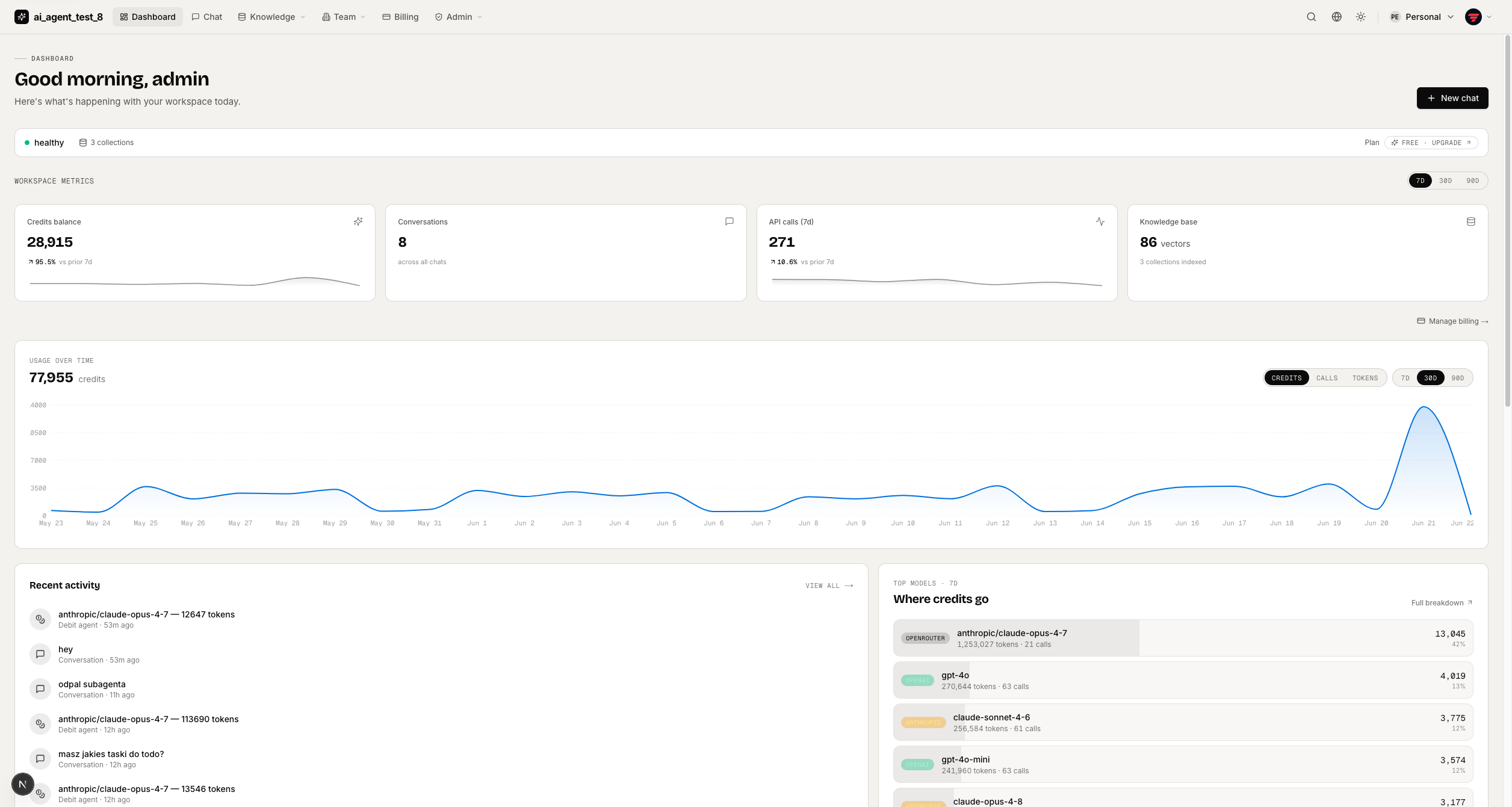
full-stack-ai-agent-template
Full-stack AI app generator — FastAPI + Next.js with AI Agents, RAG, streaming, auth, and 20+ integrations out…
Next.js · 工具站
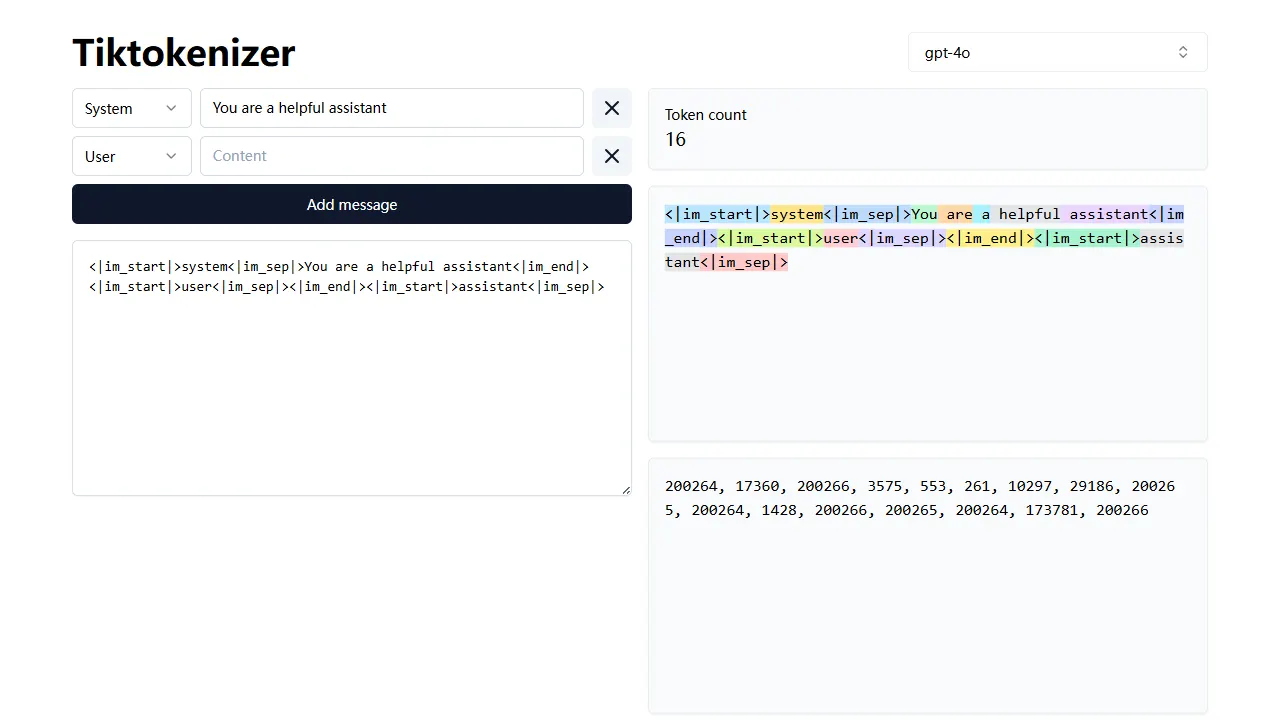
tiktokenizer
tiktokenizer 是一个开源的在线工具站项目,核心功能是计算文本对应的 token 数量,服务于 openai/tiktoken 库。
Next.js · 工具站

resume builder
resume builder 是一个开源的在线简历生成工具,演示站点可直接体验。 它基于 Next.js、TypeScript 和 Material UI 构建,前端状态管理采用 Zustand,整体界面简洁,交互流畅。
Next.js · 工具站
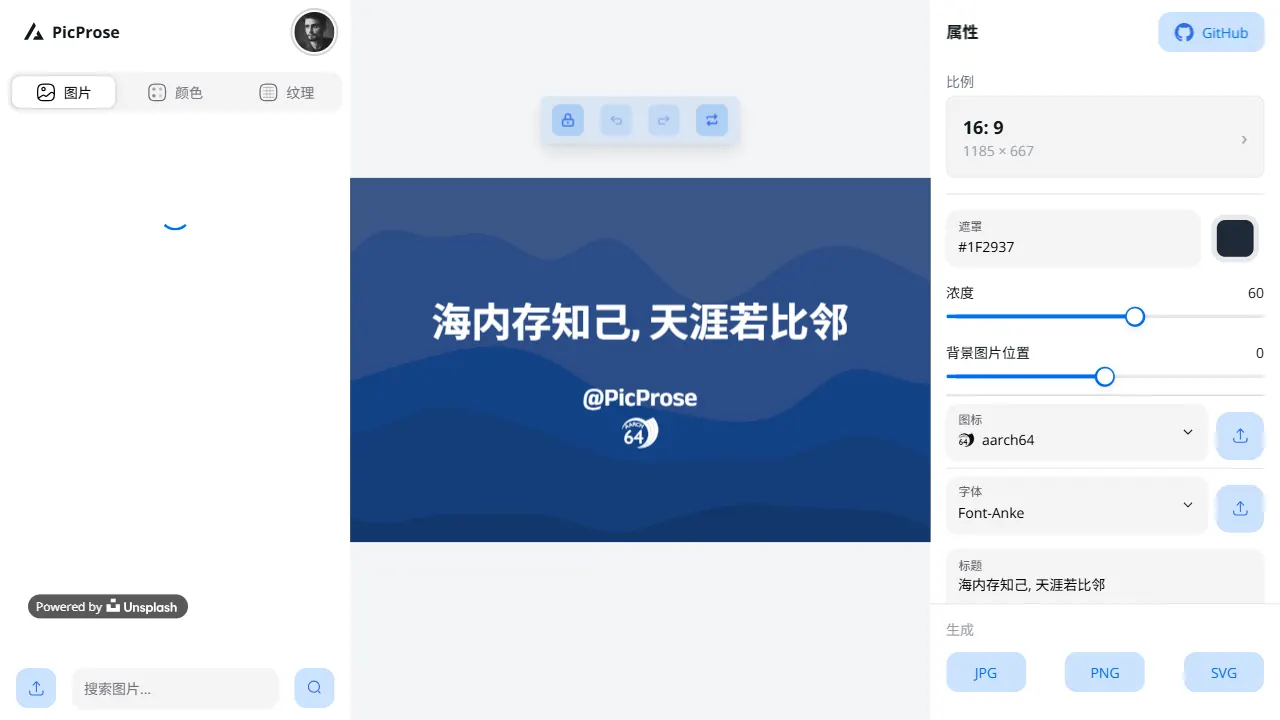
picprose
PicProse 是一个开源的封面图生成工具,专为博客作者、内容创作者和开发者设计。 它通过直观的界面,让用户快速为 Medium、YouTube、B站等平台生成专业封面。
Next.js · 工具站
notty
Notty 是一个定位明确的笔记应用模板,核心卖点是“离线优先 + 实时协作 + 数据自主”。
Next.js · 工具站
gfw
gfw 是 Global Forest Watch 的官方 Web 应用,一个面向森林监测与告警的在线工具站。
Next.js · 工具站