使用 Vite 构建的 Vue 3 启动器,包管理采用 pnpm
VueVite启动器
vue-starter — Vue 启动器模板
作者 matijaoe
基于 Vue 3、Vite 与 UnoCSS 的启动器模板,集成文件路由、自动导入、Pinia、VueUse 与 TypeScript,附带 ESLint 配置和部署脚本。
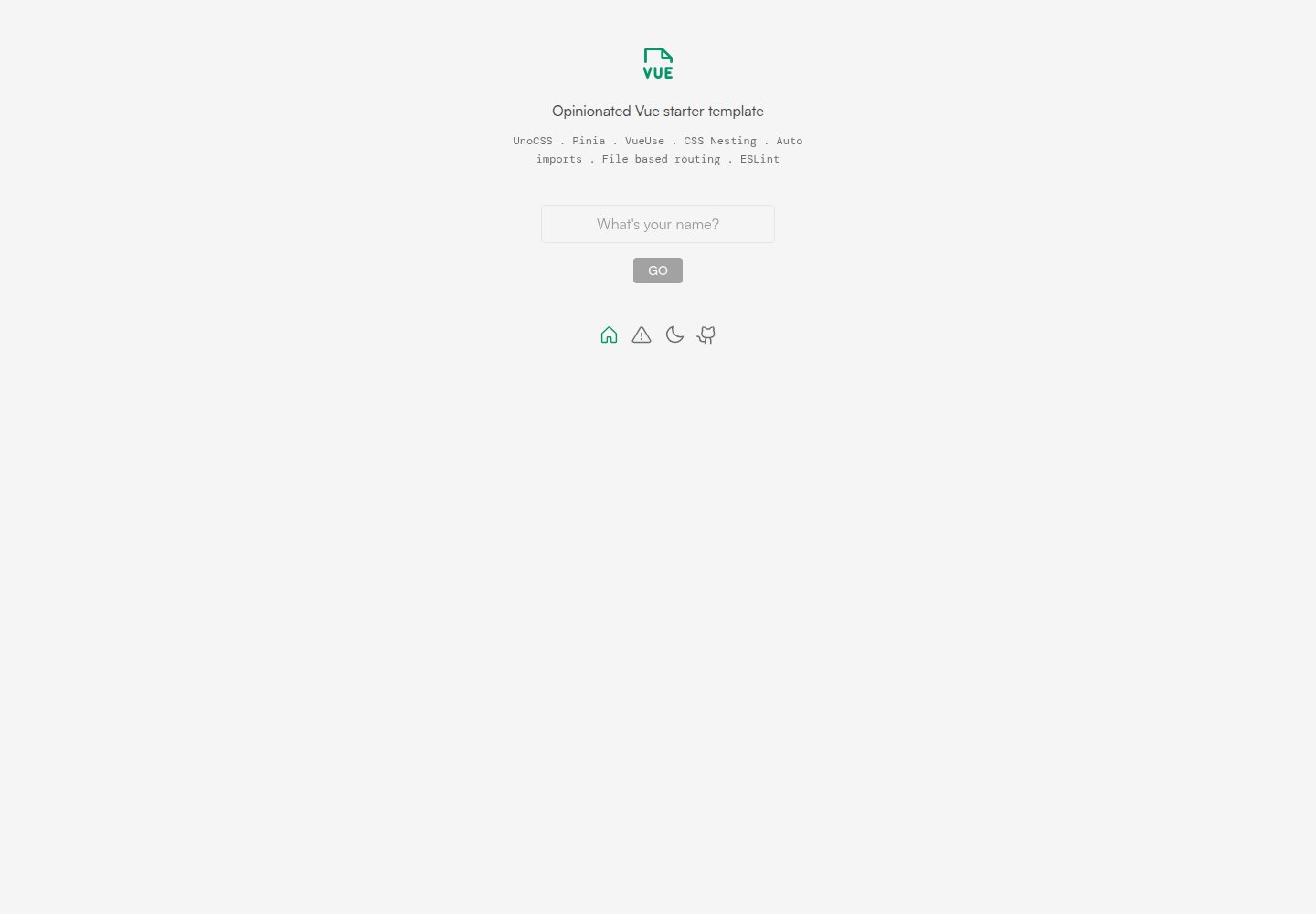
看看你的网站会是什么样
浏览真实页面截图,比较内容排版与手机效果。点击下方缩略图切换,放大查看整页细节。
全部页面与视图 2
截图用于了解视觉与布局,交互效果请以实际项目为准。
采集于 2026-10-03查看来源
值得关注的模板亮点
从已有项目资料中,快速了解它的特点。
文件路由由 unplugin-vue-router 提供,并带 TypeScript 类型支持
组件与 API 自动导入,分别由 unplugin-vue-components 和 unplugin-auto-import 实现
UnoCSS 集成 presetUno、presetAttributify、presetTypography、presetIcons、presetWebFonts 及指令与变体组转换器
内置 Pinia 状态管理与 VueUse 组合式工具集
提供 dev、build 脚本以及 Vercel、Netlify、Surge 部署命令
模板详细介绍
该模板是一个 Vue 3 启动器,使用 Vite 构建,并以 UnoCSS 作为原子化 CSS 引擎。仓库说明中列出文件路由(unplugin-vue-router,带类型支持)、组件自动导入(unplugin-vue-components)、API 自动导入(unplugin-auto-import)、Pinia 状态管理、VueUse 组合式工具集、TypeScript 类型检查(vue-tsc)以及 ESLint 配置。UnoCSS 部分启用了 presetUno、presetAttributify、presetTypography、presetIcons、presetWebFonts 以及 transformerDirectives、transformerVariantGroup,并引入 PostCSS 的 postcss-nesting。
使用方式上,仓库提供 GitHub Template 生成仓库,或通过 npx giget gh:matijaoe/vue-starter <name> 在本地克隆无 git 历史的副本;包管理使用 pnpm,脚本包含 dev、build 以及面向 Vercel、Netlify、Surge 的部署命令。README 还说明了在编辑器中为 .vue 导入提供 TypeScript 支持需要 Volar 插件,并给出启用 Take Over Mode 的步骤。
限制方面,模板未在资料中声明具体框架版本号、性能指标或生产就绪程度;演示图片、字体、图标等第三方素材需按各自许可核对,托管、数据库、支付或 AI 等外部服务可能另行收费。
VueVite启动器
适合你的项目吗?
适用场景
- 需要快速搭建 Vue 3 + Vite + UnoCSS 项目骨架时
- 希望使用文件路由、自动导入和 TypeScript 类型检查的 Vue 项目
- 需要 Pinia 与 VueUse 作为默认状态和工具集的项目
- 准备部署到 Vercel、Netlify 或 Surge 的 Vue 前端项目
- 作为学习 UnoCSS 预设与转换器配置的参考模板
适合人群
- 熟悉 Vue 3 与 TypeScript 的前端开发者
- 偏好原子化 CSS 与自动导入工作流的团队
- 需要从模板快速生成新仓库的个人或小团队
- 使用 pnpm 作为包管理器的项目
上手与定制指南
结合仓库当前版本的说明,按下面的资料检查内容、配置与运行要求。
- 1
可通过 GitHub Template 生成仓库,或在本地运行 npx giget gh:matijaoe/vue-starter <name> 克隆无 git 历史的副本
- 2
安装依赖使用 pnpm i;若未安装 pnpm,可先运行 npm install -g pnpm
- 3
开发使用 pnpm dev,生产构建使用 pnpm build
- 4
部署脚本包括 pnpm deploy:vercel、pnpm deploy:ntl、pnpm deploy:surge
- 5
在编辑器中为 .vue 导入提供 TypeScript 支持需安装 Volar 插件,必要时可启用 Take Over Mode
授权与来源资料
使用条件与限制
免费使用 · 保留许可声明本次收录的是公开仓库中采用 MIT 许可的免费版本;免费范围为该版本代码,不代表外部服务或第三方素材免费。
使用时需要遵守
- 允许免费使用、修改、商用和分发该版本代码。
- 分发代码副本或实质性部分时,保留原作者版权声明和完整 MIT 许可声明。
- 代码按现状提供;担保与责任限制以原许可证及适用法律为准。
额外费用与待核对事项
- 演示图片、字体、图标及其他第三方素材需按各自许可核对,不能仅凭代码的 MIT 许可判断。
- 域名、托管、数据库、支付或 AI 等外部服务可能另外收费。
查看原文依据
https://github.com/matijaoe/vue-starter/blob/main/LICENSE.mdhttps://github.com/matijaoe/vue-starter/blob/main/README.mdPermission is hereby granted, free of charge
许可证原文
DeepSeek 根据仓库许可证和 README 整理 ·2026-10-03。结果仅覆盖已读取资料,依赖、图片、字体及后续条款变更以各自原文为准。
项目核对记录与介绍依据
模板资料
- 来源平台
- GitHub
- 资料与维护参考分
- 资料较完整 · 77 / 100
- 技术栈
- Vue · Vite
- 网站类型
- 启动器
这个分数如何计算
本站按许可资料(最高30分)、演示链接(12分)、预览图(10分)、Star数(15分)、记录的维护时间(15分)、描述完整度(8分)、功能记录(5分)和分类资料(5分)计算。它不是代码、安全或性能测试,也不是 Google 评分;有链接不代表已实测可用。
这个项目需要核对什么
- 记录的仓库更新时间
- 2024-04-11
- 截图检查日期
- 2026-10-03
已收录演示链接。请用你的内容与屏幕尺寸检查;有演示不代表表单、认证或支付已经可用。
目录记录的主要技术栈是 Vue。请通过依赖清单和锁文件核对实际版本与托管要求。这些说明基于收录资料,不代表代码审计或部署实测。
查看具体选型方法 →介绍的制作与核对状态
介绍由 AI 辅助整理目录与仓库资料。仓库作者不等于这篇介绍的审核者。
审核声明: [email protected] · 2026-10-04
查看当时使用的来源资料
SHA-256: c8548e31f9e4b39a5369c19bd6a39d2e2e2b810c321b14cc2816c85217eabbbc
2026-10-03T18:56:43.079Z
来源文件 / 仓库# Vue ✕ UnoCSS starter template
> Fully featured Vue 3 starter template
|🌞|🌚|
|---|---|
|<img width="445" alt="Light mode" src="https://user-images.githubusercontent.com/46557266/213271710-f59e6cf8-571e-4621-9fb9-2a58bd877bd6.png">|<img width="441" alt="Dark mode" src="https://user-images.githubusercontent.com/46557266/213271718-838259c8-2e71-4f0f-9bd5-fa6a5eef0d1c.png">|
## Features
- ⚡️ [Vue 3](https://github.com/vuejs/core), [Vite](https://github.com/vitejs/vite), [pnpm](https://pnpm.io/)
- 🗂 File based routing, fully typed
- 📦 Auto imported components
- 🫧 Auto imported APIs
- 🎨 [UnoCSS](https://github.com/antfu/unocss) - The instant on-demand atomic CSS engine
- 👽 Pure CSS icons powered by [Iconify](https://docs.iconify.design/icon-components/vue/) - Over 100,000 icons across 100+ icon packs
- 🍍 [Pinia](https://pinia.vuejs.org/) - The Vue Store that you will enjoy using
- 🛠️ [VueUse](https://vueuse.org/) - Collection of essential Vue Composition Utilities
- 💪🏻 TypeScript
- 🧹 ESLint / [matijaoe config](https://github.com/matijaoe/eslint-config)
- ☁️ Deploy with zero config
## Plugins
### UI Frameworks
- [UnoCSS](https://github.com/antfu/unocss) - The instant on-demand atomic CSS engine
- [`presetUno`](https://github.com/unocss/unocss/tree/main/packages/preset-uno) - Tailwind / Windi CSS compact preset
- [`presetAttributify`](https://github.com/unocss/unocss/tree/main/packages/preset-attributify) - Provides Attributify Mode to other presets and rules
- [`presetTypography`](https://github.com/unocss/unocss/tree/main/packages/preset-typography) - The typography preset
- [`presetIcons`](https://github.com/unocss/unocss/tree/main/packages/preset-icons) - Use any icons with Pure CSS for UnoCSS
- [`presetWebFonts`](https://github.com/unocss/unocss/tree/main/packages/preset-web-fonts) - Web fonts at ease
- [`transformerDirectives`](https://github.com/unocss/unocss/tree/main/packages/transformer-directives) - Transformer for `@apply`, `@screen` and `theme()` directives
- [`transformerVariantGroup`](https://github.com/unocss/unocss/tree/main/packages/transformer-variant-group) - Enables the [variant group feature of Windi CSS](https://windicss.org/features/variant-groups.html) for UnoCSS
- [Post CSS](https://postcss.org/)
- [`postcss-nesting`](https://github.com/csstools/postcss-plugins/tree/main/plugins/postcss-nesting)
### Vite Plugins
- [`unplugin-vue-router`](https://github.com/posva/unplugin-vue-router) - Automatic file based routing in with TypeScript support
- [`unplugin-auto-import`](https://github.com/antfu/unplugin-auto-import) - Directly use Vue Composition API and other APIs without importing
- [`unplugin-vue-components`](https://github.com/antfu/unplugin-vue-components) - Components auto import
## Use the template
### GitHub Template
[Create a repo from this template on GitHub](https://github.com/matijaoe/vue-starter/generate)
### Local
Clone the template locally, with no git history (powered by [`unjs/giget`](https://github.com/unjs/giget))
```bash
npx giget gh:matijaoe/vue-starter <name>
```
```bash
# Install dependencies (if no pnpm installed, run: npm install -g pnpm)
pnpm i
# Start dev server
pnpm dev
# Build for production
pnpm build
# Deploy anywhere
pnpm deploy:vercel # vercel
pnpm deploy:ntl # netlify
pnpm deploy:surge # surge.sh
```
## Type Support for `.vue` Imports in TS
TypeScript cannot handle type information for `.vue` imports by default, so we replace the `tsc` CLI with `vue-tsc` for type checking. In editors, we need [TypeScript Vue Plugin (Volar)](https://marketplace.visualstudio.com/items?itemName=Vue.vscode-typescript-vue-plugin) to make the TypeScript language service aware of `.vue` types.
If the standalone TypeScript plugin doesn't feel fast enough to you, Volar has also implemented a [Take Over Mode](https://github.com/johnsoncodehk/volar/discussions/471#discussioncomment-1361669) that is more performant. You can enable it by the following steps:
1. Disable the built-in TypeScript Extension
1) Run `Extensions: Show Built-in Extensions` from VSCode's command palette
2) Find `TypeScript and JavaScript Language Features`, right click and select `Disable (Workspace)`
2. Reload the VSCode window by running `Developer: Reload Window` from the command palette.
## Related
- 🧚🏻 [`nuxt-starter`](https://github.com/matijaoe/nuxt-starter)
- 🔮 [`vue-anu-starter`](https://github.com/matijaoe/vue-anu-starter)
看看同类模板
对比同技术栈与用途的模板,找到更适合的视觉与内容结构。

vitesse
🏕 Opinionated Vite + Vue Starter Template
Vue · 启动器

vitesse-webext
⚡️ WebExtension Vite Starter Template
Vue · 启动器

laravel-vue-spa
A Laravel-Vue SPA starter kit.
Vue · 启动器

vue3-h5-template
vue3-h5-template 是一个面向移动端 H5 项目的启动模板,基于 Vue3、Vite 和 Vant4 构建,同时集成了 TypeScript、Tailwindcss、Pinia、Vue-router 等常用…
Vue · 启动器

tov-template
vite + vue3 + ts 开箱即用现代开发模板 | vite + vue3 + ts out-of-the-box modern development template
Vue · 启动器

shadcn-vue-landing-page
New design 🎉 Vue + Shadcn-vue + TypeScript + Tailwind. Landing page template ease-to-use
Vue · 企业官网