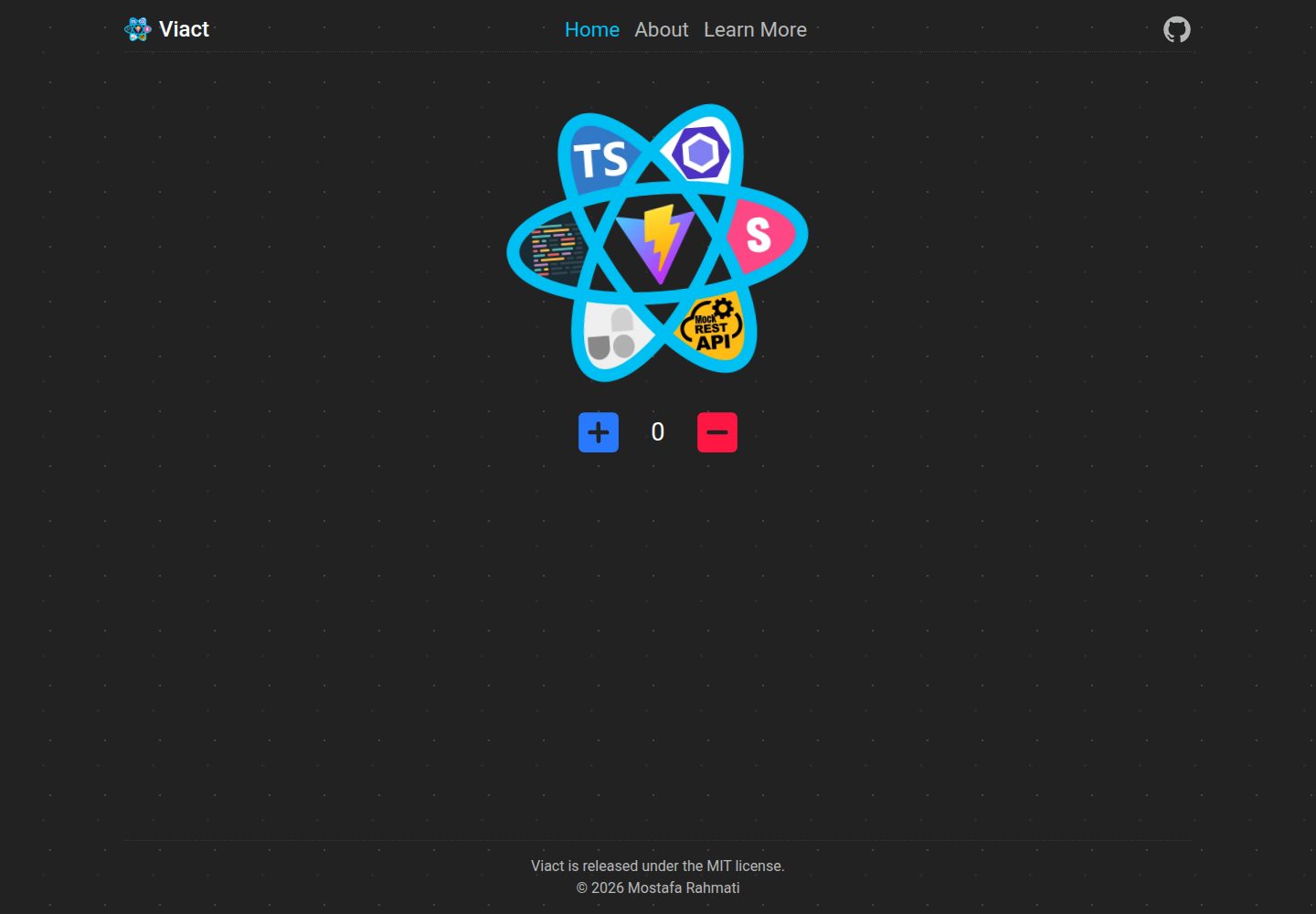
基于 Vite 与 React TypeScript 的启动器模板,包含路由、类型定义与基础目录结构
ViteReact启动器
Viact — Vite 启动器模板
作者 MR-Mostafa
Viact 是一个基于 Vite 与 React TypeScript 的启动器模板,内置 RTL 样式、开发代理、mock REST API、UnoCSS、Storybook 与 ESLint/Prettier 等开发配置。
看看你的网站会是什么样
浏览真实页面截图,比较内容排版与手机效果。点击下方缩略图切换,放大查看整页细节。
全部页面与视图 2
截图用于了解视觉与布局,交互效果请以实际项目为准。
采集于 2026-10-02查看来源
值得关注的模板亮点
从已有项目资料中,快速了解它的特点。
内置 UnoCSS 原子化 CSS 引擎,并在 acss.ts 中定义了一套自定义类名规则
支持 RTL 样式(PostCSS RTLCSS 插件)与全局 RTL 样式文件
开发环境提供 API 请求代理,用于处理 CORS 问题
基于 json-server 的 mock REST API 服务,位于 mock 文件夹
集成 Storybook、ESLint、Prettier、Conventional Commit 与 VSCode 配置
模板详细介绍
Viact 是面向 React TypeScript 项目的启动器模板,使用 Vite 作为构建工具。它提供了一套有倾向性的基础配置,包含路由(React Router DOM)、TypeScript、UnoCSS 原子化 CSS、PostCSS 的 RTL 支持与 autoprefixer、ESLint、Prettier、Conventional Commit、Storybook、ErrorBoundary,以及基于 json-server 的 mock REST API 服务。模板还支持通过 ~/... 的绝对导入、开发环境下的 API 请求代理(用于处理 CORS 问题)、Sass/Scss/Less,并在生产构建时自动压缩图片。开发模式下默认启用 HTTPS(https://localhost:3000/),也可通过 dev:http 脚本关闭。
使用前需要 Node.js >= 16 与 Yarn >= 1。可以通过 GitHub 模板生成仓库,或克隆到本地后执行 yarn install 与 yarn run reset 来清理不需要的文件和 git 历史。README 提供了脚本清单(dev、dev:http、build、preview、analyze、reset、mock:server、storybook、build-storybook)和目录结构说明,并提醒更新 index.html 标题、favicon 以及 package.json 中的 name、description、author、keywords、homepage、repository、bugs 字段。
模板采用 MIT 许可,允许免费使用、修改、商用和分发该版本代码,但分发代码副本或实质性部分时需保留版权声明和完整 MIT 许可声明。演示图片、字体、图标等第三方素材需按各自许可核对;域名、托管、数据库等外部服务可能另外收费。
ViteReact启动器
适合你的项目吗?
适用场景
- 需要快速搭建 React TypeScript 项目基础结构的场景
- 项目需要 RTL 样式支持或面向多语言布局
- 开发阶段需要 mock REST API 或代理后端接口以绕过 CORS
- 希望使用 UnoCSS 原子化样式并配合 Storybook 进行组件开发
适合人群
- 使用 React 与 TypeScript 的前端开发者
- 需要包含路由、状态管理目录、工具函数等基础结构的项目
- 希望统一 ESLint、Prettier、提交规范与编辑器配置的团队
- 需要在开发阶段使用 mock API 或代理接口的开发者
上手与定制指南
结合仓库当前版本的说明,按下面的资料检查内容、配置与运行要求。
- 1
需要 Node.js >= 16 与 Yarn >= 1
- 2
可通过 GitHub 模板生成仓库,或克隆后执行 yarn install 与 yarn run reset
- 3
开发模式默认使用 HTTPS(https://localhost:3000/),可用 yarn run dev:http 关闭
- 4
按需编辑 .vite.config.js 中的 proxy 字段配置 API 代理
- 5
使用模板时需更新 index.html 标题、favicon 以及 package.json 中的项目信息字段
授权与来源资料
使用条件与限制
免费使用 · 保留许可声明本次收录的是公开仓库中采用 MIT 许可的免费版本;免费范围为该版本代码,不代表外部服务或第三方素材免费。
使用时需要遵守
- 允许免费使用、修改、商用和分发该版本代码。
- 分发代码副本或实质性部分时,保留原作者版权声明和完整 MIT 许可声明。
- 代码按现状提供;担保与责任限制以原许可证及适用法律为准。
额外费用与待核对事项
- 使用该模板需要本地环境安装 Node.js 16 或更高版本,并使用 Yarn 1 或更高版本进行依赖安装与脚本运行。
- 克隆到本地后需执行 yarn run reset 来清理不需要的文件并清除 git 历史,否则会保留模板原有提交记录。
- 如需使用开发代理功能,必须手动编辑 .vite.config.js 中的 proxy 字段进行配置,模板不会自动配置后端地址。
- mock REST API 功能依赖 json-server,仅在开发阶段使用,不属于生产环境的后端服务。
- 演示图片、字体、图标及其他第三方素材需按各自许可核对,不能仅凭代码的 MIT 许可判断。
- 域名、托管、数据库、支付或 AI 等外部服务可能另外收费。
查看原文依据
Permission is hereby granted, free of charge
许可证原文
📦 [Node.js >=16](https://nodejs.org/) - 📦 [Yarn >=1](https://yarnpkg.com/)
README 原文
yarn run reset # Reset and clean all files you don't need, and clean git history
README 原文
For Set Proxy, please see and edit the `proxy` field in file `.vite.config.js`
README 原文
https://github.com/MR-Mostafa/Viact/blob/main/LICENSEhttps://github.com/MR-Mostafa/Viact/blob/main/README.mdWe use `json-server` to create mock REST APIs.
README 原文
DeepSeek 根据仓库许可证和 README 整理 ·2026-10-02。结果仅覆盖已读取资料,依赖、图片、字体及后续条款变更以各自原文为准。
项目核对记录与介绍依据
模板资料
- 来源平台
- GitHub
- 资料与维护参考分
- 资料较完整 · 77 / 100
- 技术栈
- Vite · React
- 网站类型
- 启动器
这个分数如何计算
本站按许可资料(最高30分)、演示链接(12分)、预览图(10分)、Star数(15分)、记录的维护时间(15分)、描述完整度(8分)、功能记录(5分)和分类资料(5分)计算。它不是代码、安全或性能测试,也不是 Google 评分;有链接不代表已实测可用。
这个项目需要核对什么
- 记录的仓库更新时间
- 2022-08-15
- 截图检查日期
- 2026-10-02
已收录演示链接。请用你的内容与屏幕尺寸检查;有演示不代表表单、认证或支付已经可用。
目录记录的主要技术栈是 Vite。请通过依赖清单和锁文件核对实际版本与托管要求。这些说明基于收录资料,不代表代码审计或部署实测。
查看具体选型方法 →介绍的制作与核对状态
介绍由 AI 辅助整理目录与仓库资料。仓库作者不等于这篇介绍的审核者。
已完成服务器许可规则与 AI 来源核对;未经过人工编辑审核。
查看当时使用的来源资料
SHA-256: b0ac3ec6c335d622c36f33e98b390c3991c49387bc6ac1cf22a9a992892983fd
2026-10-02T22:06:37.438Z
来源文件 / 仓库<p align="center">
<img src="./src/assets/images/viact.png" alt="Viact Logo" width="300">
</p>
# ⚡️ Viact
<p>Viact is a starter template for React TypeScript that uses Vitejs, which supports RTL for specific styles, proxy fetching API (to fix CORS errors) and a simple mock REST API server. <br />Additionally, Is set up VScode, Storybook, ErrorBoundary, UnoCss (atomic CSS engine), Eslint, Prettier, and more.</p>
# Synopsis & Motivation
<p>It's an opinionated setup for modern web applications (a GitHub template). This is a set of essential (and minimal) libraries, components, and utilities that developers typically require when developing React applications.</p>
<p>Almost all projects need to have a router, a UI framework, error handling, base file/folder structure, a builder, some developer tools (eslint, prettier, postcss, etc), and many more. As a starter kit, we tried to include the best options available in the above fields.</p>
# Features
<p>Viact is a minimalist starter template, it includes:</p>
- ⚡️ [Vite](https://vitejs.dev/) - Next Generation Frontend Tooling
- ⚛️ [React 18](https://reactjs.org/) - A JavaScript library for building user interfaces
- 🏄 [React Router DOM](https://reactrouter.com/)
- 💎 [TypeScript (of course)](https://www.typescriptlang.org/)
- 🎨 [UnoCSS](https://github.com/antfu/unocss) - the instant on-demand atomic CSS engine
- ✅ Safety - Https is enabled by default in development `https://localhost:3000/`
- 🔨 [EsLint](https://eslint.org/) - Pluggable JavaScript linter
- 🌀 [Prettier](https://prettier.io) - Opinionated Code Formatter
- 📭 [PostCss](https://postcss.org/) - Supports RTL for specific styles & autoprefixer (add vendor prefixes)
- ☄️ [Conventional Commit](https://commitlint.js.org/#/)
- 🎯 Absolute import by using `~/...`
- ⚙️ Proxying API Requests in Development
- 🔥 The easiest way to mock REST APIs! Based on (json-server)[https://github.com/typicode/json-server]
- 📕 [Storybook](https://storybook.js.org/)
- 🗃️ Minify images (image compressor) Automatically (in production)
- 🖌️ Support Sass/Scss/Less
# Prerequisites
- 📦 [Node.js >=16](https://nodejs.org/)
- 📦 [Yarn >=1](https://yarnpkg.com/)
# Getting Started
### GitHub Template
[Create a repo from this template on GitHub.](https://github.com/MR-Mostafa/Viact/generate)
### Clone to local
<p>If you would prefer to do it manually, use the following:</p>
```bash
git clone https://github.com/MR-Mostafa/Viact.git
cd Viact
```
<p>After that, follow these steps to clean the git history and install the dependencies:</p>
```bash
yarn install # Install all dependencies
yarn run reset # Reset and clean all files you don't need, and clean git history
```
# Folder Structure
<p>Simple folder structures, no configuration needed, just the files you need:</p>
```
Viact
├── .storybook # Storybook configuration
├── .vite-cache # Vite cache (for faster builds)
├── .vscode # VSCode configuration
├── mock # Full fake REST API server (Create a mock API server with `json-server`)
├── node_modules # Node modules
├── postcss # Postcss RTLCSS Plugin
└── src # Your source code that will be compiled to dist folder
| ├── api
| ├── assets
| | ├── fonts
| | ├── images
| | └── styles
| | ├── utils # Utility styles
| | ├── styles.rtl.scss # Global rtl styles
| | └── styles.scss # Global styles
| ├── components
| ├── constants
| ├── containers
| ├── env
| ├── pages
| ├── sections
| ├── store
| ├── types
| ├── utils
| ├── App.tsx
| ├── main.tsx
| └── Routes.tsx
├── .gitignore
├── index.html
├── package.json
├── README.md
├── vite.config.js
...
```
# Available Scripts
<p>In this project, you can run the following scripts:</p>
| Script | Description |
| ------------------------ | ------------------------------------------------------------------------------ |
| yarn run dev | Runs the app in the development mode. (With HTTPS) |
| yarn run dev:http | Runs the app in the development mode. (**Without** HTTPS) |
| yarn run build | Builds the app for production to the `dist` folder. |
| yarn run preview | Builds the app for production to the `dist` folder, and run locally server. |
| yarn run analyze | Builds the app for production to the `dist` folder, and active analyze mode. |
| yarn run reset | Reset and clean all files you don't need, and clean git history. |
| yarn run mock:server | Run the server for the fake rest API. |
| yarn run storybook | Run the documentation for the UI. |
| yarn run build-storybook | Builds the documentation for the UI. |
# UnoCSS
Plese see this link for more information about UnoCSS:<br />
- [Unocss](https://github.com/unocss/unocss)
- [Let’s Define Exactly What Atomic CSS is](https://css-tricks.com/lets-define-exactly-atomic-css/)
- [Atomic CSS](https://acss.io/)
- [Reimagine Atomic CSS](https://antfu.me/posts/reimagine-atomic-css)
### The default CSS Preset (Atomic CSS Class)
As you might know, Tailwind and Windi CSS transform specific class names in the HTML file (or in the JSX or TSX file) to specific property styles as you need them(on-demand). <br />
A number of rules have been defined for the use of commonly used styles, Which is defined in the following file:
```
./acss.ts
```
- Support all utilities styles
- Support css Pseudo Classes/Elements
- Support group selectors, like .navbar a {...}
- Support CSS variables
### Rules:
- In classNames, spaces cannot be used (because a new class has already been defined). <br />Therefore, the underscore(_) sign should be used instead of a space. We will now replace the underscore(_) sign with a space.
- **For Group Selectors:**
- Group Selectors must start with @
- All selectors must end with dollar sign ($)
- The classname can only contain one dollar sign ($)<br />
**example:**
```
space between
👆
@.wrapper_p$fs[16px] => .wrapper p{font-size: 16px;}
👇 👇
👇 end group selectors
👇
start group selectors
```
#### example
You can use utility classes in your components and stylesheets as usua.
| ACSS ClassName | Corresponding CSS |
| ------------------ | --------------------------------------------------------- |
| pt-[10] | padding-top: 1.5rem; **The default unit is the rem** |
| py-[1.5rem] | padding-top: 1.5rem; <br /> padding-bottom: 1.5rem; |
| bd-[1px_solid_#F5F5F5] | border: 1px solid #F5F5F5; |
| bdt-[1px_solid_#F5F5F5] | border-top: 1px solid #F5F5F5; |
| br-[10px] | border-radius: 10px; |
| bgc-[#fff] | background-color: #fff; |
| w-[100vw] | width: 100vw; |
| fs-[1.2em] | font-size: 1.2em |
| text-[center] | text-align: center |
| px-[1rem] | padding-left: 1rem; <br /> padding-right: 1rem; |
| @.navbar_a$fs-[1.4rem] **Group Selectors** | .navbar a { font-size: 1.4rem; } |
| @.github:hover_svg$fill-[#fff] | .github:hover svg { fill: #fff !important; } |
| hover:bg[red] **Pseudo Classes** | elem:hover{background: red;} |
| after:cnt[text] **Pseudo Elements** | elem::after{content: "text"} |
| root:[--primary:#0d6efd] **Global CSS variables** | :root {--primary: #0d6efd;} |
| elem:[--primary:#0d6efd] **Local CSS variables** | elem {--primary: #0d6efd;} |
# Set Proxy (If you need)
For Set Proxy, please see and edit the `proxy` field in file `.vite.config.js`
# Fake REST API (If you need)
To create mock REST APIs, see the `mock` folder. <br />
We use `json-server` to create mock REST APIs. Plese see the following link for more information:<br />
[json-server](https://github.com/typicode/json-server)
# Checklist
Be sure to follow the checklist when updating your information using this template
- [ ] Change the title in `index.html`
- [ ] Change the favicon in `./src/assets/images`
- [ ] Change the `name, description, author, keywords, homepage, repository and bugs` field in `package.json`
And, enjoy :)
看看同类模板
对比同技术栈与用途的模板,找到更适合的视觉与内容结构。

react-starter-kit
Modern React starter kit with Bun, TypeScript, Tailwind CSS, tRPC, Stripe, and Cloudflare Workers. Production-…
Vite · SaaS

cove
The Cove Stack: 🏝️ minimal TanStack Start template with Vite+, Better Auth, Drizzle ORM, shadcn/ui
Vite · SaaS

vite-react-boilerplate
A production ready, scalable starter template for Vite + React
Vite · 启动器

react-vite-admin
This Starter utilizes React, Recoil, React Query, React Hooks, Typescript, Axios And Vite. 全新技术栈的后台管理系统
Vite · 后台

typescript-react_best_practices-vite_template
<⚡⚛️> Start your React project with Vite following code best practices (TypeScript, Linting, testing, CI/CD…)
Vite · 启动器

cloudflare-starter-kit
Template (boilerplate) repository for scaffolding Cloudflare Workers projects
Vite · 启动器