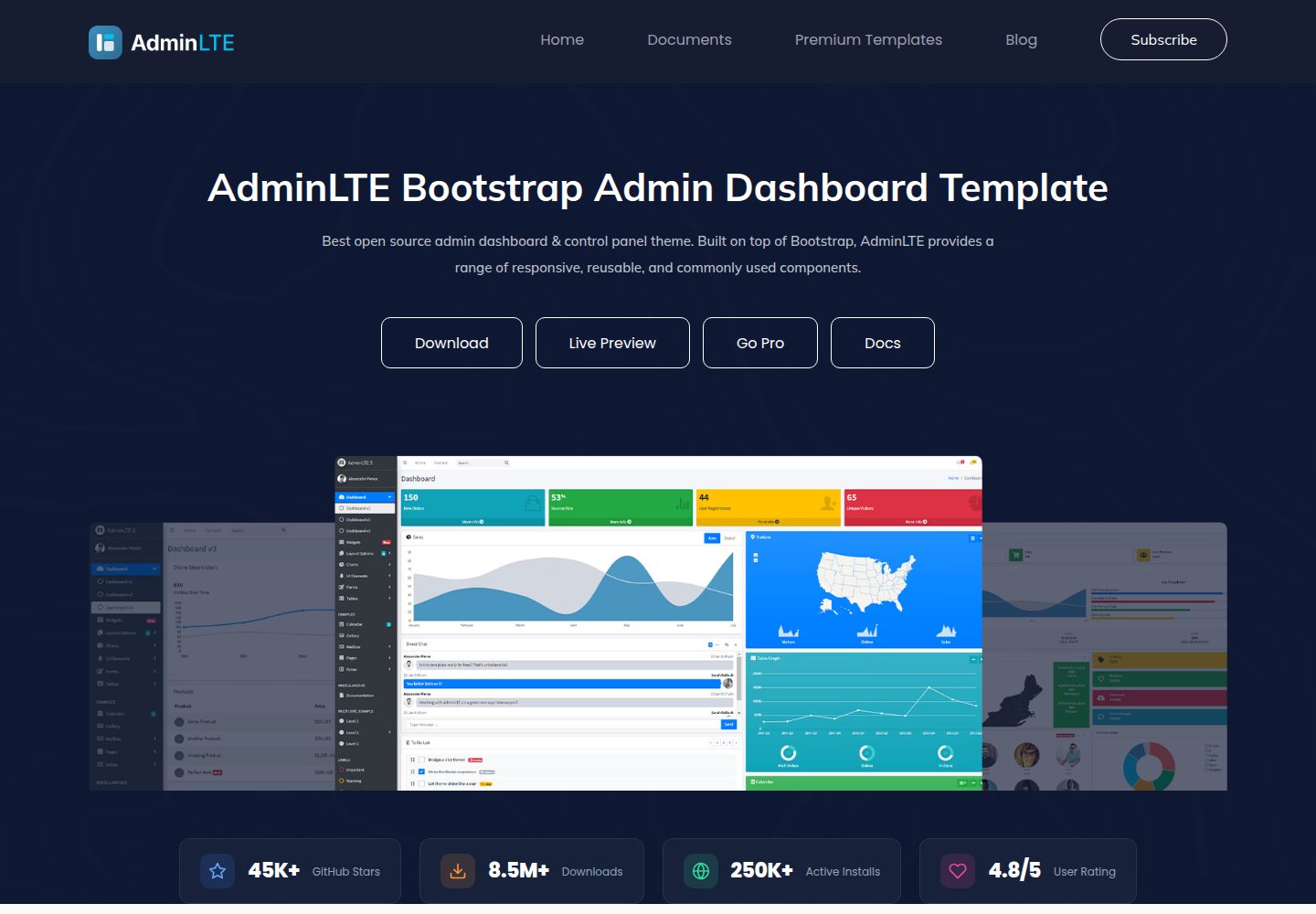
基于 Bootstrap 5 及其 JavaScript 插件构建的响应式后台模板
HTML后台
AdminLTE — HTML 后台模板
作者 nkeonye-akumah
AdminLTE 是基于 Bootstrap 5 的响应式后台管理模板,提供可直接使用的仪表盘布局与示例页面。
看看你的网站会是什么样
浏览真实页面截图,比较内容排版与手机效果。点击下方缩略图切换,放大查看整页细节。
全部页面与视图 3
截图用于了解视觉与布局,交互效果请以实际项目为准。
采集于 2026-10-02查看来源
值得关注的模板亮点
从已有项目资料中,快速了解它的特点。
包含仪表盘等示例页面,覆盖移动端到桌面端分辨率
提供 SCSS 源码与注释,便于调整样式
提供 npm 开发服务器与构建脚本,支持文件变更自动编译
采用 MIT 许可,可免费使用、修改、商用与分发
模板详细介绍
AdminLTE 是一个基于 Bootstrap 5 及其 JavaScript 插件的后台管理模板,定位为响应式管理界面,适配从小尺寸移动设备到大型桌面的多种屏幕分辨率。仓库以 HTML 为主要技术栈,同时包含 SCSS 与 JavaScript 源码,代码中带有注释,SCSS 用于提升样式可定制性。
模板提供仪表盘类页面示例(如 index.html、index2.html、index3.html 等),并配套开发与构建脚本:npm install 安装依赖,npm start 启动开发服务器并在文件变更时自动编译刷新,npm run build 与 npm run production 用于生成资源。README 明确说明该模板本身是 UI 模板,生产部署时应只发布编译后的 dist/js/adminlte.min.js 与 dist/css/adminlte.min.css 以及应用自身文件,不应部署 node_modules、示例 HTML、src 目录和开发配置文件。
许可方面,仓库采用 MIT 许可,允许免费使用、修改、商用与分发该版本代码,分发代码副本或实质性部分时需保留版权声明与完整 MIT 许可声明。演示图片、字体、图标等第三方素材需按各自许可单独核对;域名、托管、数据库、支付或 AI 等外部服务可能另外收费。
HTML后台
适合你的项目吗?
适用场景
- 搭建后台管理系统的界面框架与仪表盘页面
- 作为 Bootstrap 5 管理后台项目的起始模板进行二次开发
- 参考其 HTML、SCSS 与 JS 组织方式编写自定义管理界面
适合人群
- 需要现成后台布局与仪表盘示例的前端开发者
- 使用 Bootstrap 5 技术栈并希望自定义样式的项目
- 希望以 MIT 许可免费使用并修改代码的团队
上手与定制指南
结合仓库当前版本的说明,按下面的资料检查内容、配置与运行要求。
- 1
运行 npm install 安装依赖,再执行 npm start 启动开发服务器(默认 http://localhost:3000)
- 2
构建资源使用 npm run build 或 npm run production,产物位于 dist 目录
- 3
生产环境只部署 dist/js/adminlte.min.js、dist/css/adminlte.min.css 及应用自身文件,不要部署 node_modules、示例 HTML 与 src 目录
- 4
使用前核对演示图片、字体、图标等第三方素材的各自许可
授权与来源资料
使用条件与限制
免费使用 · 保留许可声明本次收录的是公开仓库中采用 MIT 许可的免费版本;免费范围为该版本代码,不代表外部服务或第三方素材免费。
使用时需要遵守
- 允许免费使用、修改、商用和分发该版本代码。
- 分发代码副本或实质性部分时,保留原作者版权声明和完整 MIT 许可声明。
- 代码按现状提供;担保与责任限制以原许可证及适用法律为准。
额外费用与待核对事项
- 当前版本以 MIT 许可免费提供,但 AdminLTE.io 保留更改未来版本许可的权利,因此后续版本可能不再采用 MIT 许可。
- 生产部署时只应发布编译后的 dist/js/adminlte.min.js 与 dist/css/adminlte.min.css 以及应用自身文件。
- 不应将示例 HTML 文件(index.html、index2.html、index3.html 等)部署到生产环境。
- 项目另有付费高级模板页面,属于可选付费内容,与 MIT 许可的免费模板相互独立。
- 演示图片、字体、图标及其他第三方素材需按各自许可核对,不能仅凭代码的 MIT 许可判断。
- 域名、托管、数据库、支付或 AI 等外部服务可能另外收费。
查看原文依据
Permission is hereby granted, free of charge
许可证原文
AdminLTE.io reserves the right to change the license of future releases.
README 原文
Only compiled production assets: `dist/js/adminlte.min.js` and `dist/css/adminlte.min.css`
README 原文
Demo/example HTML files (index.html, index2.html, index3.html, etc.)
README 原文
https://github.com/nkeonye-akumah/AdminLTE/blob/master/LICENSEhttps://github.com/nkeonye-akumah/AdminLTE/blob/master/README.mdAdminLTE.io just opened a new premium templates page.
README 原文
DeepSeek 根据仓库许可证和 README 整理 ·2026-10-02。结果仅覆盖已读取资料,依赖、图片、字体及后续条款变更以各自原文为准。
项目核对记录与介绍依据
模板资料
- 来源平台
- GitHub
- 资料与维护参考分
- 资料较完整 · 80 / 100
- 技术栈
- HTML
- 网站类型
- 后台
这个分数如何计算
本站按许可资料(最高30分)、演示链接(12分)、预览图(10分)、Star数(15分)、记录的维护时间(15分)、描述完整度(8分)、功能记录(5分)和分类资料(5分)计算。它不是代码、安全或性能测试,也不是 Google 评分;有链接不代表已实测可用。
这个项目需要核对什么
- 记录的仓库更新时间
- 2026-01-21
- 截图检查日期
- 2026-10-02
已收录演示链接。请用你的内容与屏幕尺寸检查;有演示不代表表单、认证或支付已经可用。
目录记录的主要技术栈是 HTML。请通过依赖清单和锁文件核对实际版本与托管要求。这些说明基于收录资料,不代表代码审计或部署实测。
查看具体选型方法 →介绍的制作与核对状态
介绍由 AI 辅助整理目录与仓库资料。仓库作者不等于这篇介绍的审核者。
已完成服务器许可规则与 AI 来源核对;未经过人工编辑审核。
查看当时使用的来源资料
SHA-256: e12eb448d34bc68a31b03f052b7b9ddc2bde1997dcebeaf0c33f579acd96f7c4
2026-10-02T22:25:43.559Z
来源文件 / 仓库# [AdminLTE - Bootstrap 5 Admin Dashboard](https://adminlte.io) [](https://www.npmjs.com/package/admin-lte) [](https://packagist.org/packages/almasaeed2010/adminlte) [](https://www.jsdelivr.com/package/npm/admin-lte) [](https://discord.gg/jfdvjwFqfz) [](https://app.netlify.com/sites/adminlte-v4/deploys) **AdminLTE** is a fully responsive administration template. Based on **[Bootstrap 5](https://getbootstrap.com/)** framework and also the JavaScript plugins. Highly customizable and easy to use. Fits many screen resolutions from small mobile devices to large desktops. ## What's New in v4.0.0-rc6 **Security & Feature Release** - Important security fixes and new sidebar persistence feature: - **Security Fixes** - Resolved 4 vulnerabilities (XSS in Astro, auth bypass, unsanitized attributes) - **Sidebar State Persistence** - Sidebar now remembers collapsed/expanded state across page refreshes - **Node.js 22** - Updated all GitHub Actions workflows to Node.js 22 LTS (supported until 2027) - **Latest Dependencies** - 15+ packages updated including Astro 5.16.4, Prettier 3.7.4, Rollup 4.53.3 - **CI/CD Improvements** - Updated CodeQL actions to v3, fixed release workflow bugs **Key Improvements:** - ✅ Zero security vulnerabilities - all npm audit issues resolved - ✅ Sidebar state persists in localStorage (configurable, SSR-safe, mobile-aware) - ✅ GitHub Actions use Node.js 22 (Active LTS until April 2027) - ✅ CodeQL security scanning updated to latest v3 actions - ✅ Release workflow fixed for proper asset packaging **Install the latest:** ```bash npm install [email protected] ``` See the [CHANGELOG.md](CHANGELOG.md) for complete details. ## Looking for Premium Templates? AdminLTE.io just opened a new premium templates page. Hand picked to ensure the best quality and the most affordable prices. Visit <https://adminlte.io/premium> for more information. 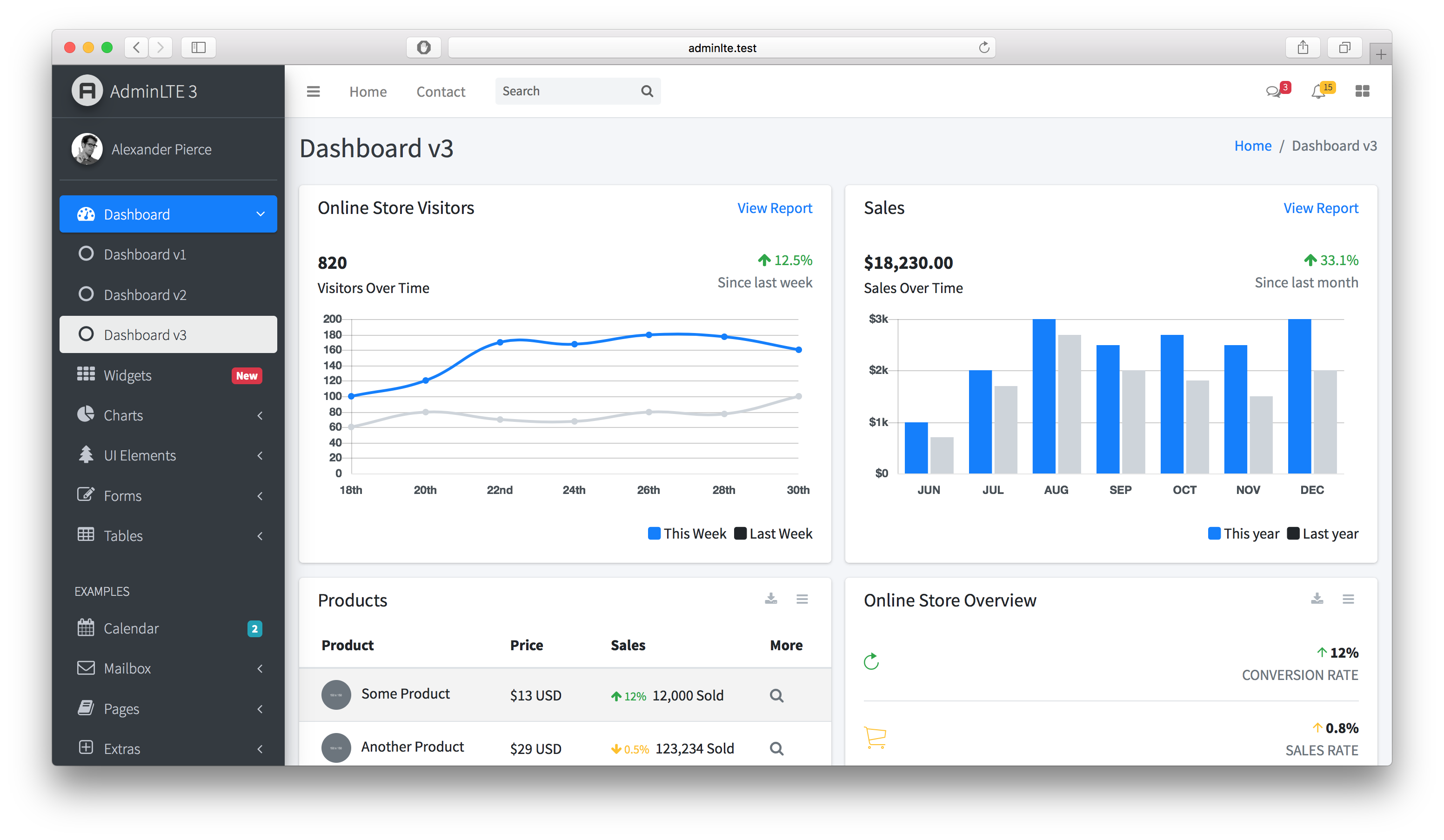 **AdminLTE** has been carefully coded with clear comments in all of its JS, SCSS and HTML files. SCSS has been used to increase code customizability. ## Quick start ### Development To start developing with AdminLTE: 1. **Install dependencies:** `npm install` 2. **Start development server:** `npm start` *(opens browser at http://localhost:3000)* 3. **Start coding!** Files auto-compile and refresh on changes ### Production Build To build for production: 1. **Full production build:** `npm run production` *(includes linting and optimization)* 2. **Quick build:** `npm run build` *(faster for development/testing)* ### Available Scripts - `npm start` - Start development server with file watching - `npm run build` - Build all assets for development - `npm run production` - Full production build with linting and bundlewatch - `npm run lint` - Run all linters (JS, CSS, docs, lockfile) - `npm run css` - Build CSS only - `npm run js` - Build JavaScript only ## Browser Support AdminLTE supports all modern browsers with the latest Bootstrap 5.3.7: - Chrome (latest) - Firefox (latest) - Safari (latest) - Edge (latest) ## Platform Support AdminLTE v4 build scripts work cross-platform: - **Windows** - Command Prompt, PowerShell, Git Bash - **macOS** - Terminal, iTerm2 - **Linux** - Bash, Zsh, and other Unix shells All npm scripts use cross-platform utilities to ensure consistent behavior across different operating systems. ## Security & Production Deployment ### Important Security Notice AdminLTE is a **UI template** - when deploying to production, follow these critical guidelines: **What to Deploy:** - Only compiled production assets: `dist/js/adminlte.min.js` and `dist/css/adminlte.min.css` - Your application-specific files **What NOT to Deploy:** - `node_modules/` directory - Demo/example HTML files (index.html, index2.html, index3.html, etc.) - Source files (`src/` directory) - Development configuration files **CVE-2021-36471 Notice:** This CVE is **disputed** and does not represent a vulnerability in AdminLTE. It refers to demo pages being accessible when developers incorrectly deploy example files to production. AdminLTE v4 has a clear separation between development demos and production assets. See [SECURITY.md](SECURITY.md) for complete details. **Production Build:** ```bash npm run production # Builds optimized assets in dist/ ``` For detailed security guidelines, authentication requirements, and best practices, see [SECURITY.md](SECURITY.md). ## Sponsorship Support AdminLTE development by becoming a sponsor or donor. <p align="center"> <a href="https://github.com/sponsors/danny007in"> <img src="https://img.shields.io/static/v1?label=Sponsor&message=%E2%9D%A4&logo=GitHub&color=%23fe8e86" alt="Sponsor on GitHub" /> </a> <a href="https://www.paypal.me/daniel007in"> <img src="https://img.shields.io/static/v1?label=Donate&message=%E2%9D%A4&logo=PayPal&color=%2300457C" alt="Donate via PayPal" /> </a> </p> ## Our Sponsors <p align="center"> <a href="https://github.com/spizzo14"><img src="https://unavatar.io/github/spizzo14?fallback=https%3A%2F%2Fraw.githubusercontent.com%2FJamesIves%2Fgithub-sponsors-readme-action%2Fdev%2F.github%2Fassets%2Fplaceholder.png" width="50" height="50" alt="User avatar: spizzo14" loading="lazy" /></a> <a href="https://github.com/tomhappyblock"><img src="https://unavatar.io/github/tomhappyblock?fallback=https%3A%2F%2Fraw.githubusercontent.com%2FJamesIves%2Fgithub-sponsors-readme-action%2Fdev%2F.github%2Fassets%2Fplaceholder.png" width="50" height="50" alt="User avatar: tomhappyblock" loading="lazy" /></a> <a href="https://github.com/stefanmorderca"><img src="https://unavatar.io/github/stefanmorderca?fallback=https%3A%2F%2Fraw.githubusercontent.com%2FJamesIves%2Fgithub-sponsors-readme-action%2Fdev%2F.github%2Fassets%2Fplaceholder.png" width="50" height="50" alt="User avatar: stefanmorderca" loading="lazy" /></a> <a href="https://github.com/tito10047"><img src="https://unavatar.io/github/tito10047?fallback=https%3A%2F%2Fraw.githubusercontent.com%2FJamesIves%2Fgithub-sponsors-readme-action%2Fdev%2F.github%2Fassets%2Fplaceholder.png" width="50" height="50" alt="User avatar: tito10047" loading="lazy" /></a> <a href="https://github.com/sitchi"><img src="https://unavatar.io/github/sitchi?fallback=https%3A%2F%2Fraw.githubusercontent.com%2FJamesIves%2Fgithub-sponsors-readme-action%2Fdev%2F.github%2Fassets%2Fplaceholder.png" width="50" height="50" alt="User avatar: sitchi" loading="lazy" /></a> <a href="https://github.com/npreee"><img src="https://unavatar.io/github/npreee?fallback=https%3A%2F%2Fraw.githubusercontent.com%2FJamesIves%2Fgithub-sponsors-readme-action%2Fdev%2F.github%2Fassets%2Fplaceholder.png" width="50" height="50" alt="User avatar: npreee" loading="lazy" /></a> <a href="https://github.com/isaacmorais"><img src="https://unavatar.io/github/isaacmorais?fallback=https%3A%2F%2Fraw.githubusercontent.com%2FJamesIves%2Fgithub-sponsors-readme-action%2Fdev%2F.github%2Fassets%2Fplaceholder.png" width="50" height="50" alt="User avatar: isaacmorais" loading="lazy" /></a> </p> <p align="center"> <a href="https://github.com/sponsors/danny007in">Your avatar here? Become a sponsor</a> </p> ## Contributing - Highly welcome. - For your extra reference check [AdminLTE v4 Contribution Guide](https://github.com/ColorlibHQ/AdminLTE#contributing) - First thing first, you should have bit knowledge about NodeJS. - Github Knowledge. - Install NodeJS LTS version. - Clone this Repository to your machine and change to `master` branch. - Go to Cloned Folder. - In cli/bash run `npm install` it will install dependency from `package.json`. - After installation completes, run `npm start` - Cool, Send your changes in PR to `master` branch. ## License AdminLTE is an open source project by [AdminLTE.io](https://adminlte.io) that is licensed under [MIT](https://opensource.org/licenses/MIT). AdminLTE.io reserves the right to change the license of future releases. ## Image Credits - [Pixeden](http://www.pixeden.com/psd-web-elements/flat-responsive-showcase-psd) - [Graphicsfuel](https://www.graphicsfuel.com/2013/02/13-high-resolution-blur-backgrounds/) - [Pickaface](https://pickaface.net/) - [Unsplash](https://unsplash.com/) - [Uifaces](http://uifaces.com/) - [Unavatar](https://unavatar.io/)
看看同类模板
对比同技术栈与用途的模板,找到更适合的视觉与内容结构。

gentelella
Free admin dashboard template — vanilla JS, SCSS, Vite 8. No Bootstrap, no jQuery.
HTML · 后台

coreui-free-bootstrap-admin-template
Free Bootstrap Admin & Dashboard Template Built for AI-Assisted Development
HTML · 后台

dashboards
Responsive dashboard templates 📊✨
HTML · 后台

SB Admin 2
SB Admin 2 是 Start Bootstrap 推出的开源后台模板,基于 Bootstrap 构建,整体风格偏向经典管理界面。
HTML · 后台

Adminator-admin-dashboard
Adminator is easy to use and well design admin dashboard template with dark mode for web apps, websites, servi…
HTML · 后台

SB Admin
SB Admin 是 Start Bootstrap 推出的开源后台管理模板,基于 Bootstrap 构建,定位是简洁、实用的管理界面。
HTML · 后台