基于 NextAuth.js 的用户认证,支持邮箱/密码登录与 GitHub、Google、Apple 等社交登录,并包含邮箱验证与会话管理
Next.jsReactSaaS
ShipMore — Next.js SaaS模板
作者 nuknal
ShipMore 是一个基于 Next.js 15 App Router 的应用模板,集成 NextAuth.js 认证、Stripe 支付、next-intl 多语言、主题切换与 Drizzle ORM + PostgreSQL 数据库,帮助开发者跳过基础设施搭建,直接编写业务逻辑。
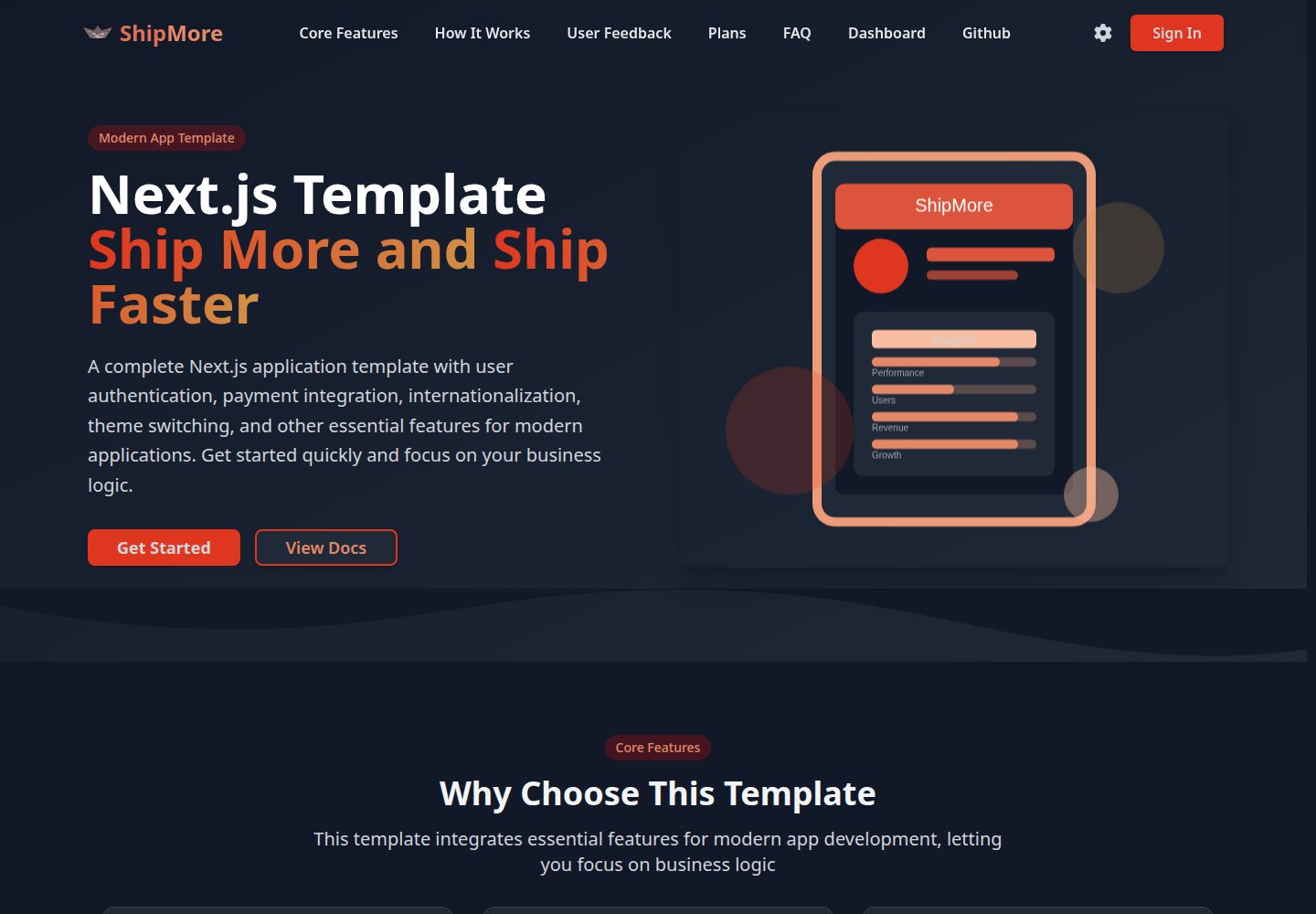
看看你的网站会是什么样
浏览真实页面截图,比较内容排版与手机效果。点击下方缩略图切换,放大查看整页细节。
全部页面与视图 3
截图用于了解视觉与布局,交互效果请以实际项目为准。
采集于 2026-10-14查看来源
值得关注的模板亮点
从已有项目资料中,快速了解它的特点。
Stripe 支付集成,README 描述包含订阅管理、账单历史与用量统计
基于 next-intl 的多语言支持,提供中英文切换与本地化路由
暗色/亮色主题切换,支持系统主题检测与设置持久化
使用 Drizzle ORM 与 PostgreSQL 作为数据库层,并提供迁移、推送、Studio 与种子数据脚本
采用 Tailwind CSS 与 Shadcn UI 构建界面,并声明为响应式设计
模板详细介绍
ShipMore 是一个 Next.js 应用模板,README 将其定位为帮助开发者更快构建现代 Web 应用的基础项目。它把常见的应用基础设施预先集成好,包括基于 NextAuth.js 的用户认证、Stripe 支付与订阅、基于 next-intl 的多语言支持、暗色/亮色主题切换,以及使用 Drizzle ORM 连接 PostgreSQL 的数据库层。UI 采用 Tailwind CSS 与 Shadcn UI,并声明为响应式设计。
项目使用 Next.js 15 的 App Router 与 TypeScript,目录结构按 app/[locale] 划分多语言路由,并区分 (auth) 与 (unauth) 页面分组,同时包含 components、db、hooks、i18n、lib、locales、services、styles、types、utils 等目录。README 提供了从克隆、安装依赖、配置环境变量、初始化数据库到启动开发服务器的完整步骤,以及 Vercel 部署说明,并称可部署到其他支持 Next.js 的平台。
README 未提供模板的在线演示地址、版本号、性能数据或生产环境验证情况,也未说明除 Stripe 之外支付集成的具体实现细节;文档中同时出现 Stripe 与 Creem 的表述,二者关系未作解释。
Next.jsSaaS
适合你的项目吗?
适用场景
- 需要快速搭建带用户认证与订阅付费的 SaaS 类 Web 应用原型
- 希望以 Next.js App Router 为基础,直接开始编写业务逻辑而非配置基础设施
- 需要多语言路由与主题切换能力的应用项目
- 使用 PostgreSQL 并希望通过 Drizzle ORM 管理 schema 与迁移的项目
适合人群
- 熟悉 Next.js、TypeScript 与 Tailwind CSS 的开发者
- 需要认证、支付、多语言等常见能力作为起点的应用项目
- 计划部署到 Vercel 或其它支持 Next.js 平台的项目
上手与定制指南
结合仓库当前版本的说明,按下面的资料检查内容、配置与运行要求。
- 1
克隆仓库后使用 pnpm install 安装依赖
- 2
复制 .env.example 为 .env.local,并配置 DATABASE_URL、NEXTAUTH_SECRET、NEXTAUTH_URL、GitHub/Google OAuth、Stripe 以及 Resend、Cloudflare R2 等环境变量
- 3
通过 pnpm db:generate 生成迁移、pnpm db:push 推送数据库结构,可选执行 pnpm db:seed 写入种子数据
- 4
执行 pnpm dev 启动开发服务器,访问 http://localhost:3000 查看应用
- 5
Vercel 部署需连接 GitHub 仓库并配置环境变量;README 称也可部署到 Netlify、Railway、Render 等支持 Next.js 的平台
授权与来源资料
使用条件与限制
免费使用 · 保留许可声明本次收录的是公开仓库中采用 MIT 许可的免费版本;免费范围为该版本代码,不代表外部服务或第三方素材免费。
使用时需要遵守
- 允许免费使用、修改、商用和分发该版本代码。
- 分发代码副本或实质性部分时,保留原作者版权声明和完整 MIT 许可声明。
- 代码按现状提供;担保与责任限制以原许可证及适用法律为准。
额外费用与待核对事项
- 演示图片、字体、图标及其他第三方素材需按各自许可核对,不能仅凭代码的 MIT 许可判断。
- 域名、托管、数据库、支付或 AI 等外部服务可能另外收费。
- 需要自备 PostgreSQL 数据库连接串(DATABASE_URL),模板本身不提供数据库服务。
- 需自行生成并配置 NEXTAUTH_SECRET 与 NEXTAUTH_URL 才能运行认证。
- GitHub 社交登录需自行申请并配置 GITHUB_ID 与 GITHUB_SECRET。
- Google 社交登录需自行申请并配置 GOOGLE_CLIENT_ID 与 GOOGLE_CLIENT_SECRET。
- Stripe 支付功能需自备 Stripe 密钥(含 webhook secret),属外部付费服务账号。
- 邮件相关功能依赖 Resend 服务,需自行申请 RESEND_API_KEY。
- 文件存储依赖 Cloudflare R2,需自行配置访问密钥。
- README 在支付系统章节写的是 Creem 集成,与功能列表和技术栈中的 Stripe 表述不一致,实际支付实现需自行核实。
- README 声称支持 Apple 社交登录,但环境变量示例中未列出 Apple 相关配置项。
查看原文依据
Permission is hereby granted, free of charge
许可证原文
DATABASE_URL="postgresql://..."
README 原文
NEXTAUTH_SECRET="your-secret"
README 原文
GITHUB_ID="your-github-id"
README 原文
GOOGLE_CLIENT_ID="your-google-id"
README 原文
STRIPE_SECRET_KEY="sk_test_..."
README 原文
RESEND_API_KEY="your-resend-key"
README 原文
CLOUDFLARE_R2_ACCESS_KEY_ID="your-r2-key"
README 原文
- Creem integration
README 原文
https://github.com/nuknal/ShipMore/blob/main/LICENSEhttps://github.com/nuknal/ShipMore/blob/main/README.md- Social login (GitHub, Google, Apple)
README 原文
DeepSeek 根据仓库许可证和 README 整理 ·2026-10-14。结果仅覆盖已读取资料,依赖、图片、字体及后续条款变更以各自原文为准。
项目核对记录与介绍依据
模板资料
- 来源平台
- GitHub
- 资料与维护参考分
- 资料较完整 · 80 / 100
- 技术栈
- Next.js · React
- 网站类型
- SaaS
这个分数如何计算
本站按许可资料(最高30分)、演示链接(12分)、预览图(10分)、Star数(15分)、记录的维护时间(15分)、描述完整度(8分)、功能记录(5分)和分类资料(5分)计算。它不是代码、安全或性能测试,也不是 Google 评分;有链接不代表已实测可用。
这个项目需要核对什么
- 记录的仓库更新时间
- 2025-12-16
- 截图检查日期
- 2026-10-14
已收录演示链接。请用你的内容与屏幕尺寸检查;有演示不代表表单、认证或支付已经可用。
目录记录的主要技术栈是 Next.js。请通过依赖清单和锁文件核对实际版本与托管要求。这些说明基于收录资料,不代表代码审计或部署实测。
查看具体选型方法 →介绍的制作与核对状态
介绍由 AI 辅助整理目录与仓库资料。仓库作者不等于这篇介绍的审核者。
审核声明: codex-user-requested-batch-review-20261017 · 2026-10-16
查看当时使用的来源资料
SHA-256: ed4fb6572304e36aa1c2c32f0be30d04757813585bbed97c3788006ba93e0835
2026-10-14T12:42:37.682Z
来源文件 / 仓库# ShipMore - Next.js Application Template A comprehensive Next.js application template that helps developers build modern web applications faster. Includes user authentication, payment integration, multi-language support, theme switching, and other essential features for modern applications, allowing you to focus on business logic rather than infrastructure. ## ✨ Features - 🔐 **User Authentication** - Based on NextAuth.js, supports multiple login methods - 💳 **Payment Integration** - Complete subscription and payment system - 🌍 **Internationalization** - Multi-language support based on next-intl - 🎨 **Theme Switching** - Dark/light mode toggle - 📊 **Database** - Using Drizzle ORM and PostgreSQL - 🎯 **Modern UI** - Tailwind CSS + Shadcn UI - 📱 **Responsive Design** - Perfect adaptation to various devices - 🚀 **Performance Optimization** - Next.js 15 best practices ## 🛠️ Tech Stack - **Framework**: Next.js 15 (App Router) - **Language**: TypeScript - **Styling**: Tailwind CSS - **UI Components**: Shadcn UI - **Authentication**: NextAuth.js - **Database**: PostgreSQL + Drizzle ORM - **Payment**: Stripe - **Internationalization**: next-intl - **Deployment**: Vercel ## 📦 Quick Start ### 1. Clone the Project ```bash git clone <your-repo-url> cd shipmore ``` ### 2. Install Dependencies ```bash pnpm install ``` ### 3. Environment Configuration Copy `.env.example` to `.env.local` and configure environment variables: ```bash cp .env.example .env.local ``` Configure the following environment variables: ```env # Database DATABASE_URL="postgresql://..." # NextAuth NEXTAUTH_SECRET="your-secret" NEXTAUTH_URL="http://localhost:3000" # OAuth Providers GITHUB_ID="your-github-id" GITHUB_SECRET="your-github-secret" GOOGLE_CLIENT_ID="your-google-id" GOOGLE_CLIENT_SECRET="your-google-secret" # Stripe STRIPE_SECRET_KEY="sk_test_..." STRIPE_PUBLISHABLE_KEY="pk_test_..." STRIPE_WEBHOOK_SECRET="whsec_..." # Other Services RESEND_API_KEY="your-resend-key" CLOUDFLARE_R2_ACCESS_KEY_ID="your-r2-key" CLOUDFLARE_R2_SECRET_ACCESS_KEY="your-r2-secret" ``` ### 4. Database Setup ```bash # Generate database migrations pnpm db:generate # Push to database pnpm db:push # Run seed data (optional) pnpm db:seed ``` ### 5. Start Development Server ```bash pnpm dev ``` Visit [http://localhost:3000](http://localhost:3000) to view the application. ## 📁 Project Structure ``` src/ ├── app/ # Next.js App Router │ ├── [locale]/ # Multi-language routing │ │ ├── (auth)/ # Authenticated pages │ │ └── (unauth)/ # Public pages │ └── api/ # API routes ├── components/ # React components │ ├── auth/ # Authentication related components │ ├── landing/ # Landing page components │ ├── settings/ # Settings related components │ ├── subscription/ # Subscription related components │ └── ui/ # Base UI components ├── db/ # Database configuration and schema ├── hooks/ # Custom React Hooks ├── i18n/ # Internationalization configuration ├── lib/ # Utility libraries and configuration ├── locales/ # Translation files ├── services/ # API services ├── styles/ # Style files ├── types/ # TypeScript type definitions └── utils/ # Utility functions ``` ## 🔧 Core Features ### User Authentication - Email/password login support - Social login (GitHub, Google, Apple) - Email verification - Session management ### Payment System - Creem integration - Subscription management - Billing history - Usage statistics ### Internationalization - Chinese/English support - Dynamic language switching - Localized routing ### Theme System - Dark/light mode - System theme detection - Persistent settings ## 📝 Development Guide ### Adding New Pages 1. Create pages in `src/app/[locale]/(auth)` or `src/app/[locale]/(unauth)` 2. Add corresponding translations to `src/locales/` 3. Add to sidebar navigation if needed ### Adding New Components 1. Create components in `src/components/` 2. Use TypeScript and Tailwind CSS 3. Follow project naming conventions ### Database Operations ```bash # Generate new migrations pnpm db:generate # Push to database pnpm db:push # View database pnpm db:studio ``` ## 🚀 Deployment ### Vercel Deployment 1. Connect GitHub repository to Vercel 2. Configure environment variables 3. Deploy ### Other Platforms The project supports deployment to any platform that supports Next.js, such as Netlify, Railway, Render, etc. ## 📄 Script Commands ```bash # Development pnpm dev # Build pnpm build # Start production server pnpm start # Code linting pnpm lint # Type checking pnpm type-check # Database related pnpm db:generate # Generate migrations pnpm db:push # Push to database pnpm db:studio # Open database management interface pnpm db:seed # Run seed data ``` ## 🤝 Contributing Issues and Pull Requests are welcome! ## 📄 License [MIT License](LICENSE) ## 🔗 Related Links - [Next.js Documentation](https://nextjs.org/docs) - [NextAuth.js Documentation](https://next-auth.js.org) - [Tailwind CSS Documentation](https://tailwindcss.com/docs) - [Shadcn UI Documentation](https://ui.shadcn.com) - [Drizzle ORM Documentation](https://orm.drizzle.team) ## 📞 Support If you have any questions or need support, please contact us at [[email protected]](mailto:[email protected]).
看看同类模板
对比同技术栈与用途的模板,找到更适合的视觉与内容结构。

Next.js SaaS Starter
Next.js SaaS Starter 是 Next.js 官方维护的 SaaS 起点模板,定位介于学习资源和可直接部署的脚手架之间。
Next.js · SaaS

SaaS-Boilerplate
🚀🎉📚 SaaS Boilerplate built with Next.js + Tailwind CSS + Shadcn UI + TypeScript. ⚡️ Full-stack React applic…
Next.js · SaaS

create-t3-turbo
create-t3-turbo 是一个面向全栈 TypeScript 的 monorepo 起点,由 T3 OSS 维护,在 Vercel 模板目录中收录。
Next.js · 启动器

saas-starter-kit
🔥 Enterprise SaaS Starter Kit - Kickstart your enterprise app development with the Next.js SaaS boilerplate �…
Next.js · SaaS
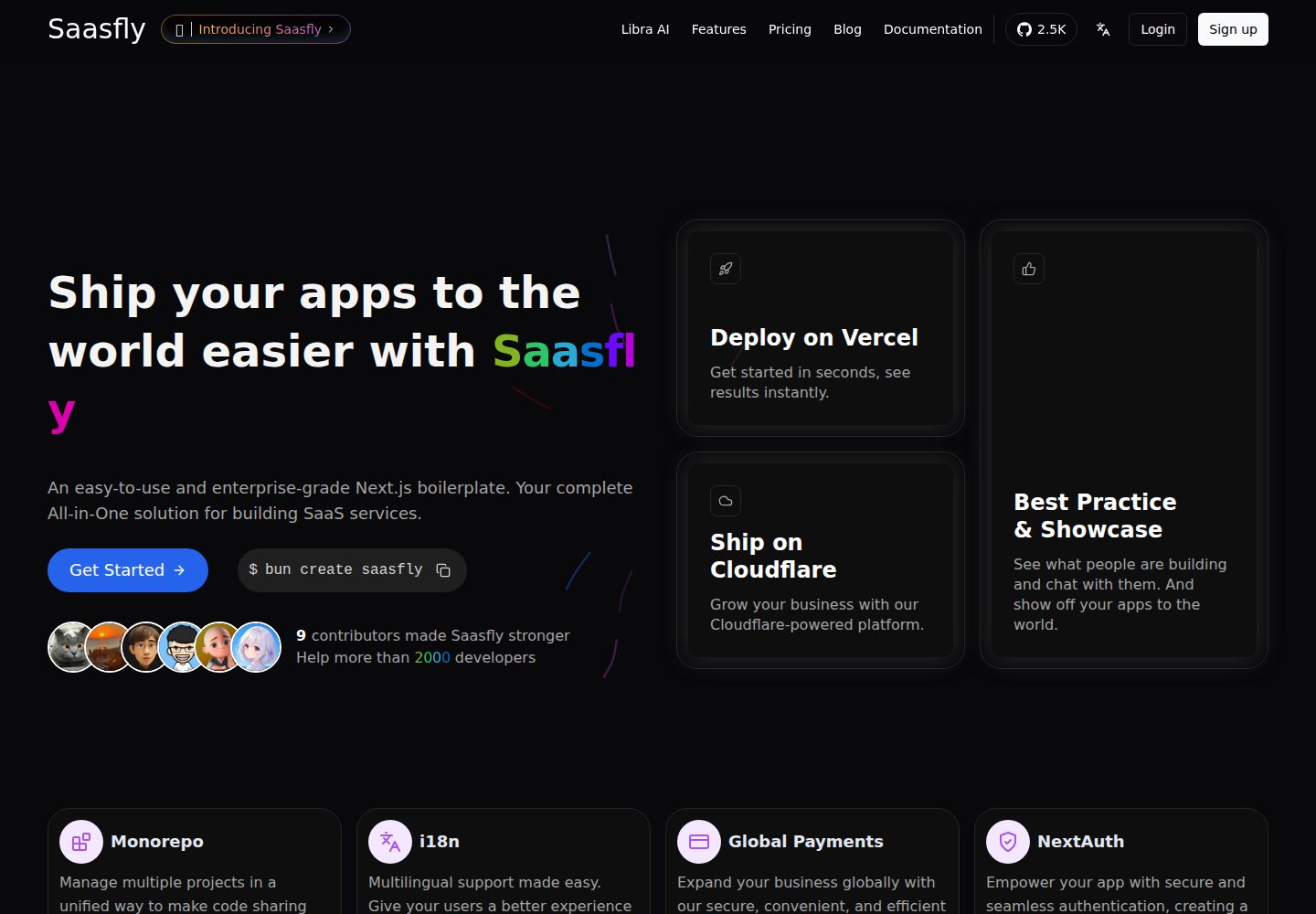
saasfly
Your Next SaaS Template or Boilerplate ! A magic trip start with `bun create saasfly` . The more stars, the mo…
Next.js · SaaS

next-saas-starter
⚡️ Free Next.js responsive landing page template for SaaS products made using JAMStack architecture.
Next.js · SaaS