内置 Auth.js 认证流程,包含邀请、邮箱验证与密码重置
Next.jsReact后台SaaS启动器
ForgeStart — Next.js 后台模板
作者 Onurlulardan
ForgeStart 是一个基于 Next.js App Router 的开源 SaaS 启动模板,内置 Auth.js 认证、Drizzle/PostgreSQL 数据层、RBAC 权限、组织管理、管理后台外壳、国际化与上传组件,并附带 Docker 配置。
看看你的网站会是什么样
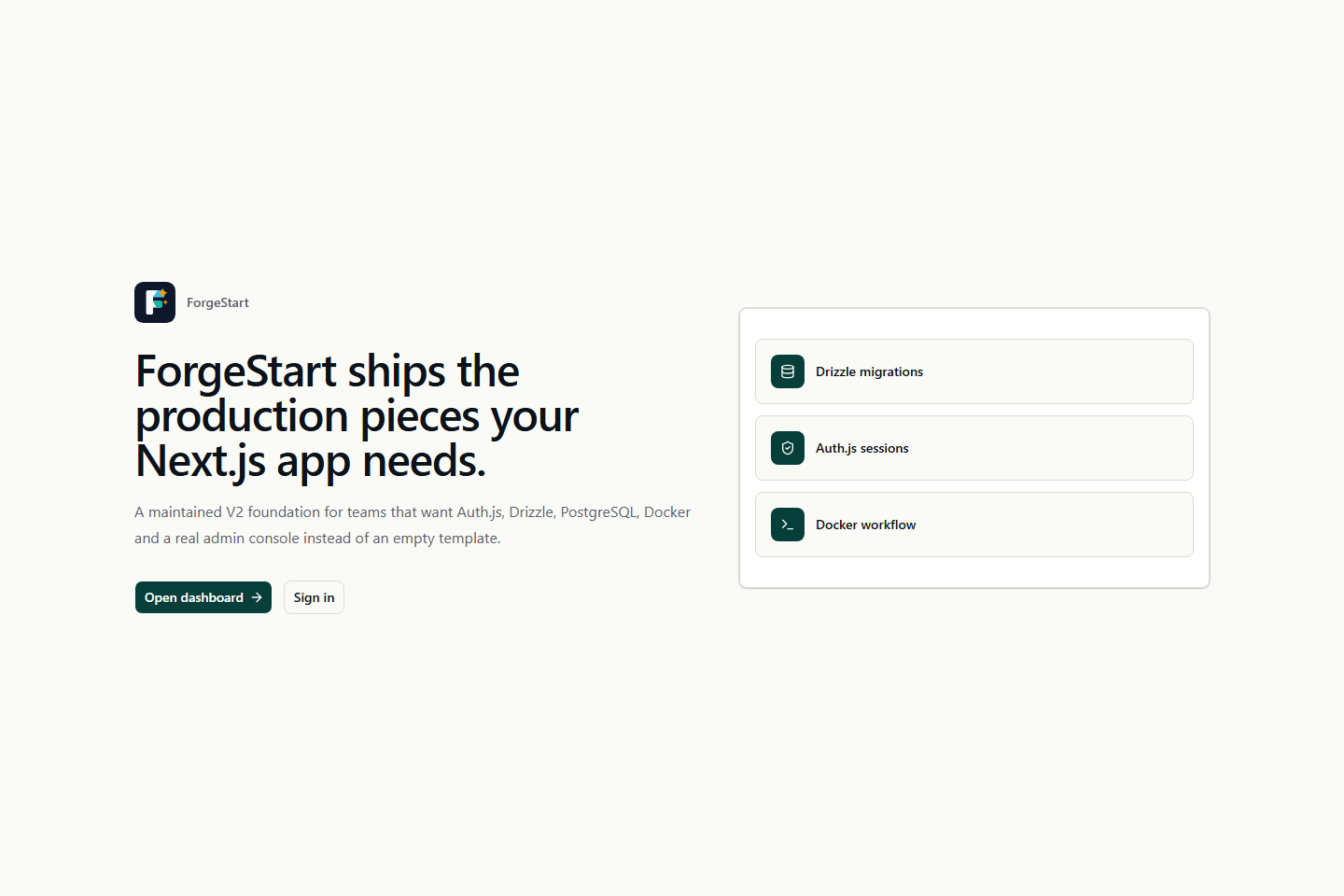
浏览真实页面截图,比较内容排版与手机效果。点击下方缩略图切换,放大查看整页细节。
目前有 1 张原始预览,可打开完整图片查看设计细节。
截图用于了解视觉与布局,交互效果请以实际项目为准。
采集于 2026-10-02查看来源
值得关注的模板亮点
从已有项目资料中,快速了解它的特点。
基于资源与动作的 RBAC 权限模型,支持组织管理
Drizzle ORM 与 PostgreSQL 数据层,每张表独立文件并带迁移生成
管理后台外壳,含用户、角色、权限、组织、系统设置与审计日志
next-intl 国际化,内置英语和土耳其语消息文件
上传组件支持本地磁盘与 S3 兼容存储,Docker Compose 提供开发与生产配置
模板详细介绍
ForgeStart 是作者在开发 ForgeCRUD 过程中沉淀出的架构模式整理而成的开源 SaaS 启动模板,并非成品。它面向需要从第一天就具备认证、RBAC、组织、审计日志和管理后台外壳的定制化运营软件,例如库存跟踪、B2B CRM 或内部管理控制台。模板提供受保护的应用外壳、用户/角色/权限/组织管理、邀请与邮箱验证、密码重置、API 密钥、系统设置、上传组件、品牌与主题定制、安全日志与审计日志,以及健康检查和版本端点。
技术栈以 Next.js App Router 与 React 为核心,数据层使用 Drizzle ORM 和 PostgreSQL,认证采用 Auth.js,界面基于 shadcn/ui、Base UI 与 Tailwind CSS,国际化使用 next-intl 并内置英语和土耳其语消息,测试使用 Vitest 与 Playwright,包管理器限定为 Yarn 4。
使用前需注意:项目明确说明自身不是完成品,而是起点;演示图片、字体、图标等第三方素材需按各自许可单独核对;域名、托管、数据库、支付或 AI 等外部服务可能另行收费。代码采用 MIT 许可,允许免费使用、修改、商用和分发,但分发时需保留版权声明和完整 MIT 许可声明。
Next.jsReact后台SaaS启动器
适合你的项目吗?
适用场景
- 构建库存跟踪类运营软件的后台基础
- 搭建 B2B CRM 或内部管理控制台
- 需要从第一天就具备认证、RBAC 与组织结构的定制 SaaS 项目
- 作为学习 Next.js App Router、Drizzle 与 Auth.js 组合架构的参考模板
适合人群
- 需要可定制后台外壳与权限体系的 SaaS 开发者
- 使用 Next.js、React、PostgreSQL 技术栈的团队
- 希望以 MIT 许可代码为起点进行二次开发的项目
- 需要英语与土耳其语双语界面的产品
上手与定制指南
结合仓库当前版本的说明,按下面的资料检查内容、配置与运行要求。
- 1
运行 yarn setup 生成 .env、AUTH_SECRET 和随机管理员密码,密码只打印一次,需及时保存
- 2
本地开发推荐 yarn dev:docker,由 Docker 提供 PostgreSQL,应用运行在宿主机
- 3
数据库结构变更后运行 yarn db:generate 生成 Drizzle 迁移,再执行 yarn db:migrate
- 4
可选运行 yarn db:seed:demo 填充演示数据;yarn db:reset 会清空并重建本地数据库
- 5
生产部署使用 yarn docker:up:prod,必需环境变量由 env.ts 的 zod 校验,缺失会快速失败
授权与来源资料
使用条件与限制
免费使用 · 保留许可声明本次收录的是公开仓库中采用 MIT 许可的免费版本;免费范围为该版本代码,不代表外部服务或第三方素材免费。
使用时需要遵守
- 允许免费使用、修改、商用和分发该版本代码。
- 分发代码副本或实质性部分时,保留原作者版权声明和完整 MIT 许可声明。
- 代码按现状提供;担保与责任限制以原许可证及适用法律为准。
额外费用与待核对事项
- ForgeStart 本身是开源起点模板,并非完整商业产品;如需完整商业功能需另行获取 ForgeCRUD 商业产品,可能涉及付费。
- 默认邮件驱动为 console,仅将邮件输出到标准输出;要真正发送邮件需配置 Resend 或 SMTP 等外部邮件服务,可能产生第三方费用并需要 API 密钥或账号。
- 默认上传存储为本地磁盘;使用 S3 兼容对象存储需配置 STORAGE_S3_* 变量,可能涉及外部存储服务费用。
- S3 存储、Resend/SMTP 邮件、Upstash 限流、实时与可观测性等均为可选外部服务,启用后可能产生第三方账号、API 密钥与费用。
- 演示图片、字体、图标及其他第三方素材需按各自许可核对,不能仅凭代码的 MIT 许可判断。
- 域名、托管、数据库、支付或 AI 等外部服务可能另外收费。
查看原文依据
Permission is hereby granted, free of charge
许可证原文
If you need the full commercial product, see [ForgeCRUD](https://forgecrud.io/).
README 原文
Switch to a real provider in `.env`: `EMAIL_PROVIDER=resend` + `RESEND_API_KEY`, or `EMAIL_PROVIDER=smtp` + `SMTP_HOST/USER/PASSWORD`.
README 原文
For S3-compatible storage set `STORAGE_DRIVER=s3` and the `STORAGE_S3_*` vars.
README 原文
https://github.com/Onurlulardan/ForgeStart/blob/main/LICENSEhttps://github.com/Onurlulardan/ForgeStart/blob/main/README.mdAll other variables (S3 storage, Resend/SMTP email, Upstash rate-limit, realtime, observability) are optional
README 原文
DeepSeek 根据仓库许可证和 README 整理 ·2026-10-02。结果仅覆盖已读取资料,依赖、图片、字体及后续条款变更以各自原文为准。
项目核对记录与介绍依据
模板资料
- 来源平台
- GitHub
- 资料与维护参考分
- 资料较完整 · 80 / 100
- 技术栈
- Next.js · React
- 网站类型
- 后台 · SaaS · 启动器
这个分数如何计算
本站按许可资料(最高30分)、演示链接(12分)、预览图(10分)、Star数(15分)、记录的维护时间(15分)、描述完整度(8分)、功能记录(5分)和分类资料(5分)计算。它不是代码、安全或性能测试,也不是 Google 评分;有链接不代表已实测可用。
这个项目需要核对什么
- 记录的仓库更新时间
- 2026-05-18
- 截图检查日期
- 2026-10-02
目前没有记录演示链接。请依据仓库说明在本地评估;仅凭截图无法确认交互行为。
目录记录的主要技术栈是 Next.js。请通过依赖清单和锁文件核对实际版本与托管要求。这些说明基于收录资料,不代表代码审计或部署实测。
查看具体选型方法 →介绍的制作与核对状态
介绍由 AI 辅助整理目录与仓库资料。仓库作者不等于这篇介绍的审核者。
已完成服务器许可规则与 AI 来源核对;未经过人工编辑审核。
查看当时使用的来源资料
SHA-256: af027d25204386041118b7e29a4bd0141df33ae6e57290a1b9823a0fe31174fe
2026-10-02T14:01:24.657Z
来源文件 / 仓库<p align="center"> <img src="public/brand/forgestart-logo.svg" alt="ForgeStart" width="360" /> </p> # ForgeStart ForgeStart is an open-source SaaS starter template built from the architectural patterns used while developing [ForgeCRUD](https://forgecrud.io/). It is not a finished product. Treat it as a starting point for specialized operational software — stock tracking apps, B2B CRMs, internal admin consoles, or any custom SaaS that benefits from authentication, RBAC, organizations, audit trails, and an admin shell from day one. This repository exists primarily to share and document those patterns in the open. If you need the full commercial product, see [ForgeCRUD](https://forgecrud.io/).  ## Live Demo Try it without installing anything: **<https://forgestart.forgecrud.io>** ``` email: [email protected] password: demo123456 ``` The demo is a single-container deployment (Postgres + Next.js + Realtime in one image — see [Dockerfile.mono](Dockerfile.mono)). It is reset and re-seeded periodically, so feel free to create users, organizations, roles, and test the RBAC matrix end-to-end. ## Quick Start ```bash git clone https://github.com/Onurlulardan/ForgeStart.git cd ForgeStart corepack enable yarn install yarn setup # generates .env, AUTH_SECRET, and a random admin password yarn dev:docker # Postgres in Docker, Next.js + Realtime on host ``` Pick the run mode that fits you: - `yarn dev:docker` — Postgres in Docker, app on host (recommended). - `yarn dev` — full local, you bring your own Postgres and set `DATABASE_URL`. - `yarn docker:up` — full Docker stack (Postgres + app + realtime in containers). After the app is ready, optionally enrich the database with demo content: ```bash yarn db:seed:demo ``` `yarn setup` prints a generated super admin password once. Save it. To regenerate, run `yarn setup --force`. ## Make It Yours Once the app is running, log in as the super admin and adapt the starter to your project. The most common customization points: **Branding** — App name and defaults live in [`lib/branding/constants.ts`](lib/branding/constants.ts); logo assets in [`public/brand/`](public/brand). After first boot you can also override branding at runtime from **System Settings → Branding** in the admin UI. **Translations** — User-facing strings live in [`messages/en.json`](messages/en.json) and [`messages/tr.json`](messages/tr.json). Add a new locale by dropping `messages/<code>.json` and extending the `locales` array in [`i18n/routing.ts`](i18n/routing.ts). Avoid hardcoded JSX text — use `useTranslations` (client) or `getTranslations` (server). **Database & domain model** — Each table lives in its own file under [`db/schema/`](db/schema). To add a new entity (say, `products`), drop in [`db/schema/products.ts`](db/schema), re-export it from [`db/schema/index.ts`](db/schema/index.ts), add any cross-table relations to [`db/schema/relations.ts`](db/schema/relations.ts), then run `yarn db:generate` to produce a Drizzle migration. Seed data (RBAC defaults, super admin, app settings) lives in [`db/seed.ts`](db/seed.ts) and is idempotent. To wipe everything locally and start fresh: `yarn db:reset`. **RBAC (permissions)** — Declare new resources and actions in [`db/seed.ts`](db/seed.ts) (`DEFAULT_RESOURCES`, `DEFAULT_ACTIONS`). Protect server routes with `requireApiPermission('resource', 'action')` from [`lib/auth/server-permissions.ts`](lib/auth/server-permissions.ts). Protect UI with `usePermission` or the wrappers under [`components/permission/`](components/permission). The seed includes an `ALL` resource with `*` action for super admin access — keep it. **Pages & API routes** — The protected app shell lives under [`app/(protected)/`](app/%28protected%29); add new admin pages there. New API endpoints go under [`app/api/`](app/api). Before creating new primitives, reuse what already exists: [`components/ui/`](components/ui), [`components/data-grid/`](components/data-grid), [`components/uploads/`](components/uploads), [`components/app/`](components/app). **Theme** — Token defaults are in [`lib/theme/`](lib/theme); end users can tune runtime tokens from **System Settings → Theme** without redeploying. **Email** — Default driver is `console` (logs each email to stdout — useful in dev). Switch to a real provider in `.env`: `EMAIL_PROVIDER=resend` + `RESEND_API_KEY`, or `EMAIL_PROVIDER=smtp` + `SMTP_HOST/USER/PASSWORD`. Templates live in [`lib/email/templates/`](lib/email/templates). **Uploads / Storage** — Default driver is local disk (`./public/uploads`). For S3-compatible storage set `STORAGE_DRIVER=s3` and the `STORAGE_S3_*` vars. For local S3 testing without AWS, start MinIO: `docker compose --profile storage up`. **Deploy** — `yarn docker:up:prod` runs the production profile against the multi-stage [`Dockerfile`](Dockerfile) (no host volumes, no dev server). The same image works on any container platform — set required env via your platform's secret manager and the `env.ts` zod schema will fail fast if anything required is missing. **Verify** — `yarn doctor` checks required env and DB connectivity. `yarn verify` runs lint + typecheck + tests + build before you push. For deeper architectural conventions (auth flow, audit logging, server vs client patterns), see [AGENTS.md](AGENTS.md). ## Stack - Next.js 16 App Router - React 19 - TypeScript - Auth.js v5 - PostgreSQL - Drizzle ORM and Drizzle Kit - shadcn/ui, Base UI primitives, Tailwind CSS 4 - next-intl with Turkish and English messages - Docker Compose - Yarn 4 - Vitest and Playwright ## What Is Included - Admin dashboard and protected app shell - User, role, permission and organization management - RBAC with resource and action grants - Invitations, email verification and password reset flows - API keys for service integrations - System settings stored in PostgreSQL - Upload components with local and S3-ready storage support - Application branding with default ForgeStart logo - Theme customization and persisted theme tokens - Security logs and audit logs - Setup doctor, health and version endpoints  ## Environment Run `yarn setup` to create `.env` with a generated `AUTH_SECRET` and admin password. Otherwise copy `.env.example` to `.env` manually. Required values (only these need to be set for local dev): ```env AUTH_SECRET=<32+ char random string> AUTH_URL=http://localhost:3000 DATABASE_URL=postgres://forgestart:forgestart@localhost:5432/forgestart [email protected] SUPER_ADMIN_PASSWORD=<choose-something> NEXT_PUBLIC_APP_URL=http://localhost:3000 ``` All other variables (S3 storage, Resend/SMTP email, Upstash rate-limit, realtime, observability) are optional and ship with safe defaults — see `.env.example` for the full list with descriptions. Env vars are validated at boot through `env.ts` (zod). Missing or invalid required values fail fast with a clear message. Inside Docker, the app container reaches the database at `postgres:5432` (hardcoded in `compose.yaml`); on the host the same database is reached via `localhost:5432`. You no longer need to set a separate `DOCKER_DATABASE_URL` — Compose builds the internal URL from `POSTGRES_USER`/`POSTGRES_PASSWORD`/`POSTGRES_DB`. ## Commands ```bash yarn setup # Create .env, generate AUTH_SECRET and admin password yarn dev # Start Next.js + Realtime locally (BYO Postgres) yarn dev:docker # Postgres in Docker, Next.js + Realtime on host (recommended) yarn build # Production build yarn start # Start production build yarn lint # ESLint yarn typecheck # TypeScript check yarn test # Unit and component tests yarn test:e2e # Playwright tests yarn verify # lint + typecheck + test + build yarn doctor # Local setup checks ``` Database: ```bash yarn db:generate # Generate Drizzle migration yarn db:migrate # Apply migrations yarn db:seed # Seed base data yarn db:seed:demo # Add demo data yarn db:reset # Drop schemas, migrate and seed yarn db:studio # Open Drizzle Studio ``` Docker (full stack in containers): ```bash yarn docker:up # Run full dev profile in Docker yarn docker:up:prod # Run production-like profile yarn docker:down # Stop Compose services yarn docker:down:volumes # Stop services and remove volumes ``` ## Project Structure ```text app/ Next.js pages, layouts, route handlers and server actions components/ App-level reusable components db/ Drizzle connection helpers, migration runner and seeds db/schema/ One file per table; barrel re-export in index.ts drizzle/ Generated SQL migrations i18n/ next-intl routing and request config lib/ Auth, API, branding, storage, theme, validation and system helpers messages/ English and Turkish translation files public/brand/ ForgeStart brand assets scripts/ Local development, Docker and doctor scripts server/ Realtime server tests/ Playwright and test setup ``` ## Notes - Drizzle is the only database layer. Knex was removed in v2. - Yarn 4 is the only supported package manager. - The default app name is `ForgeStart`. - User-facing text should live in `messages/en.json` and `messages/tr.json`. - Branding defaults live in `lib/branding/constants.ts` and can be changed from System settings. - Before opening a PR, run `yarn verify`. For database changes, also run `yarn db:reset`.
看看同类模板
对比同技术栈与用途的模板,找到更适合的视觉与内容结构。

ai-website-cloner-template
Clone any website with one command using AI coding agents
Next.js · 启动器

Next.js SaaS Starter
Next.js SaaS Starter 是 Next.js 官方维护的 SaaS 起点模板,定位介于学习资源和可直接部署的脚手架之间。
Next.js · SaaS

Next.js Commerce
Next.js Commerce 是 Vercel 团队维护的电商启动模板,基于 Next.js App Router 构建,采用服务端渲染、React Server Components、Server Actions …
Next.js · 电商

Next-js-Boilerplate
Next-js-Boilerplate 是一个面向 Next.js 16、Tailwind CSS 4 和 TypeScript 的启动器,核心定位是开发者体验优先。
Next.js · 启动器

tailwind-nextjs-starter-blog
tailwind-nextjs-starter-blog 是一个面向个人技术博客的 Next.js 与 Tailwind CSS 启动模板,其 v2 版本基于 App Router 与 React Server Comp…
Next.js · 博客

next-forge
Production-grade Turborepo template for Next.js apps.
Next.js · 启动器