Built-in Auth.js authentication flows, including invitations, email verification and password reset
Next.jsReactAdmin dashboardSaaSStarter
ForgeStart — Next.js Admin dashboard Template
By Onurlulardan
ForgeStart is an open-source SaaS starter template built on the Next.js App Router, with Auth.js authentication, a Drizzle/PostgreSQL data layer, RBAC permissions, organization management, an admin panel shell, internationalization and upload components, plus Docker configuration.
Explore the design
Compare the page layouts and mobile experience. Open any screenshot for a closer look.
Author preview
Author-provided previewTop of page
Preview provided in the project README.
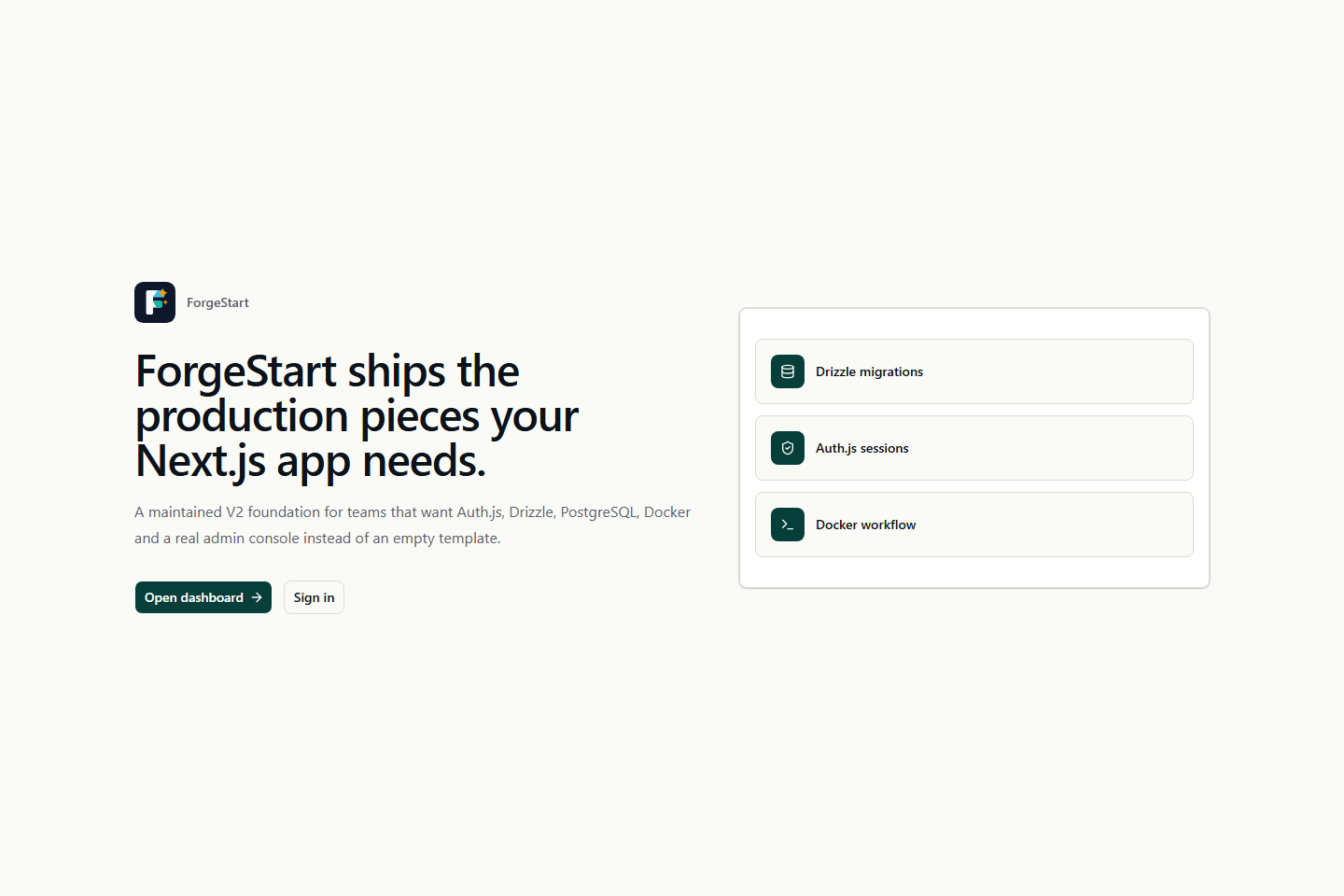
One original preview is available. Open the full image to inspect the design.
Screenshots show visual appearance; interactive behavior may differ.
Recorded 2026-10-02View source
What stands out
A quick read of the recorded project description.
Resource- and action-based RBAC permission model with organization management
Drizzle ORM and PostgreSQL data layer, with a separate file per table and migration generation
Admin panel shell with users, roles, permissions, organizations, system settings and audit logs
next-intl internationalization with built-in English and Turkish message files
Upload components supporting local disk and S3-compatible storage, with Docker Compose configurations for development and production
Template Details
ForgeStart is an open-source SaaS starter template distilled from the architectural patterns the author developed while building ForgeCRUD; it is not a finished product. It targets custom operational software that needs authentication, RBAC, organizations, audit logs and an admin panel shell from day one, such as inventory tracking, B2B CRM or internal management consoles. The template provides a protected application shell, user/role/permission/organization management, invitations and email verification, password reset, API keys, system settings, upload components, branding and theme customization, security logs and audit logs, as well as health check and version endpoints.
The stack centers on the Next.js App Router and React, uses Drizzle ORM and PostgreSQL for the data layer, Auth.js for authentication, shadcn/ui, Base UI and Tailwind CSS for the interface, next-intl for internationalization with built-in English and Turkish messages, Vitest and Playwright for testing, and is limited to Yarn 4 as the package manager.
Before use, note the following: the project explicitly states it is not a finished product but a starting point; third-party assets such as demo images, fonts and icons must be checked separately under their own licenses; external services such as domains, hosting, databases, payments or AI may incur separate charges. The code is MIT licensed, permitting free use, modification, commercial use and distribution, provided the copyright notice and the full MIT license notice are retained when distributing.
Next.jsReactAdmin panelSaaSStarter
Is it right for your project?
Use Cases
- Building the backend foundation for inventory-tracking operational software
- Setting up a B2B CRM or internal management console
- Custom SaaS projects that need authentication, RBAC and organizational structure from day one
- Serving as a reference template for learning the combined architecture of Next.js App Router, Drizzle and Auth.js
Suitable For
- SaaS developers who need a customizable admin shell and permission system
- Teams using the Next.js, React and PostgreSQL stack
- Projects that want to start secondary development from MIT-licensed code
- Products that need a bilingual English and Turkish interface
Getting started & customization
Use these recorded setup notes alongside the repository instructions for your chosen version.
- 1
Run yarn setup to generate .env, AUTH_SECRET and a random admin password; the password is printed only once, so save it promptly
- 2
For local development, yarn dev:docker is recommended, with Docker providing PostgreSQL and the application running on the host machine
- 3
After changing the database schema, run yarn db:generate to generate Drizzle migrations, then run yarn db:migrate
- 4
Optionally run yarn db:seed:demo to populate demo data; yarn db:reset will clear and rebuild the local database
- 5
For production deployment, use yarn docker:up:prod; required environment variables are validated by zod in env.ts and will fail fast if missing
License & source material
Usage conditions & limitations
Free to use · keep license noticeThis entry covers the free version under the MIT license in the public repository; the free scope is the code of this version and does not imply that external services or third-party assets are free.
Must comply with when using
- The code of this version may be used, modified, used commercially and distributed free of charge.
- When distributing copies or substantial portions of the code, retain the original author's copyright notice and the full MIT license notice.
- The code is provided as is; warranties and limitations of liability are governed by the original license and applicable law.
Additional costs & items to verify
- ForgeStart itself is an open-source starting-point template, not a complete commercial product; full commercial functionality requires obtaining the ForgeCRUD commercial product separately, which may involve payment.
- The default email driver is console, which only outputs emails to standard output; actually sending email requires configuring an external email service such as Resend or SMTP, which may incur third-party fees and require API keys or accounts.
- The default upload storage is local disk; using S3-compatible object storage requires configuring STORAGE_S3_* variables and may involve external storage service fees.
- S3 storage, Resend/SMTP email, Upstash rate limiting, real-time and observability are optional external services; enabling them may require third-party accounts, API keys and fees.
- Demo images, fonts, icons and other third-party assets must be checked under their respective licenses and cannot be judged solely by the code's MIT license.
- External services such as domains, hosting, databases, payments or AI may incur separate charges.
View Original Text Basis
Permission is hereby granted, free of charge
Original License Text
If you need the full commercial product, see [ForgeCRUD](https://forgecrud.io/).
Original README
Switch to a real provider in `.env`: `EMAIL_PROVIDER=resend` + `RESEND_API_KEY`, or `EMAIL_PROVIDER=smtp` + `SMTP_HOST/USER/PASSWORD`.
Original README
For S3-compatible storage set `STORAGE_DRIVER=s3` and the `STORAGE_S3_*` vars.
Original README
https://github.com/Onurlulardan/ForgeStart/blob/main/LICENSEhttps://github.com/Onurlulardan/ForgeStart/blob/main/README.mdAll other variables (S3 storage, Resend/SMTP email, Upstash rate-limit, realtime, observability) are optional
Original README
Compiled by DeepSeek based on repository license and README ·2026-10-02. Results only cover the materials read; dependencies, images, fonts, and subsequent term changes are subject to their respective original texts.
Project checks & description sources
Template Information
- Source platforms
- GitHub
- Documentation and maintenance reference score
- More documented · 80 / 100
- Technologies
- Next.js · React
- Website type
- Admin dashboard · SaaS · Starter
How this score is calculated
Our heuristic uses license records (up to 30), a demo link (12), a preview (10), stars (15), recorded maintenance (15), description completeness (8), feature records (5) and classification data (5). It is not a code, security or performance test, or a Google score. A link does not establish tested functionality.
What to verify for this project
- Repository update recorded
- 2026-05-18
- Screenshot last checked
- 2026-10-02
No demo link is recorded. Use the repository instructions to evaluate the project locally; the screenshot alone cannot establish interactive behavior.
The catalog identifies Next.js as the primary stack. Check the actual dependency manifest and lockfile for versions and hosting requirements. These notes use recorded metadata, not a code audit or a deployment test.
Use a selection guide →How this description was prepared
AI-assisted description based on catalog records and repository material. Repository authors are not automatically the reviewers of this description.
Automatically checked against source and license rules; no manual editorial review.
Inspect the recorded source material
SHA-256: af027d25204386041118b7e29a4bd0141df33ae6e57290a1b9823a0fe31174fe
2026-10-02T14:01:24.657Z
Source file / repository<p align="center"> <img src="public/brand/forgestart-logo.svg" alt="ForgeStart" width="360" /> </p> # ForgeStart ForgeStart is an open-source SaaS starter template built from the architectural patterns used while developing [ForgeCRUD](https://forgecrud.io/). It is not a finished product. Treat it as a starting point for specialized operational software — stock tracking apps, B2B CRMs, internal admin consoles, or any custom SaaS that benefits from authentication, RBAC, organizations, audit trails, and an admin shell from day one. This repository exists primarily to share and document those patterns in the open. If you need the full commercial product, see [ForgeCRUD](https://forgecrud.io/).  ## Live Demo Try it without installing anything: **<https://forgestart.forgecrud.io>** ``` email: [email protected] password: demo123456 ``` The demo is a single-container deployment (Postgres + Next.js + Realtime in one image — see [Dockerfile.mono](Dockerfile.mono)). It is reset and re-seeded periodically, so feel free to create users, organizations, roles, and test the RBAC matrix end-to-end. ## Quick Start ```bash git clone https://github.com/Onurlulardan/ForgeStart.git cd ForgeStart corepack enable yarn install yarn setup # generates .env, AUTH_SECRET, and a random admin password yarn dev:docker # Postgres in Docker, Next.js + Realtime on host ``` Pick the run mode that fits you: - `yarn dev:docker` — Postgres in Docker, app on host (recommended). - `yarn dev` — full local, you bring your own Postgres and set `DATABASE_URL`. - `yarn docker:up` — full Docker stack (Postgres + app + realtime in containers). After the app is ready, optionally enrich the database with demo content: ```bash yarn db:seed:demo ``` `yarn setup` prints a generated super admin password once. Save it. To regenerate, run `yarn setup --force`. ## Make It Yours Once the app is running, log in as the super admin and adapt the starter to your project. The most common customization points: **Branding** — App name and defaults live in [`lib/branding/constants.ts`](lib/branding/constants.ts); logo assets in [`public/brand/`](public/brand). After first boot you can also override branding at runtime from **System Settings → Branding** in the admin UI. **Translations** — User-facing strings live in [`messages/en.json`](messages/en.json) and [`messages/tr.json`](messages/tr.json). Add a new locale by dropping `messages/<code>.json` and extending the `locales` array in [`i18n/routing.ts`](i18n/routing.ts). Avoid hardcoded JSX text — use `useTranslations` (client) or `getTranslations` (server). **Database & domain model** — Each table lives in its own file under [`db/schema/`](db/schema). To add a new entity (say, `products`), drop in [`db/schema/products.ts`](db/schema), re-export it from [`db/schema/index.ts`](db/schema/index.ts), add any cross-table relations to [`db/schema/relations.ts`](db/schema/relations.ts), then run `yarn db:generate` to produce a Drizzle migration. Seed data (RBAC defaults, super admin, app settings) lives in [`db/seed.ts`](db/seed.ts) and is idempotent. To wipe everything locally and start fresh: `yarn db:reset`. **RBAC (permissions)** — Declare new resources and actions in [`db/seed.ts`](db/seed.ts) (`DEFAULT_RESOURCES`, `DEFAULT_ACTIONS`). Protect server routes with `requireApiPermission('resource', 'action')` from [`lib/auth/server-permissions.ts`](lib/auth/server-permissions.ts). Protect UI with `usePermission` or the wrappers under [`components/permission/`](components/permission). The seed includes an `ALL` resource with `*` action for super admin access — keep it. **Pages & API routes** — The protected app shell lives under [`app/(protected)/`](app/%28protected%29); add new admin pages there. New API endpoints go under [`app/api/`](app/api). Before creating new primitives, reuse what already exists: [`components/ui/`](components/ui), [`components/data-grid/`](components/data-grid), [`components/uploads/`](components/uploads), [`components/app/`](components/app). **Theme** — Token defaults are in [`lib/theme/`](lib/theme); end users can tune runtime tokens from **System Settings → Theme** without redeploying. **Email** — Default driver is `console` (logs each email to stdout — useful in dev). Switch to a real provider in `.env`: `EMAIL_PROVIDER=resend` + `RESEND_API_KEY`, or `EMAIL_PROVIDER=smtp` + `SMTP_HOST/USER/PASSWORD`. Templates live in [`lib/email/templates/`](lib/email/templates). **Uploads / Storage** — Default driver is local disk (`./public/uploads`). For S3-compatible storage set `STORAGE_DRIVER=s3` and the `STORAGE_S3_*` vars. For local S3 testing without AWS, start MinIO: `docker compose --profile storage up`. **Deploy** — `yarn docker:up:prod` runs the production profile against the multi-stage [`Dockerfile`](Dockerfile) (no host volumes, no dev server). The same image works on any container platform — set required env via your platform's secret manager and the `env.ts` zod schema will fail fast if anything required is missing. **Verify** — `yarn doctor` checks required env and DB connectivity. `yarn verify` runs lint + typecheck + tests + build before you push. For deeper architectural conventions (auth flow, audit logging, server vs client patterns), see [AGENTS.md](AGENTS.md). ## Stack - Next.js 16 App Router - React 19 - TypeScript - Auth.js v5 - PostgreSQL - Drizzle ORM and Drizzle Kit - shadcn/ui, Base UI primitives, Tailwind CSS 4 - next-intl with Turkish and English messages - Docker Compose - Yarn 4 - Vitest and Playwright ## What Is Included - Admin dashboard and protected app shell - User, role, permission and organization management - RBAC with resource and action grants - Invitations, email verification and password reset flows - API keys for service integrations - System settings stored in PostgreSQL - Upload components with local and S3-ready storage support - Application branding with default ForgeStart logo - Theme customization and persisted theme tokens - Security logs and audit logs - Setup doctor, health and version endpoints  ## Environment Run `yarn setup` to create `.env` with a generated `AUTH_SECRET` and admin password. Otherwise copy `.env.example` to `.env` manually. Required values (only these need to be set for local dev): ```env AUTH_SECRET=<32+ char random string> AUTH_URL=http://localhost:3000 DATABASE_URL=postgres://forgestart:forgestart@localhost:5432/forgestart [email protected] SUPER_ADMIN_PASSWORD=<choose-something> NEXT_PUBLIC_APP_URL=http://localhost:3000 ``` All other variables (S3 storage, Resend/SMTP email, Upstash rate-limit, realtime, observability) are optional and ship with safe defaults — see `.env.example` for the full list with descriptions. Env vars are validated at boot through `env.ts` (zod). Missing or invalid required values fail fast with a clear message. Inside Docker, the app container reaches the database at `postgres:5432` (hardcoded in `compose.yaml`); on the host the same database is reached via `localhost:5432`. You no longer need to set a separate `DOCKER_DATABASE_URL` — Compose builds the internal URL from `POSTGRES_USER`/`POSTGRES_PASSWORD`/`POSTGRES_DB`. ## Commands ```bash yarn setup # Create .env, generate AUTH_SECRET and admin password yarn dev # Start Next.js + Realtime locally (BYO Postgres) yarn dev:docker # Postgres in Docker, Next.js + Realtime on host (recommended) yarn build # Production build yarn start # Start production build yarn lint # ESLint yarn typecheck # TypeScript check yarn test # Unit and component tests yarn test:e2e # Playwright tests yarn verify # lint + typecheck + test + build yarn doctor # Local setup checks ``` Database: ```bash yarn db:generate # Generate Drizzle migration yarn db:migrate # Apply migrations yarn db:seed # Seed base data yarn db:seed:demo # Add demo data yarn db:reset # Drop schemas, migrate and seed yarn db:studio # Open Drizzle Studio ``` Docker (full stack in containers): ```bash yarn docker:up # Run full dev profile in Docker yarn docker:up:prod # Run production-like profile yarn docker:down # Stop Compose services yarn docker:down:volumes # Stop services and remove volumes ``` ## Project Structure ```text app/ Next.js pages, layouts, route handlers and server actions components/ App-level reusable components db/ Drizzle connection helpers, migration runner and seeds db/schema/ One file per table; barrel re-export in index.ts drizzle/ Generated SQL migrations i18n/ next-intl routing and request config lib/ Auth, API, branding, storage, theme, validation and system helpers messages/ English and Turkish translation files public/brand/ ForgeStart brand assets scripts/ Local development, Docker and doctor scripts server/ Realtime server tests/ Playwright and test setup ``` ## Notes - Drizzle is the only database layer. Knex was removed in v2. - Yarn 4 is the only supported package manager. - The default app name is `ForgeStart`. - User-facing text should live in `messages/en.json` and `messages/tr.json`. - Branding defaults live in `lib/branding/constants.ts` and can be changed from System settings. - Before opening a PR, run `yarn verify`. For database changes, also run `yarn db:reset`.
Explore similar templates
Compare previews and descriptions within the same stack and category.

Next.js SaaS Starter
The official Next.js SaaS starter template, integrating email/password authentication, Stripe Checkout subscriptions, a dashboard with user/team CRUD, basic Owner/Member RBAC, and activity logging.
Next.js · SaaS

Next.js Commerce
Vercel's officially maintained Next.js App Router ecommerce starter with deep Shopify integration, offering a complete product catalog, cart, and checkout flow. Core logic is modular for swapping backends, and community provider versions exist for BigCommerce, Medusa, and Saleor.
Next.js · E-commerce

Next-js-Boilerplate
A developer-first Next.js 16 starter with Tailwind CSS 4 and TypeScript, supporting both App Router and Page Router.
Next.js · Starter

tailwind-nextjs-starter-blog
A Next.js and Tailwind CSS blog starter template using Contentlayer for Markdown/MDX, with built-in SEO, code highlighting, and tags. It targets personal technical blogs and migration from Jekyll/Hugo to React, and supports one-click Vercel deployment.
Next.js · Blog

next-forge
next-forge is a Turborepo-based Next.js template maintained by Vercel, positioned as a starting point for SaaS products.
Next.js · Starter

SaaS-Boilerplate
SaaS-Boilerplate is an open-source SaaS starter template built with Next.js App Router, React 19, TypeScript, Tailwind CSS, and Shadcn UI.
Next.js · SaaS