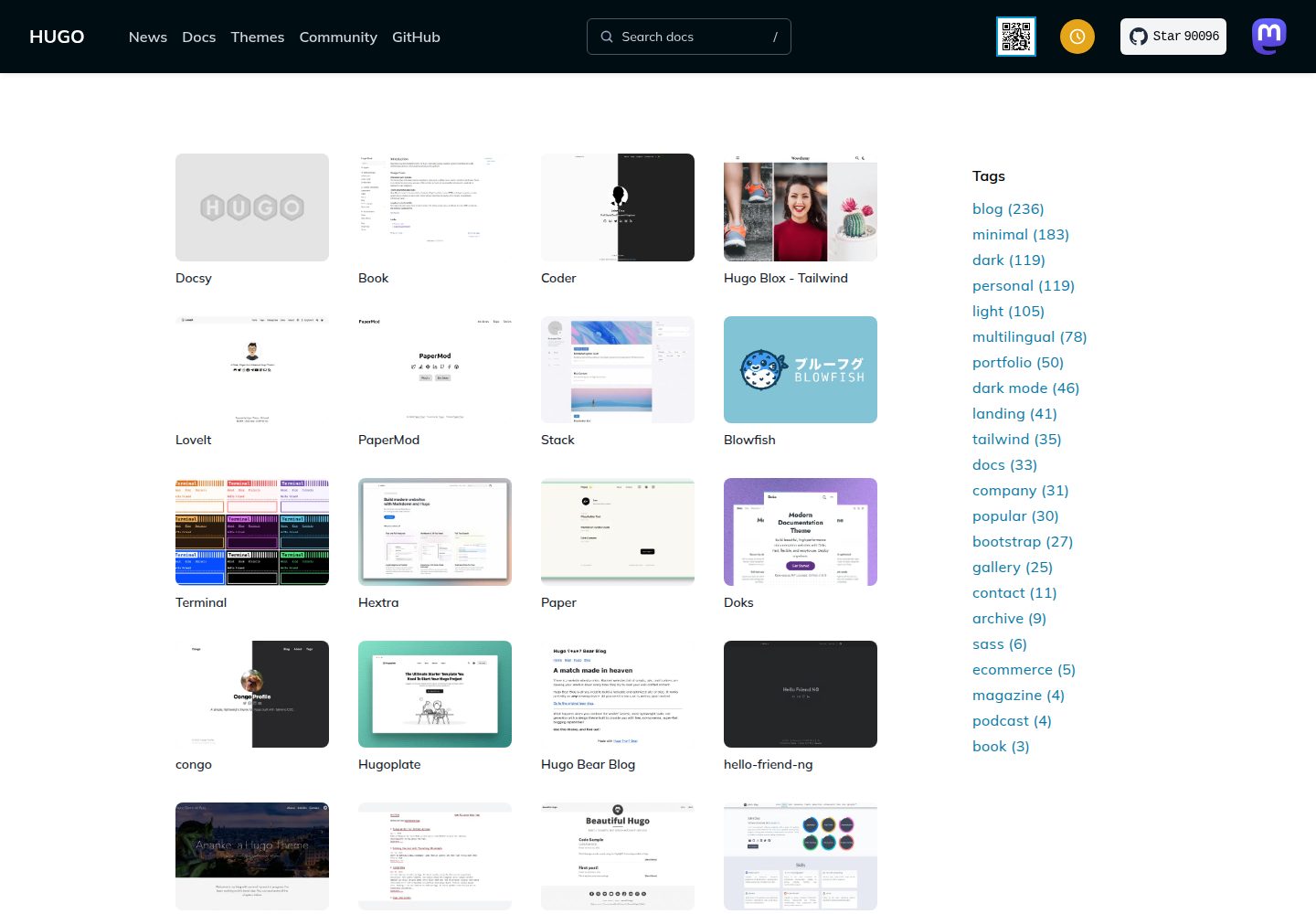
首页即书架,每篇文章渲染为书脊,宽度由字数决定、颜色由第一个标签决定
Hugo博客
hugo-theme-bookshelf — Hugo 博客模板
作者 pravin
Hugo 博客主题,把每篇文章呈现为书架上的书脊,书脊宽度由字数决定、颜色由首个标签决定,文章内页采用书籍式排版。
看看你的网站会是什么样
浏览真实页面截图,比较内容排版与手机效果。点击下方缩略图切换,放大查看整页细节。
全部页面与视图 3
截图用于了解视觉与布局,交互效果请以实际项目为准。
采集于 2026-10-12查看来源
值得关注的模板亮点
从已有项目资料中,快速了解它的特点。
文章内页采用书籍式排版:章节开篇、花饰、首行小型大写、罗马数字章节标题、版权页
文章末尾把相邻的较旧与较新文章平铺为书脊
支持跟随系统的明暗模式,并提供可记忆选择的切换按钮
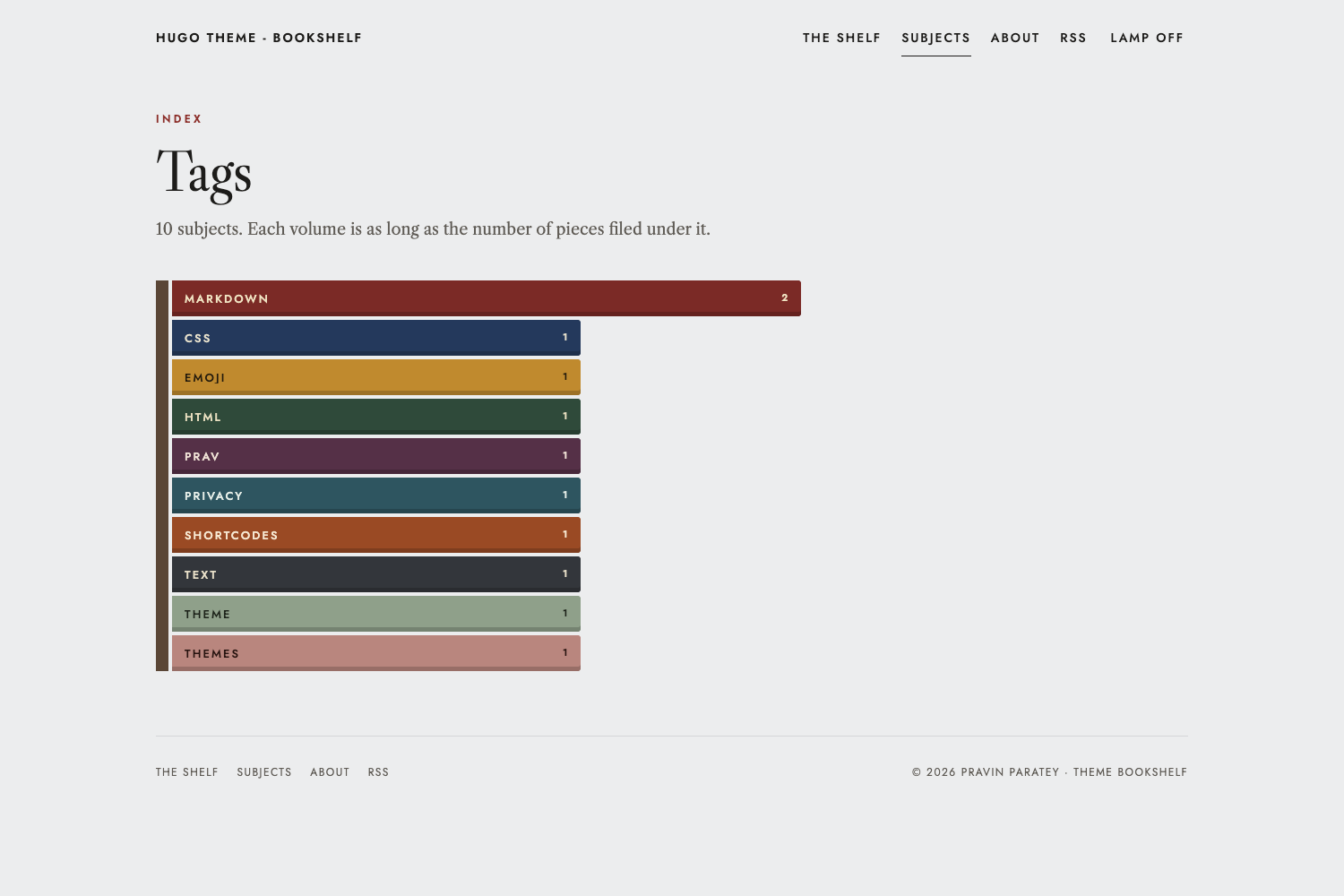
Subjects 页面把每个标签显示为长度对应文章数量的书卷
仅一份样式表和两个小脚本,不使用 CSS 框架或图标字体
模板详细介绍
hugo-theme-bookshelf 是一个 Hugo 博客主题,核心思路是把文章归档做成书架:首页即书架,每篇文章是一根书脊,书脊宽度由文章字数决定,布料颜色取自文章的第一个标签,高度在设定范围内按标题变化,年份分隔线穿插其中,书架随归档增长自动换行。文章内页模拟书籍阅读体验,包含章节开篇(如“No. 12 · Subject”)、展示标题、花饰、首行小型大写字母、章节标题使用罗马数字、书籍风格表格,以及带字数的版权页。每篇文章末尾会把较旧和较新的文章平铺为各自颜色的书脊。页面底部有“第 2 页 / 共 6 页”式的阅读页码,以屏幕为单位。主题支持跟随系统设置的明暗模式,并提供可记忆选择的切换按钮。主题由一份样式表和两个小脚本组成,不使用 CSS 框架或图标字体。主题页还提供 Subjects 页面,把每个标签显示为一卷书,长度对应归入该标签的文章数量。
Hugo博客
适合你的项目吗?
适用场景
- 搭建以文章归档为视觉核心的个人博客
- 为按标签分类的写作项目提供书籍化的阅读体验
- 希望首页直接展示全部文章而非摘要列表的站点
- 需要明暗模式与简洁前端资源的 Hugo 站点
适合人群
- 使用 Hugo 并希望博客首页呈现为书架的写作者
- 按标签组织内容、愿意用首个标签决定书脊颜色的博客
- 偏好书籍式排版与轻量前端资源的个人站点
上手与定制指南
结合仓库当前版本的说明,按下面的资料检查内容、配置与运行要求。
- 1
需要 Hugo v0.146.0 或更高版本
- 2
可通过 git submodule 或 Hugo module 安装,并在 hugo.toml 中设置 theme
- 3
示例站点位于 exampleSite 目录,可运行 hugo server 预览
- 4
语法高亮需要设置 markup.highlight.noClasses = false
- 5
Disqus 需设置 services.disqus.shortname,Google Analytics 需设置 services.googleAnalytics.ID 且仅在生产构建中包含
授权与来源资料
使用条件与限制
免费使用 · 保留许可声明本次收录的是公开仓库中采用 MIT 许可的免费版本;免费范围为该版本代码,不代表外部服务或第三方素材免费。
使用时需要遵守
- 允许免费使用、修改、商用和分发该版本代码。
- 分发代码副本或实质性部分时,保留原作者版权声明和完整 MIT 许可声明。
- 代码按现状提供;担保与责任限制以原许可证及适用法律为准。
额外费用与待核对事项
- 演示图片、字体、图标及其他第三方素材需按各自许可核对,不能仅凭代码的 MIT 许可判断。
- 域名、托管、数据库、支付或 AI 等外部服务可能另外收费。
- 使用该主题需要 Hugo v0.146.0 或更高版本,低于此版本的 Hugo 无法正常使用。
- 评论功能依赖第三方 Disqus 服务,需配置 services.disqus.shortname 才能启用;分析功能依赖 Google Analytics,需配置 services.googleAnalytics.ID,且仅在 production 构建中才会包含。
- 主题默认从 Google Fonts 加载 Jost 与 Libre Caslon 字体,属于外部服务依赖,需自行确认可用性或覆盖 head.html 更换字体。
- 语法高亮需要 Hugo 内置的 Chroma 输出 CSS 类,必须设置 markup.highlight.noClasses = false,否则高亮样式无法生效。
查看原文依据
Permission is hereby granted, free of charge
许可证原文
This theme requires Hugo v0.146.0 or later.
README 原文
Set `services.disqus.shortname` to enable Disqus on articles, and `services.googleAnalytics.ID` for Google Analytics. Analytics is only included in production builds.
README 原文
The theme uses Jost and Libre Caslon from Google Fonts.
README 原文
https://github.com/pravin/hugo-theme-bookshelf/blob/main/LICENSEhttps://github.com/pravin/hugo-theme-bookshelf/blob/main/README.mdThis needs Chroma to output CSS classes,
README 原文
DeepSeek 根据仓库许可证和 README 整理 ·2026-10-12。结果仅覆盖已读取资料,依赖、图片、字体及后续条款变更以各自原文为准。
项目核对记录与介绍依据
模板资料
- 来源平台
- GitHub
- 资料与维护参考分
- 资料较完整 · 80 / 100
- 技术栈
- Hugo
- 网站类型
- 博客
这个分数如何计算
本站按许可资料(最高30分)、演示链接(12分)、预览图(10分)、Star数(15分)、记录的维护时间(15分)、描述完整度(8分)、功能记录(5分)和分类资料(5分)计算。它不是代码、安全或性能测试,也不是 Google 评分;有链接不代表已实测可用。
这个项目需要核对什么
- 记录的仓库更新时间
- 2026-10-12
- 截图检查日期
- 2026-10-12
已收录演示链接。请用你的内容与屏幕尺寸检查;有演示不代表表单、认证或支付已经可用。
目录记录的主要技术栈是 Hugo。请通过依赖清单和锁文件核对实际版本与托管要求。这些说明基于收录资料,不代表代码审计或部署实测。
查看具体选型方法 →介绍的制作与核对状态
介绍由 AI 辅助整理目录与仓库资料。仓库作者不等于这篇介绍的审核者。
审核声明: [email protected] · 2026-10-13
查看当时使用的来源资料
SHA-256: 4018b3839449d28271bc23828ea9eb0eb4325c12392dcac28db7b2372b016b90
2026-10-12T18:03:30.946Z
来源文件 / 仓库# Hugo Theme Bookshelf
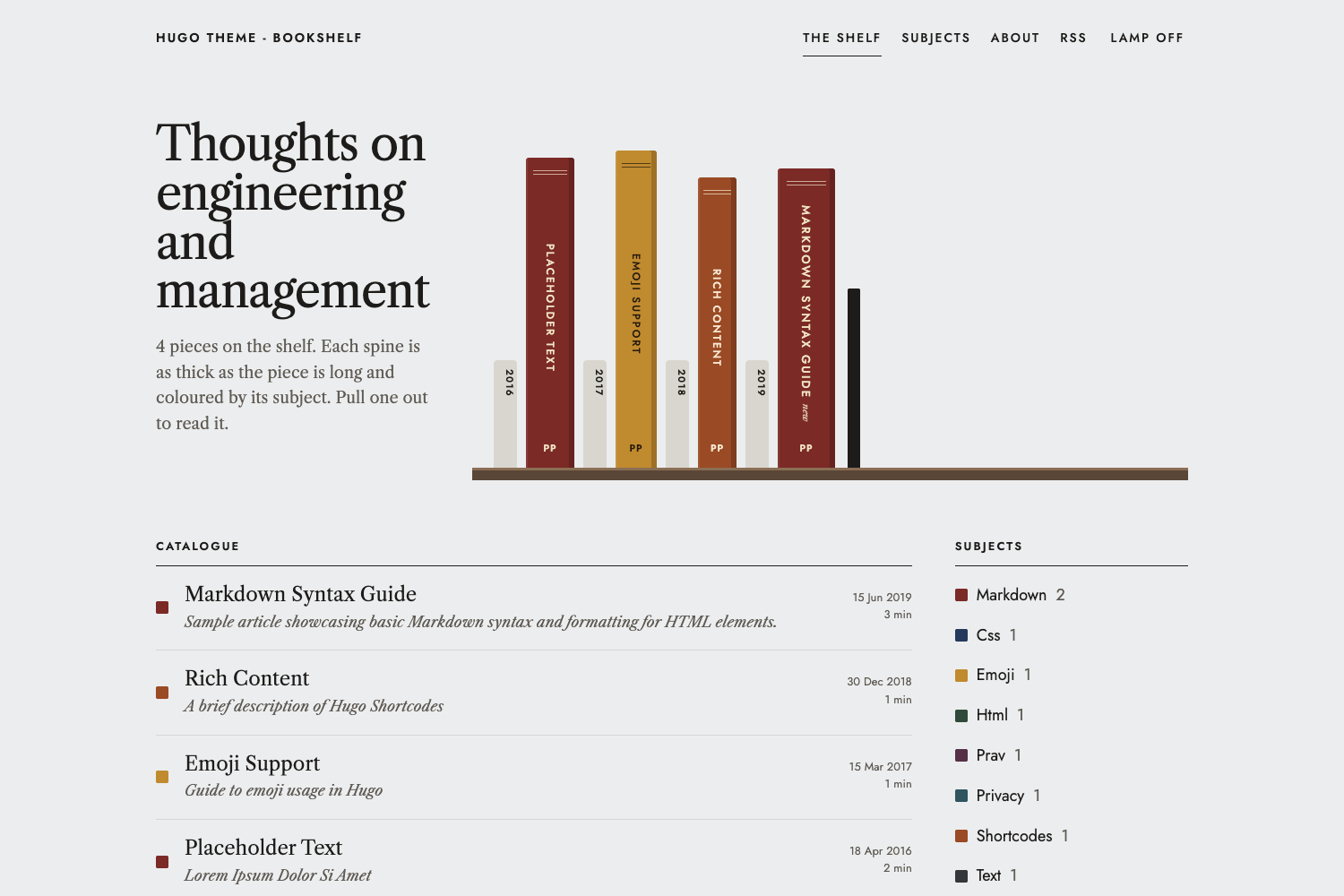
A blog theme where your archive is a bookshelf. Every post is a book spine: **as thick as the piece is long, coloured by its subject**, and filed left to right by year. Pull a spine out and the article opens as a page from a book, with a chapter opener, justified text, Roman-numeral sections and a colophon.
## What makes it different
* **The archive is the home page.** Posts stand on shelves as spines. Spine width comes from the word count, the cloth colour from the post's first tag, and the height varies a little (picked from the title, so it never changes between builds). Year dividers sit between them, and the shelves wrap as your archive grows.
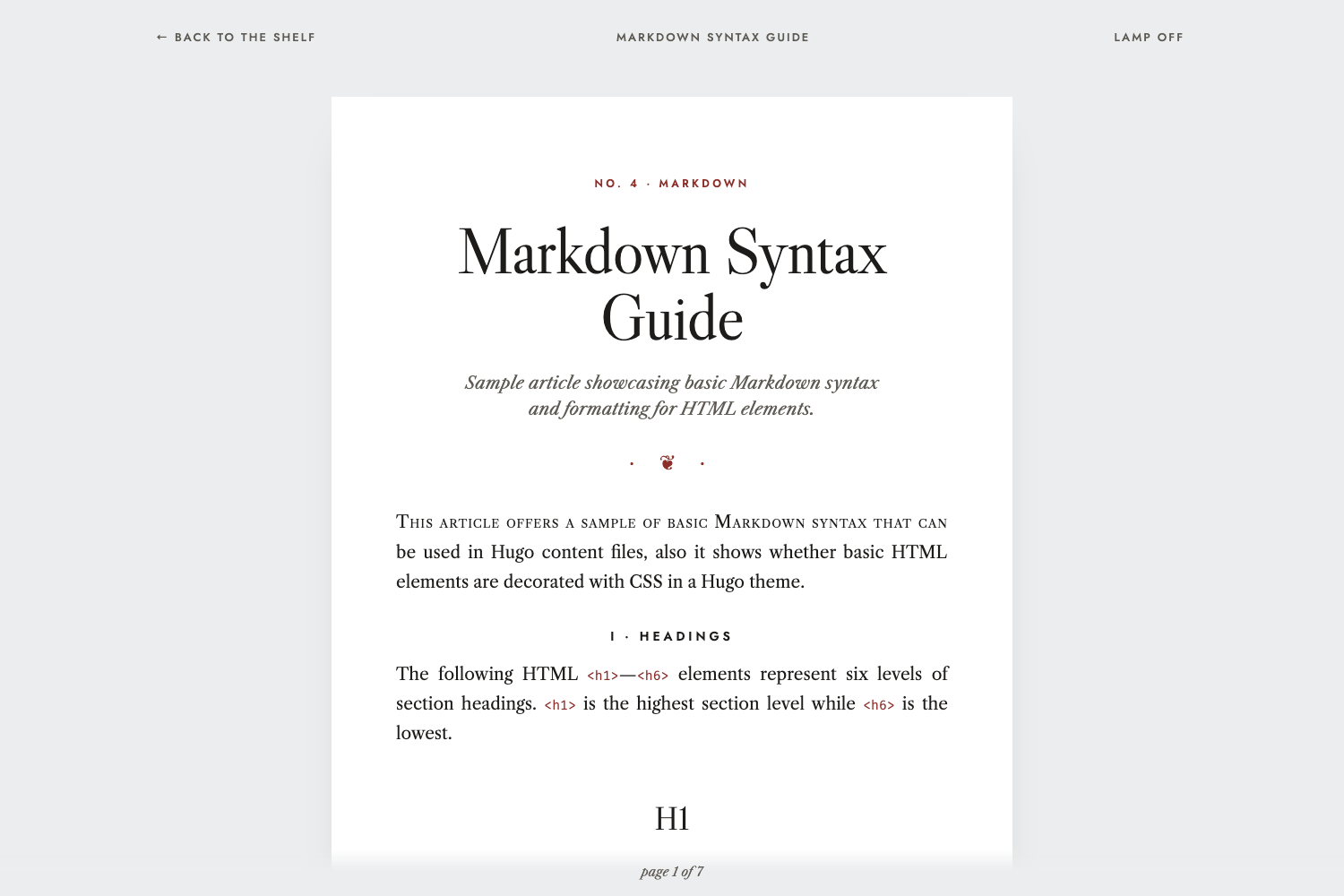
* **Articles read like a book.** A "No. 12 · Subject" chapter opener, a display title, a fleuron, small capitals on the first line, Roman numerals on every section heading, book-style tables, and a colophon with the word count.
* **Next to it on the shelf.** At the end of each article, the older and newer posts are laid flat as spines in their own colours.
* **A reading folio.** A quiet "page 2 of 6" at the foot of the window, where a page is one screenful.
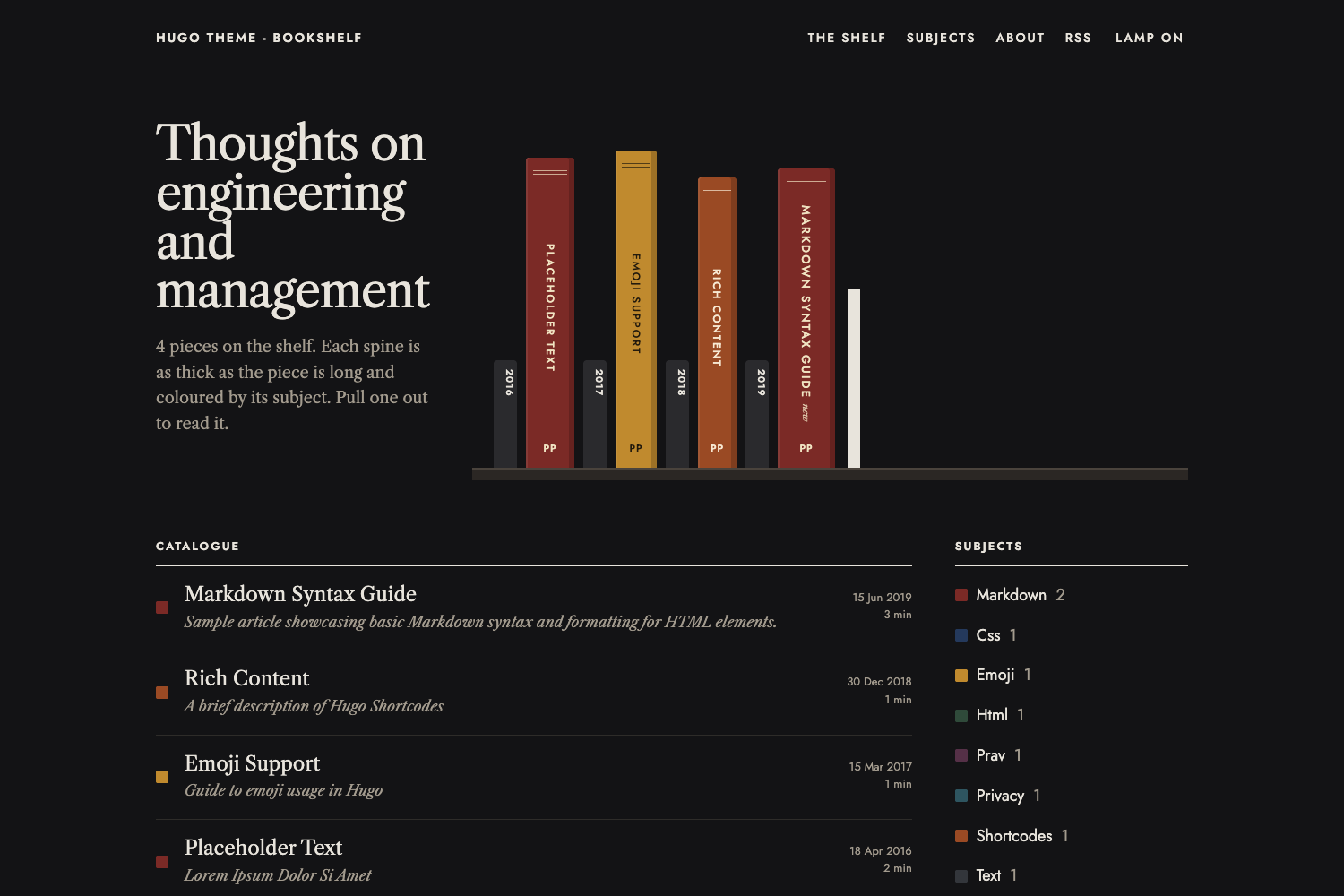
* **Lamp off, lamp on.** Light and dark mode follow the reader's OS setting, with a toggle that remembers their choice.
* **Small.** One stylesheet and two tiny scripts. No CSS framework, no icon font.
| Dark mode | An article |
| --- | --- |
|  |  |
The subjects page shows each tag as a volume, as long as the number of posts filed under it,
## Installation
This theme requires Hugo v0.146.0 or later.
As a git submodule,
```sh
git submodule add https://github.com/pravin/hugo-theme-bookshelf.git themes/hugo-theme-bookshelf
```
then set `theme = "hugo-theme-bookshelf"` in your `hugo.toml`.
Or as a Hugo module,
```sh
hugo mod init github.com/<you>/<your-site>
```
```toml
[module]
[[module.imports]]
path = "github.com/pravin/hugo-theme-bookshelf"
```
To try the example site,
```sh
cd exampleSite
hugo server
```
## Configuration
A complete example lives in [`exampleSite/hugo.toml`](https://github.com/pravin/hugo-theme-bookshelf/blob/main/exampleSite/hugo.toml).
```toml
baseURL = "https://example.com/"
locale = "en-GB"
title = "My Bookshelf"
theme = "hugo-theme-bookshelf"
[pagination]
pagerSize = 10
[params]
tagline = "Thoughts on engineering and management"
author = "Your Name"
authorImgPath = "/img/author.png"
authorBlurb = "Something about you"
mainSections = ["posts"]
defaultTheme = "auto"
themeToggle = true
[params.bookshelf]
intro = "Each spine is as thick as the piece is long and coloured by its subject. Pull one out to read it."
[params.social]
github = "https://github.com/you"
mastodon = "https://mastodon.social/@you"
email = "mailto:[email protected]"
[markup]
[markup.highlight]
noClasses = false
[markup.goldmark.renderer]
unsafe = true
```
### Site parameters
| Parameter | Default | What it does |
| --- | --- | --- |
| `tagline` | | Heading on the home page, and part of the home page title |
| `author` | | Author name, used for the copyright line, colophons and the spine monogram |
| `authorImgPath` | | Image shown beside the author blurb, and the default preview image for social cards |
| `authorBlurb` | | A line about the author on the home page. Markdown is allowed |
| `mainSections` | Hugo's default | Sections whose pages go on the shelf, in the catalogue and in the RSS feed |
| `defaultTheme` | `"auto"` | `"auto"` follows the reader's OS setting; `"light"` or `"dark"` makes that the default |
| `themeToggle` | `true` | Set to `false` to hide the "Lamp off / Lamp on" toggle |
| `favicon` | | Path to a favicon |
| `social.*` | | Links shown on the home page: `mastodon`, `bluesky`, `github`, `twitter`, `linkedin`, `medium`, `facebook`, `email`. `twitteruser` sets the Twitter card creator |
### Shelf parameters (`[params.bookshelf]`)
| Parameter | Default | What it does |
| --- | --- | --- |
| `intro` | see above | Text under the tagline on the home page, after the post count |
| `minSpine`, `maxSpine` | `40`, `120` | Narrowest and widest spine, in pixels |
| `fullSpineWords` | `1500` | Word count that gives the widest spine. Longer posts are capped |
| `minHeight`, `maxHeight` | `280`, `370` | Range of spine heights, in pixels |
| `monogram` | author's initials | Letters at the foot of every spine |
| `maxSpines` | `0` | Show only the newest N spines on the shelf. `0` shows all of them |
| `subjectsLimit` | `12` | Number of subjects listed on the home page |
| `palette` | 10 cloth colours | List of `{ bg = "#...", fg = "#..." }` used for spines. `fg` is the label colour, so keep it readable on `bg` |
| `colors` | | Pin a subject to a colour, e.g. `markdown = "#7B2A26"`. The label colour is chosen for contrast |
Subjects take palette colours in order of how many posts they have, so your most common subjects always look different from each other. Adding posts can occasionally shuffle the colours of your smaller subjects; pin the ones you care about with `colors`.
A custom palette,
```toml
[params.bookshelf]
palette = [
{ bg = "#7B2A26", fg = "#F0E3C2" },
{ bg = "#24395C", fg = "#E6E0CC" },
{ bg = "#C08A2E", fg = "#231A0C" },
]
[params.bookshelf.colors]
management = "#2F4A3A"
```
### Front matter
```yaml
title: "On Hiring"
description: "Shown under the title, and in the catalogue"
date: 2026-10-12
author: "Overrides params.author for this post"
tags: ["hiring", "management"] # the first tag sets the spine colour
previewimage: "cover.jpg" # optional social card image
disableComments: true # optional, turns off Disqus for this page
```
### Menu
By default the masthead shows The shelf, Subjects, About and RSS. To change these, define a `main` menu,
```toml
[[menus.main]]
name = "The shelf"
pageRef = "/"
weight = 10
[[menus.main]]
name = "Now"
pageRef = "/now"
weight = 20
```
### Syntax highlighting
Code is highlighted by Hugo's built-in highlighter, with colours that follow light and dark mode. This needs Chroma to output CSS classes,
```toml
[markup.highlight]
noClasses = false
```
### Comments and analytics
Set `services.disqus.shortname` to enable Disqus on articles, and `services.googleAnalytics.ID` for Google Analytics. Analytics is only included in production builds.
## Customisation
* **Colours.** All colours are CSS variables at the top of `assets/css/style.css`, written as `light-dark(<light>, <dark>)`. Copy that file to your site's `assets/css/style.css` to change them.
* **Custom head and footer code.** Create `layouts/_partials/custom_header.html` or `custom_footer.html` in your site.
* **Fonts.** The theme uses Jost and Libre Caslon from Google Fonts. Override `layouts/_partials/head.html` to change them.
## Licence
MIT, by [Pravin Paratey](https://cto.me.uk).
看看同类模板
对比同技术栈与用途的模板,找到更适合的视觉与内容结构。

hugo-PaperMod
PaperMod 是 Hugo 生态里知名度较高的主题之一,定位很明确:给博客和轻量作品集站点提供一套干净、响应式的阅读界面。
Hugo · 作品集

LoveIt
❤️A clean, elegant but advanced blog theme for Hugo 一个简洁、优雅且高效的 Hugo 主题
Hugo · 博客

hugo-coder
A minimalist blog theme for hugo.
Hugo · 博客

blowfish
Personal Website & Blog Theme for Hugo
Hugo · 博客

hugo-paper
🪺 A simple, clean, customizable Hugo theme
Hugo · 博客

hextra
Hextra 是一个 Hugo 主题,定位在文档站与博客之间:既提供侧边栏导航、目录、面包屑、分页这类文档站结构,也能承载博客内容。
Hugo · 文档