
响应式布局,提供 dark、light、white、classic 四套配色方案
Hexo博客
hexo-theme-cactus — Hexo 博客模板
作者 probberechts
Cactus 是一个面向 Hexo 的响应式个人网站主题,提供多配色方案、可配置导航、本地搜索、项目列表、国际化与评论/统计集成。
看看你的网站会是什么样
浏览真实页面截图,比较内容排版与手机效果。点击下方缩略图切换,放大查看整页细节。
全部页面与视图 2
截图用于了解视觉与布局,交互效果请以实际项目为准。
采集于 2026-10-01查看来源
值得关注的模板亮点
从已有项目资料中,快速了解它的特点。
导航菜单、首页文章列表数量、项目列表与社交链接均可通过配置调整
支持本地搜索,需配合 hexo-generator-search 插件与 type: search 页面
内置多语言文案,包含简体中文,但不支持多语言站点
评论可选 Disqus 或 Utterances,统计可选 Google、Baidu、Cloudflare、Umami
代码高亮配色可替换,CDN 资源可整体或按项关闭
模板详细介绍
Cactus 是 probberechts 维护的 Hexo 主题,定位为个人网站与博客的简洁外观。它要求先安装 Hexo 并初始化博客目录,再将主题克隆到 themes/cactus,最后在站点 _config.yml 中把 theme 设为 cactus。主题自带 dark、light、white、classic 四套配色,也允许在 source/css/_colors 下新增配色文件。导航菜单、首页文章列表(可限定条数或显示全部)、项目列表(source/_data/projects.json)、社交链接、版权年份区间均通过配置项调整。功能层面包含本地搜索(需安装 hexo-generator-search 并新建 type: search 页面)、标签与分类页面、RSS、Disqus 或 Utterances 评论、Google/Baidu/Cloudflare/Umami 统计,以及可选的 CDN 资源加载。国际化内置包括简体中文在内的多种语言,但不支持多语言站点;波斯语与阿拉伯语可切换 RTL 布局。代码高亮方案可从内置配色中选择。
Hexo博客
适合你的项目吗?
适用场景
- 使用 Hexo 搭建个人博客并希望更换为简洁响应式主题
- 需要在首页展示最近文章或全部文章列表的个人站点
- 希望在首页列出个人项目并链接到 GitHub 等外部地址
- 需要为文章添加标签、分类页面或本地搜索功能的博客
- 面向中文或其他已内置语言读者、需要切换界面文案的站点
适合人群
- 已使用 Hexo 并熟悉 _config.yml 配置的用户
- 偏好简洁排版、多配色可选主题的个人博客作者
- 需要评论、统计、RSS 等基础集成但不想自行编写模板的用户
- 需要 RTL 布局的波斯语或阿拉伯语站点
上手与定制指南
结合仓库当前版本的说明,按下面的资料检查内容、配置与运行要求。
- 1
需先安装 Hexo 并执行 hexo init 初始化博客目录
- 2
将主题克隆到 themes/cactus,并在站点 _config.yml 中设置 theme: cactus
- 3
可在站点 _config.yml 的 theme_config 下覆盖主题默认配置,无需 fork 主题
- 4
本地搜索需安装 hexo-generator-search 并创建 type: search 的页面
- 5
主题代码采用 MIT 许可,但演示图片、字体、图标等第三方素材需单独核对许可
授权与来源资料
使用条件与限制
免费使用 · 保留许可声明本次收录的是公开仓库中采用 MIT 许可的免费版本;免费范围为该版本代码,不代表外部服务或第三方素材免费。
使用时需要遵守
- 允许免费使用、修改、商用和分发该版本代码。
- 分发代码副本或实质性部分时,保留原作者版权声明和完整 MIT 许可声明。
- 代码按现状提供;担保与责任限制以原许可证及适用法律为准。
额外费用与待核对事项
- 使用该主题的前提是已安装 Hexo 静态博客框架,并需先执行 hexo init 初始化站点目录,主题本身不能脱离 Hexo 独立运行。
- 本地搜索功能需额外安装 hexo-generator-search 插件并新建 type: search 页面,否则搜索不可用。
- 主题不支持多语言站点,同一站点只能使用一种界面语言,无法为不同页面或读者切换语言。
- 启用 Disqus 评论需先在 Disqus 注册站点并取得 shortname,属于依赖第三方账号的外部服务。
- 启用 Utterances 评论需先在 GitHub 上配置 issue 仓库并授权 Utterances 应用,依赖外部服务与账号。
- 统计功能需自行申请 Google、Baidu、Cloudflare 或 Umami 的 tracking_id,并可能受各服务商条款与费用约束。
- 默认从 cdnjs 加载 jQuery、Font Awesome 等前端资源,站点运行依赖外部 CDN 可用性,可关闭改为本地加载。
- 启用 RTL 布局会改用第三方 Vazir 波斯字体,该字体为独立项目,其许可需单独核对。
- 演示图片、字体、图标及其他第三方素材需按各自许可核对,不能仅凭代码的 MIT 许可判断。
- 域名、托管、数据库、支付或 AI 等外部服务可能另外收费。
查看原文依据
Permission is hereby granted, free of charge
许可证原文
In order to use this theme you must have installed [hexo](https://hexo.io/docs/).
README 原文
First, install the [hexo-generate-search](https://www.npmjs.com/package/hexo-generator-search) plugin
README 原文
**Note: Cactus does not support multi-language sites.**
README 原文
First, create a site on Disqus: [https://disqus.com/admin/create/](http://disqus.com/admin/create/).
README 原文
First, follow the instructions on the [oficial website](https://utteranc.es/) to setup an issue tracker Utterances will connect to.
README 原文
Add you Google, Baidu, Cloudflare or Umami Analytics `tracking_id` to the `_config.yml`.
README 原文
Load Javascript and CSS resources from a CDN. Enabled by default, loads all resources from [cdnjs](https://cdnjs.com/).
README 原文
https://github.com/probberechts/hexo-theme-cactus/blob/master/LICENSEhttps://github.com/probberechts/hexo-theme-cactus/blob/master/README.mdNote that this also will change the font to [Vazir](https://github.com/rastikerdar/vazir-font), which is a Persian font.
README 原文
DeepSeek 根据仓库许可证和 README 整理 ·2026-10-01。结果仅覆盖已读取资料,依赖、图片、字体及后续条款变更以各自原文为准。
项目核对记录与介绍依据
模板资料
- 来源平台
- GitHub
- 资料与维护参考分
- 资料较完整 · 80 / 100
- 技术栈
- Hexo
- 网站类型
- 博客
这个分数如何计算
本站按许可资料(最高30分)、演示链接(12分)、预览图(10分)、Star数(15分)、记录的维护时间(15分)、描述完整度(8分)、功能记录(5分)和分类资料(5分)计算。它不是代码、安全或性能测试,也不是 Google 评分;有链接不代表已实测可用。
这个项目需要核对什么
- 记录的仓库更新时间
- 2024-08-13
- 截图检查日期
- 2026-10-01
已收录演示链接。请用你的内容与屏幕尺寸检查;有演示不代表表单、认证或支付已经可用。
目录记录的主要技术栈是 Hexo。请通过依赖清单和锁文件核对实际版本与托管要求。这些说明基于收录资料,不代表代码审计或部署实测。
查看具体选型方法 →介绍的制作与核对状态
介绍由 AI 辅助整理目录与仓库资料。仓库作者不等于这篇介绍的审核者。
已完成服务器许可规则与 AI 来源核对;未经过人工编辑审核。
查看当时使用的来源资料
SHA-256: e2a85cbba5f198d5abf02a421429c2938f83ad6eccb6e2fe55503602c7581816
2026-10-01T03:15:26.944Z
来源文件 / 仓库# Cactus
A responsive, clean and simple [Hexo](http://hexo.io) theme for a personal website.
:cactus: [Demo](https://probberechts.github.io/hexo-theme-cactus/)

## Summary
- [General](#general)
- [Features](#features)
- [Prerequisites](#prerequisites)
- [Install](#install)
- [Configuration](#configuration)
- [License](#license)
## General
- **Version** : 3.0
- **Compatibility** : Hexo 3 or later
## Features
- Fully responsive
- Multiple color schemes
- Pick your own code highlighting scheme
- Configurable navigation menu
- Support for local search
- Projects list
- I18n support
- Disqus / Utterances
- Google analytics / Baidu Tongji / [Umami Analytics](https://umami.is)
- Font Awesome icons
- Simplicity
## Prerequisites
1. In order to use this theme you must have installed [hexo](https://hexo.io/docs/).
2. Create the `root` directory for the blog by initializing it with hexo:
```sh
$ hexo init my-blog
```
3. Navigate into the new directory:
```sh
$ cd my-blog
```
## Install
1. In the `root` directory:
```sh
$ git clone https://github.com/probberechts/hexo-theme-cactus.git themes/cactus
```
2. Change the `theme` property in the `_config.yml` file.
```yml
# theme: landscape
theme: cactus
```
See below for more information on how to customize this theme.
3. Create pages and articles with the `hexo new [layout] <title>` command.
For example, to create an "about me" page, run:
```sh
$ hexo new page about
```
This will create a new file in `source/about/index.md`
Similarly, you can create a new article with
```sh
$ hexo new post "hello world"
```
and add some interesting content in `source/_posts/hello-world.md`.
4. Run: `hexo generate` and `hexo server`
5. [Publish your blog](https://hexo.io/docs/one-command-deployment.html)!
## Configuration
You can (and should) modify a couple of settings. An overview of all settings
can be found in [_config.yml](_config.yml). The most important ones are
discussed below.
There are two possible methods to override the defaults. As a first option,
you could fork the theme and maintain a custom branch with your settings.
Alternatively, you can configure it from your site's primary configuration
file. Therefore, define your custom settings under the `theme_config` variable.
For example:
```yml
# _config.yml
theme_config:
colorscheme: white
```
```yml
# themes/cactus/_config.yml
colorscheme: dark
```
This will override the default black colorscheme in `themes/cactus/_config.yml`.
### Color scheme
Currently, this theme is delivered with four color schemes: [dark](https://probberechts.github.io/hexo-theme-cactus/cactus-dark/public/), [light](https://probberechts.github.io/hexo-theme-cactus/cactus-light/public/),
[white](https://probberechts.github.io/hexo-theme-cactus/cactus-white/public/) and [classic](https://probberechts.github.io/hexo-theme-cactus/cactus-classic/public/). Set your preferred color scheme in the `_config.yml` file.
```yml
colorscheme: light
```
Alternatively, you can easily create your own color scheme by creating a new
file in `source/css/_colors`.
### Navigation
Set up the navigation menu in the `_config.yml`:
```yml
nav:
home: /
about: /about/
articles: /archives/
projects: http://github.com/probberechts
LINK_NAME: URL
```
### Blog posts list on home page
You have two options for the list of blog posts on the home page:
- Show only the 5 most recent posts (default)
```yml
posts_overview:
show_all_posts: false
post_count: 5
```
- Show all posts
```yml
posts_overview:
show_all_posts: true
```
### Projects list
Create a projects file `source/_data/projects.json` to show a list of your projects on the index page.
```json
[
{
"name":"Hexo",
"url":"https://hexo.io/",
"desc":"A fast, simple & powerful blog framework"
},
{
"name":"Font Awesome",
"url":"http://fontawesome.io/",
"desc":"The iconic font and CSS toolkit"
}
]
```
### Social media links
Cactus can automatically add links to your social media accounts.
Therefore, update the theme's `_config.yml`:
```yml
social_links:
-
icon: github
link: your-github-url
-
icon: twitter
label: "@your-twitter-handle"
link: your-twitter-url
-
icon: NAME
label: LABEL
link: your-NAME-url
```
where `NAME` is the name of a [Font Awesome icon](https://fontawesome.com/icons?d=gallery&s=brands), and LABEL is an optional value used as a title attribute on the link (NAME value is used if LABEL is missing).
### Copyright years
By default, Cactus will use current year in your copyright year information.
If there is a need to customize, please update `_config.yml`:
```yml
copyright:
start_year: 2016
end_year:
```
### Language configuration
If you are new to Hexo and internationalization (i18n), please read
[Hexo documentation - internationalization (i18n) section](https://hexo.io/docs/internationalization.html)
Currently, the theme is delivered with support for:
- English (en), default
- Arabic (ar)
- Brazilian Portuguese (pt-BR)
- Catalan (ca)
- Chinese (Simplified, PRC) (zh-CN)
- Dutch (nl)
- French (fr)
- German (de)
- Italian (it)
- Korean (kr)
- Persian (fa)
- Polish (pl)
- Russian (ru)
- Spanish (es)
- Taiwanese (Taiwanese Mandarin) (zh-TW)
- Turkish (tr)
- Ukrainian (ua)
- Vietnamese (vi)
If you would like to use one the languages listed above, simply set `language`
to the desired language (e.g., `fr`) in `_config.yml`.
Otherwise, you can follow the steps below (E.g., to add a Japanese (ja) translation):
1. Set `language` to `ja` in Hexo configuration file `_config.yml`
2. Create a `ja.yml` file in the `themes/cactus/languages/` folder
3. Copy the content of `themes/cactus/languages/default.yml` and paste it it into the `ja.yml` file
4. Replace all English strings by their Japanese translation
**Note: Cactus does not support multi-language sites.**
### RTL support
This theme support RTL languages for Persian and Arabic language.
If you would like to use RTL layout, change `direction` attribute in `_config.yml` to `rtl`.
Note that this also will change the font to [Vazir](https://github.com/rastikerdar/vazir-font), which is a Persian font.
```
direction: rtl
```
### RSS
Set the `rss` field in the `_config.yml` to one of the following values:
1. `rss: false` will totally disable rss (default).
2. `rss: atom.xml` sets a specific feed link.
3. `rss:`leave empty to use the [hexo-generator-feed](https://github.com/hexojs/hexo-generator-feed) plugin.
### Analytics
Add you Google, Baidu, Cloudflare or Umami Analytics `tracking_id` to the `_config.yml`.
```yml
google_analytics:
enabled: true
id: 'UA-49627206-1'
baidu_analytics:
enabled: true
id: 2e6da3c375c8a87f5b664cea6d4cb29c
cloudflare_analytics:
enabled: true
id: 0dabb6e21848405483a237e6a7b6ed04
umami_analytics:
enabled: false
id: e77e68be-f6e4-4br3-9365-2b76b57cd571
host: https://analytics.domain.com
script_name: umami.js
```
### CDN
Load Javascript and CSS resources from a CDN. Enabled by default, loads all resources from [cdnjs](https://cdnjs.com/).
```yml
cdn:
enable: true
jquery: 'url'
clipboard: 'url'
font_awesome: 'url'
justified_gallery_css: 'url'
justified_gallery_js: 'url'
```
Set `enable: false` to completely disable CDN and load all resources from your domain. If you want to disable it only for specific resource(s) then just remove the corresponding entry(s).
```yml
cdn:
enable: true
jquery: 'url'
```
Only JQuery will be loaded from the specified CDN.
### Comments
Cactus supports two commenting systems: [Disqus](https://disqus.com) and [Utterances](https://utteranc.es).
#### Disqus
First, create a site on Disqus: [https://disqus.com/admin/create/](http://disqus.com/admin/create/).
Next, update the `_config.yml` file:
```yml
disqus:
enabled: true
shortname: SITENAME
```
where `SITENAME` is the name you gave your site on Disqus.
#### Utterances
First, follow the instructions on the [oficial website](https://utteranc.es/) to setup an issue tracker Utterances will connect to.
Next, update the `_config.yml` file:
```yml
utterances:
enabled: true
repo: owner/githubrepo
issue_term: pathname
label: utteranc
theme: themename
```
where each of the parameters are the respective values provided during the configuration of the Utterances:
* `repo`: the repository Utterances will connect to.
* `issue_term`: the mapping between blog posts and GitHub issues.
* `label`: the label that will be assigned to issues created by Utterances
* `theme`: the selected Utterances theme.
### Code Highlighting
Pick one of [the available colorschemes](https://github.com/probberechts/hexo-theme-cactus/tree/master/source/css/_highlight) and add it to the `_config.yml`:
```yml
highlight: COLORSCHEME_NAME
```
### Tags and categories
Tags and categories can be included in the front-matter of your posts. For example:
```markdown
title: Tags and Categories
date: 2017-12-24 23:29:53
tags:
- Foo
- Bar
categories:
- Baz
---
This post contains 2 tags and 1 category.
```
You can create a page with a tag cloud by running:
```sh
$ hexo new page tags
```
Next, add `type: tags` to the front-matter of `source/tags/index.md`. You can also
add a tag cloud to the home page by setting the `tags_overview` option to `true`.
Similarly, you can create a page with an overview of all categories by running:
```sh
$ hexo new page categories
```
and adding `type: categories` to the front-matter of `source/categories/index.md`.
Finally, don't forget to create a link to these pages, for example in the navigation menu:
```yml
nav:
tag: /tags/
category: /categories/
```
### Local search
First, install the [hexo-generate-search](https://www.npmjs.com/package/hexo-generator-search)
plugin, which will generate a search index file.
```git
$ npm install hexo-generator-search --save
```
Next, create a page to display the search engine:
```sh
$ hexo new page search
```
and put `type: search` in the front-matter.
```markdown
title: Search
type: search
---
```
Finally, edit the `_config.yml` and add a link to the navigation menu.
```yml
nav:
search: /search/
```
## License
MIT
看看同类模板
对比同技术栈与用途的模板,找到更适合的视觉与内容结构。

hexo-theme-matery
A beautiful hexo blog theme with material design and responsive design.一个基于材料设计和响应式设计而成的全面、美观的Hexo主题。
Hexo · 博客

hexo-theme-volantis
A Wonderful Theme for Hexo.
Hexo · 博客

hexo-theme-aurora
Hexo Theme Aurora 是一款以极光色彩和渐变 UI 为核心的 Hexo 博客主题,整体走未来感路线。 它的首页采用杂志式网格布局,文章列表与精选区域层次分明,视觉上更接近个人媒体站点而非传统博客。
Hexo · 博客

hexo-theme-Claudia
Claudia 是一款为 Hexo 设计的博客主题,主打简洁外观与易配置。 它支持自动跟随设备深色模式,并在 README 中宣称拥有 90+ 的 Lighthouse 评分,适合追求轻量与性能的博客作者。
Hexo · 博客

hexo-theme-A4
A hexo theme that looks like an A4 paper.(一个类A4纸张质感的hexo博客主题。 )
Hexo · 博客
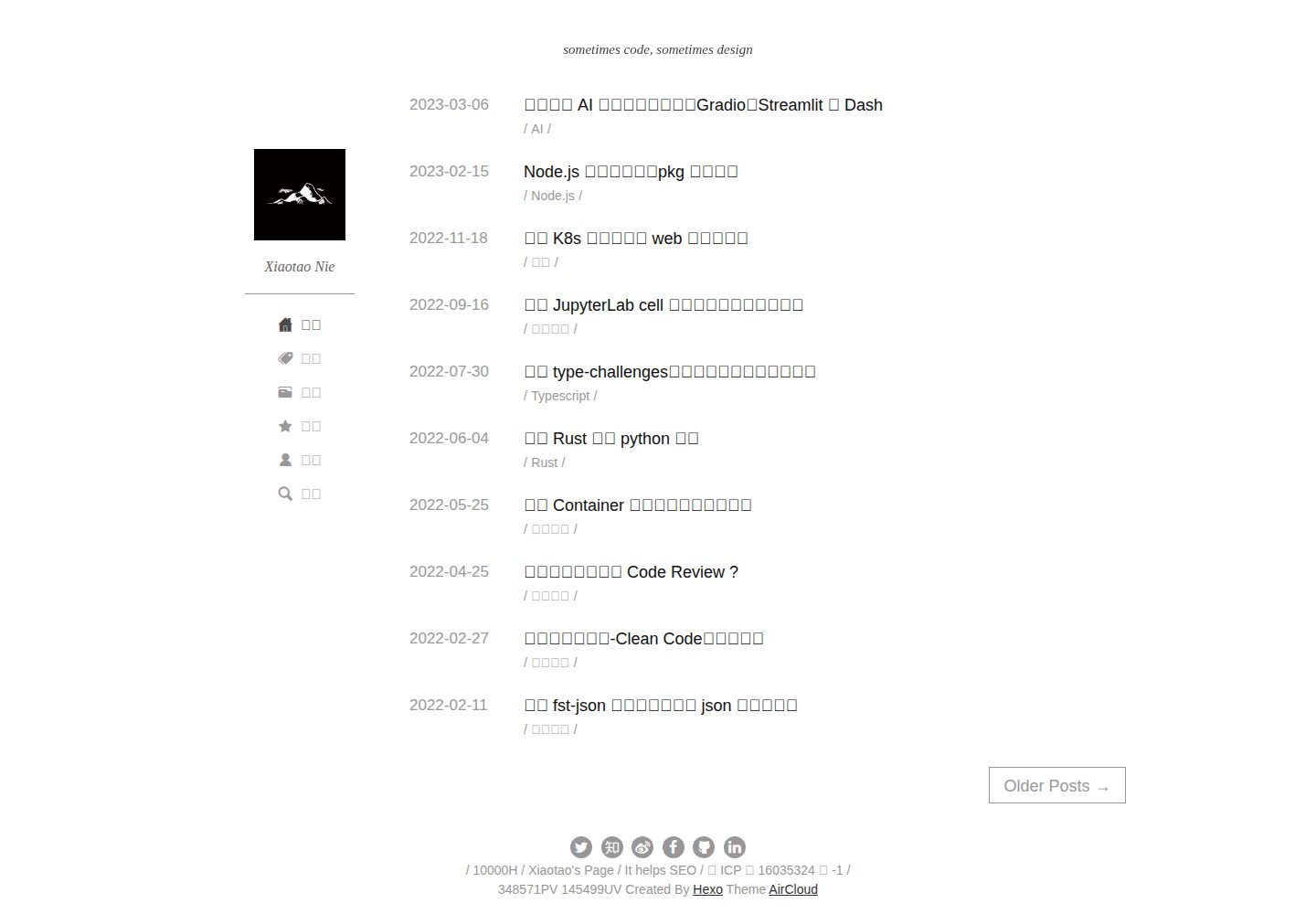
hexo-theme-aircloud
A concise hexo theme
Hexo · 博客