
Material Design 风格与响应式布局,适配桌面、平板与手机
Hexo博客
hexo-theme-matery — Hexo 博客模板
作者 blinkfox
hexo-theme-matery 是一个基于 Material Design 与响应式设计的 Hexo 博客主题,提供文章列表、归档、标签云、分类雷达图、关于页与多种评论系统等页面模块。
看看你的网站会是什么样
浏览真实页面截图,比较内容排版与手机效果。点击下方缩略图切换,放大查看整页细节。
全部页面与视图 3
截图用于了解视觉与布局,交互效果请以实际项目为准。
采集于 2026-10-01查看来源
值得关注的模板亮点
从已有项目资料中,快速了解它的特点。
首页轮播文章与每日动态变化的 banner 图
瀑布流文章列表、时间线归档、词云标签页与雷达图分类页
内容较完整的关于页,含个人介绍、文章统计、项目、技能与相册
支持置顶、打赏、MathJax、目录、复制追加版权信息与阅读密码验证
可接入 Gitalk、Gitment、Valine、Disqus 评论及 Busuanzi、Google Analytics 统计
模板详细介绍
hexo-theme-matery 是面向 Hexo 静态博客的主题,采用 Material Design 风格并做响应式适配,可在桌面、平板与手机上显示。主题自带首页轮播文章、每日变化的 banner 图、瀑布流文章列表、时间线归档、词云标签页与雷达图分类页,以及包含个人介绍、文章统计、项目、技能与相册的关于页。文章层面支持置顶、打赏、MathJax、目录、复制内容追加版权信息与阅读密码验证。评论可接入 Gitalk、Gitment、Valine 或 Disqus,并集成 Busuanzi 统计、Google Analytics 与文章字数统计。首页支持音乐与视频播放,支持 emoji 表情语法,也可接入 DaoVoice、Tidio 在线聊天。
使用方式为将主题放入 Hexo 项目的 themes 目录,并在站点 _config.yml 中把 theme 设为 hexo-theme-matery。分类、标签、关于、留言、友情链接与 404 等页面需要按 README 说明手动创建对应的 source 页面文件并填写 front-matter 的 type 与 layout。菜单支持多级结构,图标使用 Font Awesome 类名。代码高亮方面,主题已适配 Hexo 自带的 prismjs,若曾安装 hexo-prism-plugin 需要卸载,并在站点配置中关闭 highlight、开启 prismjs。搜索依赖 hexo-generator-search 插件,中文链接转拼音依赖 hexo-permalink-pinyin,文章字数统计依赖 hexo-wordcount。
限制方面:留言板依赖第三方评论系统,需先启用评论才有效;友情链接数据需在 source/_data/friends.json 中维护;主题 README 建议使用 Hexo 5.0.0 及以上版本。代码采用 Apache-2.0 许可,可免费使用、修改、商用与分发,但演示图片、字体、图标等第三方素材需单独核对许可,域名、托管等外部服务可能另行收费。
Hexo博客
适合你的项目吗?
适用场景
- 使用 Hexo 搭建个人技术博客或写作站点
- 需要文章归档、标签云与分类雷达图等聚合页面
- 希望为文章增加置顶、打赏、目录与阅读密码等阅读功能
- 需要接入第三方评论系统与访问统计的博客
- 需要中文链接转拼音、文章字数统计等 Hexo 插件配合的站点
适合人群
- 使用 Hexo 并希望更换 Material Design 风格主题的博主
- 需要响应式博客主题以覆盖移动端读者的用户
- 愿意按文档手动创建分类、标签、关于、留言与友情链接页面的用户
- 接受通过第三方评论系统与统计服务扩展博客功能的用户
上手与定制指南
结合仓库当前版本的说明,按下面的资料检查内容、配置与运行要求。
- 1
将主题放入 Hexo 项目的 themes 目录,并在站点 _config.yml 中设置 theme: hexo-theme-matery
- 2
分类、标签、关于、留言、友情链接与 404 页面需手动创建对应 source 页面并填写 type 与 layout
- 3
代码高亮需卸载 hexo-prism-plugin,并在站点配置中关闭 highlight、开启 prismjs
- 4
搜索需安装 hexo-generator-search,中文链接转拼音需安装 hexo-permalink-pinyin,字数统计需安装 hexo-wordcount
- 5
留言板依赖第三方评论系统,需先启用评论;友情链接数据需在 source/_data/friends.json 中维护
授权与来源资料
使用条件与限制
免费使用 · 保留许可声明本次收录的是公开仓库中采用 Apache-2.0 许可的免费版本;免费范围为该版本代码,不代表外部服务或第三方素材免费。
使用时需要遵守
- 允许免费使用、修改、商用和分发;分发时需随附 Apache-2.0 许可证。
- 修改过的文件需显著标明改动,并保留相关版权、专利、商标及归属声明。
- 若原项目附有 NOTICE 文件,分发衍生作品时需保留其中适用的归属声明。
- 许可包含适用的贡献者专利授权;发起许可所述专利诉讼会终止该专利授权,且不授予商标使用权。
- 代码按现状提供;担保与责任限制以原许可证及适用法律为准。
额外费用与待核对事项
- 留言板功能依赖第三方评论系统,必须先启用评论系统才能生效,否则留言板不可用。
- 使用 DaoVoice 在线聊天需前往其官网注册账号并获取 app_id,属于外部服务依赖。
- 使用 Tidio 在线聊天需前往其官网注册账号并获取 Public Key,属于外部服务依赖。
- 主题建议在 Hexo 5.0.0 及以上版本使用,低版本可能不兼容。
- 若已安装 hexo-prism-plugin,必须卸载,否则代码块会出现转义字符问题。
- 搜索功能依赖第三方 Hexo 插件 hexo-generator-search,需另行安装。
- 中文链接转拼音功能依赖第三方插件 hexo-permalink-pinyin,需另行安装。
- 文章字数统计功能依赖第三方插件 hexo-wordcount,需另行安装。
- 演示图片、字体、图标及其他第三方素材需按各自许可核对,不能仅凭代码的 Apache-2.0 许可判断。
- 域名、托管、数据库、支付或 AI 等外部服务可能另外收费。
查看原文依据
no-charge, royalty-free, irrevocable copyright license
许可证原文
The message board depends on a third-party comment system, please **activate** your comment system to be effective.
README 原文
Go to the official website of [DaoVoice](http://www.daovoice.io/), register and get the `app_id`.
README 原文
Go to the official website of [Tidio](https://www.tidio.com/), register and get the `Public Key`.
README 原文
hexo-theme-matery **recommend you to use Hexo 5.0.0 and above**.
README 原文
If the plugin of `hexo-prism-plugin` has been installed in your blog, then you need to execute `npm uninstall hexo-prism-plugin` to uninstall it
README 原文
The theme uses the Hexo plugin [hexo-generator-search](https://github.com/wzpan/hexo-generator-search) to search the content
README 原文
We can use the [hexo-permalink-pinyin](https://github.com/viko16/hexo-permalink-pinyin) Hexo plugin to generate permalinks in Chinese Pinyin
README 原文
https://github.com/blinkfox/hexo-theme-matery/blob/develop/LICENSEhttps://github.com/blinkfox/hexo-theme-matery/blob/develop/README.mdyou can install the [hexo-wordcount](https://github.com/willin/hexo-wordcount) plugin.
README 原文
DeepSeek 根据仓库许可证和 README 整理 ·2026-10-01。结果仅覆盖已读取资料,依赖、图片、字体及后续条款变更以各自原文为准。
项目核对记录与介绍依据
模板资料
- 来源平台
- GitHub
- 资料与维护参考分
- 资料较完整 · 80 / 100
- 技术栈
- Hexo
- 网站类型
- 博客
这个分数如何计算
本站按许可资料(最高30分)、演示链接(12分)、预览图(10分)、Star数(15分)、记录的维护时间(15分)、描述完整度(8分)、功能记录(5分)和分类资料(5分)计算。它不是代码、安全或性能测试,也不是 Google 评分;有链接不代表已实测可用。
这个项目需要核对什么
- 记录的仓库更新时间
- 2024-07-02
- 截图检查日期
- 2026-10-01
已收录演示链接。请用你的内容与屏幕尺寸检查;有演示不代表表单、认证或支付已经可用。
目录记录的主要技术栈是 Hexo。请通过依赖清单和锁文件核对实际版本与托管要求。这些说明基于收录资料,不代表代码审计或部署实测。
查看具体选型方法 →介绍的制作与核对状态
介绍由 AI 辅助整理目录与仓库资料。仓库作者不等于这篇介绍的审核者。
已完成服务器许可规则与 AI 来源核对;未经过人工编辑审核。
查看当时使用的来源资料
SHA-256: 63659138c36d8caeab250df76f0100b1a22580acd39210e6d7ca6c4d78f0f701
2026-10-01T03:17:20.286Z
来源文件 / 仓库# hexo-theme-matery
[](http://hits.dwyl.io/blinkfox/hexo-theme-matery) [](https://gitter.im/hexo-theme-matery/Lobby?utm_source=badge) [](https://github.com/blinkfox/hexo-theme-matery/issues) [](https://github.com/blinkfox/hexo-theme-matery/blob/master/LICENSE) [](https://codeload.github.com/blinkfox/hexo-theme-matery/zip/master) [](http://hexo.io) [](https://github.com/blinkfox/hexo-theme-matery/network) [](https://github.com/blinkfox/hexo-theme-matery/stargazers)
[🇨🇳中文说明](README_CN.md) | [国内访问示例(http://blinkfox.com)](http://blinkfox.com) | [Github Deploy Demo(https://blinkfox.github.io)](https://blinkfox.github.io)
> This is a Hexo blog theme with 'Material Design' and responsive design.
## Features
- Simple and beautiful, and post is Beautiful and readable.
- [Material Design](https://material.io/).
- Responsive design, which can be displayed well on desktop, tablet, mobile phone, etc.
- Home page carousel posts and changing 'banner' picture dynamically everyday.
- Blog posts list with waterflow (There will be 24 images if the article doesn't have featured pictures).
- Archive page with timeline.
- Tags page of the **word cloud** and categories page of the **radar chart**
- Rich 'About' page (including about me, posts charts, my projects, my skills, gallery etc.)
- Friendly link page for customizable data
- Support post topping and rewards
- Support `MathJax`
- TOC
- Can be set append the copyright information when copying the content of the post
- Can be set to do password verification when reading a post
- Comment module of [Gitalk](https://gitalk.github.io/), [Gitment](https://imsun.github.io/gitment/), [Valine](https://valine.js.org/) and [Disqus](https://disqus.com/).(Gitalk is recommended)
- Integrated [Busuanzi Statistics](http://busuanzi.ibruce.info/), `Google Analytics` and post word count statistics.
- Support music playback and video playback on the homepage
- Support the `emoji` emoticon and use the `markdown emoji` grammar to directly generate the corresponding emoticon.
- Support [DaoVoice](http://www.daovoice.io/), [Tidio](https://www.tidio.com/) online chat.
## Contributor
Thanks to these contributors, without whom, hexo-theme-matery won't be this perfect.
- [@HarborZeng](https://github.com/HarborZeng)
- [@shw2018](https://github.com/shw2018)
- [@L1cardo](https://github.com/L1cardo)
- [@Five-great](https://github.com/Five-great)
## Download
hexo-theme-matery **recommend you to use Hexo 5.0.0 and above**. If you already have your own [Hexo](https://hexo.io/zh-cn/) blog, I suggest you upgrade Hexo to the latest stable version.
Click [here](https://codeload.github.com/blinkfox/hexo-theme-matery/zip/master) to download master branch of the last stable version of the code.After decompressing, copy the `hexo-theme-matery` folder
to your `themes` folder of your Hexo blog project.
Of course, you can use `git clone` to download in your `themes` folder.
```bash
git clone https://github.com/blinkfox/hexo-theme-matery.git
```
## Configuration
### Modify theme
Modify the value of `theme` in `_config.yml` of Hexo's root folder: `theme: hexo-theme-matery`.
#### Suggestions for other changes to the `_config.yml`:
- Please modify the value of `url` of `_config.yml` to your website's main `URL` (e.g. `http://xxx.github.io`).
- It's recommended to modify the value of the two `per_page` to be a multiple of `6`, such as: `12`, `18`, etc. so that the posts list can be displayed well under each screen.
- If you are a Chinese user, it is recommended to change the value of `language` to `zh-CN`.
### new categories page
`categories` page is to show all of categories. If the `source` directory of your blog doesn't have `categories/index.md` file, you need to create a new one like this:
```bash
hexo new page "categories"
```
when editing your new page file `/source/categories/index.md`, you need something like:
```yaml
---
title: categories
date: 2018-09-30 17:25:30
type: "categories"
layout: "categories"
---
```
### new tags page
`tags` page is to show all of tags. If the `source` directory of your blog doesn't have `tags/index.md` file, you need to create a new one like this:
```bash
hexo new page "tags"
```
and put the following in your new page file `/source/tags/index.md`,
```yaml
---
title: tags
date: 2018-09-10 18:23:38
type: "tags"
layout: "tags"
---
```
### new about page
`about` page is to show my blog and myself information. If the `source` directory of your blog doesn't have `about/index.md` file, create a new one like this:
```bash
hexo new page "about"
```
and edit your new page file `/source/about/index.md` to include:
```yaml
---
title: about
date: 2018-09-30 17:25:30
type: "about"
layout: "about"
---
```
### new contact page (Optional)
`contact` page is to show contact information. If the `source` directory of your blog doesn't have `contact/index.md` file, you need to new one like this:
```bash
hexo new page "contact"
```
when editing your new page file `/source/contact/index.md`, include the following at the beginning:
```yaml
---
title: contact
date: 2018-09-30 17:25:30
type: "contact"
layout: "contact"
---
```
> **Note**:The message board depends on a third-party comment system, please **activate** your comment system to be effective. And in the theme's `_config.yml` file, the "**menu**" of the `19` to `21` line is configured, and the comment about the message board could be canceled.
### new friends link page (Optional)
The `friends` page is a page for displaying **Friendly Links** information. If you don't have a `friends/index.md` file in your blog's `source` directory, then you need to create a new one. The command is as follows:
```bash
hexo new page "friends"
```
Edit the file `/source/friends/index.md` you just created, at least you need the following:
```yaml
---
title: friends
date: 2018-12-12 21:25:30
type: "friends"
layout: "friends"
---
```
Also, create a new `_data` directory in your blog's `source` directory and a new `friends.json` file in the `_data` directory. The contents of the file is as follows:
```json
[{
"avatar": "http://image.luokangyuan.com/1_qq_27922023.jpg",
"name": "MaJang",
"introduction": "I am not a master, just looking for the master's footsteps.",
"url": "http://luokangyuan.com/",
"title": "Read More"
}, {
"avatar": "http://image.luokangyuan.com/4027734.jpeg",
"name": "Blinkfox",
"introduction": "Hello, I'm blinkfox, I like programming.",
"url": "https://blinkfox.github.io/",
"title": "Visit Blog"
}, {
"avatar": "http://image.luokangyuan.com/avatar.jpg",
"name": "ja_rome",
"introduction": "Ordinary steps can also go out of the great journey.",
"url": "https://me.csdn.net/jlh912008548",
"title": "Read More"
}]
```
### new 404 page
If the `source` directory of your blog doesn't have `404.md` file, you need create a new one. In `/source/404.md`, you need something as follows:
```yaml
---
title: 404
date: 2020-05-30 00:00:00
type: "404"
layout: "404"
description: "Cannot find the page you want :("
---
```
### Menu navigation configuration
#### Configure the name of the basic menu navigation, path url and icon icon.
1. The menu navigation name can be Chinese or English (e.g.: `Index` or `主页`)
2. Icon icon can be found in [Font Awesome](https://fontawesome.com/icons)
```yaml
menu:
Index:
url: /
icon: fas fa-home
Tags:
url: /tags
icon: fas fa-tags
Categories:
url: /categories
icon: fas fa-bookmark
Archives:
url: /archives
icon: fas fa-archive
About:
url: /about
icon: fas fa-user-circle
Friends:
url: /friends
icon: fas fa-address-book
```
#### Secondary menu configuration method
If you need a secondary menu, you can do the following on the basis of the original basic menu navigation.
1. Add the `children` keyword to the first level menu that needs to add a secondary menu (e.g.: add `children` under the `About` menu)
2. Create a secondary menu name, path url and icon icon under `children`.
3. Note that each secondary menu module must be preceded by `-`.
4. Note the indentation format.
```yaml
menu:
Index:
url: /
icon: fas fa-home
Tags:
url: /tags
icon: fas fa-tags
Categories:
url: /categories
icon: fas fa-bookmark
Archives:
url: /archives
icon: fas fa-archive
About:
url: /about
icon: fas fa-user-circle
Friends:
url: /friends
icon: fas fa-address-book
Medias:
icon: fas fa-list
children:
- name: Music
url: /music
icon: fas fa-music
- name: Movies
url: /movies
icon: fas fa-film
- name: Books
url: /books
icon: fas fa-book
- name: Galleries
url: /galleries
icon: fas fa-image
```
### Code Highlight
Starting from Hexo 5.0.0 version, it comes with support for `prismjs` code syntax highlighting, and hexo-theme-matery has been modified to support it.
If the plugin of `hexo-prism-plugin` has been installed in your blog, then you need to execute `npm uninstall hexo-prism-plugin` to uninstall it, otherwise there will be `{`, `}` escape characters in the code block of the post.
Then, modify the value of `highlight.enable` to `false` in `_config.yml` at the root your hexo project, and set the value of `prismjs.enable` to `true`, the main configuration is as follows:
```yaml
highlight:
enable: false
line_number: true
auto_detect: false
tab_replace: ''
wrap: true
hljs: false
prismjs:
enable: true
preprocess: true
line_number: true
tab_replace: ''
```
The default `prismjs` theme in the hexo-theme-matery is `Tomorrow Night`, if you want to customize your own theme, you can go to [prismjs download page](https://prismjs.com/download.html) to download yourself favorite theme `css` file, then name this css theme file `prism.css`, replace the `source/libs/prism/prism.css` file in the theme folder of `hexo-theme-matery`.
### Search
The theme uses the Hexo plugin [hexo-generator-search](https://github.com/wzpan/hexo-generator-search) to search the content, and the Installation command is as follows:
```bash
npm install hexo-generator-search --save
```
Add the following content in `_config.yml` at the root of your hexo project:
```yaml
search:
path: search.xml
field: post
```
### Translate Chinese Link to Pinyin (Recommended)
Default permalinks of Hexo will include Chinese if your article's title is Chinese. But it's adverse to `SEO`, and `gitment` comments don't support Chinese Link as well. We can use the [hexo-permalink-pinyin](https://github.com/viko16/hexo-permalink-pinyin) Hexo plugin to generate permalinks in Chinese Pinyin when generating posts.
Installation command is as follows:
```bash
npm i hexo-permalink-pinyin --save
```
Add such configurations in `_config.yml` file of Hexo:
```yaml
permalink_pinyin:
enable: true
separator: '-' # default: '-'
```
> **Note**: [hexo-abbrlink](https://github.com/rozbo/hexo-abbrlink) can generate non-Chinese link in addition to this plugin.
### Post word count statistics plugin (Recommended)
If you want to display the post word count and reading time information in the post detail page, you can install the [hexo-wordcount](https://github.com/willin/hexo-wordcount) plugin.
Installation command is as follows:
```bash
npm i --save hexo-wordcount
```
Then just activate the following configuration items in the theme `_config.yml` file:
```yaml
postInfo:
date: true
update: false
wordCount: false # set true.
totalCount: false # set true.
min2read: false # set true.
readCount: false # set true.
```
### Add emoji support (Optional)
This theme adds support for the `emoji` emoticon, using the Hexo plugin [hexo-filter-github-emojis](https://npm.taobao.org/package/hexo-filter-github-emojis) to support the generation of the `emoji` expression. The corresponding `markdown emoji` syntax (`::`, for example: `:smile:`) is converted into a `emoji` expression that jumps. The installation command is as follows:
```bash
npm install hexo-filter-github-emojis --save
```
Add the following configuration into the `_config.yml` file in your hexo project root folder:
```yaml
githubEmojis:
enable: true
className: github-emoji
inject: true
styles:
customEmojis:
```
Execute `hexo clean && hexo g` to regenerate the blog file, and then you can see the expression you wrote in the `emoji` grammar in the corresponding position in the article.
### Add RSS feed support (Optional)
The theme uses the Hexo plugin [hexo-generator-feed](https://github.com/hexojs/hexo-generator-feed) to support `RSS` feed , and the Installation command is as follows:
```bash
npm install hexo-generator-feed --save
```
Add the following configuration into the `_config.yml` file in your hexo project root folder:
```yaml
feed:
type: atom
path: atom.xml
limit: 20
hub:
content:
content_limit: 140
content_limit_delim: ' '
order_by: -date
```
Execute `hexo clean && hexo g` to regenerate the blog file, and then you can see the `atom.xml` file in the `public` folder, indicating that you have successfully installed.
### [DaoVoice](http://www.daovoice.io/) online chat (Optional)
Go to the official website of [DaoVoice](http://www.daovoice.io/), register and get the `app_id`. Fill the `app_id` into the the theme `_config.yml` file.
### [Tidio](https://www.tidio.com/) online chat (Optional)
Go to the official website of [Tidio](https://www.tidio.com/), register and get the `Public Key`. Fill the `Public Key` into the the theme `_config.yml` file.
### Modify website footer
Website footer may need to be customized, and it is not convenient to make it part of the configuration, So you need to modify and process it by yourself. Changes could be made in the theme's `/layout/_partial/footer.ejs` file, including the site information, the theme used, the amount of traffic and so on.
### Modify social links
In the theme `_config.yml` file, the configurations of `QQ`, `GitHub` and mailbox and more are supported by default. In the `/layout/_partial/social-link.ejs` file of the theme, you can add or modify social link addresses as you need. To add a link, please refer to the following code:
```html
<% if (theme.socialLink.github) { %>
<a href="<%= theme.socialLink.github %>" class="tooltipped" target="_blank" data-tooltip="访问我的GitHub" data-position="top" data-delay="50">
<i class="fab fa-github"></i>
</a>
<% } %>
```
You can search social icons such as `fab fa-github` in [Font Awesome](https://fontawesome.com/icons). There are common social icons you can reference:
- Facebook: `fab fa-facebook`
- Twitter: `fab fa-twitter`
- Google-plus: `fab fa-google-plus`
- Linkedin: `fab fa-linkedin`
- Tumblr: `fab fa-tumblr`
- Medium: `fab fa-medium`
- Slack: `fab fa-slack`
- Sina Weibo: `fab fa-weibo`
- Wechat: `fab fa-weixin`
- QQ: `fab fa-qq`
- Zhihu: `fab fa-zhihu`
> **Note**: The version of `Font Awesome` used by matery is `5.11.0`.
### Configure music player (optional)
To support music playing, you just need to activate music playing configuration in the theme's `_config.yml` file.
```yaml
# Whether to display the music
music:
enable: true
title: # non-fixed mode works
enable: true
show: Listen to music
server: netease # require music platform: netease, tencent, kugou, xiami, baidu
type: playlist # require song, playlist, album, search, artist
id: 503838841 # require song id / playlist id / album id / search keyword
fixed: false # enable fixed mode
autoplay: false # audio atuoplay
theme: '#42b983'
loop: 'all' # player loop play, values: 'all', 'one', 'none'
order: 'random' # player play order, values: 'list', 'random'
preload: 'auto' # values: 'none', 'metadata', 'auto'
volume: 0.7 # default volume, notice that player will remember user setting, default volume will not work after user set volume themselves
listFolded: true # indicate whether list should folded at first
```
>`server` values : `netease` (NetEase cloud music) , `tencent` (QQMusic) , `kugou` (KuGouMusic) , `xiami`
>(XiamMusic) , `baidu` (BaiduMusic)
>`type` values : `song` , `playlist` , `album` , `search` , `artist`
>For example to get the `id`:open NetEase cloud music in the browser , click the playlist of my love , there will a string of
>numbers in the browser\`s address bar , the `playlist`\`s `id` just is the string of numbers.
### add note
> [demonstration](https://blog.17lai.site/posts/cf0f47fd/#tag-note)
#### Usage
```
{% note [class] [no-icon] [summary] %}
Any content (support inline tags too).
{% endnote %}
```
- `[class]` : *Optional parameter.* Supported values: default | primary | success | info | warning | danger.
- `[no-icon]` : *Optional parameter.* Disable icon in note.
- `[summary]` : *Optional parameter.* Optional summary of the note.
All parameters are optional.
#### example
```
{% note %}
#### Header
(without define class style)
{% endnote %}
```
### add button
> [demonstration](https://blog.17lai.site/posts/cf0f47fd/#tag-button)
#### Usage
```
{% button url, text, icon [class], [title] %}
```
or
```
{% btn url, text, icon [class], [title] %}
```
- `url` : Absolute or relative path to URL.
- `text` : Button text. Required if no icon specified.
- `icon` : Font Awesome icon name. Required if no text specified.
- `[class]` : *Optional parameter.* Font Awesome class(es): `fa-fw` | `fa-lg` | `fa-2x` | `fa-3x` | `fa-4x` | `fa-5x`
- `[title]` : *Optional parameter.* Tooltip at mouseover.
#### Examples
```
{% button #, Text %}
```
## Post Front-matter
### Detailed Front-matter options
Everything in the Front-matter option is **not required**. But I still recommend at least filling in the values of `title` and `date`.
| Options | Defaults | Description |
| ---------- | --------------------------- | ------------------------------------------------------------ |
| title | Markdown's file title | Post title, it is highly recommended to fill in this option |
| date | Date and time when the file created | Publish time, it is highly recommended to fill in this option, and it is best to ensure that it is globally unique |
| author | `author` in root `_config.yml` | Post author |
| img | a value in `featureImages` | Post feature image,For example: `http://xxx.com/xxx.jpg` |
| top | `true` | Recommended post (whether the post is topped), if the `top` value is `true`, it will be recommended as a homepage post. |
| hide | `false` | Whether show this post in homepage, if the `hide` value is `true`, it will not be showed in homepage. |
| cover | `false` | The `v1.0.2` version is added to indicate whether the post needs to be added to the homepage carousel cover. |
| coverImg | null | The new version of `v1.0.2` indicates that the post needs to display the image path on the cover of the homepage. If not, the default image of the post is used by default. |
| password | null | The post read the password. If you want to set the reading verification password for the article, you can set the value of `password`, which must be encrypted with `SHA256` to prevent others from seeing it. The premise is that the `verifyPassword` option is activated in the theme's `config.yml` |
| toc | `true` | Whether TOC is turned on or not, you can turn off the TOC function for an article. The premise is that the `toc` option is activated in the theme's `config.yml` |
| mathjax | `false` | Whether to enable math formula support, whether this article starts `mathjax`, and you need to open it in the theme `_config.yml` file. |
| summary | null | Post summary, custom post summary content, if the attribute has a value, the post card summary will display the text, otherwise the program will automatically intercept part of the article as a summary |
| categories | null | Article classification, the classification of this topic represents a macroscopically large classification, only one article is recommended for one classification. |
| tags | null | Post label, a post can have multiple labels |
| keywords | Post Title | Post key Words With SEO |
| reprintPolicy | cc_by | Post reprint policy, value could be one of cc_by, cc_by_nd, cc_by_sa, cc_by_nc, cc_by_nc_nd, cc_by_nc_sa, cc0, noreprint and pay |
> **Note**:
> 1. post's featured picture will take remainder if not writing the `img` property, and choose the featured picture of theme to let all of post's picture **have their own characteristics**.
> 2. The value of `date` should try to ensure that each article is unique, because `Gitalk` and `Gitment` recognize `id` in this topic are uniquely identified by the value of `date`.
> 3. If you want to set the ability to read the verification password for the article, you should not only set the value of the password with SHA256 encryption in Front-matter, but also activate the configuration in the theme `_config.yml`.
> 4. you can define reprint policy for a single article in the front-matter of the specific md file using this key: reprintPolicy
The following are examples of the post's `Front-matter`.
### The simplest example
```yaml
---
title: typora-vue-theme Theme introduction
date: 2018-09-07 09:25:00
---
```
### The most comprehensive example
```yaml
---
title: typora-vue-theme Theme introduction
date: 2018-09-07 09:25:00
author: Qi Zhao
img: /source/images/xxx.jpg
top: true
hide: false
cover: true
coverImg: /images/1.jpg
password: 8d969eef6ecad3c29a3a629280e686cf0c3f5d5a86aff3ca12020c923adc6c92
toc: false
mathjax: false
summary: This is the content of your custom post summary. If there is a value for this attribute, the post card summary will display the text, otherwise the program will automatically intercept part of the post content as a summary.
categories: Markdown
tags:
- Typora
- Markdown
---
```
## Screenshot
### Home


## Custom modification
You can modify some custom modification in `_config.yml` as follows:
- Menu
- My dream
- Home music player and video player configuration
- Whether to display the title of the recommended posts
- `favicon` and `Logo`
- profiles
- TOC
- post rewards
- Append copyright information when copying article content
- MathJax
- Post word count, reading times
- the 'love' effect of clicking on the page
- My Projects
- My Skills
- My Gallery
- Gitalk, Gitment, Valine and Disqus
- [Busuanzi Statistics](http://busuanzi.ibruce.info/) And Google Analytics
- The map of default featured pictures. The theme will take remainder according to `hashcode` of the post title if the post does not set featured pictures.
**I think everyone should have their own style and feature for their blogs**. If you are not satisfied with the theme's functions and color, you can modify them by yourself,
and more free functions and details could be changed by modifying source code when it is hard to achieve by modifying the theme's `_config.yml`.
### Customizing theme color
Search `.bg-color` to modify background color in `/source/css/matery.css` in theme file:
```css
/* The overall background color, including navigation, mobile navigation, footer, tab, etc.. */
.bg-color {
background-image: linear-gradient(to right, #4cbf30 0%, #0f9d58 100%);
}
@-webkit-keyframes rainbow {
/* Dynamically switch background colors. */
}
@keyframes rainbow {
/* Dynamically switch background colors. */
}
```
### Modify banner picture and post's featured pictures
You can change `banner` pictures in `/source/medias/banner` as you like .Theme code can switch dynamically every day and just need 7 pictures.If you master `JavaScript`, you can change it to your favorite switching logic, such as Random switching. The code for switching `banner`is in `<script></script>` of `/layout/_partial/bg-cover-content.ejs`file.
```javascript
$('.bg-cover').css('background-image', 'url(/medias/banner/' + new Date().getDay() + '.jpg)');
```
There are 24 featured pictures in `/source/medias/featureimages`, you can add or delete some, and modify corresponding settings in the theme's `_config.yml`.
## Changelog
See [CHANGELOG.md](https://github.com/blinkfox/hexo-theme-matery/blob/master/CHANGELOG.md)
看看同类模板
对比同技术栈与用途的模板,找到更适合的视觉与内容结构。

hexo-theme-cactus
:cactus: A responsive, clean and simple theme for Hexo.
Hexo · 博客

hexo-theme-volantis
A Wonderful Theme for Hexo.
Hexo · 博客

hexo-theme-aurora
Hexo Theme Aurora 是一款以极光色彩和渐变 UI 为核心的 Hexo 博客主题,整体走未来感路线。 它的首页采用杂志式网格布局,文章列表与精选区域层次分明,视觉上更接近个人媒体站点而非传统博客。
Hexo · 博客

hexo-theme-Claudia
Claudia 是一款为 Hexo 设计的博客主题,主打简洁外观与易配置。 它支持自动跟随设备深色模式,并在 README 中宣称拥有 90+ 的 Lighthouse 评分,适合追求轻量与性能的博客作者。
Hexo · 博客

hexo-theme-A4
A hexo theme that looks like an A4 paper.(一个类A4纸张质感的hexo博客主题。 )
Hexo · 博客
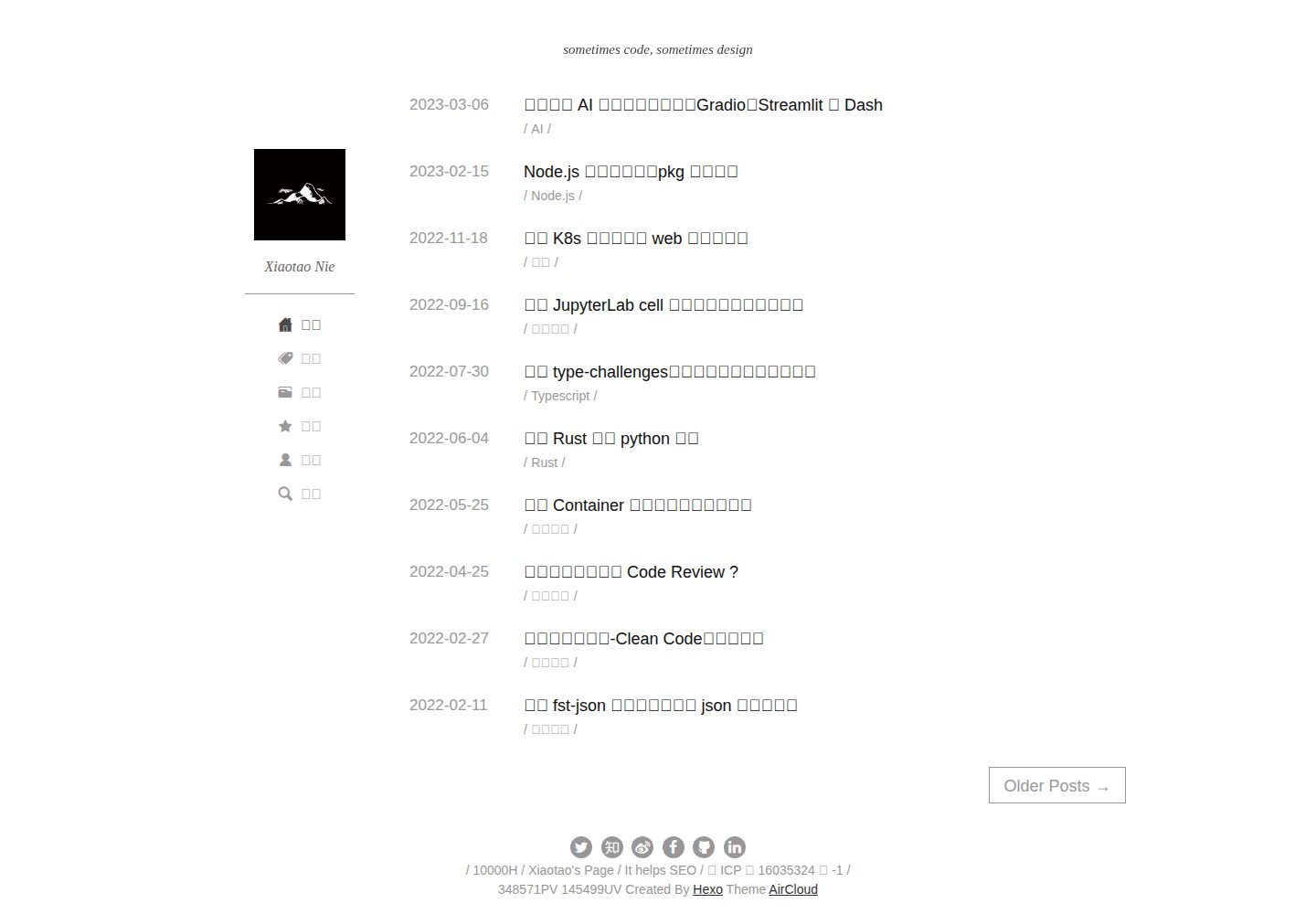
hexo-theme-aircloud
A concise hexo theme
Hexo · 博客