Next.js 与 react-leaflet 集成,使用 TypeScript 编写
Next.jsReact启动器
leaflet-nextjs-ts-starter — Next.js 启动器模板
作者 richard-unterberg
基于 Next.js、React 与 TypeScript 的 Leaflet 地图启动器,内置标记图标、弹窗、分类聚类和地图 UI 组件。
看看你的网站会是什么样
浏览真实页面截图,比较内容排版与手机效果。点击下方缩略图切换,放大查看整页细节。
全部页面与视图 2
截图用于了解视觉与布局,交互效果请以实际项目为准。
采集于 2026-10-02查看来源
值得关注的模板亮点
从已有项目资料中,快速了解它的特点。
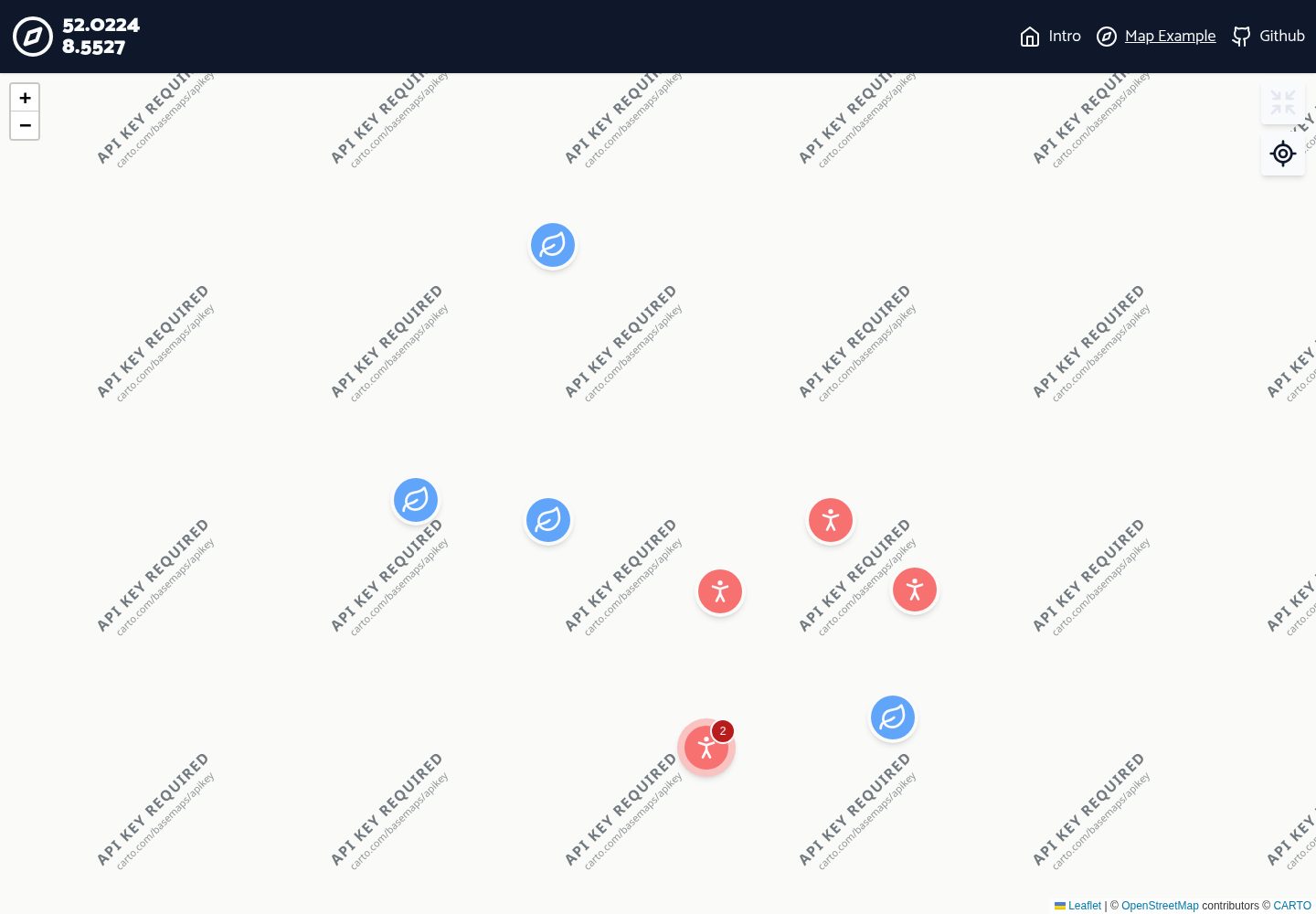
内置自定义标记图标与自定义标记弹窗
支持标记分类,并按分类进行聚类,聚类图标与颜色随分类变化
聚类气泡显示该分类下的标记数量
提供获取标记数据和地图上下文的自定义 hooks
包含定位到我、以标记为中心等地图 UI 组件
模板详细介绍
这是一个面向 Next.js 项目的 Leaflet 地图启动模板,使用 TypeScript 编写,并集成 react-leaflet 地图插件。界面样式由 Tailwind 与 Lucide 图标增强,仓库中提供了可直接运行的示例页面与模块化演示内容。
模板内置了地图标记相关的常用能力:自定义标记图标、自定义标记弹窗、标记分类,以及按分类聚合的标记聚类,聚类图标与颜色随分类变化,并显示标记数量的通知气泡。此外还提供用于获取标记数据和地图上下文的自定义 hooks,以及“定位到我”“以标记为中心”等地图 UI 组件。
根据 README 的说明,当前版本不支持同一页面存在多个地图实例,因为地图实例直接从 window 对象读取;热重载时设置新坐标可能出现“Map container is already initialized”错误。作者也提到后续可能加入缩放按钮重设计、地图 UI 原子组件、与 Tailwind 断点同步的 hook、axios 数据请求等,但这些属于计划而非现有功能。
Next.jsReact启动器
适合你的项目吗?
适用场景
- 需要在地图上按类别展示大量标记点,并希望聚类显示的项目
- 希望快速搭建带地图交互的 Next.js 应用原型
- 需要自定义标记图标与弹窗内容的地图界面
- 为地图应用添加定位、居中到标记等基础交互控件
适合人群
- 使用 Next.js 与 TypeScript 开发地图相关页面的开发者
- 需要 Leaflet 地图标记与聚类基础组件的项目
- 希望参考 react-leaflet 在 Next.js 中集成方式的团队
上手与定制指南
结合仓库当前版本的说明,按下面的资料检查内容、配置与运行要求。
- 1
可通过 Vercel 一键克隆部署,或在本地执行 git clone 后运行 npm install 或 yarn
- 2
开发环境运行 npm run dev 或 yarn dev,构建运行 npm run build,本地启动构建运行 npm run start
- 3
当前版本同一页面仅支持一个地图实例,因为地图实例直接从 window 对象读取
- 4
热重载时设置新坐标可能出现 “Map container is already initialized” 错误
- 5
代码采用 MIT 许可,可免费使用、修改、商用和分发,但需保留版权声明与许可声明;演示图片、字体、图标等第三方素材需单独核对许可
授权与来源资料
使用条件与限制
免费使用 · 保留许可声明本次收录的是公开仓库中采用 MIT 许可的免费版本;免费范围为该版本代码,不代表外部服务或第三方素材免费。
使用时需要遵守
- 允许免费使用、修改、商用和分发该版本代码。
- 分发代码副本或实质性部分时,保留原作者版权声明和完整 MIT 许可声明。
- 代码按现状提供;担保与责任限制以原许可证及适用法律为准。
额外费用与待核对事项
- 当前版本同一页面仅支持一个地图实例,因为地图实例直接从 window 对象读取,无法在单页中同时渲染多个地图。
- 热重载时设置新坐标可能出现“Map container is already initialized”错误,属于已知问题。
- 演示图片、字体、图标及其他第三方素材需按各自许可核对,不能仅凭代码的 MIT 许可判断。
- 域名、托管、数据库、支付或 AI 等外部服务可能另外收费。
查看原文依据
Permission is hereby granted, free of charge
许可证原文
not possible atm since we read the map instance directly from window object
README 原文
https://github.com/richard-unterberg/leaflet-nextjs-ts-starter/blob/master/LICENSEhttps://github.com/richard-unterberg/leaflet-nextjs-ts-starter/blob/master/README.mdfix error when setting new coordinates in hot reload "Map container is already initialized."
README 原文
DeepSeek 根据仓库许可证和 README 整理 ·2026-10-02。结果仅覆盖已读取资料,依赖、图片、字体及后续条款变更以各自原文为准。
项目核对记录与介绍依据
模板资料
- 来源平台
- GitHub
- 资料与维护参考分
- 资料较完整 · 92 / 100
- 技术栈
- Next.js · React
- 网站类型
- 启动器
这个分数如何计算
本站按许可资料(最高30分)、演示链接(12分)、预览图(10分)、Star数(15分)、记录的维护时间(15分)、描述完整度(8分)、功能记录(5分)和分类资料(5分)计算。它不是代码、安全或性能测试,也不是 Google 评分;有链接不代表已实测可用。
这个项目需要核对什么
- 记录的仓库更新时间
- 2026-09-03
- 截图检查日期
- 2026-10-02
已收录演示链接。请用你的内容与屏幕尺寸检查;有演示不代表表单、认证或支付已经可用。
目录记录的主要技术栈是 Next.js。请通过依赖清单和锁文件核对实际版本与托管要求。这些说明基于收录资料,不代表代码审计或部署实测。
查看具体选型方法 →介绍的制作与核对状态
介绍由 AI 辅助整理目录与仓库资料。仓库作者不等于这篇介绍的审核者。
已完成服务器许可规则与 AI 来源核对;未经过人工编辑审核。
查看当时使用的来源资料
SHA-256: df0f125336a839d692c08ac62ea16a548d961e0500f73616f0ac0424339951ed
2026-10-02T16:43:56.900Z
来源文件 / 仓库typescript next.js starter kit for leaflet-react
===============
An extensible [next.js](https://nextjs.org/) starter kit archived with the [leaflet-react](https://react-leaflet.js.org/) map plugin. Template visually enhanced by [tailwind](https://tailwindcss.com/) and [lucide icons](https://lucide.dev/). ✨
Setup with [typescript](https://www.typescriptlang.org/) 👐.
Packed with useful components and hooks for using the map and create UI elements for next(.js) mapping projects.
## Help needed
I'm currently to busy to update this repo from time to time.
Please feel free and consider to contribute to keep the repo fresh.
### Table of Contents
1. [Features](#features)
2. [Getting started](#getting-started)
2. [Clone & Deploy with Github and Vercel](#clone-deploy)
3. [Manual install](#manual-install)
3. [Start up](#start-up)
4. [Coming up (probably)](#coming-up)
6. [Remove / change linting rules](#disable-lint)
7. [WebGL?](#web-gl)
7. [No typescript?](#no-ts)
### <a id="features"></a> 🎇 Features
- 🏇 mighty next.js 14 leaflet-react setup
- 😏 typescript + strict lint setup
- 🔗 next.js ready route nav module
- 🌤 modular demo content
- 🐛 custom marker icons
- 📄 custom marker popups
- 📚 marker categories
- 🫧 marker cluster by category with matching icon+color and notification bubble with marker count
- ⚓️ custom hooks for getting marker data and map context (thx [Flo301](https://github.com/Flo301))
- 🏡 custom ui components (locate me, center on markers)
### <a id="getting-started"></a> 🏎 Getting Started
#### <a id="clone-deploy"></a> ⛴ Clone & Deploy with Github and Vercel
Create new Github repo with vercel and deploy it within minutes. Could not be easier as hitting some buttons. Shipping of private repos is possible.
[](https://vercel.com/new/clone?repository-url=https%3A%2F%2Fgithub.com%2Frichard-unterberg%2Fnext-leaflet-starter-typescript)
Later: Check out your repo locally and run ```npm install``` or ```yarn``` in root
Follow Instructions for [Starting Up](#start-up)
#### <a id="manual-install"></a> ⚙️ Manual install
```bash
git clone https://github.com/richard-unterberg/next-leaflet-starter-typescript
# then
npm install
# or
yarn
```
### <a id="start-up"></a> 🏍️ Start up
According the official [Next.js Docs](https://nextjs.org/docs/getting-started):
Run the development server:
```bash
npm run dev
# or
yarn dev
```
Building with type checking and linting
```bash
npm run build
# or
yarn build
```
Start build locally
```bash
npm run start
# or
yarn start
```
### <a id="coming-up"></a> 📊 Upcoming (probably)
+ redesign zoom in / zoom out
+ atom components for map ui
+ fix error when setting new coordinates in hot reload "Map container is already initialized."
+ breakpoint hook synced with tailwind breakpoint which is usable in js
+ multiple map instances per page
+ not possible atm since we read the map instance directly from window object 🤫
+ add axios for fetching data
+ move simulated "endpoint" (Places) to public folder and convert to JSON
- **Feel free to contribute!** 🤗
### <a id="disable-lint"></a> 🤯 How to remove those linting rules?
You can adjust the settings mainly in ```eslint.json``` and ```tsconfig.json```.
I've been using them a lot on my dayjob and I can't be anymore without them. 🥲
### <a id="web-gl"></a> 👽 Web GL based mapping project
Leafleft, graphic-based tile rendering or rasterized zoom levels are not smooth enough and you are in for crazy fast WebGL mapping? Here's my [maplibre next.js ts starter kit](https://github.com/richard-unterberg/maplibre-nextjs-ts-starter)
### <a id="no-ts"></a> 📝 Don't wanna use typscript at all?
See this nice javascript implementation - This repo is heavily inspired by this one:
https://github.com/colbyfayock/next-leaflet-starter
Happy coding! ✌️👽
看看同类模板
对比同技术栈与用途的模板,找到更适合的视觉与内容结构。

ai-website-cloner-template
Clone any website with one command using AI coding agents
Next.js · 启动器

Next.js SaaS Starter
Next.js SaaS Starter 是 Next.js 官方维护的 SaaS 起点模板,定位介于学习资源和可直接部署的脚手架之间。
Next.js · SaaS

Next.js Commerce
Next.js Commerce 是 Vercel 团队维护的电商启动模板,基于 Next.js App Router 构建,采用服务端渲染、React Server Components、Server Actions …
Next.js · 电商

Next-js-Boilerplate
Next-js-Boilerplate 是一个面向 Next.js 16、Tailwind CSS 4 和 TypeScript 的启动器,核心定位是开发者体验优先。
Next.js · 启动器

tailwind-nextjs-starter-blog
tailwind-nextjs-starter-blog 是一个面向个人技术博客的 Next.js 与 Tailwind CSS 启动模板,其 v2 版本基于 App Router 与 React Server Comp…
Next.js · 博客

next-forge
Production-grade Turborepo template for Next.js apps.
Next.js · 启动器