Next.js and react-leaflet integration, written in TypeScript
Next.jsReactStarter
leaflet-nextjs-ts-starter — Next.js Starter Template
By richard-unterberg
A Leaflet map starter based on Next.js, React, and TypeScript, with built-in marker icons, popups, category clustering, and map UI components.
Explore the design
Compare the page layouts and mobile experience. Open any screenshot for a closer look.
Desktop homepage1 / 2
Desktop captureTop of page
Actual screenshot captured by the server browser.
All pages & views 2
Screenshots show visual appearance; interactive behavior may differ.
Recorded 2026-10-02View source
What stands out
A quick read of the recorded project description.
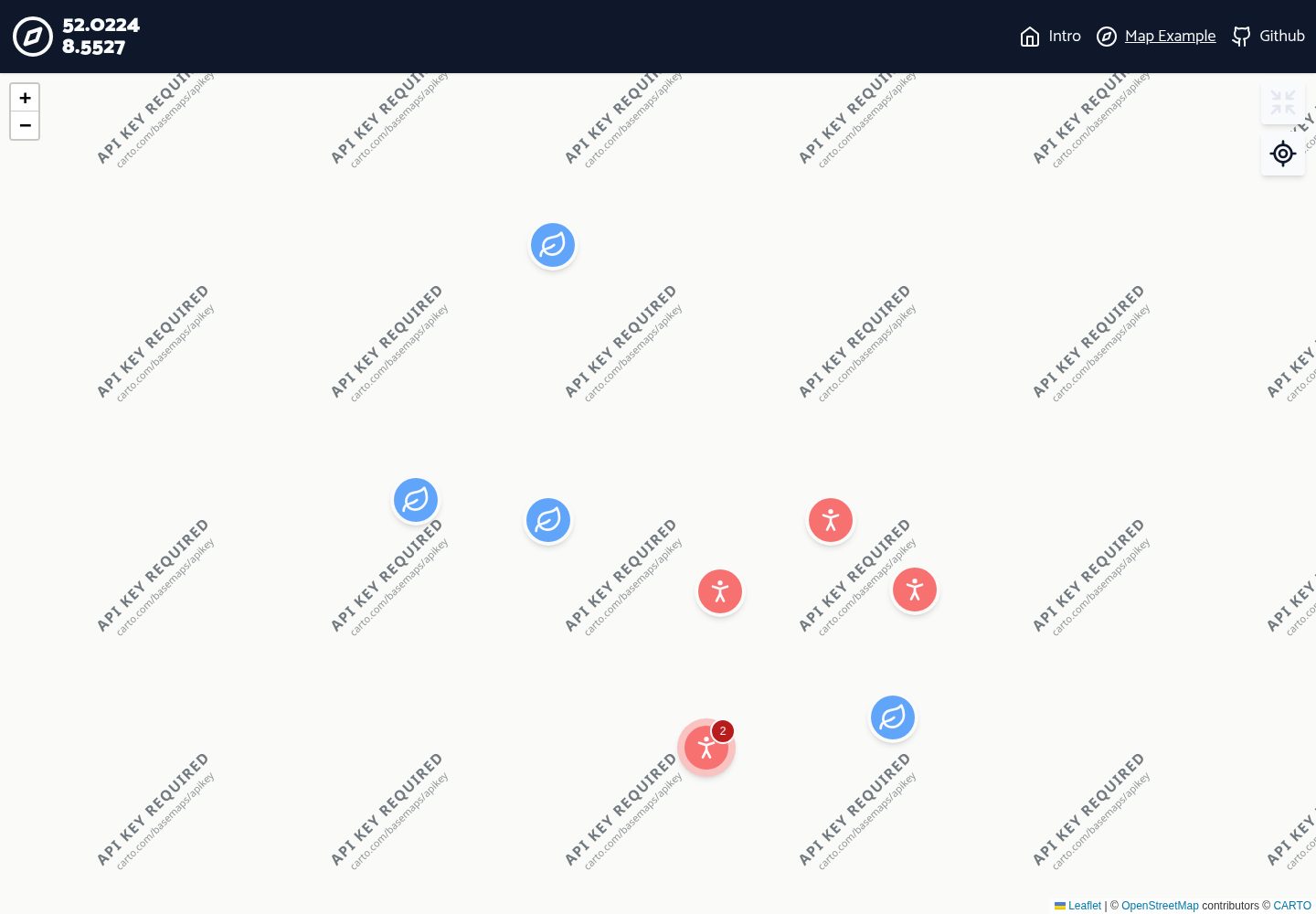
Built-in custom marker icons and custom marker popups
Supports marker categories and clustering by category, with cluster icons and colors varying by category
Cluster bubbles display the number of markers in that category
Provides custom hooks for fetching marker data and map context
Includes map UI components such as locate me and center on marker
Template Details
This is a Leaflet map starter template for Next.js projects, written in TypeScript and integrating the react-leaflet map plugin. The interface styling is enhanced with Tailwind and Lucide icons, and the repository provides a runnable example page and modular demo content.
The template includes common marker-related capabilities: custom marker icons, custom marker popups, marker categories, and marker clustering grouped by category, where cluster icons and colors vary by category and display a notification bubble with the marker count. It also provides custom hooks for fetching marker data and map context, as well as map UI components such as "locate me" and "center on marker".
According to the README, the current version does not support multiple map instances on the same page because the map instance is read directly from the window object; setting new coordinates during hot reload may cause a "Map container is already initialized" error. The author also mentions possible future additions such as a zoom button redesign, map UI atomic components, a hook synchronized with Tailwind breakpoints, and axios data requests, but these are plans rather than existing features.
Next.jsReactStarter
Is it right for your project?
Use Cases
- Projects that need to display many markers by category on a map and want clustered display
- Quickly building a Next.js application prototype with map interaction
- Map interfaces that require custom marker icons and popup content
- Adding basic interactive controls such as locate and center on marker to a map application
Suitable For
- Developers using Next.js and TypeScript to build map-related pages
- Projects that need basic Leaflet map marker and clustering components
- Teams looking for a reference on integrating react-leaflet in Next.js
Getting started & customization
Use these recorded setup notes alongside the repository instructions for your chosen version.
- 1
Can be deployed via one-click clone on Vercel, or locally by running git clone followed by npm install or yarn
- 2
Run npm run dev or yarn dev for development, npm run build for building, and npm run start to start the build locally
- 3
The current version supports only one map instance per page because the map instance is read directly from the window object
- 4
Setting new coordinates during hot reload may cause a "Map container is already initialized" error
- 5
The code is under the MIT license, allowing free use, modification, commercial use, and distribution, but the copyright notice and license notice must be retained; third-party assets such as demo images, fonts, and icons require separate license verification
License & source material
Usage conditions & limitations
Free to use · keep license noticeThis entry covers the free version under the MIT license in a public repository; the free scope applies to that version's code and does not imply that external services or third-party assets are free.
Must comply with when using
- Free use, modification, commercial use, and distribution of this version's code are permitted.
- When distributing copies or substantial portions of the code, retain the original author's copyright notice and the full MIT license notice.
- The code is provided as is; warranties and liability limitations are governed by the original license and applicable law.
Additional costs & items to verify
- The current version supports only one map instance per page because the map instance is read directly from the window object, so multiple maps cannot be rendered simultaneously on a single page.
- Setting new coordinates during hot reload may cause a "Map container is already initialized" error, which is a known issue.
- Demo images, fonts, icons, and other third-party assets require verification under their respective licenses and cannot be judged solely by the code's MIT license.
- External services such as domains, hosting, databases, payments, or AI may incur additional charges.
View Original Text Basis
Permission is hereby granted, free of charge
Original License Text
not possible atm since we read the map instance directly from window object
Original README
https://github.com/richard-unterberg/leaflet-nextjs-ts-starter/blob/master/LICENSEhttps://github.com/richard-unterberg/leaflet-nextjs-ts-starter/blob/master/README.mdfix error when setting new coordinates in hot reload "Map container is already initialized."
Original README
Compiled by DeepSeek based on repository license and README ·2026-10-02. Results only cover the materials read; dependencies, images, fonts, and subsequent term changes are subject to their respective original texts.
Project checks & description sources
Template Information
- Source platforms
- GitHub
- Documentation and maintenance reference score
- More documented · 92 / 100
- Technologies
- Next.js · React
- Website type
- Starter
How this score is calculated
Our heuristic uses license records (up to 30), a demo link (12), a preview (10), stars (15), recorded maintenance (15), description completeness (8), feature records (5) and classification data (5). It is not a code, security or performance test, or a Google score. A link does not establish tested functionality.
What to verify for this project
- Repository update recorded
- 2026-09-03
- Screenshot last checked
- 2026-10-02
A demo link is listed. Check it with your own content and viewport sizes; its presence does not confirm that forms, authentication or payments work.
The catalog identifies Next.js as the primary stack. Check the actual dependency manifest and lockfile for versions and hosting requirements. These notes use recorded metadata, not a code audit or a deployment test.
Use a selection guide →How this description was prepared
AI-assisted description based on catalog records and repository material. Repository authors are not automatically the reviewers of this description.
Automatically checked against source and license rules; no manual editorial review.
Inspect the recorded source material
SHA-256: df0f125336a839d692c08ac62ea16a548d961e0500f73616f0ac0424339951ed
2026-10-02T16:43:56.900Z
Source file / repositorytypescript next.js starter kit for leaflet-react
===============
An extensible [next.js](https://nextjs.org/) starter kit archived with the [leaflet-react](https://react-leaflet.js.org/) map plugin. Template visually enhanced by [tailwind](https://tailwindcss.com/) and [lucide icons](https://lucide.dev/). ✨
Setup with [typescript](https://www.typescriptlang.org/) 👐.
Packed with useful components and hooks for using the map and create UI elements for next(.js) mapping projects.
## Help needed
I'm currently to busy to update this repo from time to time.
Please feel free and consider to contribute to keep the repo fresh.
### Table of Contents
1. [Features](#features)
2. [Getting started](#getting-started)
2. [Clone & Deploy with Github and Vercel](#clone-deploy)
3. [Manual install](#manual-install)
3. [Start up](#start-up)
4. [Coming up (probably)](#coming-up)
6. [Remove / change linting rules](#disable-lint)
7. [WebGL?](#web-gl)
7. [No typescript?](#no-ts)
### <a id="features"></a> 🎇 Features
- 🏇 mighty next.js 14 leaflet-react setup
- 😏 typescript + strict lint setup
- 🔗 next.js ready route nav module
- 🌤 modular demo content
- 🐛 custom marker icons
- 📄 custom marker popups
- 📚 marker categories
- 🫧 marker cluster by category with matching icon+color and notification bubble with marker count
- ⚓️ custom hooks for getting marker data and map context (thx [Flo301](https://github.com/Flo301))
- 🏡 custom ui components (locate me, center on markers)
### <a id="getting-started"></a> 🏎 Getting Started
#### <a id="clone-deploy"></a> ⛴ Clone & Deploy with Github and Vercel
Create new Github repo with vercel and deploy it within minutes. Could not be easier as hitting some buttons. Shipping of private repos is possible.
[](https://vercel.com/new/clone?repository-url=https%3A%2F%2Fgithub.com%2Frichard-unterberg%2Fnext-leaflet-starter-typescript)
Later: Check out your repo locally and run ```npm install``` or ```yarn``` in root
Follow Instructions for [Starting Up](#start-up)
#### <a id="manual-install"></a> ⚙️ Manual install
```bash
git clone https://github.com/richard-unterberg/next-leaflet-starter-typescript
# then
npm install
# or
yarn
```
### <a id="start-up"></a> 🏍️ Start up
According the official [Next.js Docs](https://nextjs.org/docs/getting-started):
Run the development server:
```bash
npm run dev
# or
yarn dev
```
Building with type checking and linting
```bash
npm run build
# or
yarn build
```
Start build locally
```bash
npm run start
# or
yarn start
```
### <a id="coming-up"></a> 📊 Upcoming (probably)
+ redesign zoom in / zoom out
+ atom components for map ui
+ fix error when setting new coordinates in hot reload "Map container is already initialized."
+ breakpoint hook synced with tailwind breakpoint which is usable in js
+ multiple map instances per page
+ not possible atm since we read the map instance directly from window object 🤫
+ add axios for fetching data
+ move simulated "endpoint" (Places) to public folder and convert to JSON
- **Feel free to contribute!** 🤗
### <a id="disable-lint"></a> 🤯 How to remove those linting rules?
You can adjust the settings mainly in ```eslint.json``` and ```tsconfig.json```.
I've been using them a lot on my dayjob and I can't be anymore without them. 🥲
### <a id="web-gl"></a> 👽 Web GL based mapping project
Leafleft, graphic-based tile rendering or rasterized zoom levels are not smooth enough and you are in for crazy fast WebGL mapping? Here's my [maplibre next.js ts starter kit](https://github.com/richard-unterberg/maplibre-nextjs-ts-starter)
### <a id="no-ts"></a> 📝 Don't wanna use typscript at all?
See this nice javascript implementation - This repo is heavily inspired by this one:
https://github.com/colbyfayock/next-leaflet-starter
Happy coding! ✌️👽
Explore similar templates
Compare previews and descriptions within the same stack and category.

Next.js SaaS Starter
The official Next.js SaaS starter template, integrating email/password authentication, Stripe Checkout subscriptions, a dashboard with user/team CRUD, basic Owner/Member RBAC, and activity logging.
Next.js · SaaS

Next.js Commerce
Vercel's officially maintained Next.js App Router ecommerce starter with deep Shopify integration, offering a complete product catalog, cart, and checkout flow. Core logic is modular for swapping backends, and community provider versions exist for BigCommerce, Medusa, and Saleor.
Next.js · E-commerce

Next-js-Boilerplate
A developer-first Next.js 16 starter with Tailwind CSS 4 and TypeScript, supporting both App Router and Page Router.
Next.js · Starter

tailwind-nextjs-starter-blog
A Next.js and Tailwind CSS blog starter template using Contentlayer for Markdown/MDX, with built-in SEO, code highlighting, and tags. It targets personal technical blogs and migration from Jekyll/Hugo to React, and supports one-click Vercel deployment.
Next.js · Blog

next-forge
next-forge is a Turborepo-based Next.js template maintained by Vercel, positioned as a starting point for SaaS products.
Next.js · Starter

SaaS-Boilerplate
SaaS-Boilerplate is an open-source SaaS starter template built with Next.js App Router, React 19, TypeScript, Tailwind CSS, and Shadcn UI.
Next.js · SaaS