免费开源的 Sanity 模板,是 turbo-start-sanity 的 React Router 移植版
ViteReact启动器
turbo-start-sanity-react-router — Vite 启动器模板
作者 robotostudio
Turbo Start Sanity React Router 是 Roboto Studio 开源的 Sanity 模板,采用 Vite + React Router 页面构建器、可视化编辑与 Turborepo monorepo 结构,是 turbo-start-sanity 的 React Router 移植版。
看看你的网站会是什么样
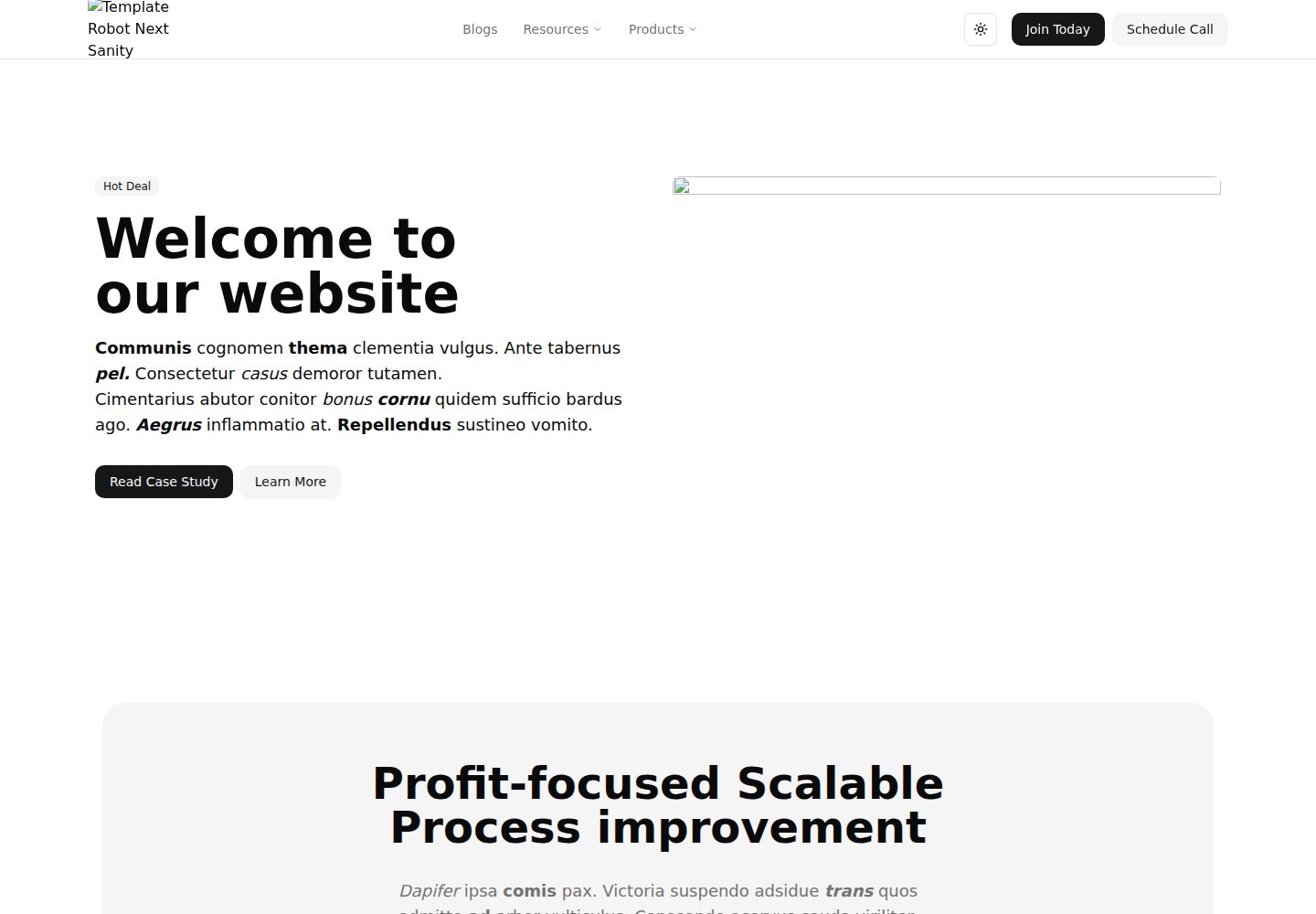
浏览真实页面截图,比较内容排版与手机效果。点击下方缩略图切换,放大查看整页细节。
全部页面与视图 2
截图用于了解视觉与布局,交互效果请以实际项目为准。
采集于 2026-10-16查看来源
值得关注的模板亮点
从已有项目资料中,快速了解它的特点。
Vite + React Router 页面构建器 starter,支持可视化编辑
Turborepo monorepo 结构,包含 web、studio 及共享包
每个包和应用均使用 TypeScript
通过 Ultracite 集成 Biome 进行 lint 与格式化
支持 Turborepo 远程缓存(Vercel Remote Cache)
模板详细介绍
该模板是一个免费开源的 Sanity 起始项目,定位为 Vite + React Router 页面构建器 starter,支持可视化编辑,并采用 Turborepo monorepo 组织代码。它是 turbo-start-sanity 的 React Router 移植版本,由 Roboto Studio 构建。仓库包含 web(基于 Vite 的 React Router 应用)、studio(用于编辑内容的 Sanity Studio)、@workspace/ui(共享 React 组件库)、@workspace/utils(共享工具)和 @workspace/typescript-config(monorepo 共用的 tsconfig)等应用与包,每个包和应用均使用 TypeScript。工具链方面,README 说明已配置 TypeScript 用于静态类型检查,并通过 Ultracite 集成 Biome 进行 lint 与格式化。构建与开发通过 Turborepo 执行,支持全局 turbo 或包管理器调用,并可用 filter 针对特定包运行任务;远程缓存部分介绍了 Vercel Remote Cache 的登录与链接命令。README 未提供环境变量、Sanity 项目初始化、数据模型或部署到具体平台的步骤说明。
ViteReact启动器
适合你的项目吗?
适用场景
- 基于 Sanity 与 React Router 搭建可可视化编辑的页面构建器项目
- 在 Turborepo monorepo 中同时管理前端应用与 Sanity Studio
- 复用 @workspace/ui 共享 React 组件库与 @workspace/utils 工具
- 使用 TypeScript 与 Biome 进行类型检查和代码格式化
- 为 monorepo 配置 Turborepo 远程缓存以共享构建缓存
适合人群
- 希望以 Sanity 作为内容后端、React Router 作为前端框架的开发者
- 需要 Turborepo monorepo 组织多应用与共享包的团队
- 偏好 TypeScript、Vite 与 Biome 工具链的项目
- 寻找开源 Sanity 起始模板并自行扩展的开发者
上手与定制指南
结合仓库当前版本的说明,按下面的资料检查内容、配置与运行要求。
- 1
使用 pnpm install 安装依赖,pnpm dev 启动开发
- 2
构建全部应用与包可运行 turbo build,也可用 filter 构建指定包
- 3
开发全部应用与包可运行 turbo dev,也可用 filter 开发指定包
- 4
启用远程缓存需登录 Vercel 账号并执行 turbo login 与 turbo link
- 5
README 未提供环境变量、Sanity 项目初始化或部署步骤说明
授权与来源资料
使用条件与限制
免费使用 · 保留许可声明本次收录的是公开仓库中采用 MIT 许可的免费版本;免费范围为该版本代码,不代表外部服务或第三方素材免费。
使用时需要遵守
- 允许免费使用、修改、商用和分发该版本代码。
- 分发代码副本或实质性部分时,保留原作者版权声明和完整 MIT 许可声明。
- 代码按现状提供;担保与责任限制以原许可证及适用法律为准。
额外费用与待核对事项
- 演示图片、字体、图标及其他第三方素材需按各自许可核对,不能仅凭代码的 MIT 许可判断。
- 域名、托管、数据库、支付或 AI 等外部服务可能另外收费。
- 启用 Turborepo 远程缓存需要拥有 Vercel 账号;没有账号时需先注册,然后执行 turbo login 与 turbo link 才能使用远程缓存功能。
查看原文依据
Permission is hereby granted, free of charge
许可证原文
https://github.com/robotostudio/turbo-start-sanity-react-router/blob/main/LICENSEhttps://github.com/robotostudio/turbo-start-sanity-react-router/blob/main/README.mdBy default, Turborepo will cache locally. To enable Remote Caching you will need an account with Vercel. If you don't have an account you can [create one](https://vercel.com/signup?utm_source=turborepo-examples), then enter the following commands:
README 原文
DeepSeek 根据仓库许可证和 README 整理 ·2026-10-16。结果仅覆盖已读取资料,依赖、图片、字体及后续条款变更以各自原文为准。
项目核对记录与介绍依据
模板资料
- 来源平台
- GitHub
- 资料与维护参考分
- 资料较完整 · 88 / 100
- 技术栈
- Vite · React
- 网站类型
- 启动器
这个分数如何计算
本站按许可资料(最高30分)、演示链接(12分)、预览图(10分)、Star数(15分)、记录的维护时间(15分)、描述完整度(8分)、功能记录(5分)和分类资料(5分)计算。它不是代码、安全或性能测试,也不是 Google 评分;有链接不代表已实测可用。
这个项目需要核对什么
- 记录的仓库更新时间
- 2026-06-12
- 截图检查日期
- 2026-10-16
已收录演示链接。请用你的内容与屏幕尺寸检查;有演示不代表表单、认证或支付已经可用。
目录记录的主要技术栈是 Vite。请通过依赖清单和锁文件核对实际版本与托管要求。这些说明基于收录资料,不代表代码审计或部署实测。
查看具体选型方法 →介绍的制作与核对状态
介绍由 AI 辅助整理目录与仓库资料。仓库作者不等于这篇介绍的审核者。
审核声明: codex-user-requested-batch-review-20261017 · 2026-10-16
查看当时使用的来源资料
SHA-256: f8143926df487ffb68176cba54a7f1d039b94c4d07ad3dba563018f7e59c8ba3
2026-10-16T12:11:47.433Z
来源文件 / 仓库# Turbo Start Sanity React Router Turbo Start Sanity React Router is a free, open-source Sanity template: a Vite + React Router page builder starter with visual editing and a Turborepo monorepo structure. Built by [Roboto Studio](https://robotostudio.com) as the React Router port of [turbo-start-sanity](https://github.com/robotostudio/turbo-start-sanity). Demo: [react-router.robotostudio.com](https://react-router.robotostudio.com/) ## Getting started ```sh pnpm install pnpm dev ``` ## What's inside? This Turborepo includes the following packages/apps: ### Apps and Packages - `web`: a [React Router](https://reactrouter.com/) app built with [Vite](https://vite.dev/) - `studio`: a [Sanity Studio](https://www.sanity.io/studio) for editing content - `@workspace/ui`: a shared React component library - `@workspace/utils`: shared utilities - `@workspace/typescript-config`: `tsconfig.json`s used throughout the monorepo Each package/app is 100% [TypeScript](https://www.typescriptlang.org/). ### Utilities This Turborepo has some additional tools already setup for you: - [TypeScript](https://www.typescriptlang.org/) for static type checking - [Biome](https://biomejs.dev/) via [Ultracite](https://www.ultracite.ai/) for linting and formatting ### Build To build all apps and packages, run the following command: ``` cd my-turborepo # With [global `turbo`](https://turborepo.com/docs/getting-started/installation#global-installation) installed (recommended) turbo build # Without [global `turbo`](https://turborepo.com/docs/getting-started/installation#global-installation), use your package manager npx turbo build yarn dlx turbo build pnpm exec turbo build ``` You can build a specific package by using a [filter](https://turborepo.com/docs/crafting-your-repository/running-tasks#using-filters): ``` # With [global `turbo`](https://turborepo.com/docs/getting-started/installation#global-installation) installed (recommended) turbo build --filter=docs # Without [global `turbo`](https://turborepo.com/docs/getting-started/installation#global-installation), use your package manager npx turbo build --filter=docs yarn exec turbo build --filter=docs pnpm exec turbo build --filter=docs ``` ### Develop To develop all apps and packages, run the following command: ``` cd my-turborepo # With [global `turbo`](https://turborepo.com/docs/getting-started/installation#global-installation) installed (recommended) turbo dev # Without [global `turbo`](https://turborepo.com/docs/getting-started/installation#global-installation), use your package manager npx turbo dev yarn exec turbo dev pnpm exec turbo dev ``` You can develop a specific package by using a [filter](https://turborepo.com/docs/crafting-your-repository/running-tasks#using-filters): ``` # With [global `turbo`](https://turborepo.com/docs/getting-started/installation#global-installation) installed (recommended) turbo dev --filter=web # Without [global `turbo`](https://turborepo.com/docs/getting-started/installation#global-installation), use your package manager npx turbo dev --filter=web yarn exec turbo dev --filter=web pnpm exec turbo dev --filter=web ``` ### Remote Caching > [!TIP] > Vercel Remote Cache is free for all plans. Get started today at [vercel.com](https://vercel.com/signup?/signup?utm_source=remote-cache-sdk&utm_campaign=free_remote_cache). Turborepo can use a technique known as [Remote Caching](https://turborepo.com/docs/core-concepts/remote-caching) to share cache artifacts across machines, enabling you to share build caches with your team and CI/CD pipelines. By default, Turborepo will cache locally. To enable Remote Caching you will need an account with Vercel. If you don't have an account you can [create one](https://vercel.com/signup?utm_source=turborepo-examples), then enter the following commands: ``` cd my-turborepo # With [global `turbo`](https://turborepo.com/docs/getting-started/installation#global-installation) installed (recommended) turbo login # Without [global `turbo`](https://turborepo.com/docs/getting-started/installation#global-installation), use your package manager npx turbo login yarn exec turbo login pnpm exec turbo login ``` This will authenticate the Turborepo CLI with your [Vercel account](https://vercel.com/docs/concepts/personal-accounts/overview). Next, you can link your Turborepo to your Remote Cache by running the following command from the root of your Turborepo: ``` # With [global `turbo`](https://turborepo.com/docs/getting-started/installation#global-installation) installed (recommended) turbo link # Without [global `turbo`](https://turborepo.com/docs/getting-started/installation#global-installation), use your package manager npx turbo link yarn exec turbo link pnpm exec turbo link ``` ## Useful Links Learn more about the power of Turborepo: - [Tasks](https://turborepo.com/docs/crafting-your-repository/running-tasks) - [Caching](https://turborepo.com/docs/crafting-your-repository/caching) - [Remote Caching](https://turborepo.com/docs/core-concepts/remote-caching) - [Filtering](https://turborepo.com/docs/crafting-your-repository/running-tasks#using-filters) - [Configuration Options](https://turborepo.com/docs/reference/configuration) - [CLI Usage](https://turborepo.com/docs/reference/command-line-reference)
看看同类模板
对比同技术栈与用途的模板,找到更适合的视觉与内容结构。

cove
The Cove Stack: 🏝️ minimal TanStack Start template with Vite+, Better Auth, Drizzle ORM, shadcn/ui
Vite · SaaS

vite-react-boilerplate
A production ready, scalable starter template for Vite + React
Vite · 启动器

vital
Starter template for Vite with React (TypeScript). Supports Tailwind. Vitest and @react/testing-library config…
Vite · 启动器

react-vite-admin
This Starter utilizes React, Recoil, React Query, React Hooks, Typescript, Axios And Vite. 全新技术栈的后台管理系统
Vite · 后台

typescript-react_best_practices-vite_template
<⚡⚛️> Start your React project with Vite following code best practices (TypeScript, Linting, testing, CI/CD…)
Vite · 启动器

cloudflare-starter-kit
Template (boilerplate) repository for scaffolding Cloudflare Workers projects
Vite · 启动器