基于 Gatsby 的极简启动器,提供静态站点基础结构
GatsbyReact启动器
gatsby-starter-site — Gatsby 启动器模板
作者 rusi
这是一个基于 Gatsby 的极简启动器模板,包含 Bootstrap 导航栏、Typography.js 排版与 Highlight.js 代码高亮,适合快速搭建静态站点骨架。
看看你的网站会是什么样
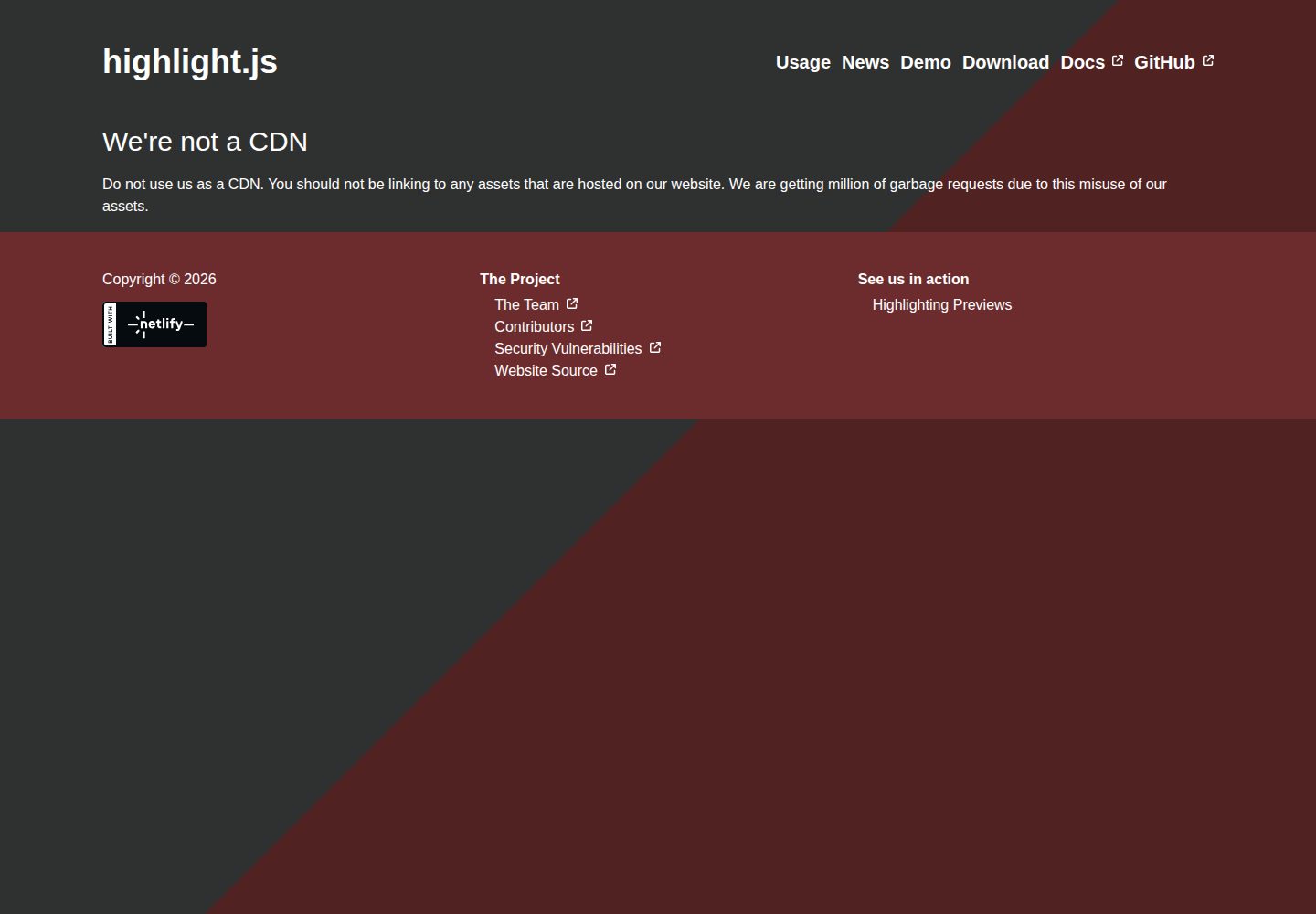
浏览真实页面截图,比较内容排版与手机效果。点击下方缩略图切换,放大查看整页细节。
全部页面与视图 2
截图用于了解视觉与布局,交互效果请以实际项目为准。
采集于 2026-10-02查看来源
值得关注的模板亮点
从已有项目资料中,快速了解它的特点。
覆盖默认 html 与页面模板,并替换 Gatsby 内置 html、markdown 包装器
markdown 包装器集成 Highlight.js,代码块可语法高亮
引入 TypographyJS 处理排版
使用 Bootswatch 的 Bootstrap 样式并附带导航栏,可替换样式表换主题
README 提供 Netlify 部署按钮与安装、开发命令
模板详细介绍
该模板是 rusi 在 GitHub 上发布的 Gatsby 启动器,定位为极简静态站点起点。README 显示它通过 `gatsby new your-site-dir gh:rusi/gatsby-starter-site` 安装,用 `gatsby develop` 启动开发环境,并提供 Netlify 部署按钮。
模板对 Gatsby 默认行为做了若干覆盖:在根目录创建 `/html.js` 可替换默认 HTML 模板,在 `/pages/_template.js` 可替换默认页面模板;项目还覆盖了 Gatsby 内置的 html 与 markdown 包装器,并参考 clean 启动器补充了额外包装器。markdown 包装器 md.js 使用 Highlight.js 对代码块做语法高亮,样式文件放在 css/ 目录下。
排版方面引入了 TypographyJS;界面使用来自 Bootswatch 的 Bootstrap 样式,并添加了导航栏,可通过在 html.js 中引入不同的 Bootstrap 样式表来更换主题。仓库更新停留在 2017 年,README 未说明测试、构建产物或长期维护情况,使用前需自行核对依赖与 Gatsby 版本的兼容性。
Gatsby启动器
适合你的项目吗?
适用场景
- 快速创建一个 Gatsby 静态站点骨架并自行填充内容
- 需要 markdown 代码高亮与 TypographyJS 排版的文档或博客原型
- 希望以 Bootswatch 主题和导航栏为起点调整界面样式
- 通过 Netlify 部署按钮将仓库直接部署到 Netlify
适合人群
- 熟悉 Gatsby 与 React、希望从极简模板起步的开发者
- 需要可覆盖默认模板和包装器的静态站点项目
- 接受自行维护依赖与版本兼容性的使用者
上手与定制指南
结合仓库当前版本的说明,按下面的资料检查内容、配置与运行要求。
- 1
需先安装 Gatsby,再运行 gatsby new your-site-dir gh:rusi/gatsby-starter-site 创建项目
- 2
开发环境使用 gatsby develop 启动
- 3
可通过在 html.js 中引入不同的 Bootstrap 样式表更换 Bootswatch 主题
- 4
仓库最后更新于 2017 年,使用前应核对依赖版本与当前 Gatsby 的兼容性
- 5
演示图片、字体、图标等第三方素材需按各自许可单独核对
授权与来源资料
使用条件与限制
免费使用 · 保留许可声明本次收录的是公开仓库中采用 MIT 许可的免费版本;免费范围为该版本代码,不代表外部服务或第三方素材免费。
使用时需要遵守
- 允许免费使用、修改、商用和分发该版本代码。
- 分发代码副本或实质性部分时,保留原作者版权声明和完整 MIT 许可声明。
- 代码按现状提供;担保与责任限制以原许可证及适用法律为准。
额外费用与待核对事项
- 演示图片、字体、图标及其他第三方素材需按各自许可核对,不能仅凭代码的 MIT 许可判断。
- 域名、托管、数据库、支付或 AI 等外部服务可能另外收费。
查看原文依据
https://github.com/rusi/gatsby-starter-site/blob/master/LICENSEhttps://github.com/rusi/gatsby-starter-site/blob/master/README.mdPermission is hereby granted, free of charge
许可证原文
DeepSeek 根据仓库许可证和 README 整理 ·2026-10-02。结果仅覆盖已读取资料,依赖、图片、字体及后续条款变更以各自原文为准。
项目核对记录与介绍依据
模板资料
- 来源平台
- GitHub
- 资料与维护参考分
- 资料一般 · 60 / 100
- 技术栈
- Gatsby · React
- 网站类型
- 启动器
这个分数如何计算
本站按许可资料(最高30分)、演示链接(12分)、预览图(10分)、Star数(15分)、记录的维护时间(15分)、描述完整度(8分)、功能记录(5分)和分类资料(5分)计算。它不是代码、安全或性能测试,也不是 Google 评分;有链接不代表已实测可用。
这个项目需要核对什么
- 记录的仓库更新时间
- 2017-02-28
- 截图检查日期
- 2026-10-02
已收录演示链接。请用你的内容与屏幕尺寸检查;有演示不代表表单、认证或支付已经可用。
目录记录的主要技术栈是 Gatsby。请通过依赖清单和锁文件核对实际版本与托管要求。这些说明基于收录资料,不代表代码审计或部署实测。
查看具体选型方法 →介绍的制作与核对状态
介绍由 AI 辅助整理目录与仓库资料。仓库作者不等于这篇介绍的审核者。
已完成服务器许可规则与 AI 来源核对;未经过人工编辑审核。
查看当时使用的来源资料
SHA-256: eb591606684323e367dc2a34d342318a35da8cc8d958dfa2170224c81f3d6e73
2026-10-02T18:05:32.303Z
来源文件 / 仓库# Minimalistic Gatsby Starter Template --- # Installation --- Install this starter (assuming Gatsby is installed) by running from your CLI: ``` gatsby new your-site-dir gh:rusi/gatsby-starter-site ``` # Running in development ``` gatsby develop ``` # Deploy [](https://app.netlify.com/start/deploy?repository=https://github.com/rusi/gatsby-starter-site) # Customizations ## Default Templates Gatsby is currently using the default template for HTML. You can override this functionality by creating a React component at "/html.js" You can see what this default template does by visiting: https://github.com/gatsbyjs/gatsby/blob/master/lib/isomorphic/html.js Gatsby is currently using the default _template. You can override it by creating a React component at "/pages/_template.js". You can see what this default template does by visiting: https://github.com/gatsbyjs/gatsby/blob/master/lib/isomorphic/pages/_template.js ## Wrappers By default Gatsby has two built-in wrappers for html and markdown (see https://github.com/gatsbyjs/gatsby/tree/master/lib/isomorphic/wrappers) This project overwrites the default wrappers and adds a few more wrappers copied form the "clean" starter template. ### wrappers/md.js styles The default Gatsby markdown loader parses the markdown into HTML and uses Highlight.js to syntax highlight code blocks. The md.js wrapper includes a [highlightjs](https://highlightjs.org) style which is copied under the css/ directory. See a [demo](https://highlightjs.org/static/demo/) of available styles that can be downloaded from https://github.com/isagalaev/highlight.js/tree/master/src/styles ## Typography The template includes the use of [TypographyJS](http://kyleamathews.github.io/typography.js/) ## Bootstrap & NavBar The template uses Bootstrap template from [Bootswatch](https://bootswatch.com) and adds a navigation bar. You can change the theme by including a different Bootstrap stylesheet in html.js.
看看同类模板
对比同技术栈与用途的模板,找到更适合的视觉与内容结构。

gatsby-starter-gcn
gatsby-starter-gcn 是一个面向静态网站构建的 Gatsby 启动器,将内容管理、部署和前端开发串联起来。
Gatsby · 博客

gatsby-starter-morning-dew
:rocket: A Gatsby theme/starter to build lightning-fast blog/websites
Gatsby · 博客

starter-gatsby-blog
这是一个由 Contentful 社区维护的 Gatsby 博客启动器,目标是把静态站点的低维护成本与 Contentful 的友好编辑界面结合起来。
Gatsby · 社区

automatic-gatsbyjs-app-landing-page
Automatic GatsbyJS App Landing Page - Automatically generate iOS app landing page using GatsbyJS
Gatsby · 工具站
gatsby-starter-cv
A simple starter to get up and developing your digital curriculum with GatsbyJS
Gatsby · 启动器

clay-theme
Image-centric Gatsby theme for publishers, portfolios, photographers blogs and more.
Gatsby · 作品集