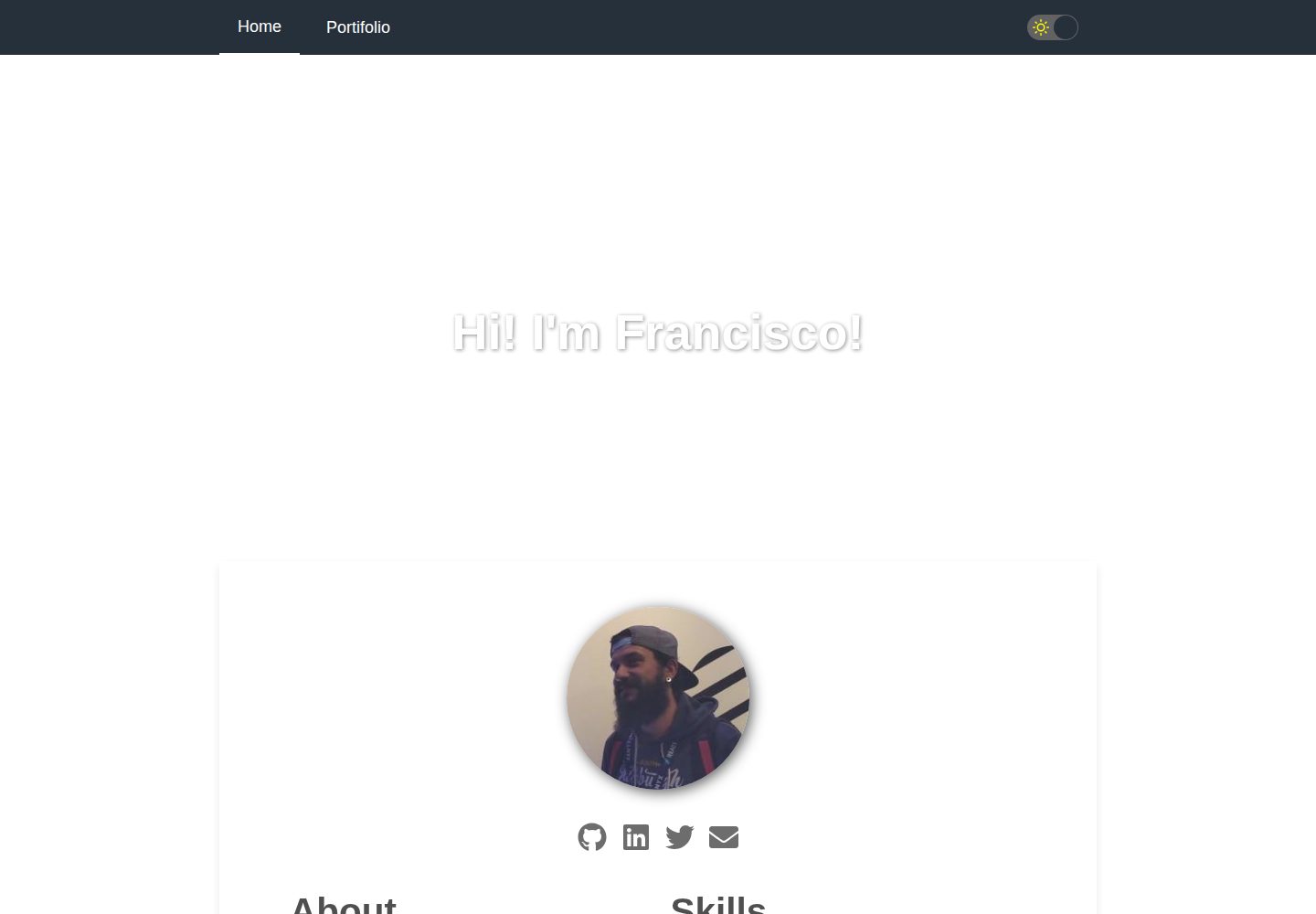
基于 Gatsby 与 React 的简历启动器,页面响应式并针对移动设备优化
GatsbyReact启动器
gatsby-starter-cv — Gatsby 启动器模板
作者 santosfrancisco
基于 Gatsby 与 React 的响应式简历启动器,通过 data/siteConfig.js 配置个人信息、技能、工作经历、作品集与社交链接,并展示 GitHub 仓库。
看看你的网站会是什么样
浏览真实页面截图,比较内容排版与手机效果。点击下方缩略图切换,放大查看整页细节。
全部页面与视图 2
截图用于了解视觉与布局,交互效果请以实际项目为准。
采集于 2026-09-30查看来源
值得关注的模板亮点
从已有项目资料中,快速了解它的特点。
包含 About、Skills、Job experiences、Github repositories、Portifolio 等区块
通过 data/siteConfig.js 集中配置个人信息、技能等级、工作经历、作品集与社交链接
提供 SEO、PWA、暗色模式与动画等特性
提供 npm run develop、build、deploy 脚本,支持部署到 GitHub Pages
MIT 许可,允许免费使用、修改、商用与分发该版本代码
模板详细介绍
gatsby-starter-cv 是一个用于快速搭建个人数字简历的 Gatsby 启动器,使用 React 构建,页面完全响应式并针对移动设备优化。模板包含 About、Skills、Job experiences、Github repositories、Portifolio 等区块,其中技能以 0 到 100 的等级表示,工作经历与作品集以列表形式呈现。
所有个人数据集中在一个配置文件 data/siteConfig.js 中,包括站点标题、描述、关键词、作者信息、头像、技能、工作经历、作品集、社交链接、站点 URL、pathPrefix、Google Analytics ID、主题色、暗色模式开关、图标与导航链接等。README 明确提示需要将 googleAnalyticsId 替换为自己的 ID,并注意 pathPrefix 配置。
模板提供 npm run develop 本地开发、npm run build 生成生产构建到 public 目录、npm run deploy 部署到 gh-pages 分支的脚本。功能层面还包含 SEO、PWA、暗色模式与动画,但这些能力的具体实现细节未在资料中展开。使用前需自行核对演示图片、字体、图标等第三方素材的许可,并注意外部服务可能产生费用。
GatsbyReact启动器
适合你的项目吗?
适用场景
- 开发者需要快速搭建一个展示个人技能、工作经历与作品集的在线简历
- 希望将简历部署到 GitHub Pages 并配置自定义 pathPrefix
- 需要在简历中展示 GitHub 仓库与作品集链接
- 想要一个包含暗色模式与响应式布局的简历页面
适合人群
- 具备 Gatsby 或 React 基础、愿意编辑配置文件与源码的开发者
- 需要快速生成个人简历页面并自行托管或部署到 GitHub Pages 的用户
- 希望以 MIT 许可代码为基础进行修改与分发的使用者
上手与定制指南
结合仓库当前版本的说明,按下面的资料检查内容、配置与运行要求。
- 1
使用 npx gatsby new my-default-starter https://github.com/santosfrancisco/gatsby-starter-cv 创建项目
- 2
进入项目目录后运行 npm run develop 启动本地开发服务器(默认 http://localhost:8000)
- 3
编辑 data/siteConfig.js 填入个人信息、技能、工作经历、作品集与社交链接,并将 googleAnalyticsId 替换为自己的 ID
- 4
运行 npm run build 生成生产构建到 public 目录,运行 npm run deploy 部署到 gh-pages 分支,部署前检查 pathPrefix 配置
- 5
演示图片、字体、图标等第三方素材需按各自许可核对,域名、托管等外部服务可能另外收费
授权与来源资料
使用条件与限制
免费使用 · 保留许可声明本次收录的是公开仓库中采用 MIT 许可的免费版本;免费范围为该版本代码,不代表外部服务或第三方素材免费。
使用时需要遵守
- 允许免费使用、修改、商用和分发该版本代码。
- 分发代码副本或实质性部分时,保留原作者版权声明和完整 MIT 许可声明。
- 代码按现状提供;担保与责任限制以原许可证及适用法律为准。
额外费用与待核对事项
- 使用 Google Analytics 功能需自行注册 Google Analytics 账号并获取专属跟踪 ID,替换配置中的 googleAnalyticsId;该外部服务由 Google 提供,可能受其条款约束并产生费用。
- 部署到 GitHub Pages 前必须根据仓库路径正确设置 pathPrefix,否则静态资源与页面链接可能失效;这是部署配置要求,非使用许可限制。
- 演示图片、字体、图标及其他第三方素材需按各自许可核对,不能仅凭代码的 MIT 许可判断。
- 域名、托管、数据库、支付或 AI 等外部服务可能另外收费。
查看原文依据
Permission is hereby granted, free of charge
许可证原文
Please change googleAnalyticsId to your ID. See https://analytics.google.com for details.
README 原文
https://github.com/santosfrancisco/gatsby-starter-cv/blob/master/LICENSEhttps://github.com/santosfrancisco/gatsby-starter-cv/blob/master/README.mddon't forget to check `pathPrefix` in the configuration file.
README 原文
DeepSeek 根据仓库许可证和 README 整理 ·2026-10-01。结果仅覆盖已读取资料,依赖、图片、字体及后续条款变更以各自原文为准。
项目核对记录与介绍依据
模板资料
- 来源平台
- GitHub
- 资料与维护参考分
- 资料较完整 · 81 / 100
- 技术栈
- Gatsby · React
- 网站类型
- 启动器
这个分数如何计算
本站按许可资料(最高30分)、演示链接(12分)、预览图(10分)、Star数(15分)、记录的维护时间(15分)、描述完整度(8分)、功能记录(5分)和分类资料(5分)计算。它不是代码、安全或性能测试,也不是 Google 评分;有链接不代表已实测可用。
这个项目需要核对什么
- 记录的仓库更新时间
- 2023-12-02
- 截图检查日期
- 2026-10-01
已收录演示链接。请用你的内容与屏幕尺寸检查;有演示不代表表单、认证或支付已经可用。
目录记录的主要技术栈是 Gatsby。请通过依赖清单和锁文件核对实际版本与托管要求。这些说明基于收录资料,不代表代码审计或部署实测。
查看具体选型方法 →介绍的制作与核对状态
介绍由 AI 辅助整理目录与仓库资料。仓库作者不等于这篇介绍的审核者。
已完成服务器许可规则与 AI 来源核对;未经过人工编辑审核。
查看当时使用的来源资料
SHA-256: 6f9bc1c752a261b70a3f0204748239429199fe9db7b4589a1b6d50b48a383aa0
2026-10-01T13:47:04.695Z
来源文件 / 仓库[](https://travis-ci.org/santosfrancisco/gatsby-starter-cv)
[](https://badge.fury.io/gh/santosfrancisco%2Fgatsby-starter-cv)
[](http://commitizen.github.io/cz-cli/)
<p align="center">
<a href="https://www.gatsbyjs.org">
<img alt="Gatsby" src="https://www.gatsbyjs.org/monogram.svg" width="60" />
</a>
</p>
<h1 align="center">
Gatsby's CV starter
</h1>
Create your resume in a few minutes with this totally responsive starter using React. Show off your skills, work experiences and activities in github.
### Sections
- About
- Skills
- Job experiences
- Github repositories
- Portifolio
### Features
- Responsive Design, optimized for Mobile devices
- Google Analytics
- SEO
- PWA
- Dark mode
- Animations
## 📷 Preview
### Mobile

### Desktop

## 🚀 Quick start
1. **Create a Gatsby site.**
Use the Gatsby CLI to create a new site, specifying the default starter.
```sh
# create a new Gatsby site using the default starter
npx gatsby new my-default-starter https://github.com/santosfrancisco/gatsby-starter-cv
```
2. **Start developing.**
Navigate into your new site’s directory and start it up.
```sh
cd my-default-starter/
npm run develop
```
3. **Open the source code and start editing!**
Your site is now running at `http://localhost:8000`!
\_Note: You'll also see a second link: `http://localhost:8000/___graphql`. This is a tool you can use to experiment with querying your data. Learn more about using this tool in the [Gatsby tutorial](https://www.gatsbyjs.org/tutorial/part-five/#introducing-graphiql).\_
Open the `my-default-starter` directory in your code editor of choice and edit `src/pages/index.js`. Save your changes and the browser will update in real time!
4. **Generate production build**
That command will generate a production build on _public_ folder
```sh
npm run build
```
5. **Deploy to Github pages**
That command will deploy the production build to gh-pages branch of your repository
> ⚠️ don't forget to check `pathPrefix` in the configuration file.
```sh
npm run deploy
```
## Configuration
Update the configuration file with your data. The configuration file is in ```data/siteConfig.js```
:warning: NOTE: Please change googleAnalyticsId to your ID. See https://analytics.google.com for details.
> **Skills** is a set of your personal skills and their respective levels ranging from > 0 to 100.
> **jobs** is a set of your work experiences
```js
module.exports = {
siteTitle: 'Hi! I\'m Francisco!',
siteDescription: `Create your online curriculum in just a few minutes with this starter`,
keyWords: ['gatsbyjs', 'react', 'curriculum'],
authorName: 'Francisco Santos',
twitterUsername: '_franciscodf',
githubUsername: 'santosfrancisco',
authorAvatar: '/images/avatar.jpeg',
authorDescription: `Developer, passionate about what I do. Always interested in how the sites were made, I started to study HTML by hobby. <br />
In 2012 I started working as a support technician and I approached the developers.
In 2015, I started to study C # and started to contribute with the team giving maintenance in an application in C # and .NET. <br />
I currently work as a frontend developer and mainly work with <strong>Javascript, NodeJS e React.</strong>`,
skills: [
{
name: 'HTML',
level: 70
},
{
name: 'CSS',
level: 60
},
{
name: 'Javascript',
level: 50
},
{
name: 'NodeJs',
level: 40
},
{
name: 'React',
level: 60
},
{
name: 'Git',
level: 70
},
/* more skills here */
],
jobs: [
/* more jobs here */
{
company: "Gympass",
begin: {
month: 'sep',
year: '2019'
},
duration: null,
occupation: "Frontend developer",
description: "I am part of the Corporate team, responsible for the development and maintenance of the employee management platform, giving more and more autonomy to partner companies."
}, {
company: "Lendico",
begin: {
month: 'apr',
year: '2018'
},
duration: null,
occupation: "Frontend developer",
description: "I integrate the Frontend team responsible for developing and maintaining the online lending platform."
}, {
company: "Anapro",
begin: {
month: 'dec',
year: '2016'
},
duration: '1 yr e 5 mos',
occupation: "Fullstack developer",
description: "Development and maintenance, corrective and preventive, of web applications for the real estate market."
}, {
company: "Anapro",
begin: {
month: 'set',
year: '2012'
},
duration: '4 yrs e 3 mos',
occupation: "Support Technician",
description: "Responsible for the implementation and parameterization of the system, training and customer support. Acting also in person in real estate launches guaranteeing the success and good use of the tool."
},
],
portifolio: [
{
image: "/images/gatsby-starter-cv.png",
description: "Gatsby starter CV template",
url: "https://www.gatsbyjs.org/starters/santosfrancisco/gatsby-starter-cv/"
},
{
image: "/images/awesome-grid.png",
description: "Responsive grid for ReactJS",
url: "https://github.com/santosfrancisco/react-awesome-styled-grid"
},
/* more portifolio items here */
],
social: {
twitter: "https://twitter.com/_franciscodf",
linkedin: "https://www.linkedin.com/in/santos-francisco",
github: "https://github.com/santosfrancisco",
email: "[email protected]"
},
siteUrl: 'https://santosfrancisco.github.io/gatsbystarter-cv',
pathPrefix: '/gatsby-starter-cv', // Note: it must *not* have a trailing slash.
siteCover: '/images/cover.jpeg',
googleAnalyticsId: 'UA-000000000-1',
background_color: '#ffffff',
theme_color: '#25303B',
fontColor: "#000000cc",
enableDarkmode: true, // If true, enables dark mode switch
display: 'minimal-ui',
icon: 'src/assets/gatsby-icon.png',
headerLinks: [
{
label: 'Home',
url: '/',
},
{
label: 'Portifolio',
url: '/portifolio',
}
]
}
```
## It was useful?
<a href="https://www.buymeacoffee.com/santosfrancisco" target="_blank"><img src="https://cdn.buymeacoffee.com/buttons/default-blue.png" alt="Buy Me A Coffee" width="180px" ></a>
看看同类模板
对比同技术栈与用途的模板,找到更适合的视觉与内容结构。

gatsby-starter-gcn
gatsby-starter-gcn 是一个面向静态网站构建的 Gatsby 启动器,将内容管理、部署和前端开发串联起来。
Gatsby · 博客

gatsby-starter-morning-dew
:rocket: A Gatsby theme/starter to build lightning-fast blog/websites
Gatsby · 博客

starter-gatsby-blog
这是一个由 Contentful 社区维护的 Gatsby 博客启动器,目标是把静态站点的低维护成本与 Contentful 的友好编辑界面结合起来。
Gatsby · 社区

automatic-gatsbyjs-app-landing-page
Automatic GatsbyJS App Landing Page - Automatically generate iOS app landing page using GatsbyJS
Gatsby · 工具站

clay-theme
Image-centric Gatsby theme for publishers, portfolios, photographers blogs and more.
Gatsby · 作品集
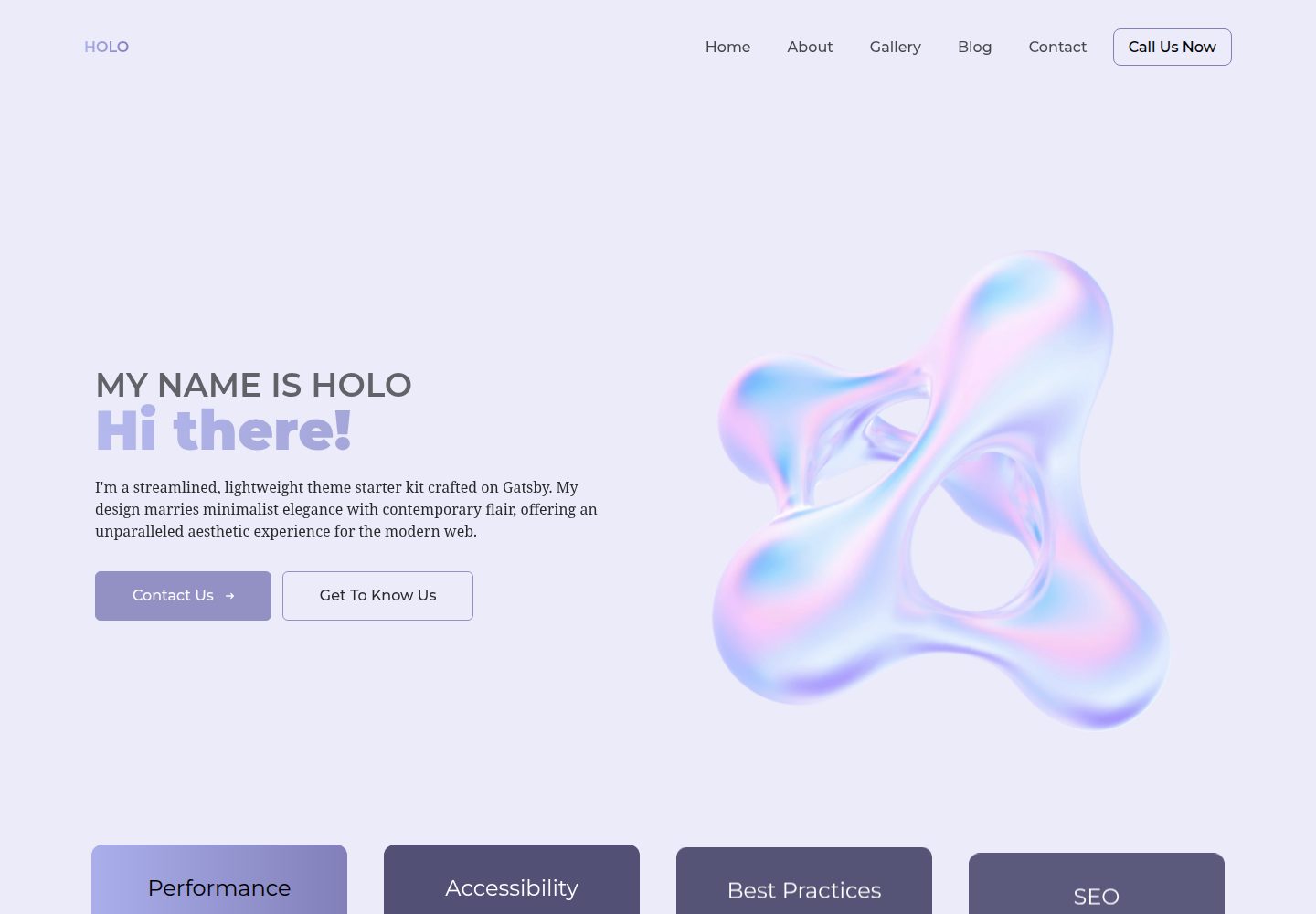
holo-theme
A visually captivating and lightning-fast theme crafted on the Gatsby framework.
Gatsby · 工具站