A resume starter based on Gatsby and React, with responsive pages optimized for mobile devices
GatsbyReactStarter
gatsby-starter-cv — Gatsby Starter Template
By santosfrancisco
A responsive resume starter built with Gatsby and React, configuring personal information, skills, work experience, portfolio, and social links via data/siteConfig.js, and displaying GitHub repositories.
Explore the design
Compare the page layouts and mobile experience. Open any screenshot for a closer look.
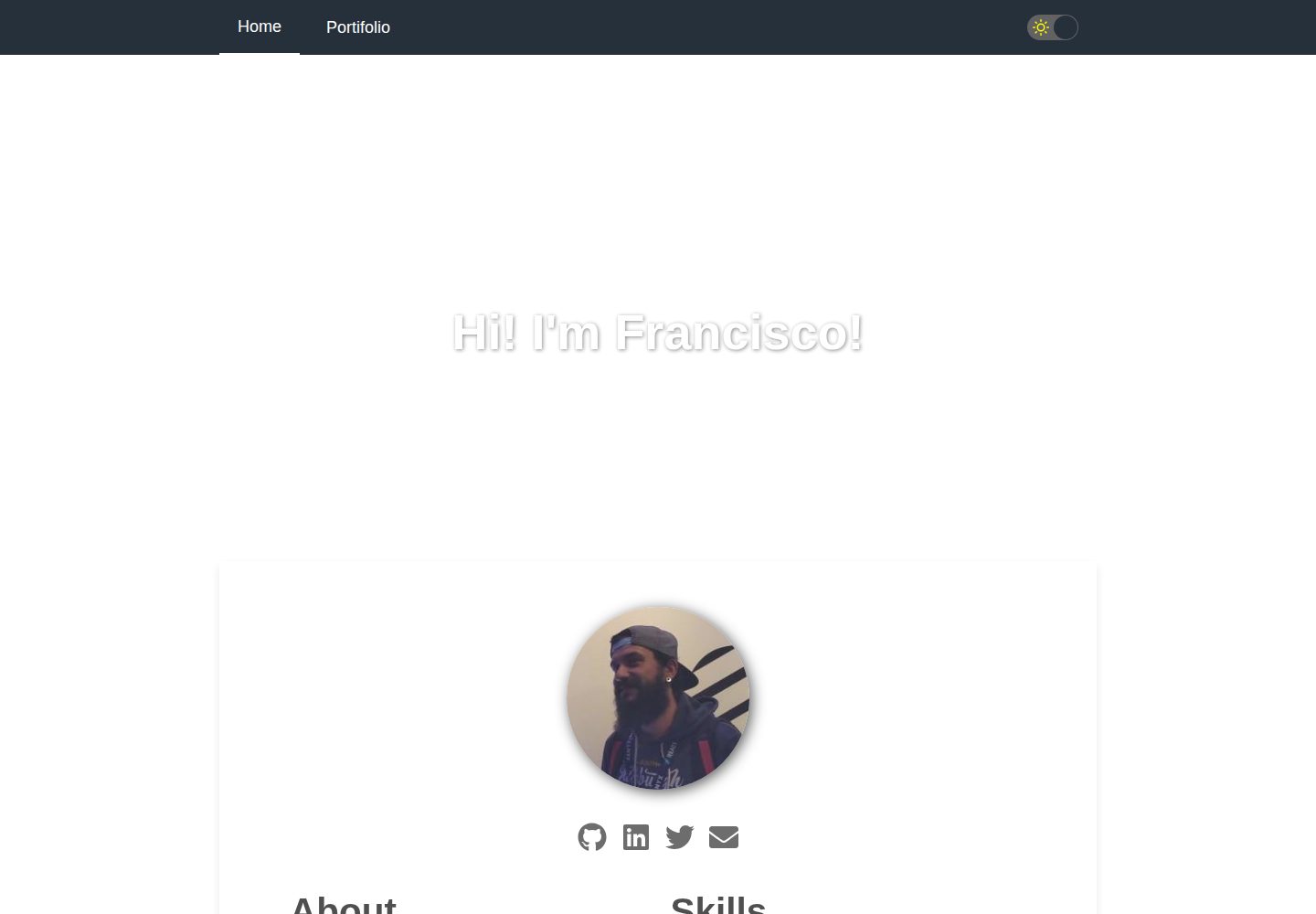
Desktop homepage1 / 2
Desktop captureTop of page
Actual screenshot captured by the server browser.
All pages & views 2
Screenshots show visual appearance; interactive behavior may differ.
Recorded 2026-09-30View source
What stands out
A quick read of the recorded project description.
Includes sections such as About, Skills, Job experiences, Github repositories, and Portifolio
Centralized configuration of personal information, skill levels, work experience, portfolio, and social links via data/siteConfig.js
Provides features such as SEO, PWA, dark mode, and animations
Provides npm run develop, build, and deploy scripts, supporting deployment to GitHub Pages
MIT licensed, allowing free use, modification, commercial use, and distribution of this version of the code
Template Details
gatsby-starter-cv is a Gatsby starter for quickly building a personal digital resume, built with React, fully responsive, and optimized for mobile devices. The template includes sections such as About, Skills, Job experiences, Github repositories, and Portifolio, where skills are represented on a scale from 0 to 100, and work experience and portfolio are presented as lists.
All personal data is centralized in a single configuration file, data/siteConfig.js, including site title, description, keywords, author information, avatar, skills, work experience, portfolio, social links, site URL, pathPrefix, Google Analytics ID, theme color, dark mode toggle, icons, and navigation links. The README explicitly notes that you need to replace googleAnalyticsId with your own ID and pay attention to the pathPrefix configuration.
The template provides scripts for npm run develop for local development, npm run build to generate a production build into the public directory, and npm run deploy to deploy to the gh-pages branch. Functionally, it also includes SEO, PWA, dark mode, and animations, but the specific implementation details of these capabilities are not elaborated in the materials. Before use, you need to verify the licenses of third-party assets such as demo images, fonts, and icons yourself, and note that external services may incur costs.
GatsbyReactStarter
Is it right for your project?
Use Cases
- Developers need to quickly build an online resume showcasing personal skills, work experience, and portfolio
- Wish to deploy the resume to GitHub Pages and configure a custom pathPrefix
- Need to display GitHub repositories and portfolio links in the resume
- Want a resume page that includes dark mode and a responsive layout
Suitable For
- Developers with a basic understanding of Gatsby or React who are willing to edit configuration files and source code
- Users who need to quickly generate a personal resume page and self-host or deploy it to GitHub Pages
- Users who wish to modify and distribute based on MIT-licensed code
Getting started & customization
Use these recorded setup notes alongside the repository instructions for your chosen version.
- 1
Create a project using npx gatsby new my-default-starter https://github.com/santosfrancisco/gatsby-starter-cv
- 2
After entering the project directory, run npm run develop to start the local development server (default http://localhost:8000)
- 3
Edit data/siteConfig.js to fill in personal information, skills, work experience, portfolio, and social links, and replace googleAnalyticsId with your own ID
- 4
Run npm run build to generate a production build into the public directory, run npm run deploy to deploy to the gh-pages branch, and check the pathPrefix configuration before deployment
- 5
Third-party assets such as demo images, fonts, and icons must be checked against their respective licenses; external services such as domains and hosting may incur additional charges
License & source material
Usage conditions & limitations
Free to use · keep license noticeThis entry covers the free version under the MIT license in the public repository; the free scope is the code of this version and does not mean that external services or third-party assets are free.
Must comply with when using
- Free use, modification, commercial use, and distribution of this version of the code are permitted.
- When distributing copies or substantial portions of the code, retain the original author's copyright notice and the full MIT license notice.
- The code is provided as is; warranties and limitations of liability are governed by the original license and applicable law.
Additional costs & items to verify
- Using Google Analytics requires registering a Google Analytics account and obtaining a dedicated tracking ID to replace googleAnalyticsId in the configuration; this external service is provided by Google, may be subject to its terms, and may incur costs.
- Before deploying to GitHub Pages, you must correctly set pathPrefix according to the repository path, otherwise static assets and page links may break; this is a deployment configuration requirement, not a usage license restriction.
- Demo images, fonts, icons, and other third-party assets must be checked against their respective licenses and cannot be judged solely by the code's MIT license.
- External services such as domains, hosting, databases, payments, or AI may incur additional charges.
View Original Text Basis
Permission is hereby granted, free of charge
Original License Text
Please change googleAnalyticsId to your ID. See https://analytics.google.com for details.
Original README
https://github.com/santosfrancisco/gatsby-starter-cv/blob/master/LICENSEhttps://github.com/santosfrancisco/gatsby-starter-cv/blob/master/README.mddon't forget to check `pathPrefix` in the configuration file.
Original README
Compiled by DeepSeek based on repository license and README ·2026-10-01. Results only cover the materials read; dependencies, images, fonts, and subsequent term changes are subject to their respective original texts.
Project checks & description sources
Template Information
- Source platforms
- GitHub
- Documentation and maintenance reference score
- More documented · 81 / 100
- Technologies
- Gatsby · React
- Website type
- Starter
How this score is calculated
Our heuristic uses license records (up to 30), a demo link (12), a preview (10), stars (15), recorded maintenance (15), description completeness (8), feature records (5) and classification data (5). It is not a code, security or performance test, or a Google score. A link does not establish tested functionality.
What to verify for this project
- Repository update recorded
- 2023-12-02
- Screenshot last checked
- 2026-10-01
A demo link is listed. Check it with your own content and viewport sizes; its presence does not confirm that forms, authentication or payments work.
The catalog identifies Gatsby as the primary stack. Check the actual dependency manifest and lockfile for versions and hosting requirements. These notes use recorded metadata, not a code audit or a deployment test.
Use a selection guide →How this description was prepared
AI-assisted description based on catalog records and repository material. Repository authors are not automatically the reviewers of this description.
Automatically checked against source and license rules; no manual editorial review.
Inspect the recorded source material
SHA-256: 6f9bc1c752a261b70a3f0204748239429199fe9db7b4589a1b6d50b48a383aa0
2026-10-01T13:47:04.695Z
Source file / repository[](https://travis-ci.org/santosfrancisco/gatsby-starter-cv)
[](https://badge.fury.io/gh/santosfrancisco%2Fgatsby-starter-cv)
[](http://commitizen.github.io/cz-cli/)
<p align="center">
<a href="https://www.gatsbyjs.org">
<img alt="Gatsby" src="https://www.gatsbyjs.org/monogram.svg" width="60" />
</a>
</p>
<h1 align="center">
Gatsby's CV starter
</h1>
Create your resume in a few minutes with this totally responsive starter using React. Show off your skills, work experiences and activities in github.
### Sections
- About
- Skills
- Job experiences
- Github repositories
- Portifolio
### Features
- Responsive Design, optimized for Mobile devices
- Google Analytics
- SEO
- PWA
- Dark mode
- Animations
## 📷 Preview
### Mobile

### Desktop

## 🚀 Quick start
1. **Create a Gatsby site.**
Use the Gatsby CLI to create a new site, specifying the default starter.
```sh
# create a new Gatsby site using the default starter
npx gatsby new my-default-starter https://github.com/santosfrancisco/gatsby-starter-cv
```
2. **Start developing.**
Navigate into your new site’s directory and start it up.
```sh
cd my-default-starter/
npm run develop
```
3. **Open the source code and start editing!**
Your site is now running at `http://localhost:8000`!
\_Note: You'll also see a second link: `http://localhost:8000/___graphql`. This is a tool you can use to experiment with querying your data. Learn more about using this tool in the [Gatsby tutorial](https://www.gatsbyjs.org/tutorial/part-five/#introducing-graphiql).\_
Open the `my-default-starter` directory in your code editor of choice and edit `src/pages/index.js`. Save your changes and the browser will update in real time!
4. **Generate production build**
That command will generate a production build on _public_ folder
```sh
npm run build
```
5. **Deploy to Github pages**
That command will deploy the production build to gh-pages branch of your repository
> ⚠️ don't forget to check `pathPrefix` in the configuration file.
```sh
npm run deploy
```
## Configuration
Update the configuration file with your data. The configuration file is in ```data/siteConfig.js```
:warning: NOTE: Please change googleAnalyticsId to your ID. See https://analytics.google.com for details.
> **Skills** is a set of your personal skills and their respective levels ranging from > 0 to 100.
> **jobs** is a set of your work experiences
```js
module.exports = {
siteTitle: 'Hi! I\'m Francisco!',
siteDescription: `Create your online curriculum in just a few minutes with this starter`,
keyWords: ['gatsbyjs', 'react', 'curriculum'],
authorName: 'Francisco Santos',
twitterUsername: '_franciscodf',
githubUsername: 'santosfrancisco',
authorAvatar: '/images/avatar.jpeg',
authorDescription: `Developer, passionate about what I do. Always interested in how the sites were made, I started to study HTML by hobby. <br />
In 2012 I started working as a support technician and I approached the developers.
In 2015, I started to study C # and started to contribute with the team giving maintenance in an application in C # and .NET. <br />
I currently work as a frontend developer and mainly work with <strong>Javascript, NodeJS e React.</strong>`,
skills: [
{
name: 'HTML',
level: 70
},
{
name: 'CSS',
level: 60
},
{
name: 'Javascript',
level: 50
},
{
name: 'NodeJs',
level: 40
},
{
name: 'React',
level: 60
},
{
name: 'Git',
level: 70
},
/* more skills here */
],
jobs: [
/* more jobs here */
{
company: "Gympass",
begin: {
month: 'sep',
year: '2019'
},
duration: null,
occupation: "Frontend developer",
description: "I am part of the Corporate team, responsible for the development and maintenance of the employee management platform, giving more and more autonomy to partner companies."
}, {
company: "Lendico",
begin: {
month: 'apr',
year: '2018'
},
duration: null,
occupation: "Frontend developer",
description: "I integrate the Frontend team responsible for developing and maintaining the online lending platform."
}, {
company: "Anapro",
begin: {
month: 'dec',
year: '2016'
},
duration: '1 yr e 5 mos',
occupation: "Fullstack developer",
description: "Development and maintenance, corrective and preventive, of web applications for the real estate market."
}, {
company: "Anapro",
begin: {
month: 'set',
year: '2012'
},
duration: '4 yrs e 3 mos',
occupation: "Support Technician",
description: "Responsible for the implementation and parameterization of the system, training and customer support. Acting also in person in real estate launches guaranteeing the success and good use of the tool."
},
],
portifolio: [
{
image: "/images/gatsby-starter-cv.png",
description: "Gatsby starter CV template",
url: "https://www.gatsbyjs.org/starters/santosfrancisco/gatsby-starter-cv/"
},
{
image: "/images/awesome-grid.png",
description: "Responsive grid for ReactJS",
url: "https://github.com/santosfrancisco/react-awesome-styled-grid"
},
/* more portifolio items here */
],
social: {
twitter: "https://twitter.com/_franciscodf",
linkedin: "https://www.linkedin.com/in/santos-francisco",
github: "https://github.com/santosfrancisco",
email: "[email protected]"
},
siteUrl: 'https://santosfrancisco.github.io/gatsbystarter-cv',
pathPrefix: '/gatsby-starter-cv', // Note: it must *not* have a trailing slash.
siteCover: '/images/cover.jpeg',
googleAnalyticsId: 'UA-000000000-1',
background_color: '#ffffff',
theme_color: '#25303B',
fontColor: "#000000cc",
enableDarkmode: true, // If true, enables dark mode switch
display: 'minimal-ui',
icon: 'src/assets/gatsby-icon.png',
headerLinks: [
{
label: 'Home',
url: '/',
},
{
label: 'Portifolio',
url: '/portifolio',
}
]
}
```
## It was useful?
<a href="https://www.buymeacoffee.com/santosfrancisco" target="_blank"><img src="https://cdn.buymeacoffee.com/buttons/default-blue.png" alt="Buy Me A Coffee" width="180px" ></a>
Explore similar templates
Compare previews and descriptions within the same stack and category.

gatsby-starter-gcn
A Gatsby starter for building static blogs with Contentful and Netlify.
Gatsby · Blog

gatsby-starter-morning-dew
A Gatsby and React blog starter/theme that uses Markdown or MDX for posts, supports multilingual content, dark mode, tag grouping, PWA, and Disqus comments, and is MIT licensed.
Gatsby · Blog

starter-gatsby-blog
A community-maintained Gatsby blog starter for Contentful, with a simple content model, npm run setup import, Sync API support, and gatsby-plugin-image. Suitable for quickly building a CMS-driven static blog or learning Gatsby and Headless CMS integration.
Gatsby · 社区

automatic-gatsbyjs-app-landing-page
A GatsbyJS template for iOS app landing pages, ported from Emil Baehr's Automatic App Landing Page. Configure content in site-config.js without writing HTML or CSS, upload video previews or screenshots, and deploy via Netlify or build for GitHub Pages.
Gatsby · Tool Site

clay-theme
Clay is an image-centric Gatsby theme for publishers, portfolios, and photography blogs. It includes PWA support, a preconfigured Netlify/Decap CMS, PurgeCSS, Netlify deployment settings, and Netlify Forms.
Gatsby · Portfolio
holo-theme
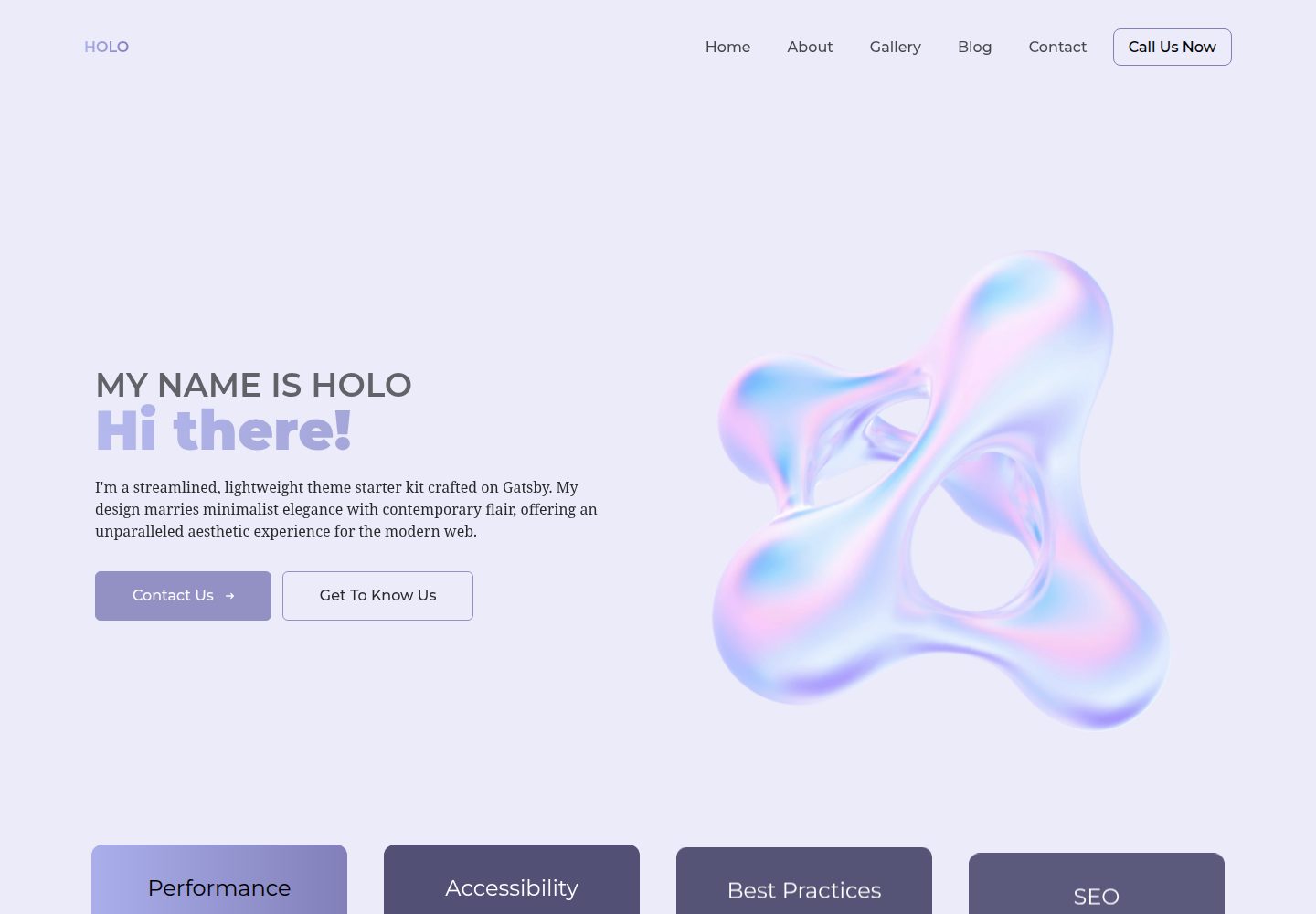
holo-theme is a Gatsby and React website theme with Tailwind CSS and Decap CMS, offering desktop and mobile layouts under the MIT license.
Gatsby · Tool Site