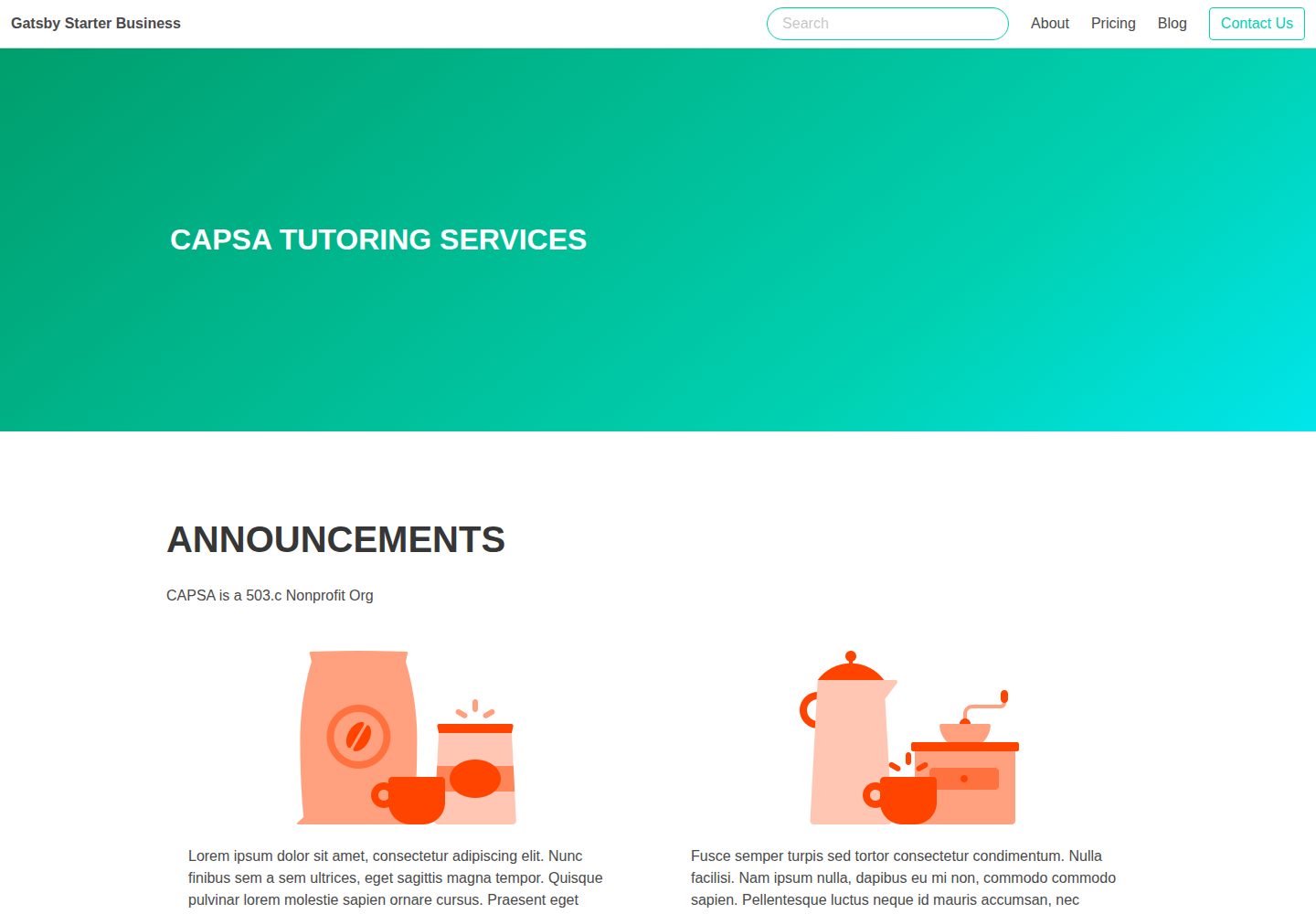
包含首页、关于、定价、联系和博客的完整企业网站页面结构
GatsbyReact启动器
gatsby-starter-business — Gatsby 启动器模板
作者 ryandixon555
基于 Gatsby 与 Netlify CMS 的通用企业网站启动器,包含首页、关于、定价、联系与博客页面,使用 Bulma 和 Sass 进行样式开发。
看看你的网站会是什么样
浏览真实页面截图,比较内容排版与手机效果。点击下方缩略图切换,放大查看整页细节。
全部页面与视图 3
截图用于了解视觉与布局,交互效果请以实际项目为准。
采集于 2026-10-13查看来源
值得关注的模板亮点
从已有项目资料中,快速了解它的特点。
使用 Netlify CMS 进行内容管理,可通过 /admin 路径进入后台
样式基于 Bulma 与 Sass,站点信息集中在 config.js 配置
内置 SEO 相关配置,包括站点地图、Schema、Meta 标签与 GTM 占位
博客支持标签、RSS、分页、Disqus 评论与分享
提供 Netlify Forms 联系表单与 Elastic-Lunr 搜索
模板详细介绍
这是一个面向企业官网的 Gatsby 启动器,内容管理由 Netlify CMS 提供,站点设置集中在 config.js 中修改。仓库说明中列出的页面包括首页、关于、定价、联系和博客,并带有标签、RSS、分页、Disqus 评论与分享、Elastic-Lunr 搜索以及 Netlify Forms 联系表单。样式层使用 Bulma 与 Sass。
项目通过 Git 作为内容来源,配合 Netlify 做持续部署与 CDN 分发,并提供 Netlify 一键部署按钮。开发流程依赖 Node 与全局安装的 Gatsby CLI,脚本包括 start、build、serve、lint 和 clean。
需要注意的是,README 中给出的 gatsby new 命令指向的是 v4iv/gatsby-starter-business 仓库,而非本仓库地址;仓库最近更新时间为 2023 年,README 中提到的 Gatsby v2 与当前版本存在代际差异,实际依赖版本需以仓库内的依赖清单为准。
Gatsby启动器
适合你的项目吗?
适用场景
- 需要快速搭建企业官网并希望用 Git 管理内容的项目
- 计划部署到 Netlify 并使用 Netlify CMS 做后台编辑的站点
- 需要博客、定价页、联系表单等常见企业页面组合的场景
- 希望以 Bulma 和 Sass 为基础做样式定制的开发者
适合人群
- 熟悉 Gatsby 与 React 的前端开发者
- 接受用 config.js 集中配置站点信息的使用者
- 需要 Netlify CMS 作为内容后台的团队
- 以 Netlify 为主要部署平台的站点
上手与定制指南
结合仓库当前版本的说明,按下面的资料检查内容、配置与运行要求。
- 1
需要预先安装 Node 与全局 Gatsby CLI
- 2
README 中的 gatsby new 命令指向 v4iv/gatsby-starter-business 仓库,并非本仓库地址,使用时需注意
- 3
站点标题、描述、RSS、Disqus、GTM 等参数在 config.js 中替换默认值
- 4
Netlify CMS 后台需要按 Netlify Identity 文档完成身份认证配置
- 5
README 提及 Gatsby v2,实际依赖版本请以仓库依赖清单为准
授权与来源资料
使用条件与限制
免费使用 · 保留许可声明本次收录的是公开仓库中采用 MIT 许可的免费版本;免费范围为该版本代码,不代表外部服务或第三方素材免费。
使用时需要遵守
- 允许免费使用、修改、商用和分发该版本代码。
- 分发代码副本或实质性部分时,保留原作者版权声明和完整 MIT 许可声明。
- 代码按现状提供;担保与责任限制以原许可证及适用法律为准。
额外费用与待核对事项
- 演示图片、字体、图标及其他第三方素材需按各自许可核对,不能仅凭代码的 MIT 许可判断。
- 域名、托管、数据库、支付或 AI 等外部服务可能另外收费。
- 内容管理依赖 Netlify CMS,需按 Netlify Identity 文档配置身份认证后方可使用后台。
- 一键部署需通过 GitHub 账号认证,并在 Netlify 上创建仓库与部署站点,依赖外部服务。
- 使用 CMS 后台前需自行完成 Netlify Identity 身份认证配置。
- 评论功能依赖 Disqus 第三方服务,需替换为自己的 Disqus shortname 才能正常使用。
- GTM 跟踪需自行提供 Google Tag Manager ID,属于外部服务配置。
- 联系表单依赖 Netlify Forms,仅在 Netlify 平台部署时可用。
查看原文依据
Permission is hereby granted, free of charge
许可证原文
Netlify CMS for Content Management
README 原文
Clicking the button will ask for authentication via Github, which will create a repo in your github account with this starter. Then, it will build and deploy the site to Netlify.
README 原文
You can read up on how to set up Identity(Authentication for CMS User) here
README 原文
disqusShortname: 'gatsby-business-starter', // Disqus shortname.
README 原文
googleTagManagerID: '', // GTM tracking ID.
README 原文
https://github.com/ryandixon555/gatsby-starter-business/blob/master/LICENSEhttps://github.com/ryandixon555/gatsby-starter-business/blob/master/README.mdContact Form (Netlify Forms)
README 原文
DeepSeek 根据仓库许可证和 README 整理 ·2026-10-13。结果仅覆盖已读取资料,依赖、图片、字体及后续条款变更以各自原文为准。
项目核对记录与介绍依据
模板资料
- 来源平台
- GitHub
- 资料与维护参考分
- 资料一般 · 65 / 100
- 技术栈
- Gatsby · React
- 网站类型
- 启动器
这个分数如何计算
本站按许可资料(最高30分)、演示链接(12分)、预览图(10分)、Star数(15分)、记录的维护时间(15分)、描述完整度(8分)、功能记录(5分)和分类资料(5分)计算。它不是代码、安全或性能测试,也不是 Google 评分;有链接不代表已实测可用。
这个项目需要核对什么
- 记录的仓库更新时间
- 2023-01-11
- 截图检查日期
- 2026-10-13
已收录演示链接。请用你的内容与屏幕尺寸检查;有演示不代表表单、认证或支付已经可用。
目录记录的主要技术栈是 Gatsby。请通过依赖清单和锁文件核对实际版本与托管要求。这些说明基于收录资料,不代表代码审计或部署实测。
查看具体选型方法 →介绍的制作与核对状态
介绍由 AI 辅助整理目录与仓库资料。仓库作者不等于这篇介绍的审核者。
审核声明: [email protected] · 2026-10-13
查看当时使用的来源资料
SHA-256: d2cd308e441fd80b2ea94490c8510f05ea2f4383f53b1209e0ca348455a186c2
2026-10-13T10:00:17.874Z
来源文件 / 仓库# gatsby-starter-business
A [Gatsby v2](https://www.gatsbyjs.org/) and [Netlify CMS](https://www.netlifycms.org) powered generic business website.
It follows the [JAMstack architecture](https://jamstack.org) by using Git as a single source of truth, and [Netlify](https://www.netlify.com) for continuous deployment, and CDN distribution.
## To change site settings
https://gatsby-business-starter.netlify.app/admin
## Demo
[Gatsby Starter Business](https://gatsby-starter-business.netlify.com)
## Features
* Complete Business Website Suite - Home Page, About Page, Pricing Page, Contact Page and Blog
* Netlify CMS for Content Management
* SEO Friendly (Sitemap, Schemas, Meta Tags, GTM etc)
* Bulma and Sass Support for styling
* Progressive Web App & Offline Support
* Tags and RSS Feed for Blog
* Disqus and Share Support
* Elastic-Lunr Search (NEW)
* Pagination (NEW)
* Contact Form (Netlify Forms)
* Easy Configuration using `config.js` file
## Prerequisite
* Node
* Gatsby CLI (globally installed)
## Getting Started
Create your own project with Gatsby CLI:
```shell
gatsby new yourbusinessname https://github.com/v4iv/gatsby-starter-business.git
```
## Available Scripts
### Develop
Start a hot-reloading development environment accessible at `localhost:8000`
```shell
yarn start
```
### Build
Get an optimized production build for your site generating static HTML and per-route JavaScript code bundles.
```shell
yarn build
```
### Serve
gatsby serve — Gatsby starts a local HTML server for testing your built site.
```shell
yarn serve
```
### Lint
Lint the code according to eslintrc file, for consistency.
```shell
yarn lint
```
### Clean
Remove the .cache and public for a scratch compile.
```shell
yarn clean
```
## Configuration
To personalize and configure this Starter open `config.js` file and replace the default values.
```javascript
module.exports = {
siteTitle: 'Gatsby Starter Business', // Site title.
siteTitleAlt: 'Business', // Alternative site title for SEO.
siteLogo: '/icons/icon-512x512.png', // Logo used for SEO and manifest.
siteUrl: 'https://gatsby-starter-business.netlify.com', // Domain of your website without pathPrefix.
// Do not use trailing slash!
pathPrefix: '/', // Prefixes all links. For cases when deployed to example.github.io/gatsby-starter-business/.
siteDescription: 'Leverage Gatsby Business Starter for your Business.', // Website description used for RSS feeds/meta description tag.
siteRss: '/rss.xml',
siteFBAppID: '', // FB Application ID for using app insights
googleTagManagerID: '', // GTM tracking ID.
disqusShortname: 'gatsby-business-starter', // Disqus shortname.
userName: 'Vaibhav Sharma',
userTwitter: 'vaibhaved',
userLocation: 'Delhi NCR, India',
userDescription: '',
copyright: 'Copyright © Gatsby Starter Business 2018. All Rights Reserved.', // Copyright string for the footer of the website and RSS feed.
themeColor: '#00d1b2', // Used for setting manifest and progress theme colors.
backgroundColor: '#ffffff', // Used for setting manifest background color.
}
```
## Deployment
Clicking the button will ask for authentication via Github, which will create a repo in your github account with this starter. Then, it will build and deploy the site to Netlify.
<a href="https://app.netlify.com/start/deploy?repository=https://github.com/v4iv/gatsby-starter-business&stack=cms"><img src="https://www.netlify.com/img/deploy/button.svg" alt="Deploy to Netlify"></a>
You can read up on how to set up Identity(Authentication for CMS User) here [How To Set Up Netlify CMS](https://www.netlifycms.org/docs/add-to-your-site/)
看看同类模板
对比同技术栈与用途的模板,找到更适合的视觉与内容结构。

gatsby-starter-gcn
gatsby-starter-gcn 是一个面向静态网站构建的 Gatsby 启动器,将内容管理、部署和前端开发串联起来。
Gatsby · 博客

gatsby-starter-morning-dew
:rocket: A Gatsby theme/starter to build lightning-fast blog/websites
Gatsby · 博客

starter-gatsby-blog
这是一个由 Contentful 社区维护的 Gatsby 博客启动器,目标是把静态站点的低维护成本与 Contentful 的友好编辑界面结合起来。
Gatsby · 社区

automatic-gatsbyjs-app-landing-page
Automatic GatsbyJS App Landing Page - Automatically generate iOS app landing page using GatsbyJS
Gatsby · 工具站
gatsby-starter-cv
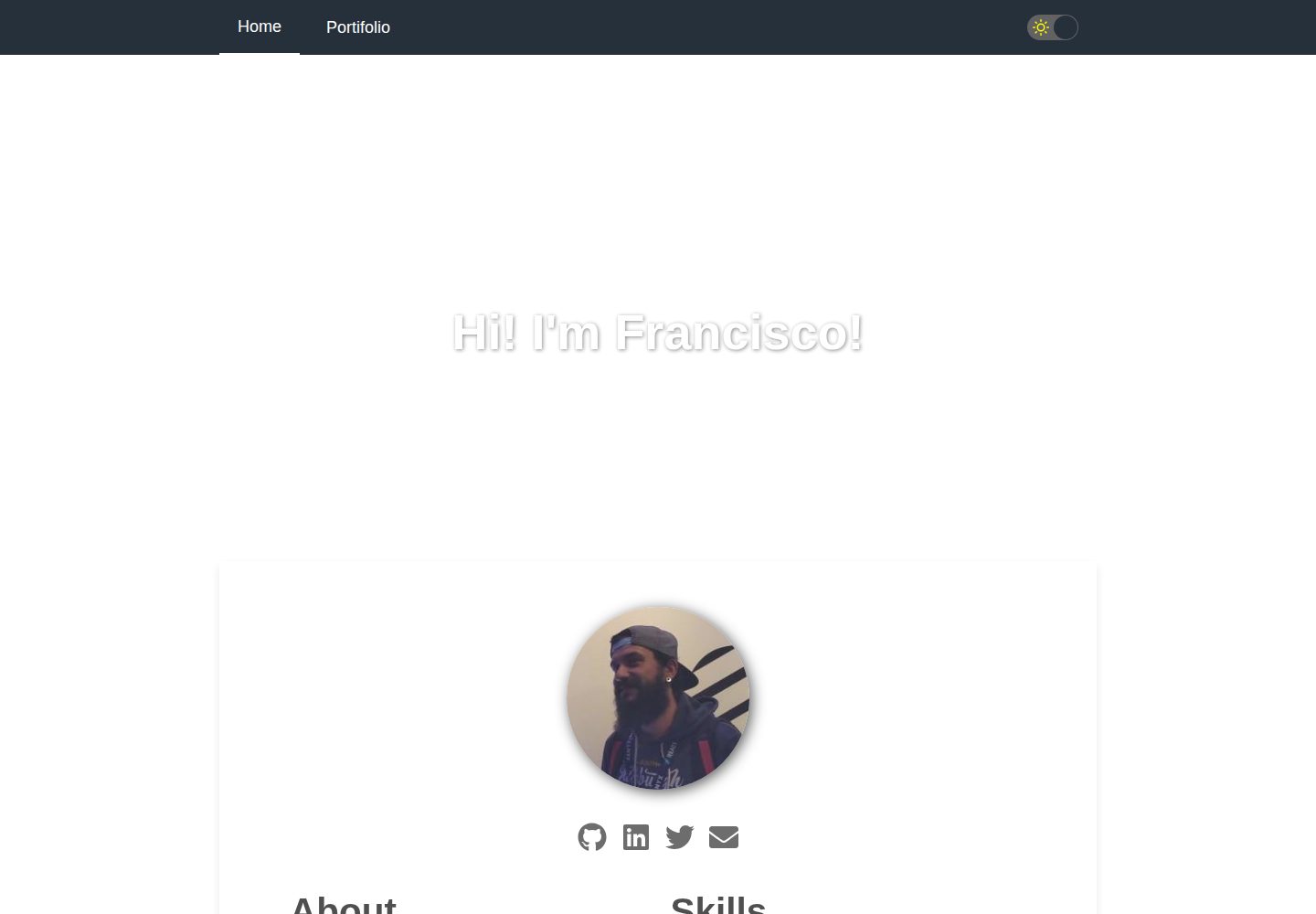
A simple starter to get up and developing your digital curriculum with GatsbyJS
Gatsby · 启动器

clay-theme
Image-centric Gatsby theme for publishers, portfolios, photographers blogs and more.
Gatsby · 作品集