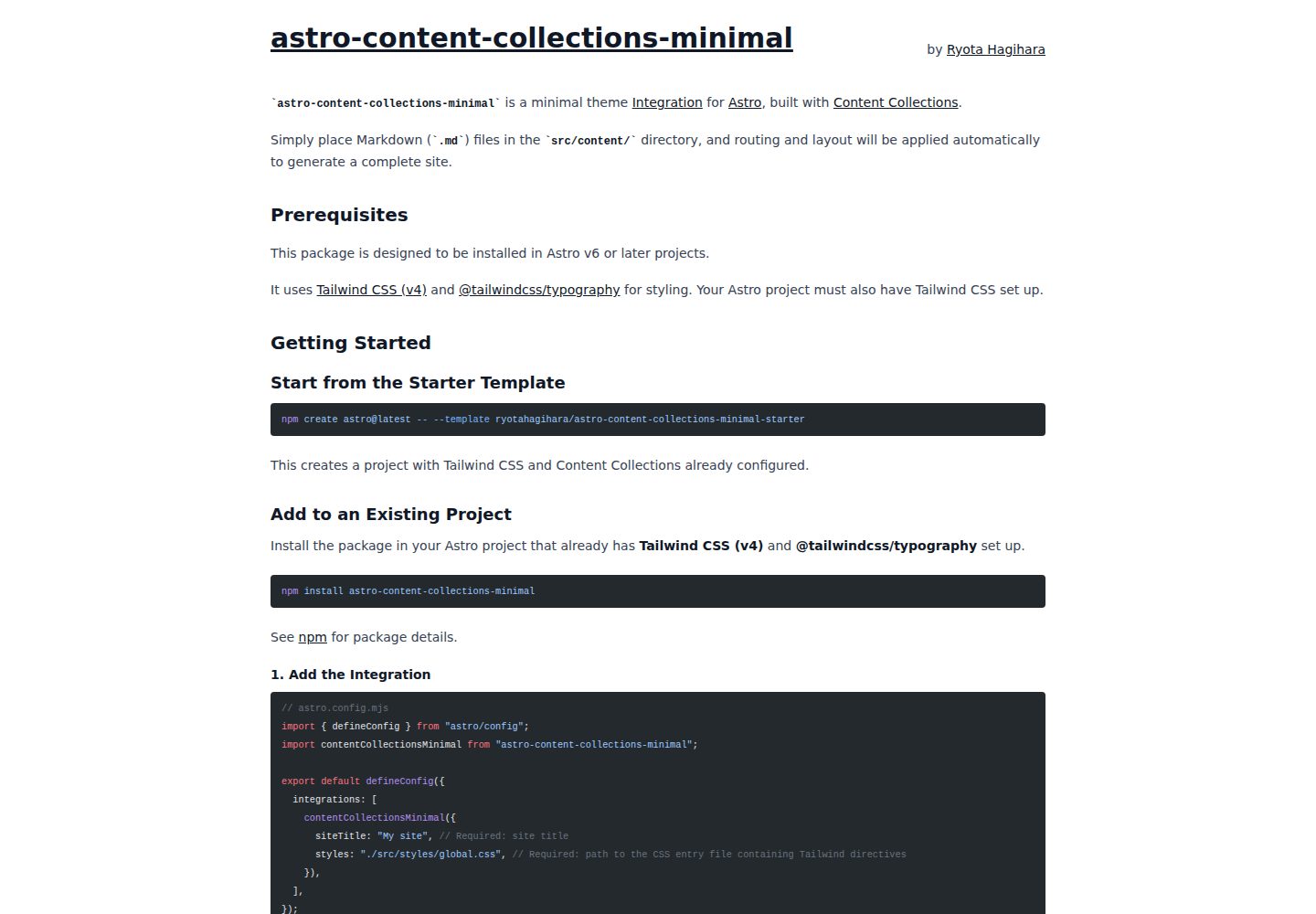
以 Astro Integration 形式提供,加入项目后即可使用
Astro启动器
astro-content-collections-minimal — Astro 启动器模板
作者 ryotahagihara
基于 Astro 的极简集成包,用 Content Collections 从 Markdown 自动生成页面,可作为构建 Astro 主题或集成的参考实现。
看看你的网站会是什么样
浏览真实页面截图,比较内容排版与手机效果。点击下方缩略图切换,放大查看整页细节。
全部页面与视图 3
截图用于了解视觉与布局,交互效果请以实际项目为准。
采集于 2026-10-13查看来源
值得关注的模板亮点
从已有项目资料中,快速了解它的特点。
将 Markdown 放入 src/content 目录即可自动生成页面
通过 Content Collections 获得类型安全的数据获取与自动路由
Header、Footer、Layout 等核心 UI 组件可被自定义 Astro 组件覆盖
支持通过 CSS 自定义属性调整样式,默认使用 Tailwind CSS 与 Typography
采用 pnpm workspaces 管理 monorepo,包含集成源码与 demo 项目
模板详细介绍
这是一个以 Astro Integration 形式发布的极简包,目标是为构建 Astro 主题提供基础构件。将它加入 Astro 项目后,把 Markdown 文件放入 src/content 目录即可自动生成页面,路由与数据获取由 Astro Content Collections 完成。仓库采用 pnpm workspaces 管理 monorepo,包含 packages/astro-content-collections-minimal(集成源码)和 demo(本地开发与测试用的 Astro 项目)两部分。
除作为工具使用外,项目也定位为学习如何编写 Astro Integration(主题)的最小参考实现,设计上参考了官方文档主题 Starlight 的模式并精简到理解集成机制所需的最少实现。它演示了通过 astro:config:setup 钩子注入路由与组件、从 Markdown 自动路由、通过 astro.config.mjs 透传用户配置、用 CSS 自定义属性做样式定制,以及用自定义 Astro 组件覆盖 Header、Footer 和 Layout。
需要注意:README 说明更详细的使用方式与配置项在包内 README 中,仓库另有一个 starter 模板用于快速上手;演示站点仅用于查看实际效果。项目未在资料中声明生产就绪程度或性能表现,采用前应自行评估。
Astro启动器
适合你的项目吗?
适用场景
- 为 Astro 项目快速搭建基于 Markdown 的内容页面
- 学习或参考如何编写 Astro Integration(主题)
- 在最小实现基础上定制自己的 Astro 主题
- 在本地通过 demo 项目开发与测试集成包
适合人群
- 熟悉 Astro 与 Content Collections 的开发者
- 需要以 Markdown 驱动页面生成的站点项目
- 希望研究 Astro 集成与主题实现模式的开发者
- 使用 pnpm 管理依赖的团队或个人
上手与定制指南
结合仓库当前版本的说明,按下面的资料检查内容、配置与运行要求。
- 1
仓库使用 pnpm 作为包管理器,需先安装 pnpm
- 2
在项目根目录执行 pnpm install 安装整个工作区依赖
- 3
运行 pnpm --filter demo dev 启动 demo 项目,默认地址为 http://localhost:4321
- 4
对 packages/astro-content-collections-minimal 的代码改动会自动反映到 demo
- 5
详细使用说明与配置项请查看包内 README:packages/astro-content-collections-minimal/README.md
授权与来源资料
使用条件与限制
免费使用 · 保留许可声明本次收录的是公开仓库中采用 MIT 许可的免费版本;免费范围为该版本代码,不代表外部服务或第三方素材免费。
使用时需要遵守
- 允许免费使用、修改、商用和分发该版本代码。
- 分发代码副本或实质性部分时,保留原作者版权声明和完整 MIT 许可声明。
- 代码按现状提供;担保与责任限制以原许可证及适用法律为准。
额外费用与待核对事项
- 演示图片、字体、图标及其他第三方素材需按各自许可核对,不能仅凭代码的 MIT 许可判断。
- 域名、托管、数据库、支付或 AI 等外部服务可能另外收费。
查看原文依据
https://github.com/ryotahagihara/astro-content-collections-minimal/blob/main/LICENSEhttps://github.com/ryotahagihara/astro-content-collections-minimal/blob/main/README.mdPermission is hereby granted, free of charge
许可证原文
DeepSeek 根据仓库许可证和 README 整理 ·2026-10-13。结果仅覆盖已读取资料,依赖、图片、字体及后续条款变更以各自原文为准。
项目核对记录与介绍依据
模板资料
- 来源平台
- GitHub
- 资料与维护参考分
- 资料较完整 · 80 / 100
- 技术栈
- Astro
- 网站类型
- 启动器
这个分数如何计算
本站按许可资料(最高30分)、演示链接(12分)、预览图(10分)、Star数(15分)、记录的维护时间(15分)、描述完整度(8分)、功能记录(5分)和分类资料(5分)计算。它不是代码、安全或性能测试,也不是 Google 评分;有链接不代表已实测可用。
这个项目需要核对什么
- 记录的仓库更新时间
- 2026-04-18
- 截图检查日期
- 2026-10-13
已收录演示链接。请用你的内容与屏幕尺寸检查;有演示不代表表单、认证或支付已经可用。
目录记录的主要技术栈是 Astro。请通过依赖清单和锁文件核对实际版本与托管要求。这些说明基于收录资料,不代表代码审计或部署实测。
查看具体选型方法 →介绍的制作与核对状态
介绍由 AI 辅助整理目录与仓库资料。仓库作者不等于这篇介绍的审核者。
审核声明: [email protected] · 2026-10-13
查看当时使用的来源资料
SHA-256: 4632e43ff16e98c45fd2c238b47d6b0d608146fbcb607c224cef5dbbde3b66fc
2026-10-13T00:17:01.070Z
来源文件 / 仓库# astro-content-collections-minimal        A minimal package for building themes with Astro Integration. Simply add it to your Astro project and place Markdown files in the `src/content` directory to generate pages automatically. It provides the fundamental building blocks for theme development using Content Collections. This repository is managed as a monorepo using `pnpm workspaces`. > **Note:** > For detailed usage instructions and configuration options, please refer to the [package README](packages/astro-content-collections-minimal/README.md). > A [starter template](https://github.com/ryotahagihara/astro-content-collections-minimal-starter) is also available for getting started quickly with this package. > You can also check out the [demo site](https://astro-content-collections-minimal.rhghr.com/) to see it in action. ## As an Astro Integration Reference This project is designed to serve both as a tool and as **a minimal reference implementation for learning how to build Astro Integrations (themes)**. It follows the design patterns of [Starlight](https://starlight.astro.build/), Astro's official documentation theme, distilled down to the minimum implementation needed to understand how Astro Integrations work. The project implements the following features as a foundation for theme development: - Route and component injection via the `astro:config:setup` hook - Automatic routing from Markdown using Content Collections - User configuration passthrough via `astro.config.mjs` - Style customization using CSS custom properties - Component overrides for Header, Footer, and Layout with custom Astro components This aims to be a good starting point and reference for developers who want to create their own Astro themes or integrations. ## Project Structure | Directory | Description | | -------------------------------------------- | -------------------------------------------------- | | `packages/astro-content-collections-minimal` | The package itself (Astro integration source code) | | `demo` | Astro project for local development and testing | ## Development Setup Basic steps for developing this package. This project uses `pnpm` as its package manager. ### 1. Install Dependencies Run the following command in the project root directory to install dependencies for the entire workspace. ```shell pnpm install ``` ### 2. Start the Development Server Run the following command to start the `demo` application (the test project). ```shell pnpm --filter demo dev ``` Open `http://localhost:4321` in your browser to verify it works. Changes to the code in `packages/astro-content-collections-minimal` will be reflected automatically. ## Features - **Astro Content Collections:** Type-safe data fetching and automatic routing for documents. - **Tailwind CSS & Typography:** Simple and versatile default styling. - **Customizable Components:** All core UI (Header, Footer, Layout) is fully overrideable, with CSS custom property theming support. ## Contact Please report issues or feature requests via [GitHub Issues](https://github.com/ryotahagihara/astro-content-collections-minimal/issues). ## License MIT License - See [LICENSE](LICENSE) for details. Copyright © 2026 [Ryota Hagihara](https://www.ryotahagihara.com/)
看看同类模板
对比同技术栈与用途的模板,找到更适合的视觉与内容结构。

astrowind
⭕️ AstroWind: A free template using Astro v7 and Tailwind CSS v4. Astro starter theme.
Astro · 博客
accessible-astro-starter
Accessible Astro Starter 是一个以无障碍为核心理念的 Astro 6 启动模板,由 incluud 团队维护。
Astro · 博客

astro-erudite
An opinionated, unstyled static blogging template built with Astro and native CSS.
Astro · 作品集

astro-shopify
astro-shopify 是一个面向开发者的轻量级电商启动模板,用于构建基于 Shopify 的无头店面。
Astro · 电商

brutal
A neobrutalism Astro starter theme
Astro · 启动器
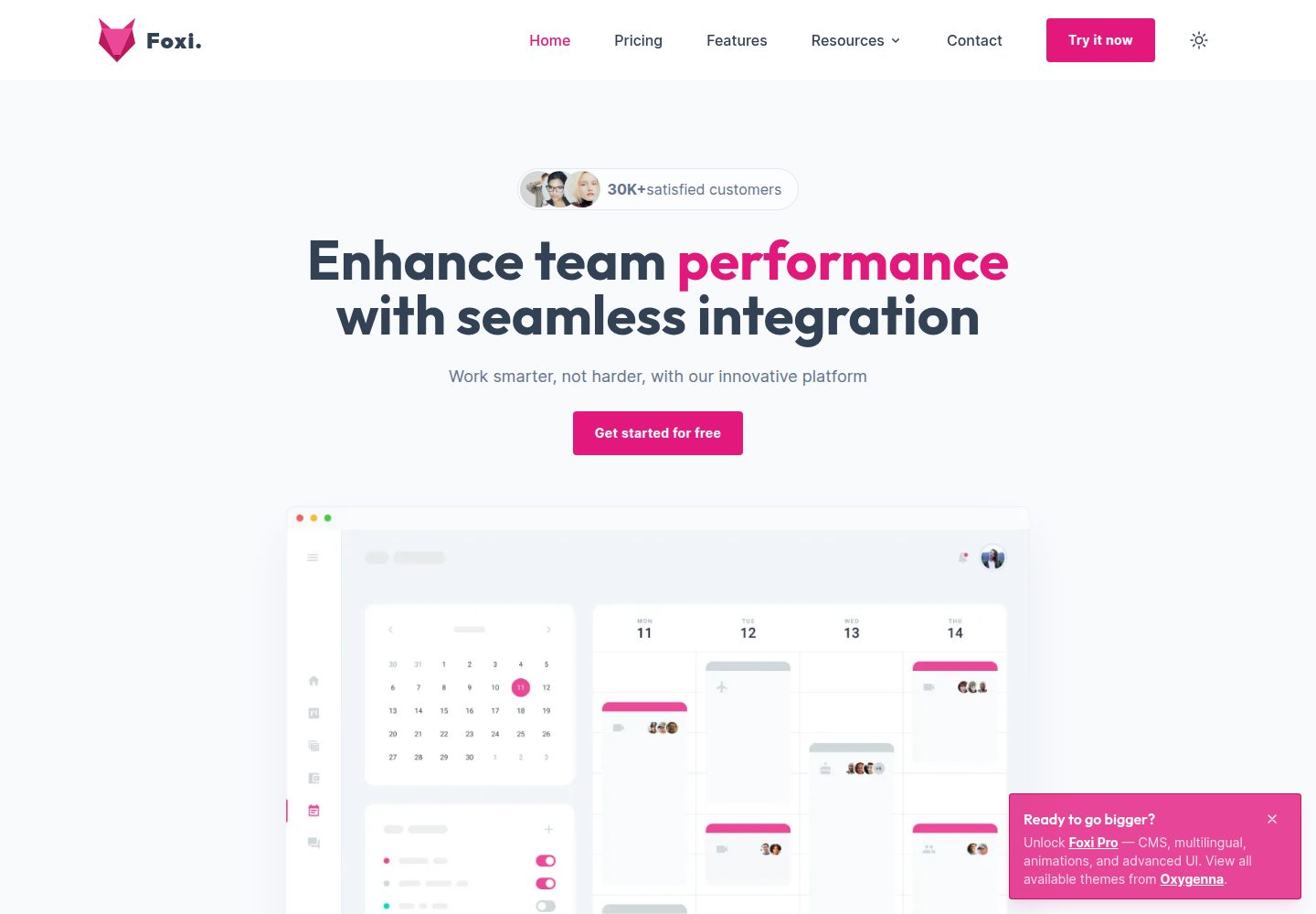
foxi-astro-theme
Foxi is an Astro theme crafted with Tailwind CSS, designed for blazing-fast performance and seamless user expe…
Astro · 博客