Markdown 驱动内容的极简博客与个人站点启动模板
GatsbyReact作品集博客启动器
gatsby-markdown-blog — Gatsby 作品集模板
作者 SafdarJamal
基于 Gatsby 与 Markdown 的个人博客与作品集启动模板,包含首页、关于、博客与联系页面,使用 Sass 样式,可部署到 Netlify 或 Vercel。
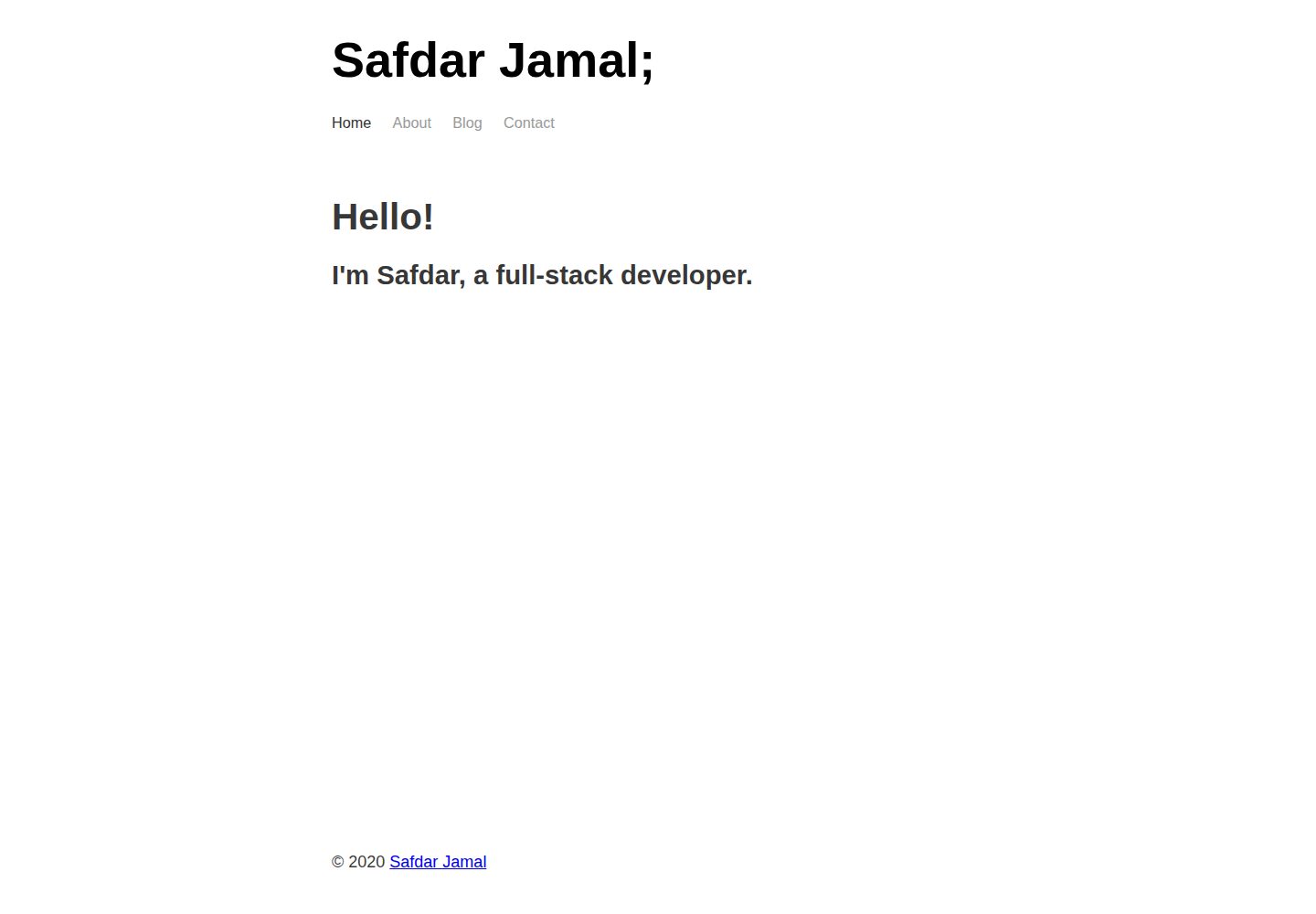
看看你的网站会是什么样
浏览真实页面截图,比较内容排版与手机效果。点击下方缩略图切换,放大查看整页细节。
全部页面与视图 3
截图用于了解视觉与布局,交互效果请以实际项目为准。
采集于 2026-10-02查看来源
值得关注的模板亮点
从已有项目资料中,快速了解它的特点。
包含首页、About、Blog、Contact 四个可编辑页面
各功能拆分为独立组件,便于定制或拆解重写
使用 Sass 编写样式,并通过 React Helmet 管理站点 meta 标签
提供 Netlify 与 Vercel 部署入口,MIT 许可
模板详细介绍
这是一个用 Gatsby 搭建的极简博客启动模板,内容以 Markdown 驱动,适合个人网站或写作类站点。仓库提供首页、About、Blog 和 Contact 四个可编辑页面,并为每个部分拆分了独立组件,方便按需修改或拆解重写。
样式使用 Sass,站点元信息通过 React Helmet 管理,可自行编辑标题、描述等 meta 标签。项目结构遵循 Gatsby 约定,包含 gatsby-config.js、gatsby-node.js、gatsby-browser.js 与 gatsby-ssr.js 等配置文件,便于接入 Gatsby 插件与自定义构建流程。
模板定位为最小化起点,README 明确说明设计上就是“供定制或拆解”,不提供复杂功能。使用前需要安装 Gatsby CLI,通过 gatsby new 命令以该仓库为模板创建站点,再进入目录运行 gatsby develop 在本地预览。部署方面 README 给出了 Netlify 与 Vercel 的部署按钮。
许可为 MIT,可免费使用、修改、商用与分发该版本代码,但需保留版权与许可声明;演示中的图片、字体、图标等第三方素材需单独核对许可,域名与托管等外部服务也可能产生费用。
GatsbyReact作品集博客启动器
适合你的项目吗?
适用场景
- 搭建以 Markdown 写作的个人博客
- 制作带博客栏目的个人作品集网站
- 作为学习 Gatsby 页面、组件与配置结构的起步项目
- 需要可自由修改甚至拆解重写的轻量站点骨架
适合人群
- 熟悉或愿意学习 Gatsby 与 React 的前端开发者
- 以 Markdown 撰写文章的个人博主
- 需要可深度定制的极简站点起点的开发者
上手与定制指南
结合仓库当前版本的说明,按下面的资料检查内容、配置与运行要求。
- 1
需先安装 Gatsby CLI,再执行 gatsby new my-blog-starter https://github.com/SafdarJamal/gatsby-markdown-blog 创建站点
- 2
进入项目目录后运行 gatsby develop,本地默认地址为 http://localhost:8000
- 3
可通过 http://localhost:8000/___graphql 调试数据查询
- 4
站点元信息在 gatsby-config.js 中配置,页面内容在 src/pages 下编辑
- 5
部署可使用 README 提供的 Netlify 或 Vercel 按钮
授权与来源资料
使用条件与限制
免费使用 · 保留许可声明本次收录的是公开仓库中采用 MIT 许可的免费版本;免费范围为该版本代码,不代表外部服务或第三方素材免费。
使用时需要遵守
- 允许免费使用、修改、商用和分发该版本代码。
- 分发代码副本或实质性部分时,保留原作者版权声明和完整 MIT 许可声明。
- 代码按现状提供;担保与责任限制以原许可证及适用法律为准。
额外费用与待核对事项
- 该模板定位为个人博客/写作类网站的最小启动模板,并非通用商业网站或电商等用途的完整方案。
- 设计刻意保持极简,README 说明其用途是供使用者自行定制或拆解重写,不提供开箱即用的复杂功能。
- 使用前需先安装 Gatsby CLI 工具,属于外部开发环境依赖。
- 需通过 Gatsby CLI 以该仓库为模板创建站点,而非直接下载即用的静态文件。
- 演示图片、字体、图标及其他第三方素材需按各自许可核对,不能仅凭代码的 MIT 许可判断。
- 域名、托管、数据库、支付或 AI 等外部服务可能另外收费。
查看原文依据
Permission is hereby granted, free of charge
许可证原文
A minimal starter template for building personal/blogging websites with Gatsby, Markdown, and Netlify.
README 原文
Minimal responsive design - made to customize or tear apart
README 原文
- [Gatsby CLI](https://www.gatsbyjs.com/docs/tutorial/part-zero/#using-the-gatsby-cli)
README 原文
https://github.com/SafdarJamal/gatsby-markdown-blog/blob/master/LICENSEhttps://github.com/SafdarJamal/gatsby-markdown-blog/blob/master/README.mdgatsby new my-blog-starter https://github.com/SafdarJamal/gatsby-markdown-blog
README 原文
DeepSeek 根据仓库许可证和 README 整理 ·2026-10-02。结果仅覆盖已读取资料,依赖、图片、字体及后续条款变更以各自原文为准。
项目核对记录与介绍依据
模板资料
- 来源平台
- GitHub
- 资料与维护参考分
- 资料较完整 · 77 / 100
- 技术栈
- Gatsby · React
- 网站类型
- 作品集 · 博客 · 启动器
这个分数如何计算
本站按许可资料(最高30分)、演示链接(12分)、预览图(10分)、Star数(15分)、记录的维护时间(15分)、描述完整度(8分)、功能记录(5分)和分类资料(5分)计算。它不是代码、安全或性能测试,也不是 Google 评分;有链接不代表已实测可用。
这个项目需要核对什么
- 记录的仓库更新时间
- 2023-01-11
- 截图检查日期
- 2026-10-02
已收录演示链接。请用你的内容与屏幕尺寸检查;有演示不代表表单、认证或支付已经可用。
目录记录的主要技术栈是 Gatsby。请通过依赖清单和锁文件核对实际版本与托管要求。这些说明基于收录资料,不代表代码审计或部署实测。
查看具体选型方法 →介绍的制作与核对状态
介绍由 AI 辅助整理目录与仓库资料。仓库作者不等于这篇介绍的审核者。
已完成服务器许可规则与 AI 来源核对;未经过人工编辑审核。
查看当时使用的来源资料
SHA-256: 1cfab3bf88a17a665fe622bd0fb1d77d0a141246ad703bfbe1cd853acd0e074c
2026-10-02T11:21:42.359Z
来源文件 / 仓库<p align="center">
<img alt="Gatsby" src="https://www.gatsbyjs.com/Gatsby-Monogram.svg" width="60" />
</p>
<h1 align="center">
<a href="https://the-gatsby-markdown-blog.netlify.app">
Gatsby Markdown Blog
</a>
</h1>
<p align="center">
A minimal starter template for building personal/blogging websites with Gatsby, Markdown, and Netlify.
</p>
## Features
- A simple landing page with blog functionality powerd by Markdown
- Editable Pages: Landing, About, Blog and Contact page
- Includes React Helmet to allow editing site meta tags
- Uses Sass for styling
- Minimal responsive design - made to customize or tear apart
- Blazing fast loading times thanks to pre-rendered HTML and automatic chunk loading of JS files
- Separate components for everything
- Perfect score on Lighthouse for SEO, Accessibility, and Performance
## Prerequisites
- [Gatsby CLI](https://www.gatsbyjs.com/docs/tutorial/part-zero/#using-the-gatsby-cli)
## 🚀 Quick start
1. **Create a Gatsby site.**
Use the Gatsby CLI to create a new site, specifying this blog starter.
```shell
# create a new Gatsby site using this blog starter
gatsby new my-blog-starter https://github.com/SafdarJamal/gatsby-markdown-blog
```
1. **Start developing.**
Navigate into your new site’s directory and start it up.
```shell
cd my-blog-starter/
gatsby develop
```
1. **Open the source code and start editing!**
Your site is now running at `http://localhost:8000`!
_Note: You'll also see a second link: _`http://localhost:8000/___graphql`_. This is a tool you can use to experiment with querying your data. Learn more about using this tool in the [Gatsby tutorial](https://www.gatsbyjs.com/tutorial/part-five/#introducing-graphiql)._
Open the `my-blog-starter` directory in your code editor of choice and edit `src/pages/index.js`. Save your changes and the browser will update in real time!
## 🧐 What's inside?
A quick look at the top-level files and directories you'll see in a Gatsby project.
.
├── node_modules
├── src
├── .gitignore
├── .prettierrc
├── gatsby-browser.js
├── gatsby-config.js
├── gatsby-node.js
├── gatsby-ssr.js
├── LICENSE
├── package-lock.json
├── package.json
└── README.md
1. **`/node_modules`**: This directory contains all of the modules of code that your project depends on (npm packages) are automatically installed.
2. **`/src`**: This directory will contain all of the code related to what you will see on the front-end of your site (what you see in the browser) such as your site header or a page template. `src` is a convention for “source code”.
3. **`.gitignore`**: This file tells git which files it should not track / not maintain a version history for.
4. **`.prettierrc`**: This is a configuration file for [Prettier](https://prettier.io/). Prettier is a tool to help keep the formatting of your code consistent.
5. **`gatsby-browser.js`**: This file is where Gatsby expects to find any usage of the [Gatsby browser APIs](https://www.gatsbyjs.com/docs/browser-apis/) (if any). These allow customization/extension of default Gatsby settings affecting the browser.
6. **`gatsby-config.js`**: This is the main configuration file for a Gatsby site. This is where you can specify information about your site (metadata) like the site title and description, which Gatsby plugins you’d like to include, etc. (Check out the [config docs](https://www.gatsbyjs.com/docs/gatsby-config/) for more detail).
7. **`gatsby-node.js`**: This file is where Gatsby expects to find any usage of the [Gatsby Node APIs](https://www.gatsbyjs.com/docs/node-apis/) (if any). These allow customization/extension of default Gatsby settings affecting pieces of the site build process.
8. **`gatsby-ssr.js`**: This file is where Gatsby expects to find any usage of the [Gatsby server-side rendering APIs](https://www.gatsbyjs.com/docs/ssr-apis/) (if any). These allow customization of default Gatsby settings affecting server-side rendering.
9. **`LICENSE`**: This Gatsby starter is licensed under the [MIT license](https://github.com/SafdarJamal/gatsby-markdown-blog/blob/master/LICENSE).
10. **`package-lock.json`** (See `package.json` below, first). This is an automatically generated file based on the exact versions of your npm dependencies that were installed for your project. **(You won’t change this file directly).**
11. **`package.json`**: A manifest file for Node.js projects, which includes things like metadata (the project’s name, author, etc). This manifest is how npm knows which packages to install for your project.
12. **`README.md`**: A text file containing useful reference information about your project.
## 🎓 Learning Gatsby
Looking for more guidance? Full documentation for Gatsby lives [on the website](https://www.gatsbyjs.com/). Here are some places to start:
- **For most developers, we recommend starting with our [in-depth tutorial for creating a site with Gatsby](https://www.gatsbyjs.com/tutorial/).** It starts with zero assumptions about your level of ability and walks through every step of the process.
- **To dive straight into code samples, head [to our documentation](https://www.gatsbyjs.com/docs/).** In particular, check out the _Guides_, _API Reference_, and _Advanced Tutorials_ sections in the sidebar.
## 💫 Deploy
[](https://app.netlify.com/start/deploy?repository=https://github.com/SafdarJamal/gatsby-markdown-blog)
[](https://vercel.com/import/project?template=https://github.com/SafdarJamal/gatsby-markdown-blog)
看看同类模板
对比同技术栈与用途的模板,找到更适合的视觉与内容结构。

gatsby-starter-gcn
gatsby-starter-gcn 是一个面向静态网站构建的 Gatsby 启动器,将内容管理、部署和前端开发串联起来。
Gatsby · 博客
yashitanamdeo.github.io
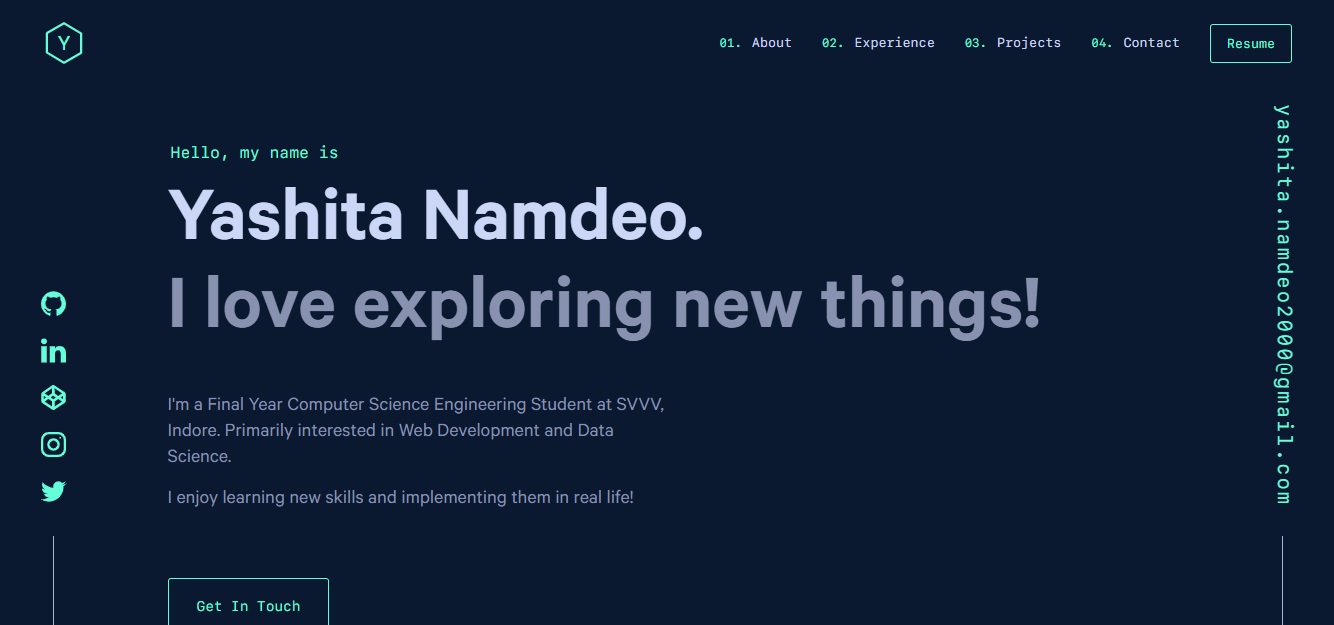
yashitanamdeo.github.io 是一个基于 Gatsby 和 React 构建的个人作品集网站模板,源自开发者 Yashita Namdeo 的第一版个人主页。
Gatsby · 作品集
devblog
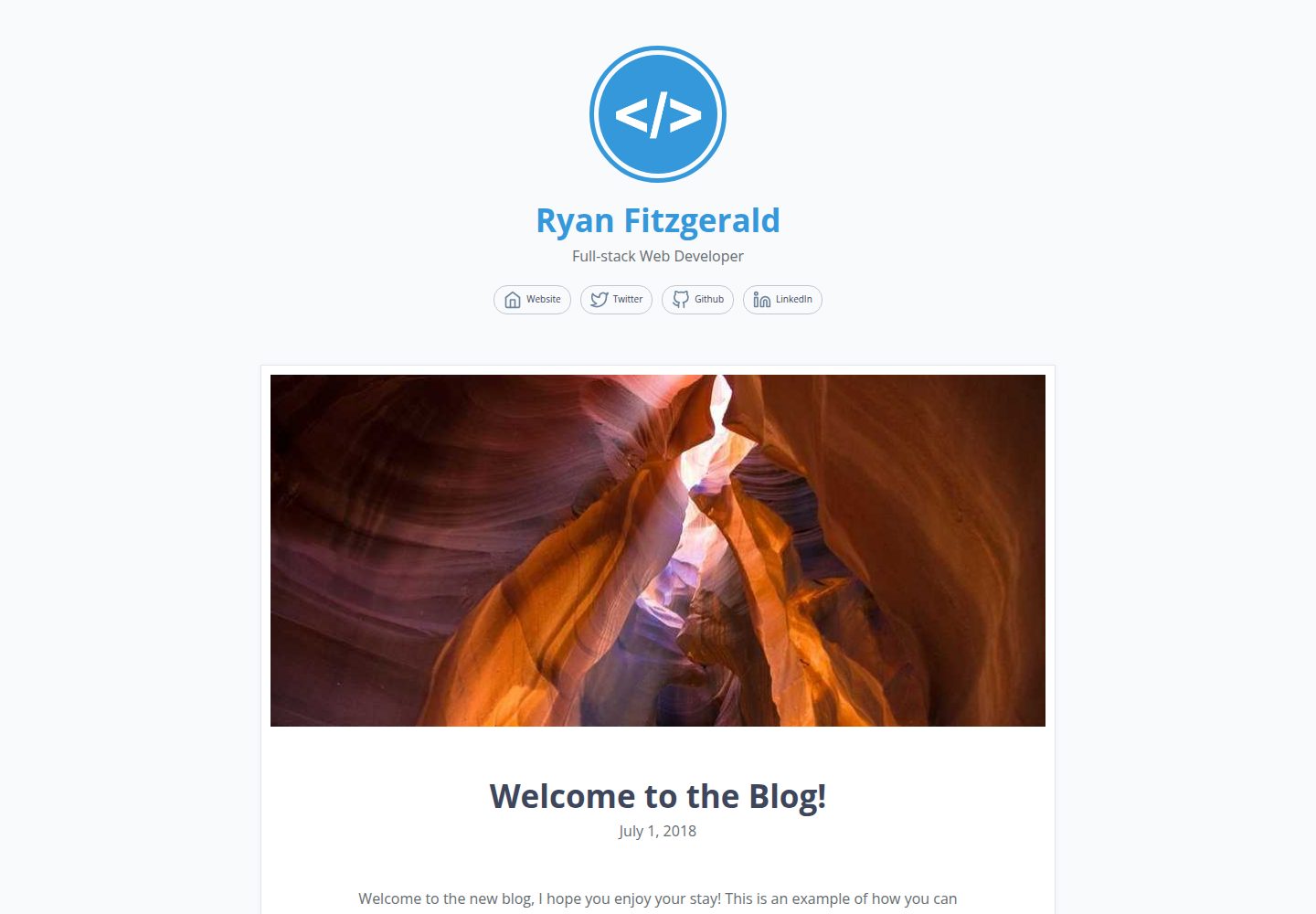
A lightweight, customizable personal blog template built with GatsbyJS and React
Gatsby · 博客

gatsby-starter-morning-dew
:rocket: A Gatsby theme/starter to build lightning-fast blog/websites
Gatsby · 博客

starter-gatsby-blog
这是一个由 Contentful 社区维护的 Gatsby 博客启动器,目标是把静态站点的低维护成本与 Contentful 的友好编辑界面结合起来。
Gatsby · 社区

automatic-gatsbyjs-app-landing-page
Automatic GatsbyJS App Landing Page - Automatically generate iOS app landing page using GatsbyJS
Gatsby · 工具站