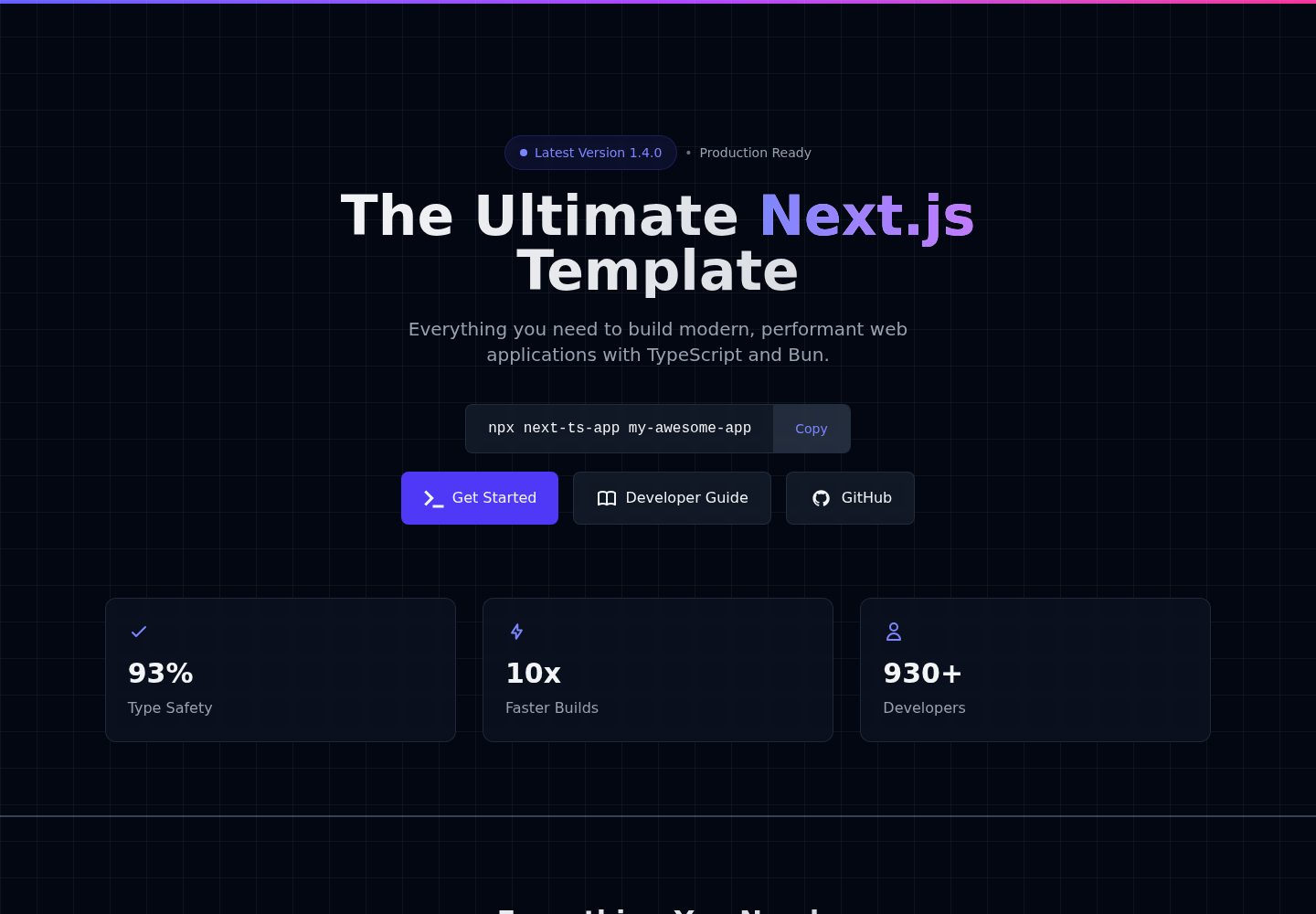
使用 Next.js App Router 组织路由,包含 (landing) 与 (dashboard) 路由组示例
Next.jsReact启动器
Next.js-TypeScript-Starter-Template — Next.js 启动器模板
作者 Salman-Ahamed
基于 Next.js App Router、TypeScript 与 Tailwind CSS 的起步模板,通过 CLI 或 GitHub 模板创建项目,内置 ESLint、Prettier 及可选的 Husky 代码质量钩子。
看看你的网站会是什么样
浏览真实页面截图,比较内容排版与手机效果。点击下方缩略图切换,放大查看整页细节。
全部页面与视图 2
截图用于了解视觉与布局,交互效果请以实际项目为准。
采集于 2026-10-14查看来源
值得关注的模板亮点
从已有项目资料中,快速了解它的特点。
TypeScript 配置与自定义类型目录,提供类型定义入口
Tailwind CSS v4 预配置,并配有全局样式与主题目录
ESLint 与 Prettier 集成,含 import/order 等规则示例
CLI 创建时可选择 bun、pnpm、yarn 或 npm,并可选择是否启用 Husky
提供 dev、build、start、lint、format、clear-cache 等 npm 脚本
模板详细介绍
该模板用于搭建 Next.js + TypeScript + Tailwind CSS 项目。README 说明它提供 App Router 目录结构、TypeScript 配置、Tailwind CSS v4 预配置、ESLint 与 Prettier,以及可选的 Husky Git 钩子。创建方式有两种:使用 npx next-ts-app 命令行工具,或在 GitHub 上点击 Use this template 后克隆到本地。CLI 会依次询问项目名称、包管理器(bun、pnpm、yarn、npm)以及是否启用 Husky;选择 Husky 时使用 main 分支模板,不启用时使用 without-husky 分支模板。README 列出了开发、构建、启动、lint、format 和 clear-cache 等脚本,并说明 Next.js 16 已移除 next lint,改为直接运行 ESLint。项目结构包含 app 路由组、components、config、hooks、lib、styles、types、services、contexts 和 __tests__ 等目录。部署方面 README 仅列出 Vercel、Netlify、AWS 和 Docker,并提示将 .env.example 复制为 .env。README 未提供具体页面功能、测试框架配置或各部署平台的详细步骤。
Next.js启动器
适合你的项目吗?
适用场景
- 需要快速启动一个 Next.js + TypeScript + Tailwind CSS 项目骨架
- 希望通过 CLI 交互选择包管理器并决定是否启用 Husky Git 钩子
- 在 GitHub 上以模板仓库方式创建新项目并克隆到本地开发
- 为项目预先规划 app、components、hooks、lib、services 等目录结构
适合人群
- 使用 Next.js App Router 与 TypeScript 的前端开发者
- 希望项目自带 ESLint、Prettier 与可选 Husky 配置的团队
- 需要可扩展目录结构作为起点的个人或协作项目
- 准备部署到 Vercel、Netlify、AWS 或 Docker 的 Next.js 项目
上手与定制指南
结合仓库当前版本的说明,按下面的资料检查内容、配置与运行要求。
- 1
需 Node.js 20.9.0 或更高版本,这是 Next.js 16 的要求
- 2
推荐使用 npx next-ts-app my-awesome-app 创建项目,按提示选择包管理器与是否启用 Husky
- 3
也可在 GitHub 点击 Use this template 创建仓库后克隆,再执行 bun install 与 bun run dev
- 4
若选择 bun、pnpm 或 yarn,需先全局安装对应包管理器
- 5
部署前按 README 提示将 .env.example 复制为 .env
授权与来源资料
使用条件与限制
免费使用 · 保留许可声明本次收录的是公开仓库中采用 MIT 许可的免费版本;免费范围为该版本代码,不代表外部服务或第三方素材免费。
使用时需要遵守
- 允许免费使用、修改、商用和分发该版本代码。
- 分发代码副本或实质性部分时,保留原作者版权声明和完整 MIT 许可声明。
- 代码按现状提供;担保与责任限制以原许可证及适用法律为准。
额外费用与待核对事项
- 演示图片、字体、图标及其他第三方素材需按各自许可核对,不能仅凭代码的 MIT 许可判断。
- 域名、托管、数据库、支付或 AI 等外部服务可能另外收费。
- 需要 Node.js 20.9.0 或更高版本(Next.js 16 的要求),低于该版本无法运行。
- 若选择 bun、pnpm 或 yarn 作为包管理器,需先全局安装对应工具(如 npm install -g bun)。
- 部署到生产环境前需将 .env.example 复制为 .env 并填写生产配置。
查看原文依据
Permission is hereby granted, free of charge
许可证原文
- **Node.js**: Version 20.9.0 or higher (required for Next.js 16)
README 原文
**Note**: If you pick `bun`, make sure Bun is installed (`npm install -g bun` or visit [bun.sh](https://bun.sh)). For `pnpm` or `yarn`, install them first if needed.
README 原文
https://github.com/Salman-Ahamed/Next.js-TypeScript-Starter-Template/blob/main/LICENSEhttps://github.com/Salman-Ahamed/Next.js-TypeScript-Starter-Template/blob/main/README.mdCopy `.env.example` to `.env` for production settings.
README 原文
DeepSeek 根据仓库许可证和 README 整理 ·2026-10-14。结果仅覆盖已读取资料,依赖、图片、字体及后续条款变更以各自原文为准。
项目核对记录与介绍依据
模板资料
- 来源平台
- GitHub
- 资料与维护参考分
- 资料较完整 · 83 / 100
- 技术栈
- Next.js · React
- 网站类型
- 启动器
这个分数如何计算
本站按许可资料(最高30分)、演示链接(12分)、预览图(10分)、Star数(15分)、记录的维护时间(15分)、描述完整度(8分)、功能记录(5分)和分类资料(5分)计算。它不是代码、安全或性能测试,也不是 Google 评分;有链接不代表已实测可用。
这个项目需要核对什么
- 记录的仓库更新时间
- 2026-01-08
- 截图检查日期
- 2026-10-14
已收录演示链接。请用你的内容与屏幕尺寸检查;有演示不代表表单、认证或支付已经可用。
目录记录的主要技术栈是 Next.js。请通过依赖清单和锁文件核对实际版本与托管要求。这些说明基于收录资料,不代表代码审计或部署实测。
查看具体选型方法 →介绍的制作与核对状态
介绍由 AI 辅助整理目录与仓库资料。仓库作者不等于这篇介绍的审核者。
审核声明: codex-user-requested-batch-review-20261015 · 2026-10-15
查看当时使用的来源资料
SHA-256: 525a4a79ba752ed62dbc7ba33fdd53b5ab62e6b355a5f2f1efe8a5f0c2bec9f6
2026-10-14T08:40:42.131Z
来源文件 / 仓库# Next.js TypeScript Starter Template
A **production-ready**, **scalable**, and **actively maintained** starter template for building high-quality web apps with **Next.js**, **TypeScript**, and **Tailwind CSS**.
<br/>
<p align="center">
<img
src="https://img.shields.io/npm/v/next-ts-app?style=for-the-badge&label=next-ts-app&labelColor=black&logo=npm&color=success"
alt="next-ts-app version"
/>
<img
src="https://img.shields.io/static/v1?label=License&message=MIT&labelColor=000000&color=007ACC&style=for-the-badge&logo=open-source-initiative&logoColor=white"
alt="License MIT"
/>
</p>
<p align="center">
<img src="https://img.shields.io/badge/Next.js-16.0.10-black?logo=next.js" alt="Nextjs">
<img src="https://img.shields.io/badge/TypeScript-3178C6?logo=typescript&logoColor=white" alt="TypeScript">
<img src="https://img.shields.io/badge/Tailwind%20CSS-06B6D4?logo=tailwind-css&logoColor=white" alt="Tailwind CSS">
<img src="https://img.shields.io/badge/ESLint-4B32C3?logo=eslint&logoColor=white" alt="ESLint">
<img src="https://img.shields.io/badge/Prettier-F7B93E?logo=prettier&logoColor=black" alt="Prettier">
</p>
<br/>
## 🚀 Why Use This Template?
This starter template is designed for **developers of all levels** — from beginners starting their journey to advanced engineers building scalable applications.
### Key Features
- ⚡️ **Next.js 16+** with App Router
- ✅ **TypeScript** – full type safety and custom config
- 🎨 **Tailwind CSS v4** – preconfigured and responsive
- 🧹 **ESLint + Prettier** – clean, consistent code
- 🌿 **Scalable folder structure** – production standard
- 📦 **Alias support** – easy path management
- 🧪 Ready for unit & integration testing
- ☁️ Vercel ready – just push and deploy
## How to Start
### Option 1: Create with CLI **`(Recommended)`**
Quickly set up your Next.js + TypeScript + TailwindCSS project using the CLI tool:
- **📦 using npm**
```bash
npx next-ts-app my-awesome-app
```
- Replace my-awesome-app with your desired project name.
- The CLI will scaffold a fully configured Next.js + TypeScript + TailwindCSS starter for you.
### ✅ Fast | 🔧 Pre-configured | 🧪 Ready for development
---
#### CLI Options
During project creation, you'll be prompted to:
1. **Project Name**: What's your project name? (e.g., `my-awesome-app`)
2. **Package Manager**: Choose your preferred package manager:
- `⚡ bun` (Recommended - Fastest)
- `🚀 pnpm` (Fast & Efficient)
- `🧶 yarn` (Reliable)
- `📦 npm` (Standard)
3. **Husky Integration**: Set up Git hooks with Husky for automatic code quality checks:
- `No` (Default - Simpler setup) - Uses the `without-husky` branch template
- `Yes` (Recommended for code quality) - Uses the `main` branch template
### Husky Integration
**Without Husky (Default):**
- ⚠️ Git hooks are disabled
- ✅ Cleaner setup for simpler projects
- ✅ Uses the `without-husky` branch of the template
- 🔧 You can manually add Git hooks later if needed
**With Husky (Recommended):**
- ✅ Git hooks are automatically configured
- ✅ ESLint and Prettier run on commit
- ✅ Pre-commit hooks ensure code quality
- ✅ Uses the `main` branch of the template
3. Follow the steps shown:
For example, if you choose `bun`:
```bash
cd my-awesome-project
bun install
bun run dev
```
**Note**: If you pick `bun`, make sure Bun is installed (`npm install -g bun` or visit [bun.sh](https://bun.sh)). For `pnpm` or `yarn`, install them first if needed.
### Available Scripts
The project includes several useful scripts:
```bash
# Development
bun run dev # Start development server with Turbopack
bun run build # Create production build
bun run start # Start production server
bun run lint # Run ESLint directly
bun run lint:fix # Fix ESLint errors
bun run format # Format code with Prettier
bun run format:check # Check code formatting
bun run clear-cache # Clear Next.js cache, reinstall dependencies, and restart dev server
```
**Note**: Next.js 16 has removed the `next lint` command. The template now uses ESLint directly.
The `clear-cache` script is particularly useful when you encounter build issues or need to reset your development environment. It:
1. Removes the `.next` directory
2. Reinstalls dependencies without using cache
3. Restarts the development server
#### Prerequisites
- **Node.js**: Version 20.9.0 or higher (required for Next.js 16)
- For **Bun**: Install via `npm install -g bun`
- For **pnpm**: Install via `npm install -g pnpm`
- For **Yarn**: Install via `npm install -g yarn`
- For **npm**: Comes with Node.js
#### What's Included
After installation, you'll get:
**Without Husky (Default - without-husky branch):**
- ✅ Next.js 16 with App Router
- ✅ TypeScript configuration
- ✅ Tailwind CSS v4 setup
- ✅ ESLint & Prettier
- ✅ Project structure ready to go
### Option 2: Use GitHub Template
1. Click **[Use this template](https://github.com/Salman-Ahamed/Next.js-TypeScript-Starter-Template)** on GitHub.
2. Name your new repository.
3. Click `Create repository`.
4. Set up locally:
```bash
git clone https://github.com/[your-username]/[your-repo].git
cd [your-repo]
bun install
bun run dev
```
## Project Structure
```
public/ # Public static assets that are served directly
├── assets/ # Static assets directory
│ ├── images/ # Image files (png, jpg, svg, etc.)
│ └── data/ # Static JSON data files
│
src/ # Source code directory
├── app/ # Next.js 13+ App Router directory
│ ├── (landing)/ # Landing page route group (optional)
│ │ ├── _components/ # Page-specific components
│ │ ├── error.tsx # Error boundary for landing page
│ │ ├── loading.tsx # Loading state for landing page
│ │ └── page.tsx # Landing page entry point
│ │
│ ├── (dashboard)/ # Dashboard route group
│ │ ├── _components/ # Dashboard-specific components
│ │ ├── error.tsx # Error boundary for dashboard
│ │ ├── loading.tsx # Loading state for dashboard
│ │ └── page.tsx # Dashboard page entry
│ │
│ ├── layout.tsx # Root layout (shared across all pages)
│ ├── template.tsx # Template for per-page layouts
│ └── providers.tsx # Global context providers (Theme, Auth, etc.)
│
├── components/ # Reusable components directory
│ ├── ui/ # UI primitives (buttons, inputs, cards)
│ │ ├── button.tsx # Button component
│ │ ├── input.tsx # Input component
│ │ └── card.tsx # Card component
│ │
│ ├── layout/ # Layout components
│ │ ├── header.tsx # Header component
│ │ ├── footer.tsx # Footer component
│ │ └── sidebar.tsx # Sidebar component
│ │
│ ├── shared/ # Shared components across features
│ │ ├── ThemeToggle.tsx # Theme toggle component
│ │ └── Analytics.tsx # Analytics component
│ │
│ ├── forms/ # Form-related components
│ │ ├── FormInput.tsx # Form input component
│ │ └── FormSelect.tsx # Form select component
│ │
│ └── icons/ # SVG icon components
│ ├── index.tsx # Icon exports
│ └── SocialIcons/ # Social media icons
│
├── config/ # Application configuration
│ ├── site.ts # Site metadata and configuration
│ ├── routes.ts # Route definitions and constants
│ └── theme.ts # Theme configuration and tokens
│
├── hooks/ # Custom React hooks
│ ├── useAuth.ts # Authentication hook
│ ├── useAnalytics.ts # Analytics hook
│ ├── useDebounce.ts # Debounce utility hook
│ └── useLocalStorage.ts # Local storage hook
│
├── lib/ # Utility libraries and helpers
│ ├── api/ # API client configurations
│ │ ├── axios.ts # Axios instance and interceptors
│ │ └── trpc/ # tRPC client setup
│ │
│ ├── utils/ # Utility functions
│ │ ├── formatter.ts # Data formatting utilities
│ │ └── validators.ts # Validation utilities
│ │
│ └── constants.ts # Application constants
│
├── styles/ # Global styles and CSS
│ ├── globals.css # Global CSS styles
│ ├── theme/ # Theme variables and tokens
│ └── components/ # Component-specific styles
│
├── types/ # TypeScript type definitions
│ ├── index.d.ts # Global type declarations
│ ├── next.d.ts # Next.js type extensions
│ └── custom-types.ts # Custom type definitions
│
├── services/ # Business logic and services
│ ├── auth.service.ts # Authentication service
│ └── analytics.service.ts # Analytics service
│
├── contexts/ # React Context providers
│ ├── ThemeContext.tsx # Theme context
│ └── AuthContext.tsx # Authentication context
│
└── __tests__/ # Test files directory
├── components/ # Component tests
├── hooks/ # Hook tests
├── services/ # Service tests
└── utils/ # Utility function tests
```
## Code Quality Tools
These tools keep your code neat:
- **ESLint**: Finds code mistakes.
- **Prettier**: Formats code nicely.
- **Tailwind CSS**: Organizes styles.
Example rule for imports:
```javascript
"import/order": [
"error",
{
"groups": ["builtin", "external", "internal"],
"alphabetize": { "order": "asc" }
}
]
```
## Deployment
This template works with:
- Vercel
- Netlify
- AWS
- Docker
Copy `.env.example` to `.env` for production settings.
## Developer & Contributor
<div align="center"> <table> <tr> <td align="center">
<img src="https://github.com/Salman-Ahamed.png" width="80" height="80" alt="Salman Ahamed" /><br /> <b>Salman Ahamed</b><br/> <a href="https://github.com/Salman-Ahamed">GitHub</a> | <a href="https://www.linkedin.com/in/salman-ahamad-as/">LinkedIn</a> | <a href="mailto:[email protected]">Email</a> </td> <td align="center">
<img src="https://github.com/eyachirarafat.png" width="80" height="80" alt="Eyachir Arafat" /><br /> <b>Eyachir Arafat</b><br/> <a href="https://github.com/eyachirarafat">GitHub</a> | <a href="https://www.linkedin.com/in/eyachirarafat/">LinkedIn</a> | <a href="https://eyachirarafat.vercel.app/">Portfolio</a> </td> <td align="center">
<img src="https://github.com/mdamzadhossainomor.png" width="80" height="80" alt="Md Amzad Hossain Omor" /><br /> <b>Md Amzad Hossain</b><br/> <a href="https://github.com/mdamzadhossainomor">GitHub</a> | <a href="https://www.linkedin.com/in/md-amzad-hossain-omor/">LinkedIn</a> | <a href="mailto:[email protected]">Email</a> </td> <td align="center">
<img src="https://github.com/Hashibul-Alam.png" width="80" height="80" alt="Hasibul Alam" /><br /> <b>Hasibul Alam</b><br/> <a href="https://github.com/Hashibul-Alam">GitHub</a> | <a href="https://www.linkedin.com/in/hasibul231/">LinkedIn</a> | <a href="mailto:[email protected]">Email</a> </td> </tr> </table> </div>
---
## Changelog
### v1.4.0 (Latest)
- **Major Update**: Upgraded to Next.js 16.0.10
- **React 19**: Full support for React 19 features
- **Tailwind CSS v4**: Using the latest Tailwind CSS version
- **TypeScript**: Updated to ES2022 target for better performance
- **ESLint**: Updated to latest Next.js 16 compatible version
- **Prettier**: Updated to v3.4.2
- **Performance**: Improved build times and runtime performance
- **Breaking Changes**:
- Removed `next lint` command (use `eslint .` directly)
- Node.js 20.9.0+ now required
- **Dependencies**: Added missing ESLint plugins (@typescript-eslint/eslint-plugin, @typescript-eslint/parser, eslint-plugin-import)
- **Configuration**: Improved .gitignore with IDE and OS entries
### v1.3.0
- **New Feature**: Interactive Husky selection during project creation
- **Template Branches**: Support for both `main` and `without-husky` branches
- **Enhanced CLI**: Better argument handling and help documentation
- **Improved UX**: Clear feedback about which template is being used
- **Better Progress**: Enhanced progress indicators and user feedback
- **Professional Prompts**: Beautiful emojis and improved messaging throughout
- **Default Behavior**: Husky disabled by default for simpler setup
### v1.2.40
- **Initial Release**: Basic CLI functionality
- **Package Manager Selection**: Support for bun, pnpm, yarn, npm
- **Beautiful UI**: Progress indicators and colorful output
- **Fast Setup**: Quick project initialization with degit
## Want to Help?
Check our [CONTRIBUTING GUIDE](CONTRIBUTING.md) to contribute.
## License
Free to use under [MIT License](LICENSE). See the LICENSE file for details.
看看同类模板
对比同技术栈与用途的模板,找到更适合的视觉与内容结构。

ai-website-cloner-template
Clone any website with one command using AI coding agents
Next.js · 启动器

Next.js SaaS Starter
Next.js SaaS Starter 是 Next.js 官方维护的 SaaS 起点模板,定位介于学习资源和可直接部署的脚手架之间。
Next.js · SaaS

Next.js Commerce
Next.js Commerce 是 Vercel 团队维护的电商启动模板,基于 Next.js App Router 构建,采用服务端渲染、React Server Components、Server Actions …
Next.js · 电商

Next-js-Boilerplate
Next-js-Boilerplate 是一个面向 Next.js 16、Tailwind CSS 4 和 TypeScript 的启动器,核心定位是开发者体验优先。
Next.js · 启动器

tailwind-nextjs-starter-blog
tailwind-nextjs-starter-blog 是一个面向个人技术博客的 Next.js 与 Tailwind CSS 启动模板,其 v2 版本基于 App Router 与 React Server Comp…
Next.js · 博客

next-forge
Production-grade Turborepo template for Next.js apps.
Next.js · 启动器