提供纯 HTML、Astro、Eleventy、Next.js、Hugo 五个可运行启动器,覆盖 Cloudflare Pages、Netlify、Vercel 及任意静态托管
Next.jsAstroEleventyReact企业官网启动器
sendbeam-starters — Next.js 企业官网模板
作者 sendbeam-io
SendBeam 官方提供的五个可运行启动器,为静态站点加入订阅表单和联系表单,浏览器直接向 SendBeam 表单端点提交 JSON,无需自建后端、Serverless 函数或 SMTP。
看看你的网站会是什么样
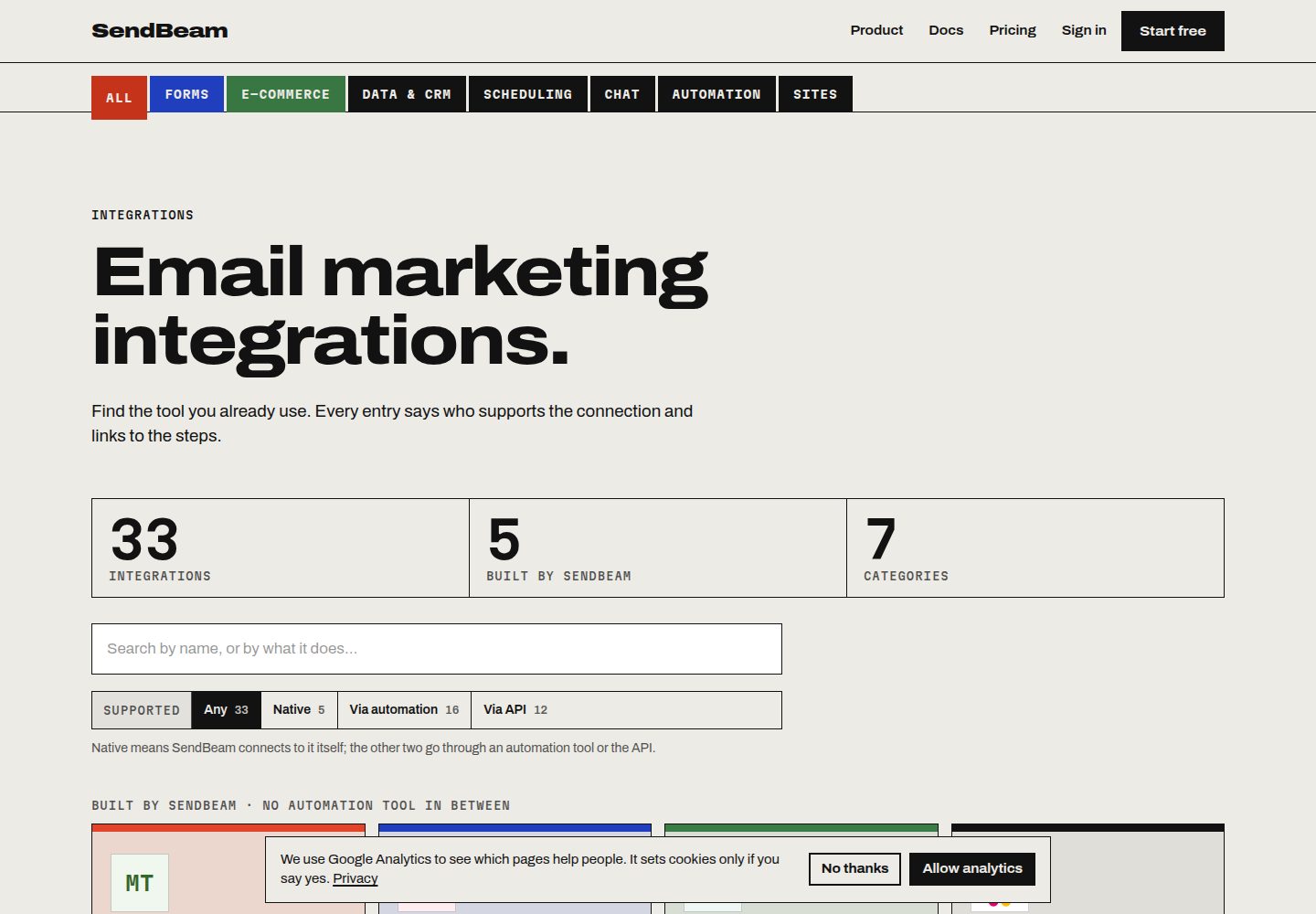
浏览真实页面截图,比较内容排版与手机效果。点击下方缩略图切换,放大查看整页细节。
全部页面与视图 3
截图用于了解视觉与布局,交互效果请以实际项目为准。
采集于 2026-10-07查看来源
值得关注的模板亮点
从已有项目资料中,快速了解它的特点。
无需自建后端、Serverless 函数、SMTP 凭据或数据库,浏览器直接向 SendBeam 公开表单端点 POST JSON
每个启动器包含订阅组件、联系组件、可选 Cloudflare Turnstile 组件、隐藏校验字段、内联校验与感谢状态
表单 ID 按设计公开,构建产物中不含需要保密的密钥;隐藏校验字段名称按表单唯一,并有脚本防止其被提交进仓库
订阅表单支持双重确认,联系表单以发件人地址作为回复地址,自定义字段仅存储表单中已声明的键
模板详细介绍
这套仓库面向静态站点,提供五个可直接运行的启动器,分别对应不同技术栈与托管平台:纯 HTML、Astro(Cloudflare Pages)、Eleventy + Nunjucks(Netlify)、Next.js App Router(Vercel)以及 Hugo。每个启动器都包含订阅组件、联系组件、可选的 Cloudflare Turnstile 组件、隐藏校验字段、内联校验、感谢状态和各自的 README。
表单提交不经过任何自建服务端:浏览器用一次 fetch 把 JSON 直接 POST 到 SendBeam 的公开表单端点,由该端点保存订阅者或把消息邮件转发给你,并返回要展示的感谢文案。表单 ID 按设计是公开的,构建产物里没有需要保密的密钥。每个表单还带一个名称唯一的隐藏校验字段,该名称会出现在页面源码中,但并非所有 SendBeam 表单共用的固定值;仓库中的 check-labels.mjs 脚本会在该字段被误提交进仓库时让构建失败。
使用前需要先在 SendBeam 创建两个表单(订阅表单选择加入的列表,联系表单填写收件地址),并从每个表单的 API Endpoint 行复制表单 ID,作为环境变量配置。免费账户可覆盖 500 个联系人。订阅表单在列表开启双重确认时会先发送确认邮件,点击后才加入;免费计划下所有列表都按此方式运行。
限制方面:真实提交依赖 SendBeam 服务端点,其额度与费用需单独核对;README 提到 Formspree 表单服务,但示例代码使用 SendBeam 端点。演示图片、字体、图标等第三方素材需按各自许可核对,不能仅凭代码的 MIT 许可判断。若只需要联系表单,专用的表单服务可能更简单;这套启动器适合希望表单成为自有页面一部分、由自己的 CSS 控制样式的场景。
Next.jsAstroEleventy企业官网启动器
适合你的项目吗?
适用场景
- 为已有静态站点添加订阅表单,并把联系人加入指定列表
- 为静态站点添加联系表单,将每条消息邮件转发到指定地址
- 在 Cloudflare Pages、Netlify 或 Vercel 上部署带表单的静态站点
- 在没有可粘贴标记的场合(如社交简介链接或二维码)使用 SendBeam 托管表单页,或通过一段脚本以弹窗形式展示订阅表单
适合人群
- 使用 Astro、Eleventy、Next.js 或 Hugo 构建静态站点、需要订阅与联系表单的开发者
- 希望表单由自有页面和 CSS 控制样式、不想维护后端或 Serverless 函数的团队
- 需要在免费账户下运行完整表单流程的个人项目或小型站点
上手与定制指南
结合仓库当前版本的说明,按下面的资料检查内容、配置与运行要求。
- 1
先在 SendBeam 创建订阅表单(选择加入的列表)和联系表单(填写收件地址),从每个表单的 API Endpoint 行复制表单 ID
- 2
克隆仓库后进入对应目录,复制 .env.example 为 .env 并填入两个表单 ID,然后执行 npm install && npm run dev
- 3
每个表单的隐藏校验字段名称需从 SendBeam 表单页面获取并作为配置填入,保持该字段为空
- 4
真实提交依赖 SendBeam 服务端点,其使用额度与费用需单独核对;演示图片、字体、图标等第三方素材需按各自许可核对
授权与来源资料
使用条件与限制
免费使用 · 保留许可声明本次收录的是公开仓库中采用 MIT 许可的免费版本;免费范围为该版本代码,不代表外部服务或第三方素材免费。
使用时需要遵守
- 允许免费使用、修改、商用和分发该版本代码。
- 分发代码副本或实质性部分时,保留原作者版权声明和完整 MIT 许可声明。
- 代码按现状提供;担保与责任限制以原许可证及适用法律为准。
额外费用与待核对事项
- README 提及 Formspree 表单服务;真实提交需配置服务端点,其使用额度与费用需单独核对。
- 演示图片、字体、图标及其他第三方素材需按各自许可核对,不能仅凭代码的 MIT 许可判断。
- 域名、托管、数据库、支付或 AI 等外部服务可能另外收费。
- 使用前必须在 SendBeam 创建订阅表单和联系表单,并复制各自的表单 ID 作为配置,否则表单无法提交。
- 免费 SendBeam 账户仅覆盖 500 个联系人,超出后需付费;实际提交依赖 SendBeam 服务端点,其额度与费用需单独核对。
- 每个表单的隐藏校验字段名称各不相同,必须从 SendBeam 表单页面获取并作为配置填入,不能使用固定值。
- 订阅表单在列表开启双重确认时需订阅者点击确认邮件后才加入;免费计划下所有列表都强制双重确认。
- 若只需要联系表单,专用表单服务可能更简单;这套启动器更适合同时需要订阅与联系表单的场景。
查看原文依据
Permission is hereby granted, free of charge
许可证原文
You need two form IDs from SendBeam: create a **signup** form (choose the list it adds people to) and a **contact** form (enter the address messages go to), then copy each form's ID from its *API Endpoint* line.
README 原文
A [free SendBeam account](https://sendbeam.io/signup) covers 500 contacts.
README 原文
Every form carries one hidden check field, and **its name is unique to that form**. You will find it on the form's page in SendBeam, just under the embed code, and each starter takes it as configuration next to the form ID.
README 原文
Signup forms honour double opt-in when the list has it switched on, so the subscriber gets a confirmation email and is only added once they click it. On the Free plan every list behaves this way whatever the setting.
README 原文
https://github.com/sendbeam-io/sendbeam-starters/blob/main/LICENSEhttps://github.com/sendbeam-io/sendbeam-starters/blob/main/README.mdIf you only ever need a contact form, the dedicated form services are simpler.
README 原文
DeepSeek 根据仓库许可证和 README 整理 ·2026-10-07。结果仅覆盖已读取资料,依赖、图片、字体及后续条款变更以各自原文为准。
项目核对记录与介绍依据
模板资料
- 来源平台
- GitHub
- 资料与维护参考分
- 资料较完整 · 85 / 100
- 技术栈
- Next.js · Astro · Eleventy · React
- 网站类型
- 企业官网 · 启动器
这个分数如何计算
本站按许可资料(最高30分)、演示链接(12分)、预览图(10分)、Star数(15分)、记录的维护时间(15分)、描述完整度(8分)、功能记录(5分)和分类资料(5分)计算。它不是代码、安全或性能测试,也不是 Google 评分;有链接不代表已实测可用。
这个项目需要核对什么
- 记录的仓库更新时间
- 2026-09-12
- 截图检查日期
- 2026-10-07
已收录演示链接。请用你的内容与屏幕尺寸检查;有演示不代表表单、认证或支付已经可用。
目录记录的主要技术栈是 Next.js。请通过依赖清单和锁文件核对实际版本与托管要求。这些说明基于收录资料,不代表代码审计或部署实测。
查看具体选型方法 →介绍的制作与核对状态
介绍由 AI 辅助整理目录与仓库资料。仓库作者不等于这篇介绍的审核者。
审核声明: [email protected] · 2026-10-08
查看当时使用的来源资料
SHA-256: daed37b98108a09a335ff9353a76e6c25d075dc88bf87c4af4be25626a2be636
2026-10-07T15:11:18.189Z
来源文件 / 仓库# SendBeam starters — newsletter signup and contact forms for static sites
Five complete, runnable starter projects that add a **newsletter signup form** and a **contact form** to a static
site, with **no backend of your own**: no serverless function to write, no SMTP credentials, no database. The browser
posts JSON straight to a [SendBeam](https://sendbeam.io) form endpoint, which stores the subscriber or emails you the
message and returns the text to show.
Pick the folder that matches your stack and you are live in about five minutes.
| Starter | Stack | Host | Needs | Deploy config |
| --- | --- | --- | --- | --- |
| [`plain-html/`](./plain-html) | None — HTML, CSS and one JS file | Any static host | 🟢 No API key | none needed |
| [`astro-cloudflare-pages/`](./astro-cloudflare-pages) | [Astro](https://astro.build) (static) | Cloudflare Pages | 🟢 No API key | `public/_headers` |
| [`eleventy-netlify/`](./eleventy-netlify) | [Eleventy](https://www.11ty.dev) + Nunjucks | Netlify | 🟢 No API key | `netlify.toml` |
| [`nextjs-vercel/`](./nextjs-vercel) | [Next.js](https://nextjs.org) App Router | Vercel | 🟢 No API key | `vercel.json` |
| [`hugo/`](./hugo) | [Hugo](https://gohugo.io) | Any static host | 🟢 No API key | none needed |
Each one ships a signup component, a contact component, an optional [Cloudflare Turnstile](https://developers.cloudflare.com/turnstile/)
widget, a hidden check field, inline validation, a thank-you state and its own README.
### What "Needs" means
Every example here is labelled with what it requires from your SendBeam account, so you know before you clone
whether you can run it:
| Label | Meaning | Works on |
| --- | --- | --- |
| 🟢 **No API key** | Posts to a public form endpoint. Nothing secret in your build, nothing to rotate. | Every plan, including Free |
| 🔑 **API key** | Calls the REST API with an `x-api-key` header, so the key has to live somewhere server-side. | Every plan; the plan sets how many writes an hour |
All five starters above are 🟢, so you can run them end to end on a free account. Anything needing a key is
labelled 🔑 here and says so again in its own README, with the reason.
## Quick start
```bash
git clone https://github.com/sendbeam-io/sendbeam-starters
cd sendbeam-starters/astro-cloudflare-pages # or eleventy-netlify, or nextjs-vercel
cp .env.example .env # paste your two form IDs
npm install && npm run dev
```
You need two form IDs from SendBeam: create a **signup** form (choose the list it adds people to) and a **contact**
form (enter the address messages go to), then copy each form's ID from its *API Endpoint* line. A
[free SendBeam account](https://sendbeam.io/signup) covers 500 contacts.
## How it works
There is no server in these projects. Each form does one `fetch` to a public endpoint:
```js
await fetch(`https://sendbeam.io/api/forms/${FORM_ID}`, {
method: 'POST',
headers: { 'Content-Type': 'application/json' },
body: JSON.stringify({
email: '[email protected]',
first_name: 'Sam', // signup forms
// name, subject, message // contact forms
[HIDDEN_FIELD]: '', // your form's hidden check field, left empty
turnstile_token: token, // optional
}),
});
```
The endpoint replies with JSON carrying the thank-you message to render. Form IDs are public by design: they carry no
API key, and the endpoint is protected on the server instead. There is nothing secret to leak in your built HTML.
Every form carries one hidden check field, and **its name is unique to that form**. You will find it on the form's page
in SendBeam, just under the embed code, and each starter takes it as configuration next to the form ID. Leave the field
empty; a submission that arrives with it filled is discarded, and nothing is stored.
That name ends up in your published page source, which is unavoidable — the browser has to send it. What matters is
that it is **not a constant shared by every SendBeam form**, and that it is not sitting in a public repository where
thousands of them could be collected at once. A single fixed name, written down somewhere searchable, is what lets one
bot skip every form everywhere; a per-form name means anyone abusing yours has to come and look at your page first.
That is why no starter here has a name written into it, and why `scripts/check-labels.mjs` fails the build if one is
ever committed.
Signup forms honour double opt-in when the list has it switched on, so the subscriber gets a confirmation email and
is only added once they click it. On the Free plan every list behaves this way whatever the setting.
## What you get
- **Newsletter signup** that adds contacts to a chosen list, with double opt-in when enabled.
- **Contact form** that emails you each message, with the sender's address as the reply-to.
- **Custom fields** — any extra field you declare on the form is stored on the contact. Keys you have not declared are
ignored, so a public endpoint cannot be used to stuff arbitrary data into your audience.
- **Spam protection** without a CAPTCHA wall: the hidden check field, an origin allow-list, rate limits, and Turnstile
if you want it.
- **No vendor lock-in in the markup** — the forms are plain HTML and one `fetch`; swap the endpoint and they still work.
You may not need a starter at all. Every active form has a **hosted page** at `https://sendbeam.io/f/<form id>` — use it
where there is no site to paste markup into, such as a link in a social bio or a QR code. Signup forms can also open as
a **pop-up** over any page, which is one script tag and no markup:
```html
<script src="https://sendbeam.io/f/<form id>/popup.js" data-delay="5000" data-once="day" async></script>
```
These starters are for when you want the form to be part of your own page, styled by your own CSS.
## Why not a serverless function, Formspree or Netlify Forms?
All of those are reasonable. The differences worth knowing:
- **Your own function** means writing, deploying and monitoring code, plus an email provider and its credentials. Fine
if you want the control; a lot of moving parts for a signup box.
- **Formspree, Web3Forms, Netlify Forms** handle contact forms well but stop there. They do not keep a subscriber list,
send a newsletter, or manage unsubscribes, so a site that needs both ends up with two products.
- **SendBeam** does both from one account, and one account covers every site you run rather than billing you per site.
If you only ever need a contact form, the dedicated form services are simpler.
## Documentation
- [Forms](https://sendbeam.io/docs/forms) — form types, fields, protection settings
- [Contact form backend for Cloudflare Pages](https://sendbeam.io/docs/guides/contact-form-cloudflare-pages)
- [Newsletter signup on an Astro site](https://sendbeam.io/docs/guides/newsletter-signup-astro)
- [Form to email without a backend](https://sendbeam.io/docs/guides/form-to-email-without-backend)
- [Double opt-in on a static site](https://sendbeam.io/docs/guides/double-opt-in-static-site)
- [API reference](https://sendbeam.io/docs/api) and [OpenAPI spec](https://sendbeam.io/openapi.json)
## Contributing
Issues and pull requests are welcome, particularly fixes where a host or framework has changed its defaults.
See [CONTRIBUTING.md](./CONTRIBUTING.md) for how to report a broken starter or propose a new one, and
[MAINTENANCE.md](./MAINTENANCE.md) for why there are five and not fifty. Security reports go to
[SECURITY.md](./SECURITY.md), not the issue tracker. Everyone taking part is covered by the
[Code of Conduct](./CODE_OF_CONDUCT.md).
## Licence
[MIT](./LICENSE) — use these as the basis for your own site, commercial or otherwise.
看看同类模板
对比同技术栈与用途的模板,找到更适合的视觉与内容结构。

ai-website-cloner-template
Clone any website with one command using AI coding agents
Next.js · 启动器

Next.js SaaS Starter
Next.js SaaS Starter 是 Next.js 官方维护的 SaaS 起点模板,定位介于学习资源和可直接部署的脚手架之间。
Next.js · SaaS

Next.js Commerce
Next.js Commerce 是 Vercel 团队维护的电商启动模板,基于 Next.js App Router 构建,采用服务端渲染、React Server Components、Server Actions …
Next.js · 电商

Next-js-Boilerplate
Next-js-Boilerplate 是一个面向 Next.js 16、Tailwind CSS 4 和 TypeScript 的启动器,核心定位是开发者体验优先。
Next.js · 启动器

tailwind-nextjs-starter-blog
tailwind-nextjs-starter-blog 是一个面向个人技术博客的 Next.js 与 Tailwind CSS 启动模板,其 v2 版本基于 App Router 与 React Server Comp…
Next.js · 博客

next-forge
Production-grade Turborepo template for Next.js apps.
Next.js · 启动器