将 Vitesse 的单体结构改为按模块划分的整洁架构,每个模块在 /src 下独立成文件夹
VueVite启动器
vitesse-stackter-clean-architect — Vue 启动器模板
作者 shamscorner
基于 Vitesse 的 Vue 启动器模板,将默认的单体结构改为按模块划分的整洁架构,适合希望沿用 Vitesse 工具链但采用模块化组织方式的 Vue 项目。
看看你的网站会是什么样
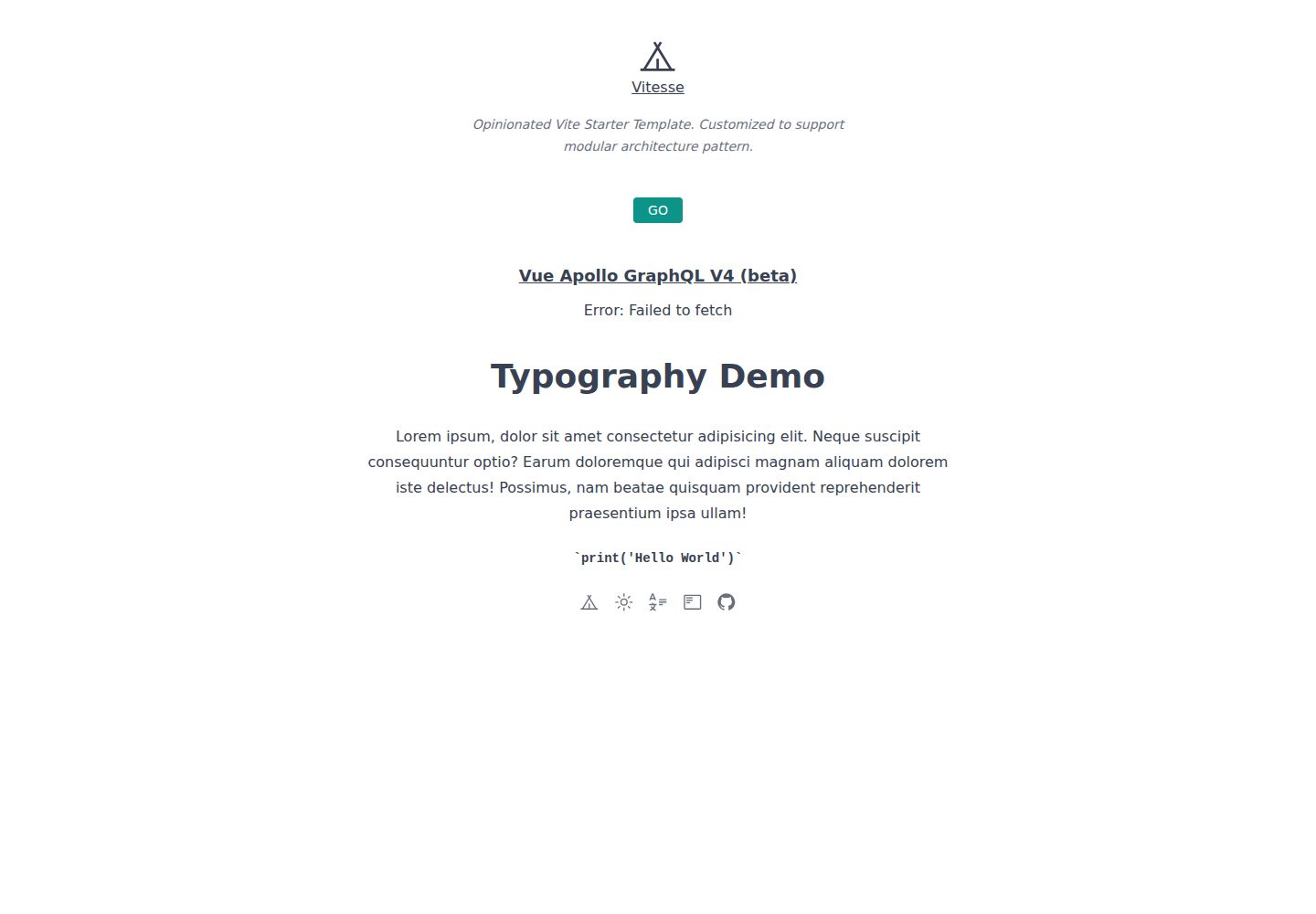
浏览真实页面截图,比较内容排版与手机效果。点击下方缩略图切换,放大查看整页细节。
全部页面与视图 3
截图用于了解视觉与布局,交互效果请以实际项目为准。
采集于 2026-10-02查看来源
值得关注的模板亮点
从已有项目资料中,快速了解它的特点。
模块内的 components、modules、pages、stores 自动导入,减少手动引入
沿用 Vitesse 工具链:文件路由、Pinia、布局系统、PWA、Tailwind CSS、图标、国际化、Markdown、SSG 与 TypeScript
内置 Apollo GraphQL 与 Vue Apollo 集成,并提供 GraphQL 客户端地址的配置位置
包含 Vitesse 与 Cypress 测试配置,以及 Netlify 零配置部署和 Docker 生产构建示例
提供使用前检查清单,列出需要替换的作者名、标题、主机名、favicon 等条目
模板详细介绍
该模板由 shamscorner 维护,以 Anthony Fu 的 Vitesse 启动器为基础,把原本的单体架构替换为模块化的整洁架构模式。它保留 Vitesse 的常用能力:基于文件系统的路由、组件与 API 自动导入、Pinia 状态管理、布局系统、PWA、Tailwind CSS、图标、国际化、Apollo GraphQL、Markdown 支持、SSG、TypeScript,以及 Vitest 与 Cypress 测试配置。
在组织方式上,模板要求为每个模块在 /src 下建立独立文件夹,模块内的 components、modules、pages、stores 会被自动导入;布局统一放在 common/layouts,自定义样式放在 common/styles 并引入 main.css。README 提供了从 GitHub 模板创建仓库或使用 degit 克隆的步骤,并列出使用前需要修改的清单,例如 LICENSE 作者名、App.vue 标题、vite.config.ts 主机名、public 下的 favicon,以及 Apollo GraphQL 的客户端地址。
使用限制方面,项目要求 Node 版本为 17.6.0;开发服务器默认运行在 3333 端口。模板本身是强 opinionated 的,README 建议按需调整或维护自己的分支。代码采用 MIT 许可,可免费使用、修改、商用和分发,但演示图片、字体、图标等第三方素材需单独核对许可,域名、托管等外部服务也可能产生费用。
VueVite启动器
适合你的项目吗?
适用场景
- 希望沿用 Vitesse 的默认工具链,但需要按业务模块拆分代码的 Vue 项目
- 在团队中推行模块化目录约定,让每个模块自带组件、页面、状态与子模块
- 需要文件路由、组件自动导入、Pinia、Tailwind CSS、国际化等开箱配置的新项目
- 准备接入 Apollo GraphQL 并希望有现成客户端配置位置的前端应用
- 需要 SSG、PWA、单元测试与 E2E 测试基础配置的 Vue 站点
适合人群
- 熟悉 Vue 3 与 Vite,并接受模块化目录约定的开发者
- 需要以 Vitesse 为基础进行二次定制的前端团队
- 偏好 TypeScript、Composition API 与 <script setup> 语法的项目
- 计划使用 Pinia、Tailwind CSS、Vue I18n 或 Apollo GraphQL 的 Vue 应用
上手与定制指南
结合仓库当前版本的说明,按下面的资料检查内容、配置与运行要求。
- 1
项目要求 Node 版本为 17.6.0,开发服务器默认运行在 http://localhost:3333
- 2
可通过 GitHub 模板创建仓库,或使用 degit 克隆到本地后执行 pnpm i 安装依赖
- 3
使用前按 README 检查清单修改 LICENSE 作者名、App.vue 标题、vite.config.ts 主机名与 public 下的 favicon
- 4
若使用 GraphQL API,需更新 apollo.config.js 的客户端服务地址与 src/common/ApolloClient.ts 的 http link
- 5
代码为 MIT 许可,但演示图片、字体、图标等第三方素材需单独核对许可,托管等外部服务可能另外收费
授权与来源资料
使用条件与限制
免费使用 · 保留许可声明本次收录的是公开仓库中采用 MIT 许可的免费版本;免费范围为该版本代码,不代表外部服务或第三方素材免费。
使用时需要遵守
- 允许免费使用、修改、商用和分发该版本代码。
- 分发代码副本或实质性部分时,保留原作者版权声明和完整 MIT 许可声明。
- 代码按现状提供;担保与责任限制以原许可证及适用法律为准。
额外费用与待核对事项
- 项目要求 Node 版本必须为 17.6.0,使用其他 Node 版本可能无法正常运行。
- 若使用 GraphQL API,需自行配置 apollo.config.js 中的客户端服务地址,并可能需要外部 GraphQL 服务。
- 若使用 GraphQL API,需自行修改 src/common/ApolloClient.ts 中的 http link 指向实际接口。
- 部署到 Netlify 需要注册 Netlify 账号并使用其外部托管服务,可能产生费用。
- 演示图片、字体、图标及其他第三方素材需按各自许可核对,不能仅凭代码的 MIT 许可判断。
- 域名、托管、数据库、支付或 AI 等外部服务可能另外收费。
查看原文依据
Permission is hereby granted, free of charge
许可证原文
This project requires Node == 17.6.0
README 原文
Update client service url for Apollo GraphQL in `apollo.config.js` if you use GraphQL API
README 原文
Update http link for GraphQL API in `src/common/ApolloClient.ts` if you use GraphQL API
README 原文
https://github.com/shamscorner/vitesse-stackter-clean-architect/blob/main/LICENSEhttps://github.com/shamscorner/vitesse-stackter-clean-architect/blob/main/README.mdGo to [Netlify](https://app.netlify.com/start) and select your clone
README 原文
DeepSeek 根据仓库许可证和 README 整理 ·2026-10-02。结果仅覆盖已读取资料,依赖、图片、字体及后续条款变更以各自原文为准。
项目核对记录与介绍依据
模板资料
- 来源平台
- GitHub
- 资料与维护参考分
- 资料较完整 · 77 / 100
- 技术栈
- Vue · Vite
- 网站类型
- 启动器
这个分数如何计算
本站按许可资料(最高30分)、演示链接(12分)、预览图(10分)、Star数(15分)、记录的维护时间(15分)、描述完整度(8分)、功能记录(5分)和分类资料(5分)计算。它不是代码、安全或性能测试,也不是 Google 评分;有链接不代表已实测可用。
这个项目需要核对什么
- 记录的仓库更新时间
- 2022-11-05
- 截图检查日期
- 2026-10-02
已收录演示链接。请用你的内容与屏幕尺寸检查;有演示不代表表单、认证或支付已经可用。
目录记录的主要技术栈是 Vue。请通过依赖清单和锁文件核对实际版本与托管要求。这些说明基于收录资料,不代表代码审计或部署实测。
查看具体选型方法 →介绍的制作与核对状态
介绍由 AI 辅助整理目录与仓库资料。仓库作者不等于这篇介绍的审核者。
已完成服务器许可规则与 AI 来源核对;未经过人工编辑审核。
查看当时使用的来源资料
SHA-256: 1570e6e3119a4a90b9d2978b1e82481f1d0279182a44dc1d178e7267a3bd9b8a
2026-10-02T18:19:16.768Z
来源文件 / 仓库<p align='center'>
<img src='https://user-images.githubusercontent.com/11247099/154486817-f86b8f20-5463-4122-b6e9-930622e757f2.png' alt='Vitesse - Opinionated Vite Starter Template' width='600'/>
</p>
<p align='center'>
Mocking up web app with <b>Vitesse</b><sup><em>(speed)</em></sup><br> with modular design pattern.
</p>
<br>
If you are really into the "Vitesse" starter template created by [Anthony Fu](https://github.com/antfu) (Vue core team member) but want to use the clean architectural pattern instead of monolithic architecture, then you can clone this repo and use your own project. If you want a quick introduction concept, you can read this very short [blog post](https://www.shamscorner.com/blog/vue-3-vite-modular-architecture-vitesse).
<br>
<p align='center'>
<a href="https://vite-vue3-clean-arch.netlify.app/" target="_blank">Live Demo</a>
</p>
<br>
## Features
- ⚡️ [Vue 3](https://github.com/vuejs/core), [Vite 2](https://github.com/vitejs/vite), [pnpm](https://pnpm.io/), [ESBuild](https://github.com/evanw/esbuild) - born with fastness
- 🗂 [File based routing](./src/common/pages)
- 📦 [Components auto importing](./src/common/components)
- 🍍 [State Management via Pinia](https://pinia.vuejs.org/)
- 📑 [Layout system](./src/common/layouts)
- 📲 [PWA](https://github.com/antfu/vite-plugin-pwa)
- 🎨 [Tailwind CSS V3](https://tailwindcss.com/) - next generation utility-first CSS framework
- 😃 [Use icons from any icon sets, with no compromise](https://github.com/antfu/unplugin-icons)
- 🌍 [I18n ready](./locales)
- 🚀 Shipped with [Apollo GraphQL](https://www.apollographql.com/)
- 🗒 [Markdown Support](https://github.com/antfu/vite-plugin-vue-markdown)
- 🔥 Use the [new `<script setup>` syntax](https://github.com/vuejs/rfcs/pull/227)
- 🤙🏻 [Reactivity Transform](https://vuejs.org/guide/extras/reactivity-transform.html) enabled
- 📥 [APIs auto importing](https://github.com/antfu/unplugin-auto-import) - use Composition API and others directly
- 🖨 Static-site generation (SSG) via [vite-ssg](https://github.com/antfu/vite-ssg)
- 🦔 Critical CSS via [critters](https://github.com/GoogleChromeLabs/critters)
- 🦾 TypeScript, of course
- ⚙️ Unit Testing with [Vitest](https://github.com/vitest-dev/vitest), E2E Testing with [Cypress](https://cypress.io/) on [GitHub Actions](https://github.com/features/actions)
- ☁️ Deploy on Netlify, zero-config
<br>
## Pre-packed
### UI Frameworks
- [Tailwind CSS V3](https://tailwindcss.com/) - Rapidly build modern websites without ever leaving your HTML
### Icons
- [Iconify](https://iconify.design) - use icons from any icon sets [🔍Icônes](https://icones.netlify.app/)
- [`unplugin-icons`](https://github.com/antfu/unplugin-icons) - icons as Vue components
### Plugins
- [Vue Router](https://github.com/vuejs/router)
- [`vite-plugin-pages`](https://github.com/hannoeru/vite-plugin-pages) - file system based routing
- [`vite-plugin-vue-layouts`](https://github.com/JohnCampionJr/vite-plugin-vue-layouts) - layouts for pages
- [Pinia](https://pinia.vuejs.org) - Intuitive, type safe, light and flexible Store for Vue using the composition api
- [`unplugin-vue-components`](https://github.com/antfu/unplugin-vue-components) - components auto import
- [`unplugin-auto-import`](https://github.com/antfu/unplugin-auto-import) - Directly use Vue Composition API and others without importing
- [`vite-plugin-pwa`](https://github.com/antfu/vite-plugin-pwa) - PWA
- [`vite-plugin-vue-markdown`](https://github.com/antfu/vite-plugin-vue-markdown) - Markdown as components / components in Markdown
- [`markdown-it-prism`](https://github.com/jGleitz/markdown-it-prism) - [Prism](https://prismjs.com/) for syntax highlighting
- [`prism-theme-vars`](https://github.com/antfu/prism-theme-vars) - customizable Prism.js theme using CSS variables
- [Vue I18n](https://github.com/intlify/vue-i18n-next) - Internationalization
- [`vite-plugin-vue-i18n`](https://github.com/intlify/bundle-tools/tree/main/packages/vite-plugin-vue-i18n) - Vite plugin for Vue I18n
- [VueUse](https://github.com/antfu/vueuse) - collection of useful composition APIs
- [`@vueuse/head`](https://github.com/vueuse/head) - manipulate document head reactively
- [`vite-ssg-sitemap`](https://github.com/jbaubree/vite-ssg-sitemap) - Sitemap generator
- [`vite-plugin-vue-inspector`](https://github.com/webfansplz/vite-plugin-vue-inspector) - jump to local IDE source code while click the element of browser automatically
- [Vue Apollo GraphQL](https://v4.apollo.vuejs.org/)
- [@apollo/client](https://github.com/apollographql/apollo-client) - Fully-featured caching GraphQL client with vue integration
- [@vue/apollo-composable](https://github.com/vuejs/apollo) - Apollo GraphQL functions for Vue Composition API
### Coding Style
- Use Composition API with [`<script setup>` SFC syntax](https://github.com/vuejs/rfcs/pull/227)
- [ESLint](https://eslint.org/) with [@antfu/eslint-config](https://github.com/antfu/eslint-config), single quotes, no semi.
### Dev tools
- [TypeScript](https://www.typescriptlang.org/)
- [Vitest](https://github.com/vitest-dev/vitest) - Unit testing powered by Vite
- [Cypress](https://cypress.io/) - E2E Testing
- [pnpm](https://pnpm.js.org/) - fast, disk space efficient package manager
- [`vite-ssg`](https://github.com/antfu/vite-ssg) - Static-site generation
- [critters](https://github.com/GoogleChromeLabs/critters) - Critical CSS
- [Netlify](https://www.netlify.com/) - zero-config deployment
- [VS Code Extensions](./.vscode/extensions.json)
- [Vite](https://marketplace.visualstudio.com/items?itemName=antfu.vite) - Fire up Vite server automatically
- [Volar](https://marketplace.visualstudio.com/items?itemName=johnsoncodehk.volar) - Vue 3 `<script setup>` IDE support
- [Iconify IntelliSense](https://marketplace.visualstudio.com/items?itemName=antfu.iconify) - Icon inline display and autocomplete
- [i18n Ally](https://marketplace.visualstudio.com/items?itemName=lokalise.i18n-ally) - All in one i18n support
- [ESLint](https://marketplace.visualstudio.com/items?itemName=dbaeumer.vscode-eslint)
## Variations
As this template is strongly opinionated, the following provides a curated list for community-maintained variations with different preferences and feature sets. Check them out as well. PR to add yours is also welcome!
###### Official
- [vitesse-lite](https://github.com/antfu/vitesse-lite) - Lightweight version of Vitesse
- [vitesse-nuxt3](https://github.com/antfu/vitesse-nuxt3) - Vitesse for Nuxt 3
- [vitesse-nuxt-bridge](https://github.com/antfu/vitesse-nuxt-bridge) - Vitesse for Nuxt 2 with Bridge
- [vitesse-webext](https://github.com/antfu/vitesse-webext) - WebExtension Vite starter template
- [vitesse-stackter-clean-architect](https://github.com/shamscorner/vitesse-stackter-clean-architect) by [@shamscorner](https://github.com/shamscorner) - A modular clean architecture pattern in vitesse template
###### Community
- [vitesse-ssr-template](https://github.com/frandiox/vitesse-ssr-template) by [@frandiox](https://github.com/frandiox) - Vitesse with SSR
- [vitespa](https://github.com/ctholho/vitespa) by [@ctholho](https://github.com/ctholho) - Like Vitesse but without SSG/SSR
- [vitailse](https://github.com/zynth17/vitailse) by [@zynth17](https://github.com/zynth17) - Like Vitesse but with TailwindCSS
- [vitesse-modernized-chrome-ext](https://github.com/xiaoluoboding/vitesse-modernized-chrome-ext) by [@xiaoluoboding](https://github.com/xiaoluoboding) - ⚡️ Modernized Chrome Extension Manifest V3 Vite Starter Template
- [vitesse-enterprise](https://github.com/FranciscoKloganB/vitesse-enterprise) by [@FranciscoKloganB](https://github.com/FranciscoKloganB) - Consistent coding styles regardless of team-size.
- [vitecamp](https://github.com/nekobc1998923/vitecamp) by [@nekobc1998923](https://github.com/nekobc1998923) - Like Vitesse but without SSG/SSR/File based routing, includes Element Plus
- [vitesse-lite-react](https://github.com/lxy-yz/vitesse-lite-react) by [@lxy-yz](https://github.com/lxy-yz) - vitesse-lite React fork
- [vide](https://github.com/Nico-Mayer/vide) by [@nico-mayer](https://github.com/Nico-Mayer) - Vite superlight Beginner Starter Template
- [vitesse-h5](https://github.com/YunYouJun/vitesse-h5) by [@YunYouJun](https://github.com/YunYouJun) - Vitesse for Mobile
- [bat](https://github.com/olgam4/bat) by [@olgam4](https://github.com/olgam4) - Vitesse for SolidJS
## Try it now!
> This project requires Node == 17.6.0
### GitHub Template
[Create a repo from this template on GitHub](https://github.com/shamscorner/vitesse-stackter-clean-architect/generate).
### Clone to local
If you prefer to do it manually with the cleaner git history
```bash
npx degit antfu/vitesse my-vitesse-app
cd my-vitesse-app
pnpm i # If you don't have pnpm installed, run: npm install -g pnpm
```
## Checklist
When you use this template, try follow the checklist to update your info properly
- [ ] Change the author name in `LICENSE`
- [ ] Change the title in `App.vue`
- [ ] Change the hostname in `vite.config.ts`
- [ ] Change the favicon in `public`
- [ ] Remove the `.github` folder which contains the funding info
- [ ] Clean up the READMEs and remove routes
- [ ] Update client service url for Apollo GraphQL in `apollo.config.js` if you use GraphQL API
- [ ] Update http link for GraphQL API in `src/common/ApolloClient.ts` if you use GraphQL API
And, enjoy :)
## Usage
### Development
Just run and visit http://localhost:3333
```bash
pnpm dev
```
### Build
To build the App, run
```bash
pnpm build
```
And you will see the generated file in `dist` that ready to be served.
### Separation of Concerns
- Create separate folder for each module and place them under `/src` folder
- The following folders are auto imported within each module
- `components/`
- `modules/`
- `pages/`
- `stores/`
- Place all the layouts in the `common/layouts` folder
- Place all the custom styles in the `common/styles` folder and import them into `main.css`
### Deploy on Netlify
Go to [Netlify](https://app.netlify.com/start) and select your clone, `OK` along the way, and your App will be live in a minute.
### Docker Production Build
First, build the vitesse image by opening the terminal in the project's root directory.
```bash
docker buildx build . -t vitesse:latest
```
Run the image and specify port mapping with the `-p` flag.
```bash
docker run --rm -it -p 8080:80 vitesse:latest
```
## Why
I have created several Vite apps recently. Setting the configs up is kinda the bottleneck for me to make the ideas simply come true within a very short time.
So I made this starter template for myself to create apps more easily, along with some good practices that I have learned from making those apps. It's strongly opinionated, but feel free to tweak it or even maintains your own forks. [(see community maintained variation forks)](#variations)
看看同类模板
对比同技术栈与用途的模板,找到更适合的视觉与内容结构。

vitesse
🏕 Opinionated Vite + Vue Starter Template
Vue · 启动器

vitesse-webext
⚡️ WebExtension Vite Starter Template
Vue · 启动器

laravel-vue-spa
A Laravel-Vue SPA starter kit.
Vue · 启动器

vue3-h5-template
vue3-h5-template 是一个面向移动端 H5 项目的启动模板,基于 Vue3、Vite 和 Vant4 构建,同时集成了 TypeScript、Tailwindcss、Pinia、Vue-router 等常用…
Vue · 启动器

tov-template
vite + vue3 + ts 开箱即用现代开发模板 | vite + vue3 + ts out-of-the-box modern development template
Vue · 启动器

shadcn-vue-landing-page
New design 🎉 Vue + Shadcn-vue + TypeScript + Tailwind. Landing page template ease-to-use
Vue · 企业官网