文档是唯一事实来源,/system 仪表盘每次构建时从 docs/ 渲染,不手写页面
Next.jsReact后台文档启动器
groundwork-template — Next.js 后台模板
作者 ShawnTalvacchia
Groundwork 是一个以文档为唯一事实来源的项目操作系统模板,用 Next.js 将 docs/ 中的工作模型、决策与队列实时渲染为受密码保护的 /system 仪表盘。
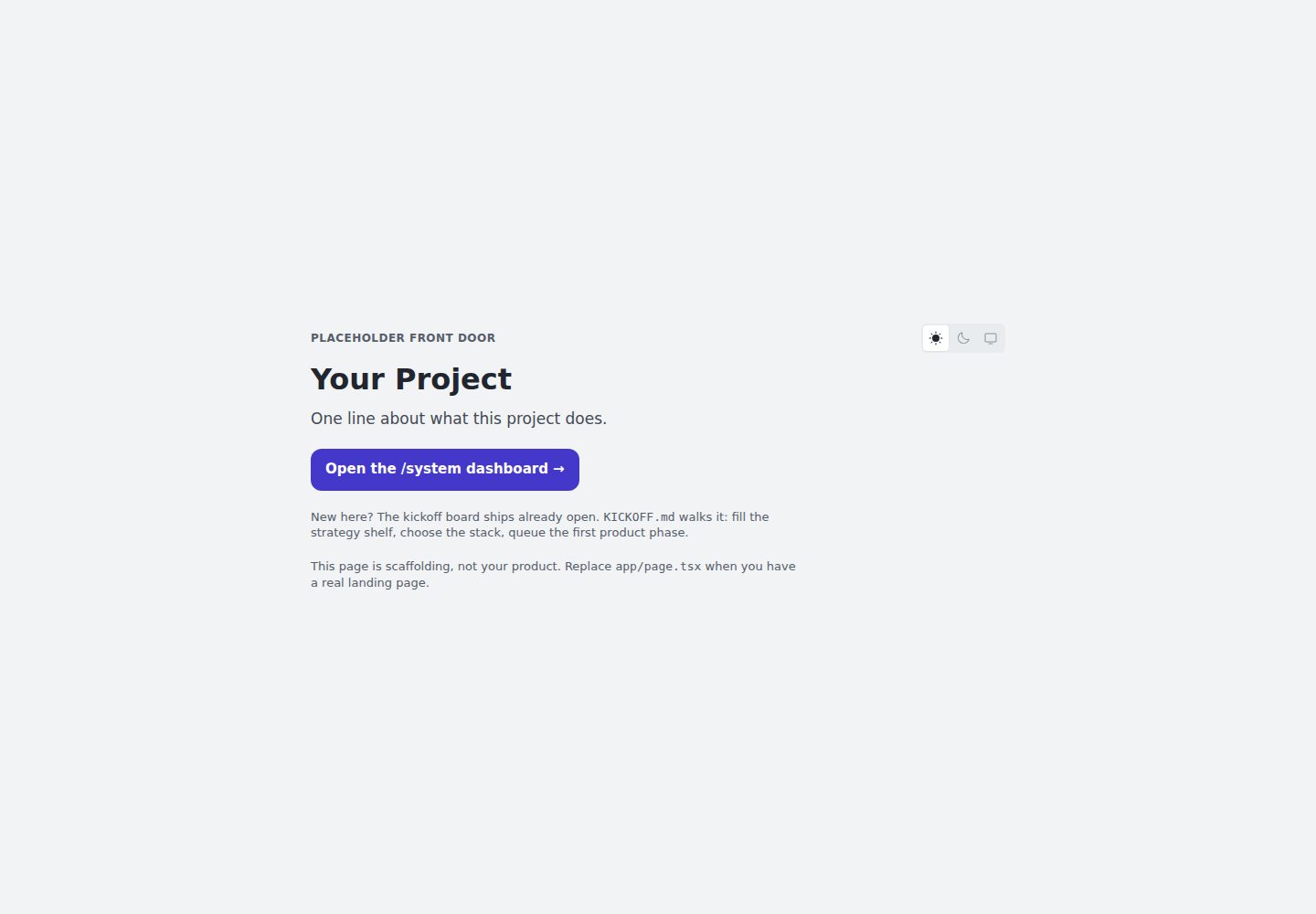
看看你的网站会是什么样
浏览真实页面截图,比较内容排版与手机效果。点击下方缩略图切换,放大查看整页细节。
全部页面与视图 2
截图用于了解视觉与布局,交互效果请以实际项目为准。
采集于 2026-10-02查看来源
值得关注的模板亮点
从已有项目资料中,快速了解它的特点。
工作模型由阶段、模式(Product、System、Side)和仪式组成,阶段以提炼和删除收尾
提供 Kickoff 看板和 KICKOFF.md 引导首次使用,收尾后替换 README 并删除引导文件
CLAUDE.md 作为编码代理的常驻简报,所有内容均为纯 markdown,可手动操作
通过 docs/upstream.md 标记和 CHANGELOG.md 编号条目跟踪并适配模板更新
部署时可用 SYSTEM_PASSWORD 加密码,或用 SYSTEM_GATE=off 明确公开,未设置时自动阻止
模板详细介绍
Groundwork 不是常见的启动器应用,而是一套可复制到项目中的工作方法。它把项目状态拆成三部分:工作模型(阶段、模式、仪式)、一组持续更新的文档,以及每次构建时从这些文档生成的 /system 仪表盘。核心规则是“派生,而非手写”:文档是唯一事实来源,仪表盘只负责渲染,已完成的工作会离开工作集而不是堆积。
工作以阶段推进,每个阶段运行在三种模式之一:Product 负责构建产品,System 维护规则、文档与仪表盘本身,Side 处理跟踪器中的小修复和待决问题。阶段通过打开看板、执行工作、以提炼和删除收尾;决策进入日志,行为进入功能文档,看板被移除,历史留在 git 和紧凑归档中。仪表盘实时展示活动看板、队列、待决问题、决策、文档健康度和样式指南,页面内容没有手写部分,要改页面就改对应的源文档。
模板面向代理辅助的工作方式,CLAUDE.md 是给编码代理的常驻简报,所有内容都是纯 markdown,也可以完全手动操作。会话通过三种入口开始:队列塑形、从队列打开阶段、按清单 ID 执行侧阶段。首次使用时,Kickoff 看板已打开,配合根目录的 KICKOFF.md 完成项目命名、策略架填充、技术栈选择和路线图设定,收尾仪式会用项目自己的 README 替换模板 README 并删除 KICKOFF.md。
/system 默认在本地开发时开放,部署时可通过 SYSTEM_PASSWORD 加密码,或通过 SYSTEM_GATE=off 明确公开;两者都不设置时会自动阻止访问并提示应设置哪一个。模板更新以编号条目记录在 CHANGELOG.md 中,项目副本通过 docs/upstream.md 中的标记跟踪已审阅的条目,运行“Run a system phase, upgrade.”即可让会话读取标记并处理后续更新。非 Web 项目可以删除 app/、components/、lib/ 和 Web 配置,只保留 docs/ 与 CLAUDE.md。
Next.js后台文档启动器
适合你的项目吗?
适用场景
- 希望用文档驱动方式管理项目阶段、决策和待决问题的团队或个人
- 需要让编码代理按固定仪式参与构建、维护和清理工作的项目
- 想要一个受密码保护的项目内部仪表盘,展示策略、决策和文档健康度
- 非 Web 项目仅想复用工作方法与文档结构,可删除 Web 相关目录后使用
适合人群
- 接受“派生而非手写”规则并愿意维护 docs/ 的项目
- 使用 Claude Code 或类似编码代理辅助开发的团队
- 需要将项目记录与公开产品分离并控制访问权限的开发者
- 希望从模板复制后逐步替换为自有项目身份的团队
上手与定制指南
结合仓库当前版本的说明,按下面的资料检查内容、配置与运行要求。
- 1
复制仓库或使用 GitHub 的 Use this template,然后运行 npm install && npm run dev
- 2
打开 localhost:3000/system,Kickoff 看板已打开,按根目录 KICKOFF.md 完成初始化
- 3
Kickoff 收尾会替换 README 并删除 KICKOFF.md,模板不保留引导内容
- 4
部署时设置 SYSTEM_PASSWORD 加密码,或设置 SYSTEM_GATE=off 公开;两者都不设置会阻止访问
- 5
非 Web 项目可删除 app/、components/、lib/ 和 Web 配置,保留 docs/ 与 CLAUDE.md
授权与来源资料
使用条件与限制
免费使用 · 保留许可声明本次收录的是公开仓库中采用 MIT 许可的免费版本;免费范围为该版本代码,不代表外部服务或第三方素材免费。
使用时需要遵守
- 允许免费使用、修改、商用和分发该版本代码。
- 分发代码副本或实质性部分时,保留原作者版权声明和完整 MIT 许可声明。
- 代码按现状提供;担保与责任限制以原许可证及适用法律为准。
额外费用与待核对事项
- 部署 /system 仪表盘时需设置 SYSTEM_PASSWORD 加密码,或设置 SYSTEM_GATE=off 明确公开;两者都不设置时仪表盘会自行阻止访问并提示应设置哪一个。
- 代理辅助工作流以 CLAUDE.md 作为编码代理(Claude Code 或类似工具)的常驻简报;不使用代理时全部内容仍为纯 markdown,可手动操作。
- 非 Web 项目需删除 app/、components/、lib/ 及 Web 配置,仅保留 docs/ 与 CLAUDE.md 才能复用该方法论。
- 演示图片、字体、图标及其他第三方素材需按各自许可核对,不能仅凭代码的 MIT 许可判断。
- 域名、托管、数据库、支付或 AI 等外部服务可能另外收费。
查看原文依据
Permission is hereby granted, free of charge
许可证原文
On a deploy, set `SYSTEM_PASSWORD` to put it behind a password, or `SYSTEM_GATE=off` to make it deliberately public. Set neither and it blocks itself and tells you which one to set
README 原文
`CLAUDE.md` is a standing briefing for a coding agent (Claude Code or similar).
README 原文
https://github.com/ShawnTalvacchia/groundwork-template/blob/main/LICENSEhttps://github.com/ShawnTalvacchia/groundwork-template/blob/main/README.mdNot a web project? The methodology works without the app. Delete `app/`, `components/`, `lib/`, and the web config; keep `docs/` and `CLAUDE.md`.
README 原文
DeepSeek 根据仓库许可证和 README 整理 ·2026-10-02。结果仅覆盖已读取资料,依赖、图片、字体及后续条款变更以各自原文为准。
项目核对记录与介绍依据
模板资料
- 来源平台
- GitHub
- 资料与维护参考分
- 资料较完整 · 85 / 100
- 技术栈
- Next.js · React
- 网站类型
- 后台 · 文档 · 启动器
这个分数如何计算
本站按许可资料(最高30分)、演示链接(12分)、预览图(10分)、Star数(15分)、记录的维护时间(15分)、描述完整度(8分)、功能记录(5分)和分类资料(5分)计算。它不是代码、安全或性能测试,也不是 Google 评分;有链接不代表已实测可用。
这个项目需要核对什么
- 记录的仓库更新时间
- 2026-10-02
- 截图检查日期
- 2026-10-02
已收录演示链接。请用你的内容与屏幕尺寸检查;有演示不代表表单、认证或支付已经可用。
目录记录的主要技术栈是 Next.js。请通过依赖清单和锁文件核对实际版本与托管要求。这些说明基于收录资料,不代表代码审计或部署实测。
查看具体选型方法 →介绍的制作与核对状态
介绍由 AI 辅助整理目录与仓库资料。仓库作者不等于这篇介绍的审核者。
已完成服务器许可规则与 AI 来源核对;未经过人工编辑审核。
查看当时使用的来源资料
SHA-256: 4ea5fe1451c47068e1950f631944e764ee548dc0c26deb747be2ad295022c591
2026-10-02T09:18:41.606Z
来源文件 / 仓库# Groundwork A project operating system you copy, not a starter app. It gives a project three things: a work model (phases, modes, rituals), a small shelf of living docs, and a `/system` dashboard rendered from those docs on every build. **The one rule: derived, never authored.** The docs are the truth. The dashboard renders them. Finished work leaves the working set instead of piling up. Keep that rule and the project stays legible at any size. <picture> <source media="(prefers-color-scheme: dark)" srcset=".github/system-overview-dark.png"> <img alt="The /system overview of a filled project: an active board mid-phase, the queue of phases waiting behind it, the three trackers, the strategy shelf and doc tiers, the shipped record, and the work model itself, all rendered from docs/" src=".github/system-overview-light.png"> </picture> *The dashboard of a project in flight. (Staged demo content: "Frond," a fictional plant-care app.)* **[Click around the real thing →](https://groundwork-day-one.vercel.app/system)** — the day-one surface a fresh copy gives you: kickoff board open, trackers empty, strategy stubbed. ## How it works Work happens in phases. Every phase runs in one of three modes: - **Product** builds the thing. The deepest ritual: thesis, build, walkthrough, close. - **System** tends the rules, the docs, and the dashboard itself. - **Side** sweeps small fixes and open questions from the trackers. A phase opens a board, does the work, and closes by distill and delete. Decisions go to the log. Behavior goes to feature docs. The board is removed. History lives in git and a compact archive, not in the working set. The dashboard shows it all live: the active board, the queue, open questions, decisions, doc health, the styleguide. Nothing on it is hand-written. To change a page, change its source doc. ## Built for agent-assisted work `CLAUDE.md` is a standing briefing for a coding agent (Claude Code or similar). A "session" is one chat. The rituals assume the agent does the mechanical parts while you make the calls. Everything is plain markdown, so it all works by hand too. ## Starting a session Every session starts with you arriving with something. Three doors cover almost all of it, and each one is a sentence you type. | You're arriving with | What you say | |---|---| | A new idea nobody is doing yet | `Run a system phase, queue-shaping: I keep hitting X and there is no row for it.` | | The next queued thing, ready to build | `Open [phase name] from the queue.` | | A pile of small fixes, by punch list ID | `Run a side phase, sweep: P04 · P07 · P09.` | Queue-shaping is the lightest door, and the routine way an idea enters the queue. It writes a queue row and a seed, the file where context collects until the phase opens, for a phase of any mode. The queue is a staging area, never a gate: anything urgent skips it and opens its board directly. Two things need no door. A board left open by an earlier chat is a continuation, so pick it back up. Questions and reading need no board at all, and the first edit is the line where a shape gets named. Every way a session begins, and the parts you can reshape, are in `docs/CONTRIBUTING.md` → Session starters, rendered at `/system/method`. ## First 30 minutes 1. Copy the repo (or "Use this template" on GitHub). 2. `npm install && npm run dev`, then open [localhost:3000/system](http://localhost:3000/system). 3. The **Kickoff board** is already open on the dashboard. It is the one-time bootstrap that turns the empty template into your project. 4. Work it with **`KICKOFF.md`** (repo root) as the guide: answer the seeded questions, fill the strategy shelf, choose your stack, name the project, decide where your record lives, make the identity yours, set the roadmap. The kickoff's close ritual replaces this README with your project's own and deletes `KICKOFF.md`. The template leaves no onboarding behind. What remains is your project. Not a web project? The methodology works without the app. Delete `app/`, `components/`, `lib/`, and the web config; keep `docs/` and `CLAUDE.md`. ## Taking the template's updates The template keeps changing after you copy it. Each change a project may want is a numbered entry in [`CHANGELOG.md`](CHANGELOG.md). Your copy tracks where it stands in `docs/upstream.md`. Its marker is the last entry you reviewed. A fresh copy starts current. When entries wait past your marker, run an upgrade: `Run a system phase, upgrade.` You never look the entries up. The session reads your marker, then the changelog past it. It takes each entry in, adapts it, or declines it with a reason. Then it moves the marker. Found something the template should fix? Write it in the outbox in `docs/upstream.md`. Or paste it into an issue here. Same format either way. ## Two audiences Your product is public. Your record is not. `/system` renders the strategy, decisions, and open questions, so it ships gated. Local dev is open with no setup. On a deploy, set `SYSTEM_PASSWORD` to put it behind a password, or `SYSTEM_GATE=off` to make it deliberately public. Set neither and it blocks itself and tells you which one to set, so forgetting can never publish your record. ## License MIT.
看看同类模板
对比同技术栈与用途的模板,找到更适合的视觉与内容结构。

ai-website-cloner-template
Clone any website with one command using AI coding agents
Next.js · 启动器

Next.js SaaS Starter
Next.js SaaS Starter 是 Next.js 官方维护的 SaaS 起点模板,定位介于学习资源和可直接部署的脚手架之间。
Next.js · SaaS

Next.js Commerce
Next.js Commerce 是 Vercel 团队维护的电商启动模板,基于 Next.js App Router 构建,采用服务端渲染、React Server Components、Server Actions …
Next.js · 电商

Next-js-Boilerplate
Next-js-Boilerplate 是一个面向 Next.js 16、Tailwind CSS 4 和 TypeScript 的启动器,核心定位是开发者体验优先。
Next.js · 启动器

tailwind-nextjs-starter-blog
tailwind-nextjs-starter-blog 是一个面向个人技术博客的 Next.js 与 Tailwind CSS 启动模板,其 v2 版本基于 App Router 与 React Server Comp…
Next.js · 博客

next-forge
Production-grade Turborepo template for Next.js apps.
Next.js · 启动器