Documents are the single source of truth; the /system dashboard renders from docs/ on every build, with no hand-written pages
Next.jsReactAdmin dashboardDocumentationStarter
groundwork-template — Next.js Admin dashboard Template
By ShawnTalvacchia
Groundwork is a project operating system template that treats documentation as the single source of truth, using Next.js to render the work model, decisions, and queues in docs/ as a password-protected /system dashboard in real time.
Explore the design
Compare the page layouts and mobile experience. Open any screenshot for a closer look.
Desktop homepage1 / 2
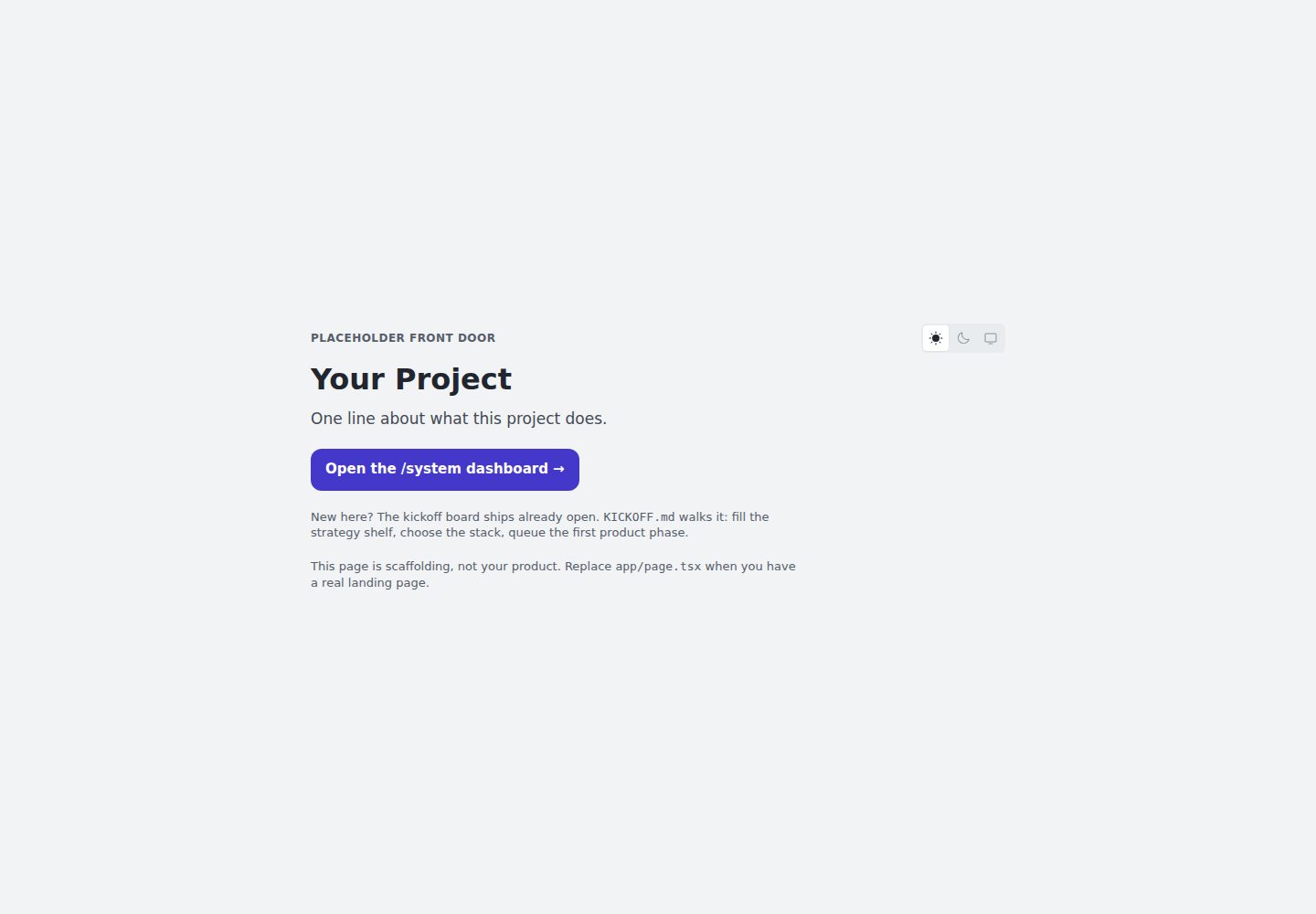
Desktop captureTop of page
Actual screenshot captured by the server browser.
All pages & views 2
Screenshots show visual appearance; interactive behavior may differ.
Recorded 2026-10-02View source
What stands out
A quick read of the recorded project description.
The work model consists of phases, modes (Product, System, Side), and rituals; phases close with distillation and deletion
A Kickoff board and KICKOFF.md guide first use; after closing, the README is replaced and the guide file is deleted
CLAUDE.md serves as a standing brief for coding agents; everything is plain markdown and can be operated manually
Template updates are tracked and adapted via markers in docs/upstream.md and numbered entries in CHANGELOG.md
On deployment, use SYSTEM_PASSWORD for password protection or SYSTEM_GATE=off to make it explicitly public; if neither is set, access is automatically blocked
Template Details
Groundwork is not a typical starter app, but a working method you can copy into a project. It splits project state into three parts: the work model (phases, modes, rituals), a set of continuously updated documents, and a /system dashboard generated from those documents on every build. The core rule is "derive, don't hand-write": documents are the single source of truth, the dashboard only renders, and completed work leaves the working set instead of piling up.
Work advances through phases, each running in one of three modes: Product builds the product, System maintains the rules, documentation, and the dashboard itself, and Side handles small fixes and open questions in the tracker. A phase closes by opening a board, doing the work, and finishing with distillation and deletion; decisions go into a log, behavior goes into feature docs, the board is removed, and history stays in git and compact archives. The dashboard shows active boards, queues, open questions, decisions, documentation health, and the style guide in real time. No part of the page is hand-written; to change a page, change the corresponding source document.
The template is aimed at agent-assisted workflows, with CLAUDE.md as a standing brief for coding agents. Everything is plain markdown and can also be operated entirely by hand. Sessions start through three entry points: queue shaping, opening a phase from the queue, and executing a side phase by checklist ID. On first use, the Kickoff board is already open, and with KICKOFF.md at the root you complete project naming, strategy shelf population, tech stack selection, and roadmap setting. The closing ritual replaces the template README with the project's own README and deletes KICKOFF.md.
/system is open by default during local development. When deployed, it can be password-protected via SYSTEM_PASSWORD, or explicitly made public via SYSTEM_GATE=off; if neither is set, access is automatically blocked with a prompt indicating which one to set. Template updates are recorded as numbered entries in CHANGELOG.md, and project copies track reviewed entries via markers in docs/upstream.md. Running "Run a system phase, upgrade." lets a session read the markers and process subsequent updates. Non-web projects can delete app/, components/, lib/, and the web configuration, keeping only docs/ and CLAUDE.md.
Next.jsAdmin dashboardDocumentationStarter
Is it right for your project?
Use Cases
- Teams or individuals who want a documentation-driven way to manage project phases, decisions, and open questions
- Projects that need coding agents to participate in building, maintenance, and cleanup work according to fixed rituals
- Those who want a password-protected internal project dashboard showing strategy, decisions, and documentation health
- Non-web projects that only want to reuse the working method and documentation structure, and can delete the web-related directories
Suitable For
- Projects that accept the "derive, don't hand-write" rule and are willing to maintain docs/
- Teams using Claude Code or similar coding agents to assist development
- Developers who need to separate project records from the public product and control access
- Teams that want to copy from the template and gradually replace it with their own project identity
Getting started & customization
Use these recorded setup notes alongside the repository instructions for your chosen version.
- 1
Copy the repository or use GitHub's Use this template, then run npm install && npm run dev
- 2
Open localhost:3000/system; the Kickoff board is already open, and you complete initialization by following KICKOFF.md at the root
- 3
The Kickoff closing replaces the README and deletes KICKOFF.md; the template does not retain the guide content
- 4
When deploying, set SYSTEM_PASSWORD for password protection, or set SYSTEM_GATE=off to make it public; if neither is set, access is blocked
- 5
Non-web projects can delete app/, components/, lib/, and the web configuration, keeping docs/ and CLAUDE.md
License & source material
Usage conditions & limitations
Free to use · keep license noticeThis entry covers the free version under the MIT license in the public repository; the free scope is the code of that version and does not imply that external services or third-party assets are free.
Must comply with when using
- You may use, modify, commercialize, and distribute the code of this version for free.
- When distributing copies or substantial portions of the code, retain the original author's copyright notice and the full MIT license notice.
- The code is provided as is; warranties and limitations of liability are governed by the original license and applicable law.
Additional costs & items to verify
- When deploying the /system dashboard, you must set SYSTEM_PASSWORD for password protection, or set SYSTEM_GATE=off to make it explicitly public; if neither is set, the dashboard blocks access on its own and prompts which one to set.
- The agent-assisted workflow uses CLAUDE.md as a standing brief for coding agents (Claude Code or similar tools); without an agent, everything is still plain markdown and can be operated manually.
- Non-web projects must delete app/, components/, lib/, and the web configuration, keeping only docs/ and CLAUDE.md, to reuse the methodology.
- Demo images, fonts, icons, and other third-party assets must be checked against their respective licenses and cannot be judged solely by the code's MIT license.
- External services such as domains, hosting, databases, payments, or AI may incur separate charges.
View Original Text Basis
Permission is hereby granted, free of charge
Original License Text
On a deploy, set `SYSTEM_PASSWORD` to put it behind a password, or `SYSTEM_GATE=off` to make it deliberately public. Set neither and it blocks itself and tells you which one to set
Original README
`CLAUDE.md` is a standing briefing for a coding agent (Claude Code or similar).
Original README
https://github.com/ShawnTalvacchia/groundwork-template/blob/main/LICENSEhttps://github.com/ShawnTalvacchia/groundwork-template/blob/main/README.mdNot a web project? The methodology works without the app. Delete `app/`, `components/`, `lib/`, and the web config; keep `docs/` and `CLAUDE.md`.
Original README
Compiled by DeepSeek based on repository license and README ·2026-10-02. Results only cover the materials read; dependencies, images, fonts, and subsequent term changes are subject to their respective original texts.
Project checks & description sources
Template Information
- Source platforms
- GitHub
- Documentation and maintenance reference score
- More documented · 85 / 100
- Technologies
- Next.js · React
- Website type
- Admin dashboard · Documentation · Starter
How this score is calculated
Our heuristic uses license records (up to 30), a demo link (12), a preview (10), stars (15), recorded maintenance (15), description completeness (8), feature records (5) and classification data (5). It is not a code, security or performance test, or a Google score. A link does not establish tested functionality.
What to verify for this project
- Repository update recorded
- 2026-10-02
- Screenshot last checked
- 2026-10-02
A demo link is listed. Check it with your own content and viewport sizes; its presence does not confirm that forms, authentication or payments work.
The catalog identifies Next.js as the primary stack. Check the actual dependency manifest and lockfile for versions and hosting requirements. These notes use recorded metadata, not a code audit or a deployment test.
Use a selection guide →How this description was prepared
AI-assisted description based on catalog records and repository material. Repository authors are not automatically the reviewers of this description.
Automatically checked against source and license rules; no manual editorial review.
Inspect the recorded source material
SHA-256: 4ea5fe1451c47068e1950f631944e764ee548dc0c26deb747be2ad295022c591
2026-10-02T09:18:41.606Z
Source file / repository# Groundwork A project operating system you copy, not a starter app. It gives a project three things: a work model (phases, modes, rituals), a small shelf of living docs, and a `/system` dashboard rendered from those docs on every build. **The one rule: derived, never authored.** The docs are the truth. The dashboard renders them. Finished work leaves the working set instead of piling up. Keep that rule and the project stays legible at any size. <picture> <source media="(prefers-color-scheme: dark)" srcset=".github/system-overview-dark.png"> <img alt="The /system overview of a filled project: an active board mid-phase, the queue of phases waiting behind it, the three trackers, the strategy shelf and doc tiers, the shipped record, and the work model itself, all rendered from docs/" src=".github/system-overview-light.png"> </picture> *The dashboard of a project in flight. (Staged demo content: "Frond," a fictional plant-care app.)* **[Click around the real thing →](https://groundwork-day-one.vercel.app/system)** — the day-one surface a fresh copy gives you: kickoff board open, trackers empty, strategy stubbed. ## How it works Work happens in phases. Every phase runs in one of three modes: - **Product** builds the thing. The deepest ritual: thesis, build, walkthrough, close. - **System** tends the rules, the docs, and the dashboard itself. - **Side** sweeps small fixes and open questions from the trackers. A phase opens a board, does the work, and closes by distill and delete. Decisions go to the log. Behavior goes to feature docs. The board is removed. History lives in git and a compact archive, not in the working set. The dashboard shows it all live: the active board, the queue, open questions, decisions, doc health, the styleguide. Nothing on it is hand-written. To change a page, change its source doc. ## Built for agent-assisted work `CLAUDE.md` is a standing briefing for a coding agent (Claude Code or similar). A "session" is one chat. The rituals assume the agent does the mechanical parts while you make the calls. Everything is plain markdown, so it all works by hand too. ## Starting a session Every session starts with you arriving with something. Three doors cover almost all of it, and each one is a sentence you type. | You're arriving with | What you say | |---|---| | A new idea nobody is doing yet | `Run a system phase, queue-shaping: I keep hitting X and there is no row for it.` | | The next queued thing, ready to build | `Open [phase name] from the queue.` | | A pile of small fixes, by punch list ID | `Run a side phase, sweep: P04 · P07 · P09.` | Queue-shaping is the lightest door, and the routine way an idea enters the queue. It writes a queue row and a seed, the file where context collects until the phase opens, for a phase of any mode. The queue is a staging area, never a gate: anything urgent skips it and opens its board directly. Two things need no door. A board left open by an earlier chat is a continuation, so pick it back up. Questions and reading need no board at all, and the first edit is the line where a shape gets named. Every way a session begins, and the parts you can reshape, are in `docs/CONTRIBUTING.md` → Session starters, rendered at `/system/method`. ## First 30 minutes 1. Copy the repo (or "Use this template" on GitHub). 2. `npm install && npm run dev`, then open [localhost:3000/system](http://localhost:3000/system). 3. The **Kickoff board** is already open on the dashboard. It is the one-time bootstrap that turns the empty template into your project. 4. Work it with **`KICKOFF.md`** (repo root) as the guide: answer the seeded questions, fill the strategy shelf, choose your stack, name the project, decide where your record lives, make the identity yours, set the roadmap. The kickoff's close ritual replaces this README with your project's own and deletes `KICKOFF.md`. The template leaves no onboarding behind. What remains is your project. Not a web project? The methodology works without the app. Delete `app/`, `components/`, `lib/`, and the web config; keep `docs/` and `CLAUDE.md`. ## Taking the template's updates The template keeps changing after you copy it. Each change a project may want is a numbered entry in [`CHANGELOG.md`](CHANGELOG.md). Your copy tracks where it stands in `docs/upstream.md`. Its marker is the last entry you reviewed. A fresh copy starts current. When entries wait past your marker, run an upgrade: `Run a system phase, upgrade.` You never look the entries up. The session reads your marker, then the changelog past it. It takes each entry in, adapts it, or declines it with a reason. Then it moves the marker. Found something the template should fix? Write it in the outbox in `docs/upstream.md`. Or paste it into an issue here. Same format either way. ## Two audiences Your product is public. Your record is not. `/system` renders the strategy, decisions, and open questions, so it ships gated. Local dev is open with no setup. On a deploy, set `SYSTEM_PASSWORD` to put it behind a password, or `SYSTEM_GATE=off` to make it deliberately public. Set neither and it blocks itself and tells you which one to set, so forgetting can never publish your record. ## License MIT.
Explore similar templates
Compare previews and descriptions within the same stack and category.

Next.js SaaS Starter
The official Next.js SaaS starter template, integrating email/password authentication, Stripe Checkout subscriptions, a dashboard with user/team CRUD, basic Owner/Member RBAC, and activity logging.
Next.js · SaaS

Next.js Commerce
Vercel's officially maintained Next.js App Router ecommerce starter with deep Shopify integration, offering a complete product catalog, cart, and checkout flow. Core logic is modular for swapping backends, and community provider versions exist for BigCommerce, Medusa, and Saleor.
Next.js · E-commerce

Next-js-Boilerplate
A developer-first Next.js 16 starter with Tailwind CSS 4 and TypeScript, supporting both App Router and Page Router.
Next.js · Starter

tailwind-nextjs-starter-blog
A Next.js and Tailwind CSS blog starter template using Contentlayer for Markdown/MDX, with built-in SEO, code highlighting, and tags. It targets personal technical blogs and migration from Jekyll/Hugo to React, and supports one-click Vercel deployment.
Next.js · Blog

next-forge
next-forge is a Turborepo-based Next.js template maintained by Vercel, positioned as a starting point for SaaS products.
Next.js · Starter

SaaS-Boilerplate
SaaS-Boilerplate is an open-source SaaS starter template built with Next.js App Router, React 19, TypeScript, Tailwind CSS, and Shadcn UI.
Next.js · SaaS