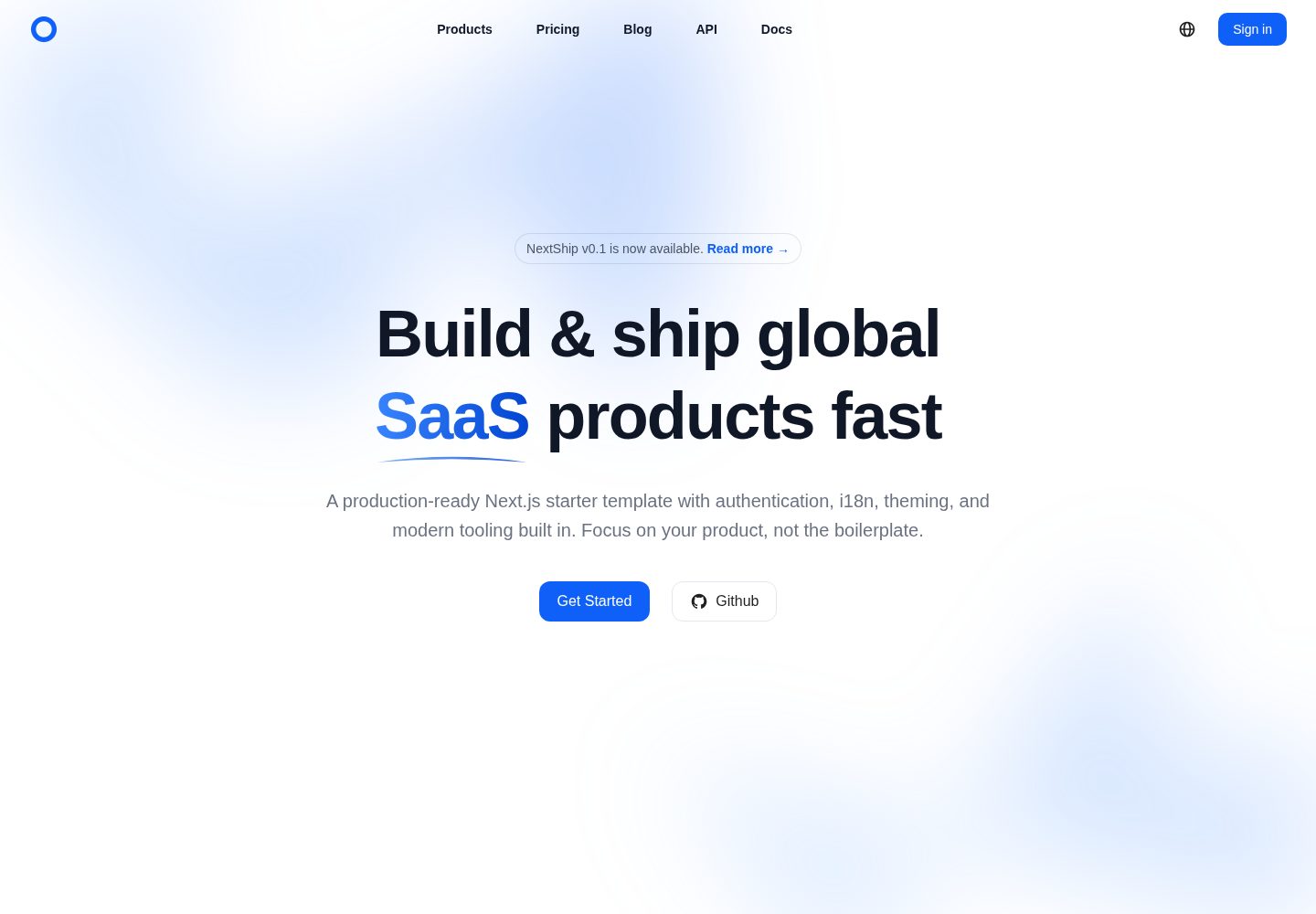
基于 Next.js App Router,路由分为受保护的后台区域与公开营销区域
Next.jsReact后台SaaS启动器
nextship — Next.js 后台模板
作者 shulkme
NextShip 是一个基于 Next.js App Router 的 SaaS 与国际化产品启动模板,内置 Ant Design 组件库、Tailwind CSS、next-intl 多语言、主题切换与模块化 API 层,采用 MIT 许可。
看看你的网站会是什么样
浏览真实页面截图,比较内容排版与手机效果。点击下方缩略图切换,放大查看整页细节。
全部页面与视图 2
截图用于了解视觉与布局,交互效果请以实际项目为准。
采集于 2026-10-03查看来源
值得关注的模板亮点
从已有项目资料中,快速了解它的特点。
使用 Ant Design 组件库与 Tailwind CSS 构建界面,支持浅色、深色与跟随系统主题
通过 next-intl 实现类型安全国际化,内置英文与中文语言包,路由带语言前缀
提供基于 Axios 的模块化 API 层,包含 token 管理、拦截器与错误边界
TypeScript 严格模式,环境变量带类型定义,集成 ESLint、Prettier 与类型检查脚本
附带 CLAUDE.md 与快速开始文档,说明项目结构与常用用法
模板详细介绍
NextShip 是一个面向 SaaS 与全球化产品的 Next.js 启动模板,使用 App Router 组织路由,并将页面划分为受保护的后台路由组与公开营销路由组。项目以 TypeScript 严格模式编写,UI 层采用 Ant Design 组件库与 Tailwind CSS 工具类,主题支持浅色、深色与跟随系统三种模式。
国际化方面,模板通过 next-intl 提供类型安全的翻译能力,内置英文与中文两种语言包,路由形如 /en/dashboard 与 /zh/dashboard,新增语言需要补充 locales 目录下的翻译文件。数据层提供基于 Axios 的请求实例与按领域拆分的 API 模块(如 auth、user),并包含 token 管理、拦截器与错误边界等认证相关的基础设施。
工程配置包含 ESLint、Prettier、类型检查与 Git 钩子,环境变量通过 env.d.ts 提供类型提示,日志封装在 lib/logger.ts 中。仓库还附带 CLAUDE.md 与 docs/QUICK_START.md 等文档,方便 AI 助手与开发者了解项目结构。模板本身不包含后端服务、数据库或支付实现,相关能力需要接入外部服务。
Next.jsReact后台SaaS启动器
适合你的项目吗?
适用场景
- 搭建需要多语言支持的后台管理或 SaaS 产品前端
- 为已有后端 API 快速接入带认证与错误处理的前端界面
- 作为学习 Next.js App Router、Ant Design 与 next-intl 组合用法的参考项目
- 在需要浅色/深色主题切换与响应式布局的产品中复用其主题与布局方案
适合人群
- 需要中英文双语界面的 SaaS 或后台项目开发者
- 希望使用 TypeScript、Ant Design 与 Tailwind CSS 组合的前端团队
- 需要模块化 API 层与 token 管理基础结构的项目
- 寻找 MIT 许可、可自由修改的 Next.js 启动模板的个人或团队
上手与定制指南
结合仓库当前版本的说明,按下面的资料检查内容、配置与运行要求。
- 1
需要 Node.js 18+ 或 20+,推荐使用 pnpm 8+ 作为包管理器
- 2
克隆仓库后复制 .env.example 为 .env,并按需填写环境变量
- 3
执行 pnpm install 安装依赖,pnpm dev 启动开发服务器
- 4
新增环境变量时需同步更新 .env、.env.example 与 env.d.ts 中的类型定义
- 5
模板不包含后端、数据库或支付实现,需自行接入外部服务
授权与来源资料
使用条件与限制
免费使用 · 保留许可声明本次收录的是公开仓库中采用 MIT 许可的免费版本;免费范围为该版本代码,不代表外部服务或第三方素材免费。
使用时需要遵守
- 允许免费使用、修改、商用和分发该版本代码。
- 分发代码副本或实质性部分时,保留原作者版权声明和完整 MIT 许可声明。
- 代码按现状提供;担保与责任限制以原许可证及适用法律为准。
额外费用与待核对事项
- 演示图片、字体、图标及其他第三方素材需按各自许可核对,不能仅凭代码的 MIT 许可判断。
- 域名、托管、数据库、支付或 AI 等外部服务可能另外收费。
查看原文依据
https://github.com/shulkme/nextship/blob/main/LICENSEhttps://github.com/shulkme/nextship/blob/main/README.mdPermission is hereby granted, free of charge
许可证原文
DeepSeek 根据仓库许可证和 README 整理 ·2026-10-03。结果仅覆盖已读取资料,依赖、图片、字体及后续条款变更以各自原文为准。
项目核对记录与介绍依据
模板资料
- 来源平台
- GitHub
- 资料与维护参考分
- 资料较完整 · 88 / 100
- 技术栈
- Next.js · React
- 网站类型
- 后台 · SaaS · 启动器
这个分数如何计算
本站按许可资料(最高30分)、演示链接(12分)、预览图(10分)、Star数(15分)、记录的维护时间(15分)、描述完整度(8分)、功能记录(5分)和分类资料(5分)计算。它不是代码、安全或性能测试,也不是 Google 评分;有链接不代表已实测可用。
这个项目需要核对什么
- 记录的仓库更新时间
- 2026-05-05
- 截图检查日期
- 2026-10-03
已收录演示链接。请用你的内容与屏幕尺寸检查;有演示不代表表单、认证或支付已经可用。
目录记录的主要技术栈是 Next.js。请通过依赖清单和锁文件核对实际版本与托管要求。这些说明基于收录资料,不代表代码审计或部署实测。
查看具体选型方法 →介绍的制作与核对状态
介绍由 AI 辅助整理目录与仓库资料。仓库作者不等于这篇介绍的审核者。
已完成服务器许可规则与 AI 来源核对;未经过人工编辑审核。
查看当时使用的来源资料
SHA-256: f1364c0e766031ba5ce2622692e8eb205715ebc4f921a8c8136247995790093a
2026-10-03T03:01:04.383Z
来源文件 / 仓库<div align="center">
<a href="https://github.com/shulkme/nextship">
<picture>
<img alt="NextShip logo" src="public/images/logo.png" height="256" style="height: 128px">
</picture>
</a>
<h1>NextShip</h1>
<p>🚀 A production-ready Next.js starter template for building SaaS and global products</p>
<a href="https://react.dev/"><img src="https://img.shields.io/badge/-React%2019-0f60f8?style=flat-square&logo=react&logoColor=white&labelColor=black" alt="React"/></a> <a href="https://nextjs.org/"><img src="https://img.shields.io/badge/-Next.js%2016-0f60f8?style=flat-square&logo=nextdotjs&logoColor=white&labelColor=black" alt="Next.js"/></a> <a href="https://ant.design/"><img src="https://img.shields.io/badge/-Ant%20Design%206-0f60f8?labelColor=black&logo=antdesign&logoColor=white&style=flat-square" alt="AntDesign"/></a> <a href="https://www.typescriptlang.org/"><img src="https://img.shields.io/badge/-TypeScript-0f60f8?style=flat-square&logo=typescript&logoColor=white&labelColor=black" alt="Typescript"/></a> <a href="https://tailwindcss.com/"><img src="https://img.shields.io/badge/-Tailwind%20CSS%204-0f60f8?style=flat-square&logo=tailwindcss&logoColor=white&labelColor=black" alt="Tailwindcss"/></a> <img src="https://img.shields.io/badge/License-MIT-0f60f8?style=flat-square" alt="License"/>
<p>
<a href="#features">Features</a> •
<a href="#quick-start">Quick Start</a> •
<a href="#documentation">Documentation</a> •
<a href="#tech-stack">Tech Stack</a> •
<a href="#contributing">Contributing</a>
</p>
</div>
---
## ✨ Features
### 🎨 Modern UI
- **Ant Design 6** - Professional component library with 50+ components
- **Tailwind CSS 4** - Utility-first CSS framework
- **Dark Mode** - System/light/dark theme support with smooth transitions
- **Responsive** - Mobile-first design, works on all devices
### 🌍 Internationalization
- **next-intl** - Type-safe internationalization
- **Multiple Languages** - Built-in support for English and Chinese
- **Easy to Extend** - Add new languages in minutes
- **Route-based** - Clean URLs like `/en/dashboard`, `/zh/dashboard`
### 🔐 Authentication Ready
- **Token Management** - Secure token storage and handling
- **API Integration** - Pre-configured Axios with interceptors
- **Error Handling** - Comprehensive error boundaries and logging
- **SSR Compatible** - Works seamlessly with server-side rendering
### 🏗️ Best Practices
- **TypeScript First** - 100% TypeScript with strict mode
- **Type-Safe Env** - Validated environment variables
- **Modular API Layer** - Organized API calls by domain
- **Error Tracking Ready** - Built-in logger with Sentry support
- **Code Quality** - ESLint, Prettier, and Git hooks configured
### ⚡ Developer Experience
- **Fast Refresh** - Instant feedback during development
- **pnpm** - Fast, disk space efficient package manager
- **Organized Structure** - Clear separation of concerns
- **Helpful Scripts** - Lint, format, type-check, and more
- **AI-Friendly** - Includes `CLAUDE.md` for AI assistants
### 📦 Production Ready
- **Optimized Build** - Automatic code splitting and optimization
- **Error Boundaries** - Graceful error handling at all levels
- **Logging System** - Centralized logging for debugging
- **Environment Config** - Easy configuration for different environments
---
## 🚀 Quick Start
### Prerequisites
- Node.js 18+ or 20+
- pnpm 8+ (recommended) or npm/yarn
### Installation
```bash
# Clone the repository
git clone https://github.com/shulkme/nextship.git
cd nextship
# Copy environment variables
cp .env.example .env
# Install dependencies
pnpm install
# Run development server
pnpm dev
```
Open [http://localhost:3000](http://localhost:3000) to see your app.
### First Steps
1. **Configure Environment**: Edit `.env` file with your settings
2. **Explore the Code**: Check out the [project structure](#project-structure)
3. **Read the Docs**: See [Documentation](#documentation) section
4. **Build Something**: Start by editing `app/[locale]/(web)/page.tsx`
---
## 📖 Documentation
- **[CLAUDE.md](./CLAUDE.md)** - For AI assistants (Claude Code, Cursor, etc.)
- **[Quick Start Guide](./docs/QUICK_START.md)** - Common usage examples
- **[Optimization Summary](./OPTIMIZATION_SUMMARY.md)** - Recent improvements and migration guide
- **[Environment Variables](./.env.example)** - Complete environment configuration guide
---
## 🛠️ Available Scripts
```bash
# Development
pnpm dev # Start development server
pnpm build # Build for production
pnpm start # Start production server
# Code Quality
pnpm lint # Run ESLint
pnpm lint:fix # Fix linting issues
pnpm type-check # TypeScript type checking
pnpm format # Format code with Prettier
pnpm format:check # Check code formatting
# Maintenance
pnpm clean # Clean build artifacts
```
---
## 📂 Tech Stack
### Core
- **[Next.js 16](https://nextjs.org/)** - React framework with App Router
- **[React 19](https://react.dev/)** - UI library
- **[TypeScript](https://www.typescriptlang.org/)** - Type safety
### UI & Styling
- **[Ant Design 6](https://ant.design/)** - Component library
- **[Tailwind CSS 4](https://tailwindcss.com/)** - Utility-first CSS
- **[next-themes](https://github.com/pacocoursey/next-themes)** - Theme management
### State & Data
- **[Axios](https://axios-http.com/)** - HTTP client
- **[ahooks](https://ahooks.js.org/)** - React hooks library
- **[dayjs](https://day.js.org/)** - Date manipulation
### Internationalization
- **[next-intl](https://next-intl-docs.vercel.app/)** - Type-safe i18n
### Developer Tools
- **[ESLint](https://eslint.org/)** - Code linting
- **[Prettier](https://prettier.io/)** - Code formatting
- **[pnpm](https://pnpm.io/)** - Package manager
---
## 📁 Project Structure
```
nextship/
├── app/ # Next.js App Router
│ ├── [locale]/ # Internationalized routes
│ │ ├── (app)/ # Protected admin/dashboard routes
│ │ └── (web)/ # Public marketing routes
│ ├── actions/ # Server actions
│ └── error.tsx # Error handling pages
│
├── apis/ # API layer (modular)
│ ├── auth/ # Authentication APIs
│ ├── user/ # User management APIs
│ ├── request.ts # Axios instance
│ └── types.ts # Common types
│
├── components/ # Reusable components
│ ├── error-boundary.tsx
│ ├── nprogress-bar/
│ └── pager/
│
├── config/ # Configuration
│ └── theme.ts # Ant Design theme
│
├── constants/ # App constants
├── hooks/ # Custom React hooks
├── i18n/ # Internationalization setup
├── icons/ # Custom icons
├── lib/ # Utilities & wrappers
│ └── logger.ts # Centralized logging
│
├── locales/ # Translation files
│ ├── en.json
│ └── zh.json
│
├── providers/ # React Context providers
│ ├── theme.tsx
│ └── language.tsx
│
├── services/ # Business logic
├── types/ # Global TypeScript types
├── utils/ # Utility functions
└── public/ # Static assets
```
For detailed structure explanation, see [CLAUDE.md](./CLAUDE.md).
---
## 🎯 Key Features Explained
### Type-Safe Environment Variables
Environment variables are fully type-safe with IDE autocomplete via `env.d.ts`:
```typescript
// ✅ Type-safe with IDE autocomplete
const apiUrl = process.env.NEXT_PUBLIC_API_BASE_URL || '/';
const timeout = Number(process.env.NEXT_PUBLIC_API_TIMEOUT) || 30000;
const appName = process.env.NEXT_PUBLIC_APP_NAME || 'NextShip';
// All variables are defined in env.d.ts for type safety
// Just add new variables to .env and env.d.ts - no extra boilerplate needed
```
**Adding new environment variables:**
1. Add to `.env` with value
2. Add to `.env.example` with description
3. Add type definition to `env.d.ts`
That's it! IDE will immediately recognize the new variable.
### Modular API Layer
```typescript
import { authApi, userApi } from '@/apis';
// Clean, organized API calls
const response = await authApi.login({ email, password });
const users = await userApi.getUserList({ page: 1, size: 10 });
```
### Theme Management
```typescript
import { useTheme } from '@/providers/theme';
const { mode, setMode, toggleMode } = useTheme();
// Supports: 'light' | 'dark' | 'system'
```
### Internationalization
```typescript
import { useTranslations } from 'next-intl';
const t = useTranslations();
const title = t('app.page.dashboard.title');
```
---
## 🤝 Contributing
We welcome contributions! Here's how you can help:
1. **Fork the repository**
2. **Create a feature branch**: `git checkout -b feature/amazing-feature`
3. **Commit your changes**: `git commit -m 'Add amazing feature'`
4. **Push to the branch**: `git push origin feature/amazing-feature`
5. **Open a Pull Request**
### Development Guidelines
- Follow the existing code style and conventions
- Run `pnpm lint:fix` and `pnpm format` before committing
- Ensure `pnpm type-check` passes
- Add documentation for new features
- For AI assistants: Read [CLAUDE.md](./CLAUDE.md) first
---
## 🐛 Bug Reports
Found a bug? Please [open an issue](https://github.com/shulkme/nextship/issues) with:
- Clear title and description
- Steps to reproduce
- Expected vs actual behavior
- Screenshots if applicable
- Your environment (OS, Node version, etc.)
---
## 💡 Feature Requests
Have an idea? We'd love to hear it! [Open an issue](https://github.com/shulkme/nextship/issues) with:
- Clear description of the feature
- Use cases and benefits
- Any implementation ideas
---
## 🙏 Acknowledgments
This project is built with amazing open-source technologies:
- [Next.js](https://nextjs.org/) - The React Framework
- [Ant Design](https://ant.design/) - Enterprise UI Design Language
- [Tailwind CSS](https://tailwindcss.com/) - Utility-first CSS Framework
- [next-intl](https://next-intl-docs.vercel.app/) - Internationalization
- And many more... see [package.json](./package.json)
---
## 📄 License
This project is licensed under the MIT License - see the [LICENSE](./LICENSE) file for details.
---
## 🌟 Star History
If you find this project useful, please consider giving it a star ⭐️
---
## 📮 Contact
- **GitHub**: [@shulkme](https://github.com/shulkme)
- **Issues**: [GitHub Issues](https://github.com/shulkme/nextship/issues)
---
<div align="center">
<p>Made with ❤️ by the NextShip Team</p>
<p>
<a href="https://github.com/shulkme/nextship">GitHub</a> •
<a href="https://github.com/shulkme/nextship/issues">Issues</a> •
<a href="./CLAUDE.md">AI Guide</a>
</p>
</div>
---
## 🌐 Browser Support
| [](http://godban.github.io/browsers-support-badges/) | [](http://godban.github.io/browsers-support-badges/) | [](http://godban.github.io/browsers-support-badges/) | [](http://godban.github.io/browsers-support-badges/) |
| --- | --- | --- | --- |
| Latest 2 versions | Latest 2 versions | Latest 2 versions | Latest 2 versions |
看看同类模板
对比同技术栈与用途的模板,找到更适合的视觉与内容结构。

ai-website-cloner-template
Clone any website with one command using AI coding agents
Next.js · 启动器

Next.js SaaS Starter
Next.js SaaS Starter 是 Next.js 官方维护的 SaaS 起点模板,定位介于学习资源和可直接部署的脚手架之间。
Next.js · SaaS

Next.js Commerce
Next.js Commerce 是 Vercel 团队维护的电商启动模板,基于 Next.js App Router 构建,采用服务端渲染、React Server Components、Server Actions …
Next.js · 电商

Next-js-Boilerplate
Next-js-Boilerplate 是一个面向 Next.js 16、Tailwind CSS 4 和 TypeScript 的启动器,核心定位是开发者体验优先。
Next.js · 启动器

tailwind-nextjs-starter-blog
tailwind-nextjs-starter-blog 是一个面向个人技术博客的 Next.js 与 Tailwind CSS 启动模板,其 v2 版本基于 App Router 与 React Server Comp…
Next.js · 博客

next-forge
Production-grade Turborepo template for Next.js apps.
Next.js · 启动器