完整的认证生命周期:注册、邮箱验证、登录、双令牌刷新、密码重置和两阶段账户删除
Laravel启动器
regula — Laravel 启动器模板
作者 sinisimattia
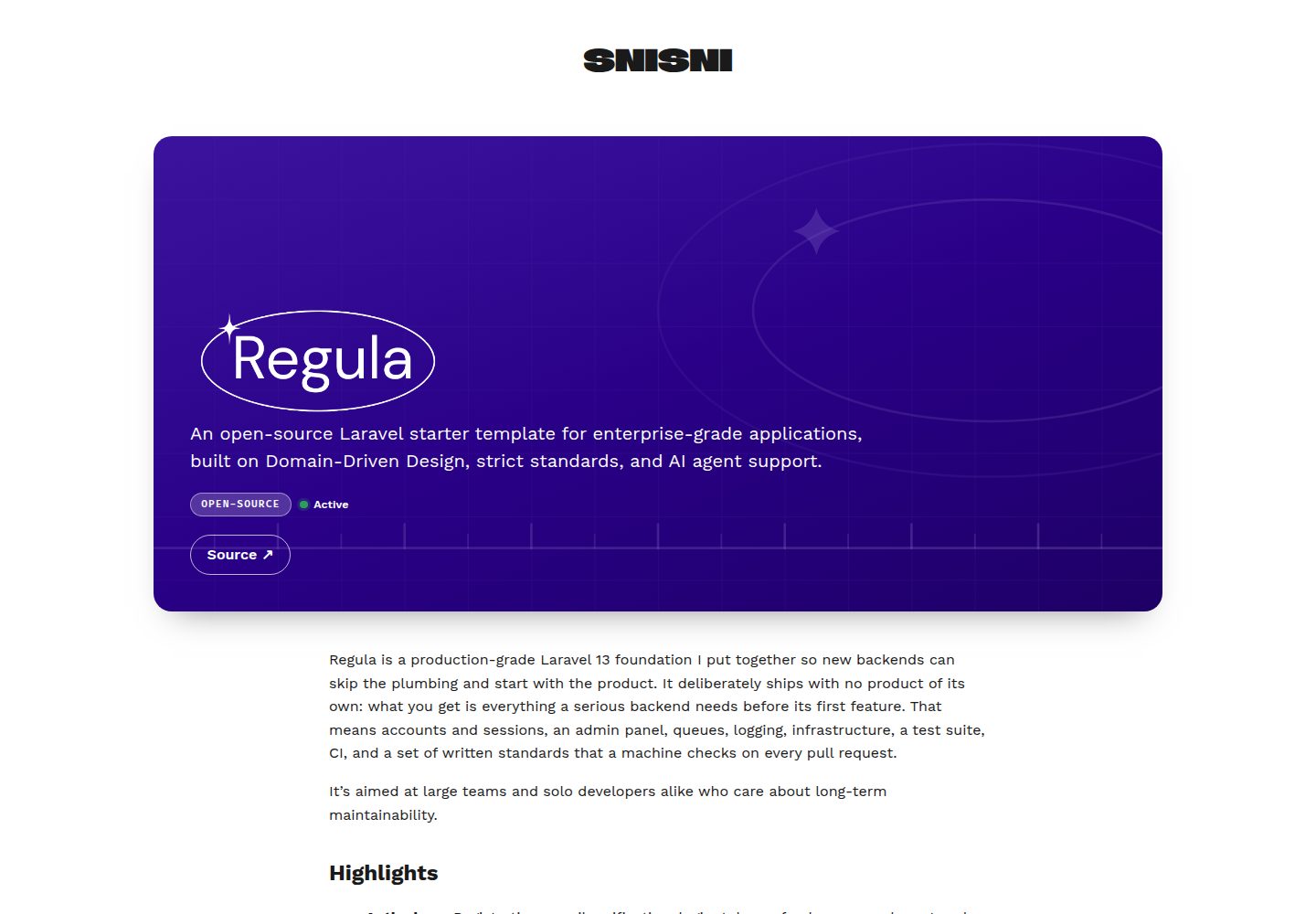
Regula 是一个基于 Laravel 的企业级启动器模板,内置领域驱动设计结构、双令牌认证、Filament 管理后台、队列与日志基础设施,以及可自动检查的编码规范。
看看你的网站会是什么样
浏览真实页面截图,比较内容排版与手机效果。点击下方缩略图切换,放大查看整页细节。
全部页面与视图 3
截图用于了解视觉与布局,交互效果请以实际项目为准。
采集于 2026-10-01查看来源
值得关注的模板亮点
从已有项目资料中,快速了解它的特点。
领域驱动设计结构:业务逻辑位于 app/Domains/ 下的自包含模块,通过实体、服务接口和事件暴露
Filament 管理后台:位于 /admin,集成 Spatie Permission 角色与权限,Super Admin 可绕过所有授权检查
内置基础设施:四个优先级队列、CloudWatch 日志驱动、读写数据库分离和 AWS CDK 的 TypeScript 栈
可自动检查的编码规范:php artisan canon:check 检查 docs/standards/ 中的机械规则,违反即构建失败
多语言与统一主题:验证、密码重置和账户删除邮件翻译为七种语言,颜色和字体集中在 config/theme.php
模板详细介绍
Regula 是一个刻意不包含业务功能的 Laravel 启动器,目标是在第一个功能开发之前就提供账户与会话、管理后台、队列、日志、基础设施、测试套件、CI 和可被机器检查的书面规范。它面向关注长期可维护性的团队和个人开发者。
认证方面,模板提供注册、邮箱验证、登录、令牌刷新、密码重置和账户删除的完整生命周期,使用 Sanctum 双令牌对:短期访问令牌用于 API 调用,长期刷新令牌仅用于换取新令牌对。密码重置会撤销用户所有令牌;账户删除分两阶段执行,先锁定账户,再由队列任务删除并最多重试五次。登录和密码重置不会暴露邮箱是否已注册。
架构上,业务逻辑放在 app/Domains/ 下的自包含领域模块中,其他代码只能通过实体、服务接口和事件访问。初始包含 Core 和 Auth 两个领域。管理后台使用 Filament 和 Livewire,位于 /admin,通过 Spatie Permission 提供角色与权限,进入需要已验证邮箱和至少一个角色,Super Admin 可绕过所有授权检查。
基础设施包括四个优先级队列、CloudWatch 日志驱动、读写数据库分离、AWS CDK 的 TypeScript 栈、统一主题配置和七种语言的多语言邮件。质量门禁由 PHP-CS-Fixer、PHP Insights、canon:check 和 PHPUnit 组成,CI 在每个拉取请求上并行运行。
限制方面,模板不包含产品功能,需要自行添加领域;本地开发依赖 Docker;演示图片、字体、图标等第三方素材需按各自许可核对;域名、托管、数据库、支付或 AI 等外部服务可能另外收费。
Laravel启动器
适合你的项目吗?
适用场景
- 需要从零开始搭建具有严格分层和长期可维护性要求的 Laravel 后端项目
- 希望直接获得完整账户生命周期、管理后台和队列基础设施,而不必自行组装
- 团队使用书面编码规范并希望通过 CI 自动检查规范执行情况
- 需要在本地、自托管服务器和 AWS 之间使用同一套代码,仅通过环境变量切换驱动
- 希望为 AI 代理提供与书面规范一致的工作环境,包括专家代理、工作流技能和 Laravel Boost MCP 服务器
适合人群
- 关注长期可维护性并接受领域驱动设计结构的 Laravel 开发团队
- 需要企业级认证、管理后台和基础设施起点,但不希望包含预置业务功能的项目
- 使用 Docker 进行本地开发,并可能部署到自托管服务器或 AWS 的开发者
- 希望将编码规范、质量门禁和 CI 检查纳入日常开发流程的团队
上手与定制指南
结合仓库当前版本的说明,按下面的资料检查内容、配置与运行要求。
- 1
本地开发只需要 Docker,PHP、Composer、PostgreSQL 和 nginx 都在容器中运行
- 2
复制 .env.example 为 .env 后执行 docker compose up -d --build,再进入 app 容器运行 composer install、php artisan key:generate 和 php artisan migrate --seed
- 3
默认访问地址为 http://localhost:8080,管理后台位于 /admin,本地密码在 UserSeeder 中设置,可通过 APP_PORT 修改端口
- 4
修改 composer.json 中 name 的 vendor 部分即可重命名应用,配置默认值、cookie 和缓存前缀以及 AWS 栈名都会由此派生
- 5
在 config/theme.php 中设置颜色和字体,欢迎页、错误页、邮件和管理后台都会读取该配置;ALLOWED_REDIRECT_ORIGINS 用于指定邮件链接允许的前端来源
授权与来源资料
使用条件与限制
免费使用 · 保留许可声明本次收录的是公开仓库中采用 MIT 许可的免费版本;免费范围为该版本代码,不代表外部服务或第三方素材免费。
使用时需要遵守
- 允许免费使用、修改、商用和分发该版本代码。
- 分发代码副本或实质性部分时,保留原作者版权声明和完整 MIT 许可声明。
- 代码按现状提供;担保与责任限制以原许可证及适用法律为准。
额外费用与待核对事项
- 本地开发必须安装 Docker,PHP、Composer、PostgreSQL 和 nginx 均在容器中运行,无法直接在宿主机上开发。
- 管理后台登录使用 ADMIN_EMAIL,本地密码由 UserSeeder 设定,需自行查看该文件获取凭据。
- 邮件中的密码重置与验证后跳转链接只允许指向 ALLOWED_REDIRECT_ORIGINS 中配置的来源,需自行设置前端地址。
- 使用 SQS 时每个队列连接需单独启动一个 worker,运维复杂度高于单 worker 模式。
- 有序队列仅在 SQS FIFO 上保证顺序;在其他驱动上只有单个 worker 消费该队列时才保持顺序。
- 自托管生产部署需手动配置 APP_KEY、APP_ENV、APP_DEBUG、数据库连接及各驱动环境变量。
- 使用 AWS 部署需按 cloud/aws/README.md 配置 CDK 并手动将栈输出复制到 .env,涉及 AWS 账号与费用。
- AI 辅助功能依赖通过 Docker 运行的 Laravel Boost MCP 服务器,需额外配置该服务。
- 演示图片、字体、图标及其他第三方素材需按各自许可核对,不能仅凭代码的 MIT 许可判断。
- 域名、托管、数据库、支付或 AI 等外部服务可能另外收费。
查看原文依据
Permission is hereby granted, free of charge
许可证原文
The only thing you need on your machine is **Docker**. PHP, Composer, PostgreSQL and nginx all run > in containers.
README 原文
Sign in as `ADMIN_EMAIL`, whose local password is set in [`UserSeeder`](database/seeders/UserSeeder.php)
README 原文
Set `ALLOWED_REDIRECT_ORIGINS` to the origins your password reset page and post-verification redirect live on.
README 原文
On `sqs` each connection is its own queue, so run one worker per connection (`queue:work high`, `queue:work low`, and so on).
README 原文
Jobs on `default-ordered` keep their order on SQS FIFO. Elsewhere they keep it only while a single worker consumes that queue.
README 原文
Copy the env file, then set `APP_KEY`, `APP_ENV=production`, `APP_DEBUG=false`, `DB_*` and the drivers:
README 原文
Profiles, commands and the stack outputs to copy into `.env` are in [`cloud/aws/README.md`](cloud/aws/README.md).
README 原文
https://github.com/sinisimattia/regula/blob/main/LICENSEhttps://github.com/sinisimattia/regula/blob/main/README.mdA **Laravel Boost** MCP server runs through Docker for version-accurate docs, schema inspection and Tinker.
README 原文
DeepSeek 根据仓库许可证和 README 整理 ·2026-10-01。结果仅覆盖已读取资料,依赖、图片、字体及后续条款变更以各自原文为准。
项目核对记录与介绍依据
模板资料
- 来源平台
- GitHub
- 资料与维护参考分
- 资料较完整 · 83 / 100
- 技术栈
- Laravel
- 网站类型
- 启动器
这个分数如何计算
本站按许可资料(最高30分)、演示链接(12分)、预览图(10分)、Star数(15分)、记录的维护时间(15分)、描述完整度(8分)、功能记录(5分)和分类资料(5分)计算。它不是代码、安全或性能测试,也不是 Google 评分;有链接不代表已实测可用。
这个项目需要核对什么
- 记录的仓库更新时间
- 2026-09-30
- 截图检查日期
- 2026-10-01
已收录演示链接。请用你的内容与屏幕尺寸检查;有演示不代表表单、认证或支付已经可用。
目录记录的主要技术栈是 Laravel。请通过依赖清单和锁文件核对实际版本与托管要求。这些说明基于收录资料,不代表代码审计或部署实测。
查看具体选型方法 →介绍的制作与核对状态
介绍由 AI 辅助整理目录与仓库资料。仓库作者不等于这篇介绍的审核者。
已完成服务器许可规则与 AI 来源核对;未经过人工编辑审核。
查看当时使用的来源资料
SHA-256: 00cb012e5d43d44699888605e187ee2aee37a5385677479c5af655f2e4ab6b67
2026-10-01T02:21:36.274Z
来源文件 / 仓库<div align="center">
<img src="regula-logo.png" alt="Regula" width="250" height="100">
**A production-grade Laravel 13 foundation: domain-driven structure, token authentication, a Filament
admin panel, and a coding canon that enforces itself.**
Clone it, name it, and start building your product, not your plumbing.






[Quick start](#-quick-start) ·
[Features](#-features) ·
[Architecture](#-architecture) ·
[Where it runs](#-where-it-runs) ·
[Standards](docs/standards/) ·
[Contributing](CONTRIBUTING.md)
</div>
---
This repository starts **deliberately empty of product**. What it ships is everything a serious
backend needs before its first feature: accounts and sessions, an admin panel, queues, logging,
infrastructure, a test suite, CI, and written standards that a machine checks on every pull request.
<table>
<tr>
<td width="33%" valign="top">
<h3>🔐 Auth, done</h3>
Registration, email verification, login, token refresh, password reset and account deletion,
all behind a dual Sanctum token pair.
</td>
<td width="33%" valign="top">
<h3>🧱 Domain modules</h3>
Business logic lives in self-contained domains with entities, services behind interfaces,
private repositories and their own docs.
</td>
<td width="33%" valign="top">
<h3>🛡️ Self-enforcing canon</h3>
Every rule a machine can check is checked by <code>php artisan canon:check</code>, and the build
fails on any single violation.
</td>
</tr>
<tr>
<td width="33%" valign="top">
<h3>🖥️ Filament 5 admin</h3>
An admin panel at <code>/admin</code> with roles and permissions, and a seeded Super Admin
who bypasses every gate.
</td>
<td width="33%" valign="top">
<h3>☁️ Runs anywhere</h3>
The same code runs on a laptop, a self-hosted server or AWS. Env picks every driver; no
backend is named in code.
</td>
<td width="33%" valign="top">
<h3>🤖 AI-ready</h3>
Subject-matter specialist agents, workflow skills and a Laravel Boost MCP server, all pointed at
the same written standards.
</td>
</tr>
</table>
## 🚀 Quick start
> [!NOTE]
> The only thing you need on your machine is **Docker**. PHP, Composer, PostgreSQL and nginx all run
> in containers.
```bash
cp .env.example .env
```
```bash
docker compose up -d --build
```
```bash
docker compose exec app bash
```
Then, inside the `app` container:
```bash
composer install
```
```bash
php artisan key:generate
```
```bash
php artisan migrate --seed
```
That's it:
| URL | What you'll find |
|---|---|
| http://localhost:8080 | The welcome page |
| http://localhost:8080/api/health | The health check, answering `{"status":"ok"}` |
| http://localhost:8080/admin | The admin panel. Sign in as `ADMIN_EMAIL`, whose local password is set in [`UserSeeder`](database/seeders/UserSeeder.php) |
> [!TIP]
> Change the port with `APP_PORT` in `.env`. On Fedora or another SELinux distribution, see the
> [Linux notes in `CONTRIBUTING.md`](CONTRIBUTING.md#linux-setup-rpm-based-distros-fedora-rhel-centos).
### Make it yours
1. **Name the application.** Change the vendor part of `name` in [`composer.json`](composer.json).
That's the only place the name is written: config defaults, cookie and cache prefixes and AWS stack
names all derive from it, and `APP_NAME` in `.env` overrides it at runtime
([PHP-22](docs/standards/php.md)).
2. **Brand it.** Set your colours and fonts in [`config/theme.php`](config/theme.php). The welcome
page, the error pages, the emails and the admin panel all read them from there
([PHP-26](docs/standards/php.md), [how theming works](docs/infrastructure/theme.md)).
3. **Point emailed links at your frontend.** Set `ALLOWED_REDIRECT_ORIGINS` to the origins your
password reset page and post-verification redirect live on.
4. **Write your welcome letter** in [`resources/views/welcome.blade.php`](resources/views/welcome.blade.php).
5. **Add your first domain.** Read [`domain-architecture.md`](docs/standards/domain-architecture.md),
or ask the `domain-specialist` agent to scaffold one.
6. **Choose your drivers** for each environment. See [Where it runs](#-where-it-runs).
## ✨ Features
### 🔐 Authentication
A complete account lifecycle, documented rule by rule in the [Auth domain](app/Domains/Auth/README.md).
- **Dual token sessions.** A short-lived access token for API calls and a longer-lived refresh token
whose only power is to mint a new pair. "Remember me" is chosen at login and kept across refreshes.
- **Email verification** through signed, time-limited links, with an optional redirect to your frontend.
- **Password reset** that signs the user out everywhere by revoking every token they hold.
- **Two-phase account deletion.** The account is locked out immediately, then a queued job removes it
and retries up to five times. A persistent failure lands in `failed_jobs` with its real cause.
- **No account enumeration.** Login and password reset never reveal whether an email has an account.
- **Safe emailed links.** Links only point at an origin you allow, and emails are unique regardless
of letter case.
| Method | Endpoint | Called with |
|---|---|---|
| `POST` | `/api/auth/register` | nothing (guest) |
| `POST` | `/api/auth/login` | nothing (guest) |
| `POST` | `/api/auth/forgot_password` | nothing (guest) |
| `POST` | `/api/auth/reset_password` | nothing (guest) |
| `POST` | `/api/auth/refresh_token` | the refresh token |
| `POST` | `/api/auth/logout` | an access token |
| `POST` | `/api/auth/send_verification_email` | an access token |
| `DELETE` | `/api/auth/delete_account` | an access token |
| `GET` | `/verify/{userId}/{hash}` | the signed link from the verification email |
| `GET` | `/api/health` | nothing |
Guest routes are throttled to 20 requests a minute. A new authenticated route goes in the
`authenticated` middleware group, which admits access tokens only.
### 🖥️ Admin panel
- **Filament 5 on Livewire 4**, served at `/admin`, with a dashboard ready for your widgets.
- **Roles and permissions** through Spatie Permission, with view, create, update and delete
permissions seeded for users, roles and permissions.
- **Guarded front door.** Entering takes a verified email and at least one role.
- **Super Admin** bypasses every authorization check in the application, and the seeder grants it to
`ADMIN_EMAIL`.
### ⚙️ Infrastructure built in
- **Four priority queues:** `high`, `default`, `default-ordered` and `low`, with an SQS FIFO connector
so ordered jobs really keep their order in production.
- **CloudWatch log driver** that ships batched logs straight to a log group.
- **Read/write database split.** Plain reads go to the Aurora reader endpoint, and writes,
transactions and locking reads go to the writer. With a single database, leave `DB_READ_HOST`
empty.
- **AWS CDK stacks** in TypeScript: SQS queues with a dead-letter queue, a log group, an S3 bucket and a
DynamoDB cache table in `main`, and an Aurora PostgreSQL cluster in `database`.
- **One theme everywhere.** Colours and fonts live in `config/theme.php`, and the welcome page, the
error pages, the emails and the admin panel all derive from it. `canon:check` fails on a colour
written anywhere else.
- **Branded emails** for verification, password reset and account deletion, translated into seven
languages. Signed-in requests run in the user's preferred language.
- **Custom error pages** for 400, 401, 403, 404, 419, 429, 500 and 503.
### 🛡️ Quality gates
| Layer | Owns | Command |
|---|---|---|
| **PHP-CS-Fixer** | Formatting. Auto-fixes, so nobody reviews it by hand. | `composer lint:fix` |
| **PHP Insights** | Aggregate quality: typing, complexity, architecture. Thresholds only ratchet upward. | `composer insights` |
| **Canon check** | Every mechanical rule in `docs/standards/`, one violation at a time. | `php artisan canon:check` |
| **PHPUnit 12** | Unit and feature suites against a real PostgreSQL. | `composer test` |
CI runs all of them on every pull request in parallel, along with a branch-name check and a
`composer audit` for dependency advisories. The pipeline ships as a GitHub Actions workflow,
[`.github/workflows/ci.yml`](.github/workflows/ci.yml).
## 🧭 Architecture
Business logic lives in **domains** under `app/Domains/`. Each one is a self-contained module that
other code reaches only through its public surface: entities, service interfaces and events.
```text
app/Domains/Auth/
├── README.md what the domain does, in plain language
├── Docs/ its business rules, with worked examples
├── Entities/ User, UserId, TokenPair: typed data, never arrays
├── Events/ UserRegistered, UserDeleted
├── Http/ Controllers · Requests · Resources
├── Providers/ binds every interface explicitly
├── Repositories/ injected only into this domain's own services
├── Services/ AccountServiceInterface, AuthServiceInterface
└── … Enums, Exceptions, Listeners, Mail, Notifications, Rules
```
Every request takes the same path through a domain:
```mermaid
flowchart LR
Route --> Request["Form Request<br/>validates, builds the entity"]
Request --> Controller["Controller<br/>one service call"]
Controller --> Service["Service interface"]
Service --> Repository
Repository --> Model[("Eloquent model")]
Service -. dispatches .-> Events
Controller --> Resource["API Resource<br/>shapes the response"]
```
The domains you start with:
| Domain | Holds |
|---|---|
| **Core** | Foundational types every domain builds on, such as the base class for typed entity IDs |
| **Auth** | Accounts, sessions, verification, password reset, deletion, and who may enter the admin panel |
<details>
<summary><b>The rest of the repository</b></summary>
```text
app/
├── Domains/ domain modules
├── Filament/ the admin panel
├── Http/ shared HTTP layer: kernel, middleware, the health check
├── Logging/ the CloudWatch log driver
├── Policies/Admin/ who may manage users, roles and permissions
└── Queue/ the SQS FIFO connector for ordered jobs
cloud/aws/ AWS CDK infrastructure
docker/ the PHP, nginx and PostgreSQL images
docs/
├── standards/ the coding canon, the single authority
└── infrastructure/ how configuration, drivers and framework overrides work
insights/ the checks behind canon:check
lang/ translations
tests/ Unit and Feature suites
.claude/ AI specialist agents, skills and hooks
```
</details>
## 🌍 Where it runs
The same code runs on a laptop, a self-hosted server and AWS. Env is the only difference: no backend
is named in code ([PHP-23](docs/standards/php.md)).
| Service | Local default | Self-hosted | AWS | Switched by |
|---|---|---|---|---|
| Database | Postgres (compose) | Postgres | Aurora Postgres | `DB_*`, `DB_READ_HOST` |
| Queues | `sync` | `database` or `redis` | `sqs` | `QUEUE_DRIVER` |
| Cache | `database` | `database` or `redis` | `dynamodb` | `CACHE_STORE`, `DYNAMODB_CACHE_TABLE` |
| Sessions | `database` | `database` or `redis` | `database` | `SESSION_DRIVER` |
| Files | local disk | local disk or any S3-compatible bucket | S3 | `FILESYSTEM_DISK`, `AWS_BUCKET`, `AWS_ENDPOINT` |
| Logs | `single` | `stderr` | `stderr,cloud` | `LOG_STACK` |
| Mail | `log` | `smtp` | `ses` | `MAIL_MAILER` |
Moving files from the local disk to a bucket, for example, means setting `FILESYSTEM_DISK=s3` and
filling in the `AWS_*` bucket variables. Nothing else changes.
<details>
<summary><b>Queue workers</b></summary>
<br>
Jobs run inline locally (`QUEUE_DRIVER=sync`), so there is no worker to start. To try real queueing,
set `QUEUE_DRIVER=database` and start the worker and the scheduler:
```bash
docker compose --profile workers up -d
```
On `database` or `redis` the four queue connections share one store, so a single worker serves them
all, highest priority first:
```bash
php artisan queue:work default --queue=high,default,default-ordered,low
```
On `sqs` each connection is its own queue, so run one worker per connection (`queue:work high`,
`queue:work low`, and so on). Jobs on `default-ordered` keep their order on SQS FIFO. Elsewhere they
keep it only while a single worker consumes that queue.
</details>
<details>
<summary><b>Self-hosting</b></summary>
<br>
[`compose.production.yml`](compose.production.yml) runs the production images: the app, the web
server, a queue worker and the scheduler. PostgreSQL is included under the `database` profile if you
don't bring your own.
Copy the env file, then set `APP_KEY`, `APP_ENV=production`, `APP_DEBUG=false`, `DB_*` and the drivers:
```bash
cp .env.example .env
```
```bash
docker compose -f compose.production.yml --profile database up -d --build
```
```bash
docker compose -f compose.production.yml exec app php artisan migrate --force --isolated
```
</details>
<details>
<summary><b>AWS</b></summary>
<br>
The infrastructure is declared with AWS CDK in [`cloud/aws/`](cloud/aws/). One stage per environment,
each with two stacks:
| Stack | Resources |
|---|---|
| `main` | SQS queues (`default`, `high`, `low`, `default-ordered.fifo` with its dead-letter queue), the log group, the `files` S3 bucket and the `cache` DynamoDB table |
| `database` | Aurora PostgreSQL cluster, its security groups, and the generated credentials secret |
Profiles, commands and the stack outputs to copy into `.env` are in
[`cloud/aws/README.md`](cloud/aws/README.md).
</details>
## 🧰 Everyday commands
> [!IMPORTANT]
> Commands run **inside the `app` container**. Open a shell there with `docker compose exec app bash`.
| Command | Does |
|---|---|
| `composer test` | Runs the test suite |
| `composer test:coverage` | Runs it with coverage, written to `coverage/html` and `coverage/xml` |
| `./vendor/bin/phpunit --filter SomeTest` | Runs one test class or method |
| `composer lint:fix` | Fixes code style |
| `composer lint:check` | Checks code style without changing anything |
| `composer insights` | Scores aggregate code quality |
| `php artisan canon:check` | Lists every mechanical rule and fails on any violation |
| `php artisan migrate --seed` | Migrates and seeds roles, permissions and the Super Admin |
## 📐 Standards
[`docs/standards/`](docs/standards/) is the single authority on how code is written here, for people
and AI assistants alike. Every rule has a permanent ID (`DA-03`, `ENT-02`, `HTTP-12`), so a review
comment is a lookup rather than an argument.
| File | Covers |
|---|---|
| [`php.md`](docs/standards/php.md) | Types, naming and class suffixes, PHPDoc, comments |
| [`domain-architecture.md`](docs/standards/domain-architecture.md) | Domain structure, the public surface, services |
| [`entities.md`](docs/standards/entities.md) | Entity design, `store` / `get` / `delete` semantics |
| [`http.md`](docs/standards/http.md) | Controllers, Form Requests, API Resources, routes, exceptions |
| [`persistence.md`](docs/standards/persistence.md) | Models, repositories, migrations, factories |
| [`testing.md`](docs/standards/testing.md) | Test conventions |
| [`git.md`](docs/standards/git.md) | Branching, commits, pull requests |
| [`tasks.md`](docs/standards/tasks.md) | Writing tasks for the tracker |
Start with the [index and its non-negotiables](docs/standards/README.md). It also explains how to
change a rule you think is wrong.
## 🤖 Working with AI assistants
Everything in [`.claude/`](.claude/) is committed, so a fresh clone opened in Claude Code comes fully
equipped. [`CLAUDE.md`](CLAUDE.md) routes the assistant to the right standard before it writes a line.
<table>
<tr>
<th>Specialist agents</th>
<th>Skills</th>
</tr>
<tr>
<td valign="top">
- `http-specialist`: endpoints, Form Requests, Resources
- `domain-specialist`: domain modules and services
- `database-specialist`: migrations, models, queries
- `filament-specialist`: the admin panel
- `test-specialist`: writing, auditing and fixing tests
- `docker-specialist`: the container setup
- `task-specialist`: breaking work down into tickets
- `code-standards-specialist`: reviewing PHP against the canon
</td>
<td valign="top">
- `/ship`: takes a ticket from intake to release
- `/audit`: reviews a branch, domain or path against the standards
- `/create-task`: publishes a task breakdown to Jira
- `/review-pr`: reviews a pull request
- `/handoff`: saves progress for the next session
- `coding-standards`: loads the canon into a session
</td>
</tr>
</table>
A **Laravel Boost** MCP server runs through Docker for version-accurate docs, schema inspection and
Tinker. A hook also reminds the assistant to run a standards review whenever a turn changes PHP. The
rules for AI-assisted work are in [`CONTRIBUTING.md`](CONTRIBUTING.md#working-with-ai-assistants).
## 🤝 Contributing
Setup details, branch naming, the review flow and the house rules are in
[`CONTRIBUTING.md`](CONTRIBUTING.md). In short: branch off `main` as `feat/<KEY>-<slug>`,
`fix/<KEY>-<slug>`, `chore/<slug>` or `refactor/<slug>`, keep CI green, and bring what you touch up
to standard.
## 📄 License
Released under the [MIT license](LICENSE).
看看同类模板
对比同技术栈与用途的模板,找到更适合的视觉与内容结构。

sage
WordPress starter theme with Laravel Blade components and templates, Tailwind CSS, and block editor support
Laravel · 启动器

wave
Wave - The Software as a Service Starter Kit, designed to help you build the SAAS of your dreams 🚀 💰
Laravel · SaaS

filament-starter
A beautiful starting point for your next TALL stack project using Filament. ⚡
Laravel · 启动器

electrik
Laravel SaaS starter kit: auth, teams, Stripe billing, and Slate 3 — Composer package for Laravel 12
Laravel · SaaS

php-saas
The everything-included starter kit for your next idea
Laravel · SaaS

filament-jetstream
A Laravel starter kit built with Filament inspired by Jetstream.
Laravel · 启动器