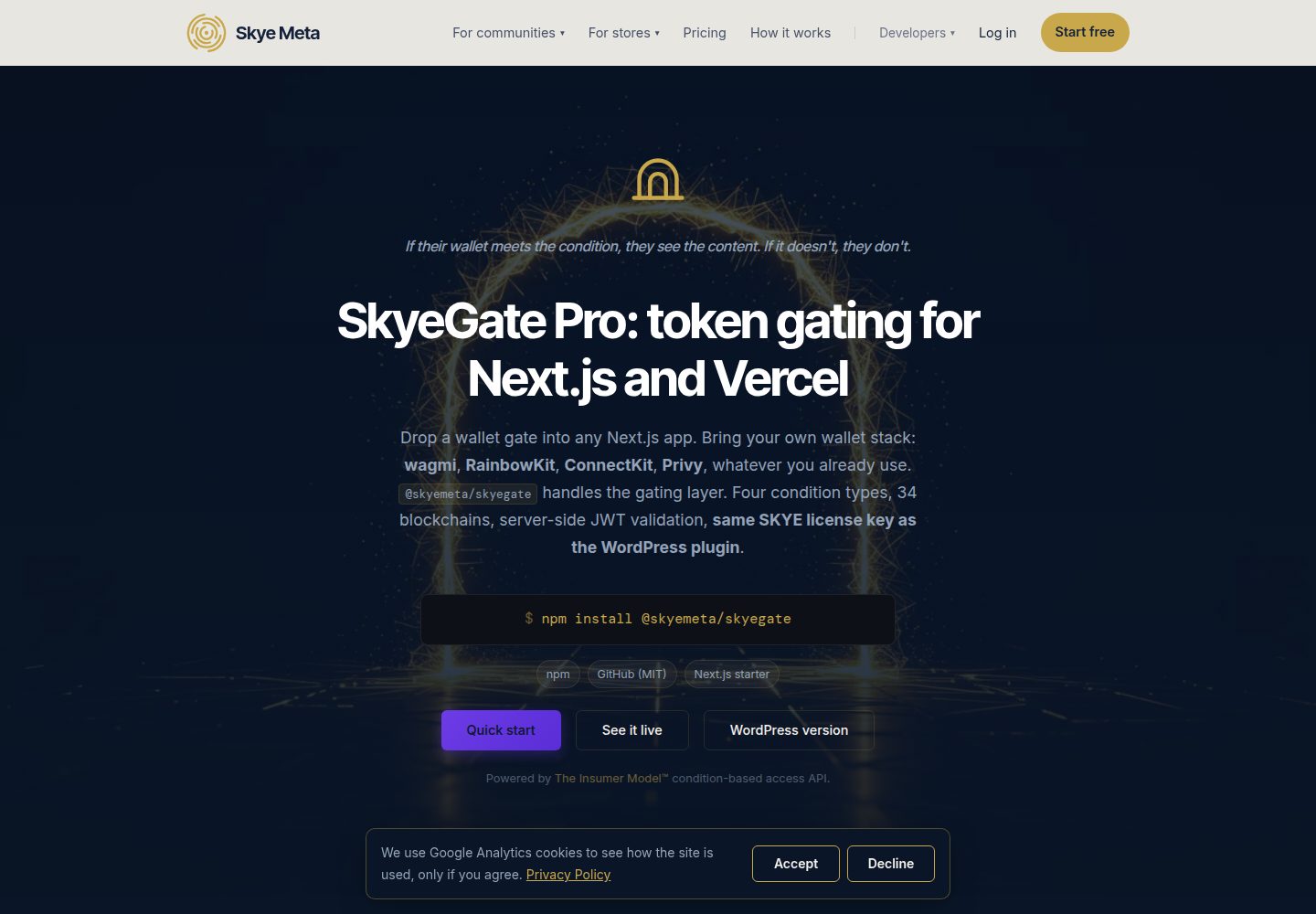
演示 @skyemeta/skyegate 与 Next.js 15 App Router 的集成
Next.jsReact启动器
skyegate-nextjs-starter — Next.js 启动器模板
作者 skyemeta
SkyeGate Next.js Starter 是一个演示 @skyemeta/skyegate 的 Next.js 15 App Router 应用,通过钱包连接、条件验证和服务器端 JWT 校验实现门控内容。
看看你的网站会是什么样
浏览真实页面截图,比较内容排版与手机效果。点击下方缩略图切换,放大查看整页细节。
全部页面与视图 3
截图用于了解视觉与布局,交互效果请以实际项目为准。
采集于 2026-10-09查看来源
值得关注的模板亮点
从已有项目资料中,快速了解它的特点。
使用 wagmi 和 RainbowKit 连接钱包并获取所有权签名
通过 <GatedContent /> 组件实现条件门控,支持代币余额、NFT 所有权、EAS 证明和 Farcaster 身份
服务器端使用 validateContentToken 验证 JWT 签名和条件,防止重放
支持最多 10 个条件叠加,全部满足才通过
提供 Vercel 一键部署按钮和域名锁定说明
模板详细介绍
该模板是一个最小化的 Next.js 15 App Router 应用,用于演示 @skyemeta/skyegate 库的集成方式。它展示了钱包验证门控内容的完整流程:浏览器端通过 wagmi 和 RainbowKit 连接钱包,使用 proveWalletOwnership 获取一次性签名证明,然后由 <GatedContent /> 组件调用 verifyConditions 向 Skye Meta 代理发送验证请求。代理将请求转发至 InsumerAPI,由后者评估条件并返回签名 JWT。服务器端在 Next.js 路由处理器中使用 validateContentToken 验证 JWT 的签名、有效期以及签名条件是否与预期匹配,从而防止重放攻击。模板支持四种条件类型:代币余额、NFT 所有权、EAS 证明和 Farcaster 身份,每个门控最多可叠加 10 个条件。README 提供了本地运行、自定义条件、域名锁定和 Vercel 部署的步骤,并说明了所需的 SkyeGate Pro 许可证密钥和 WalletConnect 项目 ID。
Next.js启动器
适合你的项目吗?
适用场景
- 为 Next.js 应用添加基于钱包条件的门控内容
- 演示 SkyeGate 的服务器端 JWT 验证和重放保护机制
- 快速搭建支持多种链上条件(代币、NFT、证明、社交身份)的访问控制原型
- 在 Vercel 上部署并测试域名自动绑定功能
适合人群
- 需要集成钱包验证门控的 Next.js 开发者
- 希望了解 @skyemeta/skyegate 用法的技术团队
- 需要快速验证链上条件访问控制概念的开发者
上手与定制指南
结合仓库当前版本的说明,按下面的资料检查内容、配置与运行要求。
- 1
需要 SkyeGate Pro 许可证密钥(SKYE-XXXX-XXXX-XXXX),可在 skyemeta.com 购买
- 2
需要 WalletConnect Project ID,可在 cloud.walletconnect.com 免费获取
- 3
克隆仓库后运行 npm install,复制 .env.local.example 为 .env.local 并填入密钥
- 4
自定义条件时,需将相同条件复制到 app/api/gated-content/route.ts 的 EXPECTED_CONDITIONS 中
- 5
许可证首次使用会自动绑定到第一个生产域名,localhost 和 *.vercel.app 预览地址不触发绑定
授权与来源资料
使用条件与限制
免费使用 · 保留许可声明本次收录的是公开仓库中采用 MIT 许可的免费版本;免费范围为该版本代码,不代表外部服务或第三方素材免费。
使用时需要遵守
- 允许免费使用、修改、商用和分发该版本代码。
- 分发代码副本或实质性部分时,保留原作者版权声明和完整 MIT 许可声明。
- 代码按现状提供;担保与责任限制以原许可证及适用法律为准。
额外费用与待核对事项
- 演示图片、字体、图标及其他第三方素材需按各自许可核对,不能仅凭代码的 MIT 许可判断。
- 域名、托管、数据库、支付或 AI 等外部服务可能另外收费。
- 使用该模板需要购买 SkyeGate Pro 许可证密钥(SKYE-XXXX-XXXX-XXXX),免费代码本身不包含该付费授权。
- 需要自行申请 WalletConnect Project ID(免费),用于 RainbowKit 钱包连接。
- SkyeGate Pro 许可证首次使用会自动绑定到第一个生产域名,之后仅该域名及其子域名可用;迁移域名需在账户页面操作。
查看原文依据
Permission is hereby granted, free of charge
许可证原文
1. **A SkyeGate Pro license key** (`SKYE-XXXX-XXXX-XXXX`). Buy direct:
README 原文
2. **A WalletConnect Project ID** for RainbowKit. Free at [cloud.walletconnect.com](https://cloud.walletconnect.com/).
README 原文
https://github.com/skyemeta/skyegate-nextjs-starter/blob/main/LICENSEhttps://github.com/skyemeta/skyegate-nextjs-starter/blob/main/README.mdYour SkyeGate Pro license auto-binds to its first production domain on first use. After that, only that domain (and its subdomains: `staging.foo.com` works under a `foo.com` bind) can use the key. `localhost`, `*.vercel.app` preview URLs, and `*.local` skip the bind so dev and preview deploys don't burn it.
README 原文
DeepSeek 根据仓库许可证和 README 整理 ·2026-10-09。结果仅覆盖已读取资料,依赖、图片、字体及后续条款变更以各自原文为准。
项目核对记录与介绍依据
模板资料
- 来源平台
- GitHub
- 资料与维护参考分
- 资料较完整 · 80 / 100
- 技术栈
- Next.js · React
- 网站类型
- 启动器
这个分数如何计算
本站按许可资料(最高30分)、演示链接(12分)、预览图(10分)、Star数(15分)、记录的维护时间(15分)、描述完整度(8分)、功能记录(5分)和分类资料(5分)计算。它不是代码、安全或性能测试,也不是 Google 评分;有链接不代表已实测可用。
这个项目需要核对什么
- 记录的仓库更新时间
- 2026-10-09
- 截图检查日期
- 2026-10-09
已收录演示链接。请用你的内容与屏幕尺寸检查;有演示不代表表单、认证或支付已经可用。
目录记录的主要技术栈是 Next.js。请通过依赖清单和锁文件核对实际版本与托管要求。这些说明基于收录资料,不代表代码审计或部署实测。
查看具体选型方法 →介绍的制作与核对状态
介绍由 AI 辅助整理目录与仓库资料。仓库作者不等于这篇介绍的审核者。
审核声明: codex-user-requested-batch-review-20261017 · 2026-10-16
查看当时使用的来源资料
SHA-256: 3f126c0f2aa8395b0e8698a3a845bfbba5127ac8cc49d3675b9e6bfb8c7d5752
2026-10-09T18:46:21.683Z
来源文件 / 仓库# SkyeGate Next.js Starter
A minimal Next.js 15 App Router app demonstrating [`@skyemeta/skyegate`](https://www.npmjs.com/package/@skyemeta/skyegate): wallet-verified gated content with server-side JWT validation. Connect a wallet, meet a condition, see the unlock. Powered by [InsumerAPI](https://insumermodel.com/developers/).
```
wagmi + RainbowKit → <GatedContent /> → /api/gated-content (server)
↓ ↓
POST /api/verify validateContentToken(jwt)
↓ ↓
skyemeta.com proxy → InsumerAPI returns signed JWT
```
## What it shows
- Wallet connect via RainbowKit (any of the wallets RainbowKit supports: MetaMask, Coinbase Wallet, Rabby, WalletConnect, etc.)
- A one-time wallet-ownership signature (`proveWalletOwnership`), which the proxy requires for licensed EVM checks
- Condition-based gating with `<GatedContent />` from `@skyemeta/skyegate/react`
- Server-side JWT validation in a Next.js route handler with `validateContentToken`
- Replay protection: the proxy evaluates your conditions and InsumerAPI signs the result; your route handler then checks that signed result against its own `expectedConditions` with `validateContentToken` before delivering content, so a JWT earned for one gate cannot unlock another
## Run it
```bash
git clone https://github.com/skyemeta/skyegate-nextjs-starter
cd skyegate-nextjs-starter
npm install
cp .env.local.example .env.local # fill in your keys
npm run dev
```
Open [http://localhost:3000](http://localhost:3000), connect a wallet, watch the gate.
## You need
1. **A SkyeGate Pro license key** (`SKYE-XXXX-XXXX-XXXX`). Buy direct:
- **[Annual, $350/yr](https://buy.stripe.com/8x26oA9F6eWAeAC7S804805)** (save 40%)
- [Monthly, $49/mo](https://buy.stripe.com/eVqbIU18A6q43VY7S804800)
Same key works on the WordPress plugin and this SDK: one license, two stacks. Comparison and FAQ at [skyemeta.com/skyegate](https://skyemeta.com/skyegate/).
2. **A WalletConnect Project ID** for RainbowKit. Free at [cloud.walletconnect.com](https://cloud.walletconnect.com/).
Set both in `.env.local`:
```sh
NEXT_PUBLIC_SKYE_LICENSE_KEY=SKYE-XXXX-XXXX-XXXX
NEXT_PUBLIC_WALLETCONNECT_PROJECT_ID=your-project-id-here
```
## Customize the gate
`app/page.tsx` defines a single condition (the default: ≥ 0.000001 ETH on Ethereum mainnet). Swap it for any of the 4 supported types:
```tsx
// Token balance: any ERC-20 / SPL / native token
{ type: 'token_balance', contractAddress: 'native', chainId: 1, threshold: '0.01' }
// NFT ownership: any ERC-721 / Solana NFT
{ type: 'nft_ownership', contractAddress: '0x57f1887a8BF19b14fC0dF6Fd9B2acc9Af147eA85', chainId: 1 } // ENS
// EAS attestation: Coinbase Verified, Gitcoin Passport, etc.
{ type: 'eas_attestation', template: 'coinbase_verified_account' }
// Farcaster identity: wallet linked to a Farcaster account
{ type: 'farcaster_id' }
```
Then copy the **same** condition into `EXPECTED_CONDITIONS` in `app/api/gated-content/route.ts`, so the server-side replay-protection check matches. Copy it as written, `label` and `template` included: `validateContentToken` checks a template through what it resolves to and a label against the signed label. Leave `decimals` out; the token's own decimals are read from the chain. (If the two don't match, the route returns 403 even on a valid JWT.)
You can stack up to 10 conditions per gate; `pass=true` requires every one to be met.
## Domain locking
Your SkyeGate Pro license auto-binds to its first production domain on first use. After that, only that domain (and its subdomains: `staging.foo.com` works under a `foo.com` bind) can use the key. `localhost`, `*.vercel.app` preview URLs, and `*.local` skip the bind so dev and preview deploys don't burn it.
To move a key to a different domain, use **Move License to New Domain** at [skyemeta.com/account](https://skyemeta.com/account/): it unbinds the key, and the next production call binds it to the new domain.
## Deploy on Vercel
[](https://vercel.com/new/clone?repository-url=https%3A%2F%2Fgithub.com%2Fskyemeta%2Fskyegate-nextjs-starter)
After clicking, set `NEXT_PUBLIC_SKYE_LICENSE_KEY` and `NEXT_PUBLIC_WALLETCONNECT_PROJECT_ID` in the Vercel project's environment variables. The first request from your custom production domain auto-binds the license.
## How it works in 60 seconds
1. The browser collects a wallet address from wagmi + RainbowKit, then asks the wallet for one free signature: `proveWalletOwnership` exchanges it for a short-lived `walletProof` token that shows the visitor controls the address, not just that they typed it. The proxy requires it for licensed EVM checks.
2. `<GatedContent />` calls `verifyConditions({ address, conditions, licenseKey, walletProof })`, which POSTs to the Skye Meta proxy at `skyemeta.com/api/verify`.
3. The proxy validates your license, domain and wallet proof, and forwards the request to InsumerAPI, which evaluates the conditions and returns a signed JWT. A "not met" renders `fallback`; no verdict at all (an outage, a license problem) renders `errorFallback`.
4. On `pass: true`, `<GatedContent>` renders its `children` and fires `onPass(jwt, pqJwt)`; `pqJwt` is the ML-DSA-65 post-quantum companion InsumerAPI returns beside the ES256 JWT.
5. Your `onPass` handler POSTs both tokens to `/api/gated-content`. The route handler calls `validateContentToken(jwt, { expectedConditions, pqJwt })`: `jose` verifies the ECDSA P-256 signature against InsumerAPI's JWKS, checks `exp`, confirms the signed conditions match what the route requires, and reports the companion as `result.pq` (verified, refuted, absent, or unverifiable; a refuted companion always fails, and the companion is bound to the JWT by every claim, the signed conditions included).
6. Only on a clean `pass` does the route return the gated content. The text never reaches the browser otherwise, not even in the page source or the JS bundle.
## License
MIT, © Skye Meta Corp. Fork it, ship it, customize it. The SDK (`@skyemeta/skyegate`) is also MIT.
看看同类模板
对比同技术栈与用途的模板,找到更适合的视觉与内容结构。

ai-website-cloner-template
Clone any website with one command using AI coding agents
Next.js · 启动器

Next.js SaaS Starter
Next.js SaaS Starter 是 Next.js 官方维护的 SaaS 起点模板,定位介于学习资源和可直接部署的脚手架之间。
Next.js · SaaS

Next.js Commerce
Next.js Commerce 是 Vercel 团队维护的电商启动模板,基于 Next.js App Router 构建,采用服务端渲染、React Server Components、Server Actions …
Next.js · 电商

Next-js-Boilerplate
Next-js-Boilerplate 是一个面向 Next.js 16、Tailwind CSS 4 和 TypeScript 的启动器,核心定位是开发者体验优先。
Next.js · 启动器

tailwind-nextjs-starter-blog
tailwind-nextjs-starter-blog 是一个面向个人技术博客的 Next.js 与 Tailwind CSS 启动模板,其 v2 版本基于 App Router 与 React Server Comp…
Next.js · 博客

next-forge
Production-grade Turborepo template for Next.js apps.
Next.js · 启动器