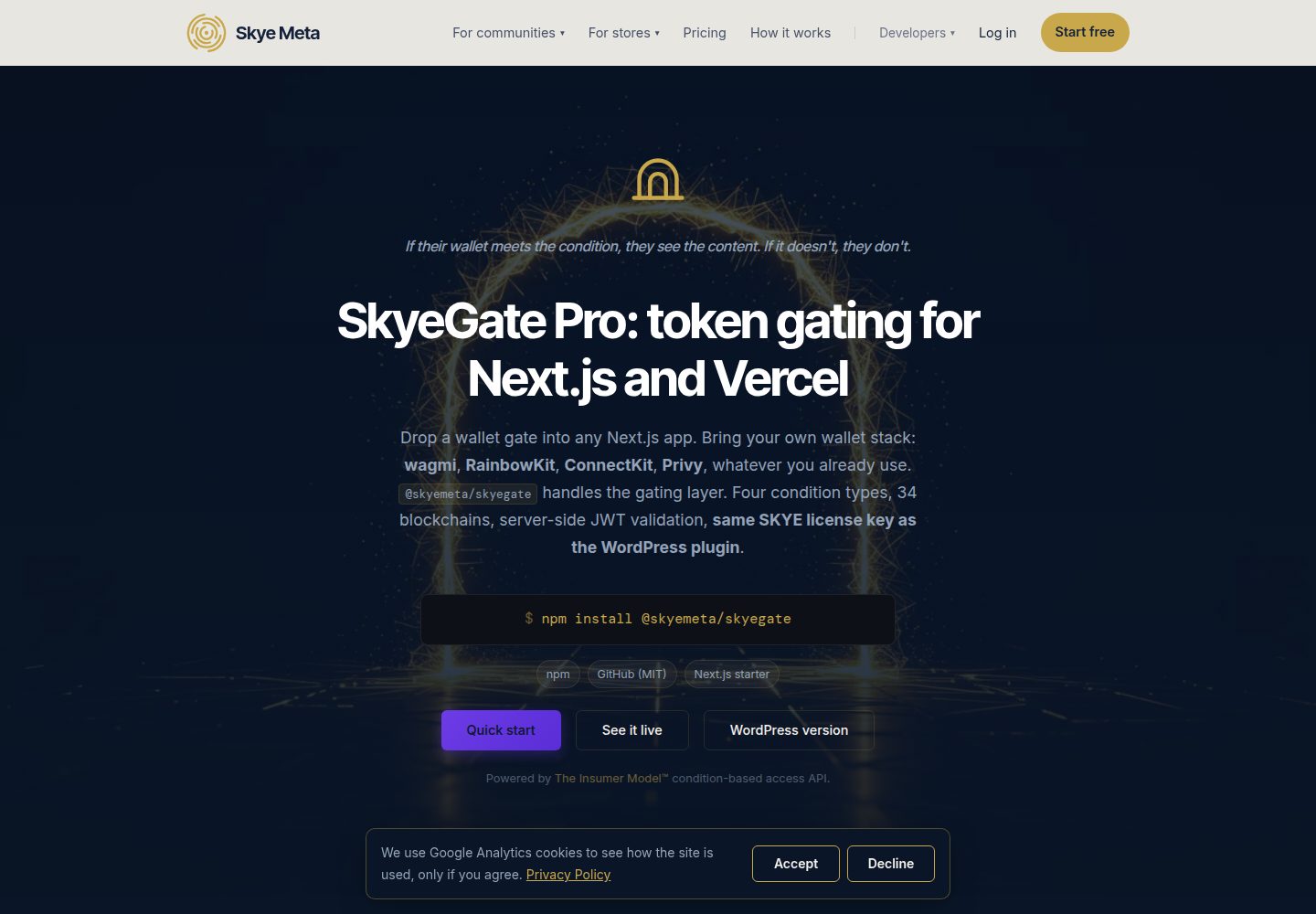
Demonstrates integration of @skyemeta/skyegate with Next.js 15 App Router
Next.jsReactStarter
skyegate-nextjs-starter — Next.js Starter Template
By skyemeta
SkyeGate Next.js Starter is a Next.js 15 App Router application demonstrating @skyemeta/skyegate, implementing gated content through wallet connection, condition verification, and server-side JWT validation.
Explore the design
Compare the page layouts and mobile experience. Open any screenshot for a closer look.
Desktop homepage1 / 3
Desktop captureTop of page
Actual screenshot captured by the server browser.
All pages & views 3
Screenshots show visual appearance; interactive behavior may differ.
Recorded 2026-10-09View source
What stands out
A quick read of the recorded project description.
Uses wagmi and RainbowKit to connect wallets and obtain ownership signatures
Implements condition gating via the <GatedContent /> component, supporting token balance, NFT ownership, EAS attestation, and Farcaster identity
Server-side uses validateContentToken to verify JWT signatures and conditions, preventing replay
Supports up to 10 stacked conditions, all of which must be satisfied to pass
Provides a one-click Vercel deploy button and domain locking instructions
Template Details
This template is a minimal Next.js 15 App Router application that demonstrates how to integrate the @skyemeta/skyegate library. It shows the complete flow for wallet-verified gated content: the browser connects a wallet via wagmi and RainbowKit, uses proveWalletOwnership to obtain a one-time signature proof, and then the <GatedContent /> component calls verifyConditions to send a verification request to the Skye Meta proxy. The proxy forwards the request to InsumerAPI, which evaluates the conditions and returns a signed JWT. On the server side, the Next.js route handler uses validateContentToken to verify the JWT's signature, validity period, and whether the signed conditions match expectations, preventing replay attacks. The template supports four condition types: token balance, NFT ownership, EAS attestation, and Farcaster identity, with up to 10 conditions stackable per gate. The README provides steps for local running, custom conditions, domain locking, and Vercel deployment, and explains the required SkyeGate Pro license key and WalletConnect project ID.
Next.jsStarter
Is it right for your project?
Use Cases
- Add wallet-condition-based gated content to a Next.js application
- Demonstrate SkyeGate's server-side JWT validation and replay protection mechanisms
- Quickly prototype access control supporting multiple on-chain conditions (tokens, NFTs, attestations, social identity)
- Deploy on Vercel and test automatic domain binding
Suitable For
- Next.js developers who need to integrate wallet-verified gating
- Technical teams looking to understand how to use @skyemeta/skyegate
- Developers who need to quickly validate on-chain conditional access control concepts
Getting started & customization
Use these recorded setup notes alongside the repository instructions for your chosen version.
- 1
Requires a SkyeGate Pro license key (SKYE-XXXX-XXXX-XXXX), available for purchase at skyemeta.com
- 2
Requires a WalletConnect Project ID, available for free at cloud.walletconnect.com
- 3
After cloning the repository, run npm install, copy .env.local.example to .env.local, and fill in the keys
- 4
When customizing conditions, copy the same conditions into EXPECTED_CONDITIONS in app/api/gated-content/route.ts
- 5
The license automatically binds to the first production domain on first use; localhost and *.vercel.app preview addresses do not trigger binding
License & source material
Usage conditions & limitations
Free to use · keep license noticeThis entry covers the free version under the MIT license in the public repository; the free scope applies to that version's code and does not imply that external services or third-party assets are free.
Must comply with when using
- Free use, modification, commercial use, and distribution of that version's code are permitted.
- When distributing copies or substantial portions of the code, retain the original author's copyright notice and the full MIT license notice.
- The code is provided as-is; warranties and limitations of liability are governed by the original license and applicable law.
Additional costs & items to verify
- Demo images, fonts, icons, and other third-party assets must be checked against their respective licenses and cannot be judged solely by the code's MIT license.
- External services such as domains, hosting, databases, payments, or AI may incur additional charges.
- Using this template requires purchasing a SkyeGate Pro license key (SKYE-XXXX-XXXX-XXXX); the free code itself does not include that paid authorization.
- You must apply for a WalletConnect Project ID (free) for RainbowKit wallet connection.
- The SkyeGate Pro license automatically binds to the first production domain on first use; afterward, only that domain and its subdomains are available; migrating domains requires action on the account page.
View Original Text Basis
Permission is hereby granted, free of charge
Original License Text
1. **A SkyeGate Pro license key** (`SKYE-XXXX-XXXX-XXXX`). Buy direct:
Original README
2. **A WalletConnect Project ID** for RainbowKit. Free at [cloud.walletconnect.com](https://cloud.walletconnect.com/).
Original README
https://github.com/skyemeta/skyegate-nextjs-starter/blob/main/LICENSEhttps://github.com/skyemeta/skyegate-nextjs-starter/blob/main/README.mdYour SkyeGate Pro license auto-binds to its first production domain on first use. After that, only that domain (and its subdomains: `staging.foo.com` works under a `foo.com` bind) can use the key. `localhost`, `*.vercel.app` preview URLs, and `*.local` skip the bind so dev and preview deploys don't burn it.
Original README
Compiled by DeepSeek based on repository license and README ·2026-10-09. Results only cover the materials read; dependencies, images, fonts, and subsequent term changes are subject to their respective original texts.
Project checks & description sources
Template Information
- Source platforms
- GitHub
- Documentation and maintenance reference score
- More documented · 80 / 100
- Technologies
- Next.js · React
- Website type
- Starter
How this score is calculated
Our heuristic uses license records (up to 30), a demo link (12), a preview (10), stars (15), recorded maintenance (15), description completeness (8), feature records (5) and classification data (5). It is not a code, security or performance test, or a Google score. A link does not establish tested functionality.
What to verify for this project
- Repository update recorded
- 2026-10-09
- Screenshot last checked
- 2026-10-09
A demo link is listed. Check it with your own content and viewport sizes; its presence does not confirm that forms, authentication or payments work.
The catalog identifies Next.js as the primary stack. Check the actual dependency manifest and lockfile for versions and hosting requirements. These notes use recorded metadata, not a code audit or a deployment test.
Use a selection guide →How this description was prepared
AI-assisted description based on catalog records and repository material. Repository authors are not automatically the reviewers of this description.
Review declaration: codex-user-requested-batch-review-20261017 · 2026-10-16
Inspect the recorded source material
SHA-256: 3f126c0f2aa8395b0e8698a3a845bfbba5127ac8cc49d3675b9e6bfb8c7d5752
2026-10-09T18:46:21.683Z
Source file / repository# SkyeGate Next.js Starter
A minimal Next.js 15 App Router app demonstrating [`@skyemeta/skyegate`](https://www.npmjs.com/package/@skyemeta/skyegate): wallet-verified gated content with server-side JWT validation. Connect a wallet, meet a condition, see the unlock. Powered by [InsumerAPI](https://insumermodel.com/developers/).
```
wagmi + RainbowKit → <GatedContent /> → /api/gated-content (server)
↓ ↓
POST /api/verify validateContentToken(jwt)
↓ ↓
skyemeta.com proxy → InsumerAPI returns signed JWT
```
## What it shows
- Wallet connect via RainbowKit (any of the wallets RainbowKit supports: MetaMask, Coinbase Wallet, Rabby, WalletConnect, etc.)
- A one-time wallet-ownership signature (`proveWalletOwnership`), which the proxy requires for licensed EVM checks
- Condition-based gating with `<GatedContent />` from `@skyemeta/skyegate/react`
- Server-side JWT validation in a Next.js route handler with `validateContentToken`
- Replay protection: the proxy evaluates your conditions and InsumerAPI signs the result; your route handler then checks that signed result against its own `expectedConditions` with `validateContentToken` before delivering content, so a JWT earned for one gate cannot unlock another
## Run it
```bash
git clone https://github.com/skyemeta/skyegate-nextjs-starter
cd skyegate-nextjs-starter
npm install
cp .env.local.example .env.local # fill in your keys
npm run dev
```
Open [http://localhost:3000](http://localhost:3000), connect a wallet, watch the gate.
## You need
1. **A SkyeGate Pro license key** (`SKYE-XXXX-XXXX-XXXX`). Buy direct:
- **[Annual, $350/yr](https://buy.stripe.com/8x26oA9F6eWAeAC7S804805)** (save 40%)
- [Monthly, $49/mo](https://buy.stripe.com/eVqbIU18A6q43VY7S804800)
Same key works on the WordPress plugin and this SDK: one license, two stacks. Comparison and FAQ at [skyemeta.com/skyegate](https://skyemeta.com/skyegate/).
2. **A WalletConnect Project ID** for RainbowKit. Free at [cloud.walletconnect.com](https://cloud.walletconnect.com/).
Set both in `.env.local`:
```sh
NEXT_PUBLIC_SKYE_LICENSE_KEY=SKYE-XXXX-XXXX-XXXX
NEXT_PUBLIC_WALLETCONNECT_PROJECT_ID=your-project-id-here
```
## Customize the gate
`app/page.tsx` defines a single condition (the default: ≥ 0.000001 ETH on Ethereum mainnet). Swap it for any of the 4 supported types:
```tsx
// Token balance: any ERC-20 / SPL / native token
{ type: 'token_balance', contractAddress: 'native', chainId: 1, threshold: '0.01' }
// NFT ownership: any ERC-721 / Solana NFT
{ type: 'nft_ownership', contractAddress: '0x57f1887a8BF19b14fC0dF6Fd9B2acc9Af147eA85', chainId: 1 } // ENS
// EAS attestation: Coinbase Verified, Gitcoin Passport, etc.
{ type: 'eas_attestation', template: 'coinbase_verified_account' }
// Farcaster identity: wallet linked to a Farcaster account
{ type: 'farcaster_id' }
```
Then copy the **same** condition into `EXPECTED_CONDITIONS` in `app/api/gated-content/route.ts`, so the server-side replay-protection check matches. Copy it as written, `label` and `template` included: `validateContentToken` checks a template through what it resolves to and a label against the signed label. Leave `decimals` out; the token's own decimals are read from the chain. (If the two don't match, the route returns 403 even on a valid JWT.)
You can stack up to 10 conditions per gate; `pass=true` requires every one to be met.
## Domain locking
Your SkyeGate Pro license auto-binds to its first production domain on first use. After that, only that domain (and its subdomains: `staging.foo.com` works under a `foo.com` bind) can use the key. `localhost`, `*.vercel.app` preview URLs, and `*.local` skip the bind so dev and preview deploys don't burn it.
To move a key to a different domain, use **Move License to New Domain** at [skyemeta.com/account](https://skyemeta.com/account/): it unbinds the key, and the next production call binds it to the new domain.
## Deploy on Vercel
[](https://vercel.com/new/clone?repository-url=https%3A%2F%2Fgithub.com%2Fskyemeta%2Fskyegate-nextjs-starter)
After clicking, set `NEXT_PUBLIC_SKYE_LICENSE_KEY` and `NEXT_PUBLIC_WALLETCONNECT_PROJECT_ID` in the Vercel project's environment variables. The first request from your custom production domain auto-binds the license.
## How it works in 60 seconds
1. The browser collects a wallet address from wagmi + RainbowKit, then asks the wallet for one free signature: `proveWalletOwnership` exchanges it for a short-lived `walletProof` token that shows the visitor controls the address, not just that they typed it. The proxy requires it for licensed EVM checks.
2. `<GatedContent />` calls `verifyConditions({ address, conditions, licenseKey, walletProof })`, which POSTs to the Skye Meta proxy at `skyemeta.com/api/verify`.
3. The proxy validates your license, domain and wallet proof, and forwards the request to InsumerAPI, which evaluates the conditions and returns a signed JWT. A "not met" renders `fallback`; no verdict at all (an outage, a license problem) renders `errorFallback`.
4. On `pass: true`, `<GatedContent>` renders its `children` and fires `onPass(jwt, pqJwt)`; `pqJwt` is the ML-DSA-65 post-quantum companion InsumerAPI returns beside the ES256 JWT.
5. Your `onPass` handler POSTs both tokens to `/api/gated-content`. The route handler calls `validateContentToken(jwt, { expectedConditions, pqJwt })`: `jose` verifies the ECDSA P-256 signature against InsumerAPI's JWKS, checks `exp`, confirms the signed conditions match what the route requires, and reports the companion as `result.pq` (verified, refuted, absent, or unverifiable; a refuted companion always fails, and the companion is bound to the JWT by every claim, the signed conditions included).
6. Only on a clean `pass` does the route return the gated content. The text never reaches the browser otherwise, not even in the page source or the JS bundle.
## License
MIT, © Skye Meta Corp. Fork it, ship it, customize it. The SDK (`@skyemeta/skyegate`) is also MIT.
Explore similar templates
Compare previews and descriptions within the same stack and category.

Next.js SaaS Starter
The official Next.js SaaS starter template, integrating email/password authentication, Stripe Checkout subscriptions, a dashboard with user/team CRUD, basic Owner/Member RBAC, and activity logging.
Next.js · SaaS

Next.js Commerce
Vercel's officially maintained Next.js App Router ecommerce starter with deep Shopify integration, offering a complete product catalog, cart, and checkout flow. Core logic is modular for swapping backends, and community provider versions exist for BigCommerce, Medusa, and Saleor.
Next.js · E-commerce

Next-js-Boilerplate
A developer-first Next.js 16 starter with Tailwind CSS 4 and TypeScript, supporting both App Router and Page Router.
Next.js · Starter

tailwind-nextjs-starter-blog
A Next.js and Tailwind CSS blog starter template using Contentlayer for Markdown/MDX, with built-in SEO, code highlighting, and tags. It targets personal technical blogs and migration from Jekyll/Hugo to React, and supports one-click Vercel deployment.
Next.js · Blog

next-forge
next-forge is a Turborepo-based Next.js template maintained by Vercel, positioned as a starting point for SaaS products.
Next.js · Starter

SaaS-Boilerplate
SaaS-Boilerplate is an open-source SaaS starter template built with Next.js App Router, React 19, TypeScript, Tailwind CSS, and Shadcn UI.
Next.js · SaaS