基于 Astro 构建界面,使用 Tailwind CSS 处理样式与响应式设计
Astro启动器
hub-itsteddydev — Astro 启动器模板
作者 tedevs0
Personal Hub 是一个基于 Astro 与 Tailwind CSS 的模板,用于集中整理个人或职业信息、项目与重要链接。README 提供了两种安装方式与基本定制说明。
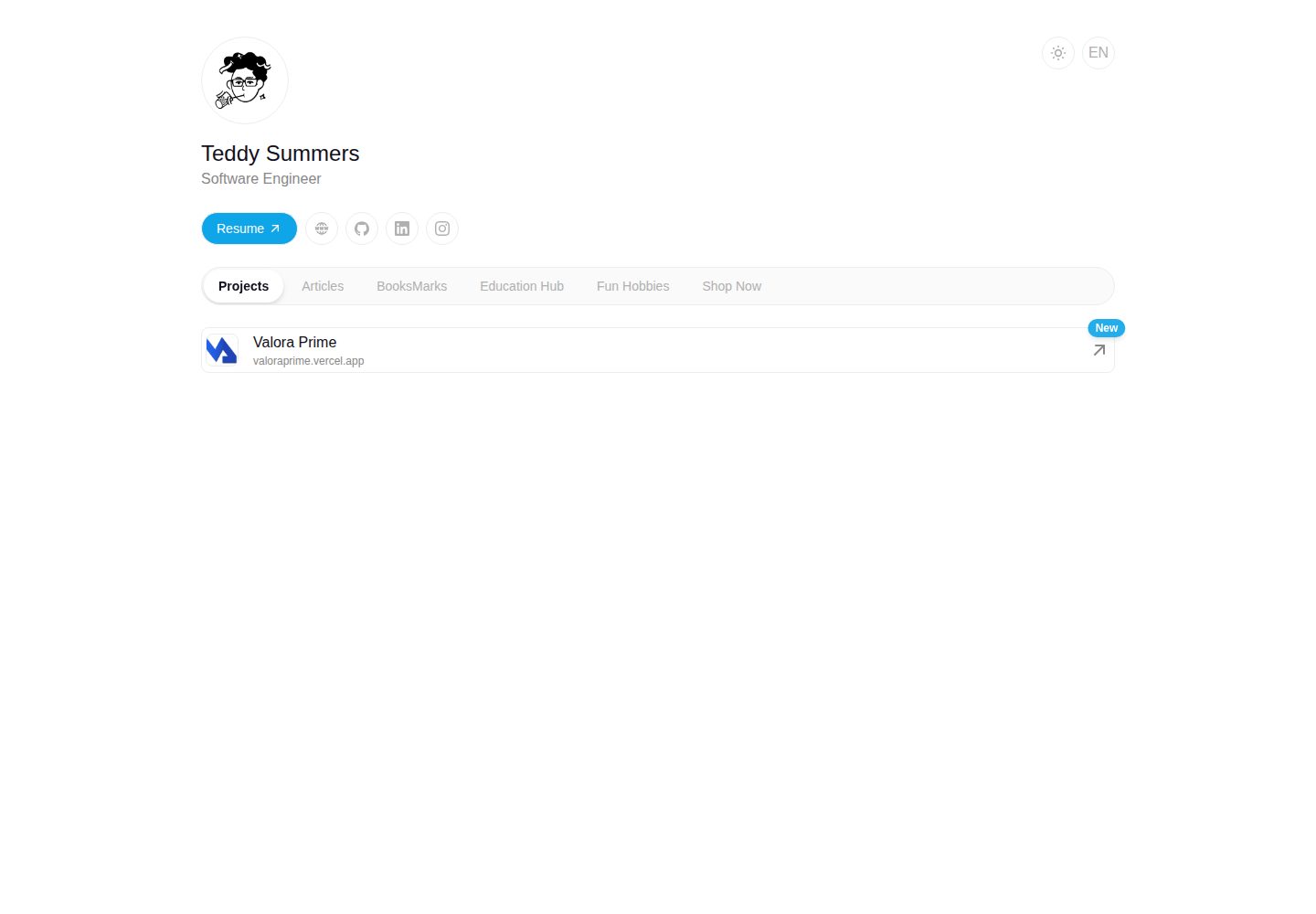
看看你的网站会是什么样
浏览真实页面截图,比较内容排版与手机效果。点击下方缩略图切换,放大查看整页细节。
全部页面与视图 2
截图用于了解视觉与布局,交互效果请以实际项目为准。
采集于 2026-10-04查看来源
值得关注的模板亮点
从已有项目资料中,快速了解它的特点。
README 提供 npm create astro 快速套用与手动克隆两种安装方式
开发服务器默认运行在 http://localhost:4321
README 描述可增删改个人信息、添加项目与社交链接、启用或禁用模块
以 MIT 许可证发布
模板详细介绍
Personal Hub 是发布在 Astro 主题库中的模板,目标是把个人或职业信息、项目、重要链接等集中到一个统一界面中管理。README 说明它支持配置和调整界面、连接外部平台与服务,并提到通过认证与授权保护数据,但未给出具体集成清单、认证方式或安全实现细节。
技术栈方面,README 列出 Astro 作为界面构建框架、Tailwind CSS 负责样式与响应式设计、Vercel 用于部署与托管,未提供具体版本号。安装提供两种方式:使用 npm create astro 命令直接套用模板,或手动克隆仓库、安装依赖并运行开发服务器,默认访问地址为 http://localhost:4321。
使用层面,README 描述可以增删改个人信息、添加项目与社交媒体链接、按偏好启用或禁用模块,但没有说明配置文件的字段结构或模块清单。仓库附有桌面与移动端截图,可确认页面外观存在,但截图本身不证明具体功能。
Astro启动器
适合你的项目吗?
适用场景
- 集中展示个人简介、项目与常用链接的页面
- 作为 Astro 项目起点,在其基础上调整界面与内容
- 部署到 Vercel 托管个人站点
适合人群
- 希望用 Astro 与 Tailwind CSS 搭建个人信息聚合页的开发者
- 需要可自行修改内容与模块开关的个人站点使用者
- 想通过模板命令快速创建 Astro 项目的用户
上手与定制指南
结合仓库当前版本的说明,按下面的资料检查内容、配置与运行要求。
- 1
推荐方式:运行 npm create astro@latest -- --template itsteddydev/hub-itsteddydev 创建项目
- 2
手动方式:克隆仓库后执行 npm install 安装依赖
- 3
运行 npm run dev 启动开发服务器,并访问 http://localhost:4321
- 4
README 未说明环境变量、认证配置或部署到 Vercel 的具体步骤
授权与来源资料
使用条件与限制
免费使用 · 保留许可声明本次收录的是公开仓库中采用 MIT 许可的免费版本;免费范围为该版本代码,不代表外部服务或第三方素材免费。
使用时需要遵守
- 允许免费使用、修改、商用和分发该版本代码。
- 分发代码副本或实质性部分时,保留原作者版权声明和完整 MIT 许可声明。
- 代码按现状提供;担保与责任限制以原许可证及适用法律为准。
额外费用与待核对事项
- 演示图片、字体、图标及其他第三方素材需按各自许可核对,不能仅凭代码的 MIT 许可判断。
- 域名、托管、数据库、支付或 AI 等外部服务可能另外收费。
查看原文依据
https://github.com/tedevs0/hub-itsteddydev/blob/main/LICENSEhttps://github.com/tedevs0/hub-itsteddydev/blob/main/README.mdPermission is hereby granted, free of charge
许可证原文
DeepSeek 根据仓库许可证和 README 整理 ·2026-10-04。结果仅覆盖已读取资料,依赖、图片、字体及后续条款变更以各自原文为准。
项目核对记录与介绍依据
模板资料
- 来源平台
- Astro Themes
- 资料与维护参考分
- 资料较完整 · 81 / 100
- 技术栈
- Astro
- 网站类型
- 启动器
这个分数如何计算
本站按许可资料(最高30分)、演示链接(12分)、预览图(10分)、Star数(15分)、记录的维护时间(15分)、描述完整度(8分)、功能记录(5分)和分类资料(5分)计算。它不是代码、安全或性能测试,也不是 Google 评分;有链接不代表已实测可用。
这个项目需要核对什么
- 记录的仓库更新时间
- 2025-04-05
- 截图检查日期
- 2026-10-04
已收录演示链接。请用你的内容与屏幕尺寸检查;有演示不代表表单、认证或支付已经可用。
目录记录的主要技术栈是 Astro。请通过依赖清单和锁文件核对实际版本与托管要求。这些说明基于收录资料,不代表代码审计或部署实测。
查看具体选型方法 →介绍的制作与核对状态
介绍由 AI 辅助整理目录与仓库资料。仓库作者不等于这篇介绍的审核者。
审核声明: codex-user-requested-batch-review-20261017 · 2026-10-16
查看当时使用的来源资料
SHA-256: 3093072ee67969950ea4eadd4369eb8bce9c8ba074b8a545cf45fd3d01068edf
2026-10-04T09:09:11.140Z
来源文件 / 仓库# Personal Hub [](https://github.com/itsteddydev/hub-itsteddydev) [](https://opensource.org/licenses/MIT) [](https://astro.build/themes/details/personal-hub-a-customizable-personal-link/)  ## Description Personal Hub is a template designed to centralize and organize personal or professional information in one place. This tool allows users to manage and access their data, projects, important links, and more, all from a unified interface. ## Table of Contents - [Features](#features) - [Technologies Used](#technologies-used) - [Installation](#installation) - [Usage](#usage) - [Screenshots](#screenshots) - [License](#license) - [Contact](#contact) ## Features - **Centralized Management**: Access all your information from a single place. - **Customization**: Configure and adapt the interface to your needs. - **Integrations**: Connect with various platforms and external services. - **Security**: Protect your data with proper authentication and authorization. ## Technologies Used - **Astro**: Main framework for building the interface. - **Tailwind CSS**: Styling and responsive design. - **Vercel**: Deployment and hosting of the application. ## Installation You can use this template in two ways: ### 1. Quick Start (Recommended) Create a new project using this template with: ```bash npm create astro@latest -- --template itsteddydev/hub-itsteddydev ``` ### 2. Manual Installation Follow these steps to install and run the project locally: 1. **Clone the repository**: ```bash git clone https://github.com/itsteddydev/hub-itsteddydev.git ``` 2. **Navigate to the project directory**: ```bash cd hub-itsteddydev ``` 3. **Install dependencies**: ```bash npm install ``` 4. **Start the development server**: ```bash npm run dev ``` 5. Open your browser and visit `http://localhost:4321` to see the application in action. ## Usage Once the application is running, you can: - **Customize your profile**: Add, edit, or remove personal information. - **Add links**: Include links to your projects, social media, or any relevant resources. - **Configure widgets**: Enable or disable modules according to your preferences. ## Screenshots     ## License This project is licensed under the MIT License. See the [LICENSE](./LICENSE) file for more details. ## Contact For inquiries, suggestions, or feedback, you can reach me through: - **LinkedIn**: [itsteddydev](https://www.linkedin.com/in/itsteddydev/) - **Twitter**: [@itsteddydev](https://twitter.com/itsteddydev) --- Thank you for using Personal Hub! We hope this tool helps you efficiently organize and centralize your information.
看看同类模板
对比同技术栈与用途的模板,找到更适合的视觉与内容结构。

astrowind
⭕️ AstroWind: A free template using Astro v7 and Tailwind CSS v4. Astro starter theme.
Astro · 博客
accessible-astro-starter
Accessible Astro Starter 是一个以无障碍为核心理念的 Astro 6 启动模板,由 incluud 团队维护。
Astro · 博客

astro-erudite
An opinionated, unstyled static blogging template built with Astro and native CSS.
Astro · 作品集

astro-shopify
astro-shopify 是一个面向开发者的轻量级电商启动模板,用于构建基于 Shopify 的无头店面。
Astro · 电商

brutal
A neobrutalism Astro starter theme
Astro · 启动器
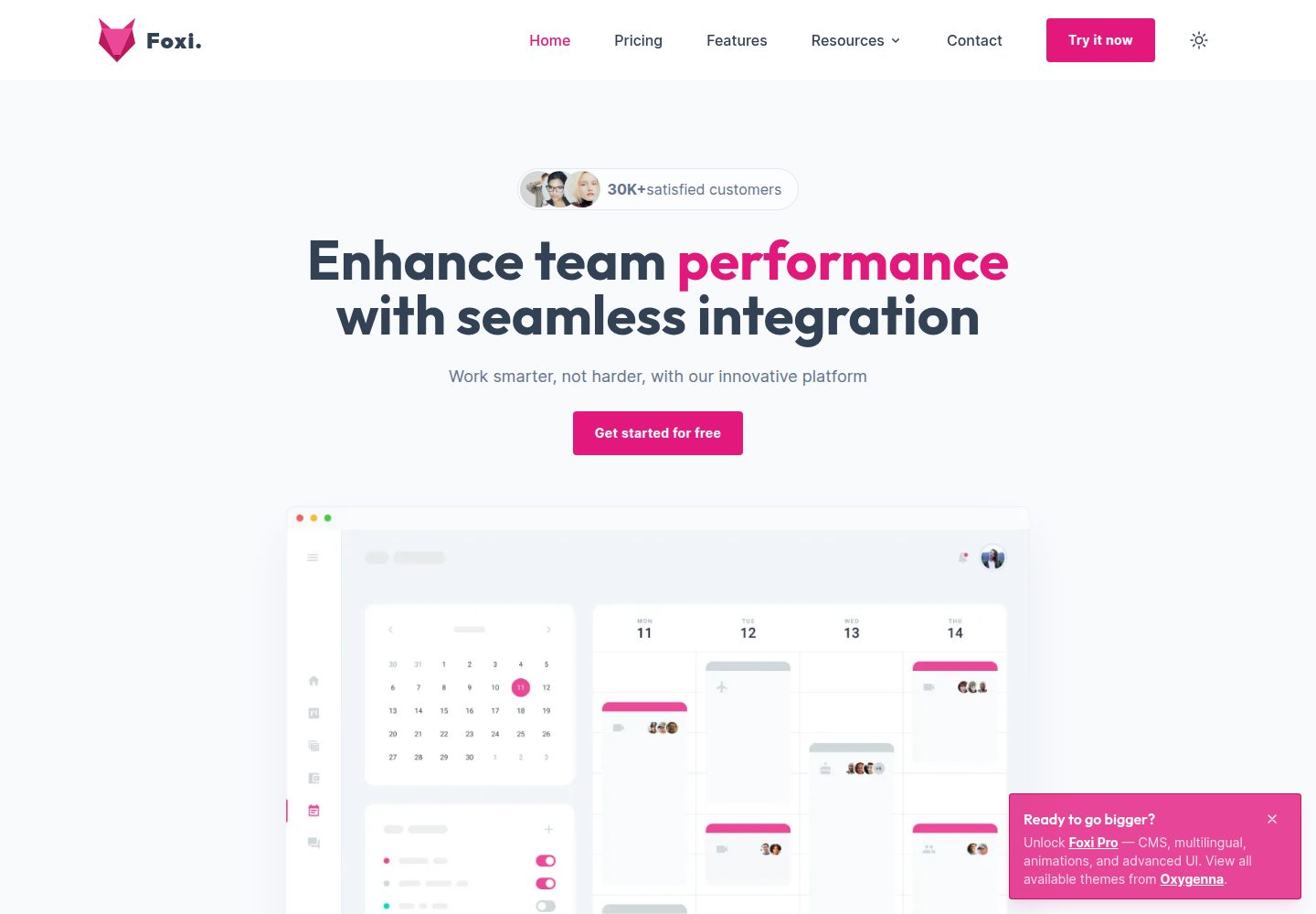
foxi-astro-theme
Foxi is an Astro theme crafted with Tailwind CSS, designed for blazing-fast performance and seamless user expe…
Astro · 博客