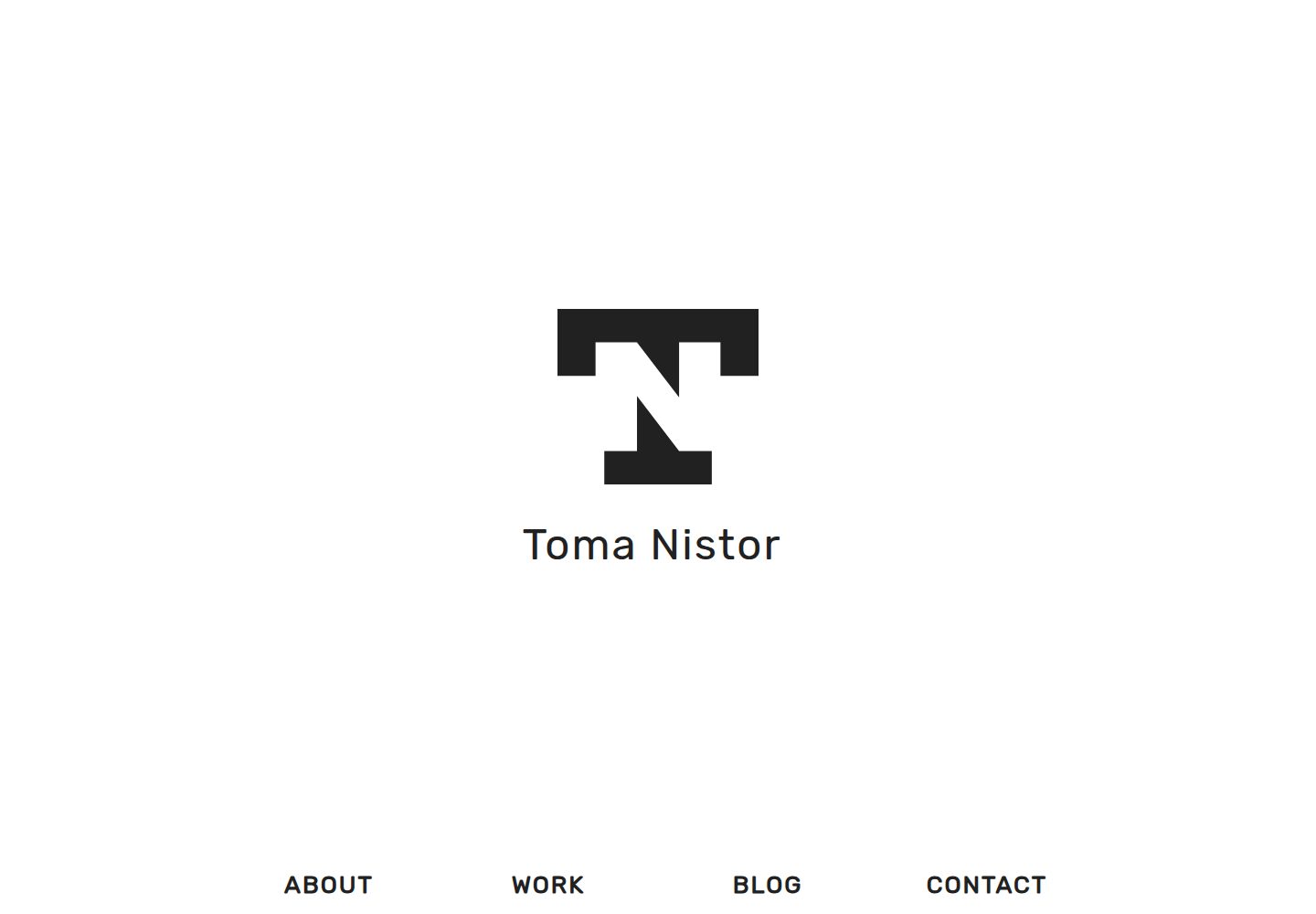
单页作品集结构,首页包含 About、Work、Blog、Contact 区块,导航默认指向页内锚点
Hugo作品集博客
osprey — Hugo 作品集模板
作者 tomanistor
Osprey 是一个基于 Hugo 的单页作品集主题,首页集中展示个人介绍、作品画廊、博客与联系方式,并配有独立博客页面。
看看你的网站会是什么样
浏览真实页面截图,比较内容排版与手机效果。点击下方缩略图切换,放大查看整页细节。
全部页面与视图 3
截图用于了解视觉与布局,交互效果请以实际项目为准。
采集于 2026-09-30查看来源
值得关注的模板亮点
从已有项目资料中,快速了解它的特点。
画廊条目通过 front matter 配置图片、替代文本、颜色与两个外链
附带独立博客,支持 Disqus 评论与 Highlight.js 代码高亮
使用 SASS 编写样式,并通过 Hugo Pipes 对 CSS/JS 做压缩与缓存哈希
提供 customCSS 开关,可在 layouts/partials/css.html 中内联追加自定义样式
联系表单可选 Formspree 或 Basin,后者提供免费的 AJAX 提交方式
模板详细介绍
Osprey 是一个 Hugo 主题,定位为单页作品集,同时附带一个博客。首页由 About、Work、Blog、Contact 等区块组成,导航菜单默认指向首页内的锚点。内容层面主要包含两类:博客文章与画廊图片,分别通过 hugo new blog/post-title.md 和 hugo new gallery/image-title.md 创建;画廊条目在 front matter 中可配置图片、替代文本、颜色以及两个外链。主题使用 SASS 编写样式,并借助 Hugo Pipes 对 CSS 与 JavaScript 做压缩和缓存哈希处理,同时提供 customCSS 开关,允许在 layouts/partials/css.html 中以内联方式追加自定义样式。
功能集成方面,主题支持 Disqus 评论、Google Analytics 与 Google Tag Manager、OpenGraph 与 Twitter Cards,以及 Highlight.js 代码高亮和 lazysizes 懒加载。联系表单提供两种选择:Formspree 与 Basin。README 说明 Formspree 的 AJAX 表单已不再对新用户免费,非 AJAX 版本提交后会跳转到验证码页面;Basin 则提供免费的 AJAX 表单服务,需要注册并填入表单端点。
使用限制与注意事项:主题当前不使用 tag 与 category 分类法,配置示例中通过 disableKinds 关闭了 taxonomy 与 taxonomyTerm。联系表单依赖外部服务,实际提交前需完成服务端配置,其额度与费用需单独核对。演示图片、字体、图标等第三方素材的许可需按各自来源确认。代码以 Apache-2.0 许可发布,分发时需随附许可证并保留相关声明。
Hugo作品集博客
适合你的项目吗?
适用场景
- 个人开发者或设计师搭建单页作品集,并附带一个博客栏目
- 以画廊形式展示项目图片,并为每张图片添加说明与外部链接
- 在静态站点中集成 Disqus 评论、Google Analytics 与社交分享元数据
- 使用 Hugo 的 SASS 与 Hugo Pipes 流程管理样式和静态资源缓存
适合人群
- 使用 Hugo 并希望快速搭建单页作品集与博客的个人用户
- 需要画廊式作品展示、且能接受通过 front matter 逐条维护图片的站点
- 对评论、分析统计与社交分享元数据有集成需求的静态站点
- 愿意自行配置第三方表单服务(Formspree 或 Basin)的开发者
上手与定制指南
结合仓库当前版本的说明,按下面的资料检查内容、配置与运行要求。
- 1
将主题克隆到 Hugo 站点的 themes/osprey 目录,或以 git submodule 方式添加
- 2
在 config.toml 中设置 theme = "osprey",并按需填写 tagline、author、description、logo 与社交链接等参数
- 3
主题不使用 tag 与 category 分类法,配置示例中通过 disableKinds 关闭 taxonomy 与 taxonomyTerm
- 4
联系表单需在 Formspree 或 Basin 注册并填入端点;Formspree 的 AJAX 表单已不再对新用户免费
- 5
自定义 CSS 需将 customCSS 设为 true,并在 layouts/partials/css.html 中写入样式
授权与来源资料
使用条件与限制
免费使用 · 保留许可声明本次收录的是公开仓库中采用 Apache-2.0 许可的免费版本;免费范围为该版本代码,不代表外部服务或第三方素材免费。
使用时需要遵守
- 允许免费使用、修改、商用和分发;分发时需随附 Apache-2.0 许可证。
- 修改过的文件需显著标明改动,并保留相关版权、专利、商标及归属声明。
- 若原项目附有 NOTICE 文件,分发衍生作品时需保留其中适用的归属声明。
- 许可包含适用的贡献者专利授权;发起许可所述专利诉讼会终止该专利授权,且不授予商标使用权。
- 代码按现状提供;担保与责任限制以原许可证及适用法律为准。
额外费用与待核对事项
- Formspree 的 AJAX 联系表单已不再对新用户免费,属于 Formspree Gold 付费功能;免费用户只能使用非 AJAX 版本(提交后跳转验证码页面),或改用 Basin。
- 使用 Basin 联系表单需先注册免费账户,并将表单端点 URL 填入 ajaxBasin 配置项,同时在 Basin 后台开启 AJAX 提交选项。
- Formspree 联系表单依赖外部服务,首次使用需提交一次表单以确认接收邮件的邮箱地址。
- 主题当前不使用 tag 与 category 分类法,配置示例通过 disableKinds 关闭 taxonomy 与 taxonomyTerm。
- 静态资源缓存哈希功能需要额外配置才能生效。
- README 提及 Formspree 表单服务;真实提交需配置服务端点,其使用额度与费用需单独核对。
- 演示图片、字体、图标及其他第三方素材需按各自许可核对,不能仅凭代码的 Apache-2.0 许可判断。
- 域名、托管、数据库、支付或 AI 等外部服务可能另外收费。
查看原文依据
no-charge, royalty-free, irrevocable copyright license
许可证原文
Formspree no longer offers newly set up AJAX contact forms for free. This is now a Formspree Gold feature.
README 原文
sign up for a free account
README 原文
The contact form is operated by Formspree and requires that the form must be submitted once initially to confirm the email address being used.
README 原文
This theme does not currently use "tag" and "category" taxonomies
README 原文
https://github.com/tomanistor/osprey/blob/master/LICENSEhttps://github.com/tomanistor/osprey/blob/master/README.mdCache busting of static resources (additional set up required)
README 原文
DeepSeek 根据仓库许可证和 README 整理 ·2026-10-01。结果仅覆盖已读取资料,依赖、图片、字体及后续条款变更以各自原文为准。
项目核对记录与介绍依据
模板资料
- 来源平台
- GitHub
- 资料与维护参考分
- 资料较完整 · 81 / 100
- 技术栈
- Hugo
- 网站类型
- 作品集 · 博客
这个分数如何计算
本站按许可资料(最高30分)、演示链接(12分)、预览图(10分)、Star数(15分)、记录的维护时间(15分)、描述完整度(8分)、功能记录(5分)和分类资料(5分)计算。它不是代码、安全或性能测试,也不是 Google 评分;有链接不代表已实测可用。
这个项目需要核对什么
- 记录的仓库更新时间
- 2022-04-30
- 截图检查日期
- 2026-10-01
已收录演示链接。请用你的内容与屏幕尺寸检查;有演示不代表表单、认证或支付已经可用。
目录记录的主要技术栈是 Hugo。请通过依赖清单和锁文件核对实际版本与托管要求。这些说明基于收录资料,不代表代码审计或部署实测。
查看具体选型方法 →介绍的制作与核对状态
介绍由 AI 辅助整理目录与仓库资料。仓库作者不等于这篇介绍的审核者。
已完成服务器许可规则与 AI 来源核对;未经过人工编辑审核。
查看当时使用的来源资料
SHA-256: 41a71f48bd10ce8174e38409593106225882a012a7be1abdc25c6929de7ec447
2026-10-01T14:17:36.464Z
来源文件 / 仓库
# Osprey
Osprey is a simple, clean, and fast one-page [Hugo](https://gohugo.io/) portfolio accompanied by a blog.
## Features
* Minimalist, clean, and uncluttered theme
* Portfolio display gallery
* [Disqus](https://disqus.com) comments
* [Formspree](https://formspree.io) AJAX contact form (with Formspree Gold)
* [Basin](https://usebasin.com/) AJAX contact form (free)
* Responsive Flexbox Grid
* [SASS](http://sass-lang.com/) styling
* Minimized/compressed CSS and JavaScript files with cachebusting hash setup
* Syntax highlighting with [Highlight.js](https://highlightjs.org/)
* SEO-friendly construction
* [Google Analytics](https://analytics.google.com) and [Google Tag Manager](https://tagmanager.google.com) integration
* [OpenGraph](http://ogp.me/) and [Twitter Cards](https://dev.twitter.com/cards/overview) integration
* Quick loading speeds
* Custom CSS option
## Screenshot

## Installation
### Option 1: Clone Repository
In the root of your Hugo site directory run:
```console
$ cd themes
$ git clone https://github.com/tomanistor/osprey.git
```
### Option 2: Create Submodule
Create a submodule linked directly to the theme's GitHub repository in order to receive updates:
```console
$ git submodule add https://github.com/tomanistor/osprey.git themes/osprey
```
Then run:
```console
$ git submodule update --init --recursive --remote
```
## Configuration
Osprey comes with several configuration options to aid in site customization. This is an example config.toml file:
```toml
title = "Osprey Example Site"
baseURL = "https://tomanistor.com"
tags = ["portfolio", "web design", "blog"]
languageCode = "en-US"
config = "config.toml"
theme = "osprey"
canonifyURLS = true
googleAnalytics = ""
disqusShortname = "tomanistor"
disableKinds = ["taxonomy", "taxonomyTerm"] # This theme does not currently use "tag" and "category" taxonomies
[Params]
tagline = "Osprey Example Site"
author = "Toma Nistor"
description = "Full-stack web developer and UI/UX enthusiast based in San Diego, CA."
logoBig = "/images/osprey-logo.png"
logoSmall = "/images/osprey-logo.png"
favicon = "favicon.ico"
opengraphImage = "/images/osprey.png"
email = ""
googleTagManager = ""
customCSS = false
# Social media links in footer
twitter = "TomaNistor"
linkedin = "tomanistor"
github = "tomanistor"
facebook = ""
# Copyright and theme author credit in footer
copyright = false
credit = false
# Cache busting of static resources (additional set up required)
cacheBustCSS = true
cacheBustJS = true
# Code highlighting with highlight.js
highlightJS = true
highlightJSStyle = "" # For custom highlight.js styles, add your /path/to/styles/default.css
highlightJSScript = "" # For custom highlight.js languages config, add your /path/to/highlight.pack.js
# Choose either Formspree contact form or Basin contact form
ajaxFormspree = false
ajaxFormspreeGold = false
ajaxBasin = "https://usebasin.com/f/0eae7044d4c2"
# Lazy loading with lazysizes
lazyloading = true
[[menu.main]]
name = "About"
url = "/#about"
weight = 1
[[menu.main]]
name = "Work"
url = "/#work"
weight = 2
[[menu.main]]
name = "Blog"
url = "/#blog"
weight = 3
[[menu.main]]
name = "Contact"
url = "/#contact"
weight = 4
```
## Using Osprey
The two main content types are blog posts and gallery images.
### About Section
To create an about section that renders on the home page, run:
```console
$ hugo new about.md
```
### Blog Posts
To create a new blog post, run:
```console
$ hugo new blog/post-title.md
```
### Gallery Images
To add a new image to your portfolio, run:
```console
$ hugo new gallery/image-title.md
```
The gallery archetype comes with its own configuration. Here is an example:
```md
+++
date = "2017-05-10T21:35:17-07:00"
title = "Image Title"
image = "image-file.png"
alt = "This is a description of the image"
color = "#7ac143"
link1 = "https://tomanistor.com"
link2 = "https://github.com/tomanistor"
+++
```
### Contact Form
Two contact forms services are offered as options: Formspree and Basin.
#### Formspree
_Update 4/15/18 - [Formspree no longer offers newly set up AJAX contact forms for free. This is now a Formspree Gold feature.](https://github.com/formspree/formspree/pull/173)_ You can either use the non-AJAX version of Formspree (which redirects to a Captcha page on form submit) by setting the config.toml parameter `ajaxFormspreeGold` to `false`, sign up for Formspree Gold and set the parameter to `true`, or sign up for Basin and use their contact form service for free.
The email address specified in the config.toml file will be the one receiving messages sent through the contact form. The contact form is operated by Formspree and requires that the form must be submitted once initially to confirm the email address being used. See instruction [here](https://formspree.io/).
#### Basin
Basin is an alternative, free AJAX contact form service. To use Basin, [sign up for a free account](https://usebasin.com/users/sign_up) and create a form. Copy and paste your form's URL endpoint to the `ajaxBasin` config.toml parameter. Select the `Submit this form via AJAX` option on your Basin dashboard.

### Custom CSS
To implement custom CSS sitewide, change the config.toml parameter `customCSS` from `false` to `true` and then create a `css.html` file in your `layouts/partials/` folder like the example below:
```html
<style>
<!-- This will remove the shadow on the navbar -->
nav {
box-shadow: none;
}
</style>
```
This will render inline CSS in the head of your site and without adding an extra HTTP request.
### Cache Busting
As of `v2.1.0`, this theme uses native [Hugo Pipes](https://gohugo.io/hugo-pipes/introduction/) for cache busting of assets. Generated assets will be served from the `resources` folder and will no longer require any additional setup with Gulp.
## Contributions
If you'd like to help with the development of this theme, I encourage you to submit a pull request or create an issue if you find a bug. All help is appreciated.
## License
This theme is released under the Apache 2.0 license. For more information read the [license](https://github.com/tomanistor/osprey/blob/master/LICENSE).
看看同类模板
对比同技术栈与用途的模板,找到更适合的视觉与内容结构。

hugo-PaperMod
PaperMod 是 Hugo 生态里知名度较高的主题之一,定位很明确:给博客和轻量作品集站点提供一套干净、响应式的阅读界面。
Hugo · 作品集

LoveIt
❤️A clean, elegant but advanced blog theme for Hugo 一个简洁、优雅且高效的 Hugo 主题
Hugo · 博客

hugo-coder
A minimalist blog theme for hugo.
Hugo · 博客

blowfish
Personal Website & Blog Theme for Hugo
Hugo · 博客

hugo-paper
🪺 A simple, clean, customizable Hugo theme
Hugo · 博客

hextra
Hextra 是一个 Hugo 主题,定位在文档站与博客之间:既提供侧边栏导航、目录、面包屑、分页这类文档站结构,也能承载博客内容。
Hugo · 文档