React + Vite 工程结构,包含 components、utils、assets 等清晰目录划分
ReactHTML作品集
portfolio (wderocco8) — React 作品集模板
作者 wderocco8
一个基于 React 的个人作品集网站模板,源自作者个人站点,可 fork 后替换图片与文案,并部署到 Netlify。
看看你的网站会是什么样
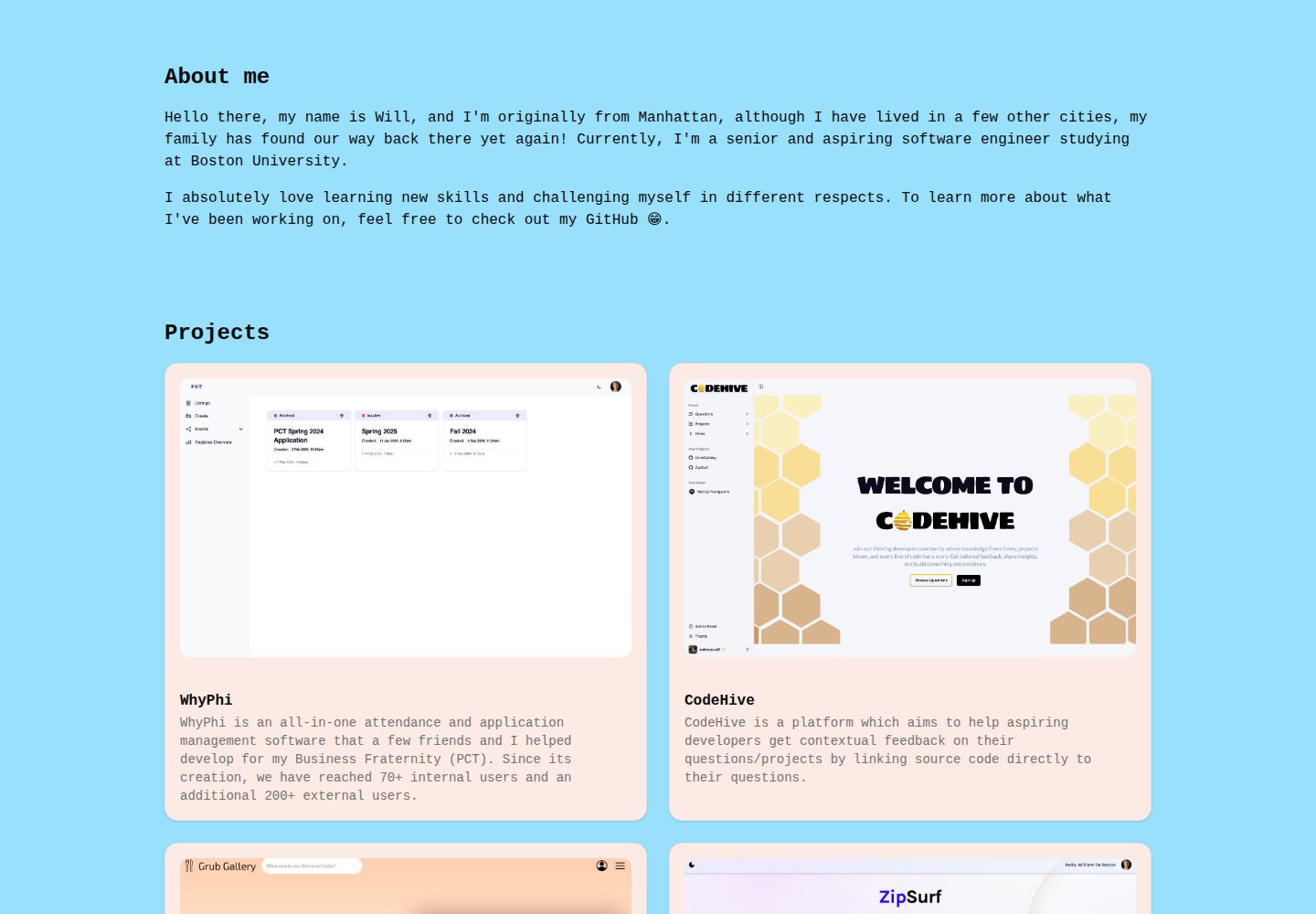
浏览真实页面截图,比较内容排版与手机效果。点击下方缩略图切换,放大查看整页细节。
全部页面与视图 2
截图用于了解视觉与布局,交互效果请以实际项目为准。
采集于 2026-10-12查看来源
值得关注的模板亮点
从已有项目资料中,快速了解它的特点。
代码中以 TODO 注释标出需要替换的图片、文案与样式位置
内置聊天机器人组件,通过 .env.local 配置 OpenAI API 密钥启用
README 提供 fork、本地运行、Netlify 部署与后续更新的完整步骤
MIT 许可,允许免费使用、修改、商用和分发该版本代码
模板详细介绍
这个仓库是作者个人网站 wderocco8/portfolio 的公开版本,最初为原生 HTML/CSS/JavaScript 站点,后改写为 React 项目。README 同时指向一个用于教学的可 fork 模板仓库 react-portfolio-template,说明其定位是让使用者以 fork 方式快速搭建个人作品集。
项目采用标准 React 加 Vite 的工程结构,包含 public/images、src/components、src/App.tsx、src/index.css 等目录与文件,代码中通过 TODO 注释提示需要替换的内容。模板内置一个聊天机器人功能,需要配置 OpenAI API 密钥(.env.local 中的 VITE_OPENAI_API_KEY)才能运行;若不保留该功能,可忽略此配置。
使用流程为:fork 仓库、克隆到本地或使用 GitHub Codespaces、执行 npm install 与 npm run dev 本地预览,替换 public/images 下的图片(需保持原文件名)并修改 App.tsx 与组件中的文案,最后在 Netlify 导入该仓库完成部署。README 说明这是静态站点,部署时无需构建命令或高级配置;后续向 main 分支推送改动,Netlify 会自动重新部署。
限制方面:模板中的图片、字体、图标等第三方素材需自行核对许可;OpenAI 等外部服务可能产生费用;README 未说明浏览器兼容性、无障碍支持或性能表现,这些方面需使用者自行评估。
ReactHTML作品集
适合你的项目吗?
适用场景
- 个人开发者搭建展示项目、技能与经历的作品集网站
- 作为教学或练习项目,学习 React 组件化组织与静态站点部署
- 在现有模板基础上替换图片与文案,快速生成个人主页
- 通过 Netlify 从 GitHub 仓库自动构建并发布静态站点
适合人群
- 具备基础 HTML、CSS、JavaScript 知识并希望使用 React 的前端学习者
- 需要可 fork 模板来搭建个人作品集页面的开发者
- 希望用 GitHub 加 Netlify 工作流发布静态网站的使用者
上手与定制指南
结合仓库当前版本的说明,按下面的资料检查内容、配置与运行要求。
- 1
先 fork 仓库,再克隆到本地或使用 GitHub Codespaces 打开
- 2
运行 npm install 安装依赖,npm run dev 启动本地开发服务器
- 3
替换 public/images 下的图片时需保持原文件名不变
- 4
如需保留聊天机器人功能,创建 .env.local 并填入 VITE_OPENAI_API_KEY
- 5
在 Netlify 导入 fork 后的仓库即可部署,推送 main 分支会自动重新部署
授权与来源资料
使用条件与限制
免费使用 · 保留许可声明本次收录的是公开仓库中采用 MIT 许可的免费版本;免费范围为该版本代码,不代表外部服务或第三方素材免费。
使用时需要遵守
- 允许免费使用、修改、商用和分发该版本代码。
- 分发代码副本或实质性部分时,保留原作者版权声明和完整 MIT 许可声明。
- 代码按现状提供;担保与责任限制以原许可证及适用法律为准。
额外费用与待核对事项
- 演示图片、字体、图标及其他第三方素材需按各自许可核对,不能仅凭代码的 MIT 许可判断。
- 域名、托管、数据库、支付或 AI 等外部服务可能另外收费。
- 内置聊天机器人功能必须配置 OpenAI API 密钥才能运行,属于外部服务依赖,可能产生费用。
- 使用聊天机器人需自行申请并接入 OpenAI API,涉及第三方账号与可能的付费。
- 需在 .env.local 中填入 OpenAI API 密钥,密钥不得提交到 GitHub。
- README 推荐使用 GitHub Codespaces 运行,需 GitHub 账号,可能受其免费额度限制。
- 部署需注册 Netlify 账号,属于外部服务依赖。
- 使用模板需 GitHub 账号以 fork 仓库。
查看原文依据
Permission is hereby granted, free of charge
许可证原文
In order to run the Chatbot successfully, you need to define an API key from OpenAI.
README 原文
you can use the [OpenAI API](https://openai.com/index/openai-api/) for more information
README 原文
Paste `VITE_OPENAI_API_KEY="[Vincent's temporary API key]"` into the file and save it
README 原文
we are using [GitHub Codespaces](https://github.com/features/codespaces) to avoid having to setup VSCode
README 原文
**A Netlify account**: [Sign up here](https://www.netlify.com/) if you don’t have one.
README 原文
https://github.com/wderocco8/portfolio/blob/main/LICENSEhttps://github.com/wderocco8/portfolio/blob/main/README.md**A GitHub account**: [Sign up here](https://github.com/) if you don’t have one.
README 原文
DeepSeek 根据仓库许可证和 README 整理 ·2026-10-12。结果仅覆盖已读取资料,依赖、图片、字体及后续条款变更以各自原文为准。
项目核对记录与介绍依据
模板资料
- 来源平台
- GitHub
- 资料与维护参考分
- 资料较完整 · 82 / 100
- 技术栈
- React · HTML
- 网站类型
- 作品集
这个分数如何计算
本站按许可资料(最高30分)、演示链接(12分)、预览图(10分)、Star数(15分)、记录的维护时间(15分)、描述完整度(8分)、功能记录(5分)和分类资料(5分)计算。它不是代码、安全或性能测试,也不是 Google 评分;有链接不代表已实测可用。
这个项目需要核对什么
- 记录的仓库更新时间
- 2025-05-04
- 截图检查日期
- 2026-10-12
已收录演示链接。请用你的内容与屏幕尺寸检查;有演示不代表表单、认证或支付已经可用。
目录记录的主要技术栈是 React。请通过依赖清单和锁文件核对实际版本与托管要求。这些说明基于收录资料,不代表代码审计或部署实测。
查看具体选型方法 →介绍的制作与核对状态
介绍由 AI 辅助整理目录与仓库资料。仓库作者不等于这篇介绍的审核者。
审核声明: codex-user-requested-batch-review-20261015 · 2026-10-15
查看当时使用的来源资料
SHA-256: 73f93bf4fe9ddb69384202141064f1220c088968ed8b4aff64e734fc27944b47
2026-10-12T14:21:37.756Z
来源文件 / 仓库[](https://app.netlify.com/sites/william-derocco/deploys)
# React Portfolio Template
Welcome to the **React Portfolio Template**! This repository is a template to help you quickly set up and customize your personal website or portfolio. Use this template as a base for showcasing your projects, skills, and experience.
## Getting Started
To get started, you’ll need to follow a few steps to set up and deploy this template on your own. This guide will walk you through the setup process, necessary prerequisites, and instructions for deploying to Netlify.
### Prerequisites
Before you begin, make sure you have the following:
- **A GitHub account**: [Sign up here](https://github.com/) if you don’t have one.
- **A Netlify account**: [Sign up here](https://www.netlify.com/) if you don’t have one.
- **Basic HTML, CSS, and JavaScript knowledge**: This template uses a standard React setup (with [Vite](https://vite.dev/)). Deep knowledge of React is not critical, but it will be helpful to have some basic understanding of HTML, CSS, and JavaScript.
### Installation
1. **Fork the Repository**
- Click the "Fork" button on the top right of this repository page to create a copy under your GitHub account.
2. **Clone Your Forked Repository (optional)**
- Clone the forked repository to your local machine to make edits:
```bash
git clone https://github.com/YOUR-USERNAME/react-portfolio-template.git
```
3. **Navigate to the Project Directory (optional)**
- Enter the directory to access project files:
```bash
cd react-portfolio-template
```
4. **Customize Your Portfolio**
- Open the React files (described below in the [customize code](#customize-the-code) section) in the project to personalize your portfolio.
- Update the content, links, and any other information specific to your profile.
### Project Structure
Here’s a quick overview of the project structure:
```
/react-portfolio-template
├── public/ # Static assets (unchanging files like images, icons, etc.)
│ ├── images/ # (IMPORTANT) Directory with your images (change these)
│ ├── favicon.ico
│ └── vite.svg
├── src/ # Main source code for the React app
│ ├── assets/ # Media assets like images, fonts, and icons
│ ├── components/ # (IMPORTANT) Reusable UI components (buttons, cards, navbar, etc.)
│ ├── utils/ # Utility functions and custom hooks
│ ├── App.tsx # (IMPORTANT) Root component that defines the app structure
│ ├── main.tsx # React entry point, rendering App.tsx
│ └── index.css # (IMPORTANT) Global CSS styles
├── .eslintrc.js # ESLint configuration for code linting
├── .env.local # (IMPORTANT) NEVER stored on GitHub, only on your computer for secret keys...
├── .gitignore # Git ignore file
├── package.json # Project dependencies and scripts
├── tsconfig.json # TypeScript configuration
└── vite.config.ts # Vite configuration for building the app
```
Within each of these files, there are a comments with `TODO:` tags, explaining where to change their contents. As noted above, the important files/folders that you should look at **first** are:
- **`public/images`**
- **`src/App.tsx`**
- **`src/components`**
- **`src/index.css`**
### Configuration
#### Environment Variables
In order to run the Chatbot successfully, you need to define an API key from OpenAI. In the tech class, Vincent temporarily gave you his, but that will not work after today. If you wish to keep this feature, you can use the [OpenAI API](https://openai.com/index/openai-api/) for more information. In the meantime, you should setup as follows:
1. Right click on the very bottom of the file explorer (below any files or folders)
2. Select `New file...`
3. Call the file `.env.local` (you MUST match this exactly)
4. In the terminal, type `git status`
5. You should not see ANY text like `.env.local`, if you do, ask one of us, or start again from step 1
5. Paste `VITE_OPENAI_API_KEY="[Vincent's temporary API key]"` into the file and save it
#### Running the Code
To run the code, we are using [GitHub Codespaces](https://github.com/features/codespaces) to avoid having to setup VSCode (though we highly recommend VSCode or some alternative for long-term local development). To run the code, do the following:
1. Navigate to your **fork** of [React Portfolio template](https://github.com/wderocco8/react-portfolio-template)
2. Click the green `Code` button
3. Click `+` (Create a codespace on main)
4. Wait for the codespace to load (it can take a few minutes)
5. Open the terminal of your codespace and run these commands
```sh
npm install # installs all dependencies
npm run dev # runs the server locally
```
6. Open the link in the browser
### Customize the Code
#### Replace Images
Replace each image withing the `public/images` directory with images that suit you. Be sure to keep the **SAME** filenames of each image, for example, replacing `public/images/actvities/activity1.jpeg` would look something like this:
1. Find and download an image for that activity.
2. Ensure the image is of type `JPEG`, if not convert it locally or using a tool such as [Cloud Convert (JPEG Converter)](https://cloudconvert.com/jpeg-converter).
3. Drag and drop the `JPEG` into the `public/images/activities` folder (you should now have the original `activity1.jpeg` and some `newImage.jpeg`).
4. **Delete** the original `activity1.jpeg` (right-click on the file, then hit delete).
5. **Rename** the `newImage.jpeg` (whatever it is currently called) to `activity1.jpeg`.
6. Repeat steps 1-5 for each image...
#### Replace Content
Replacing content is *technically* easier, but will involve a bit more work overall. To do so, you should navigate to the `src/App.tsx` file and read through it briefly. You will notice a series of "comments" for each component with the keyword `TODO`. Navigate to whichever file the `TODO` says and follow the instructions in that file. It might seem like a bit of an "Easter-egg hunt", but the result is a highly-organized, composable app, not unlike those that are used on real websites!
### Deployment
Once your portfolio is set up locally, you can deploy it to Netlify.
1. **Login to Netlify**
- Go to [Netlify](https://www.netlify.com/) and log in to your account.
2. **Create a New Site**
- Select “Add new site” from the dashboard and choose “Import an existing project.”
- Select “GitHub” as your deployment method and connect your GitHub account if prompted.
3. **Select Your Repository**
- Choose your forked repository `react-portfolio-template` from your GitHub account.
4. **Configure Build Settings**
- Since this is a static site, you won’t need a build command or any advanced configuration.
- Click “Deploy Site” to start the deployment process.
5. **Publish and Access Your Portfolio**
- Once the deployment is complete, you’ll get a Netlify domain (e.g., `react-portfolio-template.netlify.app`).
- **However**, I'd suggest adding a `Site Name` (i.e. `firstname-lastname`) that will be displayed instead of `react-portfolio-template`.
### Making Updates
To update your portfolio in the future:
1. Make changes in your local repository.
2. Commit and push changes to your GitHub repository:
```bash
git add .
git commit -m "Update portfolio"
git push origin main
```
3. Netlify will automatically redeploy your site when it detects changes to your `main` branch of the repository.
## License
This project is open source and available under the [MIT License](LICENSE).
看看同类模板
对比同技术栈与用途的模板,找到更适合的视觉与内容结构。

react-portfolio-template
React powered portfolio website template for developers
React · 作品集

personal-website-react
personal-website-react 是一个面向开发者的个人作品集单页模板,由 React 和 Material-UI 构建,并通过 Create React App 初始化。
React · 作品集

karngyan.com
karngyan.com 是一个面向开发者的个人网站与博客模板,作者用它搭建了自己的站点,并公开了完整代码。 模板的核心定位很明确:让写作者专注于内容,而不是花时间搭建基础设施。
React · 作品集

react-portfolio-template
react-portfolio-template 是一个由 Ryan Balieiro 开发的 React 作品集模板,定位为“sleek, futuristic”,适合开发者展示个人履历。
React · 作品集

portfolio
Personal website, Data scientist portfolio template
React · 作品集

react-portfolio
react-portfolio 是一个面向开发者的个人作品集模板,基于 React 16 和 Create React App 构建,界面样式采用 Material-UI。
React · 作品集