React + Vite engineering structure with clear directory separation including components, utils, and assets
ReactHTMLPortfolio
portfolio (wderocco8) — React Portfolio Template
By wderocco8
A React-based personal portfolio website template derived from the author's personal site; it can be forked to replace images and copy, then deployed to Netlify.
Explore the design
Compare the page layouts and mobile experience. Open any screenshot for a closer look.
Desktop homepage1 / 2
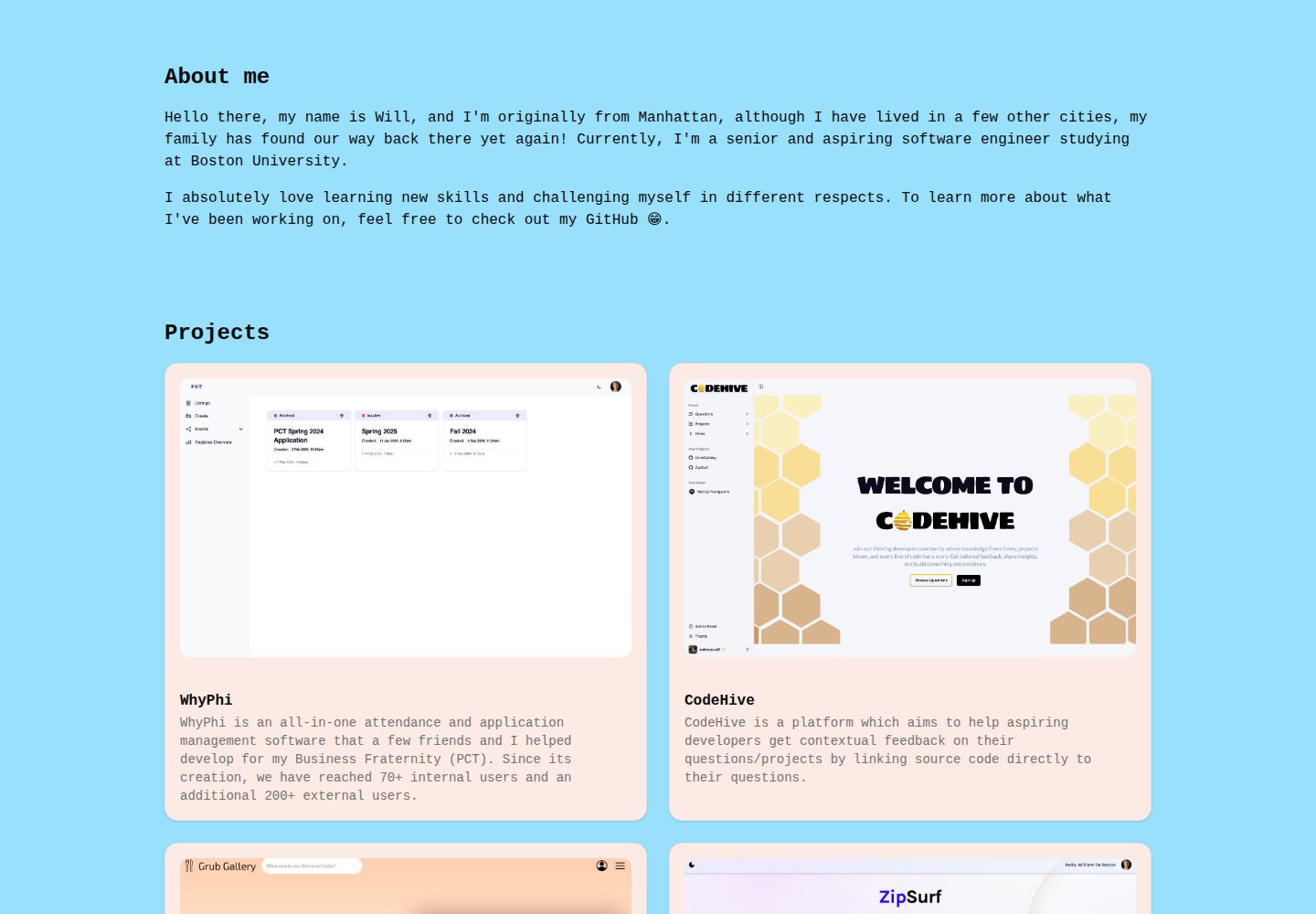
Desktop captureTop of page
Actual screenshot captured by the server browser.
All pages & views 2
Screenshots show visual appearance; interactive behavior may differ.
Recorded 2026-10-12View source
What stands out
A quick read of the recorded project description.
TODO comments in the code mark the locations of images, copy, and styles that need to be replaced
Built-in chatbot component enabled by configuring an OpenAI API key in .env.local
The README provides complete steps for forking, running locally, deploying to Netlify, and subsequent updates
MIT license, allowing free use, modification, commercial use, and distribution of this version of the code
Template Details
This repository is the public version of the author's personal website wderocco8/portfolio. It initially started as a vanilla HTML/CSS/JavaScript site, but was later rewritten as a React project. The README also points to a forkable template repository for teaching, react-portfolio-template, indicating its positioning is to let users quickly build a personal portfolio by forking.
The project uses a standard React plus Vite engineering structure, including directories and files such as public/images, src/components, src/App.tsx, and src/index.css. TODO comments in the code indicate content that needs to be replaced. The template includes a chatbot feature that requires configuring an OpenAI API key (VITE_OPENAI_API_KEY in .env.local) to run; if you do not keep this feature, you can ignore this configuration.
The usage flow is: fork the repository, clone it locally or use GitHub Codespaces, run npm install and npm run dev for local preview, replace the images under public/images (keeping the original filenames) and modify the copy in App.tsx and components, then import the repository in Netlify to complete deployment. The README states this is a static site, so no build command or advanced configuration is needed for deployment; subsequent pushes to the main branch will trigger automatic redeployment on Netlify.
Limitations: third-party assets such as images, fonts, and icons in the template need to be checked for licensing yourself; external services such as OpenAI may incur costs; the README does not state browser compatibility, accessibility support, or performance, so users need to evaluate these aspects themselves.
ReactHTMLPortfolio
Is it right for your project?
Use Cases
- Personal developers building a portfolio website to showcase projects, skills, and experience
- As a teaching or practice project to learn React component organization and static site deployment
- Replacing images and copy on the existing template to quickly generate a personal homepage
- Automatically building and publishing a static site from a GitHub repository via Netlify
Suitable For
- Front-end learners with basic HTML, CSS, and JavaScript knowledge who want to use React
- Developers who need a forkable template to build a personal portfolio page
- Users who want to publish a static website using a GitHub plus Netlify workflow
Getting started & customization
Use these recorded setup notes alongside the repository instructions for your chosen version.
- 1
First fork the repository, then clone it locally or open it with GitHub Codespaces
- 2
Run npm install to install dependencies, and npm run dev to start the local development server
- 3
When replacing images under public/images, keep the original filenames unchanged
- 4
If you want to keep the chatbot feature, create .env.local and fill in VITE_OPENAI_API_KEY
- 5
Import the forked repository in Netlify to deploy; pushing to the main branch will automatically redeploy
License & source material
Usage conditions & limitations
Free to use · keep license noticeThis entry covers the free version in the public repository under the MIT license; the free scope is this version of the code and does not mean external services or third-party assets are free.
Must comply with when using
- Free use, modification, commercial use, and distribution of this version of the code are allowed.
- When distributing copies or substantial portions of the code, retain the original author's copyright notice and the complete MIT license notice.
- The code is provided as is; warranties and limitations of liability are governed by the original license and applicable law.
Additional costs & items to verify
- Demo images, fonts, icons, and other third-party assets must be checked against their respective licenses and cannot be judged solely by the code's MIT license.
- External services such as domains, hosting, databases, payments, or AI may incur additional charges.
- The built-in chatbot feature must be configured with an OpenAI API key to run; it is an external service dependency and may incur costs.
- Using the chatbot requires applying for and integrating the OpenAI API yourself, involving a third-party account and possible payment.
- The OpenAI API key must be filled in .env.local, and the key must not be committed to GitHub.
- The README recommends running with GitHub Codespaces, which requires a GitHub account and may be subject to its free quota limits.
- Deployment requires registering a Netlify account, which is an external service dependency.
- Using the template requires a GitHub account to fork the repository.
View Original Text Basis
Permission is hereby granted, free of charge
Original License Text
In order to run the Chatbot successfully, you need to define an API key from OpenAI.
Original README
you can use the [OpenAI API](https://openai.com/index/openai-api/) for more information
Original README
Paste `VITE_OPENAI_API_KEY="[Vincent's temporary API key]"` into the file and save it
Original README
we are using [GitHub Codespaces](https://github.com/features/codespaces) to avoid having to setup VSCode
Original README
**A Netlify account**: [Sign up here](https://www.netlify.com/) if you don’t have one.
Original README
https://github.com/wderocco8/portfolio/blob/main/LICENSEhttps://github.com/wderocco8/portfolio/blob/main/README.md**A GitHub account**: [Sign up here](https://github.com/) if you don’t have one.
Original README
Compiled by DeepSeek based on repository license and README ·2026-10-12. Results only cover the materials read; dependencies, images, fonts, and subsequent term changes are subject to their respective original texts.
Project checks & description sources
Template Information
- Source platforms
- GitHub
- Documentation and maintenance reference score
- More documented · 82 / 100
- Technologies
- React · HTML
- Website type
- Portfolio
How this score is calculated
Our heuristic uses license records (up to 30), a demo link (12), a preview (10), stars (15), recorded maintenance (15), description completeness (8), feature records (5) and classification data (5). It is not a code, security or performance test, or a Google score. A link does not establish tested functionality.
What to verify for this project
- Repository update recorded
- 2025-05-04
- Screenshot last checked
- 2026-10-12
A demo link is listed. Check it with your own content and viewport sizes; its presence does not confirm that forms, authentication or payments work.
The catalog identifies React as the primary stack. Check the actual dependency manifest and lockfile for versions and hosting requirements. These notes use recorded metadata, not a code audit or a deployment test.
Use a selection guide →How this description was prepared
AI-assisted description based on catalog records and repository material. Repository authors are not automatically the reviewers of this description.
Review declaration: codex-user-requested-batch-review-20261015 · 2026-10-15
Inspect the recorded source material
SHA-256: 73f93bf4fe9ddb69384202141064f1220c088968ed8b4aff64e734fc27944b47
2026-10-12T14:21:37.756Z
Source file / repository[](https://app.netlify.com/sites/william-derocco/deploys)
# React Portfolio Template
Welcome to the **React Portfolio Template**! This repository is a template to help you quickly set up and customize your personal website or portfolio. Use this template as a base for showcasing your projects, skills, and experience.
## Getting Started
To get started, you’ll need to follow a few steps to set up and deploy this template on your own. This guide will walk you through the setup process, necessary prerequisites, and instructions for deploying to Netlify.
### Prerequisites
Before you begin, make sure you have the following:
- **A GitHub account**: [Sign up here](https://github.com/) if you don’t have one.
- **A Netlify account**: [Sign up here](https://www.netlify.com/) if you don’t have one.
- **Basic HTML, CSS, and JavaScript knowledge**: This template uses a standard React setup (with [Vite](https://vite.dev/)). Deep knowledge of React is not critical, but it will be helpful to have some basic understanding of HTML, CSS, and JavaScript.
### Installation
1. **Fork the Repository**
- Click the "Fork" button on the top right of this repository page to create a copy under your GitHub account.
2. **Clone Your Forked Repository (optional)**
- Clone the forked repository to your local machine to make edits:
```bash
git clone https://github.com/YOUR-USERNAME/react-portfolio-template.git
```
3. **Navigate to the Project Directory (optional)**
- Enter the directory to access project files:
```bash
cd react-portfolio-template
```
4. **Customize Your Portfolio**
- Open the React files (described below in the [customize code](#customize-the-code) section) in the project to personalize your portfolio.
- Update the content, links, and any other information specific to your profile.
### Project Structure
Here’s a quick overview of the project structure:
```
/react-portfolio-template
├── public/ # Static assets (unchanging files like images, icons, etc.)
│ ├── images/ # (IMPORTANT) Directory with your images (change these)
│ ├── favicon.ico
│ └── vite.svg
├── src/ # Main source code for the React app
│ ├── assets/ # Media assets like images, fonts, and icons
│ ├── components/ # (IMPORTANT) Reusable UI components (buttons, cards, navbar, etc.)
│ ├── utils/ # Utility functions and custom hooks
│ ├── App.tsx # (IMPORTANT) Root component that defines the app structure
│ ├── main.tsx # React entry point, rendering App.tsx
│ └── index.css # (IMPORTANT) Global CSS styles
├── .eslintrc.js # ESLint configuration for code linting
├── .env.local # (IMPORTANT) NEVER stored on GitHub, only on your computer for secret keys...
├── .gitignore # Git ignore file
├── package.json # Project dependencies and scripts
├── tsconfig.json # TypeScript configuration
└── vite.config.ts # Vite configuration for building the app
```
Within each of these files, there are a comments with `TODO:` tags, explaining where to change their contents. As noted above, the important files/folders that you should look at **first** are:
- **`public/images`**
- **`src/App.tsx`**
- **`src/components`**
- **`src/index.css`**
### Configuration
#### Environment Variables
In order to run the Chatbot successfully, you need to define an API key from OpenAI. In the tech class, Vincent temporarily gave you his, but that will not work after today. If you wish to keep this feature, you can use the [OpenAI API](https://openai.com/index/openai-api/) for more information. In the meantime, you should setup as follows:
1. Right click on the very bottom of the file explorer (below any files or folders)
2. Select `New file...`
3. Call the file `.env.local` (you MUST match this exactly)
4. In the terminal, type `git status`
5. You should not see ANY text like `.env.local`, if you do, ask one of us, or start again from step 1
5. Paste `VITE_OPENAI_API_KEY="[Vincent's temporary API key]"` into the file and save it
#### Running the Code
To run the code, we are using [GitHub Codespaces](https://github.com/features/codespaces) to avoid having to setup VSCode (though we highly recommend VSCode or some alternative for long-term local development). To run the code, do the following:
1. Navigate to your **fork** of [React Portfolio template](https://github.com/wderocco8/react-portfolio-template)
2. Click the green `Code` button
3. Click `+` (Create a codespace on main)
4. Wait for the codespace to load (it can take a few minutes)
5. Open the terminal of your codespace and run these commands
```sh
npm install # installs all dependencies
npm run dev # runs the server locally
```
6. Open the link in the browser
### Customize the Code
#### Replace Images
Replace each image withing the `public/images` directory with images that suit you. Be sure to keep the **SAME** filenames of each image, for example, replacing `public/images/actvities/activity1.jpeg` would look something like this:
1. Find and download an image for that activity.
2. Ensure the image is of type `JPEG`, if not convert it locally or using a tool such as [Cloud Convert (JPEG Converter)](https://cloudconvert.com/jpeg-converter).
3. Drag and drop the `JPEG` into the `public/images/activities` folder (you should now have the original `activity1.jpeg` and some `newImage.jpeg`).
4. **Delete** the original `activity1.jpeg` (right-click on the file, then hit delete).
5. **Rename** the `newImage.jpeg` (whatever it is currently called) to `activity1.jpeg`.
6. Repeat steps 1-5 for each image...
#### Replace Content
Replacing content is *technically* easier, but will involve a bit more work overall. To do so, you should navigate to the `src/App.tsx` file and read through it briefly. You will notice a series of "comments" for each component with the keyword `TODO`. Navigate to whichever file the `TODO` says and follow the instructions in that file. It might seem like a bit of an "Easter-egg hunt", but the result is a highly-organized, composable app, not unlike those that are used on real websites!
### Deployment
Once your portfolio is set up locally, you can deploy it to Netlify.
1. **Login to Netlify**
- Go to [Netlify](https://www.netlify.com/) and log in to your account.
2. **Create a New Site**
- Select “Add new site” from the dashboard and choose “Import an existing project.”
- Select “GitHub” as your deployment method and connect your GitHub account if prompted.
3. **Select Your Repository**
- Choose your forked repository `react-portfolio-template` from your GitHub account.
4. **Configure Build Settings**
- Since this is a static site, you won’t need a build command or any advanced configuration.
- Click “Deploy Site” to start the deployment process.
5. **Publish and Access Your Portfolio**
- Once the deployment is complete, you’ll get a Netlify domain (e.g., `react-portfolio-template.netlify.app`).
- **However**, I'd suggest adding a `Site Name` (i.e. `firstname-lastname`) that will be displayed instead of `react-portfolio-template`.
### Making Updates
To update your portfolio in the future:
1. Make changes in your local repository.
2. Commit and push changes to your GitHub repository:
```bash
git add .
git commit -m "Update portfolio"
git push origin main
```
3. Netlify will automatically redeploy your site when it detects changes to your `main` branch of the repository.
## License
This project is open source and available under the [MIT License](LICENSE).
Explore similar templates
Compare previews and descriptions within the same stack and category.

react-portfolio-template
A React-based developer portfolio template for showcasing projects, work history, and skills. It offers a multi-component layout, dark and light modes, and responsive mobile adaptation, with text and images editable in src/components.
React · Portfolio

personal-website-react
A single-page developer portfolio template built with React and Material-UI, driven by a JSON Resume-compliant resume.json. It offers light/dark theme switching with localStorage persistence, a clean responsive layout, and Create React App tooling for simple builds and static deployment.
React · Portfolio

karngyan.com
A personal website and blog template for developers, built with TanStack Start, React 19, Tailwind CSS v4, and shadcn/ui. It uses MDX for articles with Shiki highlighting and GFM tables, and automatically generates RSS, sitemap, robots.txt, llms.txt, and OG images.
React · Portfolio

react-portfolio-template
A React portfolio template by Ryan Balieiro with a fixed sidebar and page-turn transitions on desktop, bottom navigation on mobile, multilingual support, light/dark themes, and content components for experience, education, skills, projects, and testimonials.
React · Portfolio

portfolio
A data scientist personal portfolio template built with React and MUI, with content centrally managed through configuration files in the assets directory.
React · Portfolio

react-portfolio
A React 16 and Material-UI developer portfolio template that centralizes personal information in a JSON Resume-compliant resume.json, with light/dark theme switching saved to local storage. It currently provides portfolio display only; resume page templates and structured data enhancements are still planned.
React · Portfolio