使用 Nuxt 与 Tailwind CSS 构建的博客启动模板
NuxtVue博客启动器
nuxt-blog-starter-wisp — Nuxt 博客模板
作者 Wisp-CMS
基于 Nuxt 与 Tailwind CSS 的博客启动模板,文章内容由 Wisp CMS 托管,包含标签筛选、关于页与相关文章推荐。
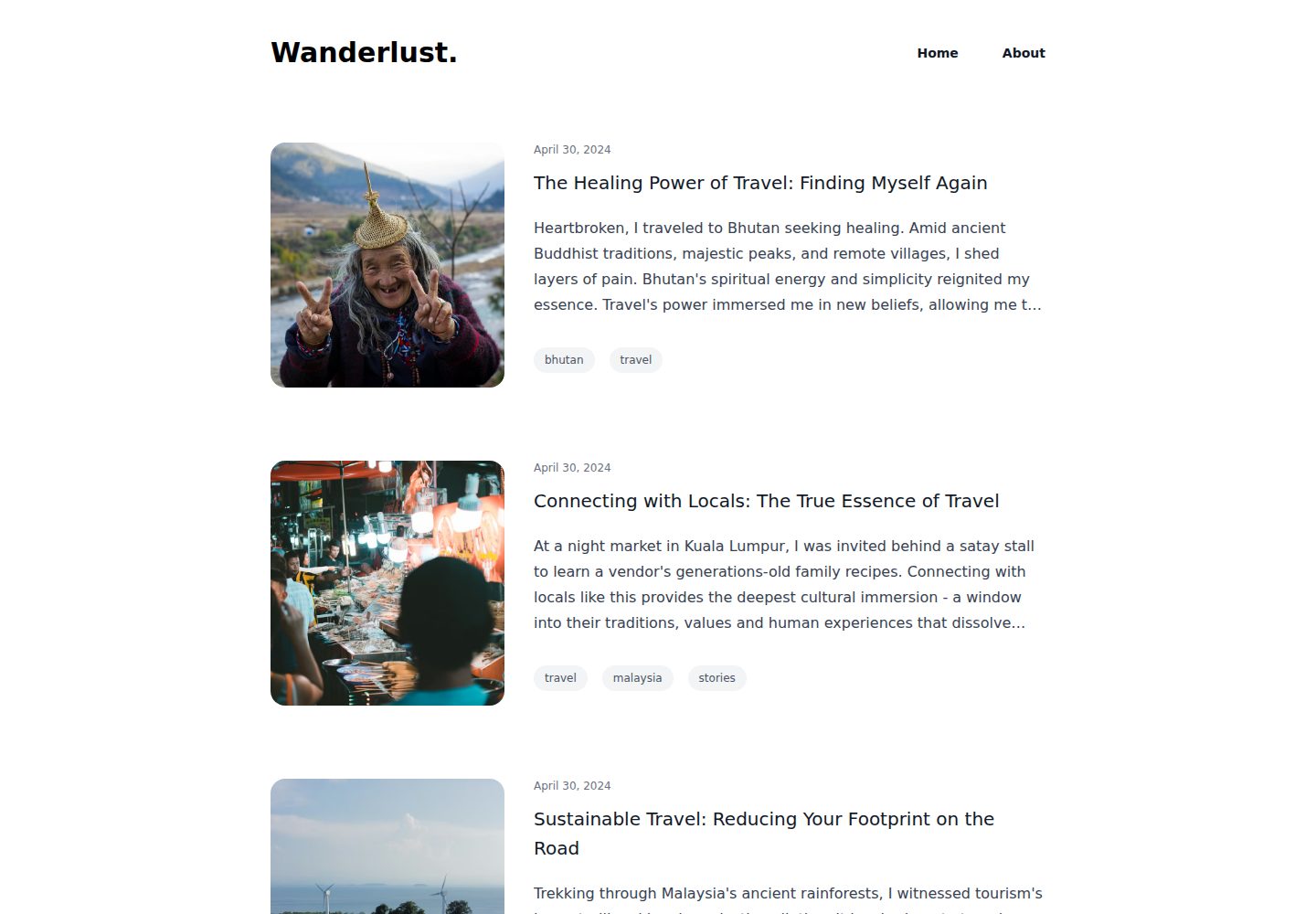
看看你的网站会是什么样
浏览真实页面截图,比较内容排版与手机效果。点击下方缩略图切换,放大查看整页细节。
全部页面与视图 3
截图用于了解视觉与布局,交互效果请以实际项目为准。
采集于 2026-10-03查看来源
值得关注的模板亮点
从已有项目资料中,快速了解它的特点。
文章内容由 Wisp CMS 托管,通过 blogId 接入
支持按标签筛选文章列表
包含关于页面与自动相关文章推荐
使用 TypeScript,并配置 ESLint 静态检查
提供 Netlify 与 Vercel 的部署入口
模板详细介绍
这是一个面向博客场景的 Nuxt 启动模板,使用 Tailwind CSS 处理样式,并通过 Wisp CMS 发布和管理文章。仓库说明中列出的功能包括响应式移动端布局、按标签筛选文章、关于页面,以及自动的相关文章推荐。模板使用 TypeScript,并配置了 ESLint 做静态检查。
使用前需要在 Wisp 注册账号并创建博客,然后把获取到的 blogId 填入 plugins/wisp.ts 中的 buildWispClient 配置,再安装依赖并启动开发服务器。仓库同时提供了 Netlify 与 Vercel 的部署入口。
需要注意,文章数据依赖 Wisp 这一外部 CMS 服务,模板本身不包含内容管理后台;演示中的图片、字体、图标等第三方素材需按各自许可单独核对,托管与 CMS 服务也可能产生额外费用。
NuxtVue博客启动器
适合你的项目吗?
适用场景
- 快速搭建一个以 Wisp CMS 为内容源的博客站点
- 从 Jekyll、Hugo、Gatsby 等静态博客迁移到 Nuxt
- 需要标签筛选与相关文章推荐的博客页面
- 部署到 Netlify 或 Vercel 的个人博客
适合人群
- 希望用 Nuxt 搭建博客并接受外部 CMS 的开发者
- 需要现成博客页面结构与标签筛选功能的项目
- 准备部署到 Netlify 或 Vercel 的个人站点
上手与定制指南
结合仓库当前版本的说明,按下面的资料检查内容、配置与运行要求。
- 1
安装依赖可使用 npm i 或 bun i
- 2
在 Wisp 注册并创建博客后,将 setup 页提供的 blogId 填入 plugins/wisp.ts
- 3
替换 buildWispClient 配置中的 blogId 占位符后运行 npm run dev 或 bun dev
- 4
本地默认访问 http://localhost:3000 查看效果
- 5
部署前需在托管平台配置 PUBLIC_BLOG_ID 环境变量
授权与来源资料
使用条件与限制
免费使用 · 保留许可声明本次收录的是公开仓库中采用 MIT 许可的免费版本;免费范围为该版本代码,不代表外部服务或第三方素材免费。
使用时需要遵守
- 允许免费使用、修改、商用和分发该版本代码。
- 分发代码副本或实质性部分时,保留原作者版权声明和完整 MIT 许可声明。
- 代码按现状提供;担保与责任限制以原许可证及适用法律为准。
额外费用与待核对事项
- 使用前必须在 Wisp CMS 注册账号并创建博客,从 setup 页获取 blogId 填入 plugins/wisp.ts;文章数据依赖该外部 CMS 服务,模板本身不含内容管理后台。
- 博客文章内容由 Wisp 这一外部 CMS 托管,需依赖其服务才能正常展示文章,托管与 CMS 服务可能产生额外费用。
- 演示图片、字体、图标及其他第三方素材需按各自许可核对,不能仅凭代码的 MIT 许可判断。
- 域名、托管、数据库、支付或 AI 等外部服务可能另外收费。
查看原文依据
Permission is hereby granted, free of charge
许可证原文
replace the `blogId` in `/plugins/wisp.ts` with the blog ID obtained from your wisp setup tab after you've created an account
README 原文
https://github.com/Wisp-CMS/nuxt-blog-starter-wisp/blob/master/LICENSEhttps://github.com/Wisp-CMS/nuxt-blog-starter-wisp/blob/master/README.mdWisp is a modern CMS for adding blogs to websites
README 原文
DeepSeek 根据仓库许可证和 README 整理 ·2026-10-03。结果仅覆盖已读取资料,依赖、图片、字体及后续条款变更以各自原文为准。
项目核对记录与介绍依据
模板资料
- 来源平台
- GitHub
- 资料与维护参考分
- 资料一般 · 73 / 100
- 技术栈
- Nuxt · Vue
- 网站类型
- 博客 · 启动器
这个分数如何计算
本站按许可资料(最高30分)、演示链接(12分)、预览图(10分)、Star数(15分)、记录的维护时间(15分)、描述完整度(8分)、功能记录(5分)和分类资料(5分)计算。它不是代码、安全或性能测试,也不是 Google 评分;有链接不代表已实测可用。
这个项目需要核对什么
- 记录的仓库更新时间
- 2024-07-25
- 截图检查日期
- 2026-10-03
已收录演示链接。请用你的内容与屏幕尺寸检查;有演示不代表表单、认证或支付已经可用。
目录记录的主要技术栈是 Nuxt。请通过依赖清单和锁文件核对实际版本与托管要求。这些说明基于收录资料,不代表代码审计或部署实测。
查看具体选型方法 →介绍的制作与核对状态
介绍由 AI 辅助整理目录与仓库资料。仓库作者不等于这篇介绍的审核者。
已完成服务器许可规则与 AI 来源核对;未经过人工编辑审核。
查看当时使用的来源资料
SHA-256: 0451687a176d724912736aa8f3e6151395b504533a45796f56247d5ab1154277
2026-10-03T06:26:56.566Z
来源文件 / 仓库# A Minimalist Nuxt.js 3.12 Blog Starter Template - Backed by Wisp CMS<!-- omit in toc -->
[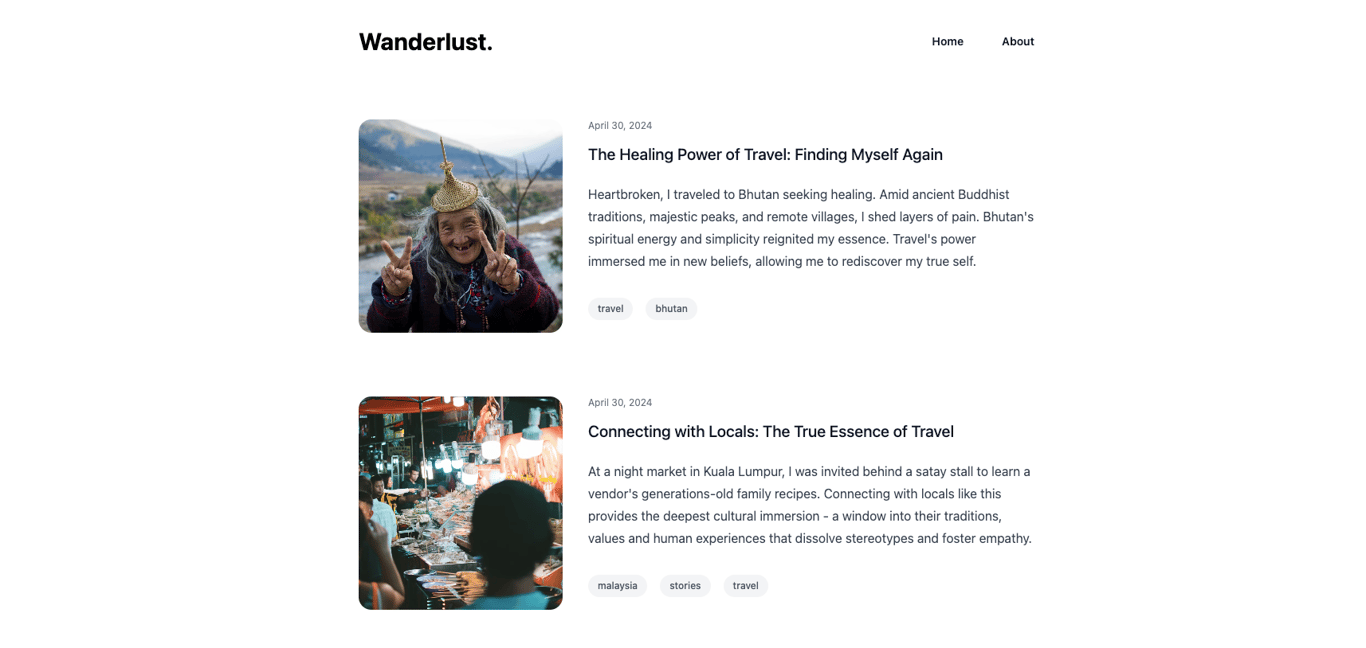](https://nuxt-blog-starter-wisp.vercel.app/)
[](https://app.netlify.com/start/deploy?repository=https://github.com/Wisp-CMS/nuxt-blog-starter-wisp/) [](https://vercel.com/new/clone?repository-url=https%3A%2F%2Fgithub.com%2FWisp-CMS%2Fnuxt-blog-starter-wisp&env=PUBLIC_BLOG_ID&envDescription=Blog%20ID%20obtained%20from%20the%20Setup%20Page%20on%20Wisp%20CMS&demo-title=Demo%20Travel%20Blog&demo-description=Demo%20travel%20blog%20using%20Nextjs%2014%20Server%20Component&demo-url=https%3A%2F%2Fnuxt-blog-starter-wisp.vercel.app%2F&demo-image=https%3A%2F%2Fimagedelivery.net%2FlLmNeOP7HXG0OqaG97wimw%2Fclvlugru90000o4g8ahxp069s%2F32432ccf-57a8-4992-8c51-e5a47e110018.png%2Fpublic)
**Featured Links**
- [Demo Blog](https://nuxt-blog-starter-wisp.vercel.app/)
- [Editing Experience](https://youtu.be/uSKO8J38T98)
<!-- - [Documentation](https://www.wisp.blog/docs/next-js-blog-starter-kit/overview) -->
<!-- - [Video Tutorial](https://www.wisp.blog/docs/next-js-blog-starter-kit/running-blog) -->
<!-- - [Feature Walkthrough](https://youtu.be/7wVYAGhDmdY) -->
This is a [Nuxt.js](https://nuxt.com/), [Tailwind CSS](https://tailwindcss.com/) blog starter template. This version is using Nuxt 3.12 and uses [Wisp](https://wisp.blog/?utm_source=github&utm_medium=web&utm_campaign=nuxt-blog-starter-wisp) for publishing blog posts.
Probably the most feature-rich Nuxt.js blog template out there that is easily configurable and customizable. It's perfect as an upgrade from blogs using Jekyll, Hugo, Gatsby, Contentlayer, or ContentCollections.
## About Wisp
Wisp is a modern CMS for adding blogs to websites. It features an intuitive, medium-like editorial experience so that you can focus on writing instead of getting distracted by markdown.
## Features
- Beautiful blog starter kit
- Responsive layout for mobile devices
- Filter blog posts by tags
- About page
- Automatic [Related Posts suggestions](https://www.wisp.blog/blog/suggesting-related-blog-post-with-ai-content-recommendation)
## Technologies
- [Nuxt.js 14](https://nuxt.com/) using TypeScript
- [Wisp](https://wisp.blog/?utm_source=github&utm_medium=web&utm_campaign=nuxt-blog-starter-wisp) to manage blog posts
- [Tailwind CSS](https://tailwindcss.com/) for CSS framework
- [ESLint](https://eslint.org/) for static analysis
- [TypeScript](https://www.typescriptlang.org/) for type safety
## Quick Start Guide
First, install the dependencies:
```bash
# npm
npm i
# bun
bun i
```
Then, replace the `blogId` in `/plugins/wisp.ts` with the blog ID obtained from your wisp setup tab after you've created an account:
```
export const wisp = buildWispClient({
baseUrl: "https://www.wisp.blog",
blogId: "<REPLACE_WITH_YOUR_BLOG_ID>",
});
```
Finally, run the development server:
```bash
# npm
npm run dev
# bun
bun dev
```
Open [http://localhost:3000](http://localhost:3000) with your browser to see the result.
## Getting Help
Full documentation on how to get started on wisp is available on [wisp's documentation site](https://www.wisp.blog/docs?utm_source=github&utm_medium=web&utm_campaign=nuxt-blog-starter-wisp)
看看同类模板
对比同技术栈与用途的模板,找到更适合的视觉与内容结构。

laravel-nuxt
A Laravel-Nuxt starter kit.
Nuxt · 启动器

canvas
Portfolio template made with Nuxt 3, Nuxt Content v3, NuxtUI v3 and TailwindCSS v4
Nuxt · 作品集
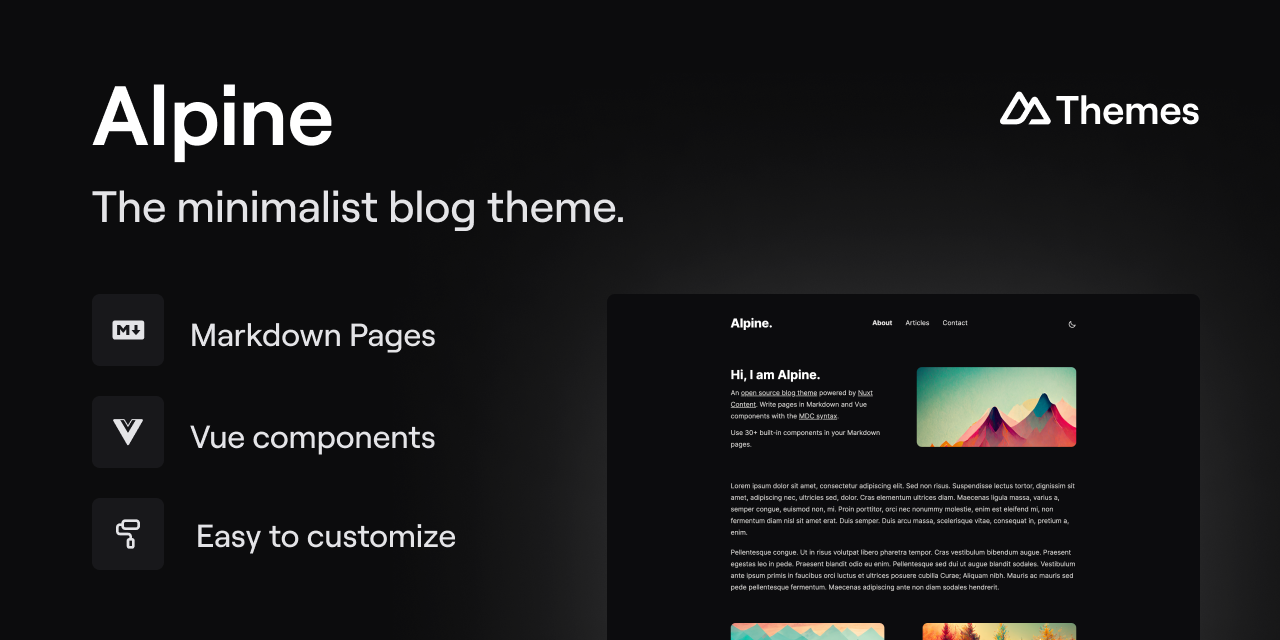
alpine-theme
Alpine 是一个以极简为设计核心的博客主题,基于 Nuxt 与 Nuxt Content 构建。 它的特别之处在于,你可以从一个简单的个人资料页开始,逐步扩展成一个完整的博客。
Nuxt · 博客
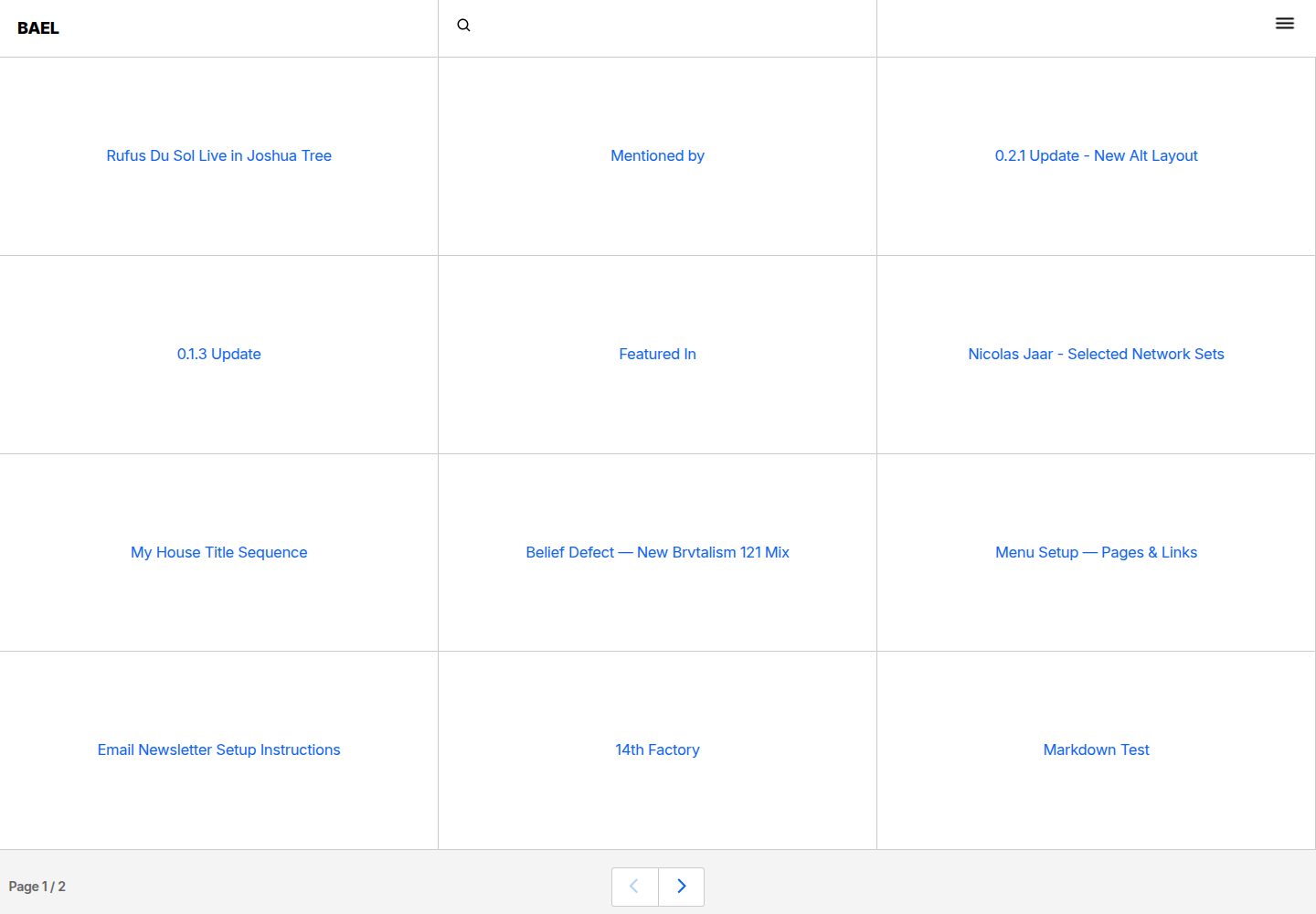
bael-template
Brutalist Blog theme for Netlify CMS
Nuxt · 博客

nuxt3-starter
💚 A Better Nuxt 3 Starter Template,generate by nuxi.
Nuxt · 启动器

starter
Nuxt Starter Template for Nuxt UI.
Nuxt · 启动器