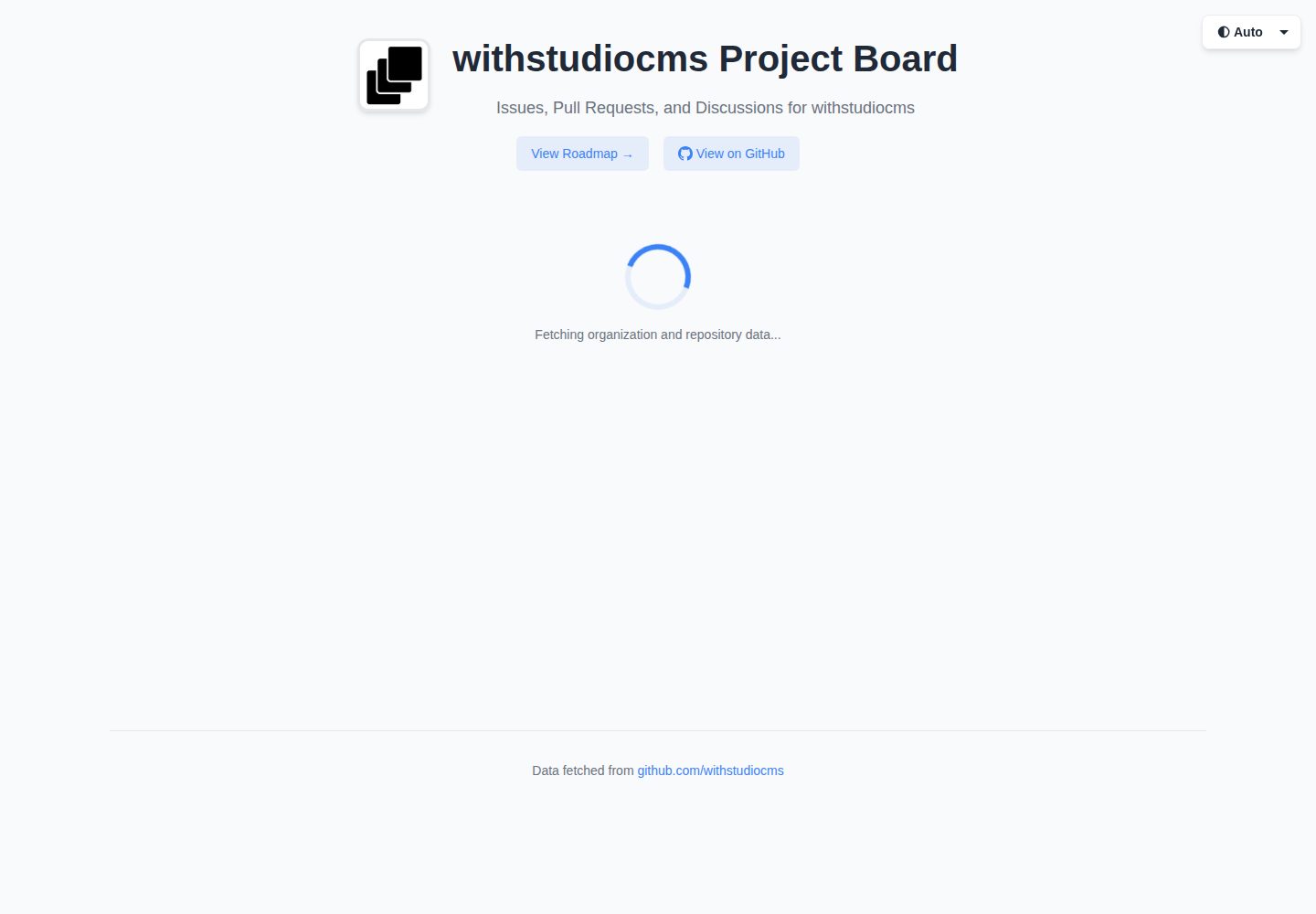
按仓库分标签浏览 issues 与 PR,标签顺序可按字母、星数或自定义顺序排列
Astro启动器
project-board — Astro 启动器模板
作者 withstudiocms
基于 Astro 的服务端渲染启动器,把任意 GitHub 组织的 issues、PR 和 discussions 汇总到一个看板,并附带独立路线图页面。
看看你的网站会是什么样
浏览真实页面截图,比较内容排版与手机效果。点击下方缩略图切换,放大查看整页细节。
全部页面与视图 2
截图用于了解视觉与布局,交互效果请以实际项目为准。
采集于 2026-10-03查看来源
值得关注的模板亮点
从已有项目资料中,快速了解它的特点。
支持按状态、类型和仓库组合筛选条目
独立的 /roadmap 页面以三列布局展示 discussions、issues 和 PR
可在弹窗中查看指定仓库 README 的 markdown 渲染结果,含标题层级、代码块、表格和锚点链接
提供浅色、深色和自动三种主题,偏好保存在 localStorage
GitHub API 响应带 5 分钟内存缓存
模板详细介绍
这是一个使用 Astro 服务端渲染(SSR)构建的启动器模板,目标是把某个 GitHub 组织的 issues、pull requests 和 discussions 汇总到统一界面中查看。首页按仓库分标签展示条目,支持按状态(open/closed/all)、类型(issue/PR/discussion/all)和仓库筛选;另有独立的 /roadmap 页面,以三列布局分别展示 discussions、issues 和 pull requests,并可在弹窗中查看该仓库 README 的渲染结果。
数据来源分为两部分:issues、pull requests、releases、仓库元数据与 README 通过 GitHub REST API 获取,discussions 通过 GitHub GraphQL API 获取且必须提供令牌;未启用 discussions 时,路线图页面只显示 issues 和 PR。所有 API 响应带 5 分钟内存缓存。
使用前需要在 src/config.ts 中配置目标组织、可选令牌、允许展示的仓库列表、每页最大条目数、是否启用 discussions、路线图所用仓库以及默认仓库标签等。模板以 MIT 许可发布,演示站点可访问,但部署需要 Node.js 环境,并建议设置 GITHUB_TOKEN 以提高 API 速率限制。
Astro启动器
适合你的项目吗?
适用场景
- 为某个 GitHub 组织搭建对外公开的 issue 与 PR 总览页面
- 把路线图仓库中的 discussions、issues、PR 集中展示为路线图页面
- 在项目看板中直接查看仓库 README 内容
- 需要按仓库、状态和类型快速筛选 GitHub 条目的场景
适合人群
- 使用 Astro 并接受服务端渲染部署方式的开发者
- 需要汇总展示 GitHub 组织级 issue、PR 与 discussion 的开源项目维护者
- 希望以配置方式调整展示仓库范围、排序和路线图仓库的团队
上手与定制指南
结合仓库当前版本的说明,按下面的资料检查内容、配置与运行要求。
- 1
需要 Node.js 22+ 或最新 LTS,并使用 pnpm 安装依赖
- 2
在 src/config.ts 中设置 organization、allowedRepositories、roadmapRepository、defaultRepository 等字段
- 3
discussions 依赖 GitHub GraphQL API,必须提供令牌;未启用时路线图页面只显示 issues 和 PR
- 4
建议通过 .env 设置 GITHUB_TOKEN,无令牌时 REST API 限制为每小时 60 次请求,有令牌时为 5000 次
- 5
构建产物需要 Node.js 环境运行,可部署到 Vercel、Netlify、Railway 或自行运行 node dist/server/entry.mjs
授权与来源资料
使用条件与限制
免费使用 · 保留许可声明本次收录的是公开仓库中采用 MIT 许可的免费版本;免费范围为该版本代码,不代表外部服务或第三方素材免费。
使用时需要遵守
- 允许免费使用、修改、商用和分发该版本代码。
- 分发代码副本或实质性部分时,保留原作者版权声明和完整 MIT 许可声明。
- 代码按现状提供;担保与责任限制以原许可证及适用法律为准。
额外费用与待核对事项
- GitHub 个人访问令牌为可选项:不提供时 REST API 每小时仅 60 次请求,提供后提升至每小时 5000 次。
- discussions 功能依赖 GitHub GraphQL API,必须提供令牌认证;未启用时路线图页面仅显示 issues 和 pull requests。
- 部署必须使用支持 Node.js 服务端渲染的环境,无法作为纯静态站点托管。
- 演示图片、字体、图标及其他第三方素材需按各自许可核对,不能仅凭代码的 MIT 许可判断。
- 域名、托管、数据库、支付或 AI 等外部服务可能另外收费。
查看原文依据
Permission is hereby granted, free of charge
许可证原文
(Optional) GitHub Personal Access Token for higher rate limits
README 原文
Discussions (requires authentication)
README 原文
https://github.com/withstudiocms/project-board/blob/main/LICENSEhttps://github.com/withstudiocms/project-board/blob/main/README.mdThe application requires a Node.js environment for SSR.
README 原文
DeepSeek 根据仓库许可证和 README 整理 ·2026-10-03。结果仅覆盖已读取资料,依赖、图片、字体及后续条款变更以各自原文为准。
项目核对记录与介绍依据
模板资料
- 来源平台
- Astro Themes
- 资料与维护参考分
- 资料较完整 · 83 / 100
- 技术栈
- Astro
- 网站类型
- 启动器
这个分数如何计算
本站按许可资料(最高30分)、演示链接(12分)、预览图(10分)、Star数(15分)、记录的维护时间(15分)、描述完整度(8分)、功能记录(5分)和分类资料(5分)计算。它不是代码、安全或性能测试,也不是 Google 评分;有链接不代表已实测可用。
这个项目需要核对什么
- 记录的仓库更新时间
- 2026-03-10
- 截图检查日期
- 2026-10-03
已收录演示链接。请用你的内容与屏幕尺寸检查;有演示不代表表单、认证或支付已经可用。
目录记录的主要技术栈是 Astro。请通过依赖清单和锁文件核对实际版本与托管要求。这些说明基于收录资料,不代表代码审计或部署实测。
查看具体选型方法 →介绍的制作与核对状态
介绍由 AI 辅助整理目录与仓库资料。仓库作者不等于这篇介绍的审核者。
审核声明: [email protected] · 2026-10-04
查看当时使用的来源资料
SHA-256: 4c2ea06ab19ea8f6c8749f28bfd9da9b8d9f5a17a8d2750bbf0e1cde0687f85f
2026-10-03T19:22:47.812Z
来源文件 / 仓库# GitHub Project Board
<img width="2333" height="1197" alt="image" src="./assets/page-index.png" />
A server-side rendered Astro application that provides a unified view of GitHub issues, pull requests, and discussions for any GitHub organization. Features repository tabs, advanced filtering, and a dedicated roadmap page with README viewer.
## Features
- **Repository Tabs**: Browse issues and PRs by repository with alphabetical sorting
- **Advanced Filtering**: Filter by state (open/closed/all), type (issue/PR/discussion/all), and repository
- **Roadmap Page**: Dedicated roadmap view with three-column layout (Discussions, Issues, PRs)
- **README Viewer**: View repository README files in a modal dialog with markdown rendering
- **Theme Support**: Light, dark, and auto modes with persistent preference
- **Responsive Design**: Mobile-friendly interface that works on all devices
- **Smart Caching**: In-memory cache with 5-minute TTL for faster performance
- **Quick Navigation**: Direct links to GitHub organization and repositories
## Tech Stack
- **Astro v6** - SSR-enabled with @astrojs/node adapter
- **TypeScript** - Type-safe development
- **GitHub REST API** - Issues, PRs, releases, repositories
- **GitHub GraphQL** - Discussions (requires token)
- **markdown-it** - Markdown parsing for README viewer
- **CSS Variables** - Comprehensive theming system
## Getting Started
### Prerequisites
- Node.js 22+ or latest LTS
- pnpm package manager
- (Optional) GitHub Personal Access Token for higher rate limits
### Installation
```bash
# Install dependencies
pnpm install
# Start development server
pnpm dev
# Build for production
pnpm build
# Preview production build
pnpm preview
```
## Project Structure
```
/
├── src/
│ ├── assets/ # Assets for OG Images
│ │ ├── logo.png # Png version of the logo used for OG Images
│ │ ├── og-bg.png # Png background used for OG Images
│ │ ├── Onest-*.ttf # Fonts for OG images
│ ├── components/
│ │ ├── FilterBar.astro # State/type filter controls
│ │ ├── GitHubItem.astro # Individual item card display
│ │ ├── ThemeSelector.astro # Light/dark/auto theme switcher
│ │ └── ThemeManager.astro # Client-side theme management
│ ├── layouts/
│ │ └── BaseLayout.astro # Main layout with header/nav/footer
│ ├── lib/
│ │ ├── github.ts # GitHub API integration + caching
│ │ └── types.ts # Types for the project config
│ ├── pages/
│ │ ├── open-graph/
│ │ │ └── [...route].ts # Dynamic route for generating OG images
│ │ ├── index.astro # Main board with repository tabs
│ │ └── roadmap.astro # Roadmap page with README viewer
│ ├── styles/
│ │ └── global.css # Unified styles with CSS variables
│ └── config.ts # Project configuration
├── public/ # Static assets
├── .env.example # Environment variables template
├── astro.config.mjs # Astro configuration
└── package.json
```
## GitHub Integration
This project integrates with GitHub using both REST and GraphQL APIs, handled in [src/lib/github.ts](src/lib/github.ts):
### REST API
- Issues, pull requests, and releases
- Repository metadata and listings
- README content fetching
- Works without authentication (lower rate limits)
### GraphQL API
- Discussions (requires authentication)
- Configurable via `enableDiscussions` in config
> [!note]
> Without discussions the roadmap page will be limited to issues and pull requests
### Caching
All API responses are cached in memory with a 5-minute TTL to improve performance and reduce API calls.
## Configuration
The project is configured via [src/config.ts](src/config.ts):
```typescript
export const config: ProjectConfig = {
// GitHub organization to monitor
organization: 'withstudiocms',
// Optional: GitHub token for higher rate limits
// You can also set this via GITHUB_TOKEN environment variable
githubToken: process.env.GITHUB_TOKEN || '',
// List specific repositories to display
// Leave empty ([]) to show all repositories
allowedRepositories: [],
// Example: ['studiocms', 'studiocms.dev', 'ui']
// Maximum items to fetch per request
maxItemsPerPage: 100,
// Enable/disable discussions (requires GraphQL API)
enableDiscussions: true,
// Repository used for roadmap page
roadmapRepository: 'roadmap',
// Default repository tab to show on index page
defaultRepository: 'studiocms',
// Custom function to sort repositories
// Default: alphabetical sort
repositorySort: (repos) => repos.sort((a, b) =>
a.name.localeCompare(b.name)
),
};
```
### Repository Configuration
**Filtering Repositories**: Limit display to specific repos:
```typescript
allowedRepositories: ['repo1', 'repo2', 'repo3']
```
**Default Repository**: Set which repository tab opens by default on the index page:
```typescript
defaultRepository: 'your-main-repo'
```
**Repository Sorting**: Customize how repositories are sorted in tabs. Examples:
```typescript
// Alphabetical (default)
repositorySort: (repos) => repos.sort((a, b) => a.name.localeCompare(b.name))
// By star count (descending)
repositorySort: (repos) => repos.sort((a, b) => b.stargazers_count - a.stargazers_count)
// Custom order with fallback to alphabetical
repositorySort: (repos) => {
const order = ['main-repo', 'docs', 'examples'];
return repos.sort((a, b) => {
const aIndex = order.indexOf(a.name);
const bIndex = order.indexOf(b.name);
if (aIndex !== -1 && bIndex !== -1) return aIndex - bIndex;
if (aIndex !== -1) return -1;
if (bIndex !== -1) return 1;
return a.name.localeCompare(b.name);
});
}
```
### Roadmap Configuration
Set the repository name used for the roadmap page:
```typescript
roadmapRepository: 'roadmap'
```
This repository's discussions, issues, and pull requests will be displayed on `/roadmap` in a three-column layout. The README from this repository can be viewed in a modal dialog.
### GitHub API Rate Limits
- **Without token**: 60 requests per hour
- **With token**: 5,000 requests per hour
To get a token:
1. Go to https://github.com/settings/tokens
2. Generate a new token (classic)
3. Select scopes: `public_repo` (for public repos) or `repo` (for private repos)
4. Add to `.env` file: `GITHUB_TOKEN=your_token_here`
## Pages
### Index Page (`/`)
- **Repository Tabs**: Browse issues and PRs by repository
- **Filtering**: State (open/closed/all) and type (issues/PRs/discussions/all)
- **List View**: Single-column list of items with labels and metadata
- **Navigation**: Links to GitHub org and individual repositories
### Roadmap Page (`/roadmap`)
- **Three-Column Layout**: Discussions, Issues, and Pull Requests
- **README Viewer**: Click "View README" to open a modal with rendered markdown
- **Markdown Features**: Full heading hierarchy, code blocks, tables, anchor links
- **Smooth Scrolling**: Navigate README via table of contents
## Styling System
All styles are centralized in [src/styles/global.css](src/styles/global.css) using CSS variables:
- **Root Variables**: Colors, shadows, borders, and typography
- **Dark Theme**: Automatic overrides via `[data-theme="dark"]`
- **Component Styles**: Shared styles for filters, cards, badges, and layouts
- **Theme Persistence**: User preference saved to localStorage
Components contain minimal component-specific CSS only.
## Development
The application uses Astro's SSR mode with the Node.js adapter. Each page request:
1. Fetches data from GitHub (with caching)
2. Applies user-selected filters
3. Renders the complete page server-side
4. Delivers ready-to-view HTML to the browser
### Development Server
```bash
pnpm dev
```
The dev server includes:
- Hot module reloading
- TypeScript type checking
- Astro's SSR preview
## Deployment
Build the project and deploy with a Node.js compatible hosting service:
```bash
# Build for production
pnpm build
# Preview production build locally
pnpm preview
```
The application requires a Node.js environment for SSR. Compatible platforms include:
- **Vercel**: Zero-config deployment with automatic SSR support
- **Netlify**: Enable SSR in build settings
- **Railway**: Node.js deployment with environment variables
- **Any VPS**: Run `node dist/server/entry.mjs` after build
### Environment Variables
Set these in your hosting platform:
```bash
GITHUB_TOKEN=your_github_personal_access_token
```
## Browser Support
- Modern browsers with CSS Grid and Custom Properties support
- Native dialog element support (Chrome 37+, Firefox 98+, Safari 15.4+)
- JavaScript required for theme persistence and dialog interactions
## Contributing
1. Fork the repository
2. Create a feature branch
3. Make your changes
4. Update tests and documentation
5. Submit a pull request
## License
MIT
看看同类模板
对比同技术栈与用途的模板,找到更适合的视觉与内容结构。

astrowind
⭕️ AstroWind: A free template using Astro v7 and Tailwind CSS v4. Astro starter theme.
Astro · 博客
accessible-astro-starter
Accessible Astro Starter 是一个以无障碍为核心理念的 Astro 6 启动模板,由 incluud 团队维护。
Astro · 博客

astro-erudite
An opinionated, unstyled static blogging template built with Astro and native CSS.
Astro · 作品集

astro-shopify
astro-shopify 是一个面向开发者的轻量级电商启动模板,用于构建基于 Shopify 的无头店面。
Astro · 电商

brutal
A neobrutalism Astro starter theme
Astro · 启动器

qwind
⭕️ Qwind: A template to make your website using Qwik + Tailwind CSS.
Astro · 工具站