Vue 3 + TypeScript + Vite + Pinia 的基础技术组合
VueVite启动器
vue-ts-starter — Vue 启动器模板
作者 yugasun
基于 Vue 3、TypeScript、Vite 与 Pinia 的前端启动模板,集成路由、UnoCSS、测试与代码规范工具,并提供 Element Plus、Ant Design Vue 及无 UI 组件三种分支选择。
看看你的网站会是什么样
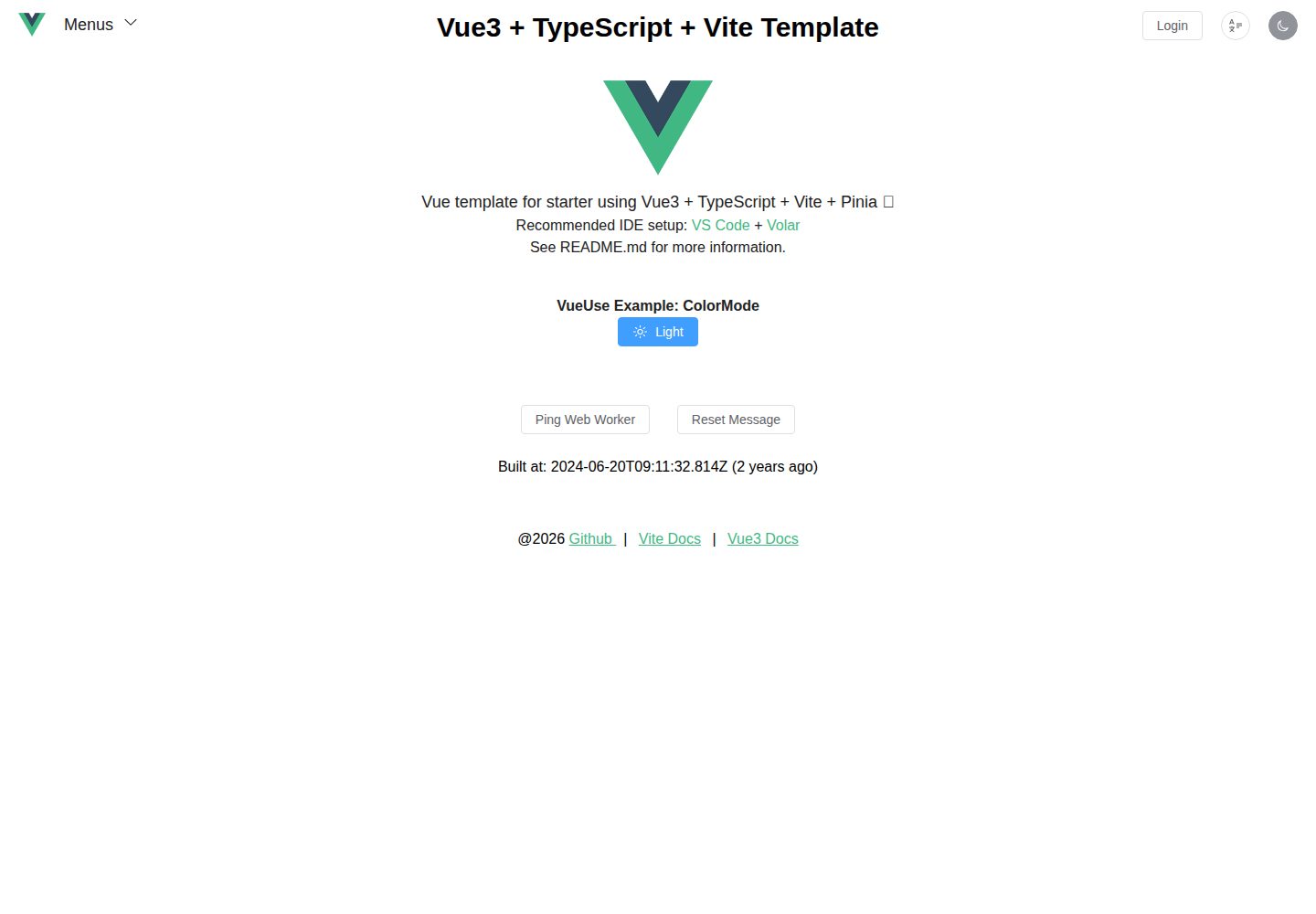
浏览真实页面截图,比较内容排版与手机效果。点击下方缩略图切换,放大查看整页细节。
全部页面与视图 2
截图用于了解视觉与布局,交互效果请以实际项目为准。
采集于 2026-10-02查看来源
值得关注的模板亮点
从已有项目资料中,快速了解它的特点。
UnoCSS 原子化样式,支持按类名使用图标集
内置 Vue Router、Vue I18n、axios 与 vueuse
集成 Vitest 单元测试与 msw 接口模拟
配置 ESLint、Prettier、Airbnb 风格、Commitlint 与 Commitizen
提供 Element Plus、Ant Design Vue 与无 UI 组件三种分支
模板详细介绍
这是一个面向 Vue 3 项目的启动模板,仓库由 yugasun 维护,采用 MIT 许可。技术组合为 Vue 3 + TypeScript + Vite + Pinia,样式层使用 UnoCSS,并集成 Vue Router 处理路由。
模板内置的开发辅助能力包括:Vue DevTools、vite-plugin-pwa、Vitest 单元测试、msw 接口模拟、vueuse 组合式工具集、axios 请求库,以及基于类的图标方案;国际化通过 Vue I18n 支持。工程规范方面配置了 ESLint、Prettier、Airbnb 风格指南、Commitlint 与 Commitizen。
UI 组件层提供分支切换:默认分支使用 Element Plus,antd 分支改用 Ant Design Vue,simple 分支则不包含任何 UI 组件库。启动流程为克隆仓库后执行 pnpm install、pnpm dev 与 pnpm build。仓库未在资料中说明 Node 版本要求、目录结构细节或部署配置,实际使用前需自行核对依赖清单与运行环境。
VueVite启动器
适合你的项目吗?
适用场景
- 需要快速搭建 Vue 3 + TypeScript 项目骨架
- 希望以 Pinia 作为状态管理并预先接入路由与国际化
- 需要在项目初期就具备单元测试与接口模拟能力
- 团队要求统一的代码风格与提交信息规范
适合人群
- 使用 Vue 3 与 TypeScript 的前端开发者
- 需要按 UI 组件库偏好选择分支的团队
- 希望模板自带 lint、格式化与提交规范的工程团队
上手与定制指南
结合仓库当前版本的说明,按下面的资料检查内容、配置与运行要求。
- 1
克隆仓库后执行 pnpm install 安装依赖
- 2
使用 pnpm dev 启动开发服务器,pnpm build 构建
- 3
如需 Ant Design Vue 使用 antd 分支,不需要 UI 组件库使用 simple 分支
- 4
推荐使用 VS Code 配合 Volar 插件开发
- 5
第三方素材与外部服务需按各自许可与计费规则单独核对
授权与来源资料
使用条件与限制
免费使用 · 保留许可声明本次收录的是公开仓库中采用 MIT 许可的免费版本;免费范围为该版本代码,不代表外部服务或第三方素材免费。
使用时需要遵守
- 允许免费使用、修改、商用和分发该版本代码。
- 分发代码副本或实质性部分时,保留原作者版权声明和完整 MIT 许可声明。
- 代码按现状提供;担保与责任限制以原许可证及适用法律为准。
额外费用与待核对事项
- 演示图片、字体、图标及其他第三方素材需按各自许可核对,不能仅凭代码的 MIT 许可判断。
- 域名、托管、数据库、支付或 AI 等外部服务可能另外收费。
查看原文依据
https://github.com/yugasun/vue-ts-starter/blob/main/LICENSEhttps://github.com/yugasun/vue-ts-starter/blob/main/README.mdPermission is hereby granted, free of charge
许可证原文
DeepSeek 根据仓库许可证和 README 整理 ·2026-10-02。结果仅覆盖已读取资料,依赖、图片、字体及后续条款变更以各自原文为准。
项目核对记录与介绍依据
模板资料
- 来源平台
- GitHub
- 资料与维护参考分
- 资料较完整 · 86 / 100
- 技术栈
- Vue · Vite
- 网站类型
- 启动器
这个分数如何计算
本站按许可资料(最高30分)、演示链接(12分)、预览图(10分)、Star数(15分)、记录的维护时间(15分)、描述完整度(8分)、功能记录(5分)和分类资料(5分)计算。它不是代码、安全或性能测试,也不是 Google 评分;有链接不代表已实测可用。
这个项目需要核对什么
- 记录的仓库更新时间
- 2024-11-28
- 截图检查日期
- 2026-10-02
已收录演示链接。请用你的内容与屏幕尺寸检查;有演示不代表表单、认证或支付已经可用。
目录记录的主要技术栈是 Vue。请通过依赖清单和锁文件核对实际版本与托管要求。这些说明基于收录资料,不代表代码审计或部署实测。
查看具体选型方法 →介绍的制作与核对状态
介绍由 AI 辅助整理目录与仓库资料。仓库作者不等于这篇介绍的审核者。
已完成服务器许可规则与 AI 来源核对;未经过人工编辑审核。
查看当时使用的来源资料
SHA-256: c8f81f26acba6ff44fbcd231cfd9b53e0652cc3fd77b19e0cfcd58b8e17cce0b
2026-10-02T18:16:40.034Z
来源文件 / 仓库# Vue TypeScript Starter [](https://vuejs.org/) [](https://www.typescriptlang.org/) [](https://vitejs.dev) [](https://pinia.vuejs.org) [](https://uno.antfu.me/) [](https://github.com/yugasun/vue-template/actions/workflows/deploy.yml) Vue template for starter using Vue3 + TypeScript + Vite + Pinia + Unocss 🚀 ## Feature - [x] [Vue3.0](https://vuejs.org/) - [x] [Vue Router](https://github.com/vuejs/router) - [x] [TypeScript](https://www.typescriptlang.org/) - [x] [Vite](https://vitejs.dev/) Next Generation Frontend Tooling - [x] [Vue DevTools](https://devtools-next.vuejs.org) Vue DevTools - Unleash Vue Developer Experience - [x] [vite-plugin-pwa](https://github.com/antfu/vite-plugin-pwa) Zero-config PWA for Vite - [x] [Pinia](https://pinia.vuejs.org/) The Vue Store that you will enjoy using - [x] ⚙️ [Vitest](https://github.com/vitest-dev/vitest) Unit Testing with Vitest - [x] 🎉 [Element Plus](https://github.com/element-plus/element-plus) A Vue.js 3 UI Library made by Element team - [x] 🌈 [Ant Design Vue](https://github.com/vueComponent/ant-design-vue) An enterprise-class UI components based on Ant Design and Vue. 🐜 - [x] [vueuse](https://github.com/vueuse/vueuse) Collection of essential Vue Composition Utilities for Vue 2 and 3 - [x] [axios](https://github.com/axios/axios) Promise based HTTP client for the browser and node.js - [x] 🎨 [UnoCSS](https://github.com/antfu/unocss) - the instant on-demand atomic CSS engine - [x] 😃 [Use icons from any icon sets with classes](https://github.com/antfu/unocss/tree/main/packages/preset-icons) - [x] 🌍 [I18n ready](https://vue-i18n.intlify.dev/) Vue I18n Internationalization plugin for Vue.js - [x] [msw](https://mswjs.io/docs/) Seamless REST/GraphQL API mocking library for browser and Node.js. - [x] [ESLint](https://eslint.org/) - [x] [Prettier](https://prettier.io/) - [x] [Airbnb Style Guide](https://github.com/airbnb/javascript) - [x] [Commitlint](https://github.com/conventional-changelog/commitlint) Lint commit messages - [x] [Commitizen](https://github.com/commitizen/cz-cli) The commitizen command line utility. ## Start ```bash # 0. Clone project git clone https://github.com/yugasun/vue-ts-starter # 1. Install dependencies pnpm install # 2. Start develop server pnpm dev # 3. Build pnpm build ``` ## Customize If you want to use Ant Design Vue, just checkout the branch `antd`. ```bash git clone --branch antd https://github.com/yugasun/vue-ts-starter ``` If you don't need any UI components, just clone or checkout the branch `simple`. ```bash git clone --branch simple https://github.com/yugasun/vue-ts-starter ``` ## Recommended IDE Setup - [VS Code](https://code.visualstudio.com/) + [Volar](https://marketplace.visualstudio.com/items?itemName=Vue.volar) ## License [MIT @yugasun](./LICENSE)
看看同类模板
对比同技术栈与用途的模板,找到更适合的视觉与内容结构。

vitesse
🏕 Opinionated Vite + Vue Starter Template
Vue · 启动器

vitesse-webext
⚡️ WebExtension Vite Starter Template
Vue · 启动器

laravel-vue-spa
A Laravel-Vue SPA starter kit.
Vue · 启动器

vue3-h5-template
vue3-h5-template 是一个面向移动端 H5 项目的启动模板,基于 Vue3、Vite 和 Vant4 构建,同时集成了 TypeScript、Tailwindcss、Pinia、Vue-router 等常用…
Vue · 启动器

tov-template
vite + vue3 + ts 开箱即用现代开发模板 | vite + vue3 + ts out-of-the-box modern development template
Vue · 启动器

shadcn-vue-landing-page
New design 🎉 Vue + Shadcn-vue + TypeScript + Tailwind. Landing page template ease-to-use
Vue · 企业官网