Vite + Vue 前端与 Tauri 桌面壳组合的启动模板
VueVite启动器
tauri-vite-vue — Vue 启动器模板
作者 YunYouJun
基于 Vite 与 Vue 的 Tauri 桌面应用启动模板,仓库标注为 WIP,提供开发、构建与多平台打包的基础配置。
看看你的网站会是什么样
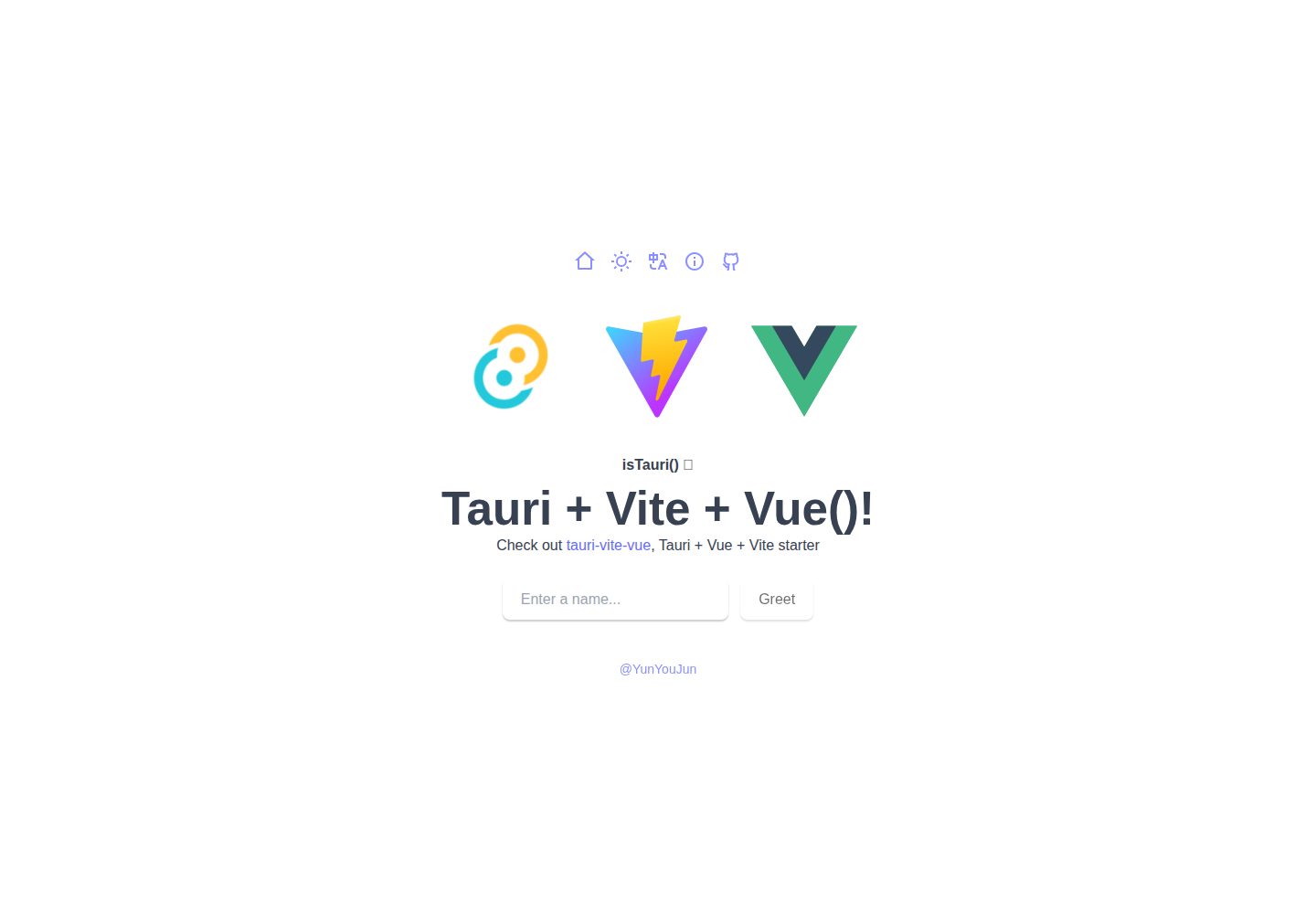
浏览真实页面截图,比较内容排版与手机效果。点击下方缩略图切换,放大查看整页细节。
目前有 1 张原始预览,可打开完整图片查看设计细节。
截图用于了解视觉与布局,交互效果请以实际项目为准。
采集于 2026-10-02查看来源
值得关注的模板亮点
从已有项目资料中,快速了解它的特点。
提供 GitHub Template 与 degit 两种取用方式
包含开发、构建与 Windows/macOS/Linux 打包命令
附带 Android 与 iOS 的初始化、调试及签名说明
release.yml 工作流按版本 tag 构建多平台安装包并上传草稿 Release
README 提供使用清单,提示修改标识符、作者、标题、图标与示例内容
模板详细介绍
该仓库是 YunYouJun 维护的 Tauri 启动模板,将 Vite 与 Vue 组合为前端层,用于创建跨平台桌面应用。README 明确标注为 WIP(进行中),说明其定位是起步脚手架而非成品应用。
模板提供 GitHub Template 与 degit 两种取用方式,并附带一份使用清单,提示使用者修改 src-tauri/tauri.conf.json 中的 bundle identifier、LICENSE 作者名、App.vue 标题、src-tauri 图标,并移除 .github 目录与示例路由。开发流程包含 pnpm dev(本地 1420 端口)与 pnpm tauri dev;构建通过 pnpm tauri build 生成各平台安装包,Windows 产出 .msi、macOS 产出 .dmg、Linux Debian 产出 .deb。
仓库还给出 Android 与 iOS 的初始化与调试命令,包括 Rust 目标添加、JAVA_HOME/ANDROID_HOME/NDK_HOME 环境变量、iOS 的 CocoaPods 与 APPLE_DEVELOPMENT_TEAM 配置。release.yml 工作流在推送版本 tag 时构建 Windows、Linux、macOS Intel 与 Apple Silicon 包并上传到草稿 Release。FAQ 记录了 Android 打包时 packageInfo is null 需为 APK 签名的问题。
VueVite启动器
适合你的项目吗?
适用场景
- 从零搭建基于 Vue 与 Vite 的 Tauri 桌面应用项目
- 在 Windows、macOS、Linux 上构建并打包安装包
- 为 Tauri 应用配置 Android 或 iOS 移动端调试环境
- 通过 GitHub Release 工作流自动产出多平台构建产物
适合人群
- 希望以 Vue 技术栈开发 Tauri 桌面应用的开发者
- 需要跨平台打包流程参考的团队
- 愿意按 README 清单清理示例内容并自行配置项目的使用者
上手与定制指南
结合仓库当前版本的说明,按下面的资料检查内容、配置与运行要求。
- 1
需先安装 Rust 与 Node.js,并按 Tauri 官方前置条件配置各平台环境
- 2
可用 npx degit YunYouJun/tauri-vite-vue my-tauri-app 获取模板,再执行 pnpm i
- 3
使用前按清单修改 tauri.bundle.identifier、LICENSE 作者名、App.vue 标题与 src-tauri 图标
- 4
Android 打包需为 APK 签名,否则可能出现 packageInfo is null
- 5
iOS 需安装 CocoaPods 并设置 APPLE_DEVELOPMENT_TEAM
授权与来源资料
使用条件与限制
免费使用 · 保留许可声明本次收录的是公开仓库中采用 MIT 许可的免费版本;免费范围为该版本代码,不代表外部服务或第三方素材免费。
使用时需要遵守
- 允许免费使用、修改、商用和分发该版本代码。
- 分发代码副本或实质性部分时,保留原作者版权声明和完整 MIT 许可声明。
- 代码按现状提供;担保与责任限制以原许可证及适用法律为准。
额外费用与待核对事项
- 项目自述为 WIP(进行中)的起步模板,并非成品应用,功能与结构可能不完整或随时变动,不适合直接用于生产环境。
- 使用该模板需自行安装 Rust 与 Node.js,并按 Tauri 官方前置条件分别配置 Windows、macOS、Linux 环境,存在额外环境依赖。
- 使用模板时需按清单修改 LICENSE 中的作者名,并替换 tauri.bundle.identifier、App.vue 标题、src-tauri 图标,同时移除 .github 目录与示例路由。
- Android 打包需自行生成并配置 APK 签名密钥库,否则可能出现 packageInfo is null 问题。
- iOS 构建需安装 CocoaPods 并配置 Apple 开发者团队 ID(APPLE_DEVELOPMENT_TEAM),涉及 Apple 开发者账号。
- 演示图片、字体、图标及其他第三方素材需按各自许可核对,不能仅凭代码的 MIT 许可判断。
- 域名、托管、数据库、支付或 AI 等外部服务可能另外收费。
查看原文依据
Permission is hereby granted, free of charge
许可证原文
(🧪 WIP) Vite + Vue Starter for [Tauri](https://tauri.app/).
README 原文
Windows/macOS/Linux require different environments, but [Rust](https://www.rust-lang.org/) and [Node.JS](https://nodejs.org/) are needed.
README 原文
Change the author name in `LICENSE`
README 原文
需为安卓 APK 签名。
README 原文
https://github.com/YunYouJun/tauri-vite-vue/blob/main/LICENSEhttps://github.com/YunYouJun/tauri-vite-vue/blob/main/README.mdAPPLE_DEVELOPMENT_TEAM=YOUR_TEAM_ID
README 原文
DeepSeek 根据仓库许可证和 README 整理 ·2026-10-02。结果仅覆盖已读取资料,依赖、图片、字体及后续条款变更以各自原文为准。
项目核对记录与介绍依据
模板资料
- 来源平台
- GitHub
- 资料与维护参考分
- 资料较完整 · 92 / 100
- 技术栈
- Vue · Vite
- 网站类型
- 启动器
这个分数如何计算
本站按许可资料(最高30分)、演示链接(12分)、预览图(10分)、Star数(15分)、记录的维护时间(15分)、描述完整度(8分)、功能记录(5分)和分类资料(5分)计算。它不是代码、安全或性能测试,也不是 Google 评分;有链接不代表已实测可用。
这个项目需要核对什么
- 记录的仓库更新时间
- 2026-06-16
- 截图检查日期
- 2026-10-02
已收录演示链接。请用你的内容与屏幕尺寸检查;有演示不代表表单、认证或支付已经可用。
目录记录的主要技术栈是 Vue。请通过依赖清单和锁文件核对实际版本与托管要求。这些说明基于收录资料,不代表代码审计或部署实测。
查看具体选型方法 →介绍的制作与核对状态
介绍由 AI 辅助整理目录与仓库资料。仓库作者不等于这篇介绍的审核者。
已完成服务器许可规则与 AI 来源核对;未经过人工编辑审核。
查看当时使用的来源资料
SHA-256: 6e269424354b0602c36e639c98bc4692d2a6ca62e8c969dc77acbaf83197976a
2026-10-02T22:08:14.262Z
来源文件 / 仓库# tauri-vite-vue (🧪 WIP) Vite + Vue Starter for [Tauri](https://tauri.app/). > Preview: <https://tauri-vite-vue.pages.dev/> > Docs: <> ## Prerequisites > Windows/macOS/Linux require different environments, but [Rust](https://www.rust-lang.org/) and [Node.JS](https://nodejs.org/) are needed. More info see [Prerequisites | Tauri](https://v2.tauri.app/start/prerequisites/). ## Try ### GitHub Template [Create a repo from this template on GitHub](https://github.com/YunYouJun/tauri-vite-vue/generate) ### Clone to local If you prefer to do it manually with the cleaner git history ```bash npx degit YunYouJun/tauri-vite-vue my-tauri-app cd my-tauri-app pnpm i # If you don't have pnpm installed, run: npm install -g pnpm ``` ## Checklist When you use this template, try follow the checklist to update your info properly - [ ] Change `tauri.bundle.identifier` value in `src-tauri/tauri.conf.json` - [ ] Change the author name in `LICENSE` - [ ] Change the title in `App.vue` - [ ] Change the icons in `src-tauri` - [ ] Remove the `.github` folder which contains the funding info - [ ] Clean up the READMEs and remove routes And, enjoy :) ## Usage ### Development ```bash # run it and visit http://localhost:1420 pnpm dev # run it in tauri # RUST_BACKTRACE=1 pnpm tauri dev pnpm tauri dev ``` ```bash # https://tauri.app/distribute/google-play/#changing-app-icon pnpm tauri icon /path/to/app-icon.png ``` #### Android ```bash # https://tauri.app/start/prerequisites/#android export JAVA_HOME="/Applications/Android Studio.app/Contents/jbr/Contents/Home" # custom # export JAVA_HOME="/Users/yunyou/Applications/Android Studio.app/Contents/jbr/Contents/Home" export ANDROID_HOME="$HOME/Library/Android/sdk" export NDK_HOME="$ANDROID_HOME/ndk/$(ls -1 $ANDROID_HOME/ndk)" rustup target add aarch64-linux-android armv7-linux-androideabi i686-linux-android x86_64-linux-android # dev pnpm tauri android init pnpm tauri android dev ``` #### iOS > [iOS | prerequisites | Tauri](https://tauri.app/start/prerequisites/#ios) ```bash rustup target add aarch64-apple-ios x86_64-apple-ios aarch64-apple-ios-sim brew install cocoapods ``` ```bash # .env APPLE_DEVELOPMENT_TEAM=YOUR_TEAM_ID ``` ```bash # fist pnpm tauri ios init # run pnpm tauri ios dev ``` ### Build ```bash # Build Tauri App, find it below pnpm tauri build # You can use `pnpm build` to build website. ``` - Windows `.msi`: `src-tauri/target/release` (only be created on Windows) - macOS `.dmg`: `src-tauri/target/release/bundle/dmg` (only be created on macOS) - Linux(Debian) `.deb`: `src-tauri/target/release` (only be created on Linux) ### Release The release workflow in `.github/workflows/release.yml` builds Windows, Linux, macOS Intel, and macOS Apple Silicon bundles, then uploads them to a draft GitHub Release. Push a version tag to trigger it: ```bash git tag v0.1.0 git push origin v0.1.0 ``` ## FAQ ### Android: packageInfo is null 需为安卓 APK 签名。 ```bash keytool -genkey -v -keystore ~/upload-keystore.jks -keyalg RSA -keysize 2048 -validity 10000 -alias upload ``` ```bash # /src-tauri/gen/android/keystore.properties storePassword=<password from previous step> keyPassword=<password from previous step> keyAlias=upload storeFile=<密钥存储文件的位置,例如 /Users/<user name>/upload-keystore.jks 或 C:\\Users\\<user name>\\upload-keystore.jks> ``` > [为应用签名](https://developer.android.com/studio/publish/app-signing?hl=zh-cn) > [安卓代码签名|Tauri](https://tauri.app/zh-cn/distribute/signing/android/) ## Thanks - [Tauri](https://github.com/tauri-apps/tauri) - [Vite](https://github.com/vitejs/vite) - [Vue](https://github.com/vuejs/core) - [Vitesse](https://github.com/antfu/vitesse)
看看同类模板
对比同技术栈与用途的模板,找到更适合的视觉与内容结构。

vitesse
🏕 Opinionated Vite + Vue Starter Template
Vue · 启动器

vitesse-webext
⚡️ WebExtension Vite Starter Template
Vue · 启动器

laravel-vue-spa
A Laravel-Vue SPA starter kit.
Vue · 启动器

vue3-h5-template
vue3-h5-template 是一个面向移动端 H5 项目的启动模板,基于 Vue3、Vite 和 Vant4 构建,同时集成了 TypeScript、Tailwindcss、Pinia、Vue-router 等常用…
Vue · 启动器

tov-template
vite + vue3 + ts 开箱即用现代开发模板 | vite + vue3 + ts out-of-the-box modern development template
Vue · 启动器

shadcn-vue-landing-page
New design 🎉 Vue + Shadcn-vue + TypeScript + Tailwind. Landing page template ease-to-use
Vue · 企业官网