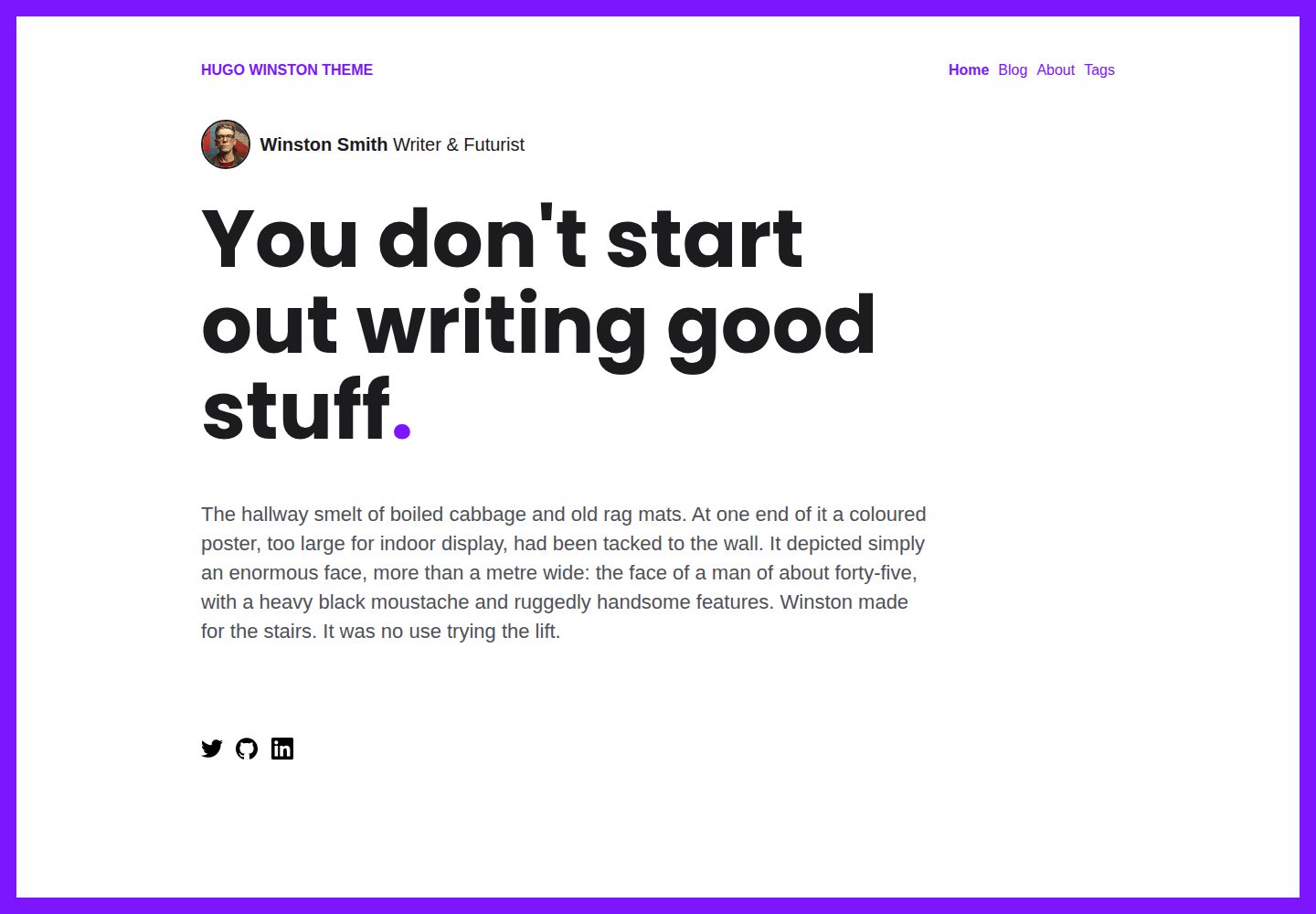
面向 Hugo 的极简博客主题,内容以 Markdown 文章与基础页面为主
Hugo博客
hugo-winston-theme — Hugo 博客模板
作者 zerostaticthemes
Hugo Winston 是一个面向 Hugo 的极简博客主题,强调粗体排版与克制的视觉风格,支持 Markdown 文章与基础页面。
看看你的网站会是什么样
浏览真实页面截图,比较内容排版与手机效果。点击下方缩略图切换,放大查看整页细节。
全部页面与视图 3
截图用于了解视觉与布局,交互效果请以实际项目为准。
采集于 2026-09-30查看来源
值得关注的模板亮点
从已有项目资料中,快速了解它的特点。
使用 Hugo Pipes 编译 SCSS,要求 Hugo Extended 版本
config.toml 提供首页展示、文章数量与排序、配色和字体等参数
支持 Google Analytics(含 HUGO_GOOGLE_ANALYTICS_ID 环境变量)与 Plausible Analytics
自动生成页面标题、meta description、meta 标签及 Facebook/Twitter OG 元数据
仓库包含 exampleSite 示例内容与 Netlify 部署配置
模板详细介绍
Hugo Winston 是 Zerostatic 发布的免费开源 Hugo 博客主题,采用 MIT 许可。主题定位为极简且视觉粗犷的博客站点,内容以 Markdown 撰写,包含文章(Posts)与基础页面(Basic Page)两种内容类型。样式通过 Hugo Pipes 编译 SCSS,因此必须使用 Hugo Extended 版本,否则无法构建。
主题在 config.toml 中提供较细的展示与配色参数,包括首页是否显示作者、简介内容与文章列表,首页文章是否分页、不分页时的文章数量上限、文章排序方向,以及高亮色、基础色、标题色、正文色、圆点色等颜色项;字体方面可启用 Google Fonts 并分别指定标题、正文与等宽字体。首页还提供 addDot、addFrame 等装饰开关。
分析统计方面,主题支持在 config.toml 中填写 Google Analytics ID,也可通过环境变量 HUGO_GOOGLE_ANALYTICS_ID 配置,便于在 Netlify 等平台注入;同时支持 Plausible Analytics,通过填写 data-domain 启用。每个页面会自动生成标题、meta description 与 meta 标签,并输出面向 Facebook 与 Twitter 的 OG 元数据,文档结构采用语义化 HTML。
仓库自带 exampleSite 示例内容与 netlify.toml,示例站点以 exampleSite 为发布目录部署到 Netlify;若将主题安装到新站点并复制或删除了 exampleSite,应删除该 netlify.toml。README 中列出的 Lighthouse 满分属于作者自述,未在本次资料中独立核验。
Hugo博客
适合你的项目吗?
适用场景
- 用 Hugo 搭建以文章列表和文章详情为核心的极简博客
- 需要按颜色、字体、首页模块开关调整视觉风格的博客站点
- 部署到 Netlify 并希望从 exampleSite 直接构建的静态站点
- 需要自动生成 SEO meta 与社交分享 OG 信息的博客
适合人群
- 使用 Hugo 并熟悉 config.toml 配置的开发者
- 偏好极简、粗体排版风格的博客作者
- 需要 MIT 许可下可自由修改与分发的博客主题的团队
- 计划在 Netlify 上托管静态博客的用户
上手与定制指南
结合仓库当前版本的说明,按下面的资料检查内容、配置与运行要求。
- 1
需先安装 Hugo,且必须是 Extended 版本(含 SCSS 编译能力),可用 hugo version 确认
- 2
将主题克隆到站点 themes 目录,例如 themes/hugo-winston-theme
- 3
把主题内 exampleSite 的内容复制到站点根目录,再运行 hugo 或 hugo server 本地预览
- 4
可在 exampleSite 目录下用 hugo server --source=exampleSite --theme=../.. 直接开发主题
- 5
若已把主题安装到新站点并复制或删除了 exampleSite,应删除仓库自带的 netlify.toml
授权与来源资料
使用条件与限制
免费使用 · 保留许可声明本次收录的是公开仓库中采用 MIT 许可的免费版本;免费范围为该版本代码,不代表外部服务或第三方素材免费。
使用时需要遵守
- 允许免费使用、修改、商用和分发该版本代码。
- 分发代码副本或实质性部分时,保留原作者版权声明和完整 MIT 许可声明。
- 代码按现状提供;担保与责任限制以原许可证及适用法律为准。
额外费用与待核对事项
- 必须使用 Hugo Extended 版本构建,标准版 Hugo 无法编译 SCSS,主题将无法正常工作。
- 启用 Google Analytics 需自行提供 GA 跟踪 ID,属于第三方外部服务,需自行承担相关账号与合规成本。
- 启用 Plausible Analytics 需自行提供域名并接入该第三方统计服务,可能涉及外部服务费用。
- 若将主题安装到新站点并复制或删除了 exampleSite,需手动删除仓库自带的 netlify.toml,否则部署配置可能指向错误目录。
- 演示图片、字体、图标及其他第三方素材需按各自许可核对,不能仅凭代码的 MIT 许可判断。
- 域名、托管、数据库、支付或 AI 等外部服务可能另外收费。
查看原文依据
Permission is hereby granted, free of charge
许可证原文
**Hugo Extended** is required!
README 原文
Add your google analytics ID to the `config.toml`
README 原文
Add your plausible analytics domain to the `config.toml`.
README 原文
https://github.com/zerostaticthemes/hugo-winston-theme/blob/master/LICENSEhttps://github.com/zerostaticthemes/hugo-winston-theme/blob/master/README.mdyou should delete the `netlify.toml` file.
README 原文
DeepSeek 根据仓库许可证和 README 整理 ·2026-10-01。结果仅覆盖已读取资料,依赖、图片、字体及后续条款变更以各自原文为准。
项目核对记录与介绍依据
模板资料
- 来源平台
- GitHub
- 资料与维护参考分
- 资料较完整 · 76 / 100
- 技术栈
- Hugo
- 网站类型
- 博客
这个分数如何计算
本站按许可资料(最高30分)、演示链接(12分)、预览图(10分)、Star数(15分)、记录的维护时间(15分)、描述完整度(8分)、功能记录(5分)和分类资料(5分)计算。它不是代码、安全或性能测试,也不是 Google 评分;有链接不代表已实测可用。
这个项目需要核对什么
- 记录的仓库更新时间
- 2024-02-29
- 截图检查日期
- 2026-10-01
已收录演示链接。请用你的内容与屏幕尺寸检查;有演示不代表表单、认证或支付已经可用。
目录记录的主要技术栈是 Hugo。请通过依赖清单和锁文件核对实际版本与托管要求。这些说明基于收录资料,不代表代码审计或部署实测。
查看具体选型方法 →介绍的制作与核对状态
介绍由 AI 辅助整理目录与仓库资料。仓库作者不等于这篇介绍的审核者。
已完成服务器许可规则与 AI 来源核对;未经过人工编辑审核。
查看当时使用的来源资料
SHA-256: ac2b2bf423b25b3d174f23696f3b9340d24dd48733df0f2ffe72fda1a932b5af
2026-10-01T15:13:29.916Z
来源文件 / 仓库# Hugo Winston Theme Hugo Winston is a bold minimal blogging theme. [Live Demo](https://hugo-winston.netlify.app/) | [Zerostatic Themes](https://www.zerostatic.io/) 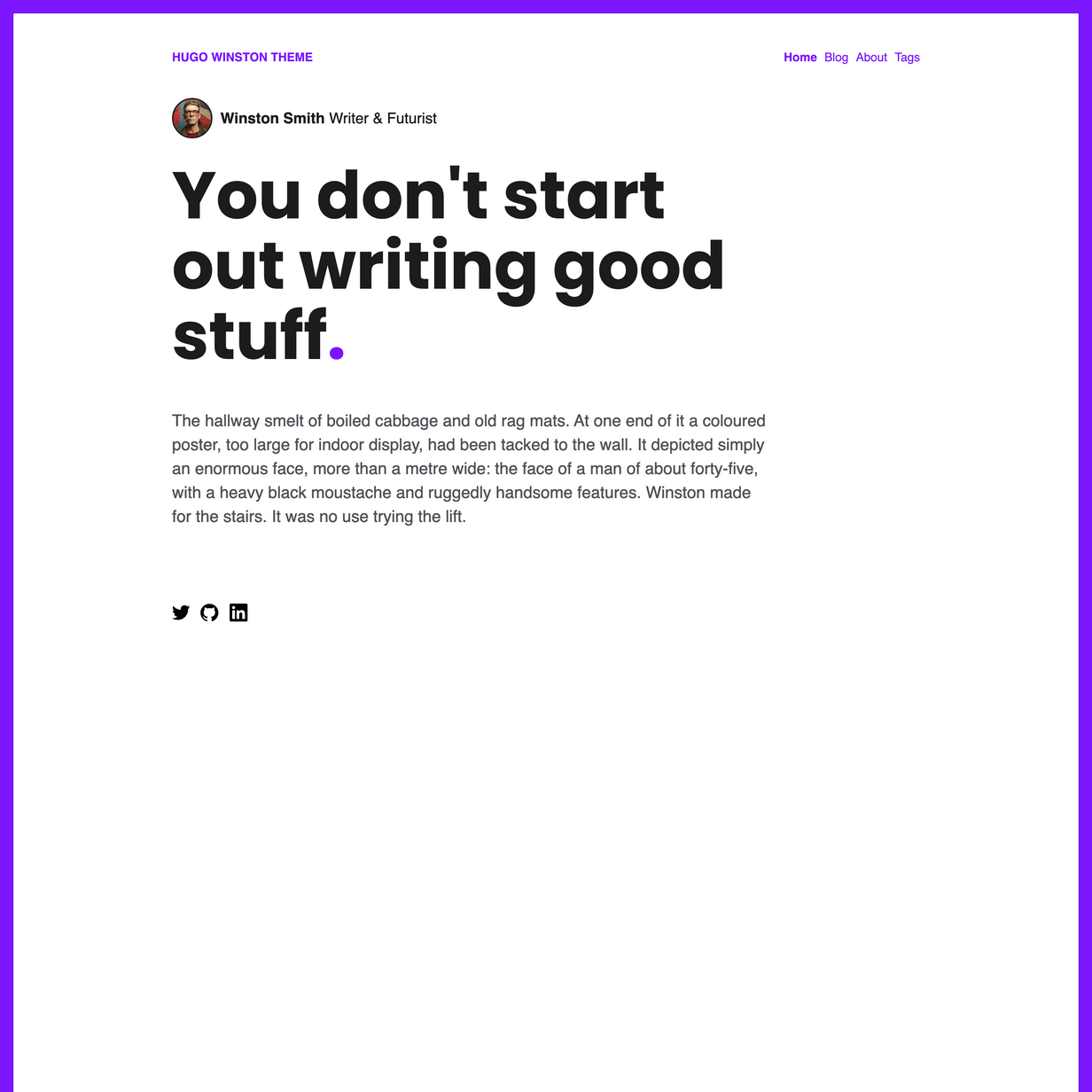 ## Theme features - Posts (Markdown) - Basic Page (Markdown) - SCSS (Hugo Pipelines) - Responsive design - 100/100 Google Lighthouse speed score - 100/100 Google Lighthouse SEO score - 100/100 Google Lighthouse accessibility score - Google analytics configured in `config.toml` - Configure GID using env variable HUGO_GOOGLE_ANALYTICS_ID, compatible with Netlify. - Title, meta description and meta tags automatically generated for every page - OG Meta data for Facebook and Twitter - Semantic HTML document structure ## Installation **1. Install Hugo** To use this theme you will first need to have Hugo installed. Please follow the official [installation guide](https://gohugo.io/getting-started/installing/) > ⚠️ **Note:** Check your Hugo version - **Hugo Extended** is required! This theme uses [Hugo Pipes](https://gohugo.io/hugo-pipes/scss-sass/) to compile SCSS and minify assets which means if you are not using the Hugo extended version this theme will not work. To check your version of Hugo, run `hugo version`. Make sure you see **/extended** after the version number, for example _Hugo Static Site Generator v0.51/extended darwin/amd64 BuildDate: unknown_ You do not need to use version v0.51 specifically, it just needs to have the _/extended_ part. **2. Create a new Hugo site** This will create a fresh Hugo site in the folder `mynewsite`. ``` hugo new site mynewsite ``` **3. Install the theme** Download or git clone this theme into the sites themes folder `mynewsite/themes`. You should end up with the following folder structure `mynewsite/themes/hugo-winston-theme` ``` cd mynewsite git clone https://github.com/zerostaticthemes/hugo-winston-theme.git themes/hugo-winston-theme ``` **4. Copy the example content** Copy the entire contents of the `mynewsite/themes/hugo-winston-theme/exampleSite/` folder to root folder of your Hugo site, ie `mynewsite/`. To copy the files using terminal, make sure you are still in the projects root, ie the `mynewsite` folder. ``` cp -a themes/hugo-winston-theme/exampleSite/. . ``` **6. Run Hugo** After installing the theme for the first time, generate the Hugo site. You run this command from the root folder of your Hugo site ie `mynewsite` ``` hugo ``` For local development run Hugo's built-in local server. ``` hugo server ``` Now enter [`localhost:1313`](http://localhost:1313) in the address bar of your browser. # Localhost inside exampleSite You can run this site without installing it as a hugo theme using the following command. I use this for theme development. ``` hugo server --source=exampleSite --theme=../.. ``` # Configuration ### Config options ```toml # config.toml [params] google_analytics_id = "" twitter_handle = "@zerostaticio" showAuthorOnHomepage = true showAuthorOnPosts = false showIntroContentOnHomepage = true showPostsOnHomepage = true usePaginationOnHomepage = false limitPostsOnHomepage = 3 # only used if usePaginationOnHomepage is false sortPostsByDateOldestFirst = false addDot = true addFrame = true highlightColor = '#7b16ff' baseColor = "#ffffff" baseOffsetColor = "#eaeaea" headingColor = "#1c1b1d" textColor = "#4e5157" dotColor = "#7b16ff" enableGoogleFonts = true googleFontsUrl = "https://fonts.googleapis.com/css2?family=Poppins:wght@400;700&display=swap" fontFamilyHeading = "Poppins" fontFamilyParagraph = "Helvetica" fontFamilyMonospace = "monospace" ``` ### Google Analytics Add your google analytics ID to the `config.toml` ```toml # config.toml [params] google_analytics_id="UA-132398315-1" ``` ### Plausible Analytics Add your plausible analytics domain to the `config.toml`. This is `data-domain` in your [tracking script code](https://plausible.io/docs/plausible-script). ```toml # config.toml [params] plausible_analytics_domain = "example.com" ``` # Deploying to Netlify [](https://app.netlify.com/start/deploy?repository=https://github.com/zerostaticthemes/hugo-winston-theme) This theme includes a `netlify.toml` which is [configured to deploy to Netlify](https://discourse.gohugo.io/t/deploy-your-theme-to-netlify/15508) from the `exampleSite` folder. If you have installed this theme into a new Hugo site and the exampleSite folder was copied or removed, you should delete the `netlify.toml` file. ### More Hugo Themes by Zerostatic - [Hugo Hero](https://github.com/zerostaticthemes/hugo-hero-theme) - Open-source business theme - [Hugo Whisper](https://github.com/zerostaticthemes/hugo-whisper-theme) - Open-source documentation theme - [Hugo Serif](https://github.com/zerostaticthemes/hugo-serif-theme) - Open-source business theme - [Hugo Winston](https://github.com/zerostaticthemes/hugo-winston-theme) - Open-source blog theme - [Hugo Advance](https://www.zerostatic.io/theme/hugo-advance/) - Premium advanced multi page business & marketing theme - [Hugo Paradigm](https://www.zerostatic.io/theme/hugo-paradigm/) - Premium landing page + site builder theme - [Hugo Lever](https://www.zerostatic.io/theme/hugo-lever/) - Premium personal / bio theme - [Hugo Shard](https://www.zerostatic.io/theme/hugo-lever/) - Premium SAAS / landing page theme ### Find hundreds more Hugo themes on Built At Lightspeed [<img alt="Built At Lightspeed Hugo themes directory screenshot" width="400px" src="https://www.zerostatic.io/images/builtatlightspeed-hugo-themes.jpg" />](https://builtatlightspeed.com/category/hugo)
看看同类模板
对比同技术栈与用途的模板,找到更适合的视觉与内容结构。

hugo-PaperMod
PaperMod 是 Hugo 生态里知名度较高的主题之一,定位很明确:给博客和轻量作品集站点提供一套干净、响应式的阅读界面。
Hugo · 作品集

LoveIt
❤️A clean, elegant but advanced blog theme for Hugo 一个简洁、优雅且高效的 Hugo 主题
Hugo · 博客

hugo-coder
A minimalist blog theme for hugo.
Hugo · 博客

blowfish
Personal Website & Blog Theme for Hugo
Hugo · 博客

hugo-paper
🪺 A simple, clean, customizable Hugo theme
Hugo · 博客

hextra
Hextra 是一个 Hugo 主题,定位在文档站与博客之间:既提供侧边栏导航、目录、面包屑、分页这类文档站结构,也能承载博客内容。
Hugo · 文档