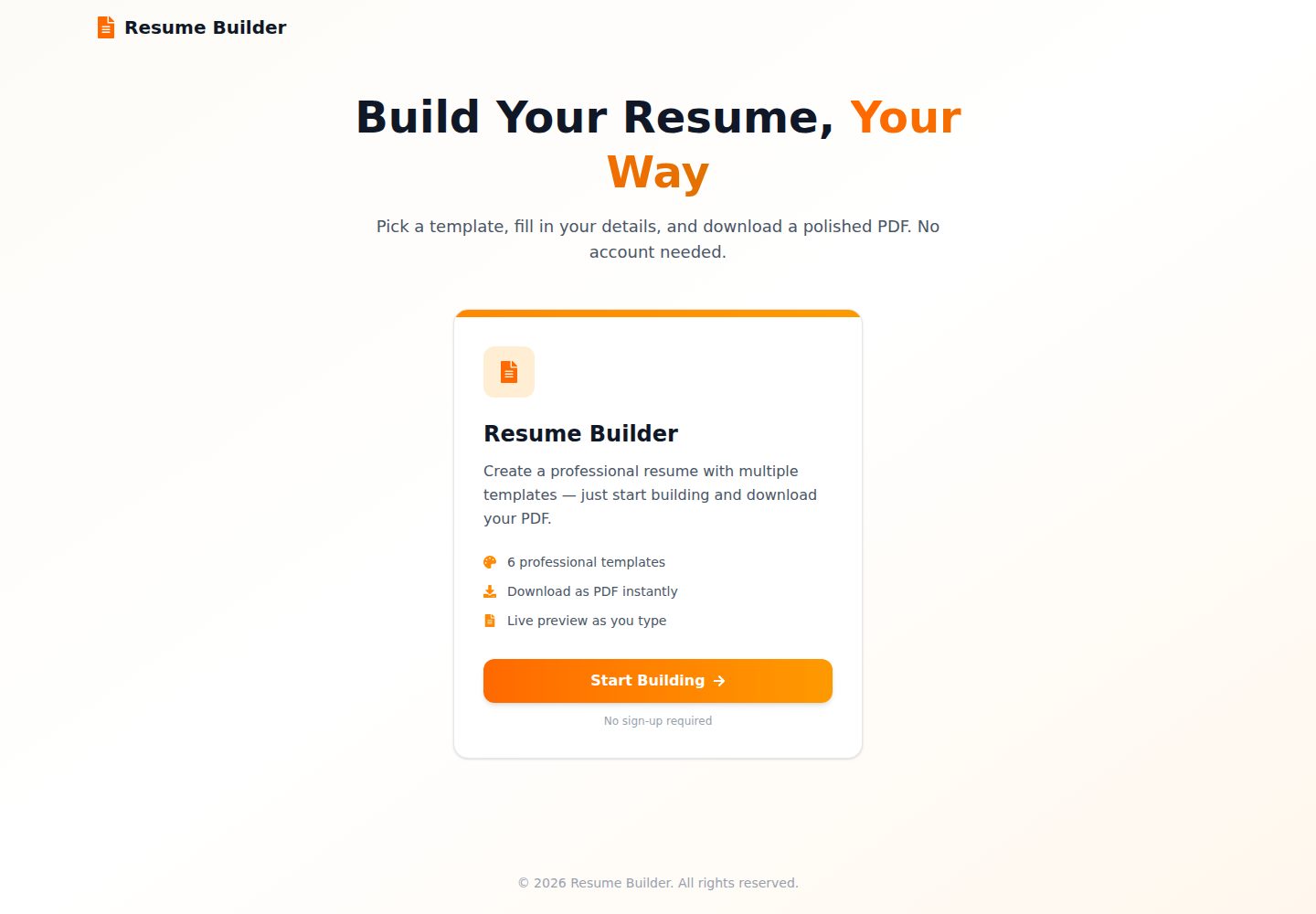
Split-screen editor: form changes are immediately reflected in the preview panel
Next.jsReactPortfolioDirectory site
Resume-Builder — Next.js Portfolio Template
By Abdullah-Masood-05
A purely client-side resume builder built with Next.js and React, offering split-screen live preview, multiple templates, and one-click PDF export, with data stored locally in the browser.
Explore the design
Compare the page layouts and mobile experience. Open any screenshot for a closer look.
Desktop homepage
Desktop captureTop of page
Actual screenshot captured by the server browser.
One original preview is available. Open the full image to inspect the design.
Screenshots show visual appearance; interactive behavior may differ.
Recorded 2026-10-11View source
What stands out
A quick read of the recorded project description.
6 resume templates: Charter single-column, Best single-column, Modern two-column, Creative two-column, Classic two-column, Minimal two-column
One-click PDF export client-side via @react-pdf/renderer
Structured resume sections: personal information, work experience, education, projects, certifications, and skills
End-to-end TypeScript interfaces defining resume data
Template registration mechanism: after registering in pdf-registry and html-registry, templates automatically appear in the selector
Template Details
Resume-Builder is a static web application built with Next.js and React. All editing and PDF generation happen in the browser, with no account or backend service required. Users fill in personal information, work experience, education, projects, certifications, and skills in a split-screen form, while the preview panel updates in real time; on export, a PDF is generated client-side via @react-pdf/renderer. The project provides 6 templates covering single-column and two-column layouts, each with a corresponding HTML preview component.
The main branch of the repository is the standalone resume builder. The README mentions that the candidate/recruiter platform (including authentication, job posting, and application tracking) is on the feat/job-portal branch, not in main. Template data is stored locally via localStorage, with no server-side storage.
The project uses TypeScript to define the resume data structure and includes a PDF template registry and an HTML preview registry; when adding a template, it must be registered in both with the same key name. The build configuration is static export, with build output written to the out/ directory.
Next.jsReactPortfolioDirectory site
Is it right for your project?
Use Cases
- Individuals fill in and export a resume PDF in the browser without registering an account
- Developers reference its split-screen editing and client-side PDF generation implementation
- Deploy as a static site to a hosting platform, with build output written to the out/ directory
- Extend new PDF and HTML preview templates based on existing templates
Suitable For
- Individual users who need to quickly generate a resume PDF
- Developers learning Next.js static export and client-side PDF rendering
- Projects that wish to reuse or modify the template code under the MIT license
Getting started & customization
Use these recorded setup notes alongside the repository instructions for your chosen version.
- 1
Requires Node.js 18 or above; Bun 1.1 or npm/yarn/pnpm is recommended
- 2
After cloning the repository, run bun install to install dependencies, then run bun dev to start the development server
- 3
The build command bun run build generates a static site into the out/ directory
- 4
Adding a template requires creating both a PDF component and an HTML preview component, and registering them in both registries with the same key name
- 5
Third-party assets such as demo images, fonts, and icons must be checked separately under their respective licenses
License & source material
Usage conditions & limitations
Free to use · keep license noticeThis entry covers the free version of the public repository under the MIT license; the free scope is the code of that version and does not mean external services or third-party assets are free.
Must comply with when using
- Free use, modification, commercial use, and distribution of this version's code are permitted.
- When distributing copies or substantial portions of the code, retain the original author's copyright notice and the full MIT license notice.
- The code is provided as is; warranties and limitations of liability are governed by the original license and applicable law.
Additional costs & items to verify
- Demo images, fonts, icons, and other third-party assets must be checked under their respective licenses and cannot be judged solely by the code's MIT license.
- External services such as domains, hosting, databases, payments, or AI may incur separate charges.
- The candidate/recruiter platform (including authentication, job posting, and application tracking) is on the feat/job-portal branch, not in main; main is only the standalone resume builder, and switching to that branch is required if those platform features are needed.
View Original Text Basis
Permission is hereby granted, free of charge
Original License Text
https://github.com/Abdullah-Masood-05/Resume-Builder/blob/main/LICENSEhttps://github.com/Abdullah-Masood-05/Resume-Builder/blob/main/README.md**Looking for the job portal?** The candidate/recruiter platform (auth, job posting, application tracking) lives on the [`feat/job-portal`](../../tree/feat/job-portal) branch. `main` is the standalone resume builder.
Original README
Compiled by DeepSeek based on repository license and README ·2026-10-11. Results only cover the materials read; dependencies, images, fonts, and subsequent term changes are subject to their respective original texts.
Project checks & description sources
Template Information
- Source platforms
- GitHub
- Documentation and maintenance reference score
- More documented · 88 / 100
- Technologies
- Next.js · React
- Website type
- Portfolio · Directory site
How this score is calculated
Our heuristic uses license records (up to 30), a demo link (12), a preview (10), stars (15), recorded maintenance (15), description completeness (8), feature records (5) and classification data (5). It is not a code, security or performance test, or a Google score. A link does not establish tested functionality.
What to verify for this project
- Repository update recorded
- 2026-10-11
- Screenshot last checked
- 2026-10-11
A demo link is listed. Check it with your own content and viewport sizes; its presence does not confirm that forms, authentication or payments work.
The catalog identifies Next.js as the primary stack. Check the actual dependency manifest and lockfile for versions and hosting requirements. These notes use recorded metadata, not a code audit or a deployment test.
Use a selection guide →How this description was prepared
AI-assisted description based on catalog records and repository material. Repository authors are not automatically the reviewers of this description.
Review declaration: [email protected] · 2026-10-11
Inspect the recorded source material
SHA-256: 2d8fc1b4c6c689ffec84bc3b137f4994f7491b3a9bd14bff70d0ab9d0361a40b
2026-10-11T12:20:28.979Z
Source file / repository<div align="center">
# Resume Builder
**A modern, fully client-side resume builder — pick a template, fill in your details, and export a pixel-perfect PDF. No account, no backend.**
[](https://nextjs.org)
[](https://react.dev)
[](https://www.typescriptlang.org)
[](https://tailwindcss.com)
[](LICENSE)
[](https://github.com/Abdullah-Masood-05/Resume-Builder/stargazers)
</div>
<p align="center">
⭐ <b>Enjoying Resume-Builder?</b> If it's useful to you, please <a href="https://github.com/Abdullah-Masood-05/Resume-Builder">star it on GitHub</a>. It's free and it helps other developers find it.
</p>
---
## Overview
Resume Builder is a static web app built with **Next.js 16** and **React 19**. Everything runs in the browser: you edit your details in a split-screen form, watch the resume update live, and generate the PDF client-side. Nothing is uploaded anywhere.
> **Looking for the job portal?** The candidate/recruiter platform (auth, job posting, application tracking) lives on the [`feat/job-portal`](../../tree/feat/job-portal) branch. `main` is the standalone resume builder.
---
## Features
- **Live split-screen editor** — changes reflect instantly in the preview pane
- **6 professional templates**
| Template | Style |
|---|---|
| Charter 1-Column | Compact LaTeX Charter CV with ruled section headings |
| Best 1-Column | Professional single-column LaTeX style |
| Modern 2-Column | Clean and modern with sidebar layout |
| Creative 2-Column | Colour-accented sidebar layout |
| Classic 2-Column | Traditional professional format |
| Minimal 2-Column | Minimalist design with focus on content |
- **One-click PDF export** — generated client-side via `@react-pdf/renderer`
- **Structured sections** — Personal Info, Work Experience, Education, Projects, Certifications and Skills
- **Dynamic entry management** — add or remove multiple entries per section
- **End-to-end TypeScript** — strict interfaces for all resume data
---
## Tech Stack
| Technology | Version | Purpose |
|---|---|---|
| [Next.js](https://nextjs.org) | 16 | App framework (App Router, static export) |
| [React](https://react.dev) | 19 | UI library |
| [TypeScript](https://www.typescriptlang.org) | 5 | Type safety |
| [Tailwind CSS](https://tailwindcss.com) | 4 | Styling |
| [@react-pdf/renderer](https://react-pdf.org) | 4 | Client-side PDF generation |
| [Lucide React](https://lucide.dev) | latest | Icons |
| [React Icons](https://react-icons.github.io/react-icons) | 5 | Additional icons |
| [Bun](https://bun.sh) | 1.1 | Package manager & runtime |
---
## Project Structure
```
Resume-Builder/
├── app/
│ ├── page.tsx # Landing page
│ ├── layout.tsx # Root layout + template provider
│ ├── globals.css # Tailwind entry + Charis SIL @font-face
│ └── resume/page.tsx # Resume editor + live preview
├── components/
│ ├── resume-editor.tsx # Tabbed form editor
│ ├── resume-preview.tsx # Live HTML preview + template selector
│ ├── resume-download.tsx # PDF export button
│ ├── layout-wrapper.tsx # Minimum-width guard
│ ├── pdf-templates/ # @react-pdf/renderer PDF templates
│ │ ├── charter-pdf.tsx
│ │ ├── best-pdf.tsx
│ │ ├── modern-pdf.tsx
│ │ ├── creative-pdf.tsx
│ │ ├── classic-pdf.tsx
│ │ └── minimal-pdf.tsx
│ └── templates/ # HTML live-preview templates
│ ├── charter-preview.tsx
│ ├── best-preview.tsx
│ ├── modern-preview.tsx
│ ├── creative-preview.tsx
│ ├── classic-preview.tsx
│ └── minimal-preview.tsx
├── context/
│ └── TemplateContext.tsx # Global selected-template state
└── lib/
├── resume.ts # Core resume TypeScript interfaces
├── defaults.ts # Default / sample resume data
├── text-format.ts # Bullet line + bold label parsing
├── pdf-registry.ts # PDF template registry
└── html-registry.ts # HTML preview template registry
```
---
## Installation
### Prerequisites
- [Node.js](https://nodejs.org) ≥ 18
- [Bun](https://bun.sh) ≥ 1.1 *(recommended)* — or npm / yarn / pnpm
### Setup
```bash
# 1. Clone the repository
git clone https://github.com/Abdullah-Masood-05/Resume-Builder.git
cd Resume-Builder
# 2. Install dependencies
bun install
# 3. Start the development server
bun dev
```
Open [http://localhost:3000](http://localhost:3000) in your browser.
### Build for Production
The app is configured for static export (`output: "export"`), so a build emits a fully static site to `out/`.
```bash
bun run build
```
### Available Scripts
| Script | Description |
|---|---|
| `bun dev` | Start the development server |
| `bun run build` | Build the static site into `out/` |
| `bun run start` | Start the production server |
| `bun run lint` | Run ESLint |
---
## Usage
1. From the landing page, click **Start Building**
2. Pick a template from the selector above the preview
3. Fill in your details across the tabs: *Personal*, *Experience*, *Education*, *Projects*, *Skills*
4. Watch the resume update live in the preview pane
5. Click **Download PDF** to export
---
## Adding a New Template
1. Create a PDF component in `components/pdf-templates/your-template.tsx` using `@react-pdf/renderer` primitives (`Page`, `View`, `Text`, `StyleSheet`)
2. Create a matching HTML preview in `components/templates/your-preview.tsx`
3. Register both in `lib/pdf-registry.ts` and `lib/html-registry.ts` under the same key
```ts
// lib/pdf-registry.ts
import { YourPdfTemplate } from "@/components/pdf-templates/your-template"
export const pdfTemplates = {
// ... existing templates
"your-key": {
name: "Your Template Name",
description: "A short description of the style",
component: YourPdfTemplate,
},
}
```
The new template appears in the selector automatically — no other changes needed. Keep the two components visually in sync; the preview is what users judge the PDF by.
---
## Contributing
Contributions, issues, and feature requests are welcome!
1. Fork the repository
2. Create a feature branch: `git checkout -b feat/your-feature`
3. Commit your changes using [Conventional Commits](https://www.conventionalcommits.org): `git commit -m "feat: add your feature"`
4. Push to your fork: `git push origin feat/your-feature`
5. Open a Pull Request against `main`
Please ensure the project builds (`bun run build`) and lints (`bun run lint`) without errors before submitting.
---
## Roadmap
- [x] Standalone resume builder (no auth required)
- [x] 6 professional PDF templates
- [x] Live split-screen preview
- [x] Static export deployment
- [ ] ATS score / keyword analysis
- [ ] Import from LinkedIn / JSON Resume
- [ ] Multi-page PDF support
- [ ] Dark mode
---
## License
Distributed under the [MIT License](LICENSE).
Explore similar templates
Compare previews and descriptions within the same stack and category.

react-resume-template
A personal resume website template for software developers, built with Next.js, React, and TypeScript and styled with Tailwind CSS. Site content is driven by a single data file at /src/data/data.tsx, with types in dataDef.ts and images in src/images/.
Next.js · Portfolio

nxt-lnk
nxt-lnk is a Next.js-based bio link page template that manages personal information and links via BioData.js and LinksData.js, positioned as a self-hosted alternative to Linktree. It groups links by type, supports enabling/disabling individual links, and offers hexagonal or oval avatars.
Next.js · Portfolio

sylph
Sylph is a minimal portfolio and blog template built on Next.js, supporting MDX/Markdown writing, light/dark themes, and automatic OG image generation. It includes sitemap, robots.txt, metadata, and syntax highlighting, with automatic blog timestamps.
Next.js · Portfolio

sleek-portfolio
A modern, responsive portfolio template built with Next.js 15, TypeScript, Tailwind CSS, and Shadcn UI. It includes an MDX blog, project showcase, work experience timeline, and a contact form that receives messages via Telegram Bot.
Next.js · Portfolio
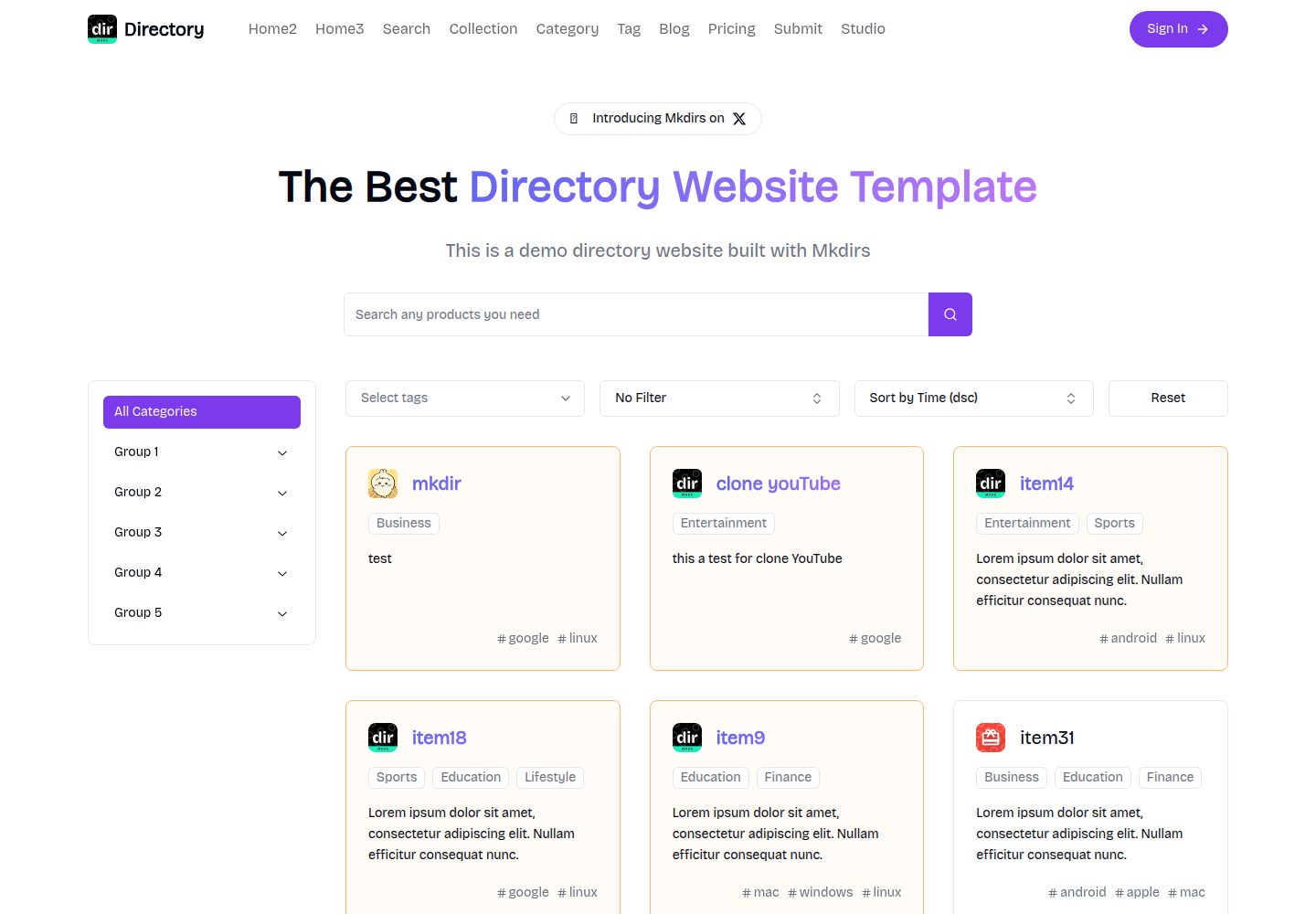
mkdirs
Mkdirs is an open-source directory website template built with Next.js, offering directory entries, categories, collections, tags, and search as core content structures, plus AI-assisted submissions, user authentication and dashboards, free/paid/sponsored submissions via Stripe, Sanity CMS with blog, Resend email and newsletters, SEO…
Next.js · Directory site

research-website-template
A React + Next.js template for research personal websites, aimed at PhD students and researchers. It centralizes publications, projects, and other content in src/data as arrays of objects, with optional fields automatically generating UI components.
Next.js · Portfolio