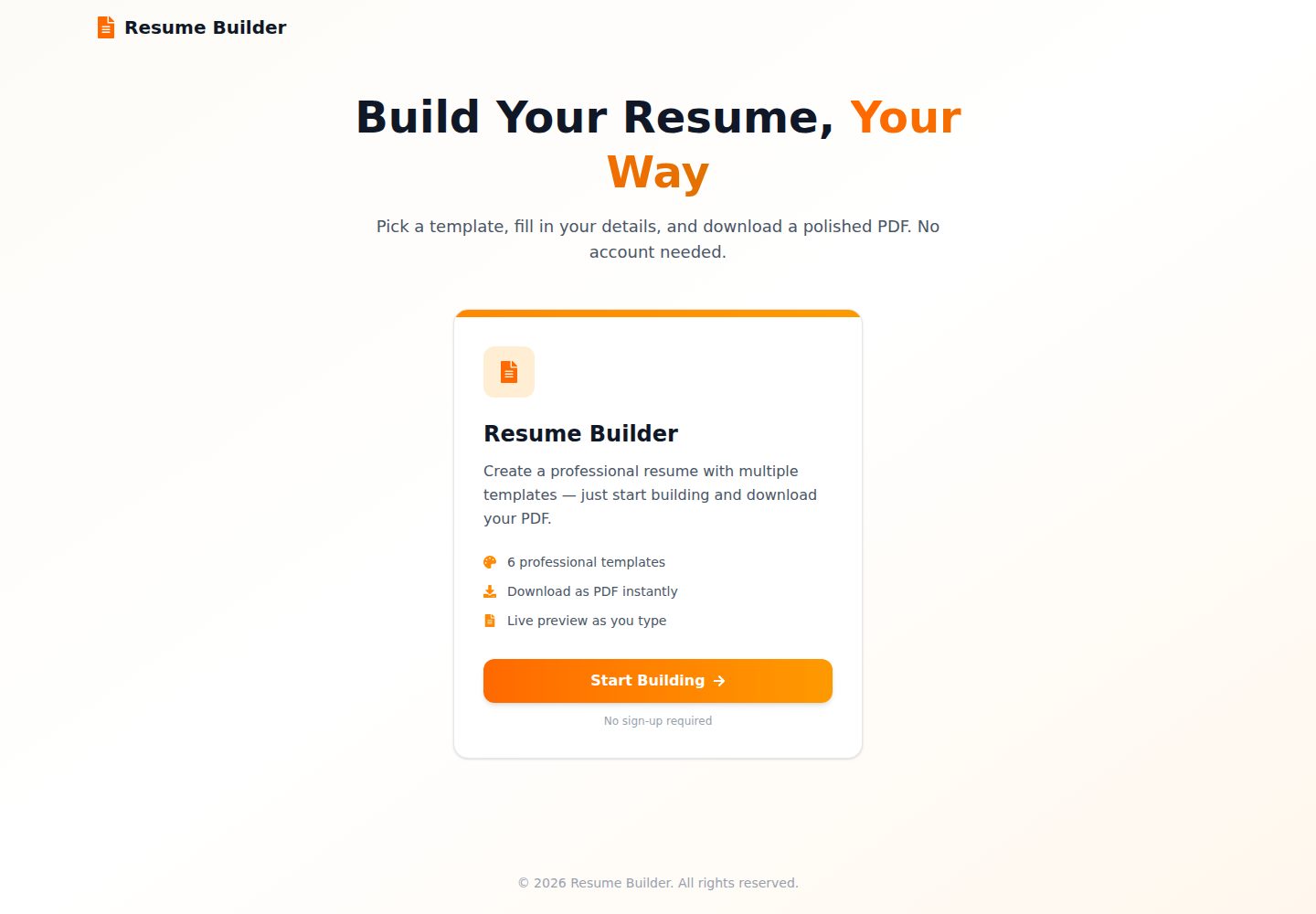
分屏编辑器:表单修改即时反映在预览面板
Next.jsReact作品集目录站
Resume-Builder — Next.js 作品集模板
作者 Abdullah-Masood-05
基于 Next.js 与 React 的纯客户端简历构建器,提供分屏实时预览、多套模板与一键导出 PDF,数据保存在浏览器本地。
看看你的网站会是什么样
浏览真实页面截图,比较内容排版与手机效果。点击下方缩略图切换,放大查看整页细节。
目前有 1 张原始预览,可打开完整图片查看设计细节。
截图用于了解视觉与布局,交互效果请以实际项目为准。
采集于 2026-10-11查看来源
值得关注的模板亮点
从已有项目资料中,快速了解它的特点。
6 套简历模板:Charter 单栏、Best 单栏、Modern 双栏、Creative 双栏、Classic 双栏、Minimal 双栏
通过 @react-pdf/renderer 在客户端一键导出 PDF
结构化简历区块:个人信息、工作经历、教育、项目、认证与技能
端到端 TypeScript 接口定义简历数据
模板注册机制:在 pdf-registry 与 html-registry 注册后自动出现在选择器中
模板详细介绍
Resume-Builder 是一个使用 Next.js 与 React 构建的静态 Web 应用,所有编辑与 PDF 生成都在浏览器中完成,不需要账号或后端服务。用户在分屏表单中填写个人信息、工作经历、教育背景、项目、认证与技能,预览面板会实时更新;导出时通过 @react-pdf/renderer 在客户端生成 PDF。项目提供 6 套模板,涵盖单栏与双栏布局,并配有对应的 HTML 预览组件。
仓库的 main 分支是独立的简历构建器。README 提到候选人/招聘方平台(包含认证、职位发布与申请跟踪)位于 feat/job-portal 分支,不在 main 分支中。模板数据通过 localStorage 保存在本地,没有服务端存储。
项目使用 TypeScript 定义简历数据结构,并设有 PDF 模板注册表与 HTML 预览注册表,新增模板时需在两者中以相同键名注册。构建配置为静态导出,构建产物输出到 out/ 目录。
Next.jsReact作品集目录站
适合你的项目吗?
适用场景
- 个人在浏览器中填写并导出简历 PDF,无需注册账号
- 开发者参考其分屏编辑与客户端 PDF 生成实现
- 作为静态站点部署到托管平台,构建产物输出到 out/ 目录
- 在现有模板基础上扩展新的 PDF 与 HTML 预览模板
适合人群
- 需要快速生成简历 PDF 的个人用户
- 学习 Next.js 静态导出与客户端 PDF 渲染的开发者
- 希望以 MIT 许可复用或修改模板代码的项目
上手与定制指南
结合仓库当前版本的说明,按下面的资料检查内容、配置与运行要求。
- 1
需要 Node.js 18 及以上;推荐使用 Bun 1.1 或 npm/yarn/pnpm
- 2
克隆仓库后运行 bun install 安装依赖,再运行 bun dev 启动开发服务器
- 3
构建命令 bun run build 会生成静态站点到 out/ 目录
- 4
新增模板需同时创建 PDF 组件与 HTML 预览组件,并在两个注册表中以相同键名登记
- 5
演示图片、字体、图标等第三方素材需按各自许可单独核对
授权与来源资料
使用条件与限制
免费使用 · 保留许可声明本次收录的是公开仓库中采用 MIT 许可的免费版本;免费范围为该版本代码,不代表外部服务或第三方素材免费。
使用时需要遵守
- 允许免费使用、修改、商用和分发该版本代码。
- 分发代码副本或实质性部分时,保留原作者版权声明和完整 MIT 许可声明。
- 代码按现状提供;担保与责任限制以原许可证及适用法律为准。
额外费用与待核对事项
- 演示图片、字体、图标及其他第三方素材需按各自许可核对,不能仅凭代码的 MIT 许可判断。
- 域名、托管、数据库、支付或 AI 等外部服务可能另外收费。
- 候选人/招聘方平台(含认证、职位发布、申请跟踪)位于 feat/job-portal 分支,不在 main 分支;main 仅为独立简历构建器,若需要该平台功能须切换到该分支。
查看原文依据
Permission is hereby granted, free of charge
许可证原文
https://github.com/Abdullah-Masood-05/Resume-Builder/blob/main/LICENSEhttps://github.com/Abdullah-Masood-05/Resume-Builder/blob/main/README.md**Looking for the job portal?** The candidate/recruiter platform (auth, job posting, application tracking) lives on the [`feat/job-portal`](../../tree/feat/job-portal) branch. `main` is the standalone resume builder.
README 原文
DeepSeek 根据仓库许可证和 README 整理 ·2026-10-11。结果仅覆盖已读取资料,依赖、图片、字体及后续条款变更以各自原文为准。
项目核对记录与介绍依据
模板资料
- 来源平台
- GitHub
- 资料与维护参考分
- 资料较完整 · 88 / 100
- 技术栈
- Next.js · React
- 网站类型
- 作品集 · 目录站
这个分数如何计算
本站按许可资料(最高30分)、演示链接(12分)、预览图(10分)、Star数(15分)、记录的维护时间(15分)、描述完整度(8分)、功能记录(5分)和分类资料(5分)计算。它不是代码、安全或性能测试,也不是 Google 评分;有链接不代表已实测可用。
这个项目需要核对什么
- 记录的仓库更新时间
- 2026-10-11
- 截图检查日期
- 2026-10-11
已收录演示链接。请用你的内容与屏幕尺寸检查;有演示不代表表单、认证或支付已经可用。
目录记录的主要技术栈是 Next.js。请通过依赖清单和锁文件核对实际版本与托管要求。这些说明基于收录资料,不代表代码审计或部署实测。
查看具体选型方法 →介绍的制作与核对状态
介绍由 AI 辅助整理目录与仓库资料。仓库作者不等于这篇介绍的审核者。
审核声明: [email protected] · 2026-10-11
查看当时使用的来源资料
SHA-256: 2d8fc1b4c6c689ffec84bc3b137f4994f7491b3a9bd14bff70d0ab9d0361a40b
2026-10-11T12:20:28.979Z
来源文件 / 仓库<div align="center">
# Resume Builder
**A modern, fully client-side resume builder — pick a template, fill in your details, and export a pixel-perfect PDF. No account, no backend.**
[](https://nextjs.org)
[](https://react.dev)
[](https://www.typescriptlang.org)
[](https://tailwindcss.com)
[](LICENSE)
[](https://github.com/Abdullah-Masood-05/Resume-Builder/stargazers)
</div>
<p align="center">
⭐ <b>Enjoying Resume-Builder?</b> If it's useful to you, please <a href="https://github.com/Abdullah-Masood-05/Resume-Builder">star it on GitHub</a>. It's free and it helps other developers find it.
</p>
---
## Overview
Resume Builder is a static web app built with **Next.js 16** and **React 19**. Everything runs in the browser: you edit your details in a split-screen form, watch the resume update live, and generate the PDF client-side. Nothing is uploaded anywhere.
> **Looking for the job portal?** The candidate/recruiter platform (auth, job posting, application tracking) lives on the [`feat/job-portal`](../../tree/feat/job-portal) branch. `main` is the standalone resume builder.
---
## Features
- **Live split-screen editor** — changes reflect instantly in the preview pane
- **6 professional templates**
| Template | Style |
|---|---|
| Charter 1-Column | Compact LaTeX Charter CV with ruled section headings |
| Best 1-Column | Professional single-column LaTeX style |
| Modern 2-Column | Clean and modern with sidebar layout |
| Creative 2-Column | Colour-accented sidebar layout |
| Classic 2-Column | Traditional professional format |
| Minimal 2-Column | Minimalist design with focus on content |
- **One-click PDF export** — generated client-side via `@react-pdf/renderer`
- **Structured sections** — Personal Info, Work Experience, Education, Projects, Certifications and Skills
- **Dynamic entry management** — add or remove multiple entries per section
- **End-to-end TypeScript** — strict interfaces for all resume data
---
## Tech Stack
| Technology | Version | Purpose |
|---|---|---|
| [Next.js](https://nextjs.org) | 16 | App framework (App Router, static export) |
| [React](https://react.dev) | 19 | UI library |
| [TypeScript](https://www.typescriptlang.org) | 5 | Type safety |
| [Tailwind CSS](https://tailwindcss.com) | 4 | Styling |
| [@react-pdf/renderer](https://react-pdf.org) | 4 | Client-side PDF generation |
| [Lucide React](https://lucide.dev) | latest | Icons |
| [React Icons](https://react-icons.github.io/react-icons) | 5 | Additional icons |
| [Bun](https://bun.sh) | 1.1 | Package manager & runtime |
---
## Project Structure
```
Resume-Builder/
├── app/
│ ├── page.tsx # Landing page
│ ├── layout.tsx # Root layout + template provider
│ ├── globals.css # Tailwind entry + Charis SIL @font-face
│ └── resume/page.tsx # Resume editor + live preview
├── components/
│ ├── resume-editor.tsx # Tabbed form editor
│ ├── resume-preview.tsx # Live HTML preview + template selector
│ ├── resume-download.tsx # PDF export button
│ ├── layout-wrapper.tsx # Minimum-width guard
│ ├── pdf-templates/ # @react-pdf/renderer PDF templates
│ │ ├── charter-pdf.tsx
│ │ ├── best-pdf.tsx
│ │ ├── modern-pdf.tsx
│ │ ├── creative-pdf.tsx
│ │ ├── classic-pdf.tsx
│ │ └── minimal-pdf.tsx
│ └── templates/ # HTML live-preview templates
│ ├── charter-preview.tsx
│ ├── best-preview.tsx
│ ├── modern-preview.tsx
│ ├── creative-preview.tsx
│ ├── classic-preview.tsx
│ └── minimal-preview.tsx
├── context/
│ └── TemplateContext.tsx # Global selected-template state
└── lib/
├── resume.ts # Core resume TypeScript interfaces
├── defaults.ts # Default / sample resume data
├── text-format.ts # Bullet line + bold label parsing
├── pdf-registry.ts # PDF template registry
└── html-registry.ts # HTML preview template registry
```
---
## Installation
### Prerequisites
- [Node.js](https://nodejs.org) ≥ 18
- [Bun](https://bun.sh) ≥ 1.1 *(recommended)* — or npm / yarn / pnpm
### Setup
```bash
# 1. Clone the repository
git clone https://github.com/Abdullah-Masood-05/Resume-Builder.git
cd Resume-Builder
# 2. Install dependencies
bun install
# 3. Start the development server
bun dev
```
Open [http://localhost:3000](http://localhost:3000) in your browser.
### Build for Production
The app is configured for static export (`output: "export"`), so a build emits a fully static site to `out/`.
```bash
bun run build
```
### Available Scripts
| Script | Description |
|---|---|
| `bun dev` | Start the development server |
| `bun run build` | Build the static site into `out/` |
| `bun run start` | Start the production server |
| `bun run lint` | Run ESLint |
---
## Usage
1. From the landing page, click **Start Building**
2. Pick a template from the selector above the preview
3. Fill in your details across the tabs: *Personal*, *Experience*, *Education*, *Projects*, *Skills*
4. Watch the resume update live in the preview pane
5. Click **Download PDF** to export
---
## Adding a New Template
1. Create a PDF component in `components/pdf-templates/your-template.tsx` using `@react-pdf/renderer` primitives (`Page`, `View`, `Text`, `StyleSheet`)
2. Create a matching HTML preview in `components/templates/your-preview.tsx`
3. Register both in `lib/pdf-registry.ts` and `lib/html-registry.ts` under the same key
```ts
// lib/pdf-registry.ts
import { YourPdfTemplate } from "@/components/pdf-templates/your-template"
export const pdfTemplates = {
// ... existing templates
"your-key": {
name: "Your Template Name",
description: "A short description of the style",
component: YourPdfTemplate,
},
}
```
The new template appears in the selector automatically — no other changes needed. Keep the two components visually in sync; the preview is what users judge the PDF by.
---
## Contributing
Contributions, issues, and feature requests are welcome!
1. Fork the repository
2. Create a feature branch: `git checkout -b feat/your-feature`
3. Commit your changes using [Conventional Commits](https://www.conventionalcommits.org): `git commit -m "feat: add your feature"`
4. Push to your fork: `git push origin feat/your-feature`
5. Open a Pull Request against `main`
Please ensure the project builds (`bun run build`) and lints (`bun run lint`) without errors before submitting.
---
## Roadmap
- [x] Standalone resume builder (no auth required)
- [x] 6 professional PDF templates
- [x] Live split-screen preview
- [x] Static export deployment
- [ ] ATS score / keyword analysis
- [ ] Import from LinkedIn / JSON Resume
- [ ] Multi-page PDF support
- [ ] Dark mode
---
## License
Distributed under the [MIT License](LICENSE).
看看同类模板
对比同技术栈与用途的模板,找到更适合的视觉与内容结构。

react-resume-template
A personal resume website template built with React.js, Typescript, Next.js, and styled with Tailwind css
Next.js · 作品集

nxt-lnk
Custom bio links for creatives who love coding. A perfect custom alternative for linktree, bio and other short…
Next.js · 作品集

sylph
A minimal portfolio template.
Next.js · 作品集

sleek-portfolio
sleek-portfolio 是一个面向开发者个人品牌展示的现代作品集模板,基于 Next.js 15、TypeScript、Tailwind CSS 和 Shadcn UI 构建。
Next.js · 作品集
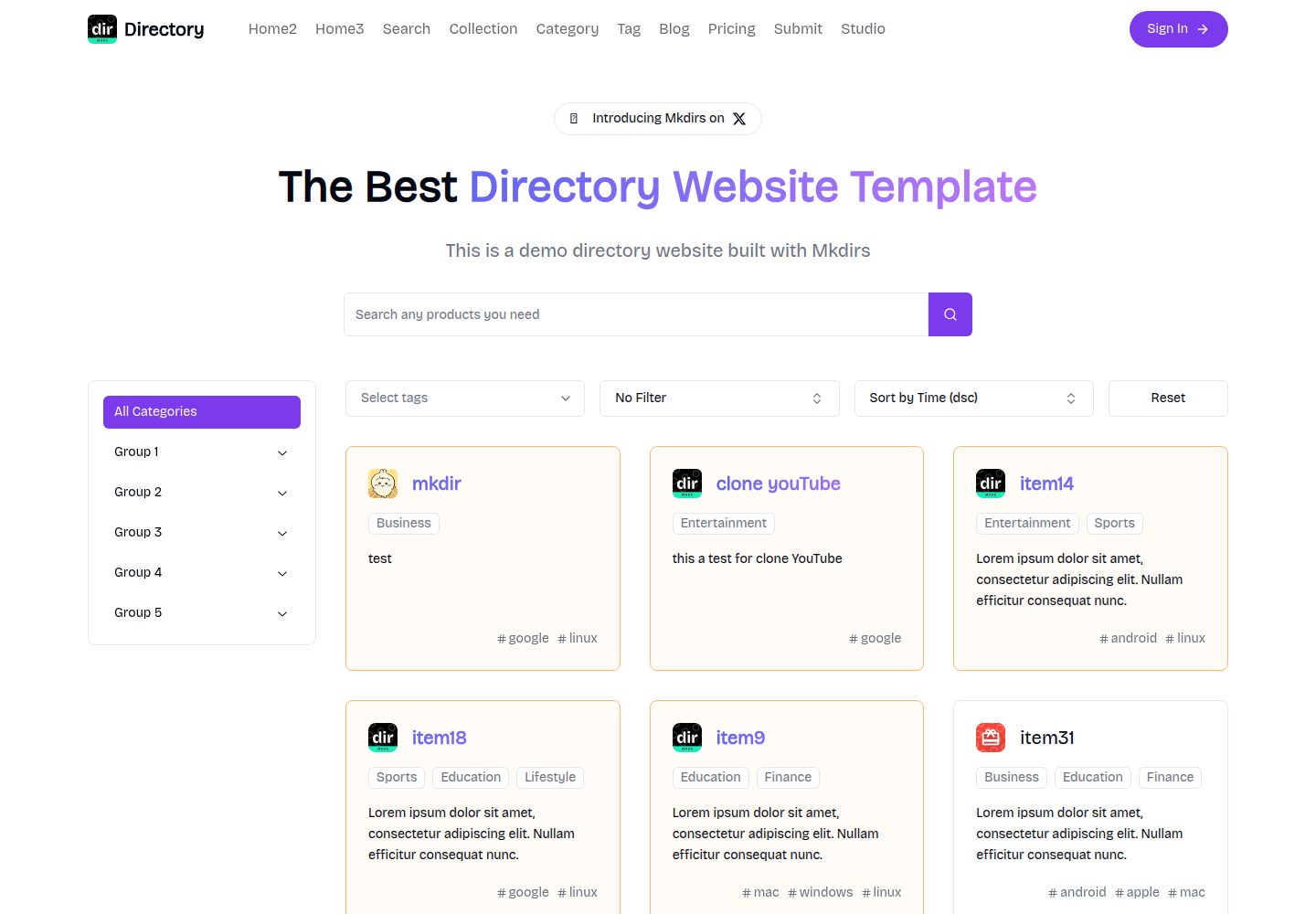
mkdirs
Open-source AI-powered directory website template built with Next.js
Next.js · 目录站

research-website-template
React + Next.js template for research websites (for PhD students, researchers, etc)
Next.js · 作品集